-
-
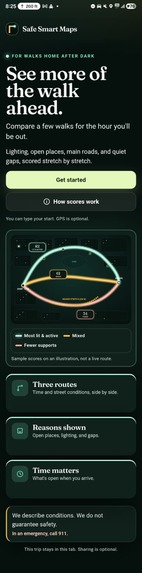
Home Page
-

Scoring
-
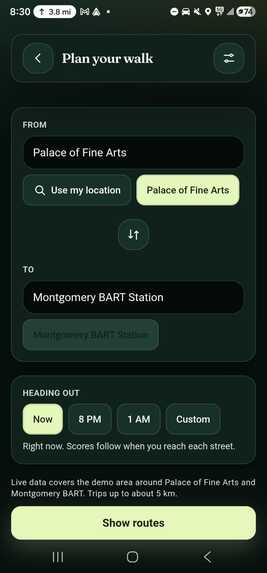
Start and end location
-
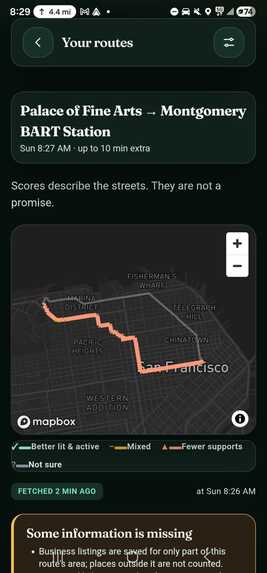
Routes
-
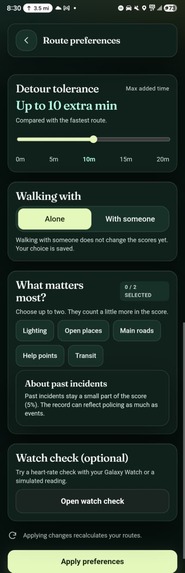
Preferences
-
Connect with smart variables

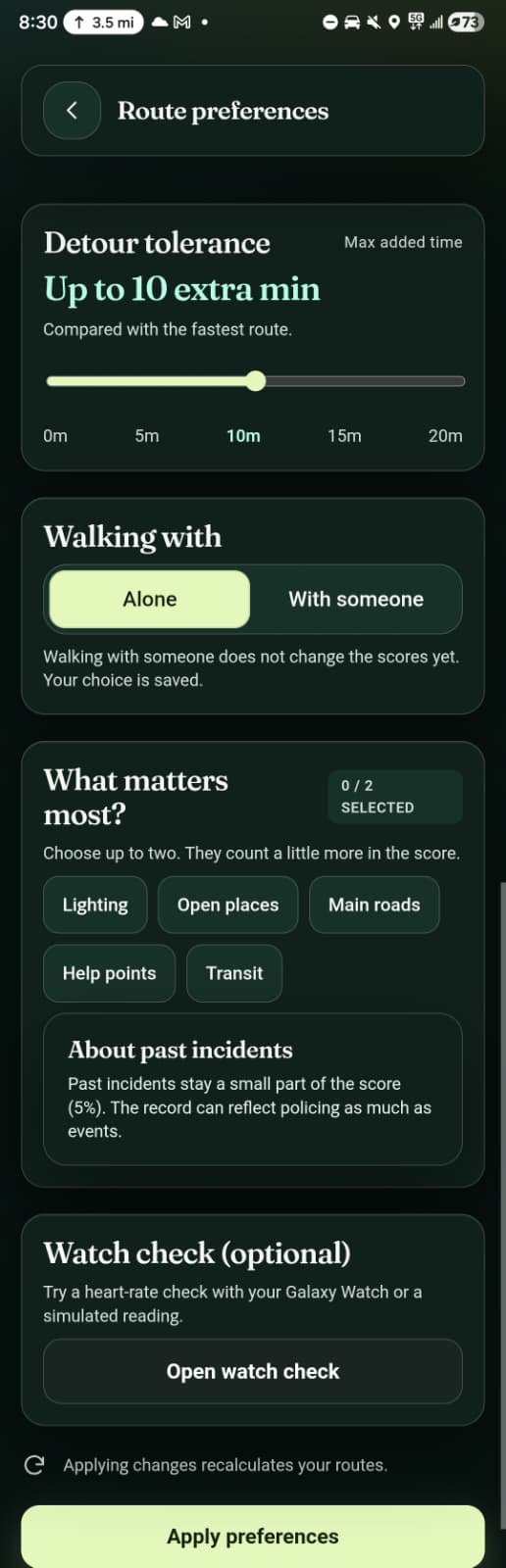
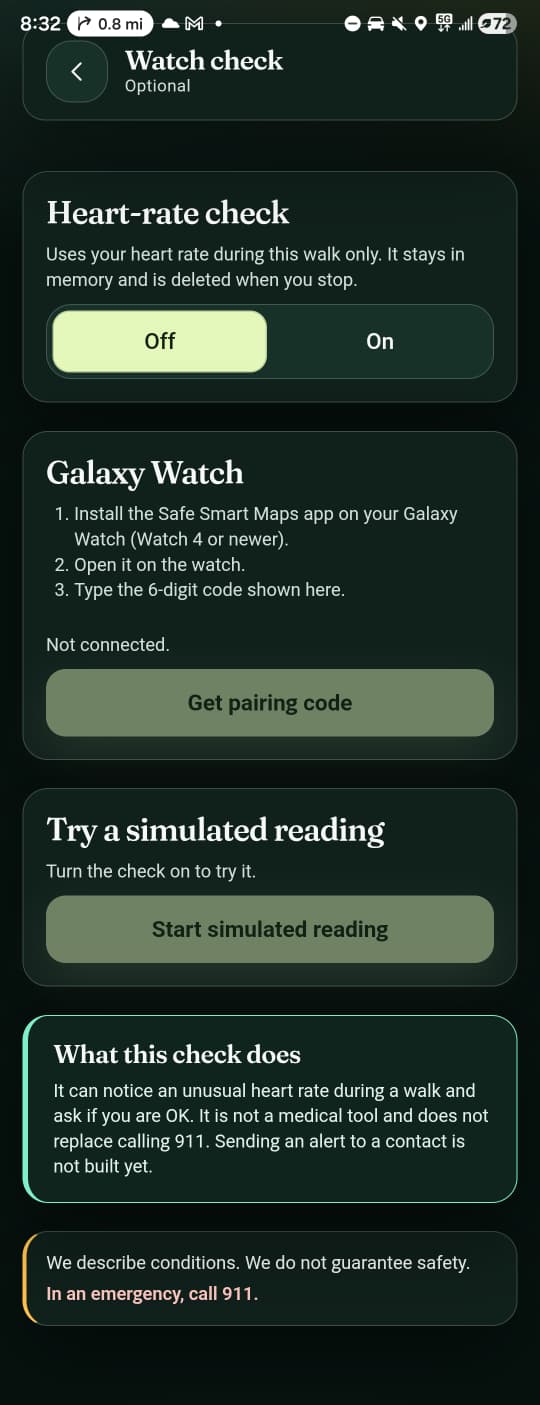
Inspiration
Safe Smart Maps started from what we were seeing around us as students.
At San José State University, many students walk across campus and through downtown late at night. Some parts of these walks can become very dark and quiet after businesses close and campus activity dies down. This especially affects students leaving late classes, studying at the library, or working late-night shifts on campus.
Our concern also came from incidents involving students walking at night. Last year, a student near our campus was attacked at night in an incident involving his visible religious identity. We had also heard about incidents at other universities, including Cornell, that reinforced the same concern: students may have to walk alone at night without knowing much about the conditions along the route ahead.
We thought about students working late shifts, women walking home alone, international students who may still be unfamiliar with their surroundings, and anyone leaving campus late who might choose to walk a few extra minutes if they knew another route was better lit and had more activity around it.
That made us realize something simple:
The fastest route isn't always the route you would choose if you could see what the walk would actually be like.
Traditional navigation apps are excellent at answering, "What's the fastest way to get there?"
We wanted to ask a different question:
"What will this route look like when I actually get there?"
A street can have restaurants, stores, and people around it at 8 PM but feel completely different at 1 AM after those places close. Similarly, a route that looks fine when viewed as a whole might contain one long, dark or isolated stretch that an average score could hide.
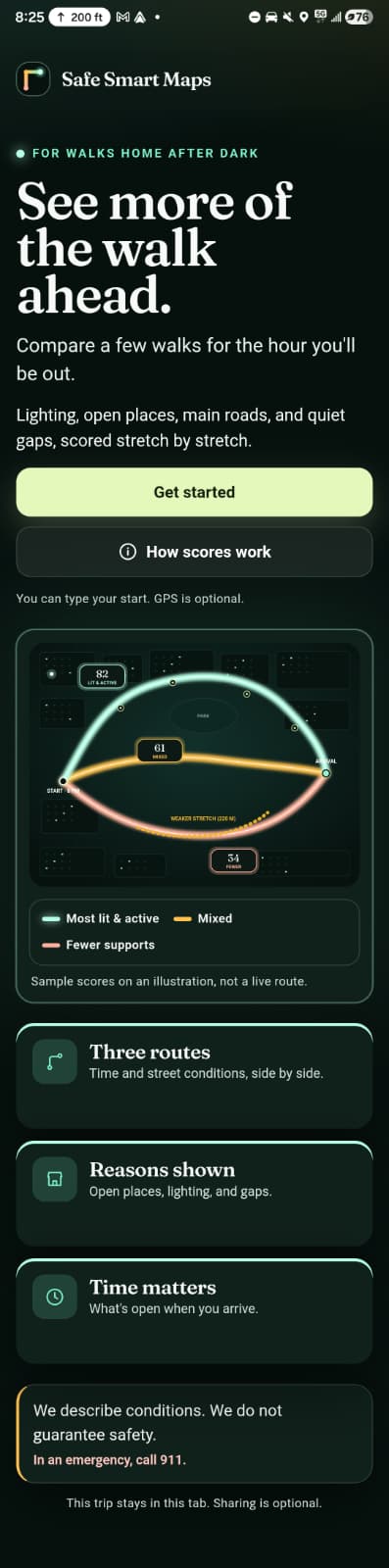
That became the inspiration for Safe Smart Maps: a time-aware walking navigation system that helps students compare routes using conditions such as lighting, open places, nearby help points, activity, and long empty stretches.
We aren't trying to tell someone that a route is "safe." No map or algorithm can guarantee that.
Instead, we want students to see more of the walk ahead and have better information when deciding which way they want to go.
What it does
Safe Smart Maps gives users up to three walking options:
- Fastest — the shortest travel time.
- Balanced — a trade-off between route conditions and additional walking time.
- Better lit and more active — the highest-scoring route within the amount of extra walking time the user is willing to accept.
But we didn't want to produce another unexplained number.
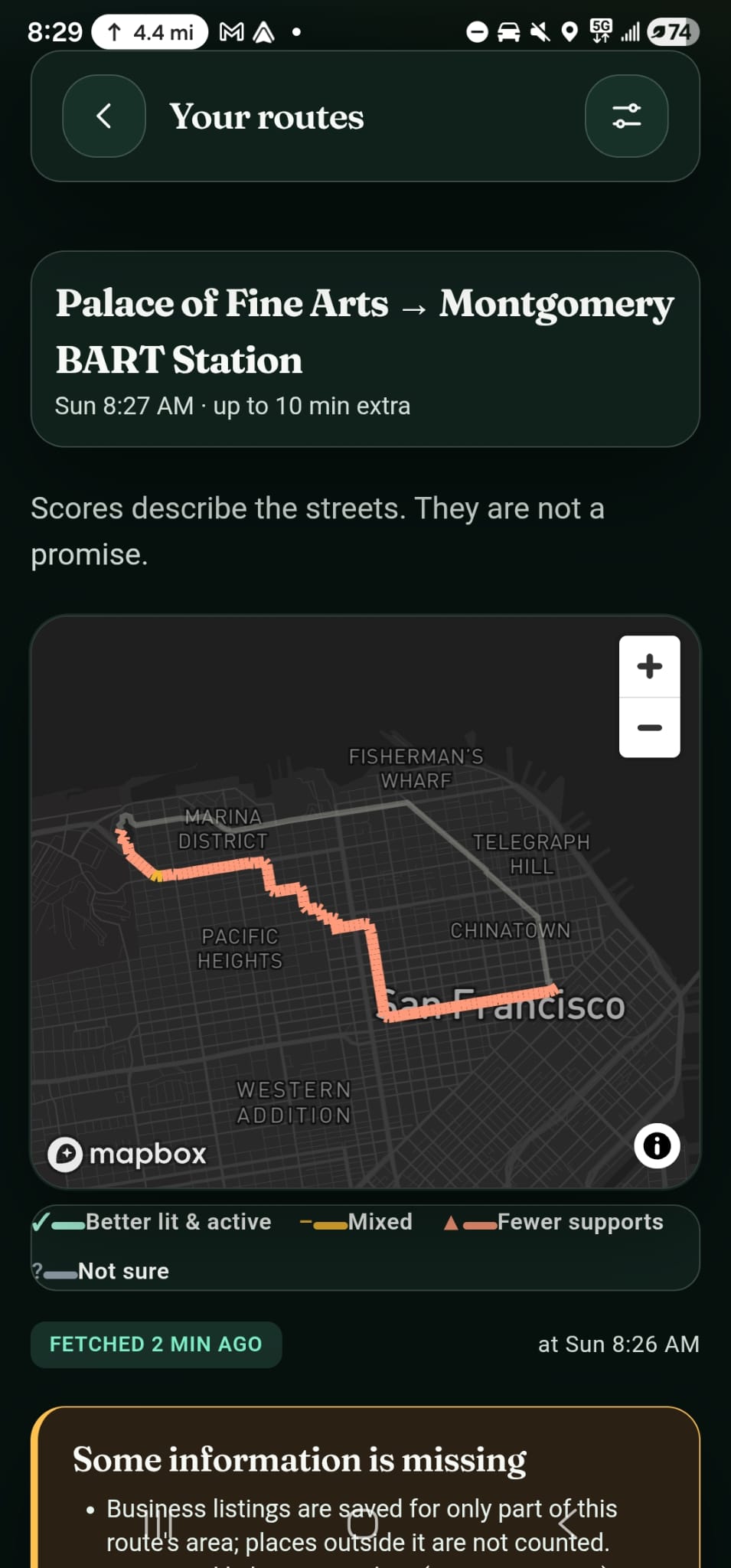
Each route shows the user why it was recommended, including its extra travel time, coverage by nearby open places or help points, longest empty stretch, data timestamps, and the reasons behind its score.
We divide the walk into roughly 50-meter segments and evaluate eight factors: open places, lighting, main-road coverage, help points, transit availability, estimated activity, turns and dead ends, and historical incidents.
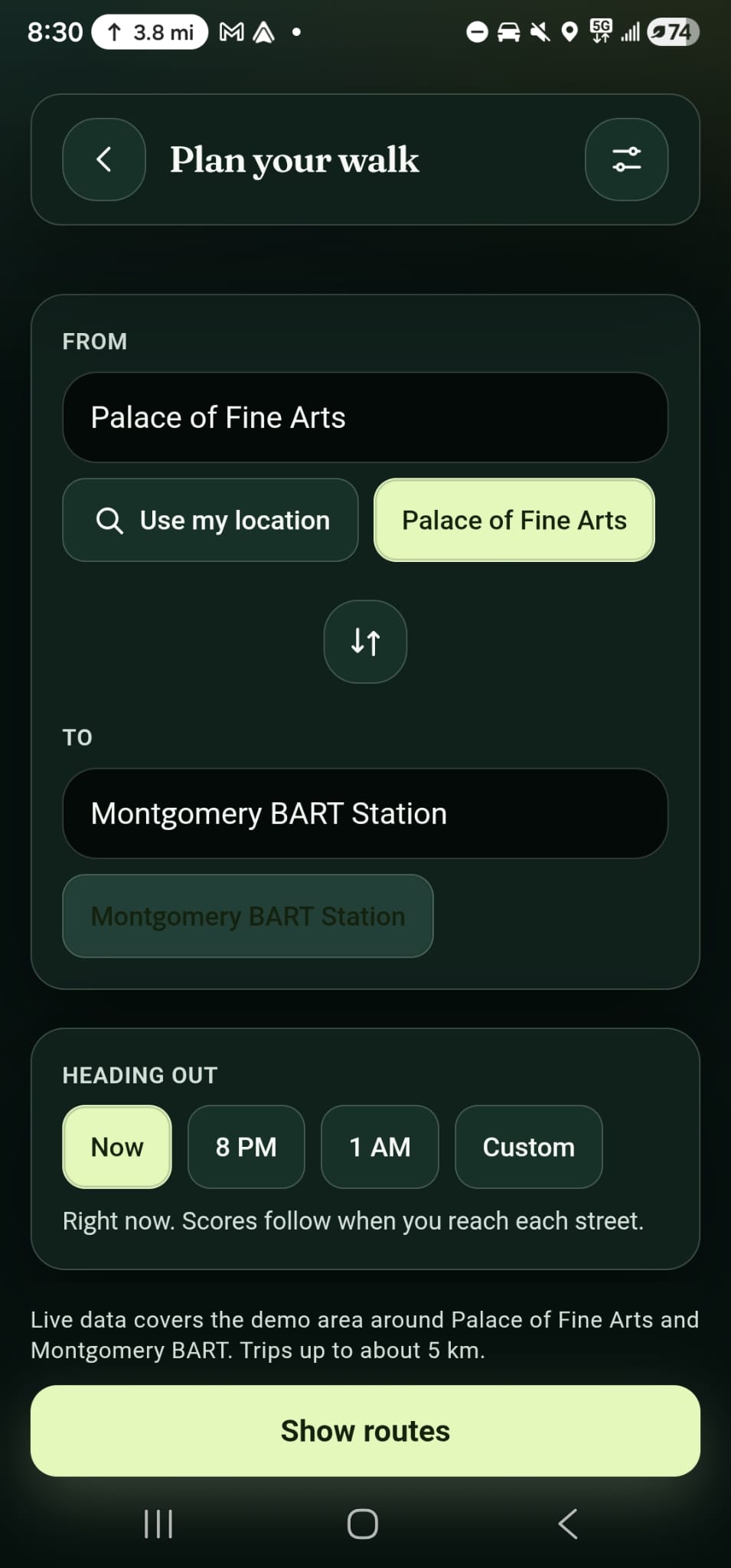
Most importantly, these factors are evaluated based on when the user is expected to reach that part of the route.
In one of our real test trips from the Palace of Fine Arts to Montgomery BART, the better-lit route had three open places at 8 PM and only one later at night.
The street didn't change. The time did.
The continuity rule
We also discovered that simply averaging segment scores creates another problem.
Imagine that 90% of your walk is well-lit and active, but the remaining 10% is one long isolated stretch. A normal average could still make that route look excellent.
So we built a continuity rule.
In addition to the overall route average, we examine the worst rolling 200-meter window and the longest stretch without nearby open places or help points.
Conceptually, our route score is:
$$
\text{Route Score}
0.5(\text{Average}) +
0.5(\text{Worst 200m Window})
\text{Gap Penalty} $$
That way, one particularly weak section can't simply disappear inside a good average.
How we built it
Safe Smart Maps combines routing, live and public data, AI, mobile navigation, and wearable hardware.
Our frontend is built with Next.js and Mapbox GL, with an Android version using Capacitor.
Our backend uses FastAPI and handles route candidates, segment scoring, continuity analysis, route selection, explanations, image audits, and the watch relay.
We integrated several real data sources:
- Bright Data — business listings and opening hours
- Mapbox — walking routes, maps, and turn-by-turn navigation
- OpenStreetMap + San Francisco open data — roads, lighting tags, streetlights, help points, 311 outages, and incidents
- GTFS — transit schedules
- Mapillary — street-level imagery
- Claude — route explanations and structured readings of street imagery
Time-aware business data
Bright Data is central to our time-aware places system.
We fetch public business listings and opening hours, parse those schedules, and determine whether each place should be open, closed, or unknown when the user is expected to reach it.
We also cache the information with its fetch time.
If a source fails or information is unavailable, we don't invent a value. The system falls back appropriately or displays "not sure."
AI that explains instead of decides
We use Claude to turn our route data into short, understandable explanations.
Claude can also examine available Mapillary imagery from weaker portions of a route and provide an additional structured reading of what is visible.
But we deliberately separated AI from the actual scoring system.
Claude never determines or overrides a route's score.
If the AI fails, the application can fall back to a deterministic explanation. If we don't have enough information about something, we show that uncertainty rather than asking an AI model to guess.
Navigation and street view
Safe Smart Maps isn't limited to planning the trip.
After choosing a route, users can start full turn-by-turn walking navigation. The application can provide a heads-up before a low-scoring stretch or long gap and can ask before recalculating if the user moves significantly off-route.
Users can also inspect street-level imagery along their route and jump directly to weaker stretches, allowing them to see the street alongside the reasons and score our system calculated.
Galaxy Watch integration
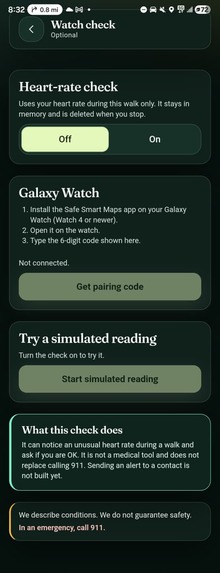
As a stretch feature, we built an opt-in Wear OS companion and tested it on a real Galaxy Watch 4.
The watch can pair with the phone using a temporary six-digit code and send heart-rate readings during the trip.
We successfully tested real Wear OS heart-rate readings reaching our backend and an "Are you OK?" prompt with an OK response on the watch.
We intentionally keep the language conservative: this is not a medical system, and it does not diagnose distress. The external alert step is currently a demo.
Heart-rate sharing is opt-in, and the trip information, pairing token, and readings are removed after the trip ends.
Challenges we faced
Real-world data is messy
Probably our biggest challenge was discovering just how incomplete real-world geographic data can be.
Some streets have OpenStreetMap lighting information and others don't. Street-level photos aren't available everywhere. Business opening hours can cross midnight. Transit information depends on available GTFS data. APIs can be slow, blocked, or temporarily unavailable.
Instead of hiding these limitations, we designed uncertainty into the system.
Missing data means "not sure," not "bad" and definitely not a made-up value.
Defining a "better" route
Another major challenge was deciding how to compare routes.
It would have been easy to create an arbitrary "safety score," but that would imply much more certainty than our data can provide.
We instead focused on measurable conditions such as lighting, open places, activity, help points, and continuity.
The continuity problem was especially interesting because it forced us to think beyond averages and consider the weakest portion of the actual walking experience.
Combining many systems
We were integrating routing, scraping, geographic datasets, opening-hour parsing, AI, street imagery, navigation, Android, and Wear OS in a very short hackathon timeframe.
To keep this manageable, we separated our data sources behind adapters and interfaces. That means a provider can be replaced without rewriting the underlying scoring system.
We also maintained shared engineering context and contracts in our repository so different team members could work in parallel without constantly losing track of decisions.
What we learned
One of our biggest lessons was that more data does not automatically mean more trustworthy software.
What matters is understanding where the data came from, how recent it is, where it is missing, and what conclusions it can actually support.
We learned a lot technically about combining geospatial routing, public datasets, web data, caching, time-aware calculations, LLMs, computer vision, mobile navigation, and wearable hardware into one system.
We also learned that AI can be more useful when it isn't treated as the authority.
For Safe Smart Maps, Claude works best as an explanation and additional context layer. The underlying scoring remains deterministic and inspectable.
And perhaps the biggest product lesson was learning when not to make a claim.
We could have designed the application around a big "safety score." Instead, we chose to expose the factors we can measure and be explicit about the factors we cannot.
What's next
We would like to expand Safe Smart Maps beyond our current demo corridor and support more cities and campuses.
Some of our next steps include improving lighting coverage, adding community lighting reports, expanding street-level imagery coverage, improving voice guidance, testing the remaining watch alert flow on real hardware, and eventually allowing users to opt in to notifying a trusted contact.
We also want to continue improving personalization without compromising privacy—for example, allowing users to decide how much extra walking time they are willing to trade for different route conditions.
Ultimately, we don't want Safe Smart Maps to tell someone:
"This route is safe."
We want it to tell them:
"Here's what we know about the walk ahead, here's what we don't know, and here are your options."
See more of the walk ahead.
Better lit. More active. Honest about what we don't know.
Built With
- android
- anthropic
- api
- apify
- bright
- capacitor
- claude
- data
- docker
- fastapi
- geospatial
- gtfs
- kotlin
- llm
- mapbox
- mapillary
- next.js
- openstreetmap
- os
- overpass
- python
- react
- typescript
- wear

Log in or sign up for Devpost to join the conversation.