
Inspiration
I come from a GIS background, and I have worked on many web map applications for different clients.
One problem I keep running into is that AI agents are still not very good at dealing with maps.
When I use AI to help with application development, debugging, or QA, everything usually works fine until the agent reaches the map. A web map is often rendered as a WebGL canvas, so the agent cannot easily understand what is actually on the map, which features are being displayed, or what happened after an interaction. Sometimes it simply cannot continue. Other times, it tries to rely on screenshots and visual interactions, but the result is often inaccurate or unreliable.
This has always felt like a major limitation to me, especially because maps are not just visual content. Behind the screen, they contain structured geographic data, layers, coordinates, features, spatial relationships, and actions.
When I learned about WebMCP, I immediately saw a way to solve this problem.
Instead of forcing an agent to understand a map through pixels, the map can directly expose its data and capabilities as tools. That idea became the starting point for GlassMap.
My goal was to make a web map that is no longer a black box to AI agents.
What I learned
The biggest thing I learned from this project was WebMCP itself.
I spent a lot of time thinking beyond the basic question of “how do I expose a function as a WebMCP tool?”
The more interesting question for me was:
What kinds of experiences become possible when an AI agent can directly interact with a website through structured tools?
While building GlassMap, I kept looking for use cases where WebMCP could do more than simply make an existing feature easier to automate.
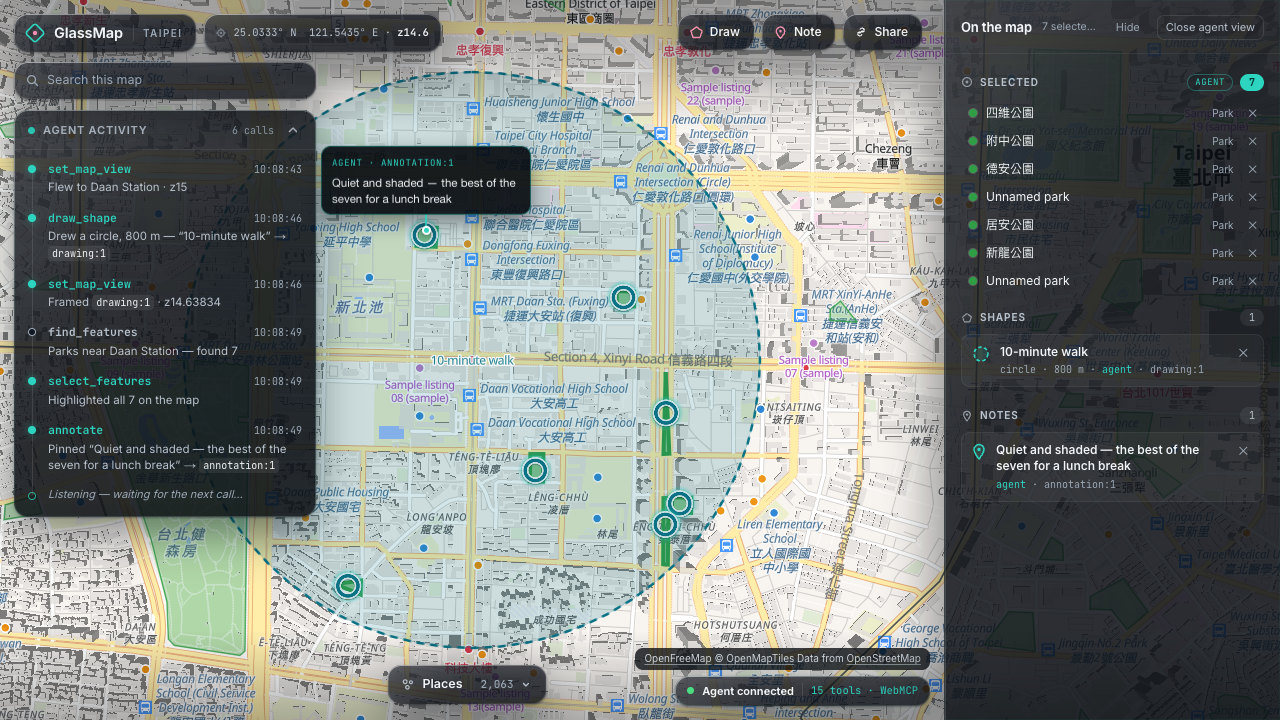
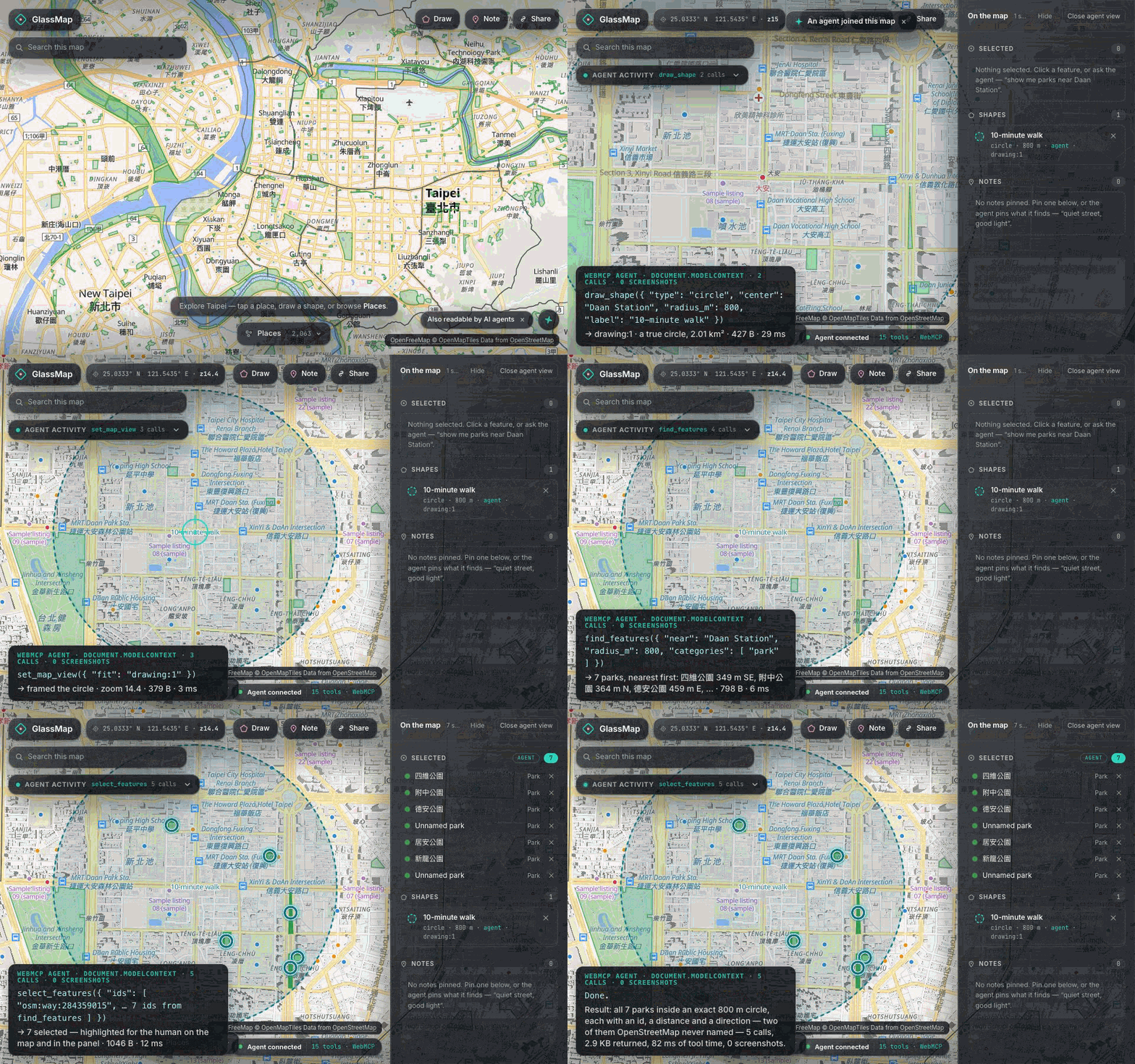
For example, instead of an agent looking at a screenshot and guessing which places are inside an area, it can directly ask the map for features within an exact spatial boundary. Instead of trying to reproduce a sequence of mouse clicks, it can work directly with map objects, coordinates, routes, and geographic queries.
That changed how I thought about the project.
WebMCP is not only a better way for an agent to operate an existing interface. In some cases, it can enable an entirely different user experience where the human, the application, and the AI agent all work with the same underlying state.
That gave me many new ideas for projects I would like to explore in the future.
How I built it
GlassMap is a web map built with Next.js, MapLibre, OpenStreetMap data, Turf.js, and Zustand.
MapLibre handles the map visualization, while Turf.js performs spatial operations directly in the browser.
The application exposes map capabilities through 15 WebMCP tools, including operations for searching places, querying nearby features, working with map objects, changing the map view, adding notes, and planning routes.
I designed the WebMCP layer separately from the map UI through a common store interface. This makes the tools easier to test and allows both the human interface and the AI agent to operate on the same map state.
I also added a development shim so that the WebMCP tools can be tested in browsers that do not yet support the API natively.
One thing this project also reminded me of is that, with today's AI coding tools, actually implementing an application is becoming much easier.
The harder questions are increasingly:
How should the system be designed?
and
What should the user experience actually be?
Those were much more difficult for me than writing the code itself.
Challenges I faced
The biggest challenge was actually deciding how to use WebMCP well.
This is a WebMCP hackathon, so it would have been easy to build a normal web application first and then add a few WebMCP tools on top of it just to satisfy the requirement.
I did not want to do that.
I wanted GlassMap to be a project where WebMCP is fundamental to the experience — where removing WebMCP would remove one of the main reasons the product exists.
Because of that, I spent a lot of time thinking about the user experience instead of simply adding more tools.
I asked questions like:
What should an agent be able to understand about the map?
What operations are actually useful as tools?
What should happen when both a human and an agent are working on the same map?
When should the agent return structured information instead of trying to manipulate the interface?
And most importantly, what can WebMCP enable that would be difficult or unreliable with a traditional screenshot-based agent?
That design process was probably the hardest part of the project.
Building the features was relatively straightforward. Deciding which features should exist, how they should work together, and how WebMCP could genuinely improve the experience took much more thought.
For me, that is also the most interesting part of building AI-native applications today. The bottleneck is becoming less about whether we can build something, and more about whether we can design the right system and the right experience around it.
Built With
- css
- geojson
- html
- maplibre-gl
- next.js
- node.js
- openfreemap
- openstreetmap
- osrm
- playwright
- pnpm
- react
- turf.js
- typescript
- vercel
- vitest
- webgl
- webmcp
- zustand


Log in or sign up for Devpost to join the conversation.