I built Forgie because I love what AI makes possible, but I don’t always want it to make everything at once. I want to see what is changing, try it, and change my mind safely.
Try Forgie
Watch the 2:36 demo
Try it in about two minutes
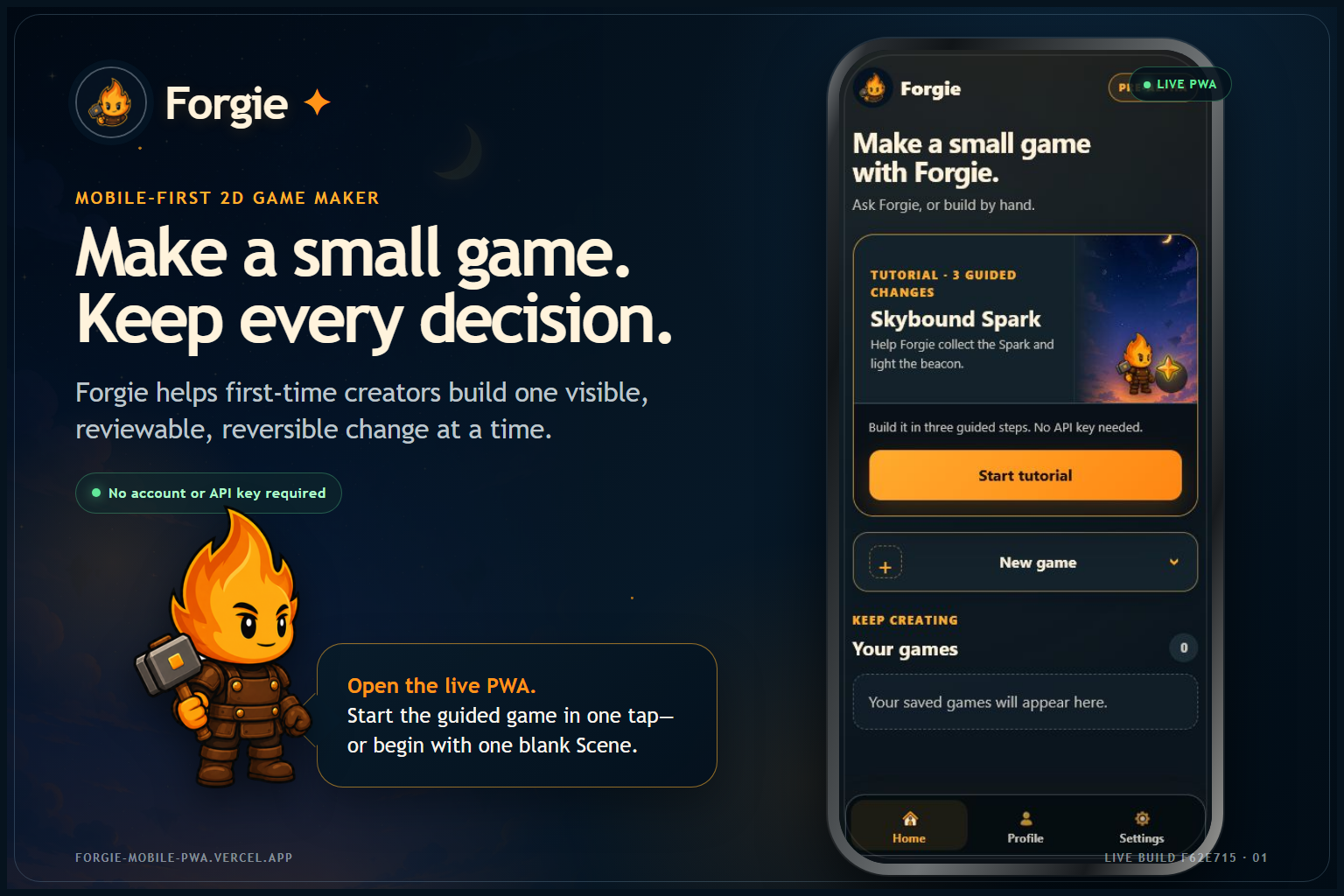
The fastest way to understand Forgie is to open the PWA and choose Start 3-step tutorial.
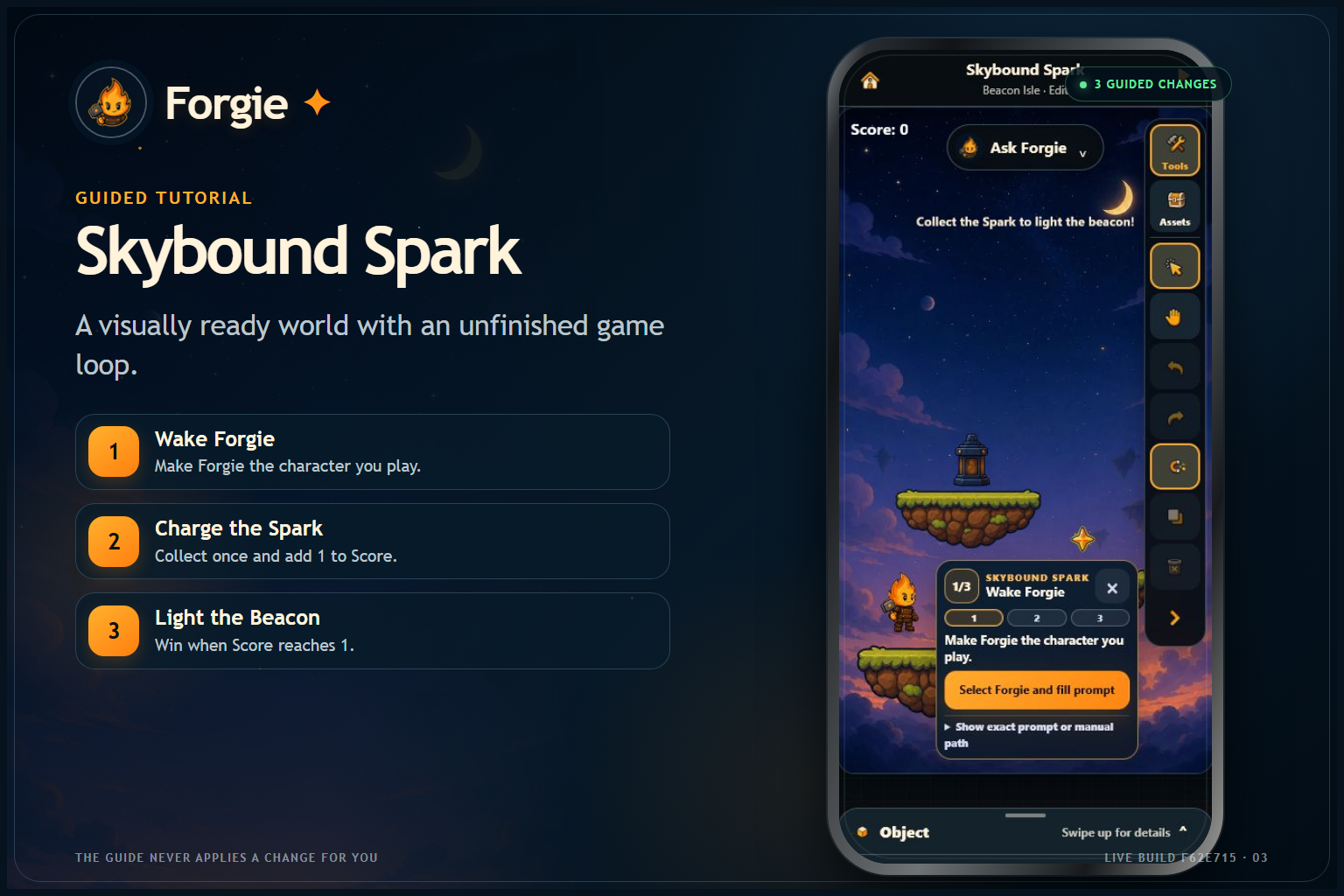
You’ll help finish a small game called Skybound Spark: Light the Beacon:
- Make Forgie the player.
- Turn the Spark into a collectible that adds 1 to Score.
- Make the Beacon light when Score reaches 1.
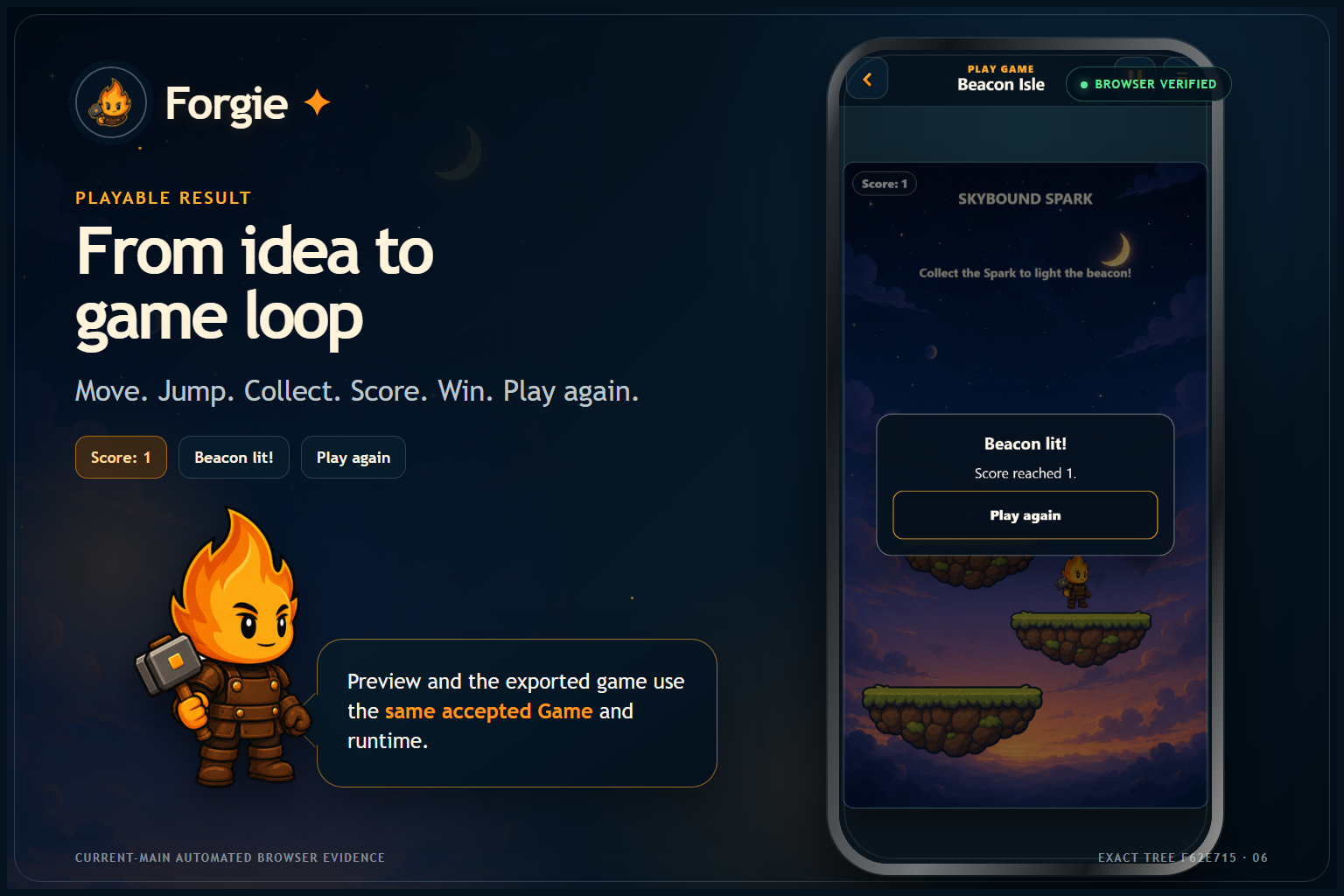
- Preview the game, collect the Spark, win, and restart.
No account or API key is required. Projects are saved locally in the browser.
A game created through Forgie
As a final creator test, Codex used Forgie’s visible workflow to build and export [Moon Orchard] from a blank project.
Why I built it
I love making games, and AI has made it possible for me to move from an idea to working software much faster than before.
But I kept running into the same problem: AI could produce a lot, while I was still trying to understand what it changed.
Sometimes too much happened at once. Sometimes I liked most of the result but wanted to adjust one small part. Sometimes an experiment went in the wrong direction and getting back to the version I liked was harder than it should have been.
I wanted a workflow that felt less like:
“Generate the whole thing and hope.”
And more like working with a patient creative partner.
That became Forgie.
What Forgie does
Forgie is a portrait-first 2D game creator that runs on a phone or in a web browser.
You start with a blank scene or the guided tutorial, then build the game one visible change at a time.
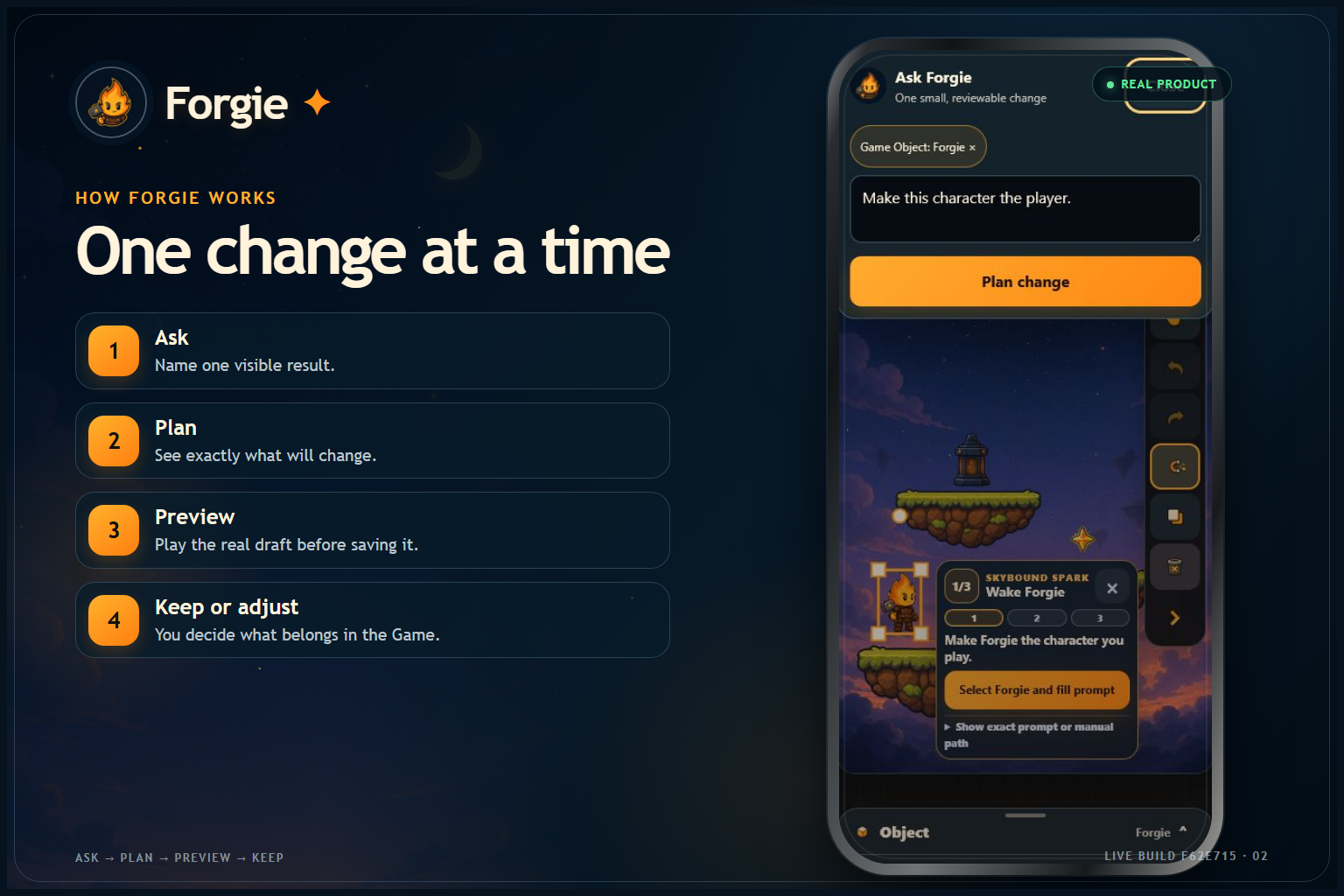
A normal Forgie change looks like this:
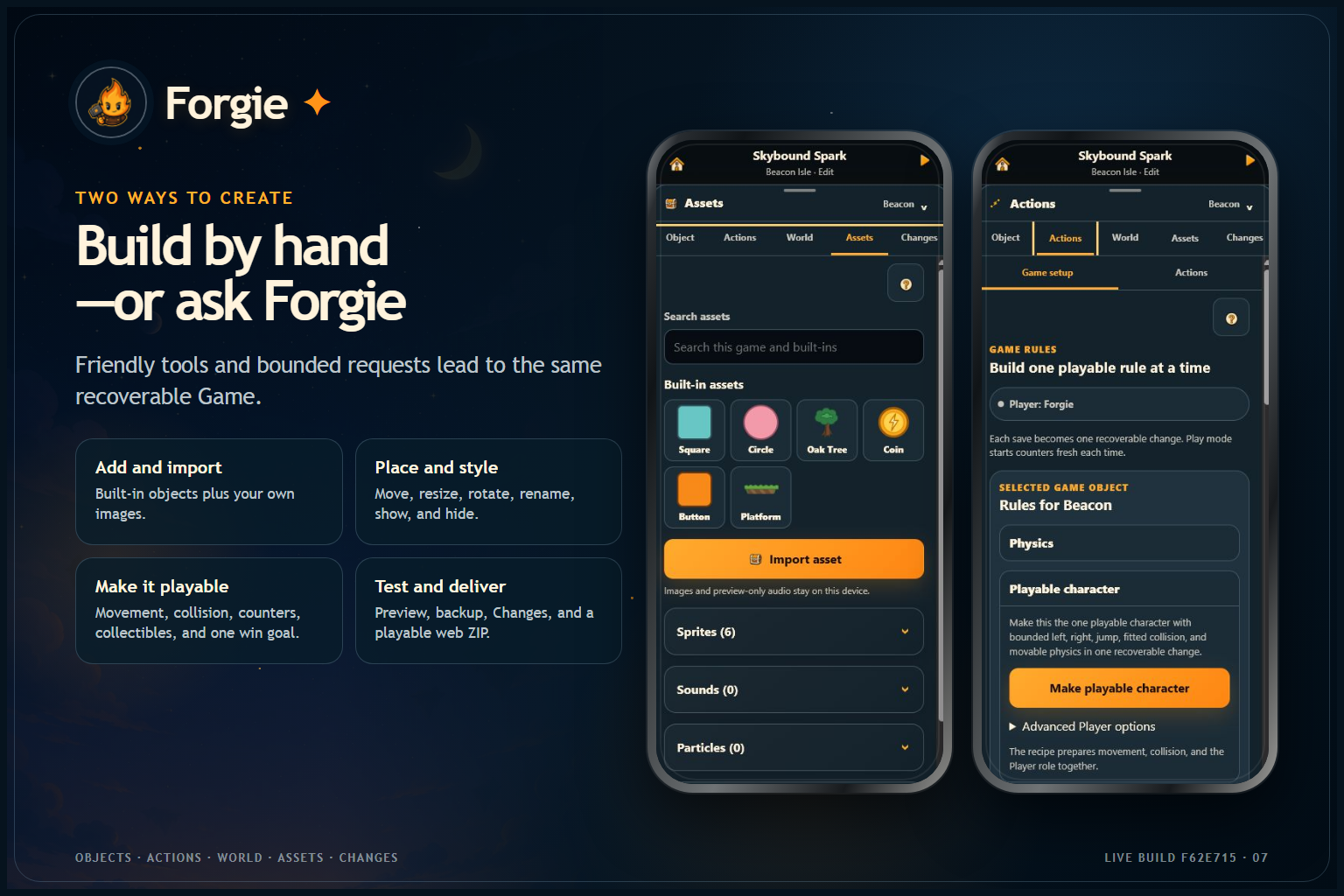
- Add or select something in the scene.
- Describe what you want in ordinary language.
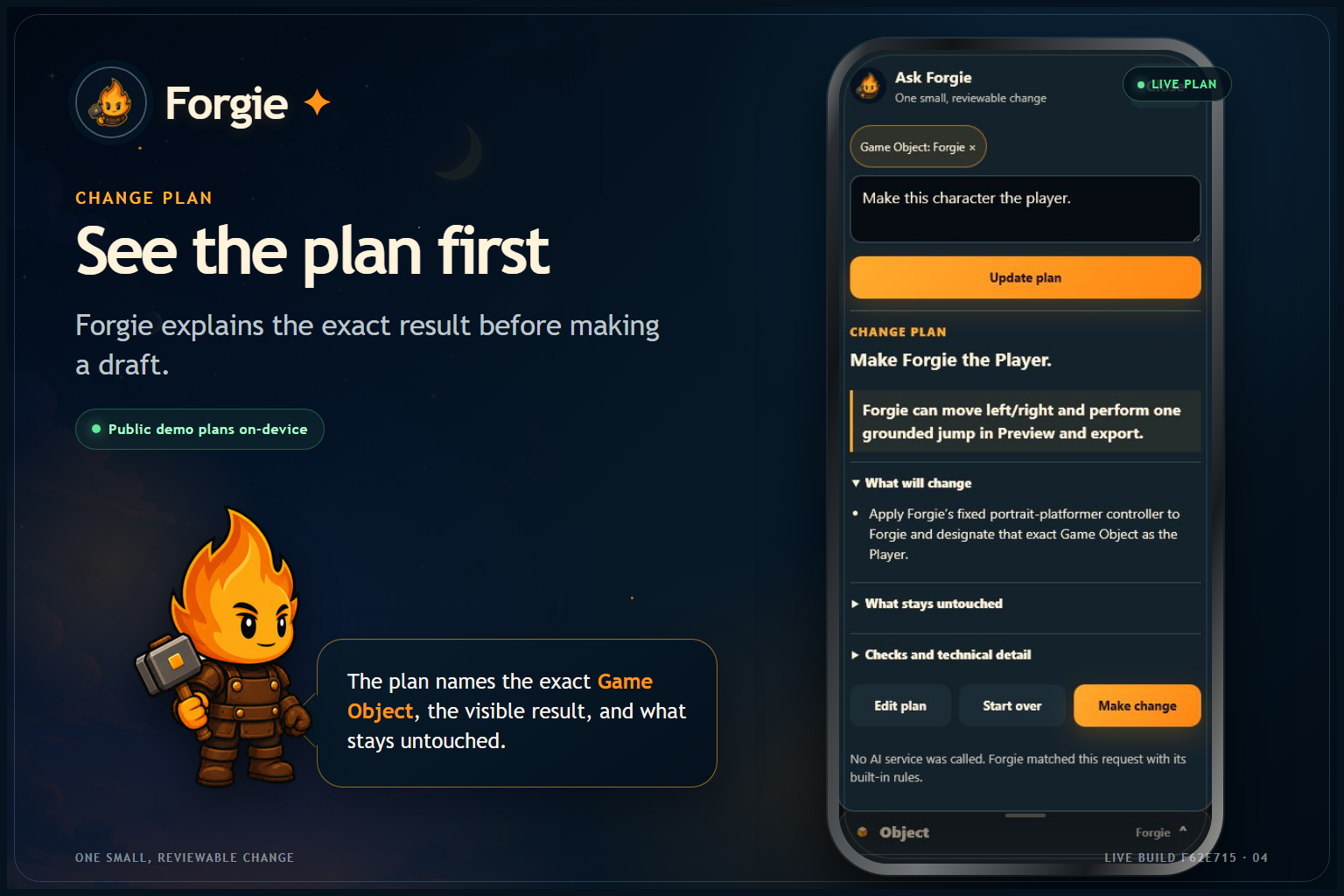
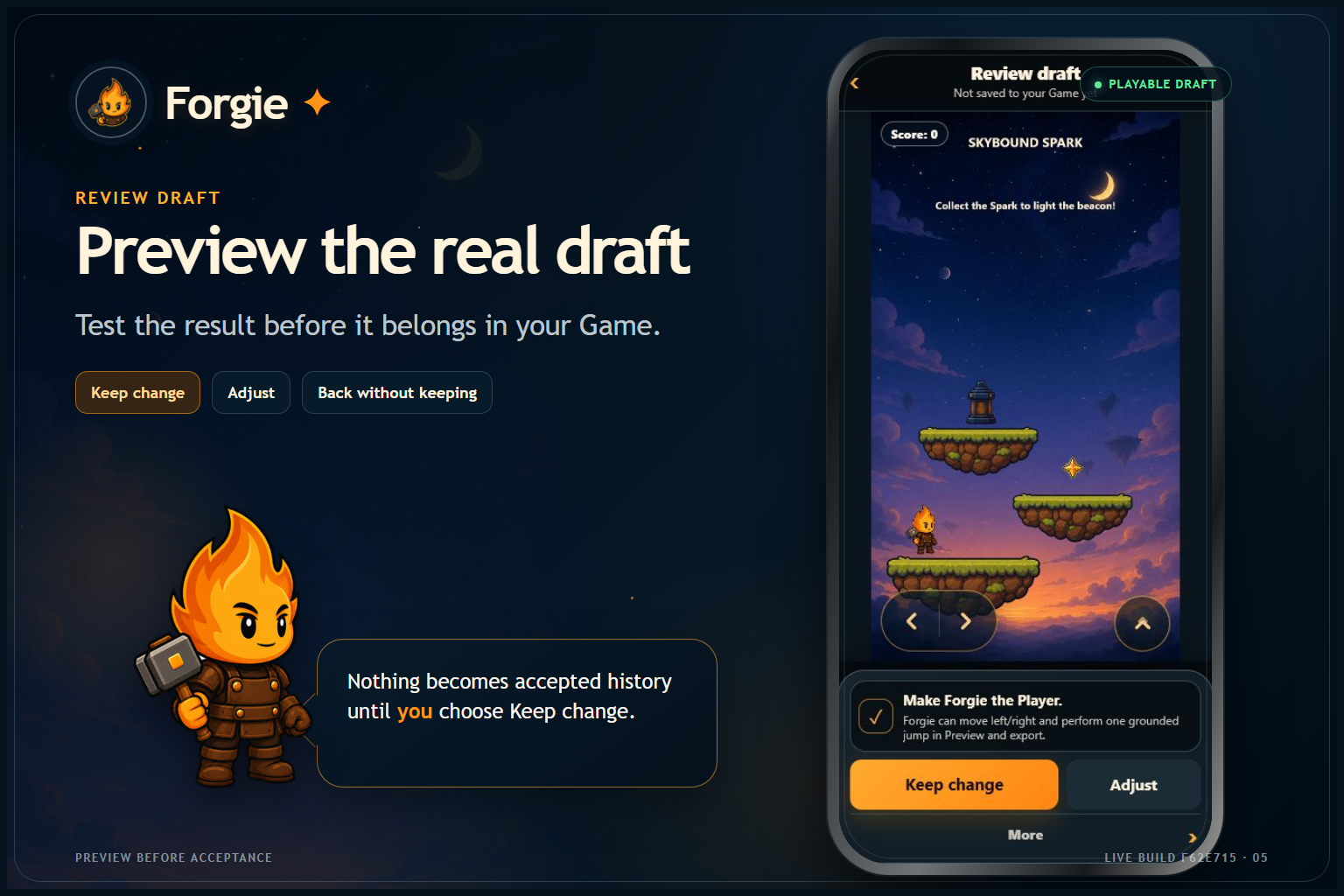
- Review the plan before anything changes.
- Run the result as a draft.
- Accept it, adjust it, or throw it away.
- Keep building from the version you chose.
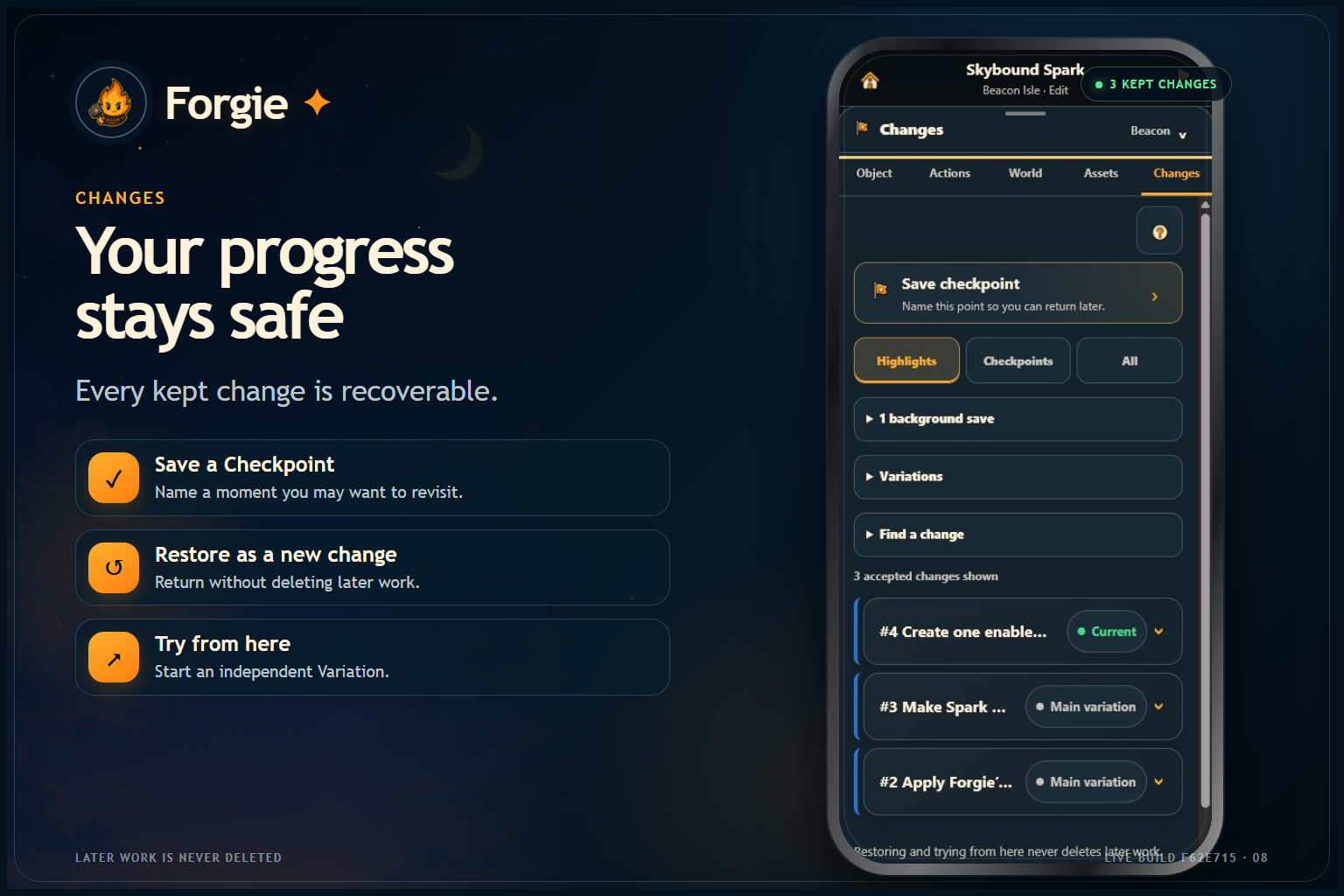
Every accepted change is saved. You can return to an earlier point, restore it without deleting later work, or start a new Variation from there.
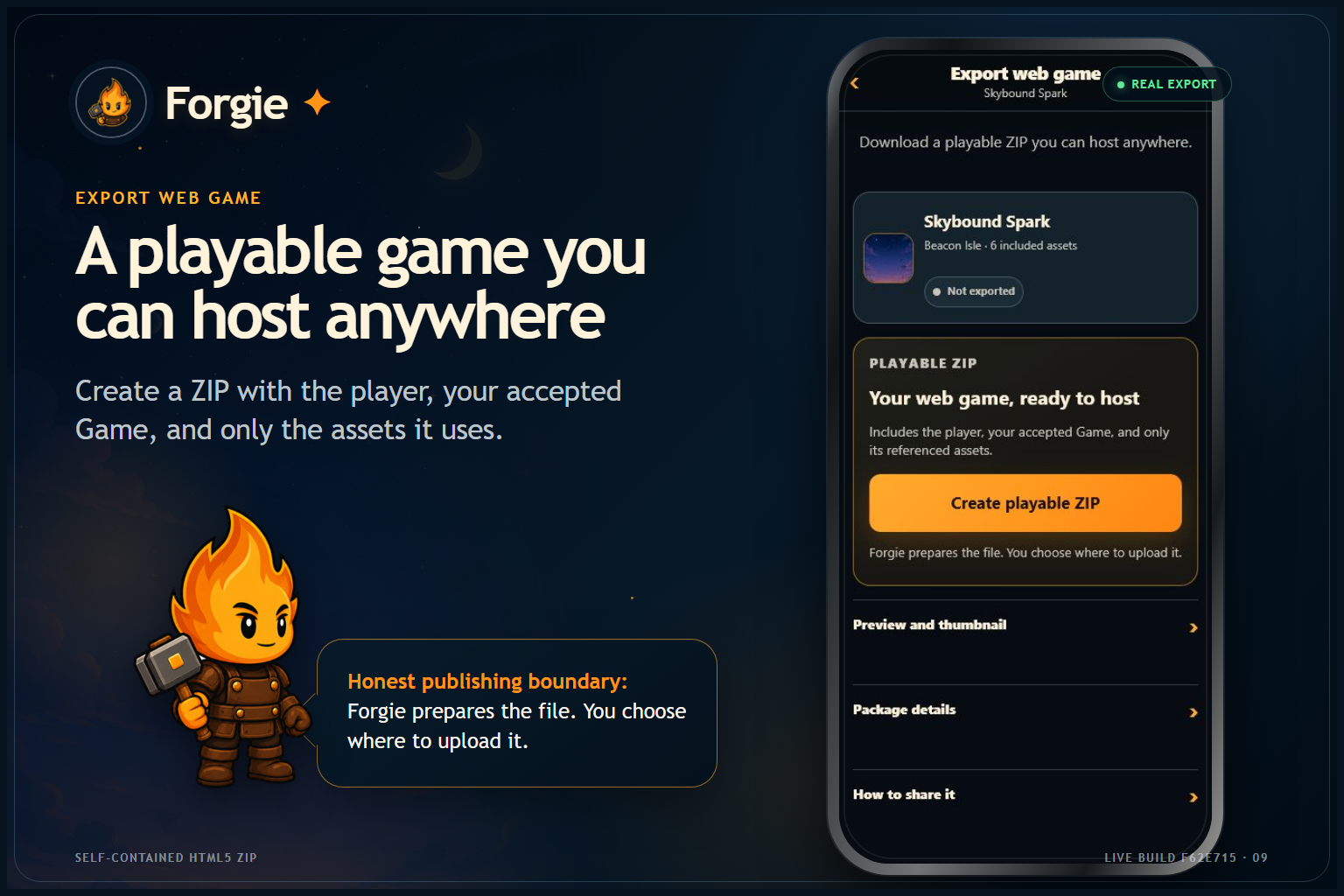
When you are ready, Forgie can export the project as a playable HTML5 web game.
What makes it different
Forgie is not trying to generate an entire game in one prompt.
It focuses on the next understandable change.
You see the plan first.
Forgie explains what it is about to change and what it will leave alone.
You preview before accepting.
The draft runs in the real game runtime before it becomes part of the project.
Changing your mind is safe.
Accepted history stays available, and exploring an older idea does not destroy the work that came after it.
The output is real.
The editor, preview, and exported game use the same structured game project and shared Phaser runtime.
Who it is for
I designed Forgie for beginner creators, hobbyist game developers, and people who have game ideas but do not want their first step to be learning a large desktop engine.
It is also for creators who already use AI but want a calmer, more understandable way to work with it.
The phone-first design matters to me. Game ideas do not only happen when you are sitting at a development desk. I wanted someone to be able to open Forgie, try an idea, and see it working wherever they are.
Built with Codex and GPT-5.6
I used ChatGPT and Codex for different parts of this project.
ChatGPT was where I worked through the product idea, user experience, priorities, and milestone prompts.
Codex with GPT-5.6 was where the repository was actually researched, architected, implemented, tested, reviewed, and hardened.
I did not use Codex once to scaffold an app and then finish everything manually. It was part of the whole development process.
The workflow looked like this:
- I defined the product direction and the experience I wanted.
- I gave Codex one detailed greenfield goal.
- Codex implemented the first functional alpha.
- I manually tested it and recorded what felt wrong.
- I opened a fresh Codex session and asked it to independently review the repository.
- That review found real problems the first implementation had missed.
- I turned those findings into a focused hardening milestone.
- Later sessions added the guided game loop, deployment, mobile UI polish, testing, and submission materials.
One of the most useful moments happened when the independent review disagreed with the earlier “everything passed” report. It found that a warmed development folder was hiding clean-checkout problems.
Instead of hiding that, I made it part of the workflow.
The review became a repair plan, the repairs were tested in a clean environment, and the result was reviewed again.
I directed the product, UX, scope, priorities, and acceptance decisions. Codex performed the repository-grounded implementation and verification work, but I decided what belonged in Forgie and what did not.
Forgie Mobile is a new greenfield Build Week repository. It does not copy from or depend on the earlier desktop Forge experiment I had explored before the event.
How it works
Forgie is built with React, TypeScript, Vite, Phaser, IndexedDB, and a small server-side API boundary.
A game is stored as structured, versioned data instead of generated source code.
Planning produces structured changes. Those changes are validated, checked against the current project, and then applied by deterministic application code.
No planner is allowed to write arbitrary JavaScript, directly rewrite project history, or mutate browser storage on its own.
The public demo uses verified on-device planning, which is why it works without an account or API key.
Projects, assets, drafts, accepted versions, Variations, backups, and export records remain local to the browser.
What is real in this alpha
The current build includes:
- blank game creation;
- a guided three-step playable tutorial;
- visual scene and object editing;
- player movement and simple physics;
- collectibles, Score, a win condition, and Restart;
- plain-language supported changes;
- plan review and draft preview;
- accept, adjust, and discard;
- recoverable history and Variations;
- image importing;
- project backup;
- playable web-game export;
- an installable PWA.
It is still an alpha. It does not pretend to support every game genre or mechanic.
The goal of this week was to prove one complete, trustworthy path from an idea to a working, playable result.
What I learned
The hardest part was not getting Codex to produce code.
It was deciding how to build a product that a creator could trust.
I had to think about things that are mostly invisible when everything works: recoverable history, failed drafts, asset ownership, safe target selection, clean setup, browser persistence, exported-game validation, and keeping secrets out of the client.
I also learned that a strong AI-development workflow is not one giant prompt.
It is a series of focused goals, real testing, written project memory, human decisions, and independent reviews that are allowed to say the earlier work was wrong.
What is next
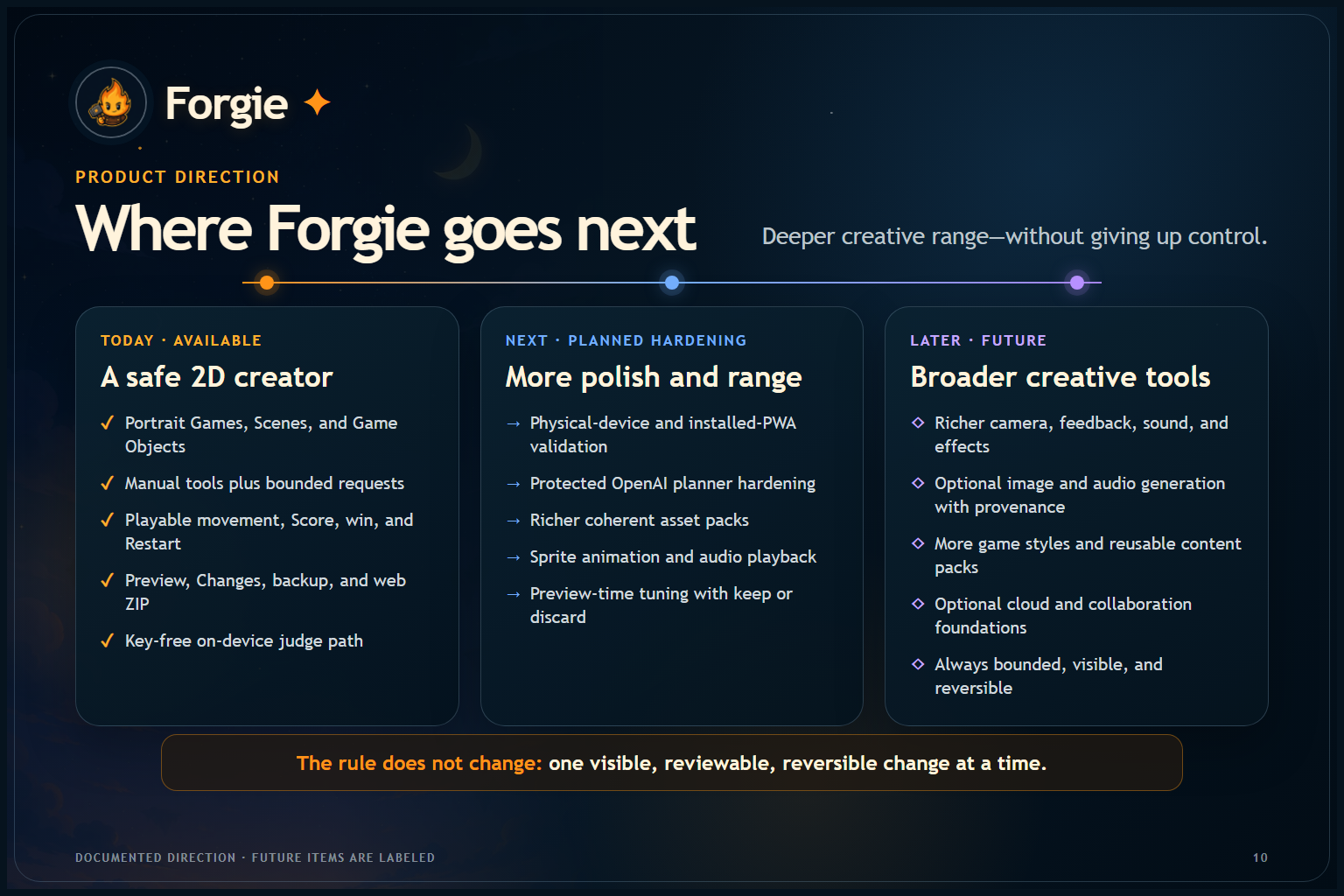
Next, I want to:
- make the first-time experience even easier;
- support more game behaviors without turning Forgie into a complicated engine;
- test more physical devices and installed-PWA behavior;
- improve accessibility and offline support;
- finish protected end-to-end browser verification for the optional server-side planner while keeping the public demo key-free
The main promise will stay the same:
Build your game, one idea at a time.
Built With
- app
- capacitor
- codex
- dexie
- fastify
- gpt-5.6
- html5
- indexeddb
- openai
- phaser.js
- playwright
- progressive
- react
- typescript
- vite
- vitest
- web
- zod


Log in or sign up for Devpost to join the conversation.