-
-
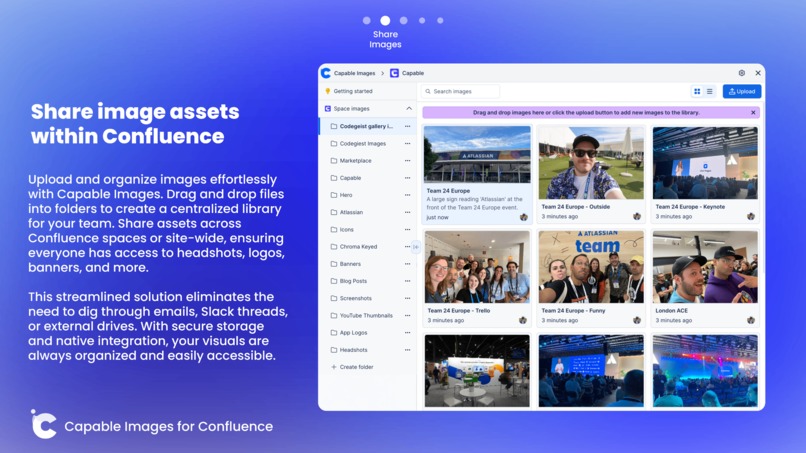
Organize and share images in Confluence
-
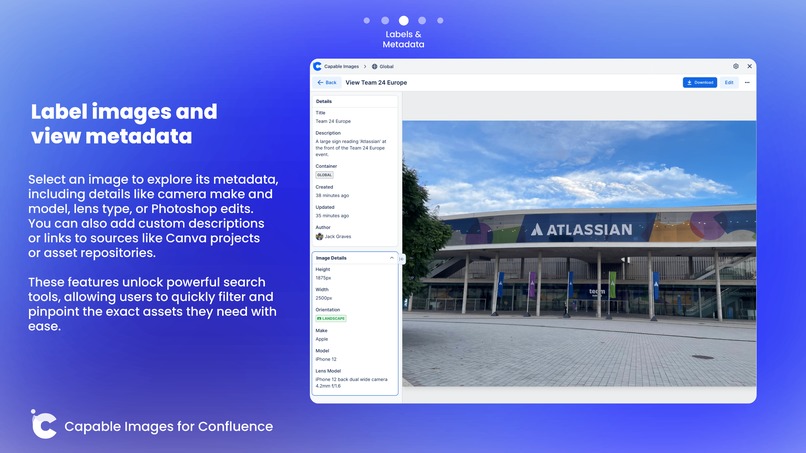
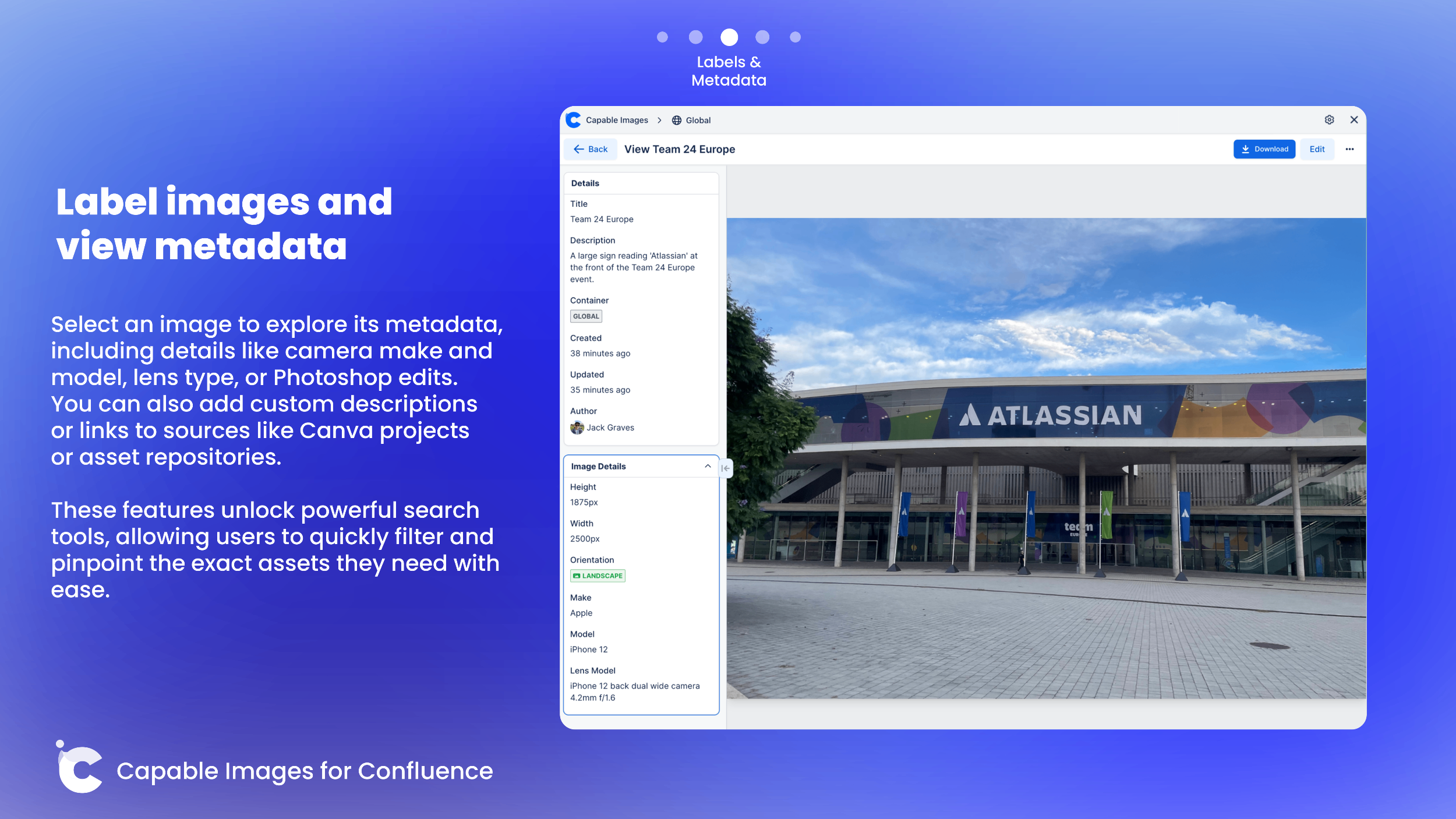
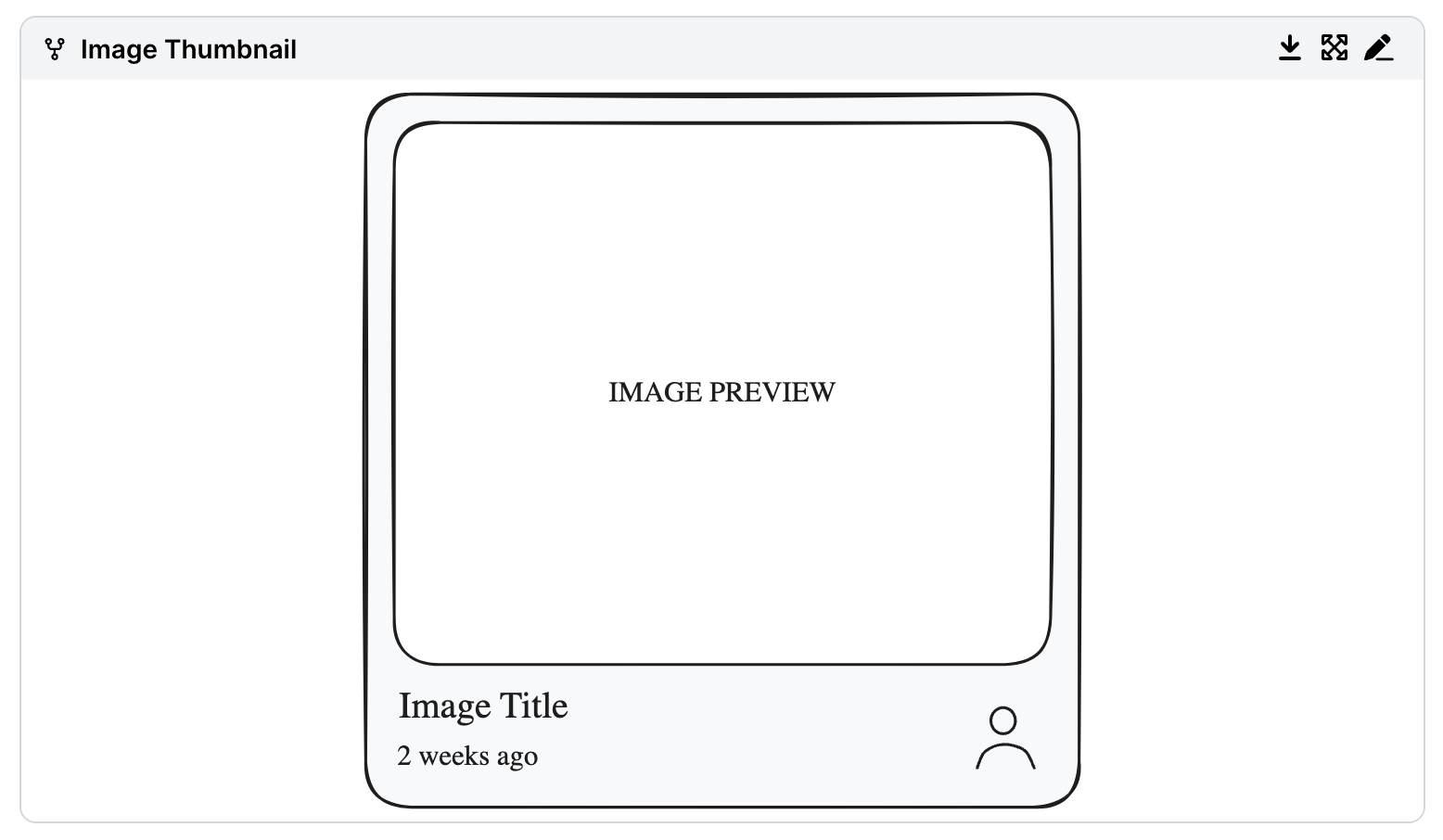
View images and their associated metadata
-
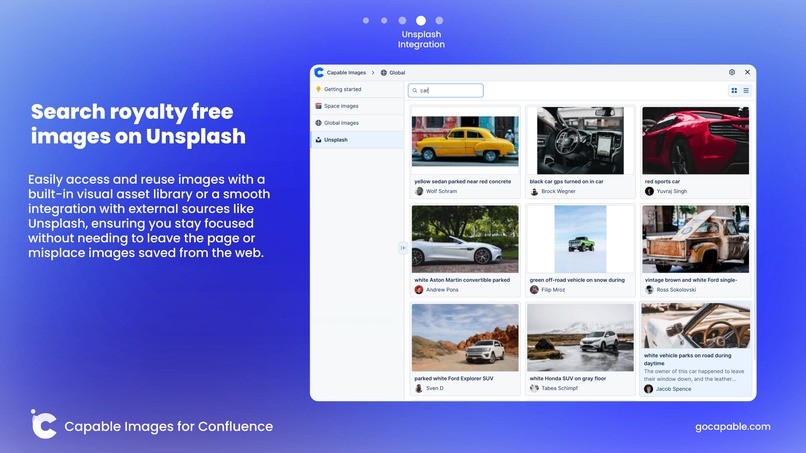
Find images online with Unsplash
-
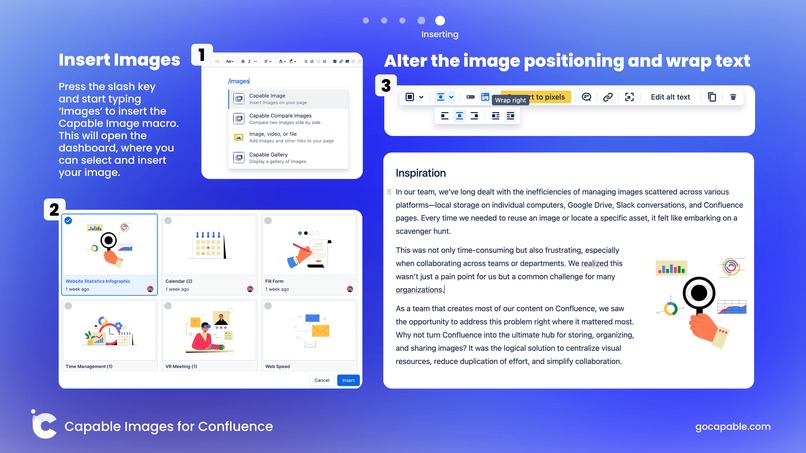
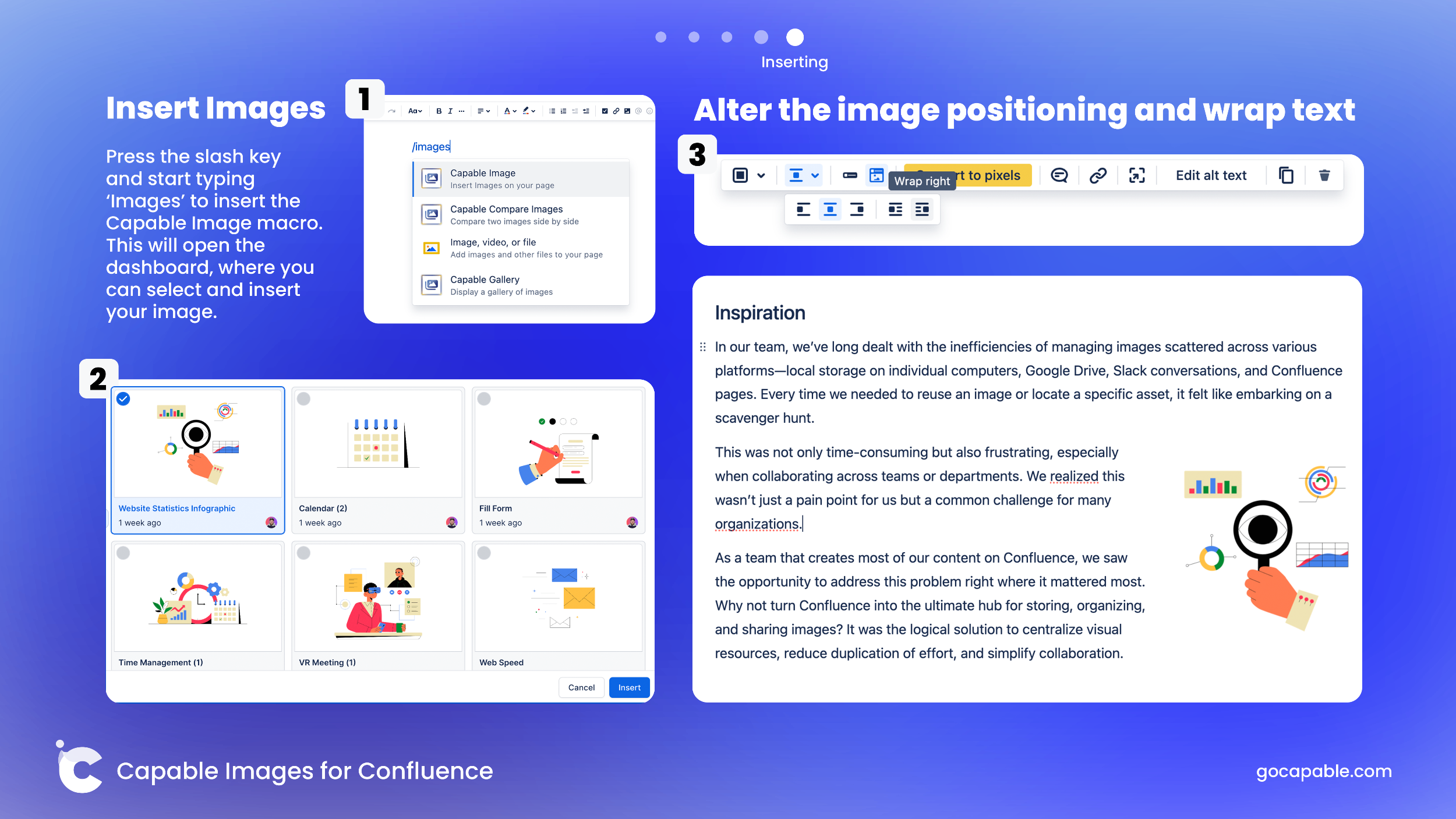
Easily insert images into Confluence pages


Inspiration
In our team, we’ve long dealt with the inefficiencies of managing images scattered across various platforms - local storage on individual computers, Google Drive, Slack conversations, and Confluence pages. Every time we needed to reuse an image or locate a specific asset, it felt like embarking on a scavenger hunt. This was not only time-consuming but also frustrating, especially when collaborating across teams or departments. We realized this wasn’t just a pain point for us but a common challenge for many organizations.

As a team that creates most of our content on Confluence, we saw the opportunity to address this problem right where it mattered most. Why not turn Confluence into the ultimate hub for storing, organizing, and sharing images? It was the logical solution to centralize visual resources, reduce duplication of effort, and simplify collaboration.
The idea for Capable Images for Confluence emerged directly from these challenges. We envisioned a tool that would make image management seamless within Confluence. Our goal was to empower teams to:
- Store images securely in a centralized location
- Effortlessly access and reuse images
- Enhance Confluence pages
Using the intuitive integration of the visual asset library and the Confluence editor, easily insert images and enjoy unmatched flexibility in image positioning, including text wrapping, captions and more.
By developing Capable Images, we aimed to bridge the gap between collaboration and visual communication, giving teams the tools they need to stay organized and work smarter—not harder.
This solution wasn’t just about solving our frustrations - it was about sharing our innovation with other organizations, helping them reclaim lost time and energy spent searching for scattered resources. Now, teams can focus on creating and collaborating, with their image assets right at their fingertips.
What it does
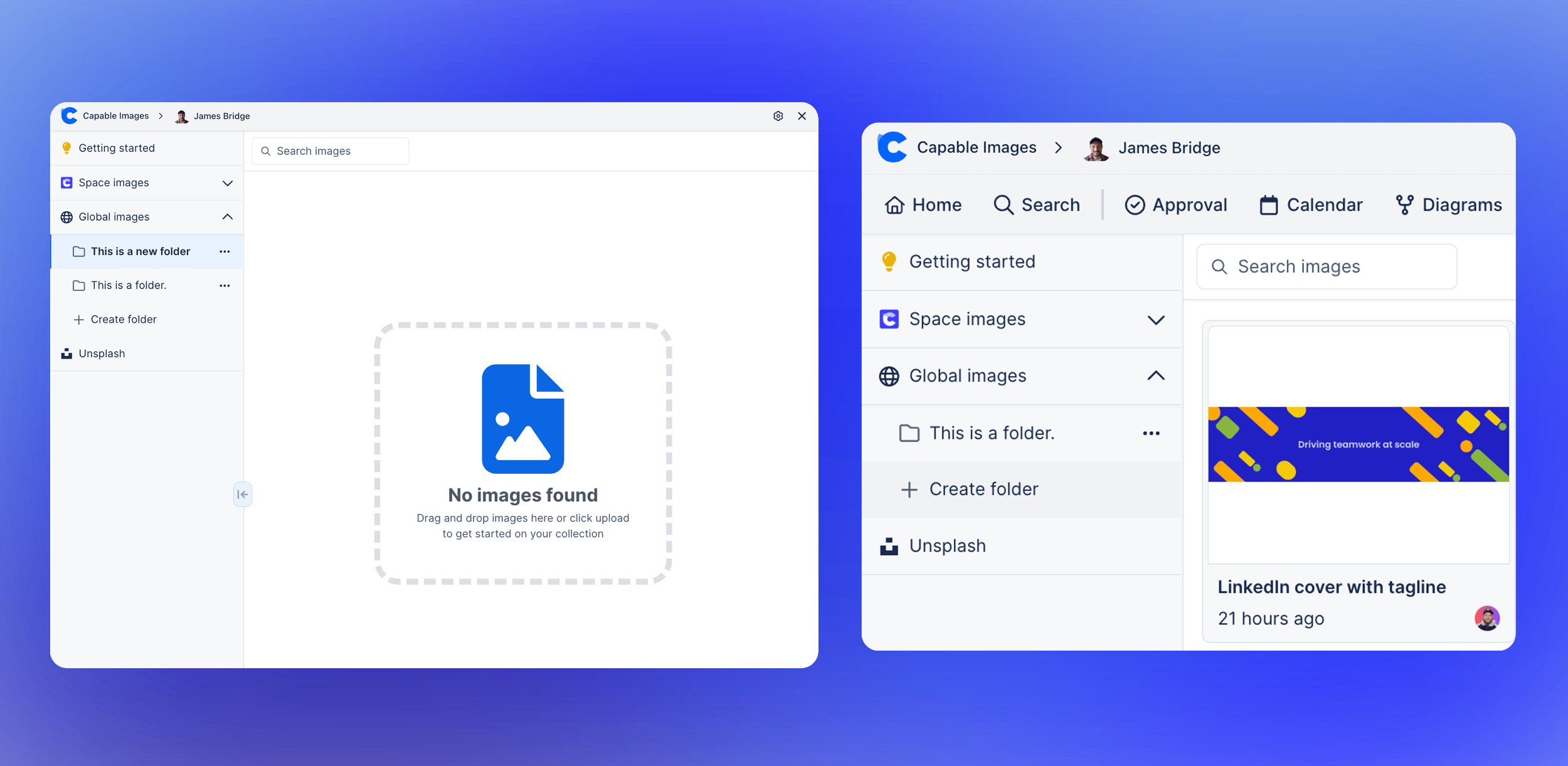
Capable Images for Confluence is a robust image asset library and manager designed to make image storage and sharing effortless within Confluence. Teams can upload, store, and share images either at the space level or across the entire site, creating a centralized repository of visual content that’s accessible to everyone. This eliminates the hassle of hunting for the right image across multiple platforms (images can also be downloaded easily).
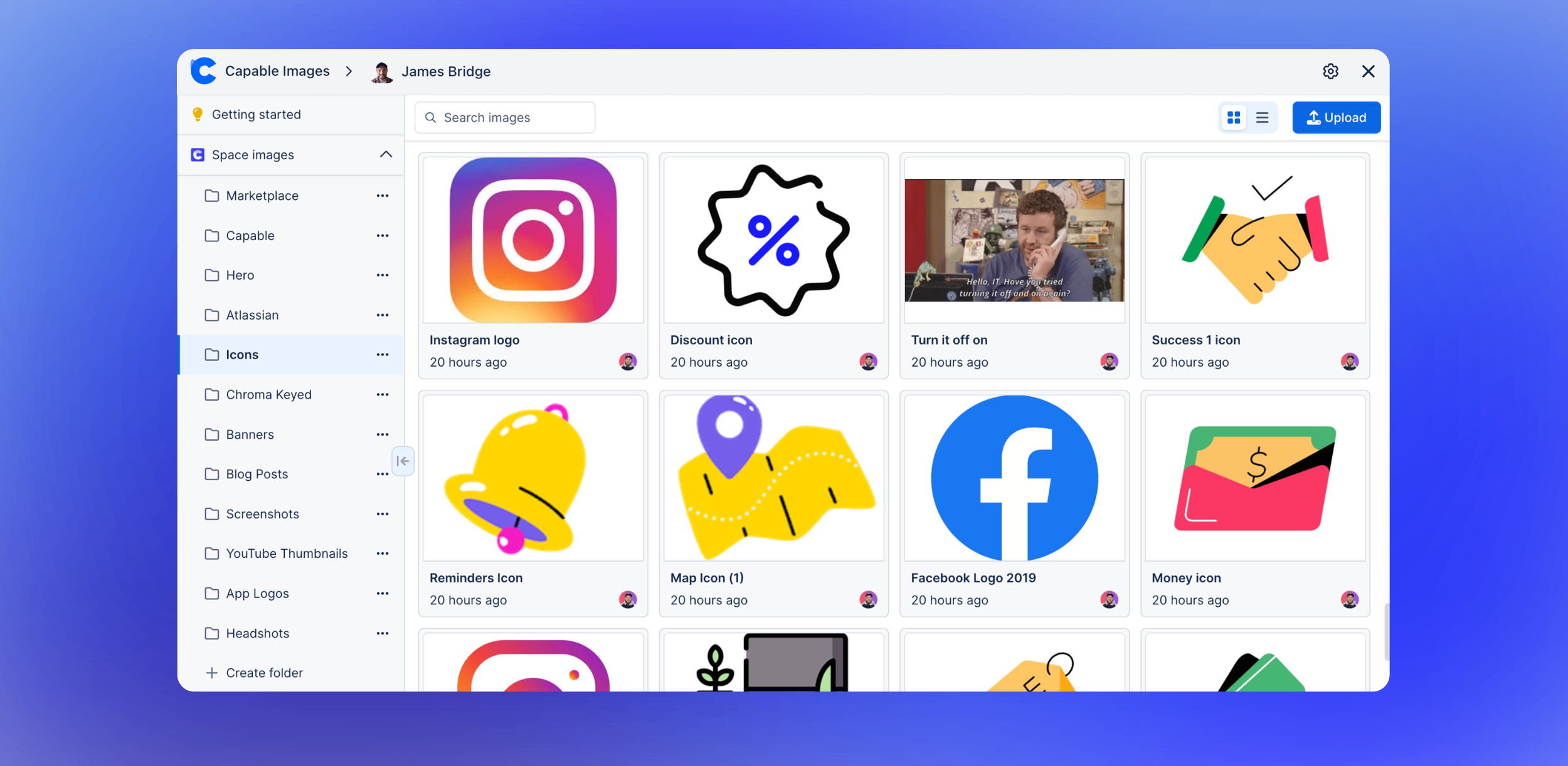
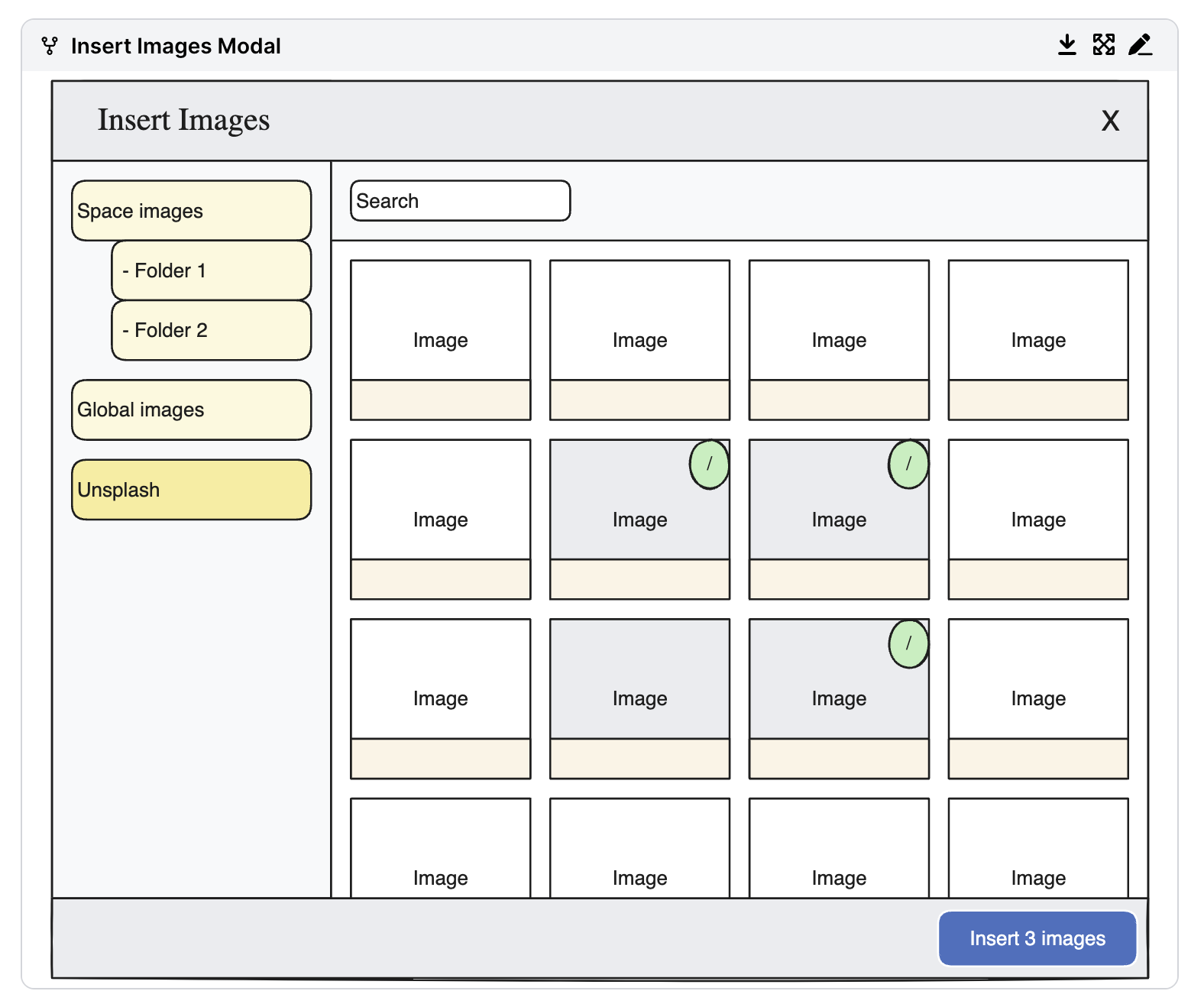
With just a few clicks, users can insert images directly into their Confluence pages, streamlining collaboration and ensuring that visual assets are always on hand. The app also integrates with Unsplash, providing seamless access to a wide variety of high-quality stock images without ever leaving Confluence.

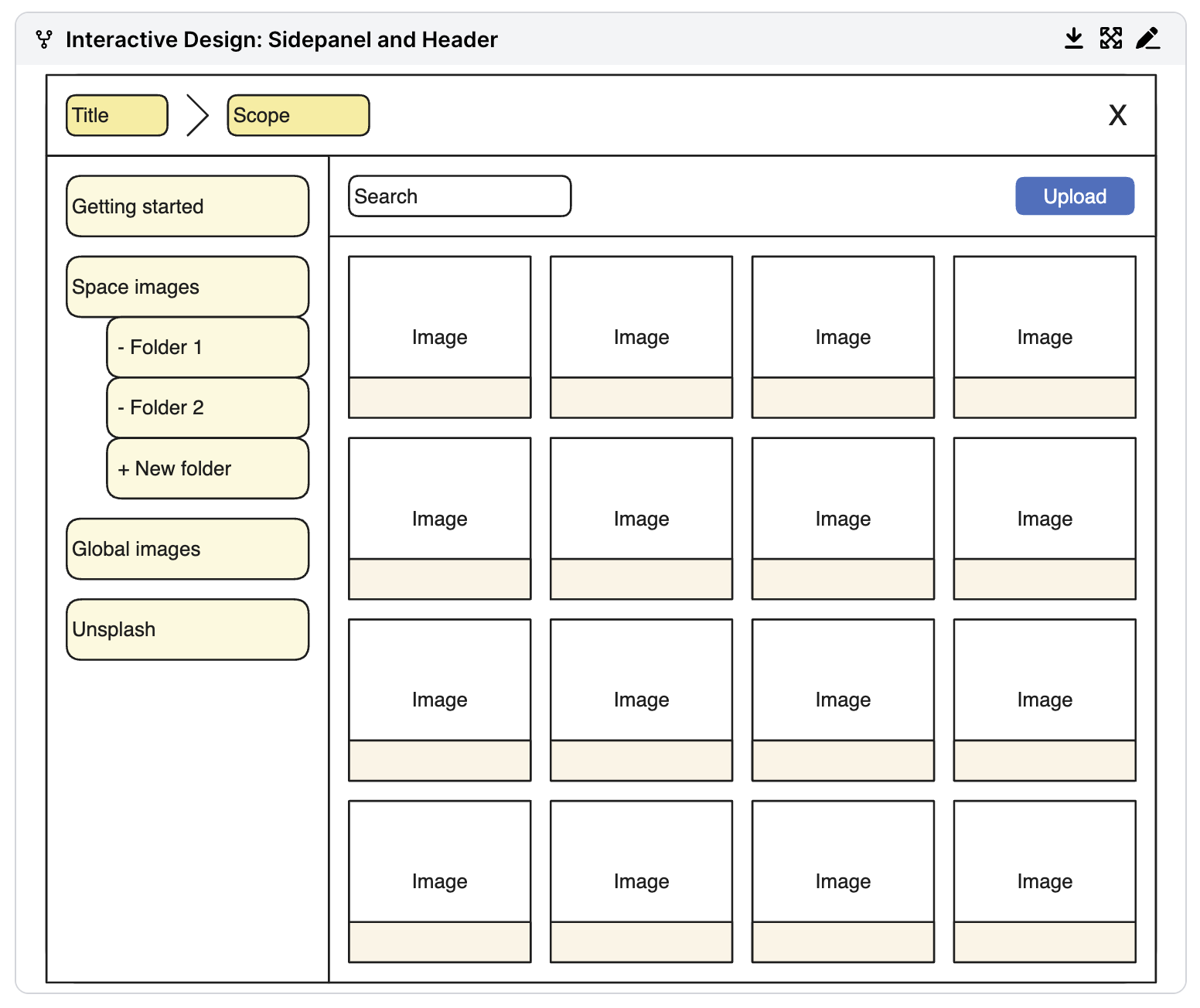
To take image organization to the next level, Capable Images also supports folders, empowering users to categorize and group their assets based on their needs. Whether it’s sorting headshots, banners, icons, logos, or other image types, teams can structure their libraries for maximum efficiency. This added layer of organization makes the app an all-in-one solution for managing and sharing assets across an entire company.

The folder system is particularly beneficial for marketers and creative teams who deal with diverse visual content. By enabling them to keep assets neatly categorized and easy to locate, Capable Images reduces clutter and increases productivity, making it the ultimate tool for visual asset management in Confluence.
How we built it
Capable Images for Confluence was developed using Atlassian's Forge platform, leveraging its native capabilities to ensure a seamless and secure integration with Confluence. Forge provided us with a development environment that emphasized security, scalability, and ease of deployment, allowing us to focus on building a solution tailored to Confluence users. We combined this with a Custom UI written in React and UI components built on the amazing shadcn UI library.

To store images securely and natively within Confluence, we utilized the Custom Content Forge Confluence module, enabling us to create a dedicated structure for managing images as first-class entities within the Confluence ecosystem. This approach ensures that all assets remain stored locally on the Confluence site itself, allowing permissions and access controls to be managed using Atlassian's built-in frameworks. By avoiding external storage solutions like S3, we eliminated potential privacy concerns and kept data handling fully transparent for users, with their data staying where they have chosen it to be stored with the data residency feature
Folders were also implemented using Custom Content, allowing for a logical hierarchy, as they support a recursive relationship that mirrors how teams naturally organize their assets. This structure enables users to categorize images into folders, such as banners, headshots, and logos, creating a well-organized and easily navigable library. The folder system works seamlessly within Confluence, providing a clear and intuitive way to manage and locate assets without adding complexity.
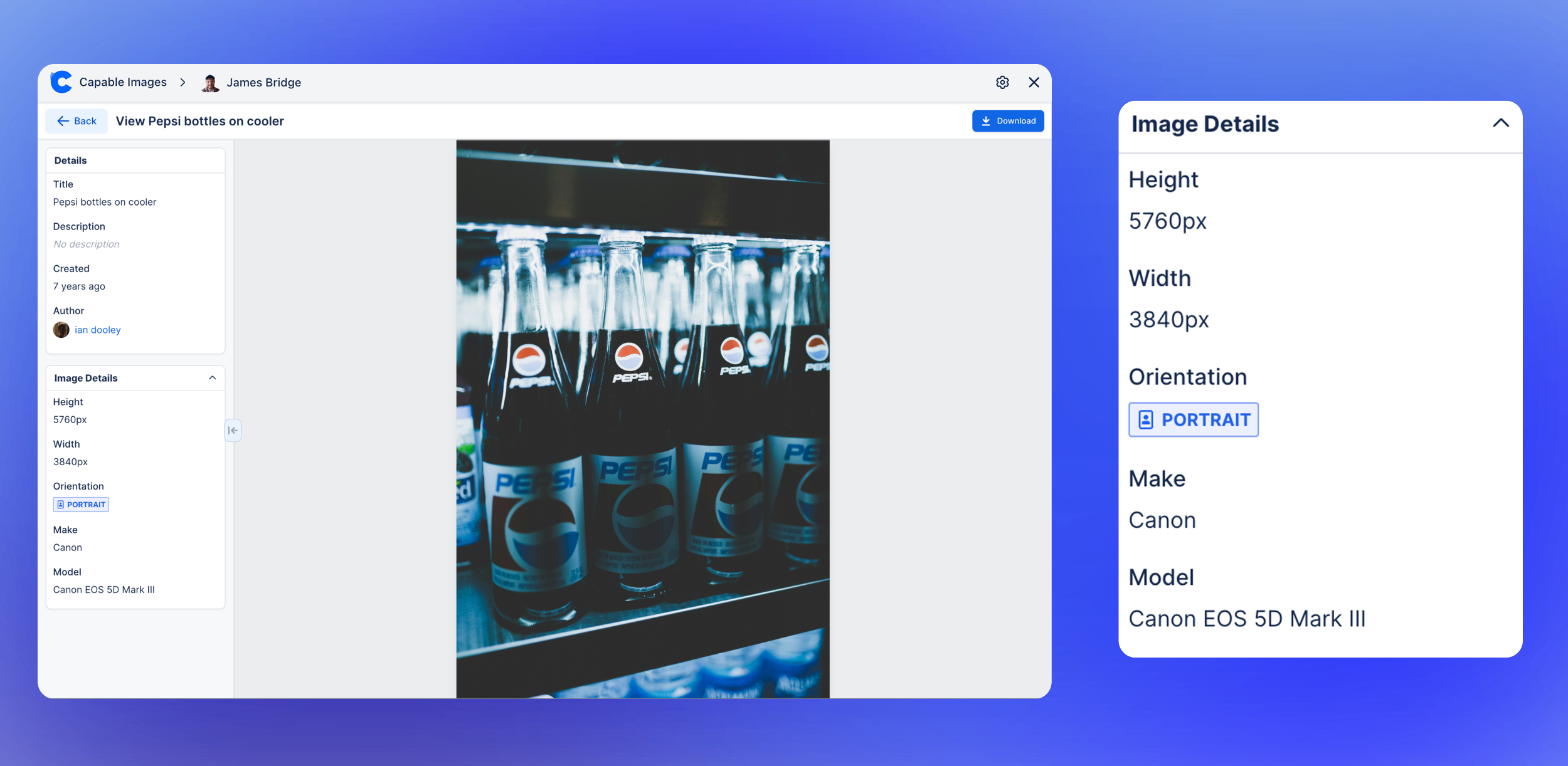
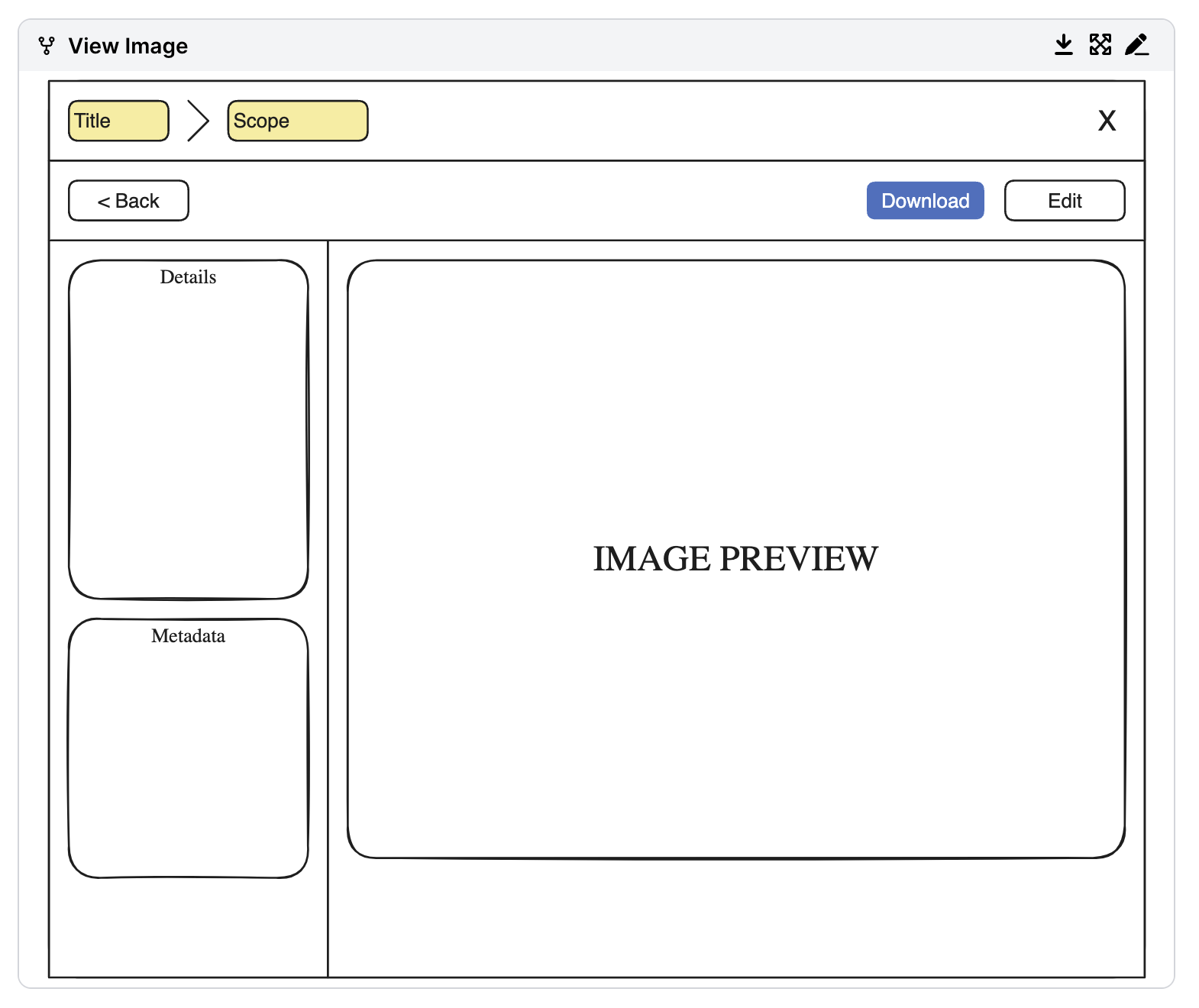
In addition to the Custom Content module, we used Content Properties to index metadata for both images and folders - as this hasn't got a Forge module, we used the compatibility functionality of Forge to include these in our manifest file - which we hope to move to a Forge native one when it comes available. This metadata includes details like uploader, upload date, and technical specifications such as camera model or lens type (if available). These content properties enable powerful search functionality, allowing users to filter and locate assets based on specific criteria.
For teams that don’t have a specific image in mind, Unsplash integration provides a library of high-quality, properly licensed, and royalty-free images. The integration ensures that images are automatically credited, making it effortless to incorporate stunning visuals into Confluence pages while adhering to licensing requirements.
The app is designed with an intuitive interface and robust organizational features, making it simple for users to securely store, organize, and search their assets. With its privacy-first, user-centric approach, Capable Images empowers teams to streamline their visual workflows—all directly within Confluence.
If we could change one aspect, it would be the requirement to open the Capable Images interface in a popup dialog. However, due to the need for full control over the interface area and the implementation of internal scrolling, using a dialog box became necessary.
Challenges we ran into
Building Capable Images for Confluence presented several challenges, particularly around managing permissions, optimizing performance, and handling file uploads. One of the most significant hurdles was designing a robust permissions system for image access across different spaces. Confluence’s permission structure is inherently powerful but complex, and we needed to align our custom-content implementation with it. We wanted users to have the flexibility to share images within their team or across spaces while ensuring sensitive content remained secure. This required us to account for scenarios where permissions might overlap, change dynamically, or differ between individual images and folders. Ensuring a balance between accessibility and security was critical, and we devoted significant time to refining this aspect.
File uploading posed another major challenge. We needed to ensure that uploads were fast, reliable, and handled edge cases like network interruptions gracefully. Additionally, we implemented automatic image compression to prevent excessively large files from impacting performance or storage limits. This required balancing compression quality and speed to ensure that users wouldn’t notice any degradation in image quality while maintaining optimal file sizes. Handling uploads for large batches of images while maintaining app stability also required careful design and optimization.
Rendering images efficiently was equally challenging. As users scroll through image galleries or switch between folders, it was important to load and display images quickly without straining resources. We employed techniques like lazy loading and pre-fetching to ensure smooth navigation and seamless image previews. Ensuring compatibility with various image formats and handling edge cases—like corrupt or unsupported files—added an additional layer of complexity.
Performance optimization further extended into caching strategies. Using react-query and it's useInfiniteQuery hook, we implemented robust server-state management and custom caching logic to speed up the loading of image containers and folders. By caching previously loaded data and preloading adjacent folders, we minimized redundant API calls and improved perceived performance. We also had to address challenges like cache invalidation when images or metadata were updated, ensuring that users always worked with accurate data without compromising responsiveness.
These challenges required innovative problem-solving and extensive testing. The result is an application that is fast, secure, and user-friendly, handling large-scale image management with ease while staying fully integrated with Confluence.
Accomplishments that we're proud of
We’re proud of creating an app that addresses a genuine pain point for Confluence users. Capable Images for Confluence empowers teams to manage and share their visual content with ease, streamlining collaboration and eliminating the frustration of scattered image storage. One of our standout achievements is implementing folder support with a logical hierarchy, enabling users to organize images into categories such as banners, headshots, or logos. This feature ensures a well-structured and easily navigable library, especially for teams working with a large volume of assets.
We’re also particularly proud of the seamless experience we’ve created for inserting images into Confluence pages. Using our dedicated macro, users can quickly add selected images to their pages with just a few clicks, ensuring that the app integrates naturally into existing workflows. Seeing the positive feedback from early users reaffirmed that we successfully addressed a major gap in image management within Confluence.

What we learned
The development of Capable Images for Confluence provided us with invaluable insights into the nuances of managing image assets within the Confluence ecosystem. We deepened our understanding of how user permissions and sharing controls affect asset accessibility, especially when dealing with complex use cases across different spaces. We also learned the importance of designing a solution that balances robust functionality with simplicity, ensuring users can quickly understand and leverage the app’s features.
Implementing folder support with the Forge Confluence Custom Content module required us to master Confluence’s APIs and adapt our approach to achieve a smooth and intuitive user experience. Additionally, we gained valuable lessons in optimizing performance for large libraries of images, from caching strategies to efficient rendering. These learnings have been crucial in shaping Capable Images into the robust tool it is today.
What's next for Capable Images for Confluence
Looking ahead, we’re excited to expand the capabilities of Capable Images for Confluence and make it an even more powerful tool for teams. Some of the key features on our roadmap include:
- Expanded Metadata Support: Adding more fields to enhance the context of images, such as detailed descriptions, tagging, and additional technical information.
- Advanced Filtering: Introducing the ability to filter images by criteria like metadata, upload date, or uploader, making it even easier to find the right asset.
- Nested Folders: Allowing users to create subfolders within their organizational hierarchy for even greater control over their image libraries.
- GIF Insertion with Tenor: Integrating Tenor to support the insertion of GIFs, providing a dynamic and engaging option for visual content.
- Browser for Inserted Images: Adding a feature to browse and manage images that have already been inserted into Confluence pages, ensuring users can easily reuse or update visuals.
These enhancements are designed to address user feedback and take Capable Images to the next level as the go-to image management solution for Confluence users. Our goal is to continue improving the app to meet the evolving needs of teams and empower them to collaborate visually with ease.




Log in or sign up for Devpost to join the conversation.