-
-

Accessible Route Planner
-
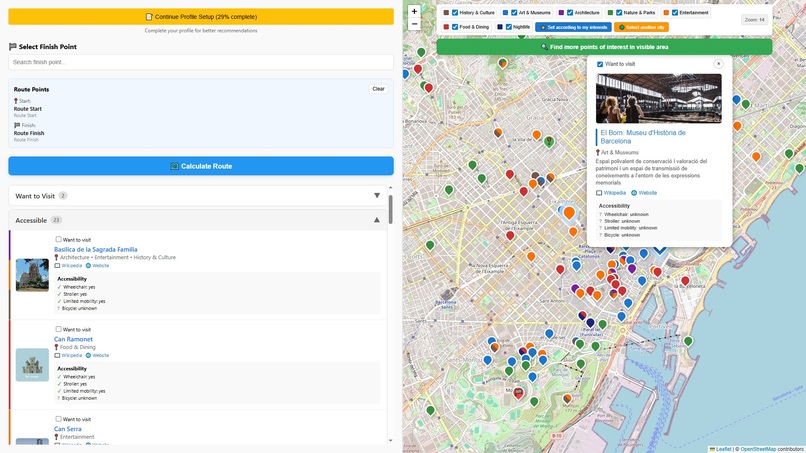
Accessible Route Planner UI
-
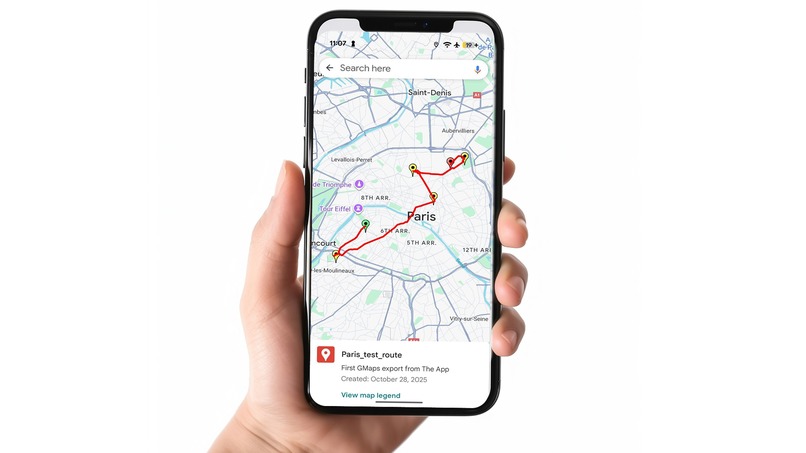
Export routes to Google Maps and other map providers

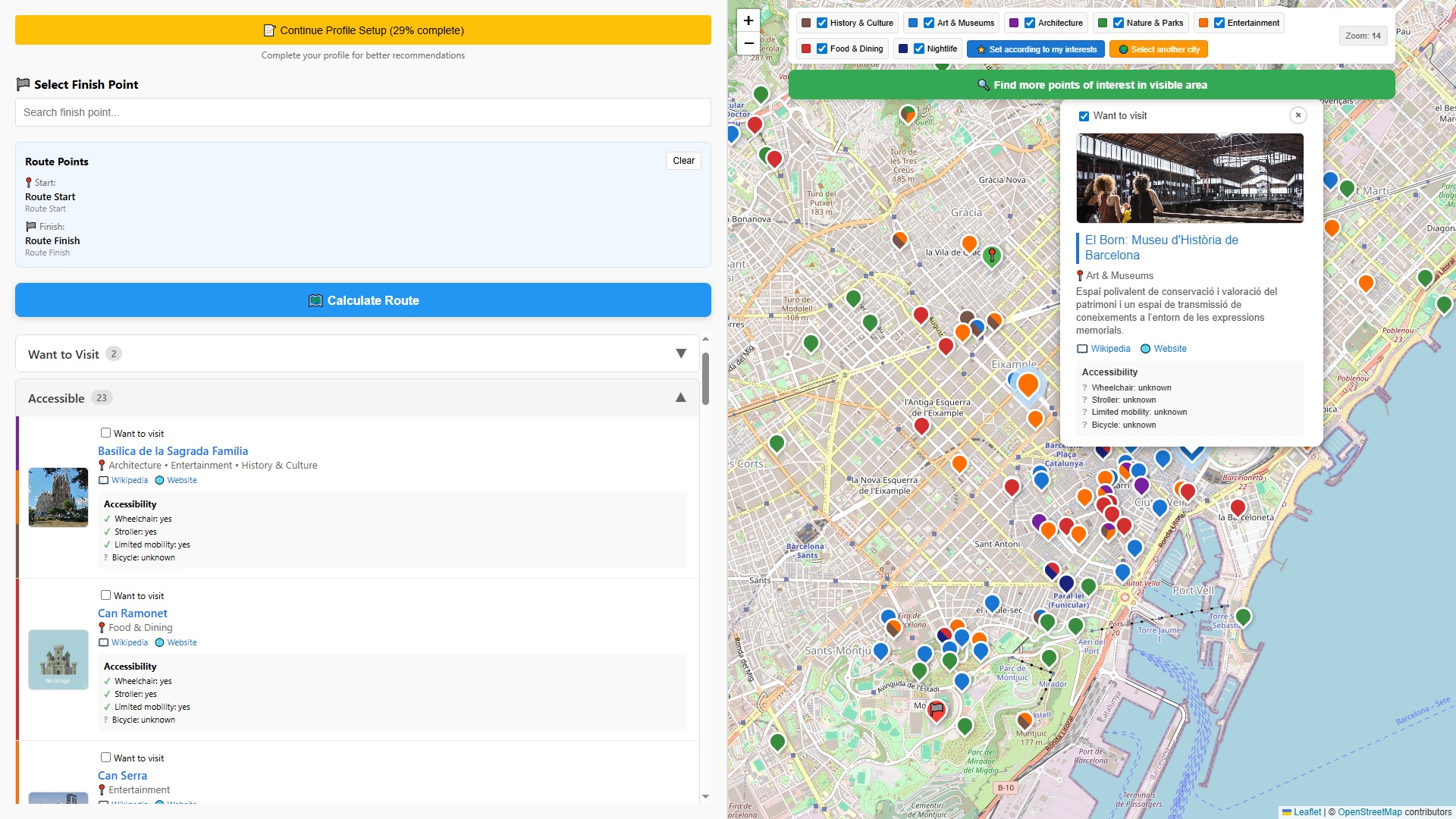
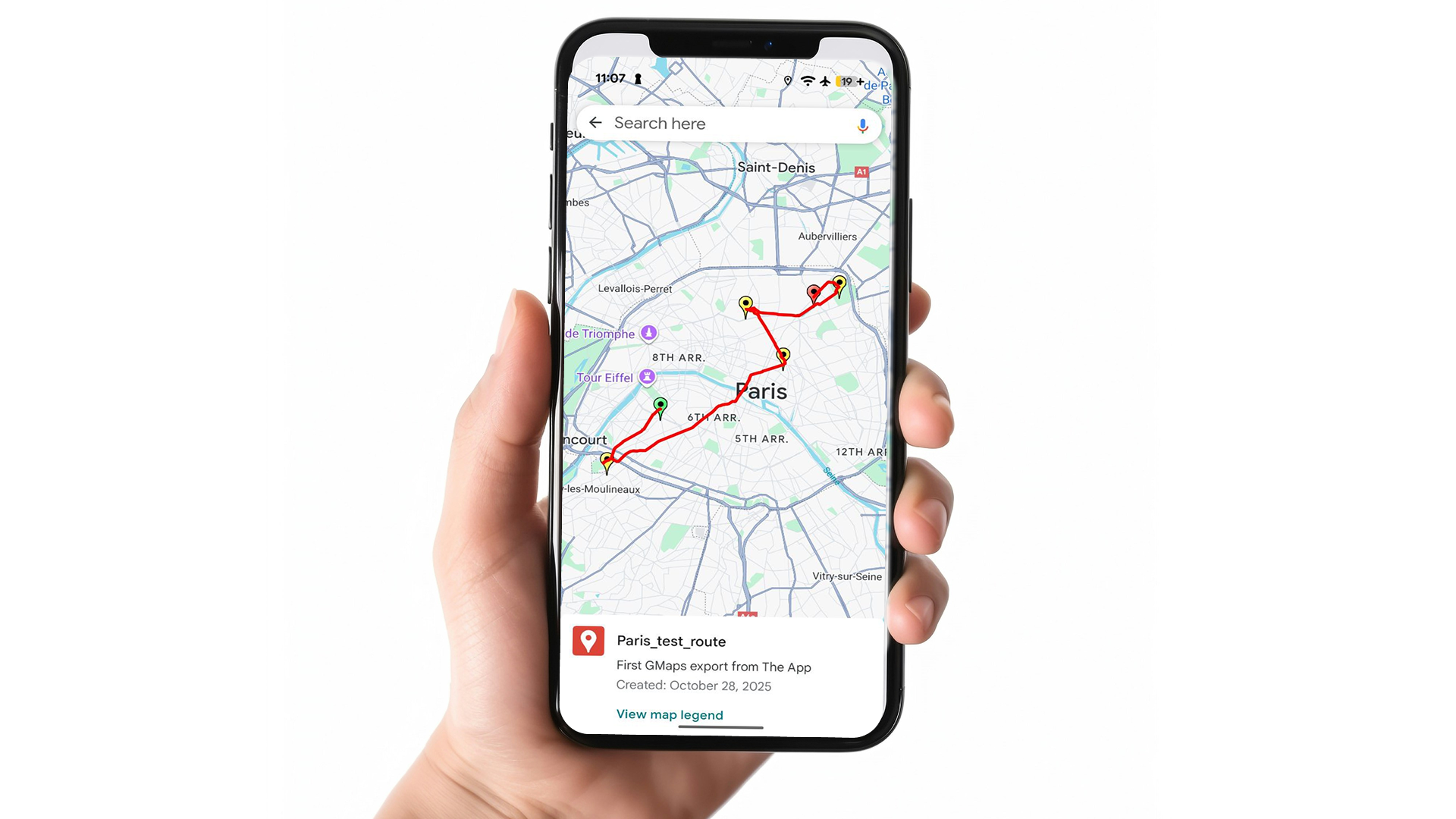
Accessible Route Planner
Inspiration
Like most travelers, we (Maxim and Anna) rely on mapping apps, but often find shared routes inflexible. This became especially clear when navigating new cities with our friends who have a child in a stroller. Many popular attractions such as old European castles with spiral staircases or galleries lacking elevators are simply not built for limited mobility, including wheelchair users, cyclists, or those with temporary injuries.
We recognized that while many people want to travel actively, existing route planners fail to account for these specific needs and constraints. So, my amazing wife Anna came up with the core idea: to create a tool that combines the recommendation power of modern LLMs with mapping and routing APIs to generate personalized routes that are not only interesting but also fully accessible based on the user's specific mobility profile.
What it does
Accessible Route Planner is a web application designed to plan accessible routes for travelers with special mobility needs, as well as for travelers with standard mobility.
The app helps users find points of interest (POI) with the help from the Chrome Prompt API and then plan routes that accommodate both mobility requirements and personal preferences.
The routes can be easily saved, loaded, visualized on the map, and exported in industry-standard formats. The exported routes can be used with the vast majority of map providers, including Google Maps, allowing users to see the route on any device, including their smartphone. These routes can also be shared with the travel mates.
How we built it
We built the application using a modern and robust single-page application (SPA) stack:
| Component | Technology | Role |
|---|---|---|
| Frontend | React | Core UI framework. |
| Mapping & Viz | Leaflet & React-Leaflet | Interactive map display. |
| Build Tool | Vite | Development server and build tooling. |
| Testing | Jest | Testing framework for reliable code. |
| Routing | GraphHopper API | Route calculation between POIs. |
| Geospatial Data | OpenStreetMap API | POI search and geocoding (Overpass API + Nominatim API). |
| AI Recommendations | Chrome Prompt API | Generates personalized POI recommendations based on user profiles and city overviews. |
| AI Summaries | Chrome Summarizer API | Creates AI-powered summaries of user profiles. |
| Development | Cursor | Used as the main IDE and a powerful AI coding companion. |
We followed an iterative process:
- We started by building several dedicated test pages (for Prompt API, Summarizer API, and Maps API) that were used as a test ground for different parts of the future application.
- We developed wrapper classes for all external APIs (OpenStreetMaps, GraphHopper).
- In the end, all functionality became integrated into the main Accessible Route Planner App page, and the test pages were removed.
Challenges we ran into
The main challenge is with the Accessibility Routing capability.
We use the GraphHopper API for route building, which seems to be the best option because it natively supports routing profiles like wheelchair and the option to avoid stairs.
However, the free tier of the API does not provide this specialized functionality. So, in the submitted prototype, wheelchair routes are calculated the same way as we do for people who are walking on foot. The dedicated wheelchair/avoid stairs routing can be enabled in just a few lines of code as soon as a paid GraphHopper license is obtained.
It was also quite tricky to come up with the prompt itself, response constraint, and initial prompts for the Chrome Prompt API that would not lead to exceeding the context window size and yet allow the model to reply in line with the JSON schema provided. It constantly tried to add some unneeded data and comments in the response.
Our current implementation selects up to 100 highly suitable POIs based on some heuristics and submits only the necessary data about these POIs for the model to pick the best places for the user to visit.
Also, the laptop that we used for the development is 7-8 years old an it was sometimes painful to waut for the response from the Prompt API. Seems it's time to update the hardware!
Accomplishments that we're proud of
- It Really Works: First of all, it really does work and we have already started using it ourselves, that's a good sign.
- Quality AI Recommendations: The AI recommendations are quite good, often suggesting places I would like to visit myself.
- Refined Accessibility Categories: POIs are neatly split into several categories based on their accessibility for the user, and that's really convenient.
- Robust Export Functionality: The Export functionality is simple yet robust, allowing the use of the routes we've built with many different map providers, including Google Maps. So, I can save the route in my Google profile and see it on any device including my smartphone: that is a must when you travel.
- Effective Use of Chrome Built-in AI: We've also found a few more applications for Chrome built-in AI tools within our app. For example:
- The Prompt API is used to generate a brief overview of a city the user is interested in.
- The Summarizer API is used to generate an easy-to-understand overview of the user profile (which is stored internally as a complex object and is not exactly human-readable).
What we learned
- Get acquainted with the tools you plan to use before actually using them. Play around, try this and that — it all pays off.
- Write Tests! Run them upon every commit.
- API Limitations: Free APIs will save the world... but you still need to understand their limits.
- The Power of On-Device AI: AI is coming to end-user devices. That allows us to make resilient and free-of-charge applications with a new level of privacy.
- You need raw computing power on your workstation in the On-Device AI era and it's better to be equipped with an NPU.
What's next for Accessible Route Planner
- True Accessible Routing: As soon as we get our hands on a paid GraphHopper API subscription, we can enable building truly accessible routes (wheelchair, avoiding stairs).
- Google Maps Integration: It would be cool to export the generated routes directly, without the need to copy-paste the exported KML file.
- Intellectual POI Ordering: Currently, POIs are sorted by distance. We envision sorting them by time of day as well. This can be achieved with AI: we need to visit the museum while it is open, have a meal in the middle of the day, and visit the theater in the evening.
- Enriched POI Details: If the user schedules a museum visit, they could get an AI overview of that museum, as well as recommendations on which paintings and sculptures are "must-see."
- Contextual Service Integration: We plan to integrate with services that allow for restaurant table reservations. If there's a restaurant in the route, the app could help the user understand when they will reach it and book a table for that time.
- More POI Interest Categories to further refine user recommendations.
- Generate text description for the route: For example: "33 minutes walk to the museum X - 2.5 hours to see the museum - 16 minutes walk to the restaurant Y - 1.5 hours for a meal - ..."
Built With
- graphhopper
- jest
- leaflet.js
- nominatim-openstreetmap
- openstreetmap
- overpass-openstreetmap
- react
- vite


Log in or sign up for Devpost to join the conversation.