-
-
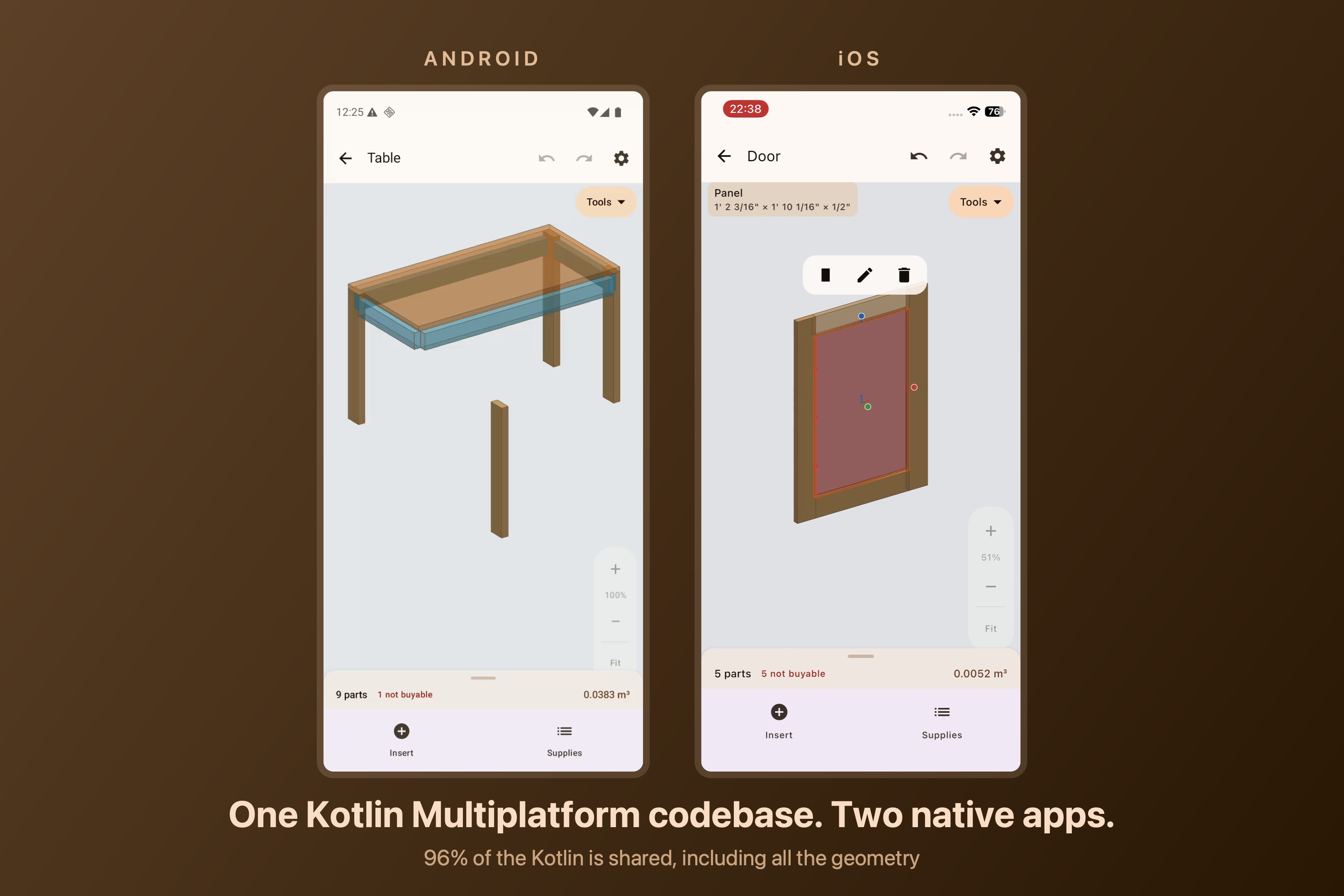
Hero
-
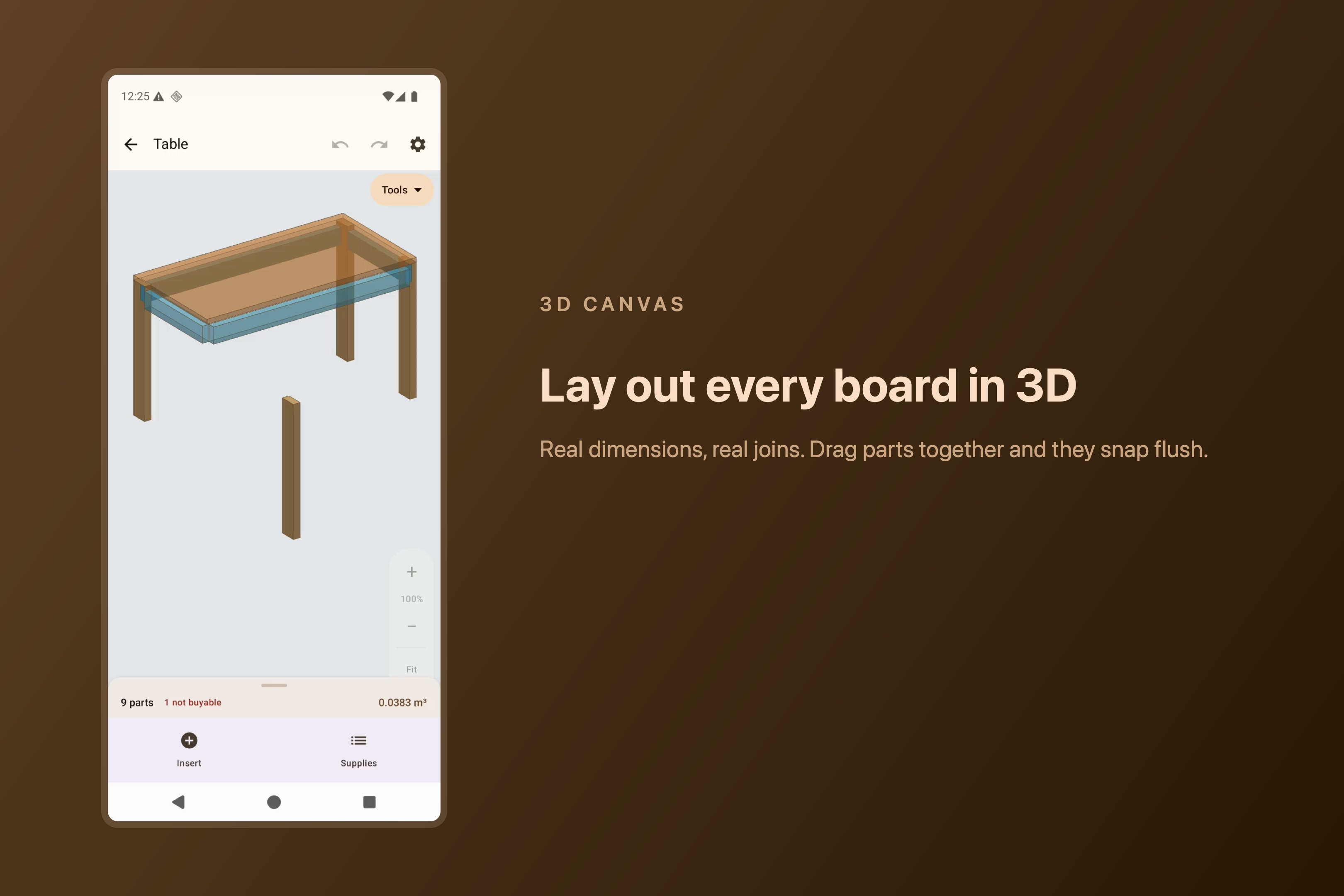
Canvas
-
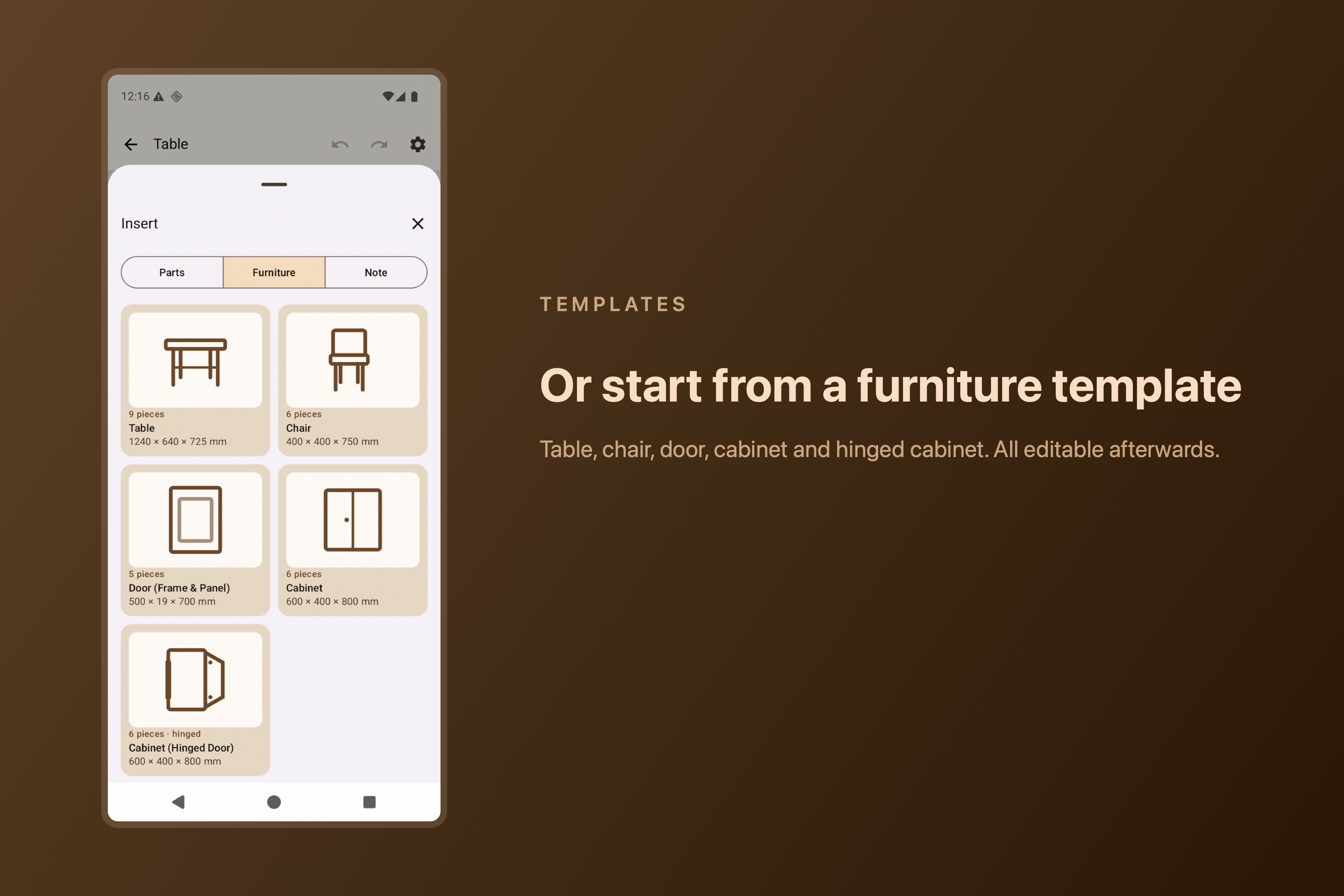
Templates
-
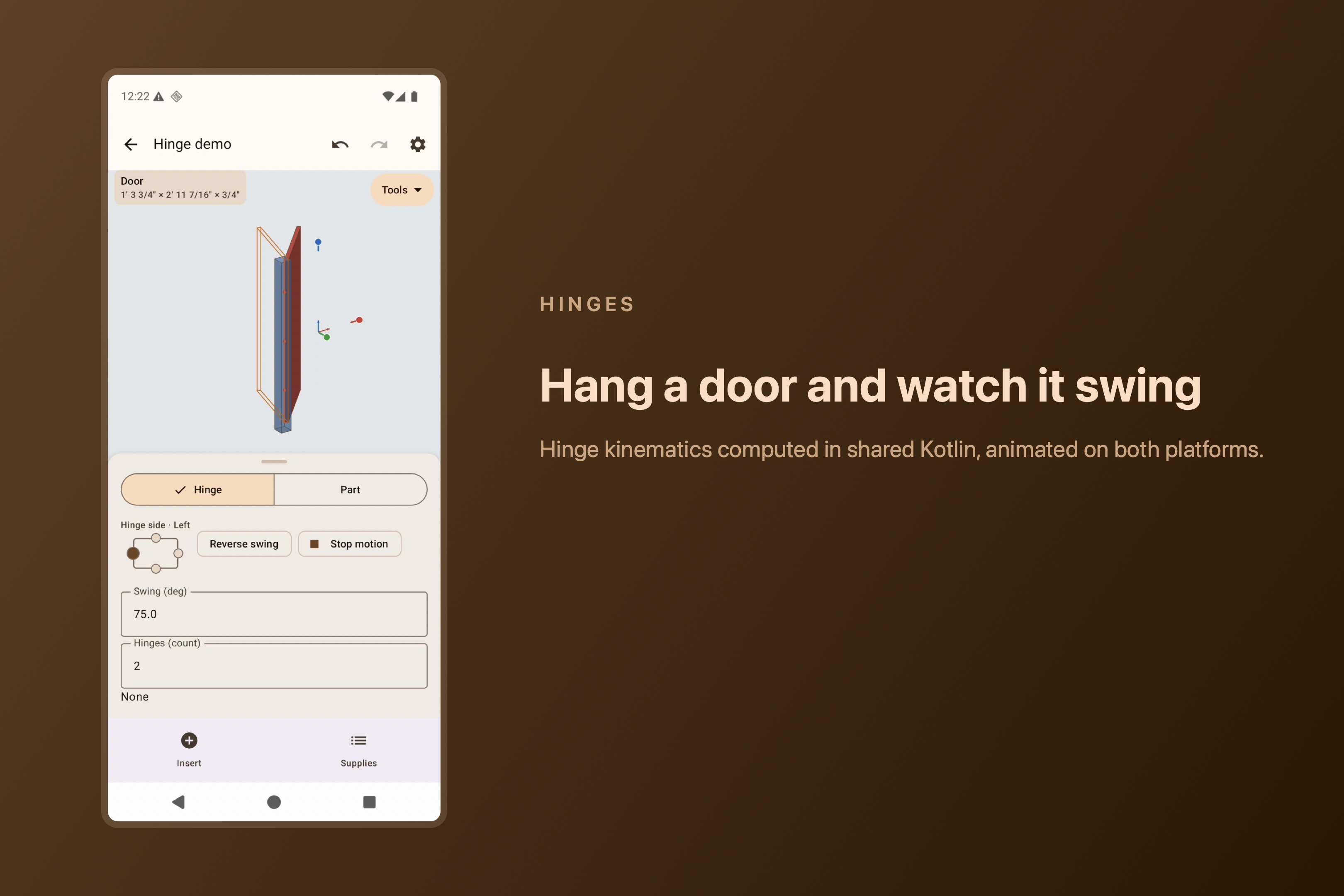
Hindge
-
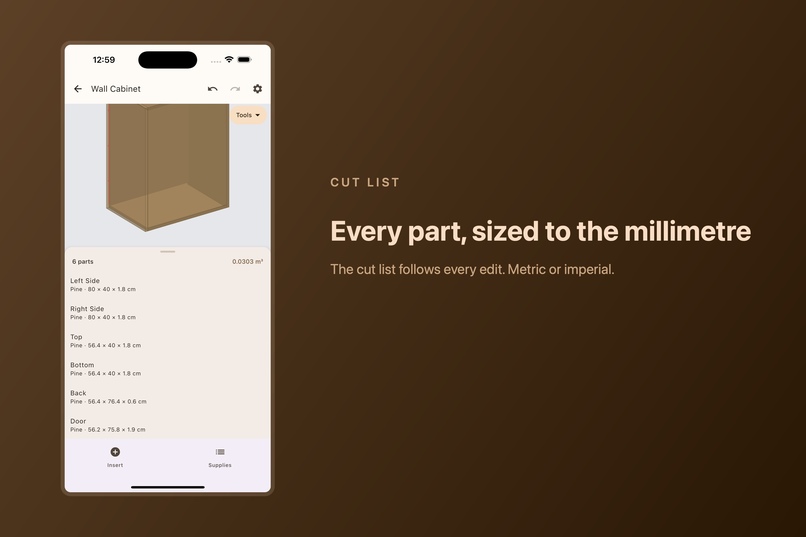
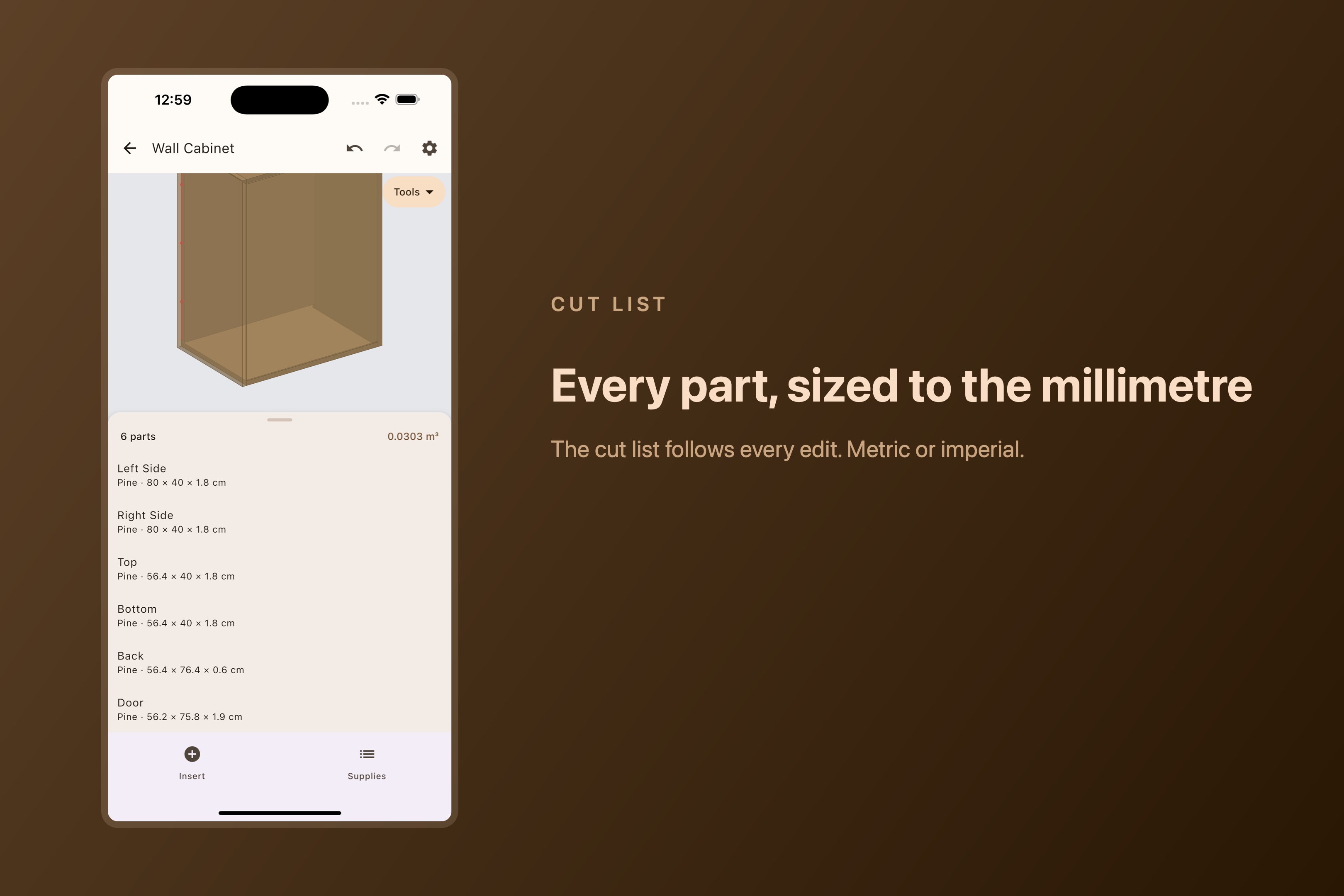
Cutlist
-
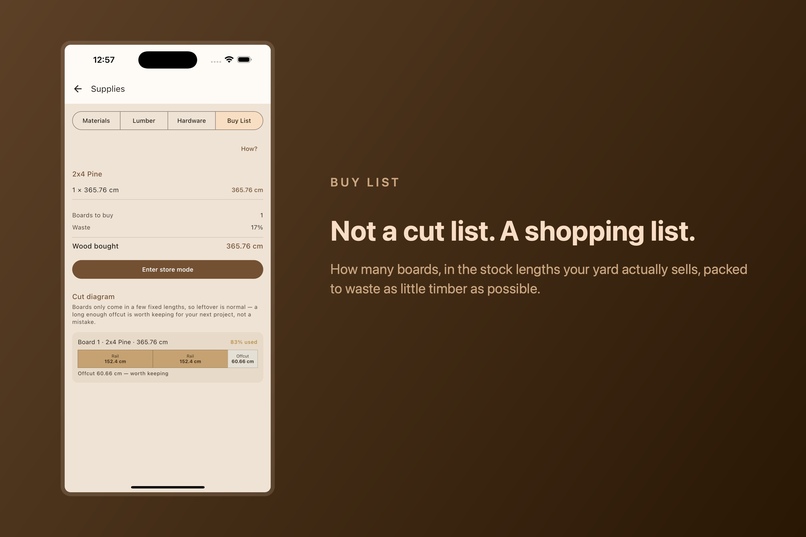
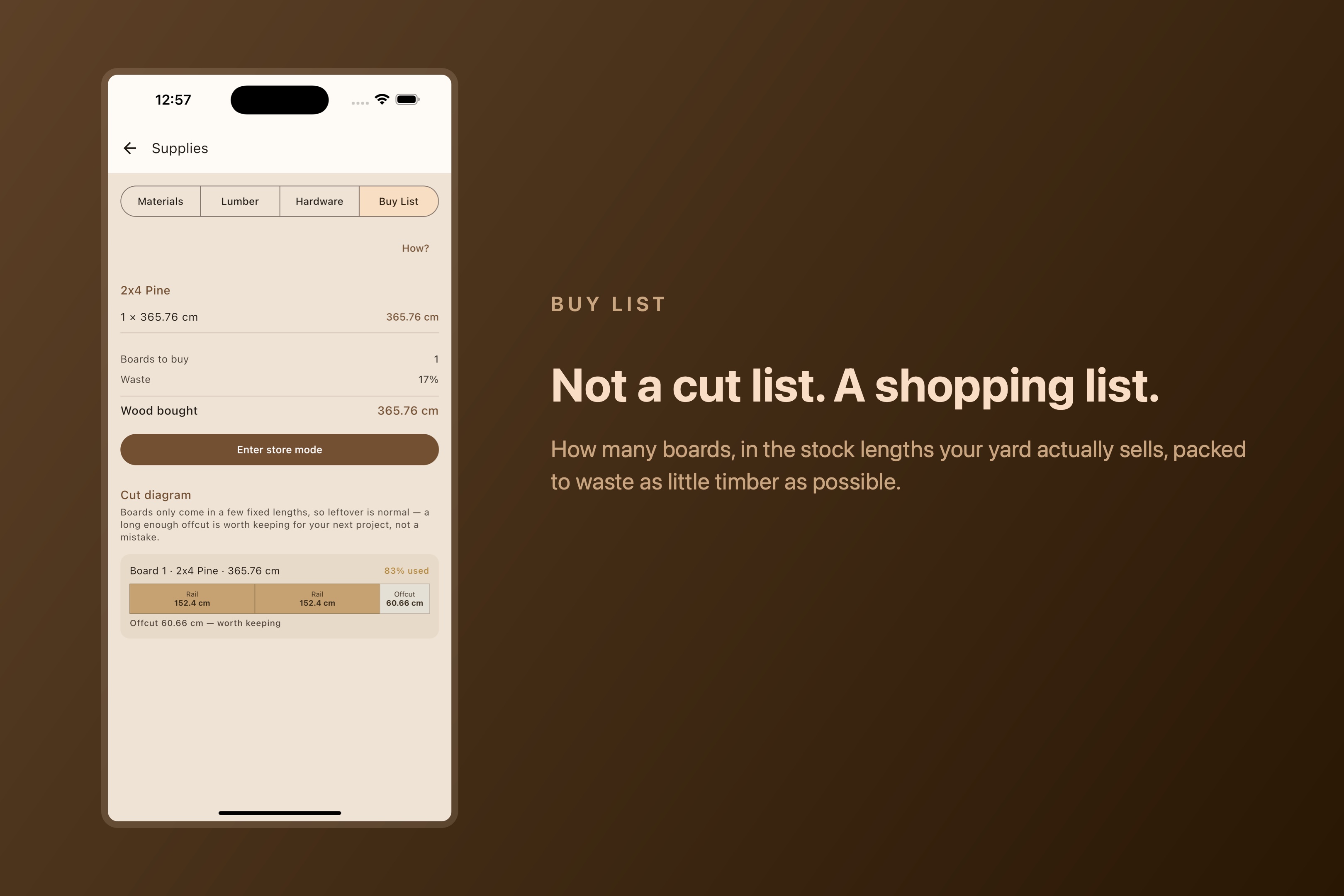
Buylist
-
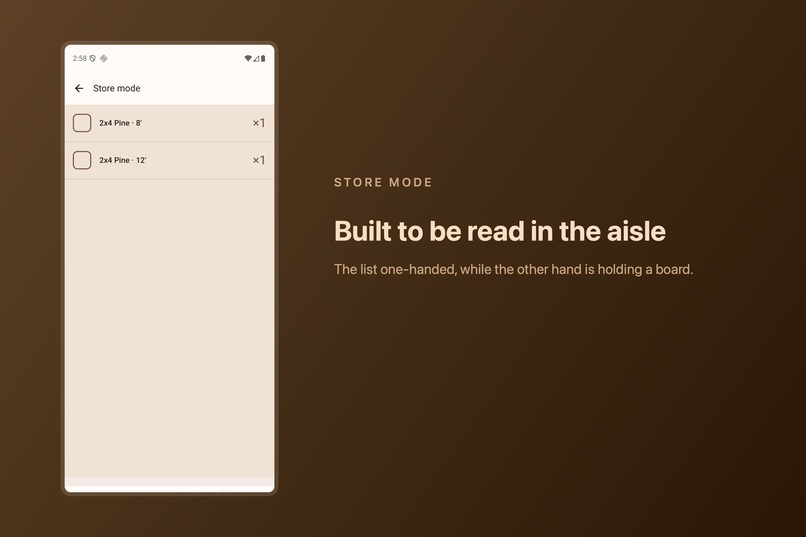
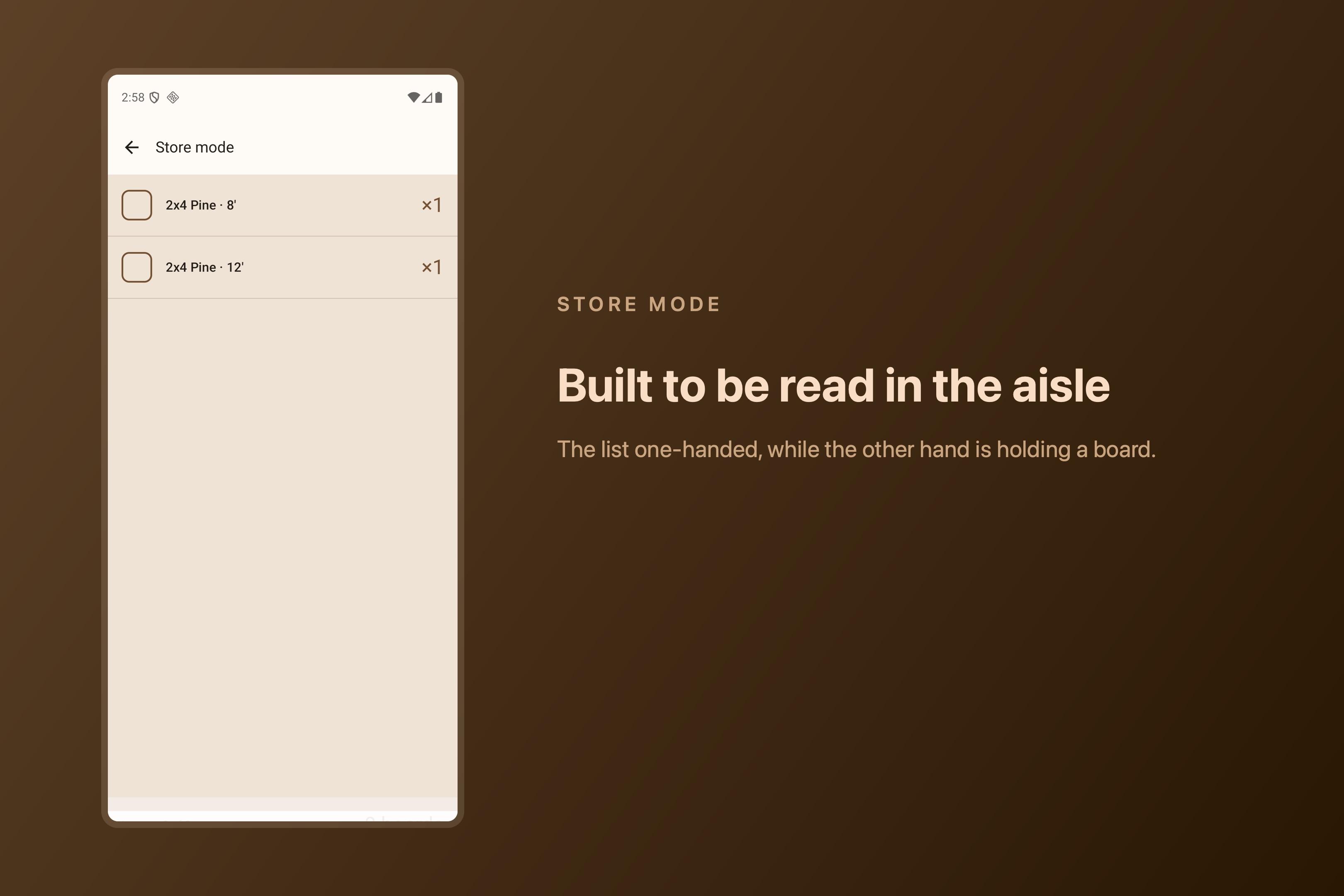
Store mode
-
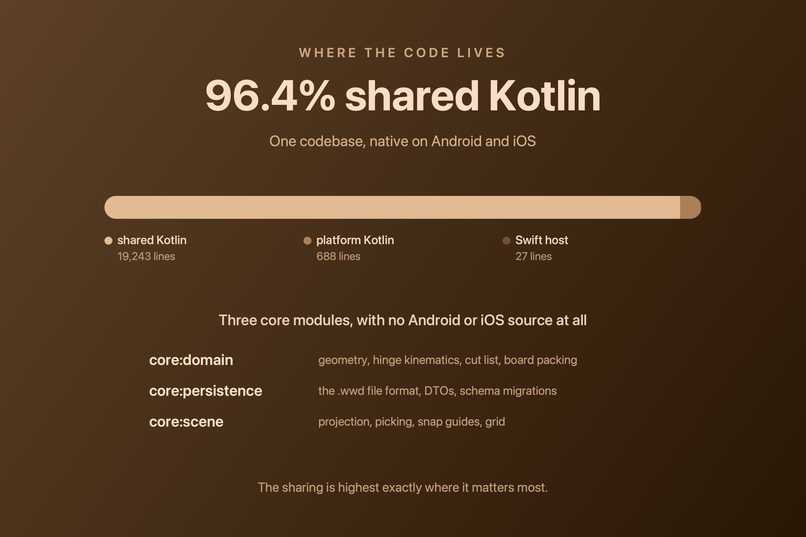
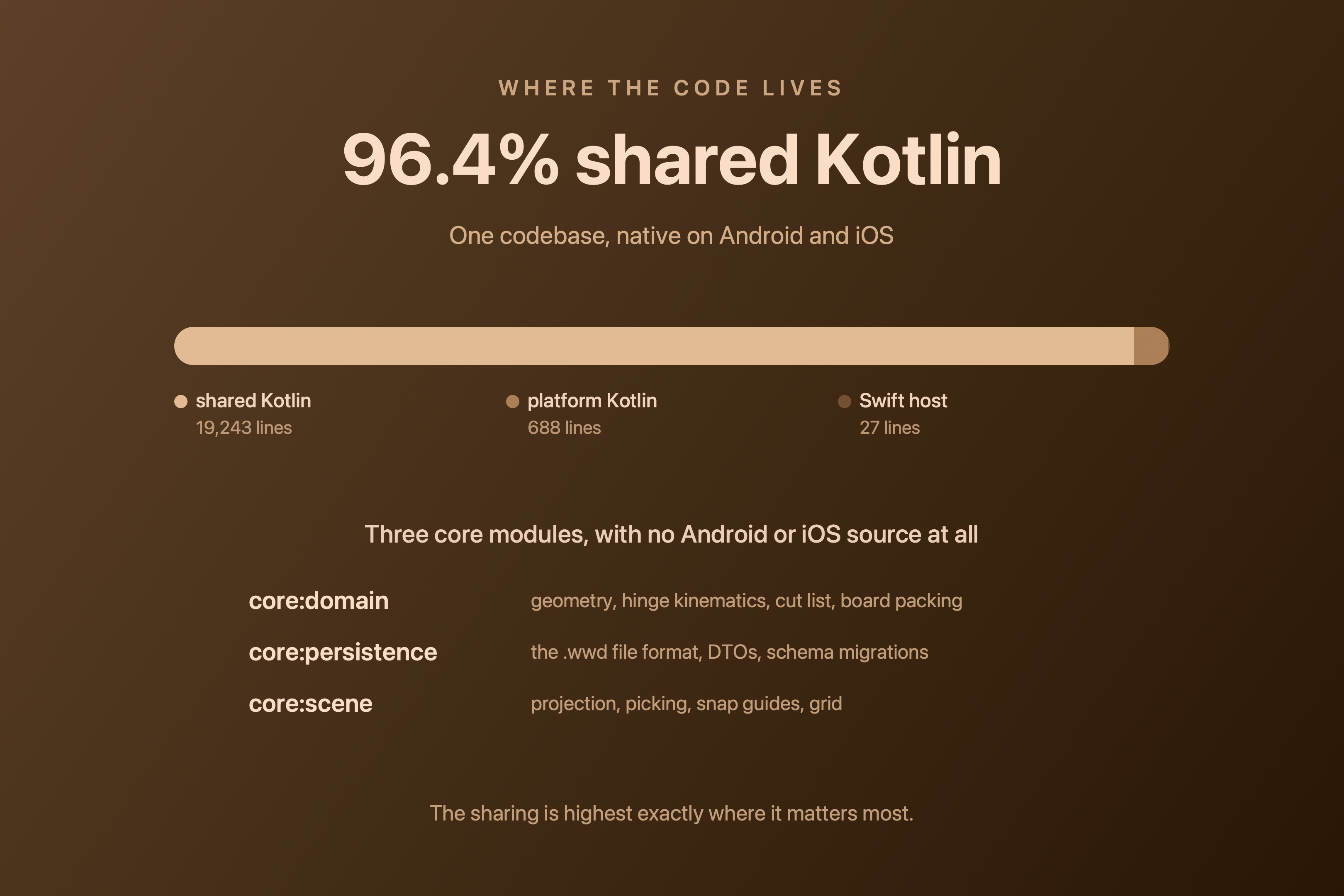
Shared code
Inspiration
The problem was never the cutting. It was the third trip to the store.
I build things out of wood as a DYIer. Badly at first, better now that I have some experience. The part that kept ruining my Saturdays was never the sawing or the sanding, it was standing in the lumber aisle doing arithmetic on the back of a receipt or a small peace of paper, trying to work out whether my boards was enough, It usually was not. In one project I went around 10 times tot he store, I am a little bit ashamed to admit it.
I would come home, start cutting, run out halfway through a set of legs, and drive back. Other times the boards were the wrong length and half of each one became offcut, or I bought far too much and it went in the corner of the garage with the rest of many left over peaces I have collected.
Every woodworking app I tried gave me a cut list. A cut list tells you what pieces you need. It does not tell you what to buy. Those are different problems, and the second one is the one that costs you the afternoon, because boards come in a handful of fixed lengths and the real question is how to pack your pieces into as few of them as possible.
So my goal was to built the thing that answers the actual question: how many boards, in the lengths my yard actually sells, and which piece comes out of which board, a bit of a project to solve my problem but it can help many people as well.
The other half of the inspiration is Kotlin Multiplatform. I use it for many projects, I am an Android develop that likes kotlin and Jetbrain products, and I have spent a long time thinking it deserves a harder problem than the ones it usually gets shown off with. Most KMP demos share a network layer and a data class. I wanted to find out whether the interesting part, real 3D geometry, hinge movements, a bin packer, could live entirely in shared Kotlin and still feel native on both platforms.
What it does
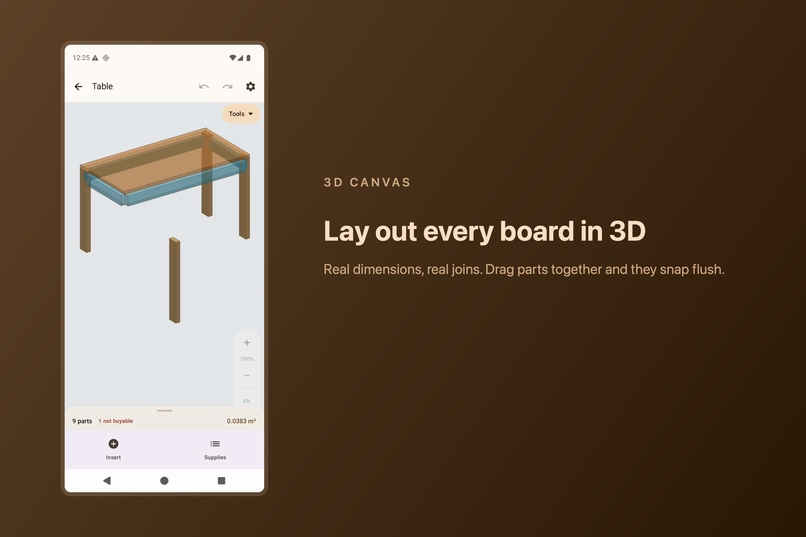
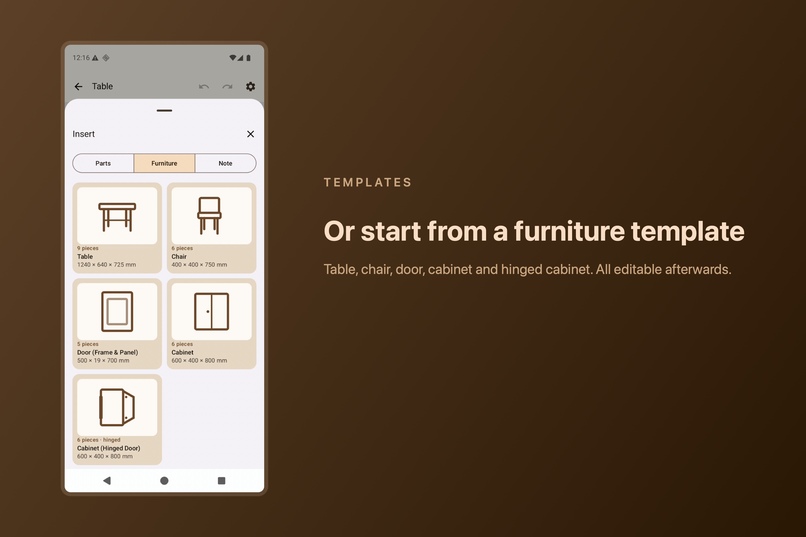
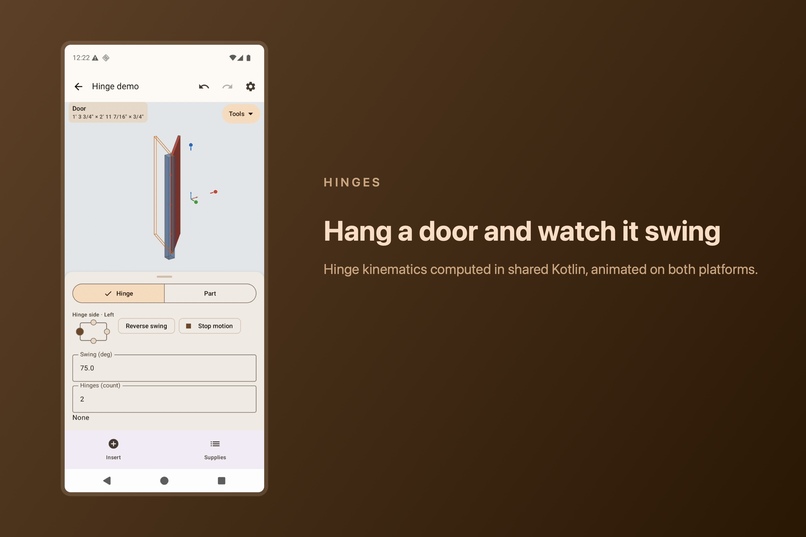
You lay parts out in a real 3D scene. Drag them together and they snap flush, so a carcass goes together the way it will on the bench. Attach a hinge, play the swing, and see whether a door clears its frame before you cut anything. There are furniture templates to start from: table, chair, door, cabinet, hinged cabinet, all resizable.
Then it works out the shopping. Not just a cut list, but how many boards to buy in real stock lengths, packed to waste as little timber as possible, with a diagram showing where every part comes out of every board.
And because the problem started in the aisle, the app had to work in the aisle. There is even a Store Mode: the list in a form you can read one-handed while holding a board with the other, easy to see and manage ui which I like (simplicity).
Plans are metric or imperial, saved on device, in the same file format as the desktop app. No account, no ads, so the barrier of entry is low.
How I built it (solo developer)
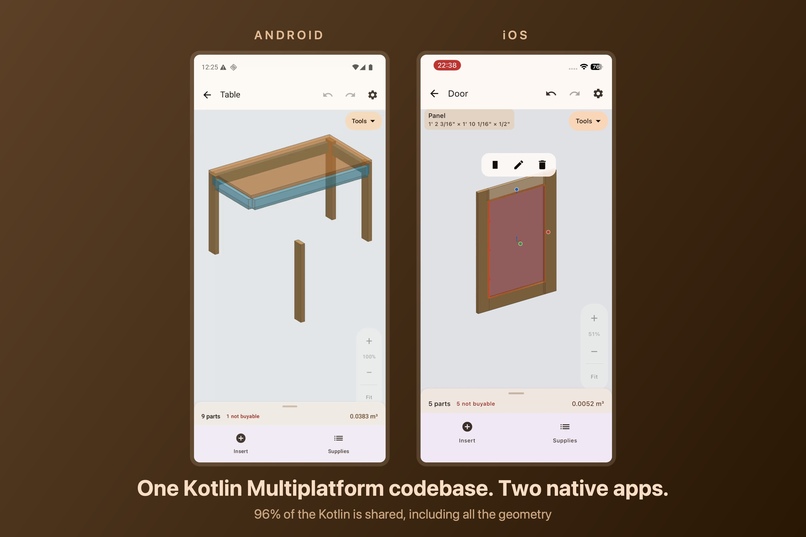
Kotlin Multiplatform, with Compose Multiplatform for the UI on both platforms. The split, measured rather than estimated:
| lines | |
|---|---|
| shared Kotlin | 19,243 |
| platform Kotlin | 688 |
| Swift host | 27 |
| shared | 96.4% |
The three core modules contain no Android or iOS source at all:
core:domain- geometry, parts, hinge kinematics, cut list, estimatescore:persistence- the.wwdfile format, DTOs, schema migrationscore:scene- projection, picking, snap guides, grid. Pure render maths.
That is the part I would point another Kotlin developer at. The 3D projection,
the picking maths that works out which part you tapped, the movements that
decide whether a door clears its frame (very hard to do right), the packer that turns a parts list into
boards to buy: all ordinary shared Kotlin, with no platform dependency and no
Compose import. It runs headless, so it is properly testable, and 62 test files
in commonTest do exactly that. The packer was built entirely against tests
before it ever had a screen.
The whole platform surface is twelve expect declarations:
encodePng,encodePdf,shareBytesfor export and the share sheetVideoLoopfor the onboarding clipsPlatformPathsfor where files liverevenueCatApiKey,telemetryAvailable,applyTelemetryConsent(easy to set up)deviceDefaultUnitSystem, metric or imperial by localeaddBackgroundListener, plusModifierandResplumbing
Every screen, every gesture, the entire editor, is written once.
Monetisation is RevenueCat through purchases-kmp, behind a small Billing
interface in common code, so the paywall and the entitlement checks are shared
too. Pro is a one-time unlock rather than a subscription: the buy list, the cut
diagrams, Store Mode and export. Everything else is free.
Challenges I ran into
Almost everything hard about this project was integration: making Kotlin Multiplatform, RevenueCat and two very different store toolchains agree with each other.
The iOS app had never actually linked. purchases-kmp ships cinterop bindings only. The native framework has to come from a Swift Package Manager pin in the Xcode project, and nothing tells you it is missing: Android compiled and reported success the whole time, which was no evidence at all about iOS. The first real archive is what surfaced it. Version upgrades have the same shape, because the pin is maintained by hand. purchases-kmp 3.x dropped the old two-part version scheme, so moving to 3.7.0 (the release that clears Play's Billing 8 requirement) meant repointing the SPM package manually and matching klibs built with Kotlin 2.3.20 against a project on 2.3.21.
RevenueCat's Amazon adapter took down every unit test in the module.
purchases-store-amazon arrives transitively, and its own transitive
amazon-appstore-sdk carries pre-stackmap bytecode whose manifest-declared
BroadcastReceiver fails JVM verification the moment Robolectric installs the
application. Not the billing tests. Every test. The fix is a
configuration-wide exclusion, because the KMP source-set DSL takes no exclusion
closure on a version-catalog alias:
configurations.configureEach {
    exclude(group = "com.revenuecat.purchases", module = "purchases-store-amazon")
}
A customer could own Pro and not be able to see it. Checking an entitlement
at launch looks like a job for awaitRestore, and it is not. Restoring replays
the store's transactions, and a single unsettled one makes the whole call throw,
so a real device with an old pending order stayed locked while owning the
product. awaitCustomerInfo answers the entitlement question without touching
those transactions. Restore still exists for the button the user presses, where
a pending payment is worth reporting honestly rather than swallowing. This one
only ever showed up on a real device with real order history.
A klib error that lies to you. A "could not find" message, for a library
that is plainly right there, is an ABI mismatch rather than a missing file.
Reading the klib manifest's compiler_version is what actually answers it, and
nothing in the error text points you there.
Compose Multiplatform meeting UIKit. UIKitView's onResize sits on a
deprecated path that silently never fires, so an AVPlayerLayer never received
a non-zero frame and the onboarding videos rendered as blank white boxes. The
player was healthy the whole time. The fix is to subclass UIView and keep the
layer's frame in sync in layoutSubviews() instead.
Sorry for the tech talk as I had this documents while building the project and integrating the services.
Accomplishments that we're proud of
Live on the App Store and Google Play, from one codebase, inside the Shipaton window, it was a tight one but made it happen so I am very happy about that.
The board packer is real work rather than a wrapper around somebody's API. It optimises millimetres of timber, and it was built headless against tests, which is only possible because the domain carries no platform dependency at all. The sharing is highest exactly where it matters most: the geometry and the packer are inside that 96 percent, not just the glue around them.
And the thing that started as a receipt covered in arithmetic is now a mode in a shipped app.
I work really hard on code quality, efficiency and good UX which I am also very happy about. Also 3d rendering which was not trivial ended up working well for both platforms in my opinion.
What I learned
Share the hard parts or do not bother. I could have hit a similar percentage
by sharing UI chrome and pushing every real decision behind expect/actual,
and it would have been a worse codebase telling a better story. The number only
means something because the geometry and the packer are inside it.
Verify on the platform you are claiming. A green Android build is not evidence about iOS. A linker only tells the truth during a real archive.
A cut list is not a shopping list. Obvious in hindsight, and not obvious to me for years. Most of the value in this app sits in that gap.
A shared asset is not automatically shareable. The onboarding illustrations were captured on Android and reused on both platforms, which is exactly what sharing a codebase encourages you to do. Apple rejected the build for it: a non-iOS status bar inside an iOS binary is guideline 2.3.10. Code shares cleanly across platforms. Screenshots carry the platform they were taken on, and the store rules that come with it.
What's next for Woodworking Designs
Region packs, so the buy list knows the board lengths and conventions where you actually live rather than where I do, and then where to buy them nearby. That is the feature that turns "how many boards" into "how many boards, from there, for this much".
After that, writing up the Kotlin Multiplatform problems above properly. Every one of them cost days, and none of them were documented anywhere I could find.
I would like to add a feature where the user gets local suggestions of where to buy the measure lumber for his project and prices if available. This is a tricky integration and too risky to do before the submission deadline so I opted out of implementing this even though it adds a lot of value.

Log in or sign up for Devpost to join the conversation.