Inspiration
My first plan for this competition was an AI assistant. But what I actually wanted beside me wasn't someone who helps, or someone to talk to. I wanted someone who would just be there: beside me while I do whatever I'm doing, quietly watching, reacting now and then, and staying. A comfortable presence that asks nothing of me.
That someone became Ayla. Her name means the halo of light around the moon, and the Moon is where she comes from. She rarely smiles, so when she finally does, it means something. And because this is VR, being together doesn't have to stop at the walls of my room: she can take me to places I could never go in real life, and we can be there together.
What it does
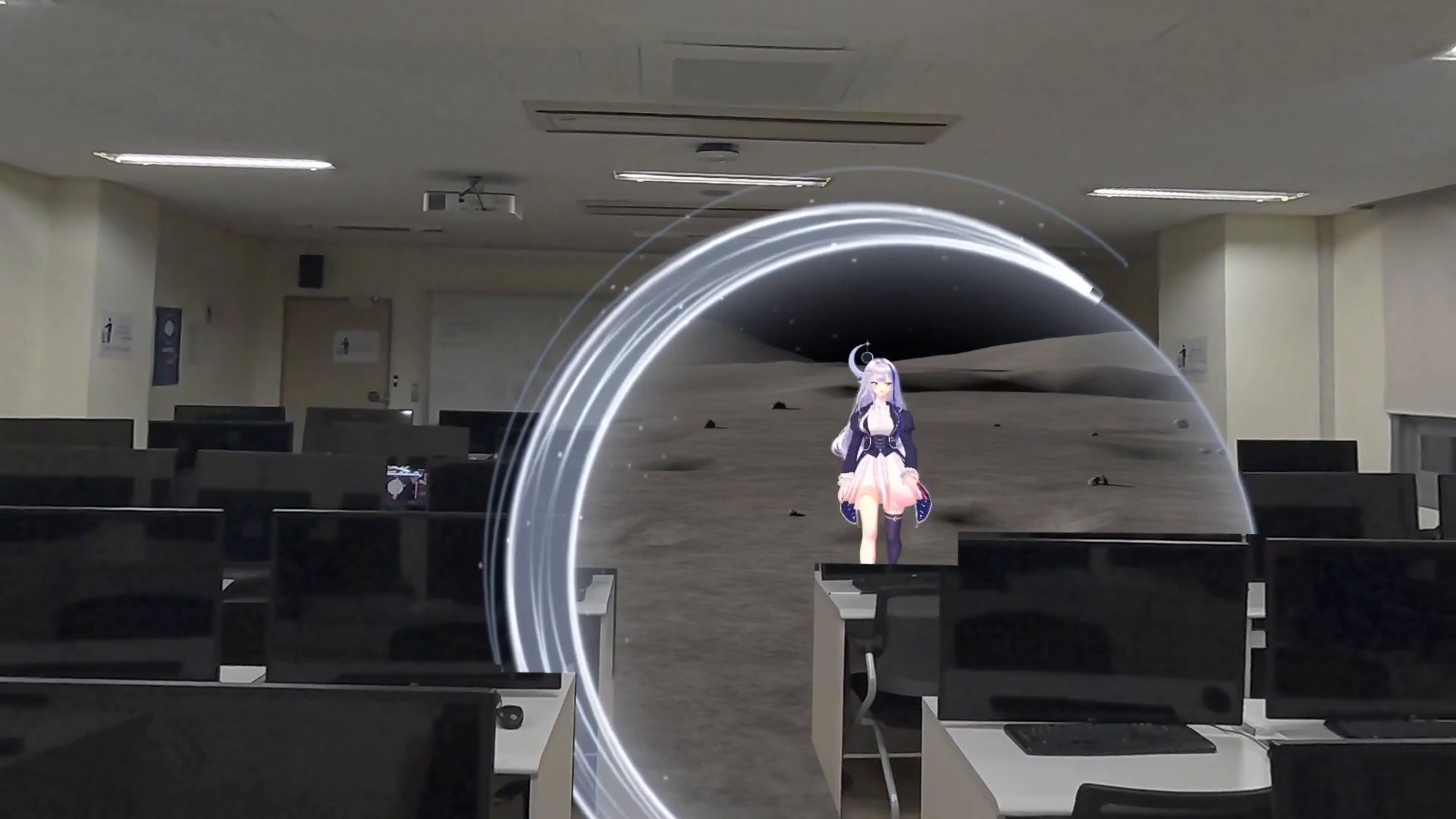
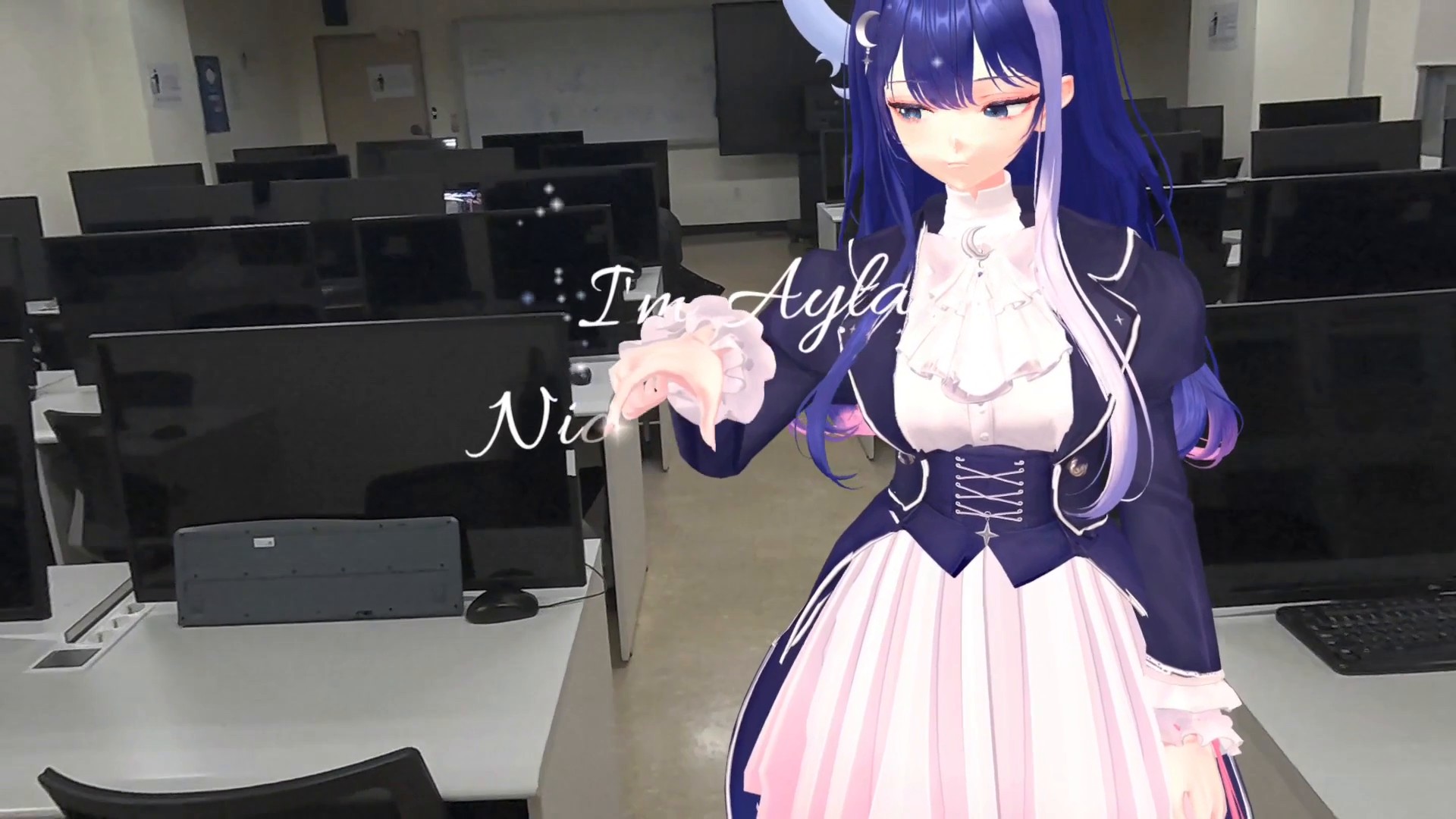
A crescent-moon portal opens in your room, and Ayla steps through from the Moon. She stops, looks around, finds you, and writes her greeting in the air in moonlit letters. She never says a word; everything she has to say, she says with her body.
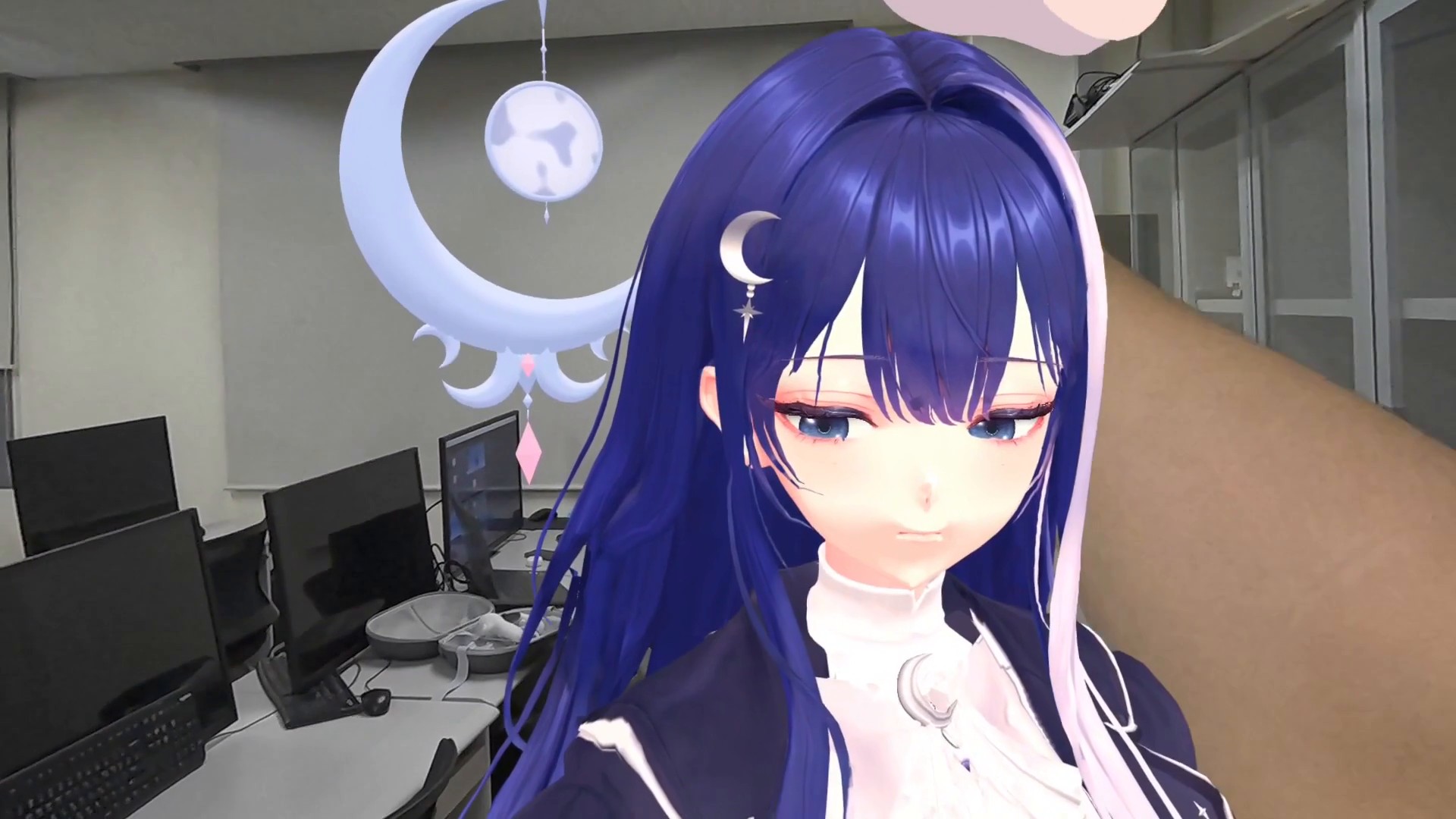
Meet her eyes and she holds your gaze for a moment, then looks away first. Come too close and she leans back. Touch her arm or her hair and she glances at your hand. Press Pat and she comes over and tilts her head for you. Ask her to rest and she sits down beside you for a while, then wanders off to look around your room. Your real furniture can hide her when she steps behind it.
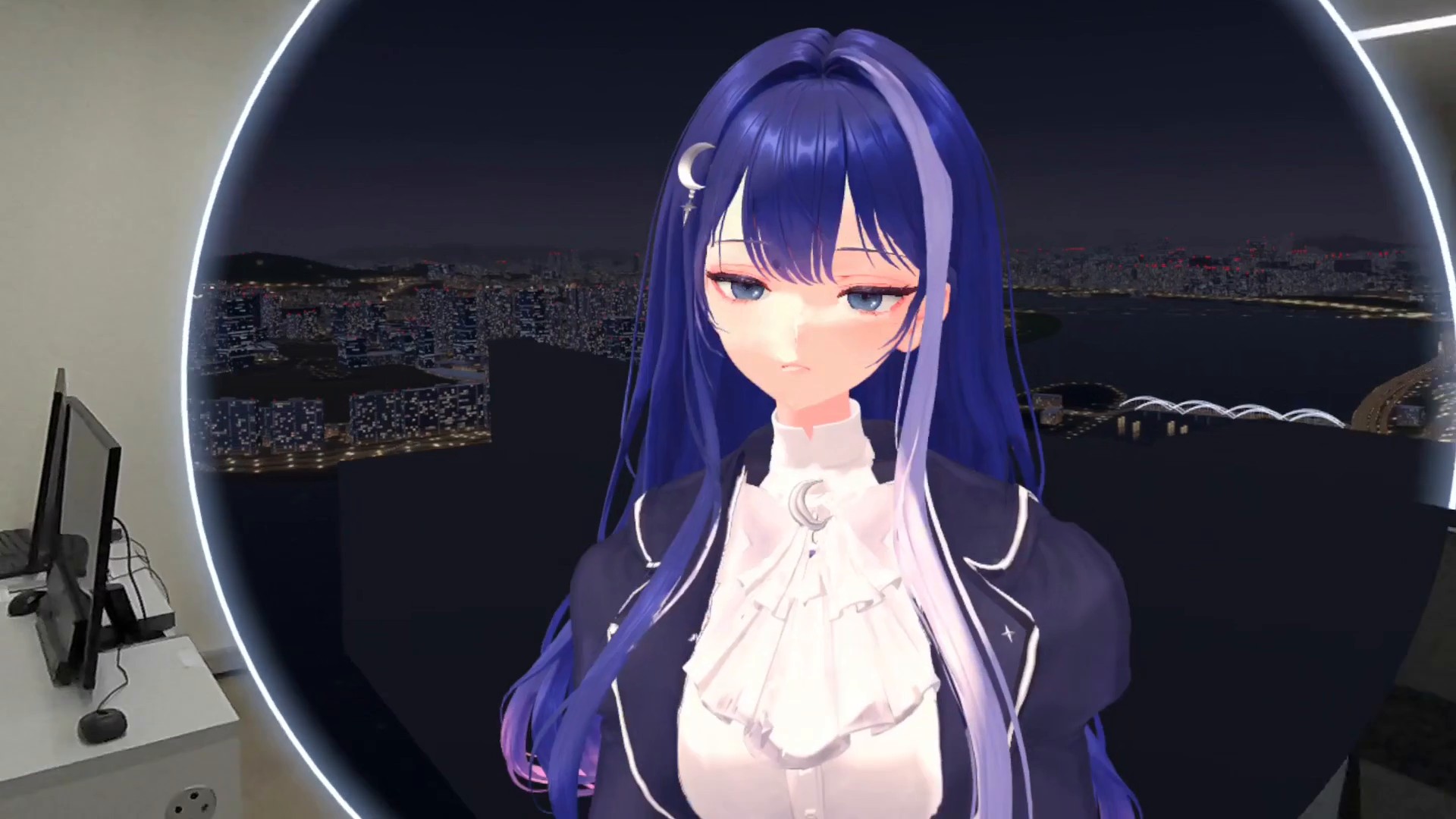
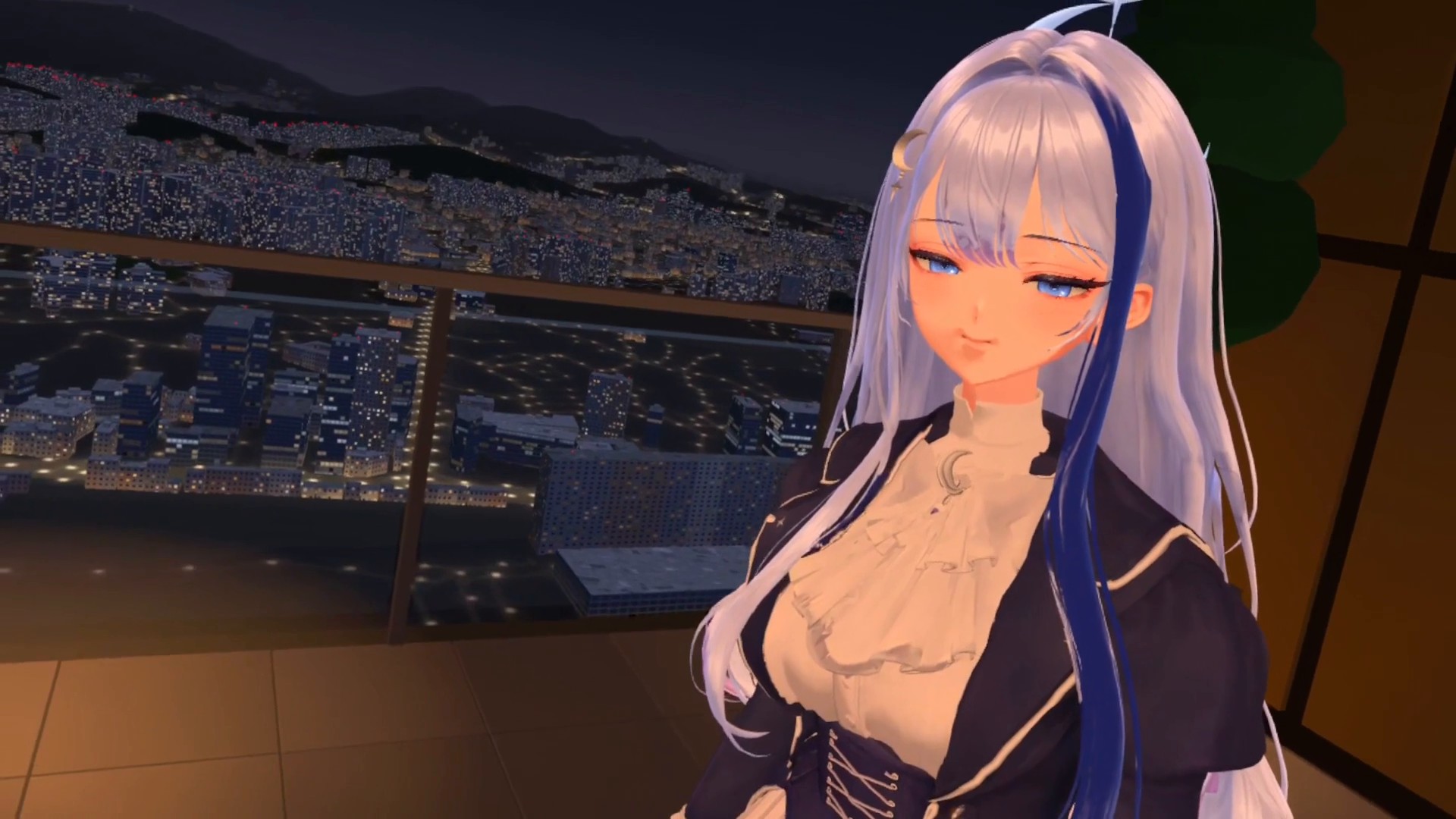
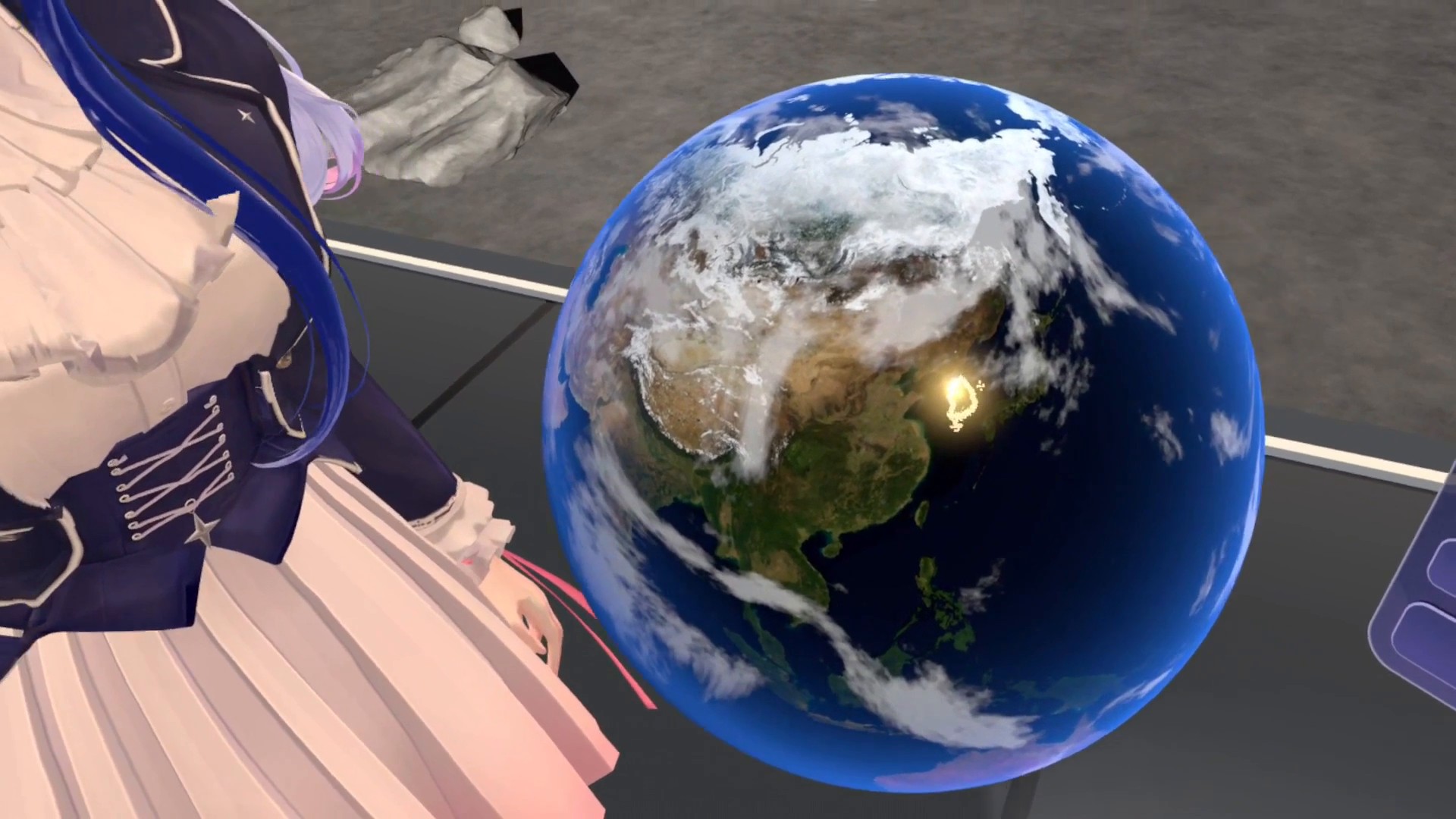
When she's ready, she offers you her hand. Take it, and the portal carries you both to one of her places: a rooftop terrace above Seoul at night, built from real map data, or the Moon, where she asks where you live and turns the Earth until your home faces you. Meet her eyes there, and you may see her smile for the first time.
She remembers you. The next time you meet, she is a little less guarded, and once she has smiled for you, that smile stays.
Hands-first
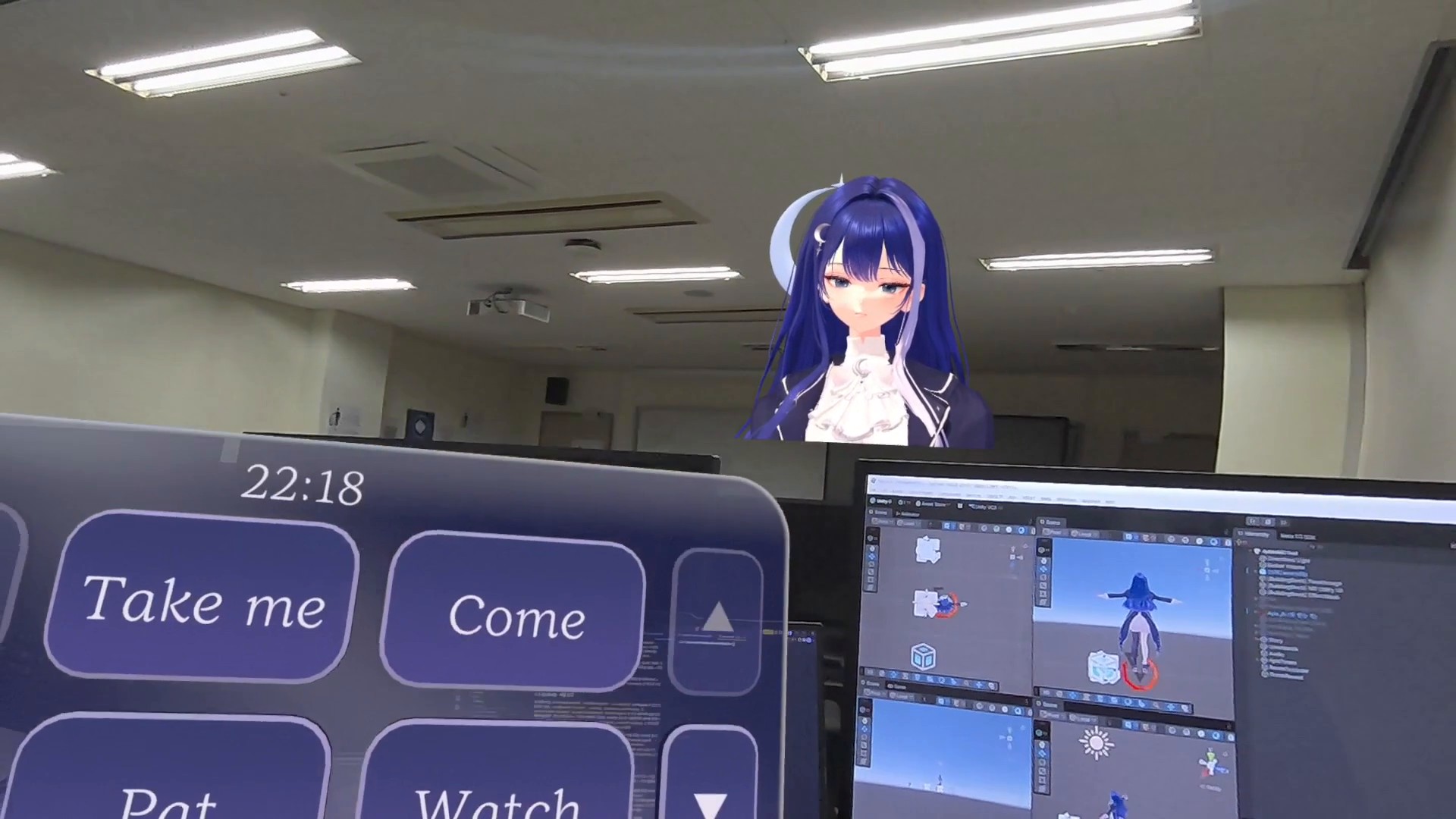
No controllers, ever. Holding her hand is the heart of it. Look at your left wrist like a watch and a small crescent opens her menu; press the keys with a fingertip, and Help explains each one. Turning down her hand is a single NO key. Your hands are solid to her: they rest on her shoulder or her hair instead of passing through, and her hair and ribbons move when your fingers brush them.
How I built it
I built WithNess alone in Unity 6.3 (URP) with Meta XR SDK v207, for Quest 3 standalone. There is no LLM, no cloud service, and no voice.
Her mind
Two layers of rule-based state machines: a story director that moves from your room to the invitation to her place, and beneath it a reaction layer that decides, moment to moment, whether she looks, looks away, leans back, lingers, or comes closer. Her reactions start half a beat late, and she blinks before a big shift of gaze, the way people do. Every timing and distance was tuned on the headset, build after build.
Her body
Ayla is my original design. I used an AI image tool for concept sheets and Tripo for a base mesh, then rebuilt her by hand in Blender: retopologized eyes that keep the original painted lashes, a skirt rebuilt along its pleats, a new collar, brooch, ribbons and neck, blinking and a soft smile, and spring bones with colliders so her hair, skirt, coat tails and ribbons move. Her coat was repainted in Substance Painter, and she comes into Unity as VRM (UniVRM, MToon). Her animations are retargeted from Mixamo and a free motion pack; her sitting pose came from a small pose tool I wrote for the Unity editor, and her footsteps follow her feet.
Your room
MR Utility Kit reads your walls, floor and furniture, so she picks where to stand, walks on your actual floor, and disappears behind your real furniture. Your hands are tracked with the Interaction SDK and resolved against a second, invisible body measured from hers, so they rest on her instead of passing through. When you hold her hand, her arm reaches to meet yours.
Her places
The rooftop city comes from real data: OpenStreetMap building footprints, public Korean building heights and Copernicus terrain, which my own Python scripts turn into one low-poly mesh with shaders for window lights, traffic, beacons and the river, plus a baked skybox for the far distance. On the Moon, the Earth is made from NASA imagery.
Testing
To iterate without putting the headset on every time, I wrote an editor tool that plays the whole story from a script. On the device I measured frame times scene by scene to hold 72 fps. Thirty-one builds went to the headset.
Challenges I ran into
My hand went through her
The first time I reached out to her, my hand went straight into her shoulder, and in that moment she stopped being someone. Touch had only been a distance check. So I gave her a second, invisible body measured from her mesh: capsules for her limbs and torso, an ellipsoid for her head, a cone for her skirt. Your visible hand now stops at her surface, a push moves her, and her arm can rest on your hand. It took several rounds to get right: her forehead, the oval cross-section of her body, her chest.
Holding hands
At first her hand went flat when I held it, her ribbon tails passed through my fingers, and if I walked behind her, her arm twisted backward to follow. A two-bone IK now brings her arm to meet yours, her fingers curl around your hand in code, joint limits keep her wrist natural, and her ribbons collide with your hand. In the end, a simple palm-to-palm grip, like a handshake, felt the most real.
Silence that doesn't look mechanical
With no words, every movement is the message, and early on she moved like a machine: her head snapped around far too fast, and quick glances ended before her head had even finished turning. I wrote rules for every motion: everything moves on springs, goes out fast and comes back slowly, waits at least one and a half times its own travel time, and has a speed limit. Big gaze shifts now happen behind a blink. Quest 3 has no eye tracking, so eye contact is read from where your head points.
Teaching a menu without words
A menu on your wrist is invisible unless someone tells you about it, and she never speaks. So the last sparkles of her moonlit greeting drift down to your left wrist and draw the crescent there. You watch it appear, and you know where to look.
Rooms I've never seen
Your room is the level, and I never get to see it. The headset's saved room sometimes came back shifted, so the start screen shows a miniature of the room your headset knows, with a Rescan button. Coming back from her places, she could end up standing inside furniture, so every spot she stands on is now checked against your room first.
Holding 72 fps
On one build, the opening portal dropped to 51 fps with the GPU at 98%. By the final builds, every scene held 71 to 72 fps, with the app's frame time peaking at 11.7 ms of a 13.9 ms budget.
From a generated mesh to someone you can touch
The Tripo mesh looked fine from a distance but fell apart up close: hair fused into one lump, smeared eyes, a skirt with no real pleats, a coat texture projected from four directions. Patching on top only made it worse, so I rebuilt each part properly: the eyes with ring retopology that keeps the painted lashes, the skirt along its 34 pleats, the coat repainted by hand, and the hair generated again.
What I learned
- Presence needs a body. Everything else can be subtle, but the moment a hand passes through her, she is gone.
- Character lives in timing. The same glance reads as a machine or as a person depending on how long it waits and how slowly it comes back.
- Put it on your head early. Things that looked fine on a monitor felt wrong at arm's length. I should have tried her in the headset much sooner.
- Rebuild, don't patch. AI tools gave me a fast start, but every part I needed to change had to be rebuilt properly, or it showed.
- Build more than you need, then hold back. Toning something down is far cheaper than building what's missing.
- Real places come from real data. AI reference images are good for composition, but the city had to be the real one.
What's next
Next, I want to bring LLMs and generative AI into WithNess to widen Ayla's intelligence and the range of things she can do. With them, she could respond in far more varied and surprising ways, and being with her would feel even more immersive. Alongside that: more of her places, more to come back for between visits, and support for more headsets, including Quest 2 and Quest Pro.
Target launch date
February 2027
How to test
- Meta Quest 3 or 3S, hands only. Please put the controllers down before you start.
- Mixed reality. It works best in a room you've already scanned with Space Setup; allow spatial data on first launch. The start screen shows the room your headset knows. Press Rescan if it doesn't match. Without a scan she still comes, standing on your floor.
- Sit or stand with a little open floor around you.
- Pick a hand color, then poke Start. A portal opens in your room and Ayla steps through.
- Spend a minute with her. Look her in the eyes: she only reacts when you truly meet her gaze, so keep her face in the center of your view. Lean in close. Touch her arm, her shoulder, or her hair.
- When she offers her hand, take it (or press NO; she'll offer again later). If you'd rather not wait for her, open the menu and press Take me: she'll offer her hand right away.
- At her place, look her in the eyes again.
- Look at your left wrist like a watch to open the menu. Help explains every key. Home brings you back to your room; Take me goes to her places again (the rooftop and the Moon take turns).
- A first visit takes a few minutes.
Credits
- Meta XR Core SDK, Interaction SDK, MR Utility Kit v207 (Meta)
- UniVRM / UniGLTF v0.131.4 (VRM Consortium; UniGLTF © 2018 ousttrue) - MIT License
- Animations: Mixamo (Adobe); Human Basic Motions FREE (Kevin Iglesias, Unity Asset Store)
- Fonts: Diphylleia (The Diphylleia Project Authors), Allura (The Allura Project Authors), Liberation Sans (Red Hat, Inc.; Google; via TextMesh Pro) - SIL Open Font License 1.1
- Emoji sprites: EmojiOne (included with TextMesh Pro)
- Map data © OpenStreetMap contributors, available under the Open Database License (ODbL) - openstreetmap.org/copyright
- Building heights: VWorld GIS Building Integrated Information, Ministry of Land, Infrastructure and Transport, Korea (KOGL Type 1) - vworld.kr
- Terrain: produced using Copernicus WorldDEM-30 © DLR e.V. 2010-2014 and © Airbus Defence and Space GmbH 2014-2018 provided under COPERNICUS by the European Union and ESA; all rights reserved. The organisations in charge of the Copernicus programme by law or by delegation do not incur any liability for any use of the Copernicus WorldDEM-30.
- Earth: NASA Earth Observatory - Blue Marble: Next Generation (Reto Stöckli), Black Marble 2016. Country shapes: Made with Natural Earth (public domain)
- Moon rocks: Poly Haven (CC0)
- Footsteps: recording by 라일락 (Lilac), "무료 소리 창고" - pgtd.tistory.com/149 - CC BY 4.0 (cut and level-adjusted)
- Breath sound: created with Boson AI's Higgs Audio
- Demo video music: "Ethereal Winter Ballet Instrumental 01" by alanajordan - Pixabay (Pixabay Content License)
- Character, sound effects and everything else: made by the developer


