-
-
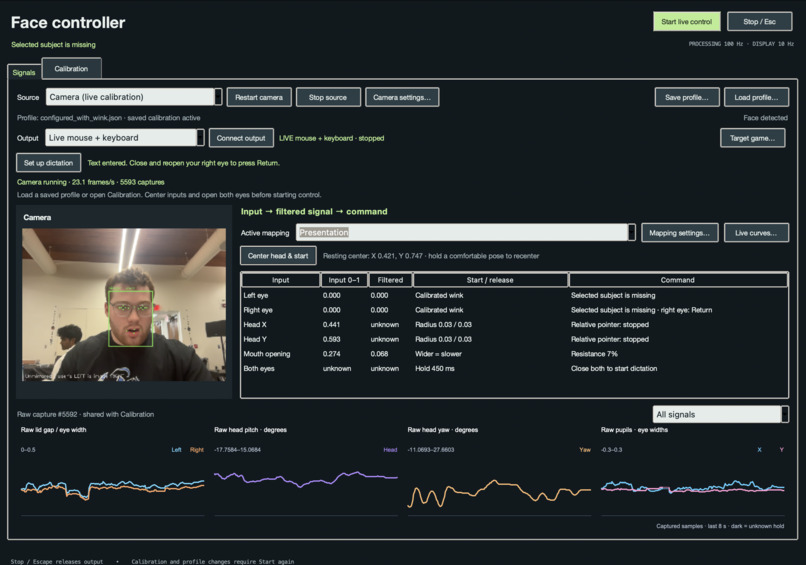
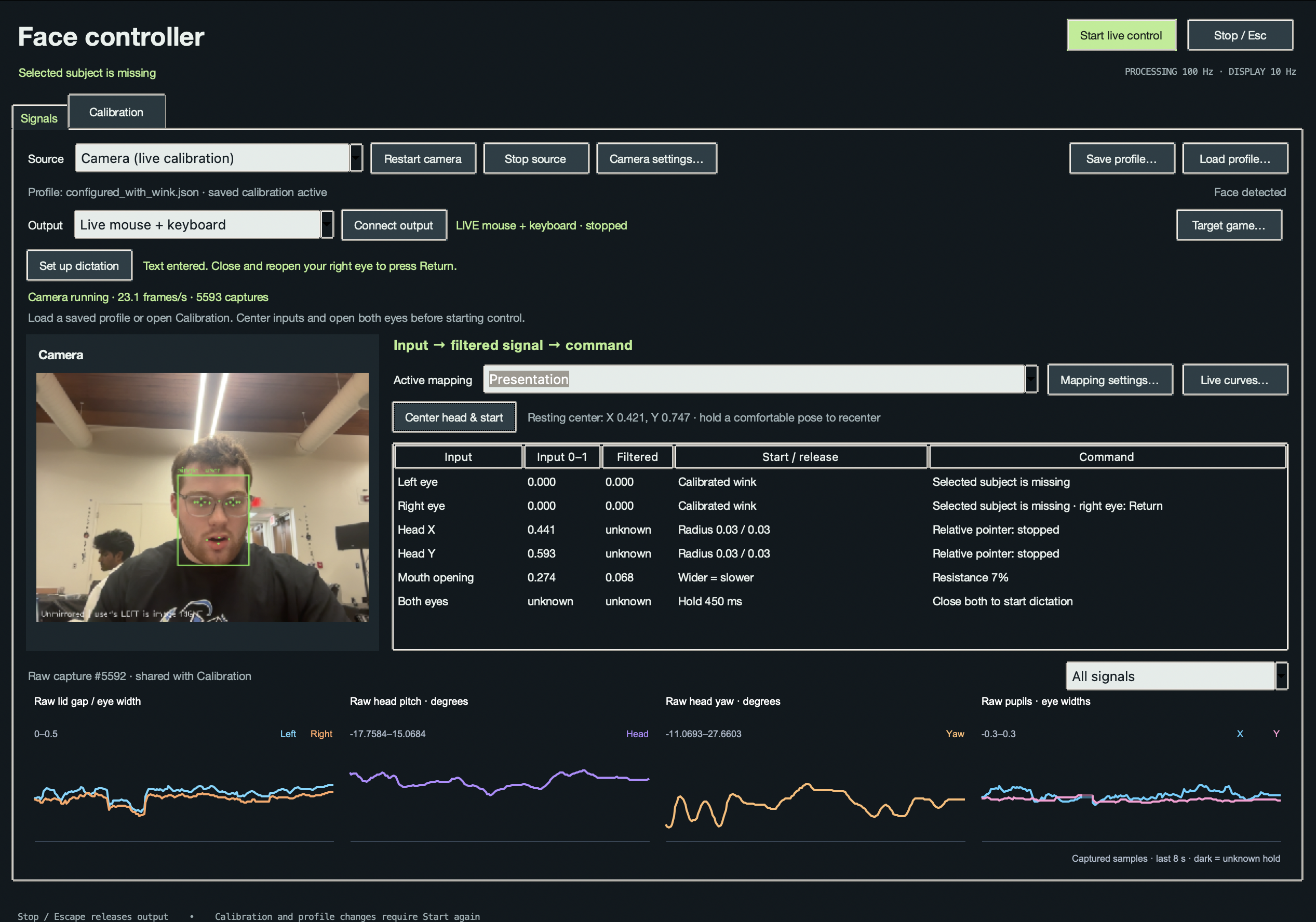
Central page for loading calibration profiles, drivers to connect to, and mappings for our limited input.
-
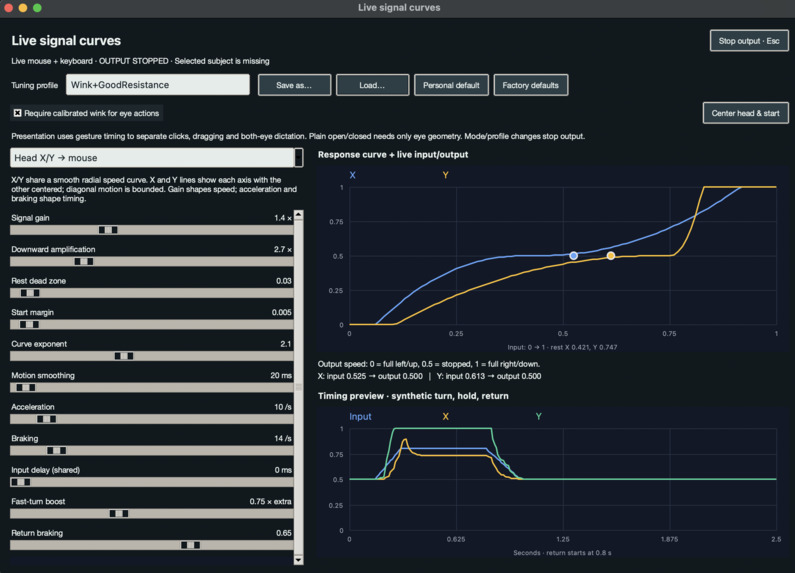
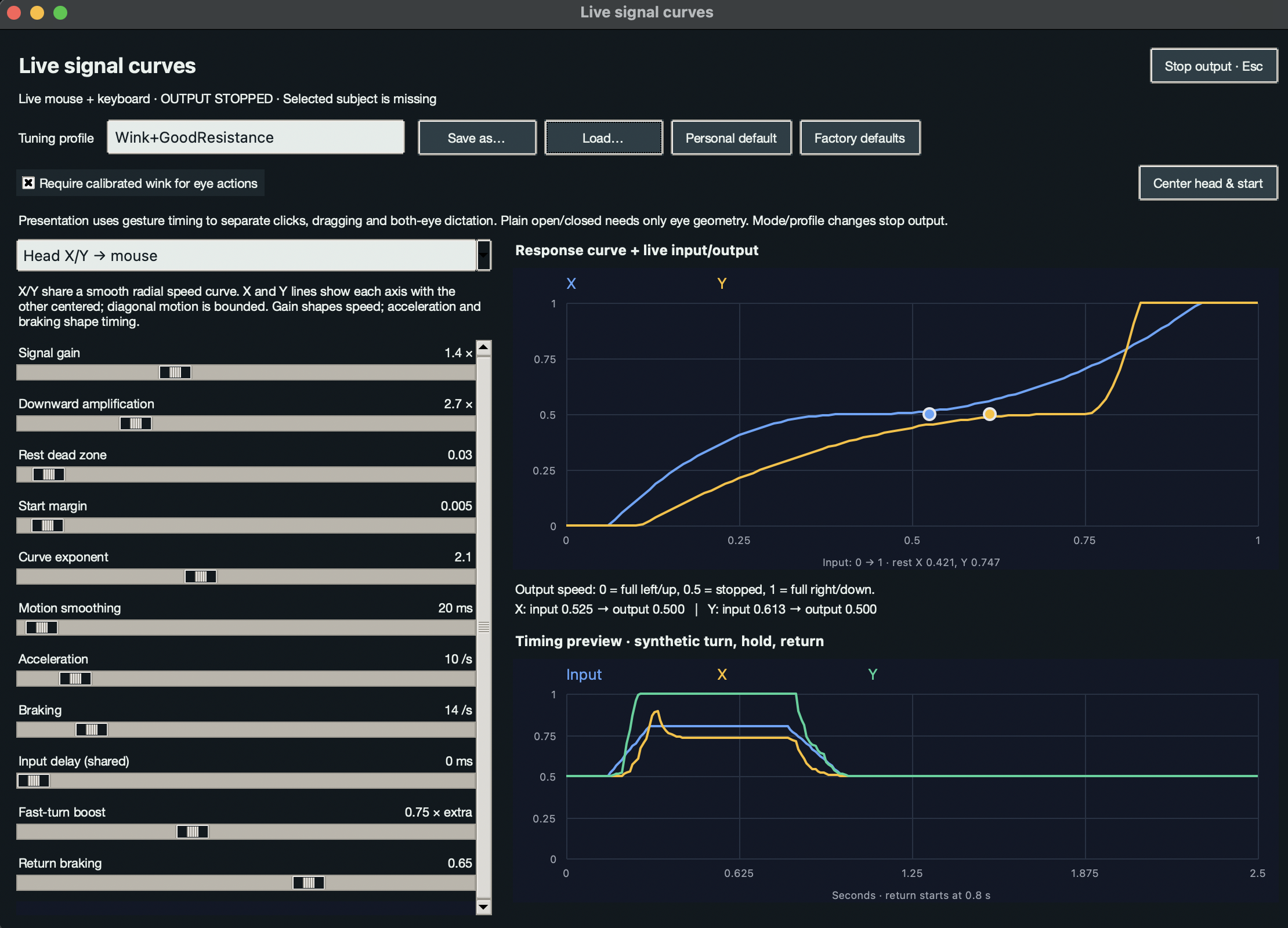
Manual adjustment for filtering, amplification, and modulating the raw input for the hardware.
-
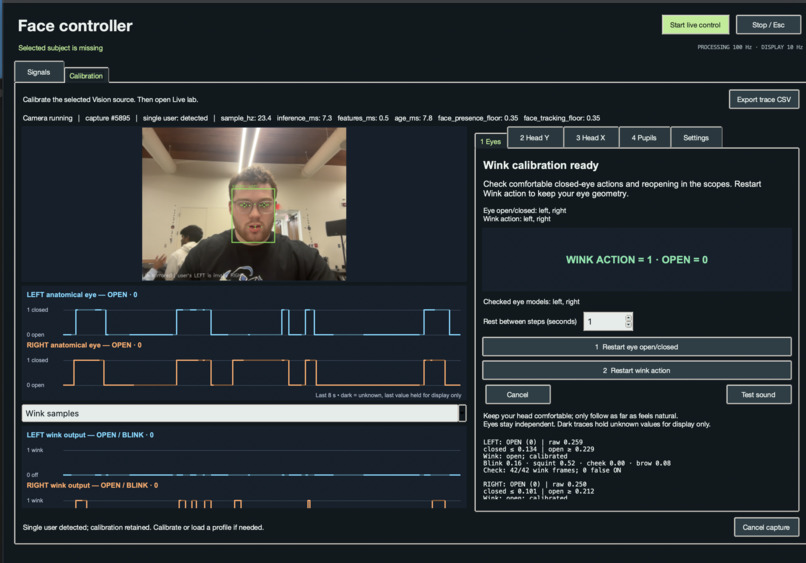
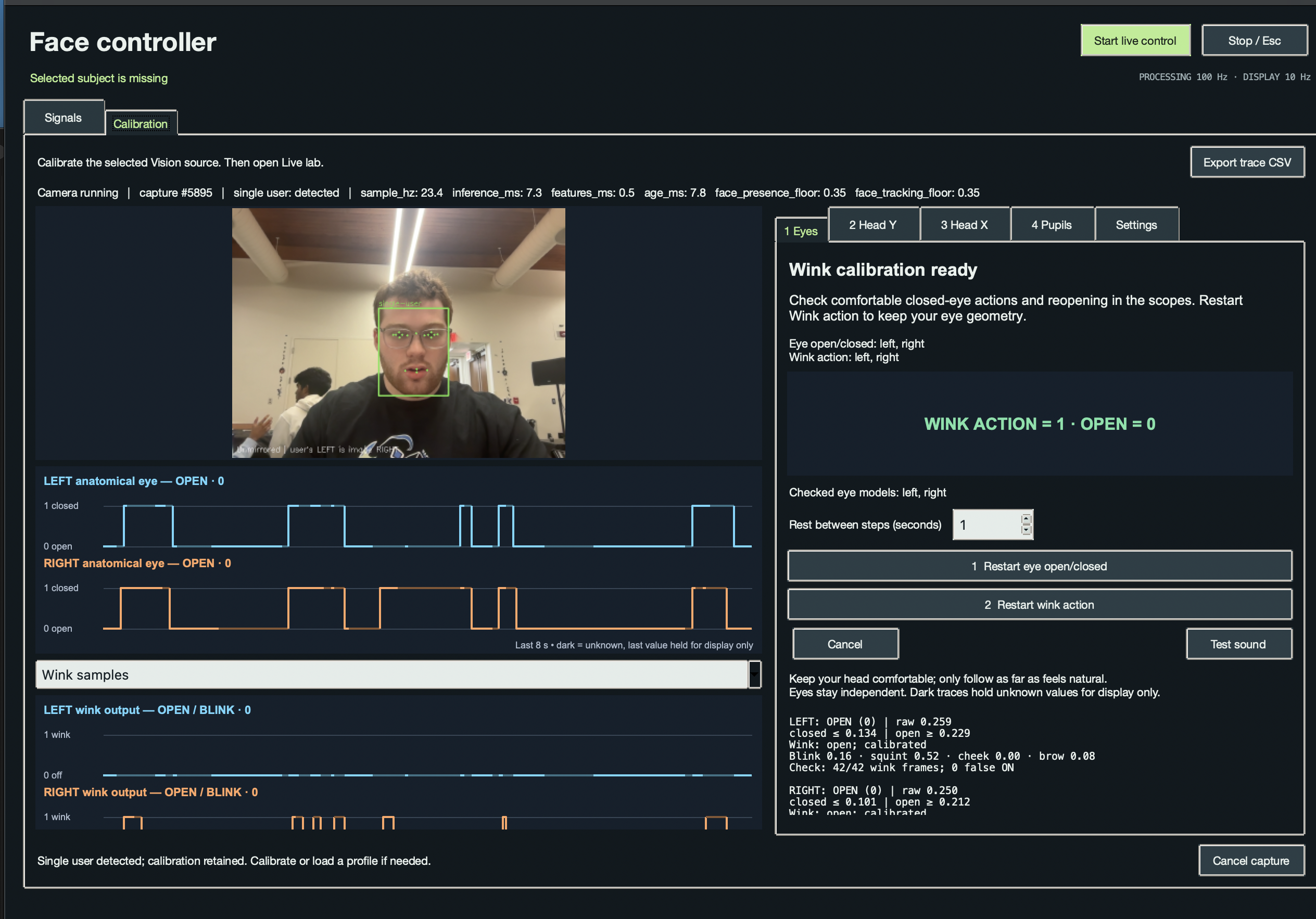
Calibrating raw eyes open and close, and wink detection.
-
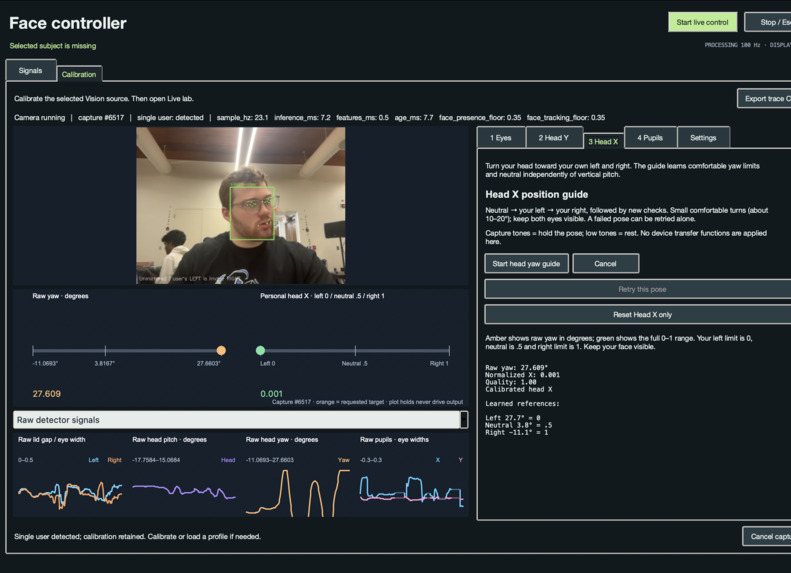
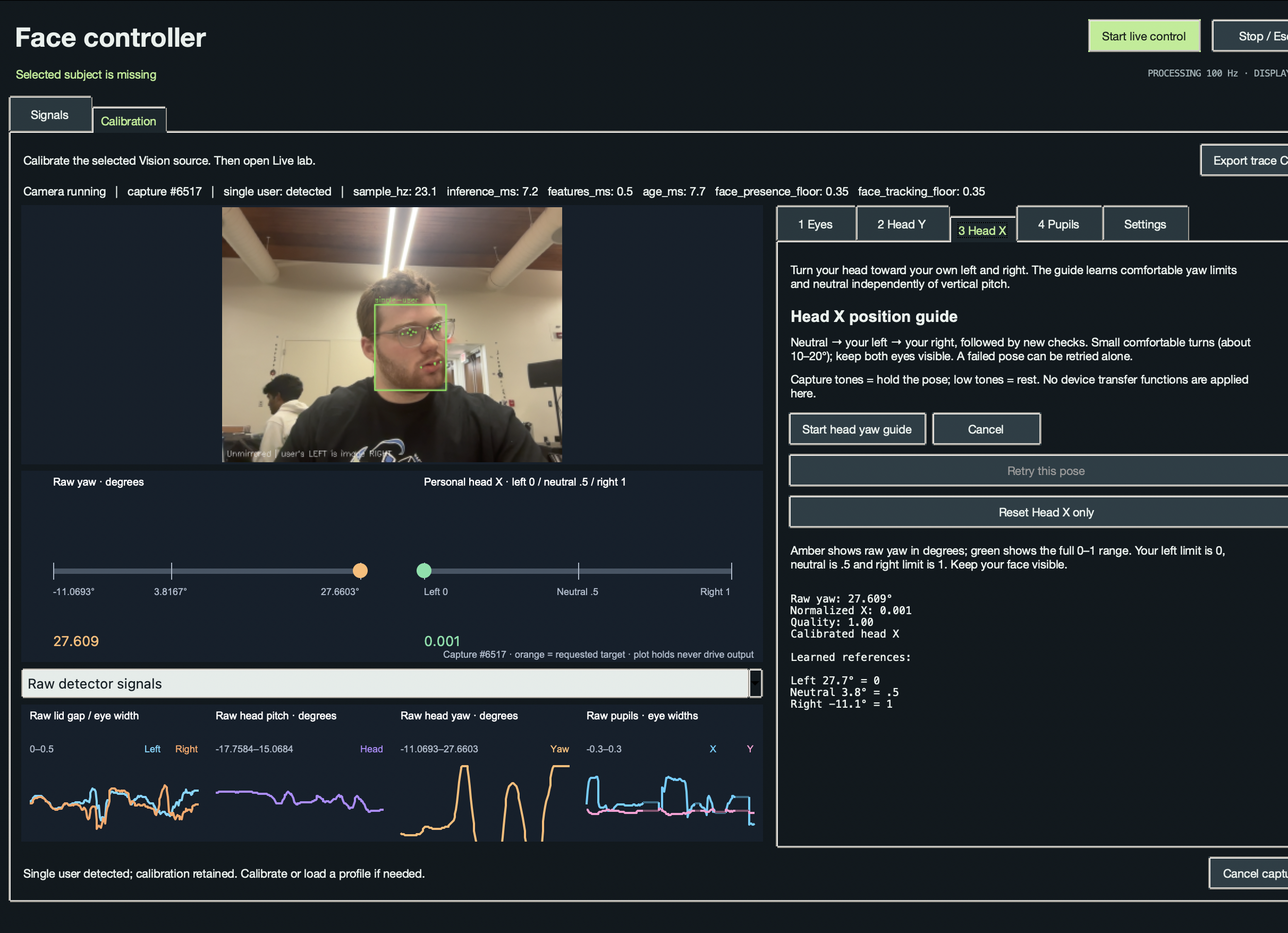
Calibrating the raw head X detection.
-
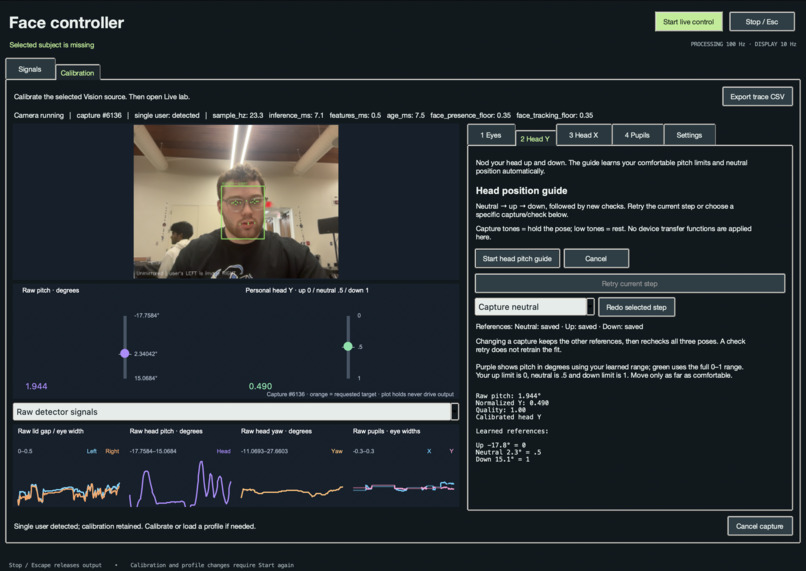
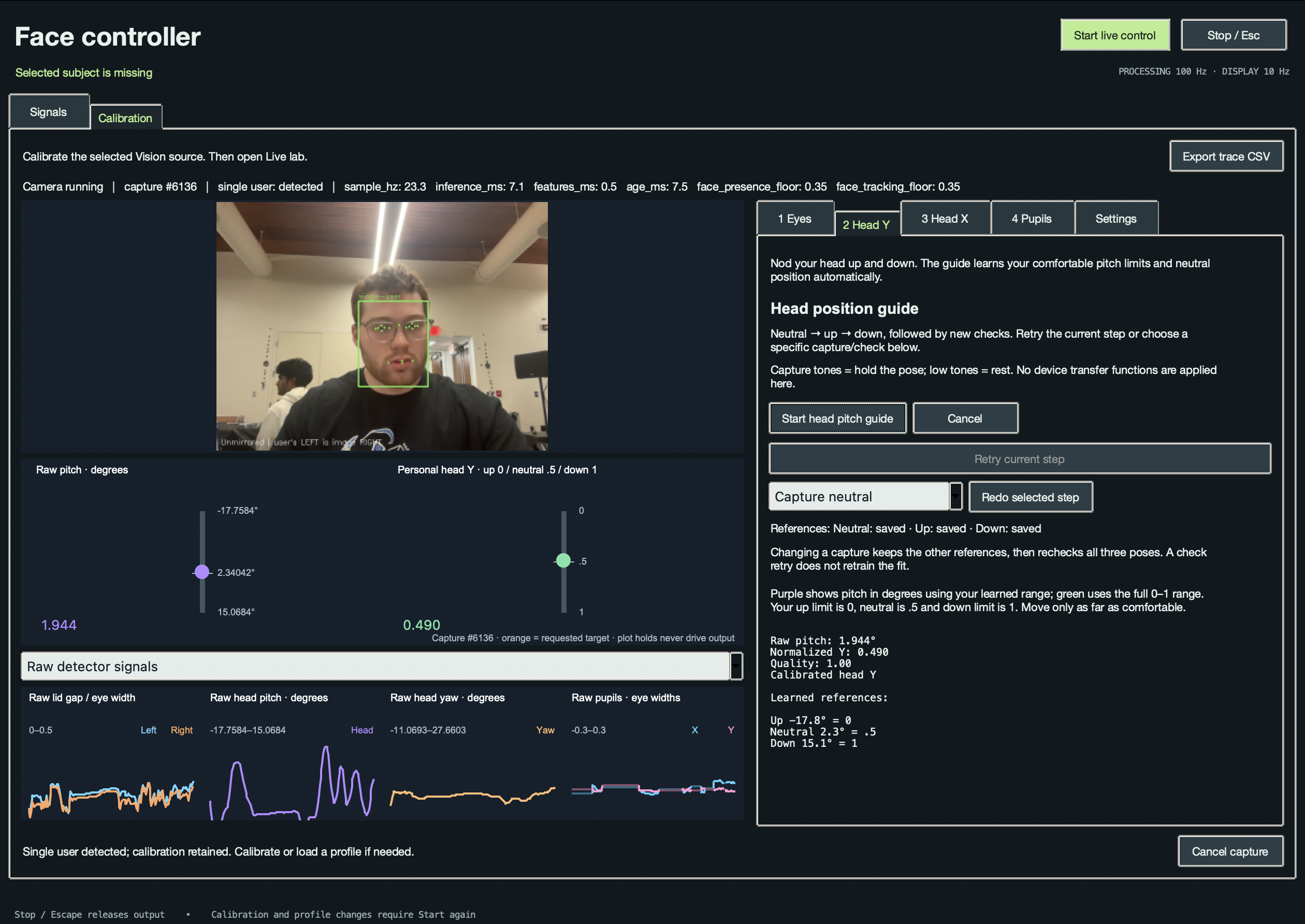
Calibrating raw head Y detection.
-
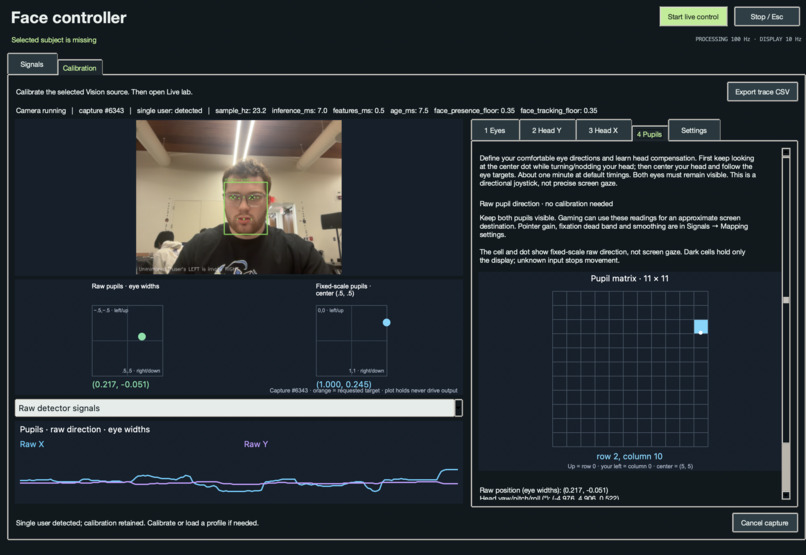
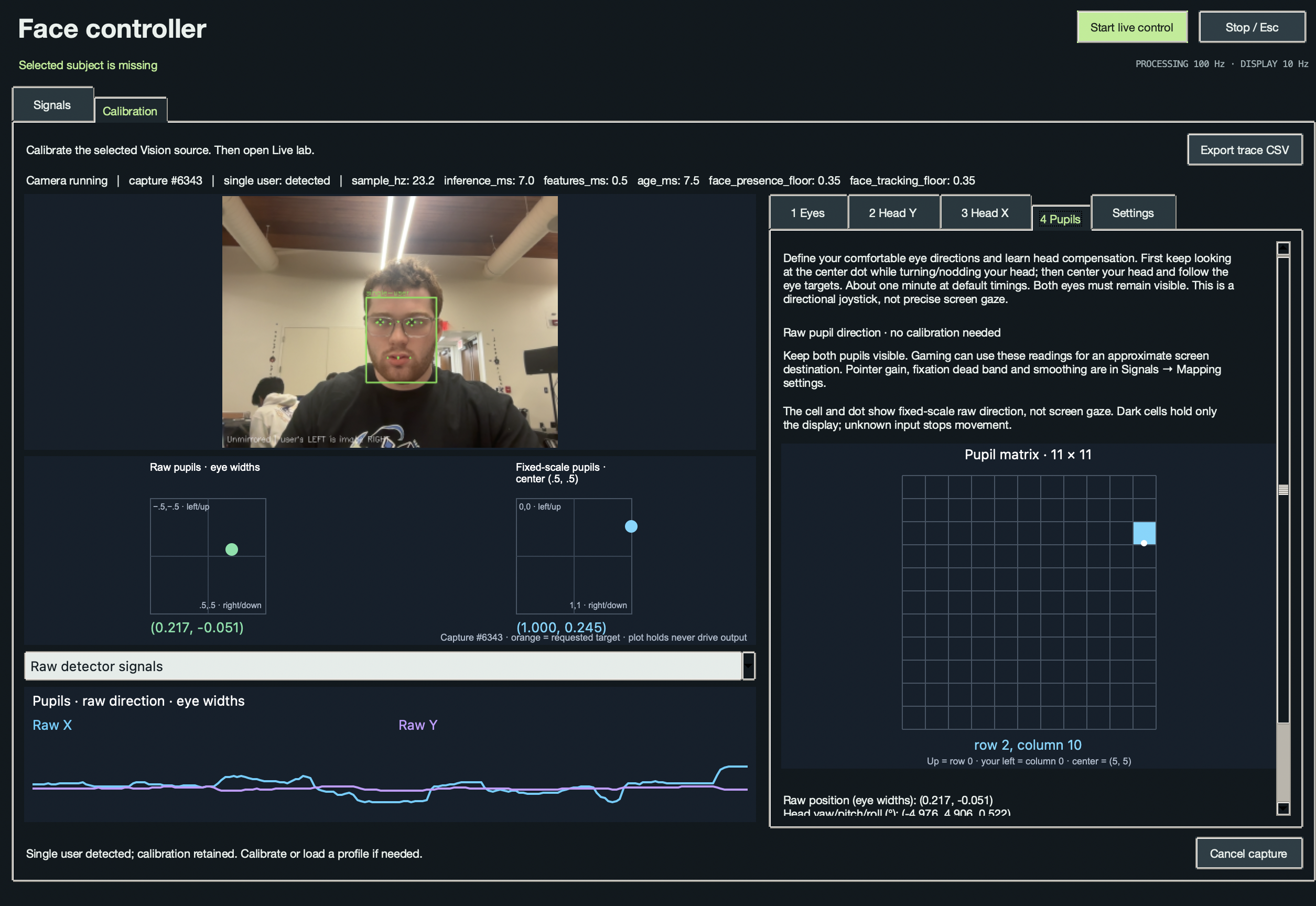
Calibrating the raw pupil detection.
-
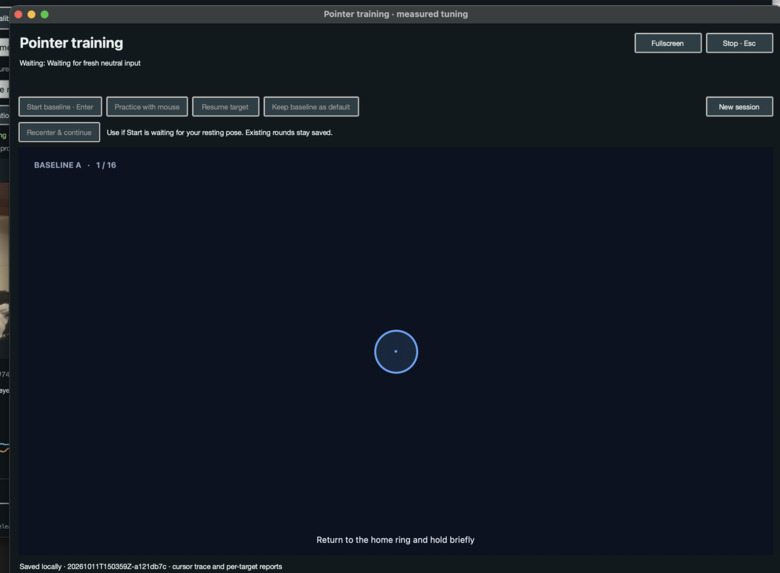
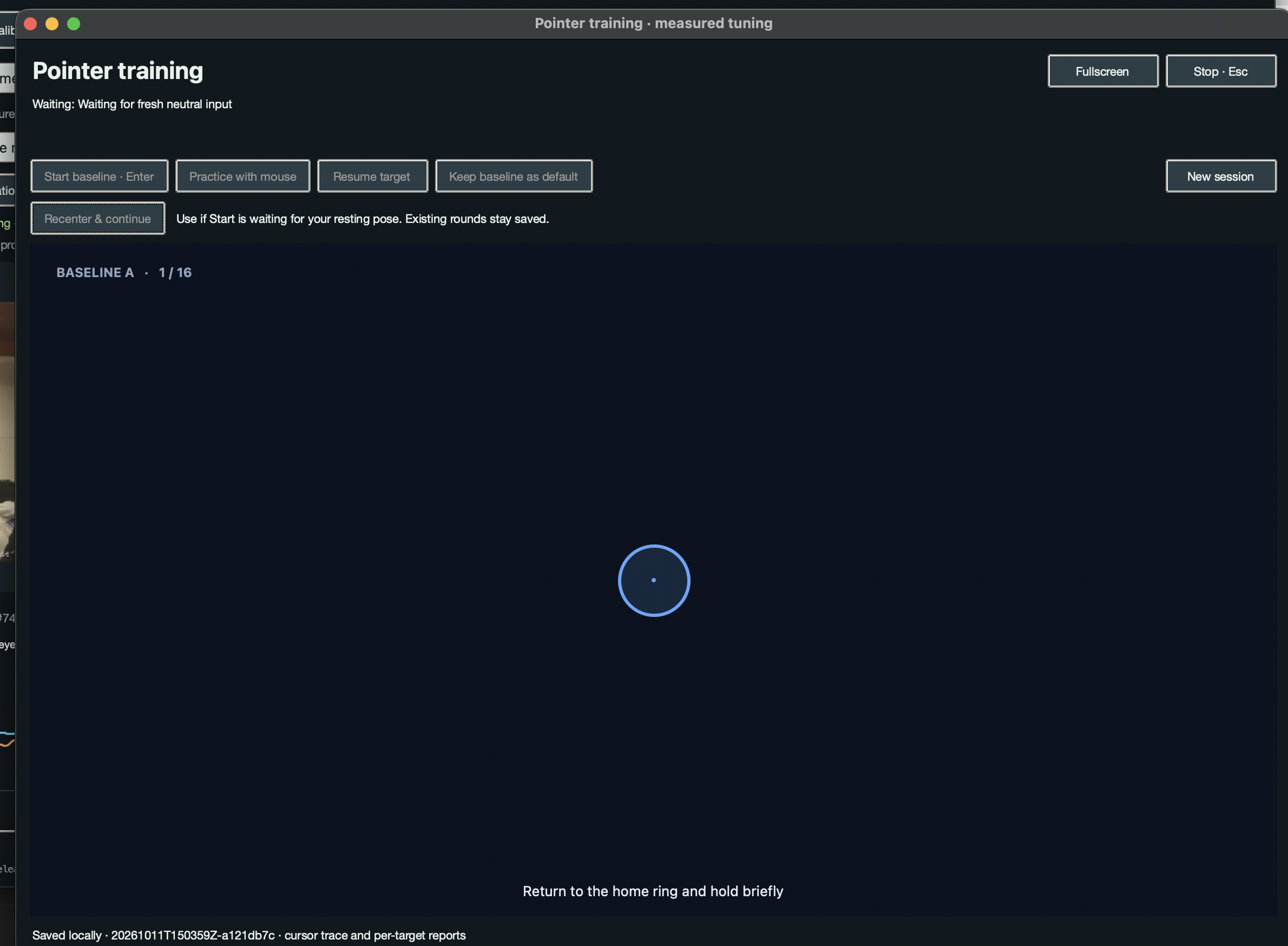
Target Game we used for getting data on our cursor and fine tuning.
Inspiration
For someone with limited hand mobility, everyday computer tasks can become barriers to communication, work, entertainment, and independence. Current solutions are either to clanky to use, require additional hardware, or is too expensive and behind human trials. We wanted to explore how much control we could provide using hardware people already have: a computer and a webcam.
That became FaceForward, a hands-free controller that translates facial movements into mouse and keyboard actions. Our goal was to make the controls adapt to a person’s comfortable movements, with personal calibration and adjustable response settings.
The challenge went beyond recognizing a face. We needed to turn small, sometimes noisy movements into actions that felt intentional, responsive, and controllable.
What it does
FaceForward uses a webcam to track head movement, eye gestures, and mouth opening, then translates those signals into computer input.
In our presentation mode, head movements control the cursor, the left eye controls clicking and dragging, the right eye triggers Enter, and a deliberate both-eye gesture toggles local speech-to-text. Opening the mouth progressively slows the cursor, giving the user a brake for approaching small targets and stopping precisely.
Other mappings support different mouse and keyboard combinations for experimentation and gaming. Users can calibrate their eyes and head movement, save personal profiles, and adjust response curves through a live editor. Its a general mapping tool, where we can continue to create new drivers, and new mapping for different tools and purposes.
We also built a target game that records cursor movement and head input. It measures travel time, overshoot, target re-entry, and steadiness so we can compare settings using actual performance.
How we built it
We divided the project into three connected components: Computer Vision → Processing → Drivers.
Computer Vision uses Python, OpenCV, and MediaPipe to capture facial landmarks and expression measurements. Guided calibration learns personal eye geometry and head movement ranges. Each measurement carries its capture time and validity, allowing downstream components to distinguish usable input from missing or uncertain observations.
Processing converts those measurements into control signals. We built adjustable dead zones, adaptive smoothing, amplification curves, acceleration, and braking. This layer also handles gesture mappings, independent input channels, saved tuning profiles, and the target game.
Drivers uses a C++ library connected to Python through a C-compatible interface. It translates processed commands into operating-system mouse and keyboard events, including relative cursor movement, clicks, dragging, and held keys.
Our native desktop interface brings calibration, live signal graphs, tuning, and output controls together. Synthetic inputs, replay tools, and driver dry runs let us test individual components and their integration before enabling live computer control.
Challenges we ran into
Computer Vision: getting trustworthy signals
Getting raw facial measurements was only the beginning. Small changes in pose, visibility, and facial expression could make a signal fluctuate or disappear. We added quality checks and kept missing measurements explicitly unknown, preventing an old or unreliable observation from becoming a new action.
Calibration introduced its own challenges. Different people have different eye shapes, resting positions, and comfortable movement ranges. We built separate eye and head guides with preparation periods, capture windows, and fresh validation samples. Keeping preparation frames out of training helped prevent transitions between poses from contaminating calibration.
Distinguishing deliberate winks from ordinary eye closures was particularly difficult. We developed independent per-eye appearance classifiers alongside anatomical open/closed detection, using each eye’s visual features rather than relying only on how long it stayed closed. We also retained an explicit plain-closure option for users who prefer that interaction.
Another frustrating issue was losing useful calibration after a tracking interruption or failed retry. We changed the lifecycle so completed compatible calibration survives temporary loss, and a failed head-calibration retry does not erase a working fit. Valid head movement beyond a learned endpoint now saturates at the limit instead of being mistaken for tracking failure.
Processing: balancing speed, precision, and stopping
A cursor can feel stable but sluggish, or fast but difficult to control. We had to tune our filters and amplification curves against the driver’s actual response, keeping small head movements gentle while allowing larger movements to travel across the screen.
Stopping was as important as moving. We added return braking as the head moves toward neutral, then introduced continuous mouth braking to give the user direct control over deceleration. Greater mouth opening reduces cursor speed, reaching a complete stop at full braking.
Finding useful settings by repeatedly adjusting sliders was difficult. Our target game gave us a repeatable way to collect data and compare baseline settings against candidate adjustments. It separates valid controller trials from practice and interrupted attempts, helping us avoid choosing settings based on misleading results.
We also made response sliders update without resetting the running filters. That lets us explore changes while preserving movement continuity. A separate recenter action addressed another practical problem: a saved resting position may no longer match how the user is sitting.
Drivers: responding to the present and preserving held input
Our early queue-based testing approach exposed a fundamental problem: replaying older movement commands could make the cursor respond to a movement the user had already changed. We changed the live movement path to use the latest submitted state, preventing a backlog from determining current motion.
Keyboard input revealed a different issue. A key that should have remained held could behave like W → release → W → release, producing jittery movement. We introduced a per-key bitmask representing the complete desired keyboard state. An unchanged bit keeps that key held; a transition generates the corresponding press or release.
A separate watchdog monitors whether updates are still arriving and releases held inputs if they stop. This preserves continuous input between valid updates while preventing a stalled producer from leaving a key pressed.
We also addressed brief gestures that could occur between driver ticks by consuming processed button transitions immediately. Across the pipeline, we had to coordinate timestamps, input validity, and response shaping so the same signal was neither delayed nor filtered twice.
Accomplishments that we're proud of
We are proud of connecting all three components into a working prototype that turns facial measurements into real mouse and keyboard actions.
Several details required substantial iteration: preserving calibration through interruptions, making eye actions independent, maintaining continuous key holds, supporting immediate click-and-drag behavior, and adding mouth braking for precise pointer control.
We also built tools that help us understand and improve the system. Live graphs expose what happens between detection and output, while the curve editor and target game make tuning observable and repeatable.
Finally, we made deliberate scope decisions. We explored additional inputs, including tongue tracking, then removed tongue detection from the active application to focus development on the current head, eye, and mouth controls.
What we learned
We learned that detecting a movement and creating a useful interaction are different engineering problems. A signal can look convincing on a graph while still producing an uncomfortable cursor response.
We learned to treat freshness and continuity separately. Movement should follow the latest available state, while a held key must remain continuous until that state changes. Missing observations must also remain distinct from intentional release or neutral input.
Personalization became central to our design. Comfortable movement ranges, resting positions, and preferred response curves vary, so one set of defaults cannot answer every user’s needs.
We also learned the limits of our tests. Synthetic and dry-run checks help verify software behavior, but comfort, fatigue, and accessibility require testing with people.
What's next for FaceForward
Our next priority is testing with people who have limited hand mobility and using their feedback to improve setup, gesture choices, comfort, and everyday usability.
We want to expand our measured tuning workflow so it can recommend better personal settings with less manual adjustment. Further work will focus on reducing accidental activations, improving tracking across lighting and camera conditions, and making recovery from interruptions easier.
We also plan to broaden operating-system and application testing, simplify installation and permissions, and explore additional controller mappings. Throughout that work, we want to preserve the idea that started FaceForward: computer control that adapts to the movements a person can comfortably make.
Built With
- apple-speach-framework
- avfoundation
- c++
- cmake
- core-graphics(quartz)
- maxos
- mediapipe
- python
- swift
- tkinter


Log in or sign up for Devpost to join the conversation.