-
-

Logo
-
All Features
-
Academy
-
ROI Calculator
-
Home Page
-

Dream Board


Inspiration
Moms are the busiest CEOs in the world. They manage the household budget, the grocery logistics, the renovation projects, and the children's financial literacy—often while feeling overwhelmed and undervalued.
When analyzing Rebecca Louise's brief, we realized that existing finance apps are built for day traders or accountants, not caregivers. They are cold, data-heavy, and stressful. We wanted to build a Financial Operating System that turns financial anxiety into financial confidence. We wanted to move beyond just "tracking expenses" to actually "visualizing dreams."
What it does
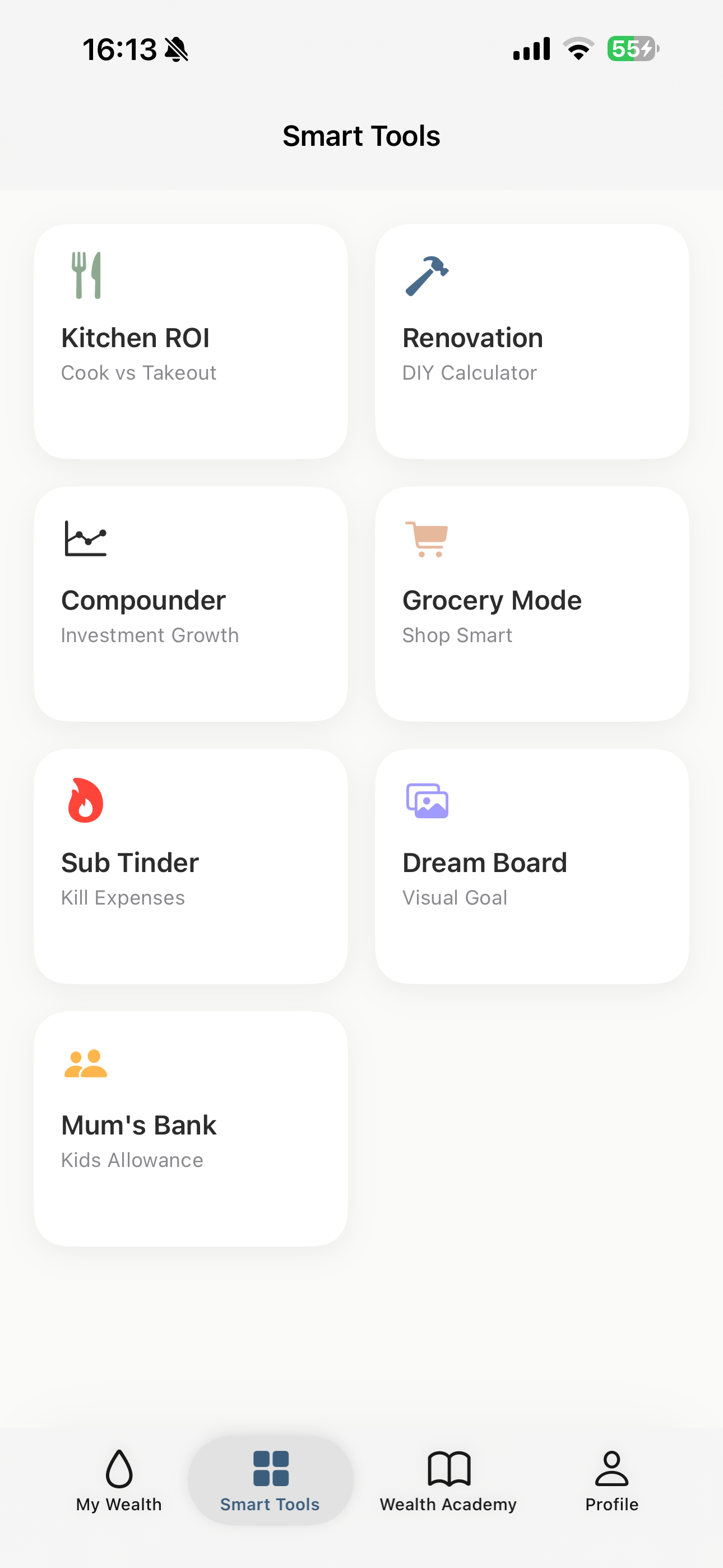
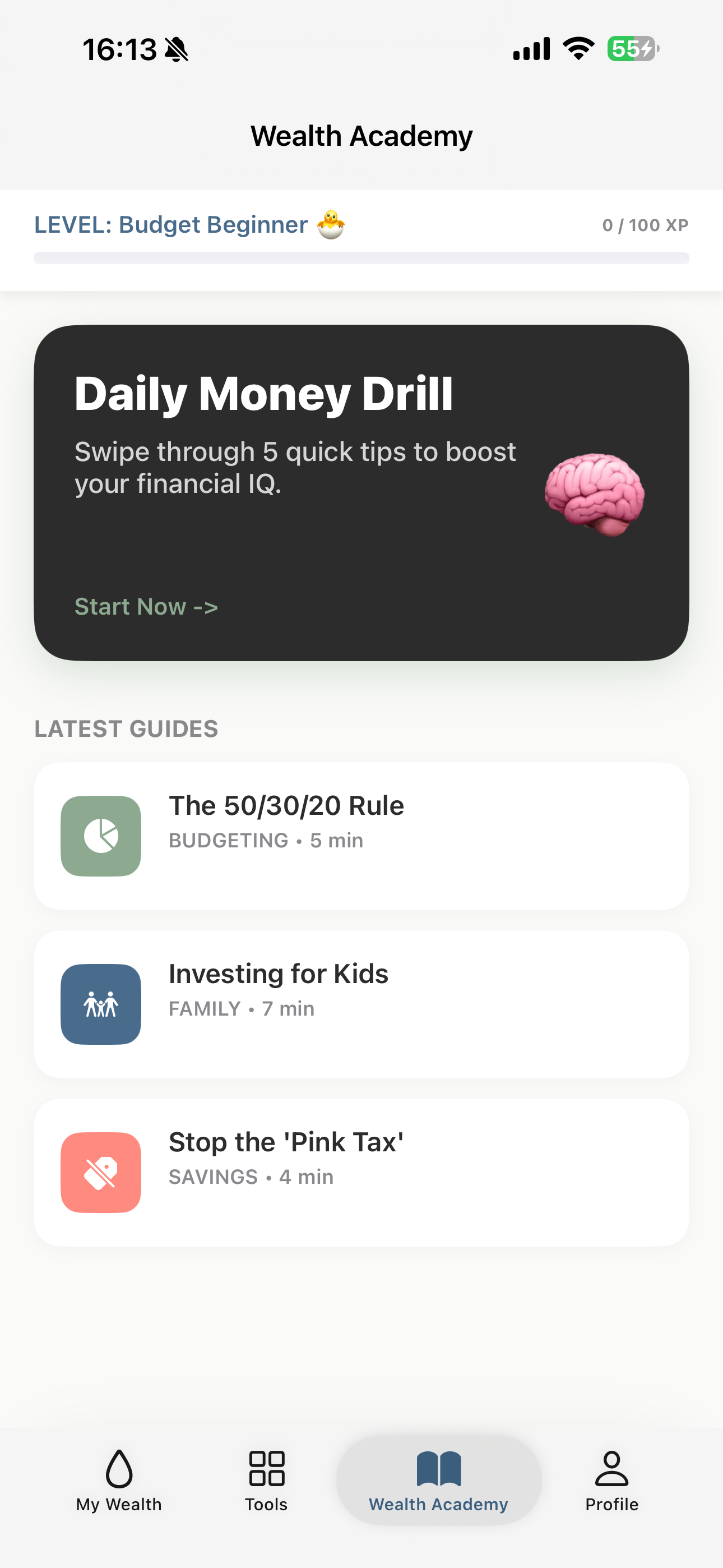
Wealthy Mum is a native iOS ecosystem containing 7 specialized tools designed for the specific roles a mom plays:
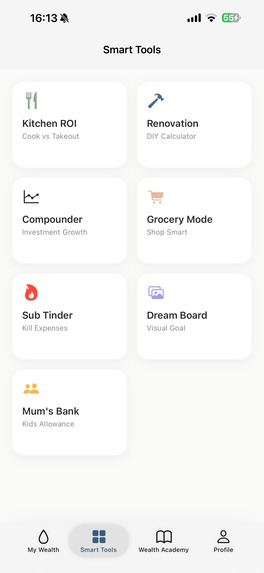
The Dream Board: A visual savings tracker that uses Core Image to mathematically un-blur a photo of her goal as she saves money. It turns abstract numbers into clear vision.
Grocery Mode: A high-contrast utility with a custom-built keypad designed for one-handed use while pushing a shopping cart. It prevents "checkout shock" by tracking the budget in real-time.
Mum’s Bank: A relational digital ledger that tracks allowances and chores, teaching kids financial literacy without needing physical cash.
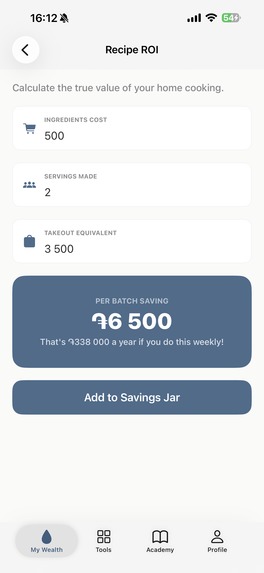
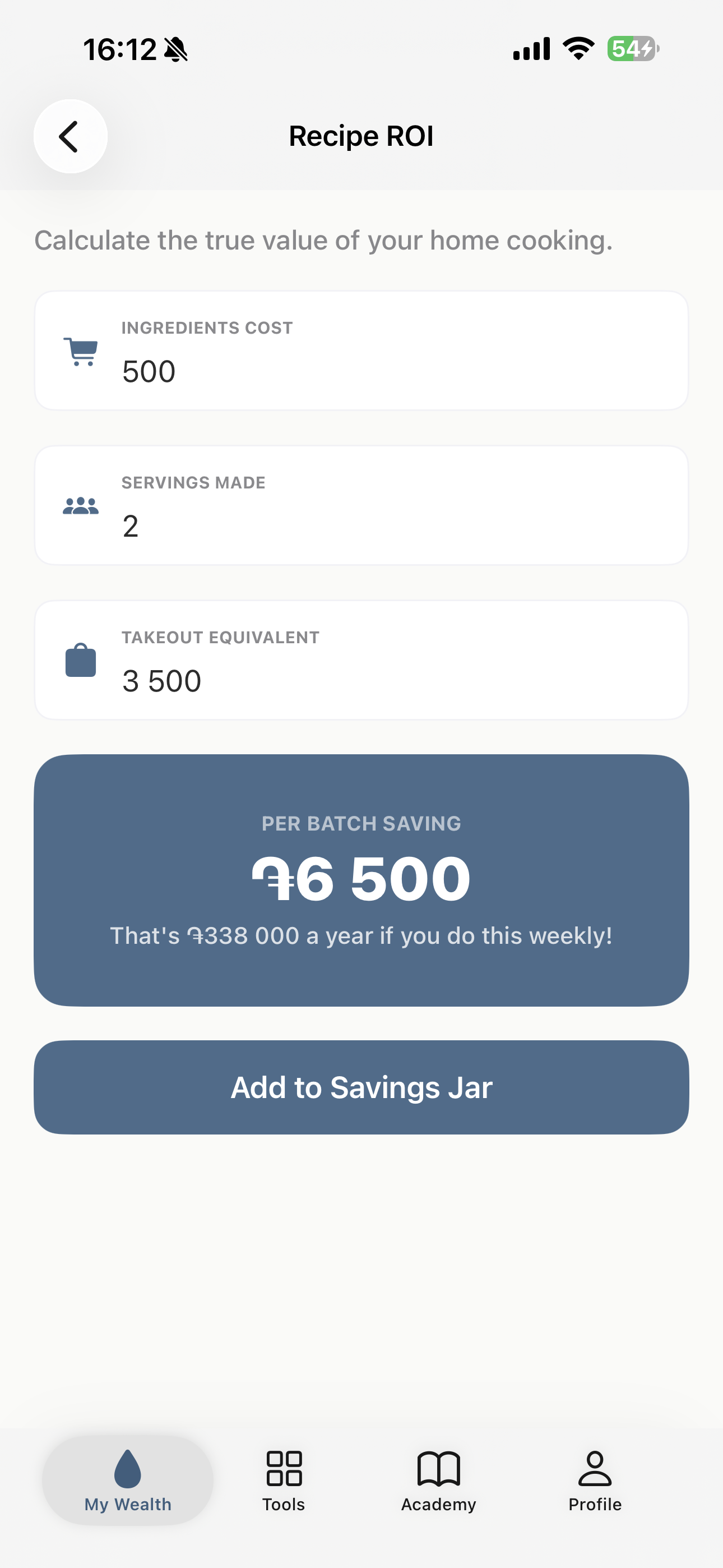
Kitchen ROI: A calculator that proves exactly how much money she saves by batch cooking vs. ordering takeout.
Smart Audits: Gamified tools like "Sub Tinder" (swipe to cancel subscriptions) and the Renovation Calculator (DIY vs. Pro) help manage household cash flow.
SOS Lifeline: A "Panic Button" that offers instant distraction management or a direct line to ask Rebecca for advice.
How we built it
We eschewed cross-platform frameworks to build a 100% Native iOS experience using Programmatic UIKit (No Storyboards). This ensures 60fps performance, instant launch times, and perfect adaptability from iPhone SE to iPhone 17 Pro Max.
Architecture: We used a clean MVC pattern with a heavy Service layer to separate business logic from UI code.
Data Persistence: We implemented a robust Core Data stack managing 7 distinct entities (Transaction, Goal, Subscription, GroceryTrip, Childs, UserProfile, SwapItem) to ensure all data remains private and local on the user's device.
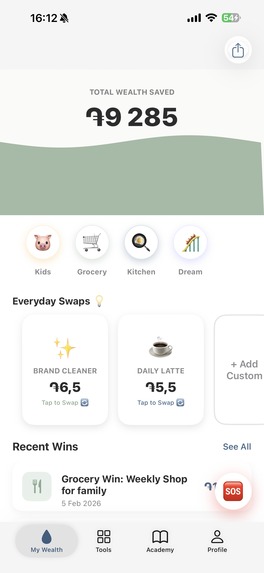
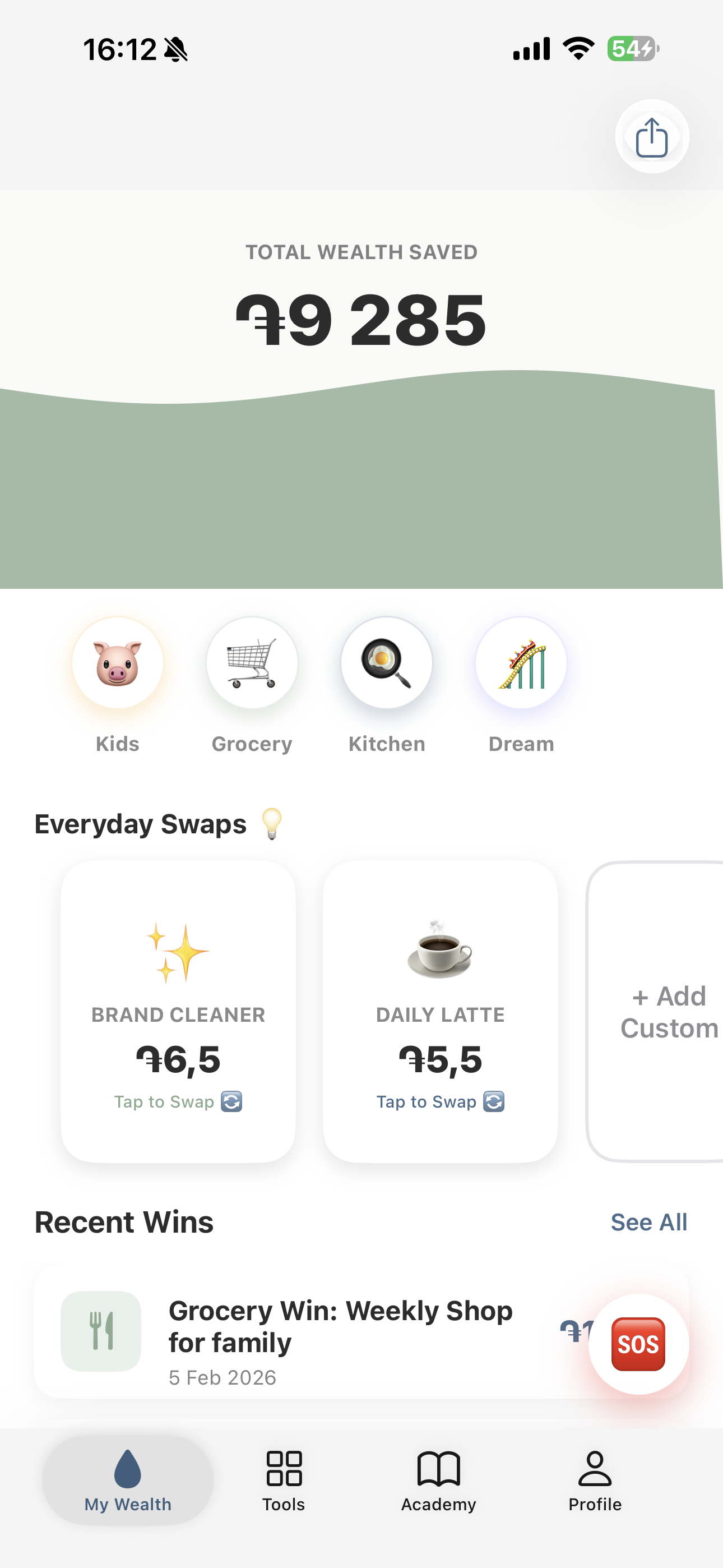
Visuals: We used CAShapeLayer and CADisplayLink to render the custom "Liquid Wave" animation on the home screen that fills up as the user saves money.
Monetization: We deeply integrated the RevenueCat SDK (5.x) and RevenueCatUI to power our Freemium model. The "Mum Club" entitlement actively gates high-ROI view controllers (like the Renovation Tool), triggering the native PaywallViewController.
Challenges we ran into
Dynamic Layouts: Creating the "Grocery Mode" keypad and the "Dream Board" progress bar to look perfect on both small screens (iPhone SE) and large screens was a challenge. We used complex Auto Layout priorities and UIStackView nesting to solve this.
Core Image Performance: Applying a Gaussian Blur in real-time as the user types a number caused UI stuttering initially. We solved this by dispatching the image processing to a background thread (DispatchQueue.global) and updating the UI only when the render was complete.
Relational Data: Managing the relationship between "Child" entities and their specific "Transactions" (Add/Remove funds) in Core Data required careful object management to ensure balances persisted correctly across sessions.
Accomplishments that we're proud of The "Dream Blur" Algorithm: It feels magical. Watching your dream house become clear as you save money is a powerful psychological hook.
RevenueCatUI Integration: We managed to implement a professional, native Apple-style paywall without writing hundreds of lines of UI code, thanks to the new RevenueCatUI framework.
Zero Dependencies: Aside from RevenueCat, the app relies entirely on native Apple frameworks (UIKit, CoreData, CoreImage), resulting in a tiny app size and high stability.
What we learned
Tactile Finance: We learned that finance doesn't have to be boring. Adding haptics (UIImpactFeedbackGenerator) to every button press and "swipe" action makes saving money feel like a game.
The Power of Focus: By focusing specifically on Moms, we built features (like the Grocery Keypad) that generic apps like Mint or YNAB would never think to build.
Privacy Matters: Keeping family data (kids' names, financial goals) local via Core Data is a huge selling point for this demographic.
What's next for Wealthy Mum AI Negotiation Bot: We plan to integrate the Gemini API to create a roleplay chat bot. Moms can practice negotiating their cable or insurance bills with an AI agent to build confidence before making the real call.
Family Sync: Using CloudKit to allow partners to view the same "Mum's Bank" ledger on their own devices.
Local Deal Map: A community-driven feature where moms can drop pins for local sales on staples like diapers or milk.
Built With
- avfoundation
- core-data
- core-image
- revenuecat
- storekit
- swift
- uikit

Log in or sign up for Devpost to join the conversation.