Inspiration
For someone living with Alzheimer's, a knock at the door, a familiar voice or an unfamiliar room can be frightening. An estimated 7.4 million Americans 65+ live with Alzheimer's in 2026, and nearly 13 million people provide unpaid dementia care.
We kept coming back to three questions patients ask over and over: Who is this? Where am I? Am I safe? Waymax is our attempt to answer all three, gently.
What it does
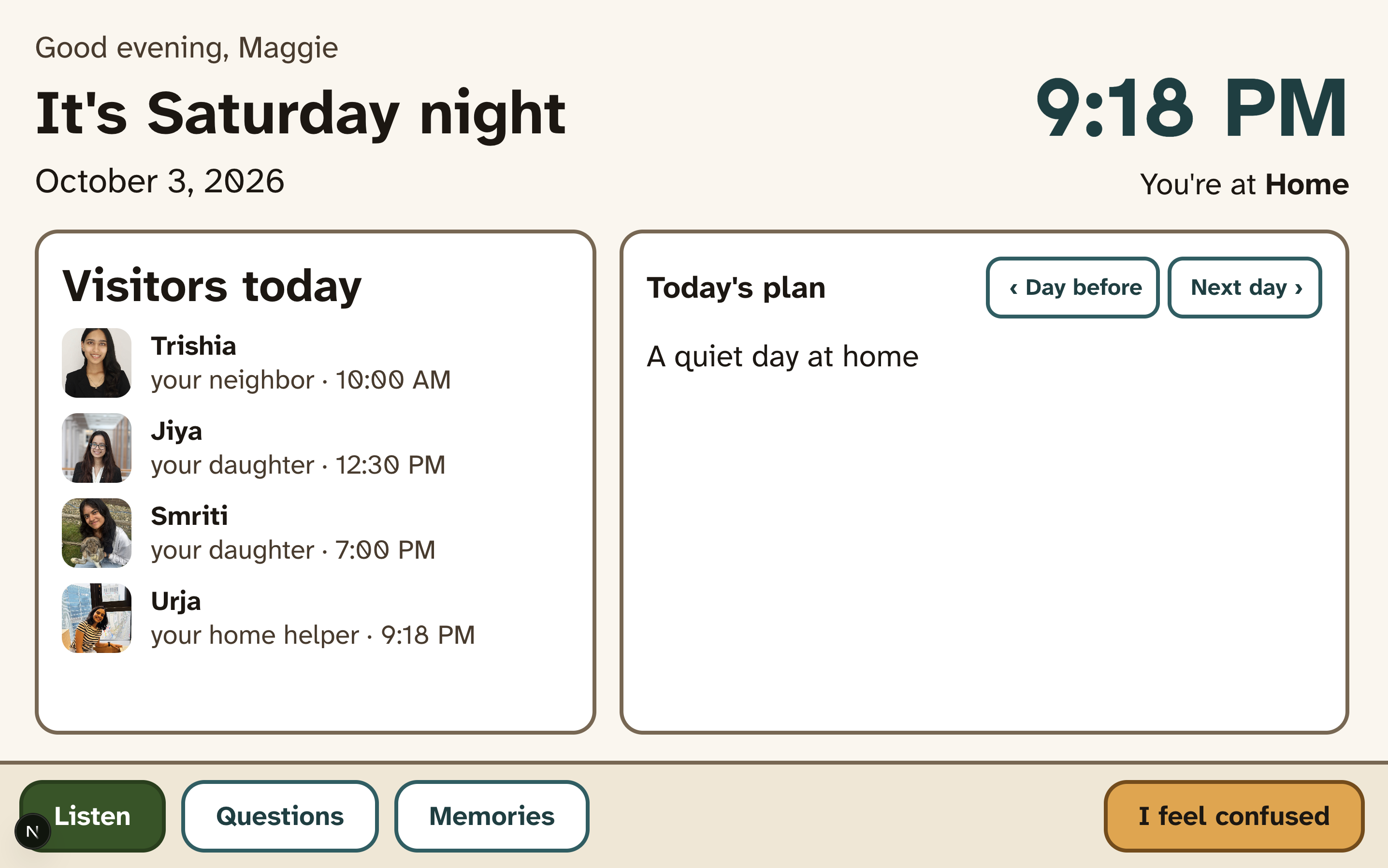
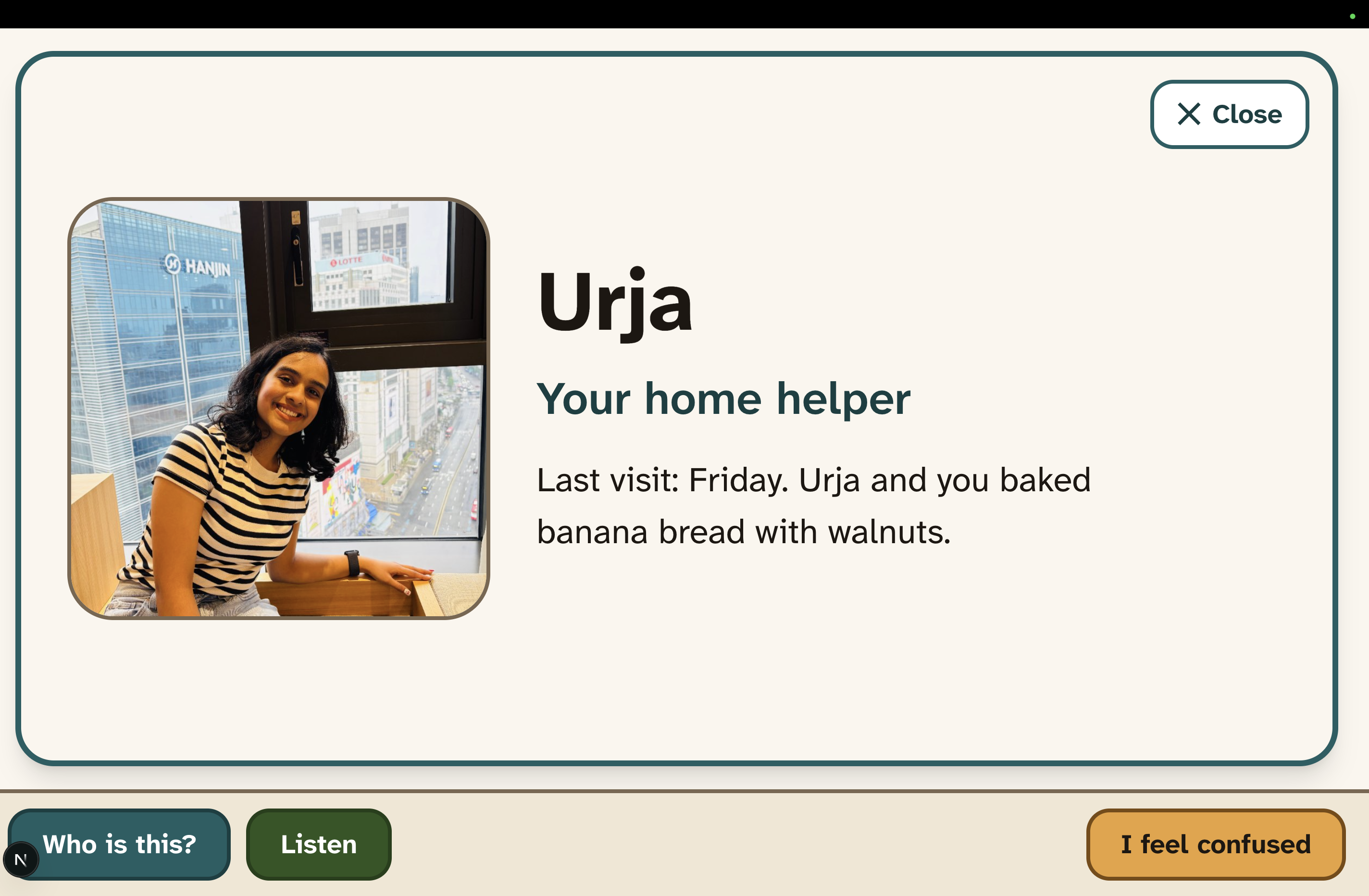
- Recognizes visitors. The laptop camera recognizes familiar faces and shows the person's name, relationship and a short recap of their last visit. Tapping Who is this? speaks it in a calm voice.
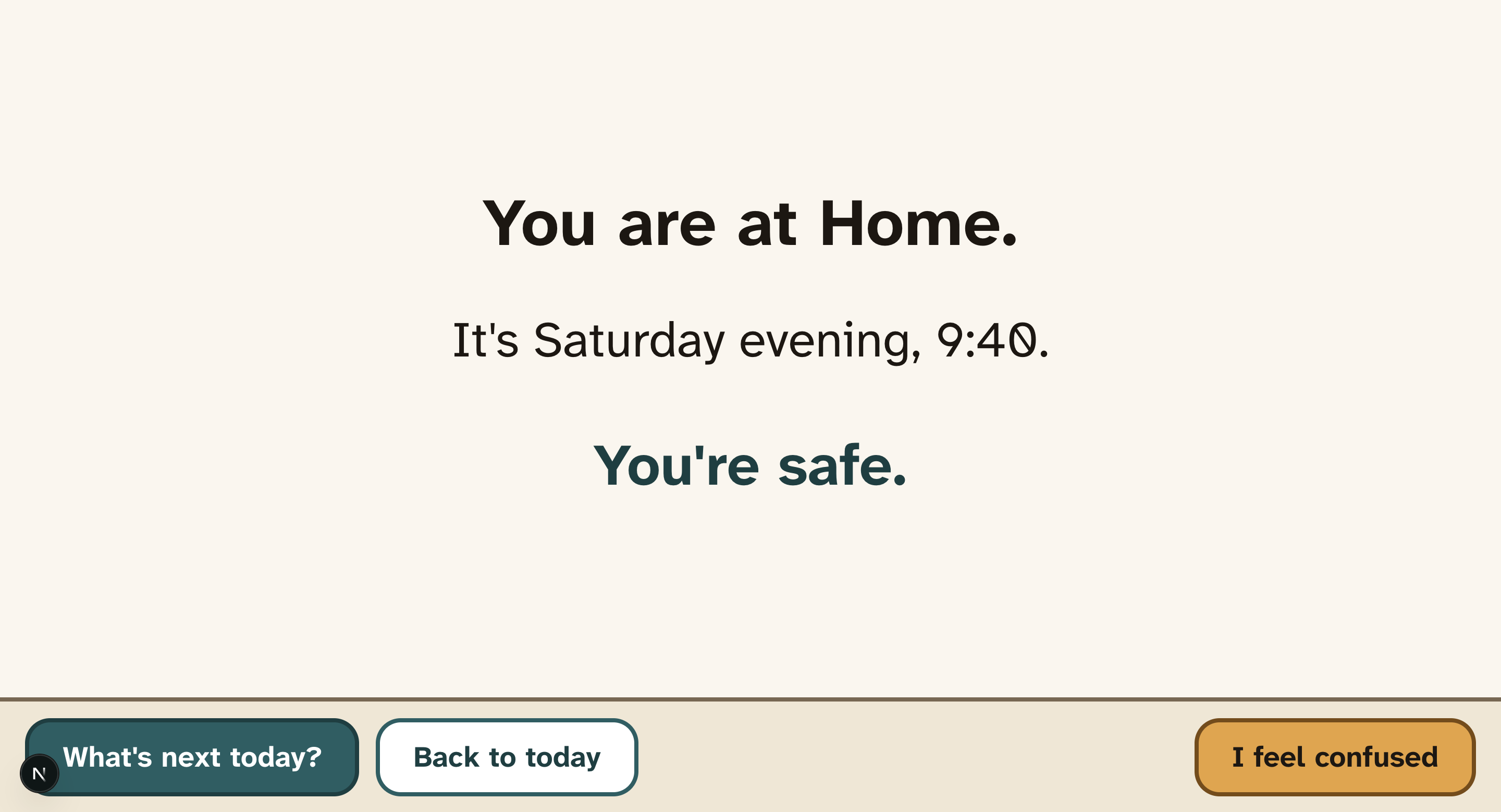
- Keeps the day clear. A calm Today card shows the date, time, visitors and what's next.
- Helps in confusing moments. An I feel confused button walks the patient through where they are, the time and today's plan, then offers soothing music or memories.
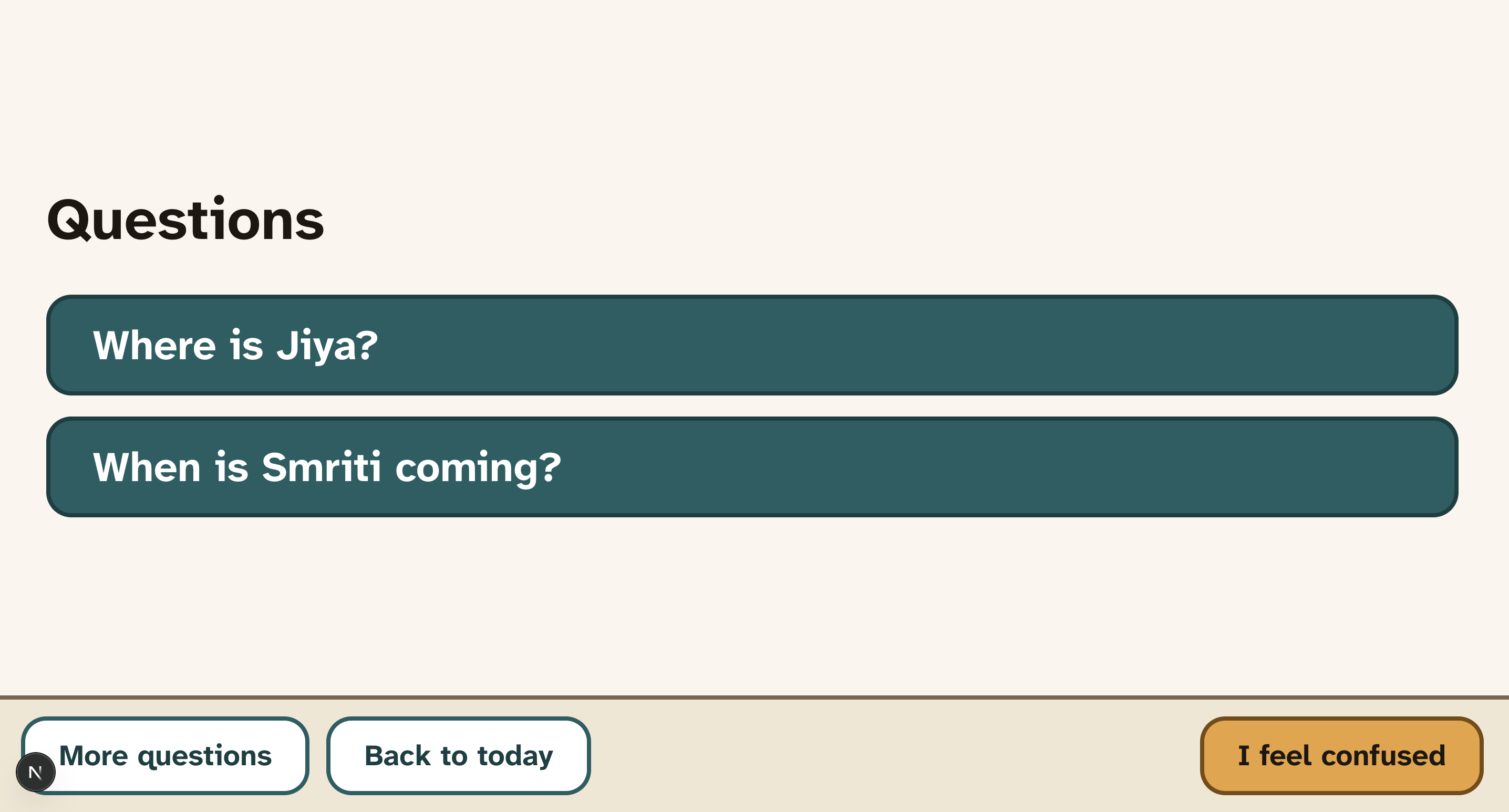
- Answers repeat questions the same way every time. Caregivers write the answers, the patient taps a button to see and hear them.
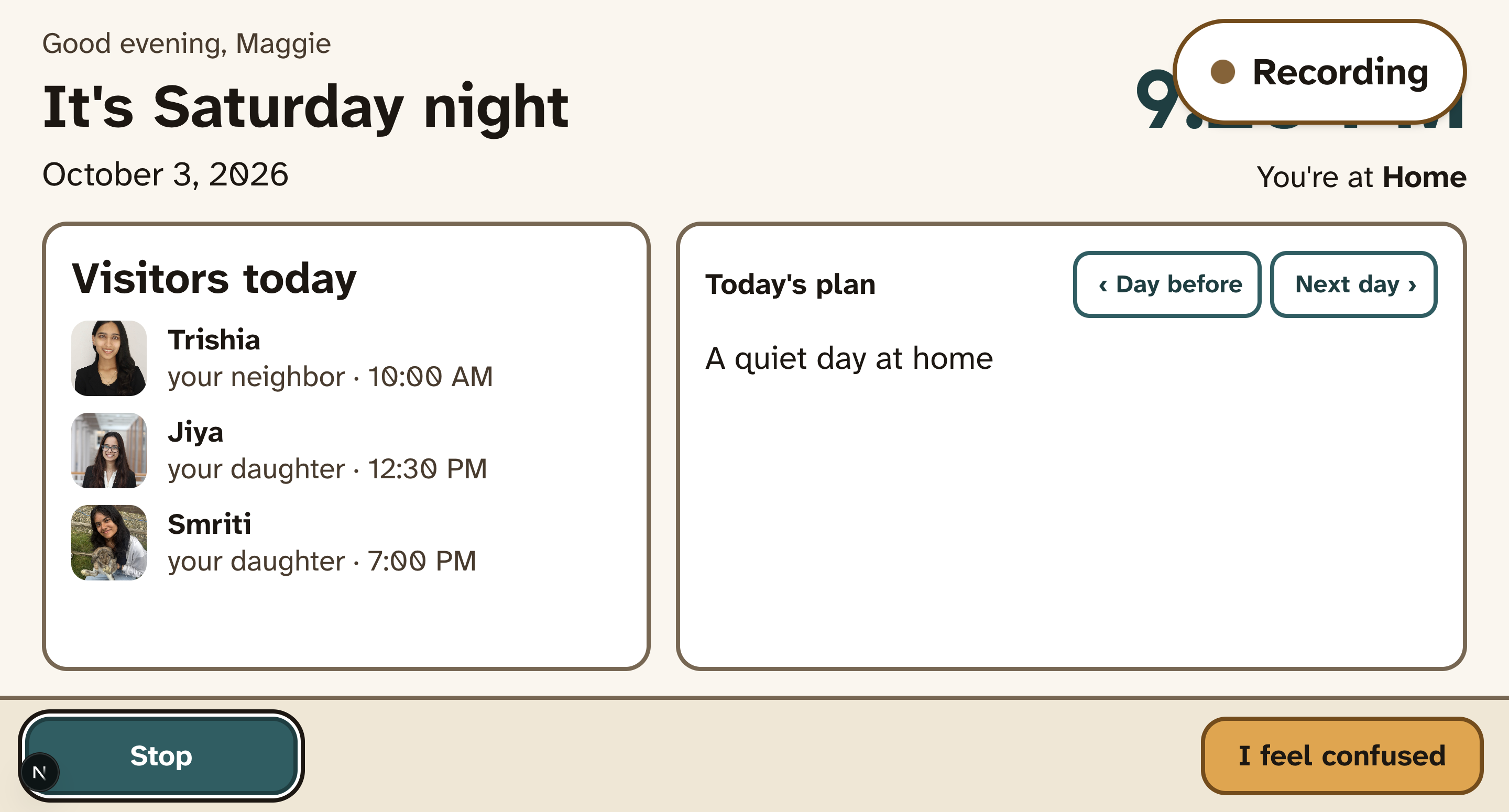
- Remembers conversations. When someone taps Listen, Gemini turns the conversation into a short, warm summary that shows up next visit.
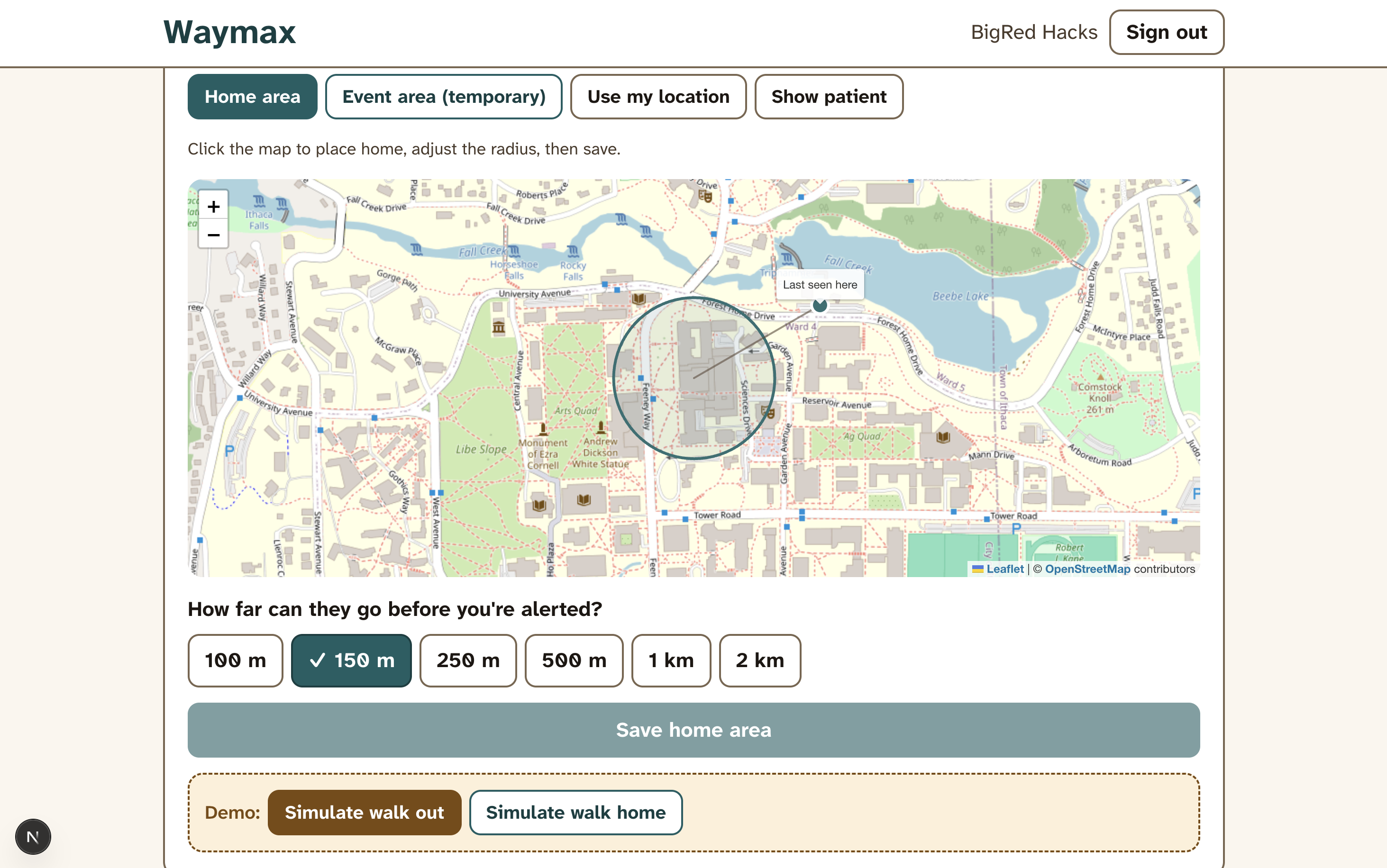
- Keeps patients safe. The patient's phone shares location. If they leave the safe zone, caregivers get an iMessage right away through Photon.
- Gives caregivers control. Caregivers add people, photos, memories, schedules and questions, and approve anyone new the patient meets.
How we built it
- Next.js + TypeScript on Vercel, one app for the patient screen and the caregiver dashboard.
- Face recognition runs entirely in the browser with Human.js, so video never leaves the device.
- Google Gemini transcribes conversations and writes short recaps and memory narrations, using structured JSON output.
- ElevenLabs gives Waymax a calm, human voice, clips are cached so each phrase is only generated once.
- Photon Spectrum sends iMessage alerts when the patient leaves the geofence.
- Tiger Data is our only database: regular Postgres tables for people and schedules, plus TimescaleDB hypertables for location pings and patient events.
Challenges we ran into
- Location from a browser. Web pages can't track location in the background, so we built a phone page that shares GPS while open, plus a simulate-walk control for demos.
- Tuning face matching. Picking a similarity threshold that recognized teammates reliably without false matches took real testing.
- iMessage alerts. Onboarding new trusted users for iMessage alerts required bypassing manual setup on the Photon dashboard, and we settled on using a QR code and web hooks.
Accomplishments that we're proud of
- It works end to end. A teammate can walk up to the laptop and their name and relationship show up on screen. Tap "Who is this?" and it's read out in a calm voice. Step outside the safe zone and a caregiver gets a real iMessage on their phone.
- Face recognition runs in the browser. We didn't need a server or a GPU for it, and video never leaves the laptop. Getting matching to work reliably on our own faces took a lot of testing.
- We used all four sponsor tools for real jobs. Gemini writes the visit recaps, ElevenLabs is the voice, Photon sends the alerts, and Tiger Data stores everything, including the time-series data behind the caregiver chart.
- The patient side stays simple. Big text, a few buttons, the same answers every time, and nothing alarming on screen. We kept cutting things from that view until it felt calm.
- Privacy wasn't an afterthought. Nothing is recorded until someone taps Listen, we only keep a summary instead of the audio, and caregivers approve every new person.
- It doesn't fall apart when an API does. If Gemini, ElevenLabs or Photon fails, the app switches to a backup (plain recaps, the browser's own voice, an in-app alert) instead of breaking mid-demo.
What we learned
- Designing for dementia. We learned to keep things simple: fewer choices, big buttons, the same answer every time, and nothing that sounds alarming. For each screen we asked whether it would feel safe to someone who's already confused.
- When not to use an LLM. We almost used AI to answer the repeat questions, then realized the answer needs to be identical every time. So caregivers write the answers and the app just shows and reads them.
- Privacy shaped the design. Running face recognition in the browser means video never leaves the device. Only recording after someone taps Listen made the app feel respectful instead of creepy.
- What the browser can and can't do. It can run face recognition on a laptop, which surprised us. It can't track location in the background, though, so we had to rethink how the patient's phone shares location.
What's next for Waymax
- A whisper, not an announcement. Route names to an earpiece or AirPods at a low volume ("That's Priya, your daughter"), so the patient gets help without anyone else noticing or the conversation stopping. Our audio output is already built as a swappable module, so this plugs straight in.
- Recognition in every room. Mount small cameras in the kitchen and living room so help is there wherever the patient is, not just in front of one laptop. Our recognition API already tags which device saw whom.
- Real wandering protection. Pull location straight from an Apple Watch or Find My, so patients are protected without keeping a page open. Add smart safe zones that learn normal routines (like a daily walk to the mailbox) and only alert when something is truly unusual.
- Spotting distress before the button. Use camera-based heart rate and facial cues to notice rising stress and gently offer calming mode before the patient has to ask.
- Smarter caregiver insights. Weekly summaries that spot patterns like "confusion is highest in late afternoon" (often called sundowning), so families can plan visits and routines around them.
- Built for real homes. Pilot with a local memory care community to test with actual patients and caregivers, add multilingual voices for families who speak more than one language, and support multiple caregivers sharing duties.
Technical details
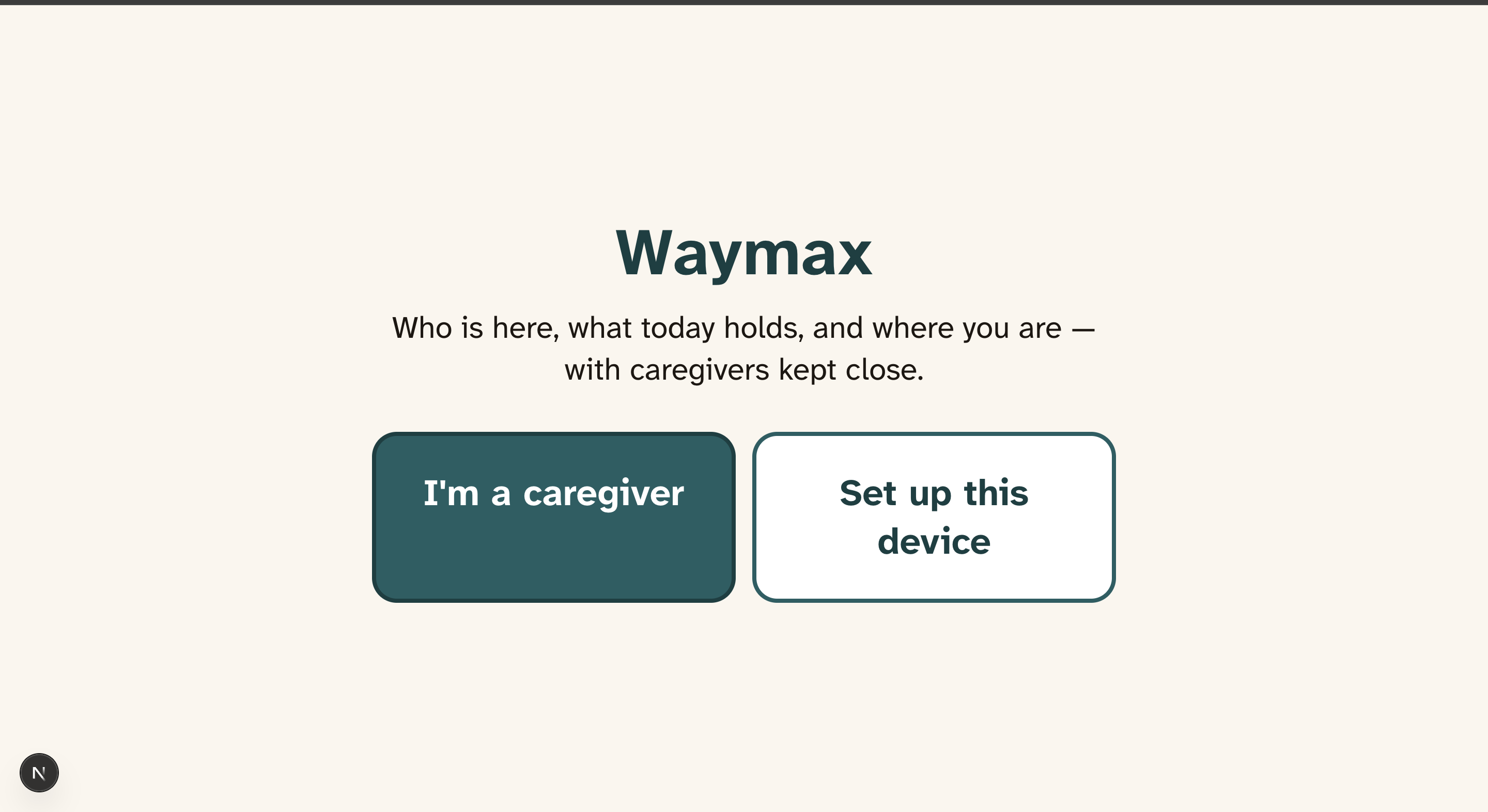
Waymax is one Next.js app written in TypeScript, hosted on Vercel. It handles three things: the patient's screen, a page on the patient's phone that shares their location, and the caregiver dashboard. The backend is just Next.js API routes, so we didn't have to run a separate server.
Face recognition happens in the browser with Human.js. About twice a second we grab a frame from the webcam, turn each face into an embedding, and compare it to the people the caregiver has added. We wait until a few checks in a row agree before showing anyone's name, otherwise the card would flicker between people. None of the video leaves the laptop.
For conversation memory, the browser records audio in small WAV chunks when someone taps Listen. We had to keep the chunks small because Vercel limits how big an upload can be. Each chunk gets transcribed, and when the conversation ends we turn the whole thing into a short recap. The audio gets deleted after that.
The patient's phone sends its location every few seconds while the page is open. The server checks how far they are from the center of the safe zone, with a little extra room because GPS isn't perfect. We only send an alert after two readings in a row are outside, so one bad reading doesn't scare anyone.
Caregivers log in normally, but the patient's devices don't use passwords. The caregiver pairs the laptop and phone with a 6-digit code instead, since asking someone with memory loss to remember a password didn't make sense. We also gave every outside service a backup, so if one of them goes down the app keeps running.
Under the hood
Photon: We used Photon's Spectrum SDK to send iMessages. When the patient leaves the safe zone, everyone on their alert list gets a text with the patient's name, how far away they are, and a map link. They get another text when the patient comes back.
Tiger Data: This is our only database. Regular data like patients, caregivers, people, photos and schedules lives in normal Postgres tables. Location pings, recognitions and "I feel confused" presses go into TimescaleDB hypertables, since that data just keeps piling up over time. A continuous aggregate turns the button presses into daily counts, and the chart on the caregiver dashboard reads from this.
Gemini API: We use Gemini 3 and 3.1 Flash to transcribe conversations and to write the short recap that shows up the next time that person is recognized. While transcribing, it also catches when someone introduces themselves ("Hi Mom, it's Smriti"), which we use as a second check against the face match. Gemini also writes the captions for the photo slideshow in Memories mode
ElevenLabs: ElevenLabs is the voice of the app. It says who someone is when the patient taps "Who is this?", reads out the day's schedule, talks them through calming mode, and narrates the memory slideshow. We picked the calmest voice we could find and save every clip after it's made, so we're not paying for the same sentence twice.
GoDaddy: We got waymax.health through GoDaddy and pointed it at our Vercel deployment, making it a lot easier for a caregivers and patients to type into their devices.
Built With
- computer-vision
- drizzle-orm
- elevenlabs
- face-recognition
- gemini
- google-gemini-api
- human.js
- imessage
- leaflet.js
- nextjs
- openstreetmap
- photon
- postgresql
- react
- spectrum
- tailwindcss
- tiger-data
- timescaledb
- typescript
- vercel


Log in or sign up for Devpost to join the conversation.