-
-

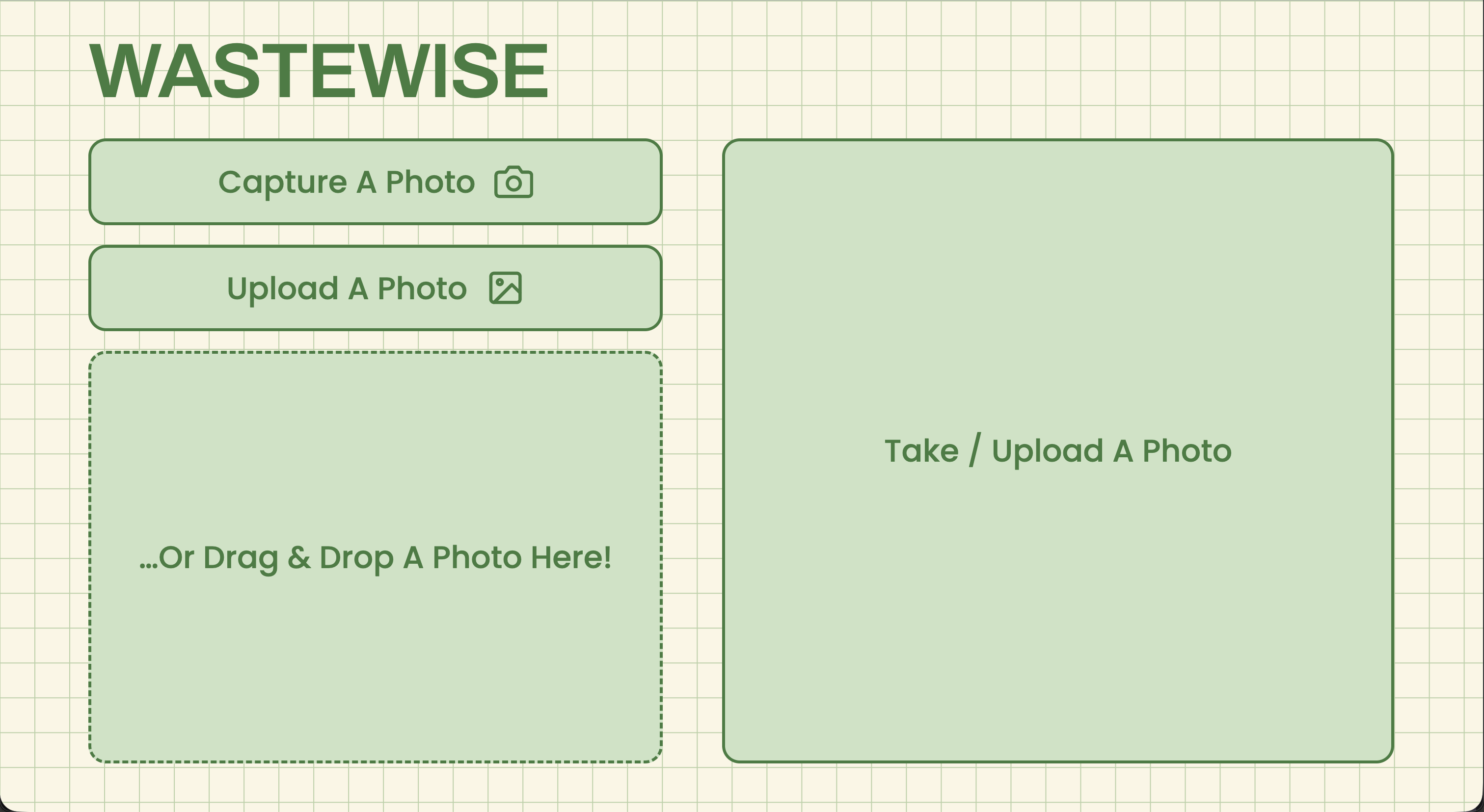
Waste Wise landing page where the users can access the other pages
-
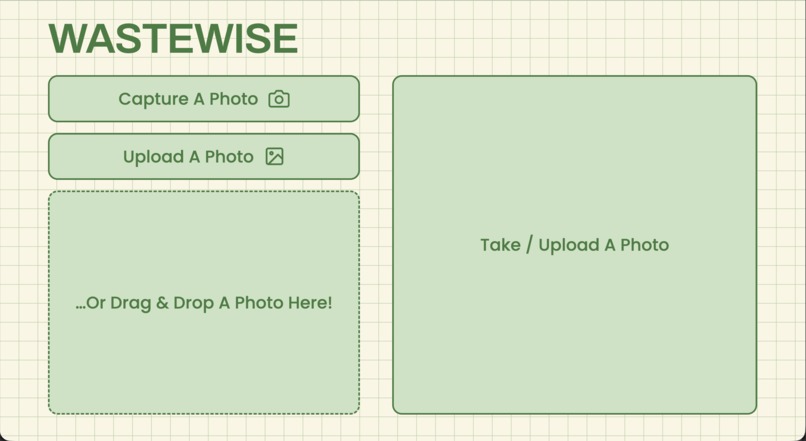
Start by taking or uploading a photo, and let AI identify your waste in seconds for accurate, stress-free disposal.
-
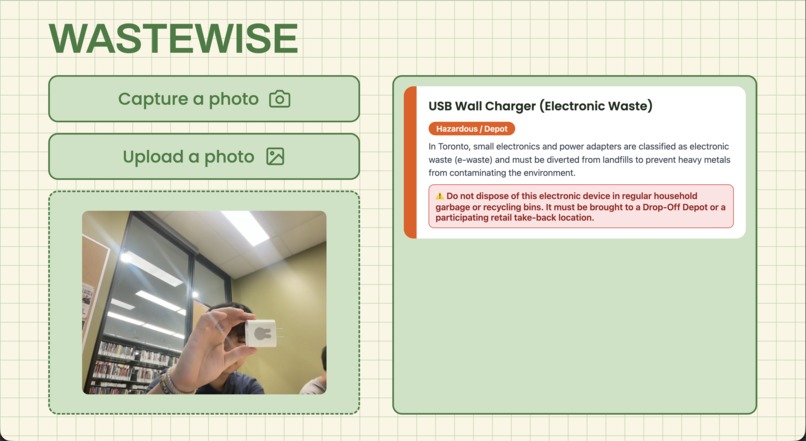
Our AI recognizes the item, applies Toronto's waste rules, and explains exactly how and where it should be disposed.
-
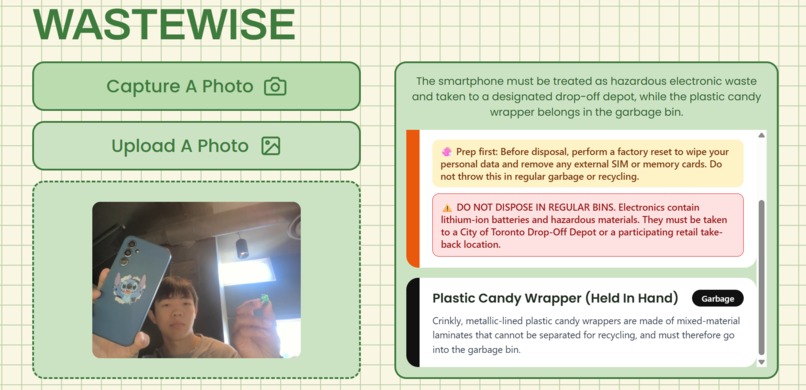
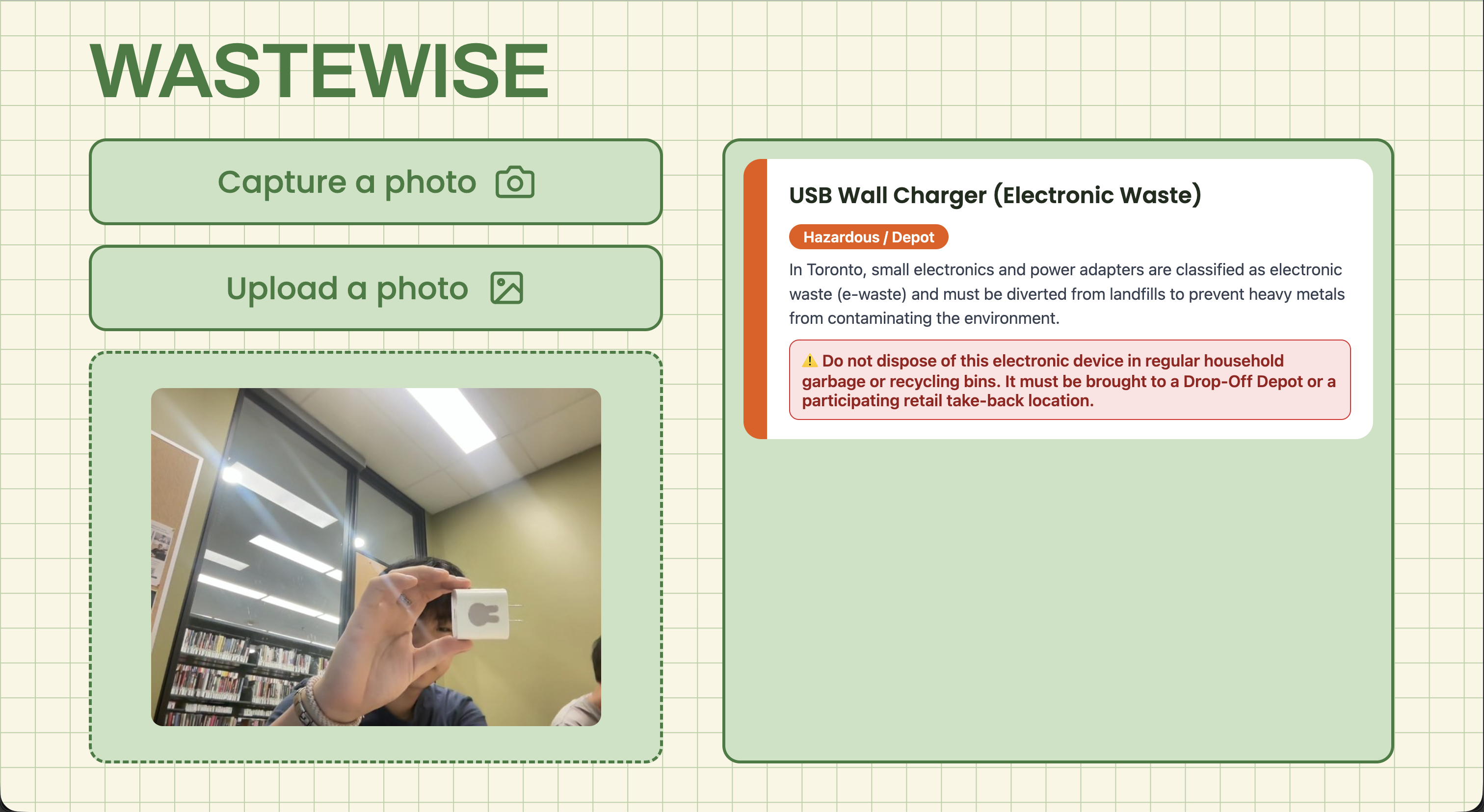
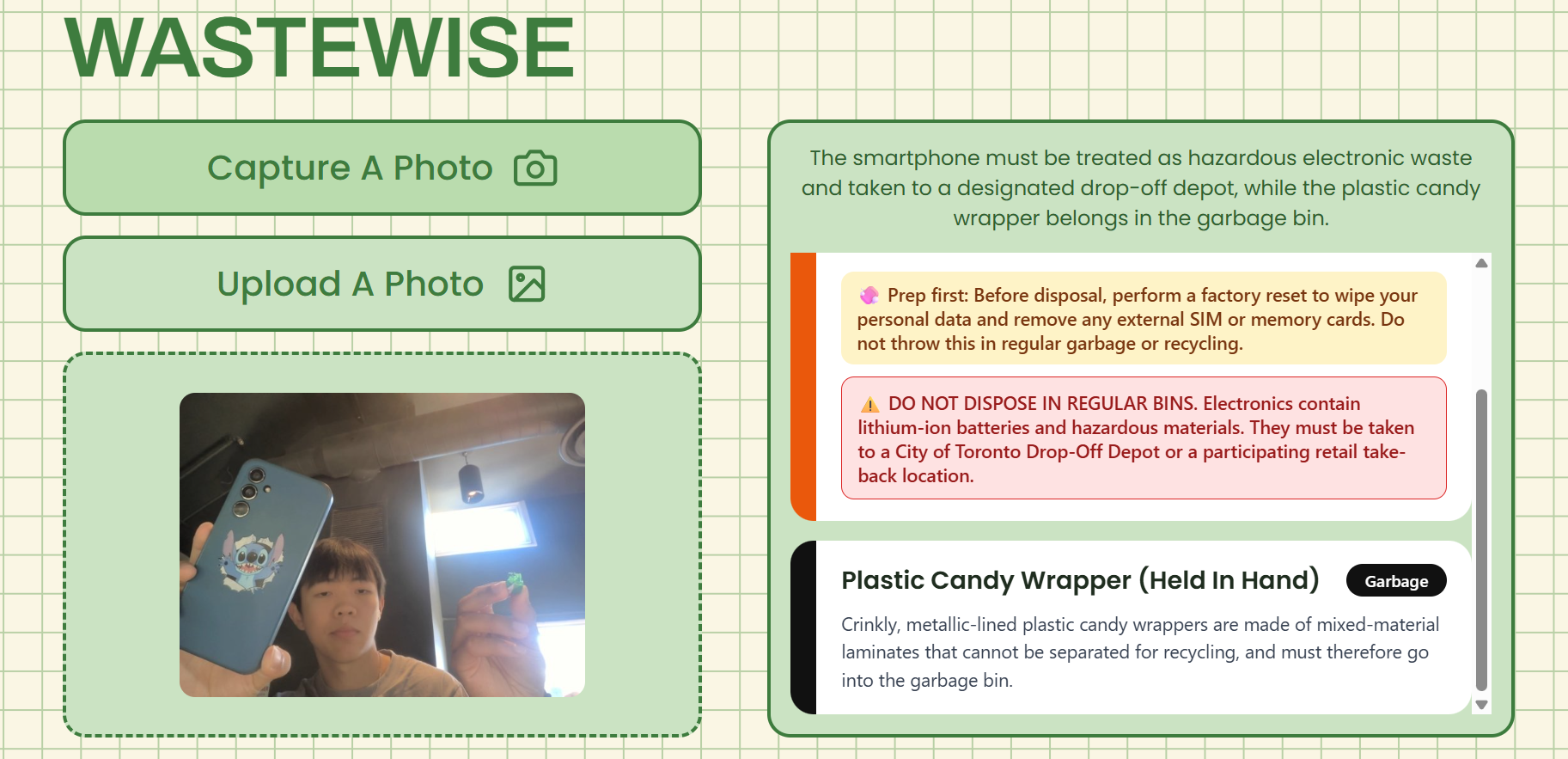
Waste Wise identifies the individual items, gives disposal instructions, warns of hazards, and recommends the correct waste category.

Inspiration
Every year, the world generates over 2.2 billion tonnes of solid waste, yet an estimated 450–670 million tonnes may enter the wrong disposal stream. Recycling systems also face a 15–30% contamination rate, where non-recyclable or improperly prepared materials contaminate entire batches of recycling. As a result, millions of tonnes of recyclable materials are lost and sent to landfill.
A major contributor to this issue is uncertainty. Many people, including ourselves, have struggled with knowing which bin an item belongs in or how to properly prepare it for disposal. We wanted to create a solution that removes this confusion and makes proper waste sorting simple, accurate, and accessible.
What it does
Waste Wise is an artificial intelligence-powered, camera-based waste sorting assistant designed around the City of Toronto's waste guidelines.
Users can:
- Capture an image using their device's camera
- Upload an image through file selection or drag-and-drop
Waste Wise then:
- Identifies individual items within the image
- Determines the correct disposal method for each item
- Separates multi-material objects so each component can be properly sorted
- Provides preparation instructions, such as rinsing or drying containers
- Warns users about items requiring special disposal, such as batteries
- Explains why each item belongs in its assigned disposal stream, helping users develop better waste sorting habits over time
By following local Toronto waste guidelines, Waste Wise provides more accurate recommendations than generic recycling information.
How we built it
Frontend
Technologies:
- HTML
- CSS
- JavaScript
- Adobe Illustrator
The frontend provides a responsive interface that adapts across different screen sizes and devices. Adobe Illustrator was used to create design assets and improve the overall user experience.
Users can scan items through their camera, upload images, or drag and drop files for analysis.
Images are compressed directly within the browser before being uploaded, improving performance and reducing processing requirements.
Backend
Technology:
- Python with Flask
The backend handles communication between the frontend and AI model, processes image requests, and returns structured disposal recommendations.
Artificial Intelligence
Technology:
- Google Gemini
Google Gemini analyzes uploaded images using multimodal AI capabilities. The model is prompted with City of Toronto waste sorting guidelines, allowing it to classify items according to local disposal rules.
The AI provides:
- Item identification
- Correct disposal category
- Preparation instructions
- Safety warnings
- Explanations for disposal decisions
Deployment
Technology:
- Vercel
Waste Wise is deployed as a web application, allowing users to access it from any device without requiring installation.
Technical Overview
| Component | Technology |
|---|---|
| Frontend | HTML, CSS, JavaScript, Adobe Illustrator |
| Backend | Python, Flask |
| Artificial Intelligence | Google Gemini |
| Deployment | Vercel |
Application Workflow
Camera / Upload Image
          ↓
Browser Image Optimization
          ↓
Flask Backend
          ↓
Google Gemini AI
(City of Toronto Waste Guidelines)
          ↓
Object Detection and Classification
          ↓
Disposal Category + Preparation Steps + Warnings + Explanation
Challenges we ran into
Following local waste guidelines
Waste disposal rules vary significantly between municipalities, making it difficult to create a universal waste sorting system. Since our hackathon had a limited 12-hour timeframe, we focused on implementing City of Toronto waste guidelines to ensure our classifications were accurate and reliable.
A future improvement would be allowing users to select their location, enabling Waste Wise to automatically retrieve and apply the correct waste guidelines for their municipality. This would allow the application to scale beyond Toronto and provide accurate recommendations anywhere.
Detecting multiple objects and materials
Many waste items contain multiple components that require different disposal methods. For example, a coffee cup may contain a recyclable lid and a garbage-bound cup, while a container may require cleaning before disposal. We designed our AI prompts to identify and classify individual components rather than treating every image as a single object.
Optimizing image processing
Modern smartphones produce large image files that can increase processing time and API usage. Implementing client-side image compression allowed Waste Wise to process images more efficiently while maintaining usability.
What we learned
Through developing Waste Wise, we learned:
- How to build and deploy an end-to-end artificial intelligence web application.
- How to integrate Google's Gemini multimodal API with a Flask backend.
- How prompt engineering affects the reliability and structure of AI-generated responses.
- How complex real-world waste management can be due to varying materials, conditions, and local regulations.
- The importance of designing technology that not only solves a problem but also educates users.
What's next
Future improvements for Waste Wise include:
- Allowing users to select their location so Waste Wise can automatically apply the correct waste guidelines for their municipality.
- Integrating nearby hazardous waste and recycling depot locations.
- Adding real-time camera detection instead of single-image analysis.
- Tracking user sorting history and environmental impact.
- Improving AI recognition for a wider range of products and packaging.
- Deploying Waste Wise at public waste stations through QR codes or interactive kiosks.


Log in or sign up for Devpost to join the conversation.