-
-
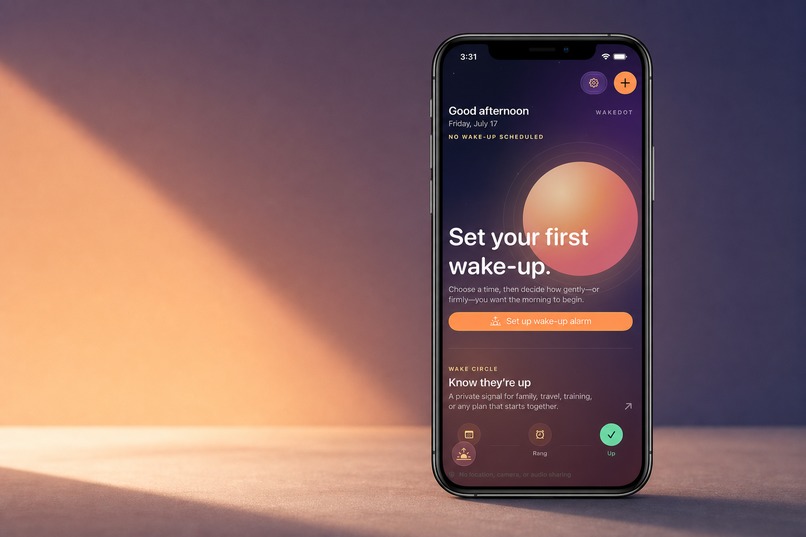
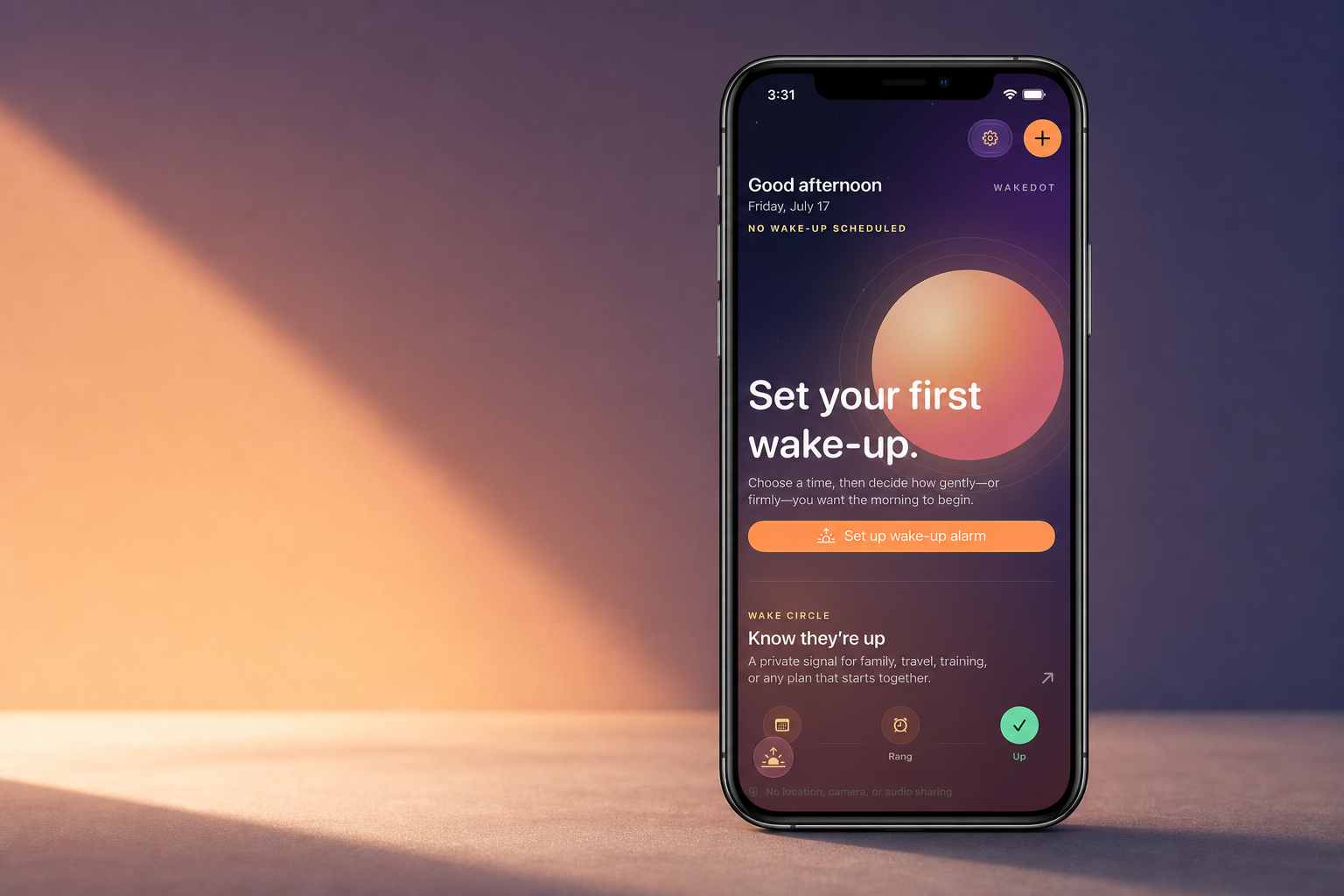
The Today screen guides people from their first wake-up to a private Wake Circle check-in
-
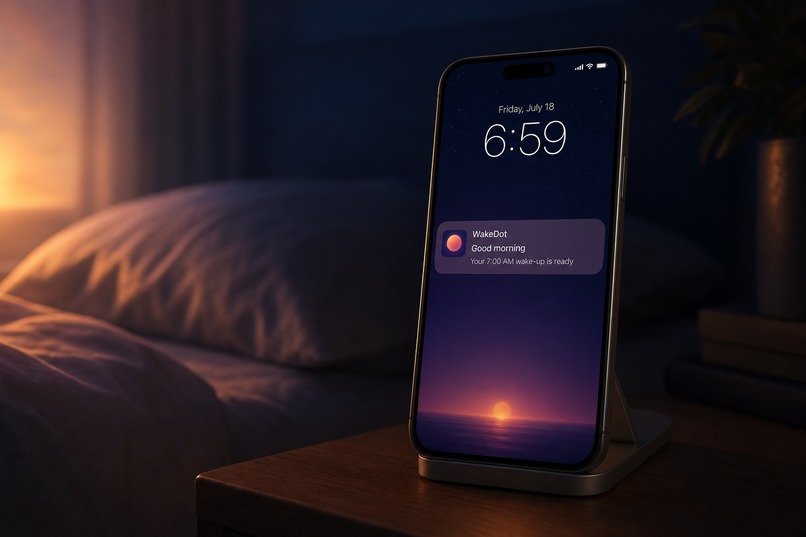
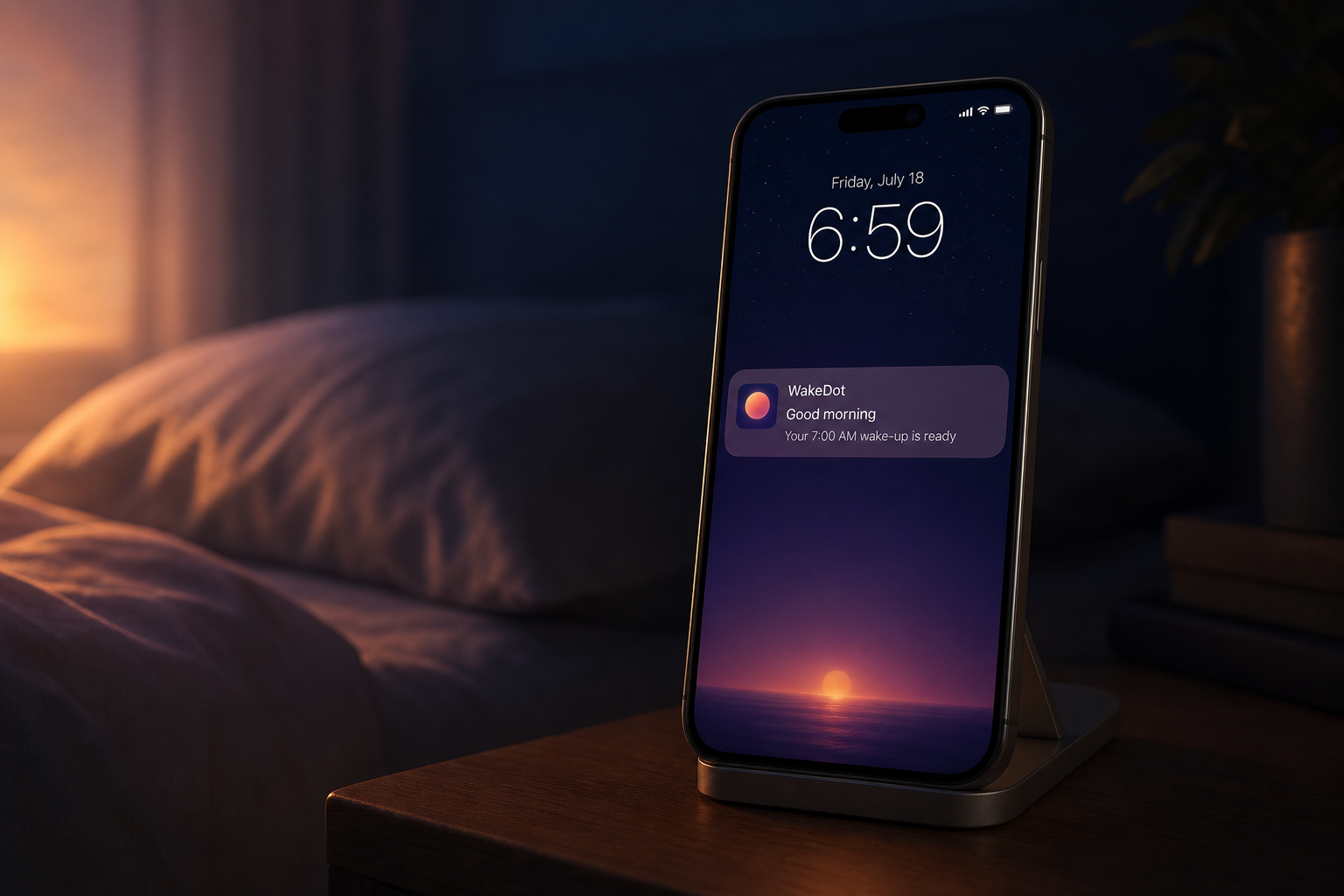
A gentle native-style notification brings the wake-up moment to the bedside
-
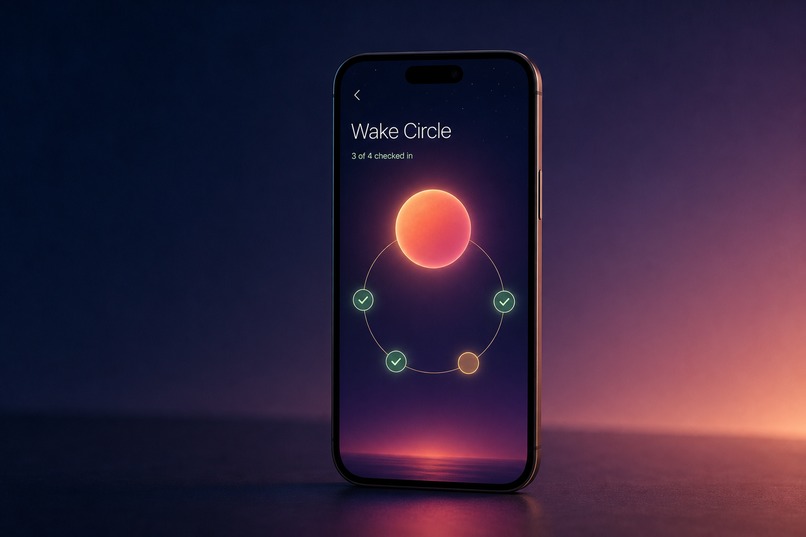
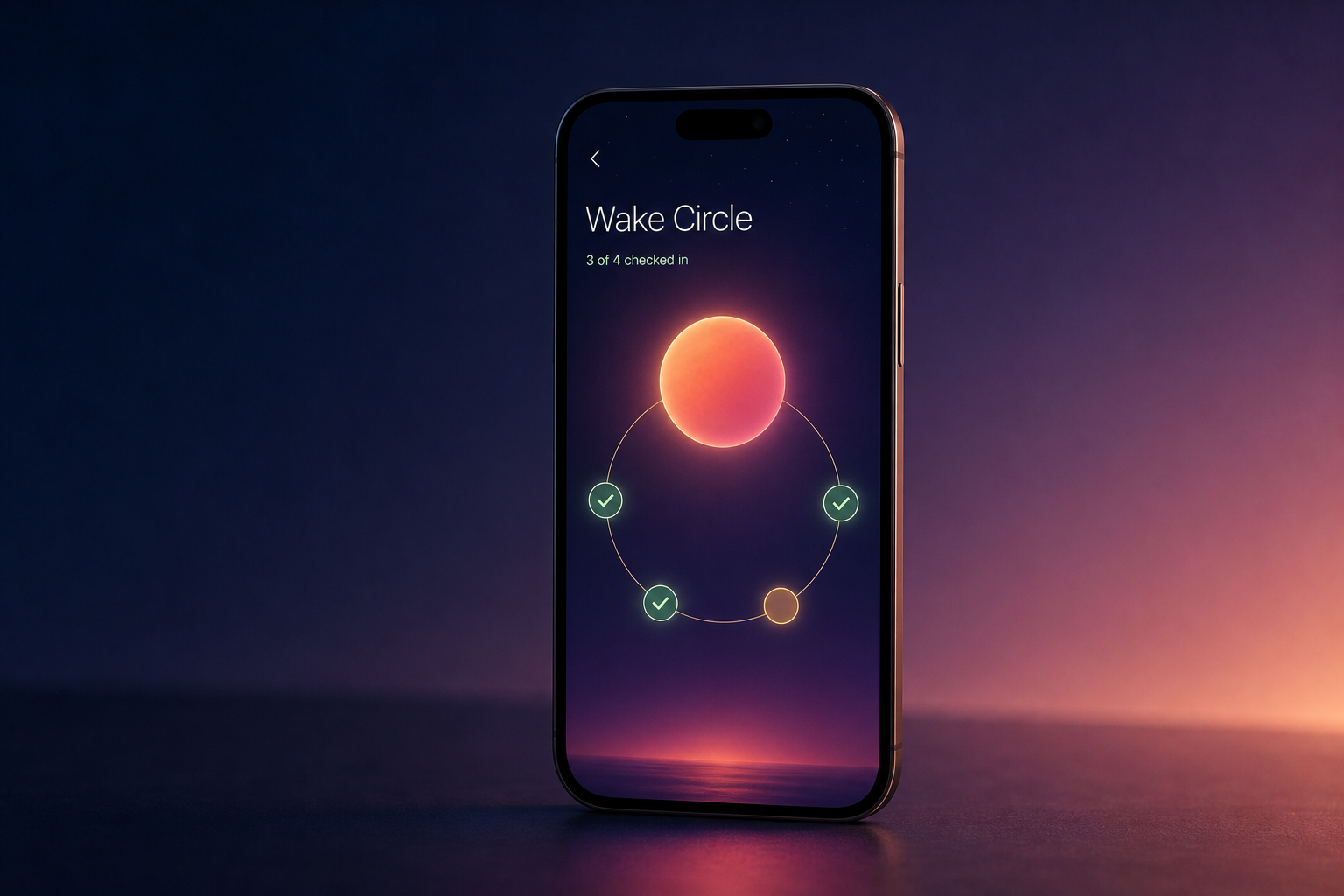
Wake Circle visualizes a quiet shared readiness signal-without location, camera, or audio sharing
-
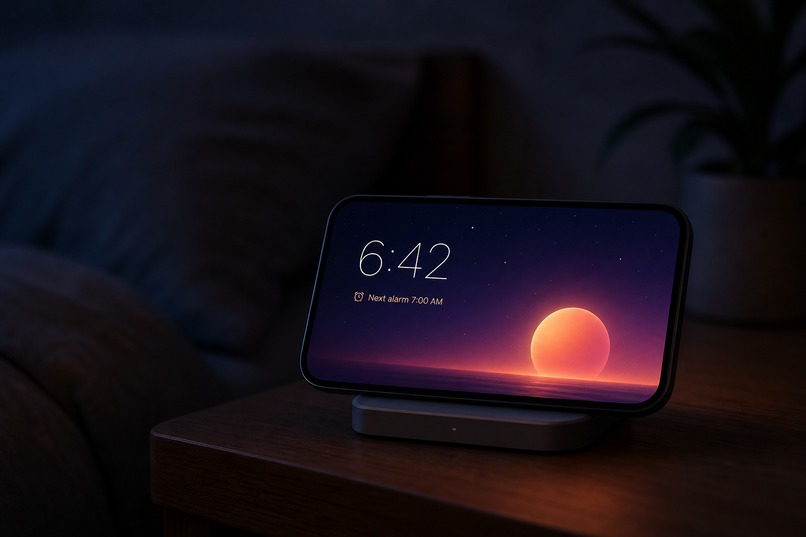
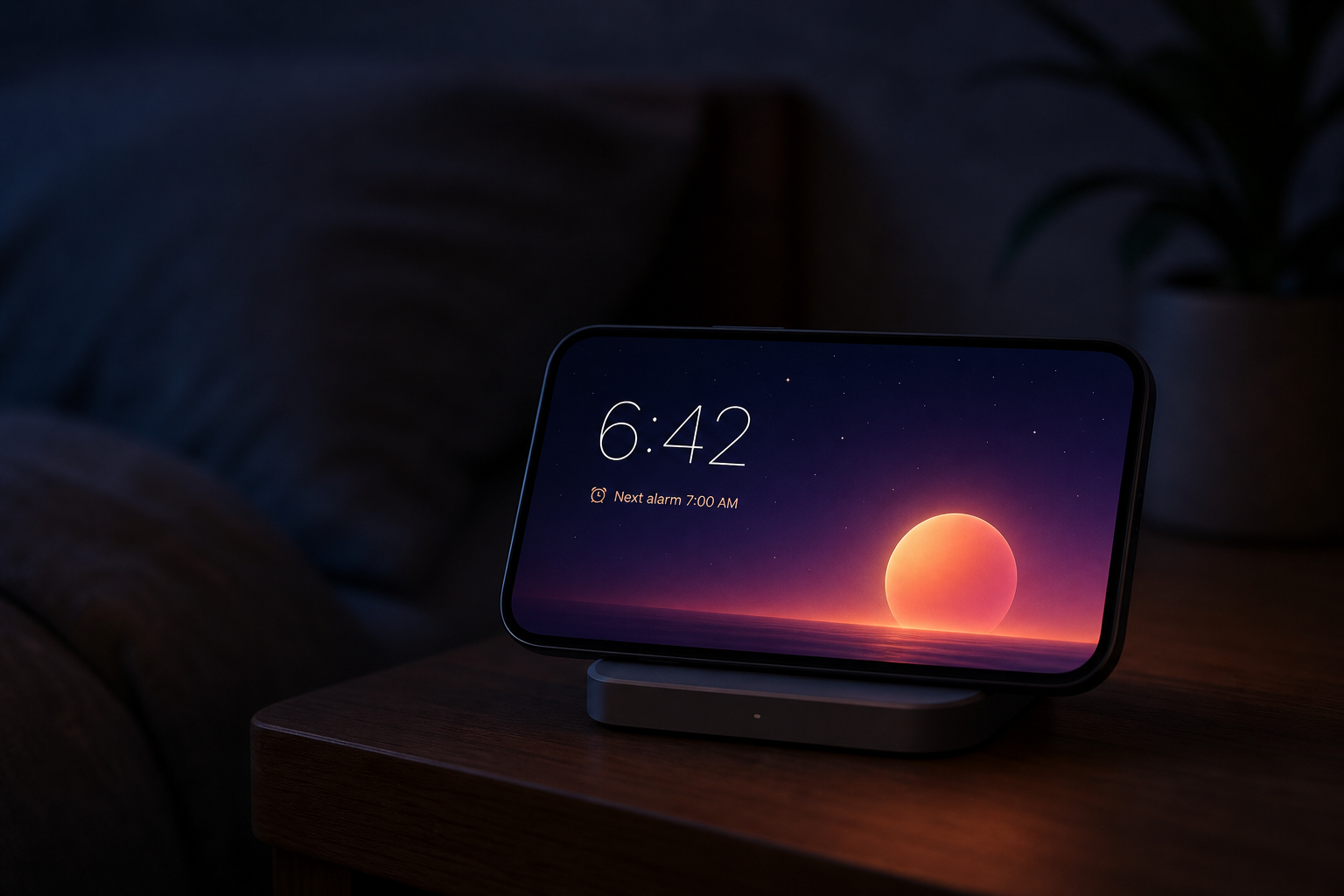
A celestial Bedside clock puts tomorrow’s alarm, local sky, and sunrise within reach
-
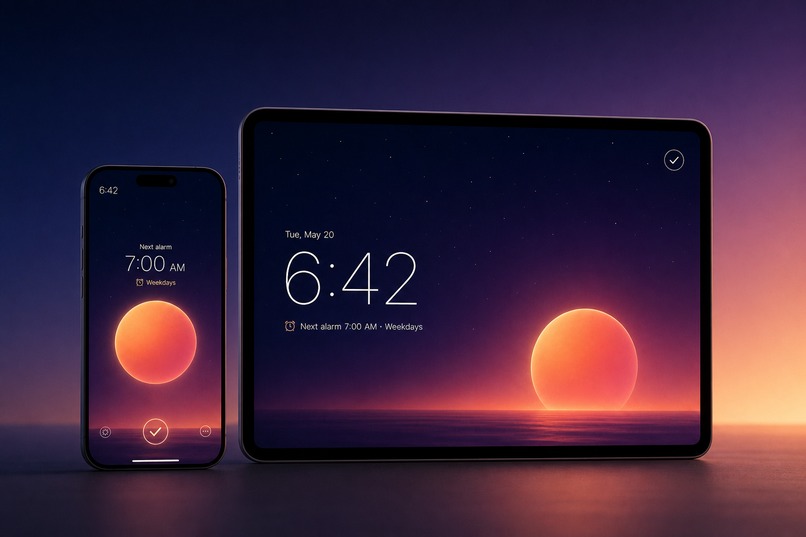
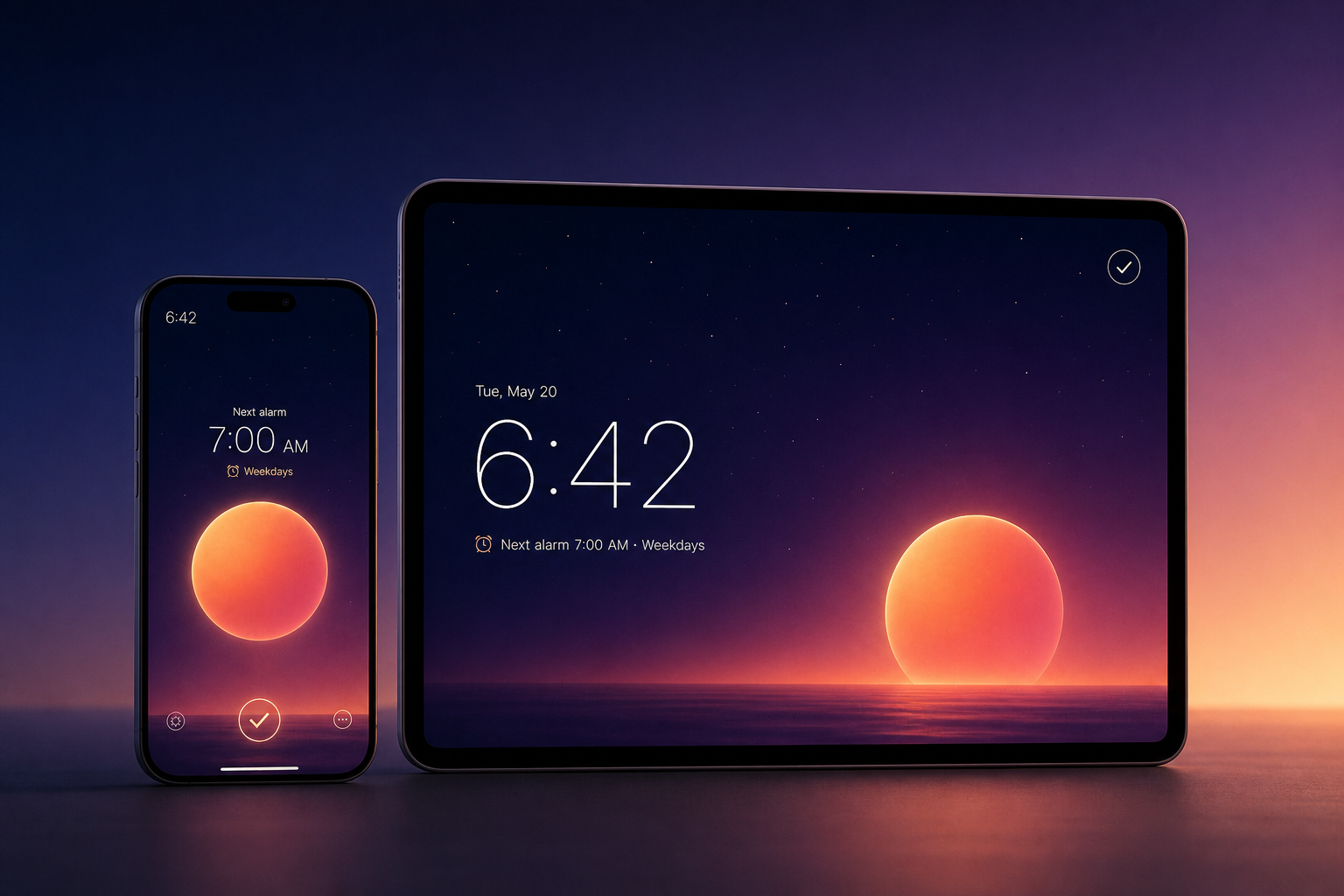
One WakeDot experience across iPhone and iPad, built for the newest Apple platforms
-
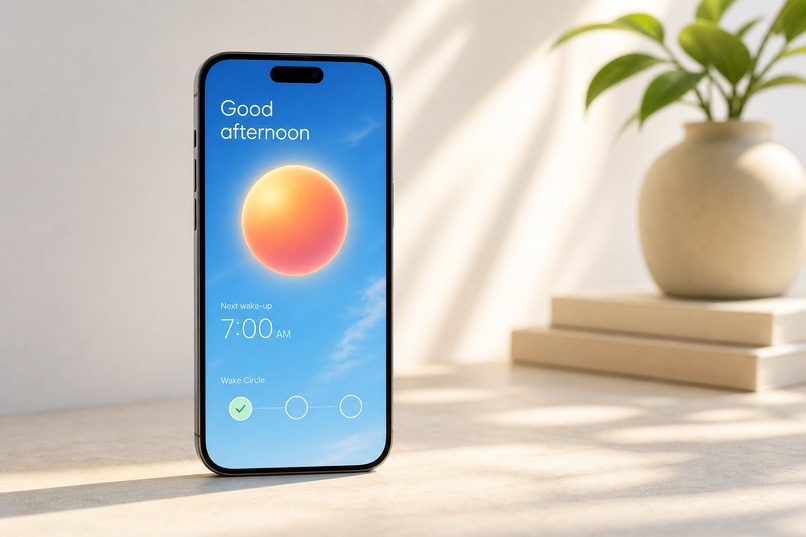
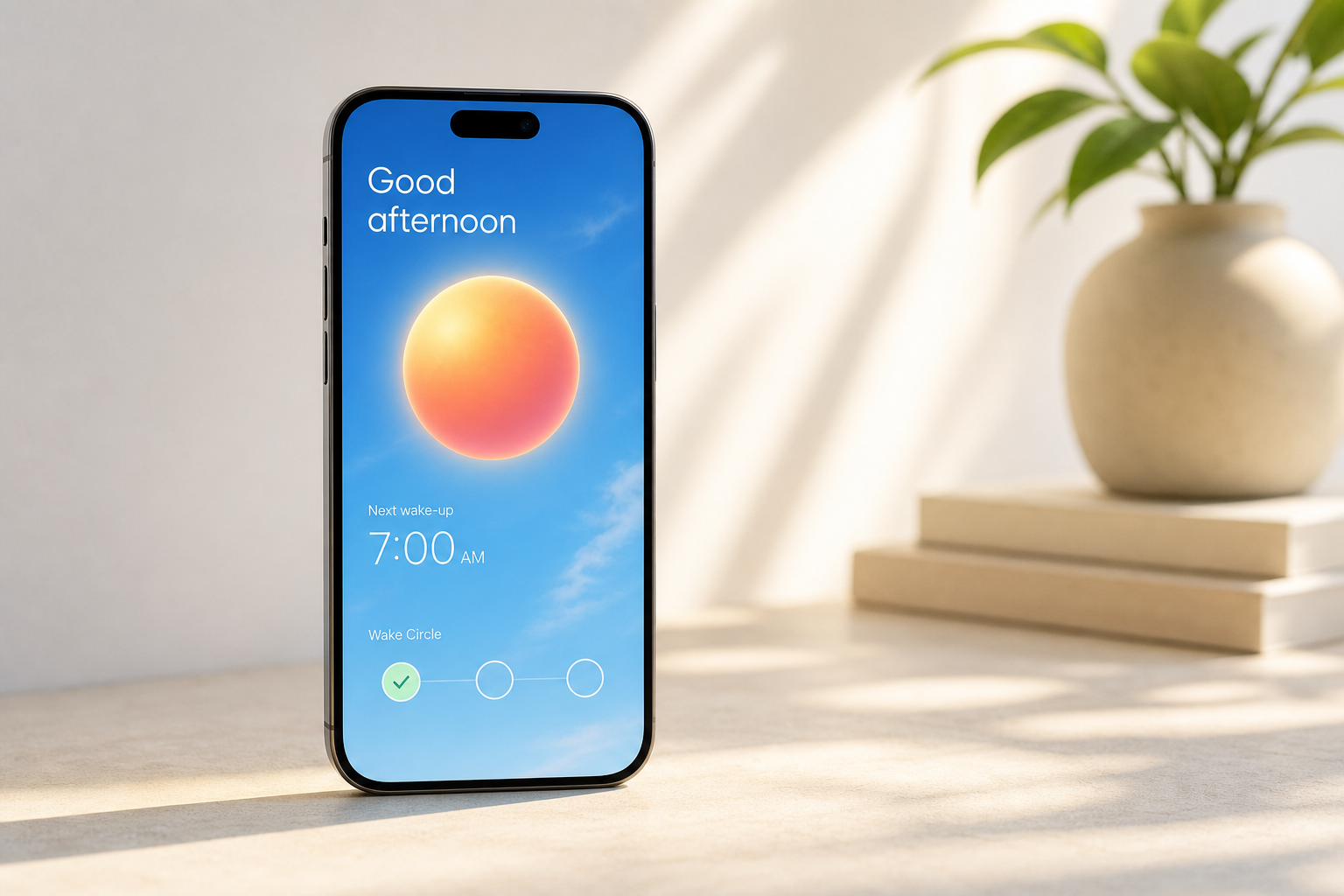
WakeDot adapts its sky and palette to daylight, not just the night
WakeDot
Inspiration
Most alarm apps answer one question:
“Did the alarm ring?”
They do not answer the more human question:
“Did the person actually get up?”
That matters when a child needs to catch the school bus, a partner has an early flight, or an older parent lives alone. Existing solutions often feel either harsh and stressful or uncomfortably close to surveillance.
WakeDot began with a simple goal: create a calmer, more beautiful alarm that remains reliable and lets a family know someone is awake without tracking them.
What it does
WakeDot is built around a living, glowing Dot that changes throughout the wake-up experience.
Touching and holding the Dot produces an expanding halo, accelerating orbit, and signature haptic response. It is both the visual identity of WakeDot and an interactive representation of the next alarm.
Every wake-up can follow three deliberate stages:
- Glow: A gradual pre-wake scene fills the room with warm light.
- Ring: AlarmKit presents a native system alarm.
- Confirm: An optional wake check helps prevent dismissing the alarm on autopilot.
WakeDot’s defining family feature is Wake Circle.
After an alarm, someone can send a simple “I’m up” signal to the people who care about them. Family members see only the alarm states intentionally shared with them.
WakeDot does not require continuous location, camera, or audio access.
WakeDot also includes:
- Location-aware Sun Cycle, Local Sky, and Moon Phase displays.
- A full-screen bedside and desk clock for iPhone and iPad.
- Original WakeDot alarm sounds with multiple loudness mixes.
- Wake-up alarms, calendar-based Smart Alarms, and custom daytime reminders.
- Live Activities on the Lock Screen and Dynamic Island.
- Critical alerts, quiet haptic reminders, and silent countdown options.
- Siri and Shortcuts actions for creating alarms, checking the next alarm, and opening Bedside mode.
- Alarm sharing that requires the recipient to review an alarm before enabling it.
- Time-zone-aware alarms for travel.
- Adaptive layouts for iPhone, iPad, portrait, landscape, and resizable windows.
- VoiceOver, Dynamic Type, Reduce Motion, and camera-free wake checks.
Wake Circle’s interaction model is working as a prototype. Secure family synchronization remains part of the production roadmap.
How I built it
WakeDot is a native universal SwiftUI app for iPhone and iPad, designed and tested with the iOS 27 beta SDK.
AlarmKit schedules system alarms and connects alarm actions to App Intents. Those intents return the user to WakeDot for an optional confirmation and expose useful actions to Siri, Shortcuts, and Spotlight.
The app uses:
- SwiftUI for the interface and adaptive layouts.
- AlarmKit for native system alarms.
- App Intents for alarm actions, Siri, Shortcuts, and Spotlight.
- ActivityKit for Lock Screen and Dynamic Island countdowns.
- EventKit for calendar-based Smart Alarm suggestions.
- Core Location for local sun, sky, and moon calculations.
- AVFoundation for alarm sound previews.
- UserNotifications for appropriate daytime reminders and follow-ups.
- WidgetKit for system surfaces and glanceable alarm information.
I used OpenAI Codex as an engineering, research, and product-design collaborator throughout Build Week.
Codex helped me:
- Research alarm-app pain points and new Apple platform capabilities.
- Convert a broad product idea into a working SwiftUI architecture.
- Implement and debug AlarmKit, App Intents, ActivityKit, calendar access, sharing, audio, and adaptive layouts.
- Diagnose real-device signing, audio-session, simulator, and scrolling-performance issues.
- Inspect screenshots and recordings, identify confusing interactions, and repeatedly refine the interface.
- Replace an early card-heavy prototype with a cleaner, full-canvas visual system.
- Develop the WakeDot identity, product language, feature hierarchy, website, App Store media, and Build Week presentation.
- Rename the project, targets, widget extension, bundle identifiers, and product language from its original working name to WakeDot.
- Build, sign, install, and test new versions directly on a physical iPhone.
The final visual direction uses the sky as its canvas, the Dot as its identity, and Liquid Glass selectively for controls.
Challenges
Proving alarm reliability
AlarmKit is new, and simulator behavior cannot prove reliability across every real-device state.
I separated interface testing from physical-device alarm testing. WakeDot was repeatedly built, signed, installed, and tested on a physical iPhone to verify alarm presentation, audio, haptics, permissions, and Lock Screen behavior.
I also avoided claiming behavior the prototype could not demonstrate reliably.
Designing a responsible family feature
Reassurance can easily become surveillance.
Wake Circle intentionally avoids continuous location, camera, and audio sharing. A green status means that someone acknowledged an alarm. It is never presented as proof that the person is safe.
The person creating a Wake Circle can also choose whether to participate in the group. This supports situations where someone creates a circle for children or older parents without needing to appear as a monitored member.
Creating a beautiful display without overheating the phone
Bedside mode can remain visible for hours.
Early versions made the phone warm because they updated and animated too frequently. I reduced unnecessary rendering, lowered update frequency, respected Low Power Mode and Reduce Motion, and treated energy efficiency as a core product requirement.
Making the interface feel original
The first version relied too heavily on rounded cards and looked interchangeable with many generated apps.
Through repeated visual reviews, I moved toward stronger typography, open space, subtle dividers, scroll-aware controls, celestial backgrounds, and a more expressive central Dot.
The goal was to make WakeDot feel calm, intentional, and native without simply copying Apple’s Clock app.
Making the main interaction understandable
An early version allowed people to drag the Dot along an alarm path. The purpose was unclear, especially when no alarm had been scheduled.
Testing the interface with members of my household revealed that the interaction needed to be simplified. The Dot became a living visual centerpiece instead of a required control.
Users can now press and hold it to experience a larger glow, faster orbit, and stronger haptic response, but the interaction remains optional.
Working within iOS limitations
Apps cannot arbitrarily change the system alarm volume or play any custom haptic pattern while suspended.
WakeDot therefore uses system-owned AlarmKit behavior while locked or running in the background. Its custom signature haptic experience is used while the app is active and during previews.
For Critical Alarms, WakeDot provides multiple sound mixes at different loudness levels while clearly explaining that the final speaker output still depends on the iPhone’s Ringtone and Alerts settings.
What I learned
I learned that reliability and emotional design are not opposites. An alarm can be technically dependable without feeling aggressive.
I learned that a feature becomes intuitive only after watching real people try to use it. Several interactions that seemed obvious during development were confusing to my family and needed to be redesigned.
I learned that accessibility, energy efficiency, privacy, and clarity cannot be postponed until the end. They influence the product architecture from the beginning.
Most importantly, I learned that AI is most useful as a continuous collaborator.
Codex did not generate WakeDot in one prompt. It helped maintain a rapid loop between product thinking, implementation, testing, visual criticism, real-device feedback, and refinement.
WakeDot is now a working foundation for an alarm that does more than make noise.
It helps someone begin the day calmly, then gives their family a simple and private way to know they are up.
Built With
- activitykit
- alarmkit
- avfoundation
- codex
- eventkit
- ipados
- openai
- siri
- storekit
- swift
- swiftui
- usernotifications
- widgetkit
- xcode


Log in or sign up for Devpost to join the conversation.