-
-
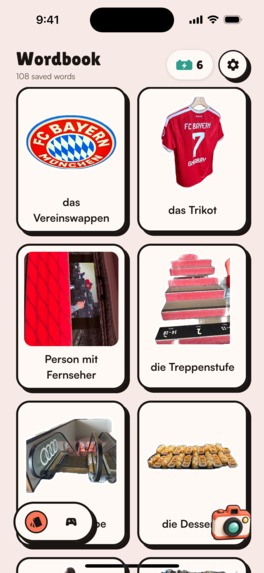
word book
-
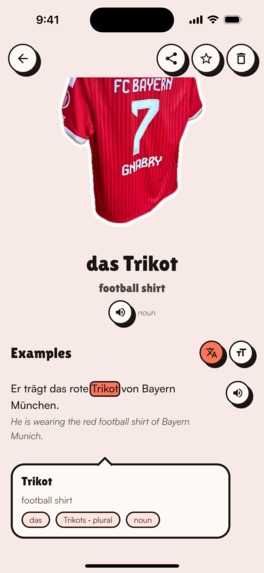
detail page
-
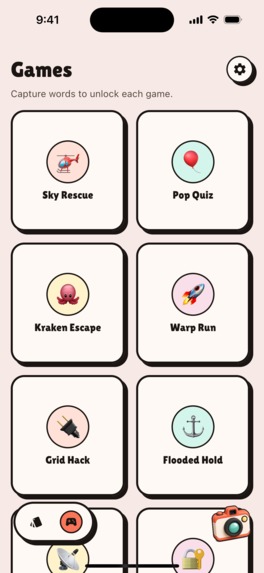
games gallery
-
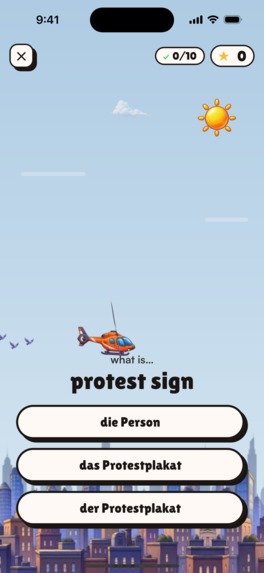
sky rescue game
-
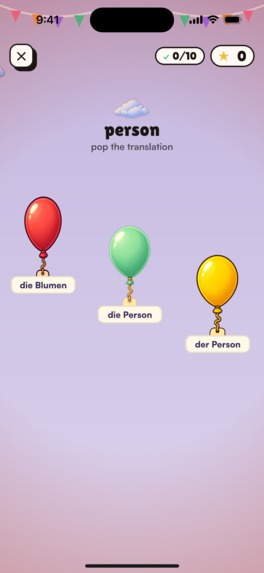
pop quiz game
-
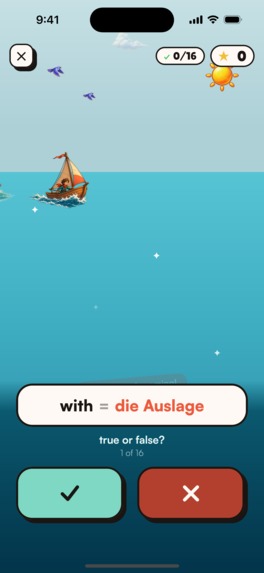
kraken escape game
-
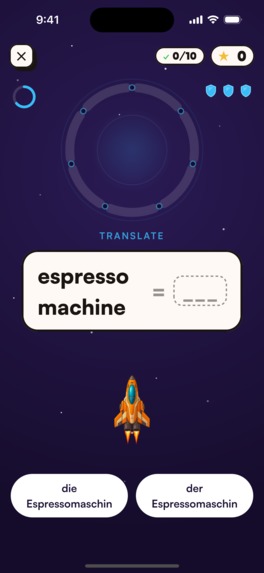
wrap run game
-
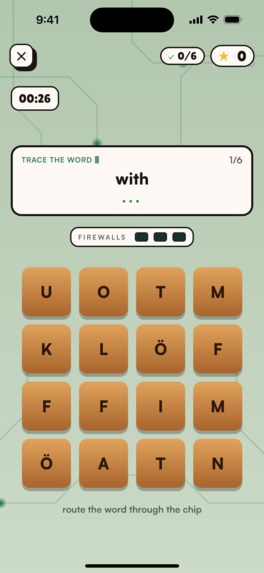
grid hack game
-
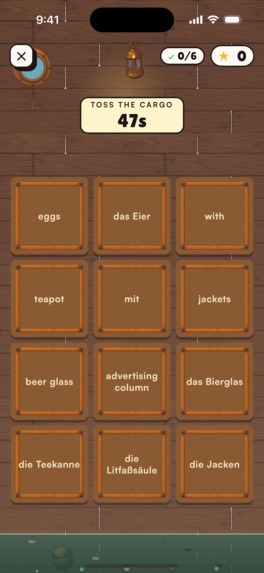
flooded hold game
-
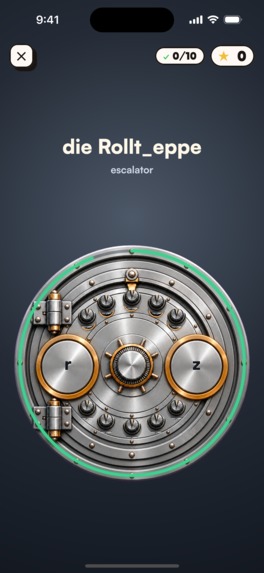
vault game
-
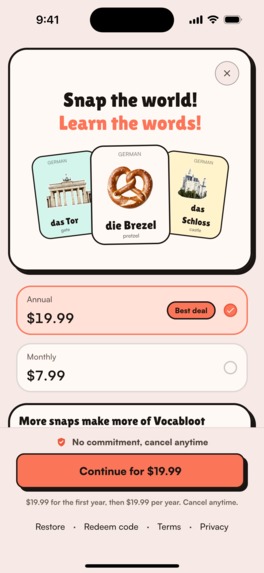
paywall
-

app icon
-
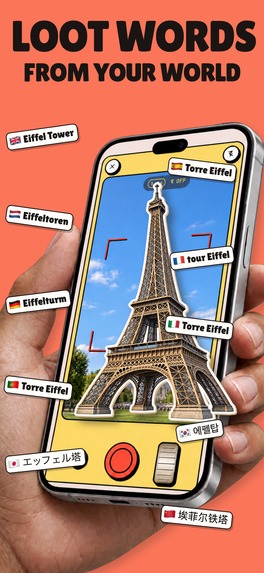
-
-

Inspiration
Living inside a language you don't speak yet is tiring in a specific way.
After moving from India to Munich, vocabulary became one of the biggest barriers to learning German. Without enough words, I could not follow what was being said around me, no matter how much grammar I studied.
Most vocabulary apps had the same problems for me:
- They mostly relied on boring flashcards.
- They rarely had images, so there was nothing to visualise a word with or relate it to.
- Example sentences were plain text: no text highlights following the audio, and no way to tap a word in the sentence to see what it means.
- The vocabulary was often generic, with very little personalization.
- Learning felt like another study session instead of something connected to daily life.
- Streaks were supposed to motivate me, but losing one often did the opposite.
- Once I broke a streak by missing a few days, it became much easier to stop using the app completely.
So we built Vocabloot around one idea:
Learn the words that are already part of your life.
What it does
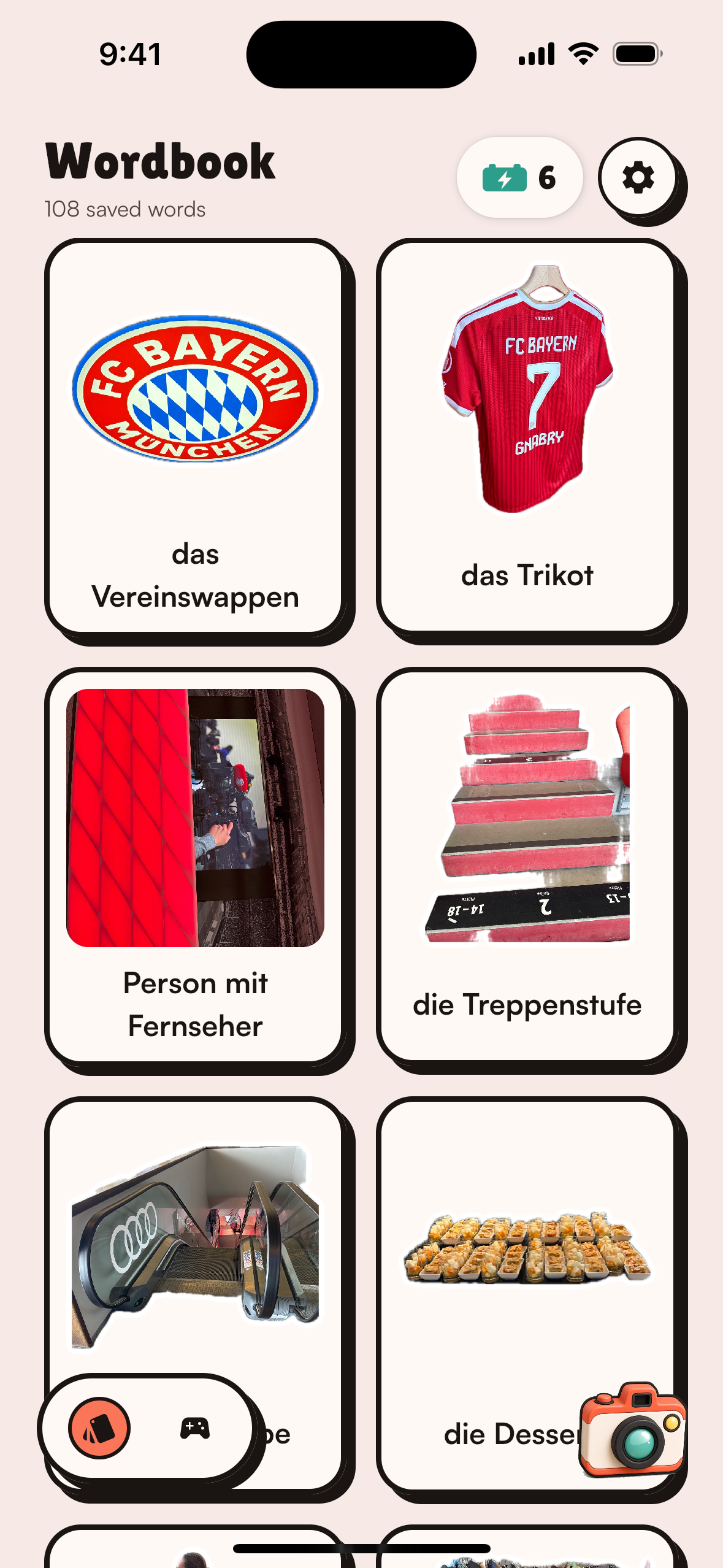
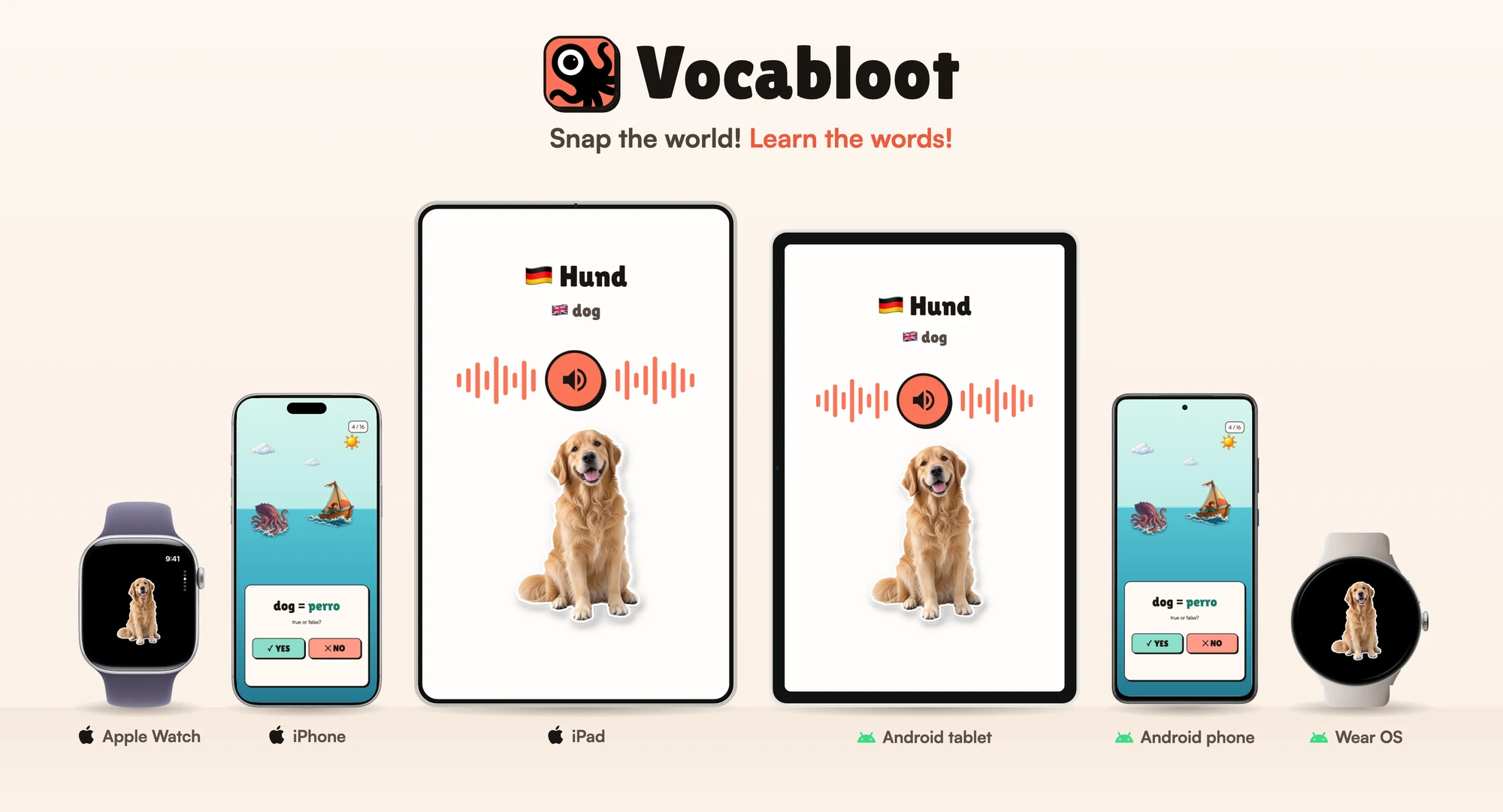
Vocabloot turns the world around you into your personal vocabulary book, on your phone, your tablet and your watch.
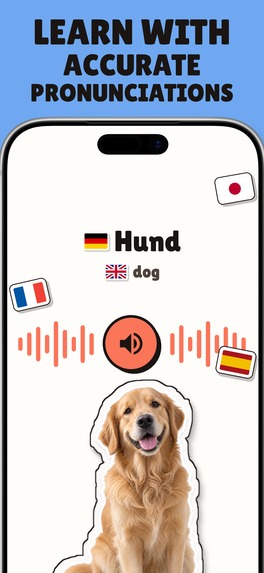
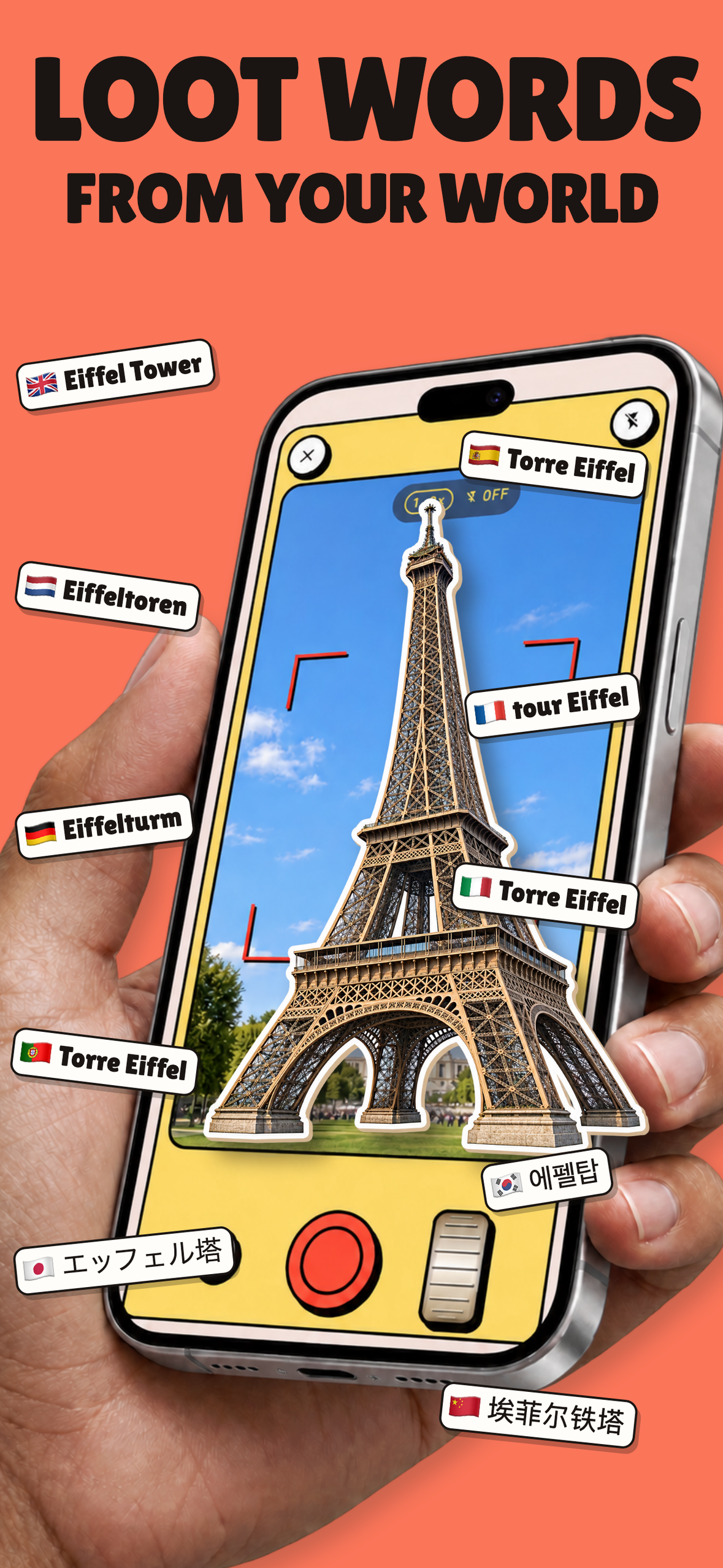
Snap a word
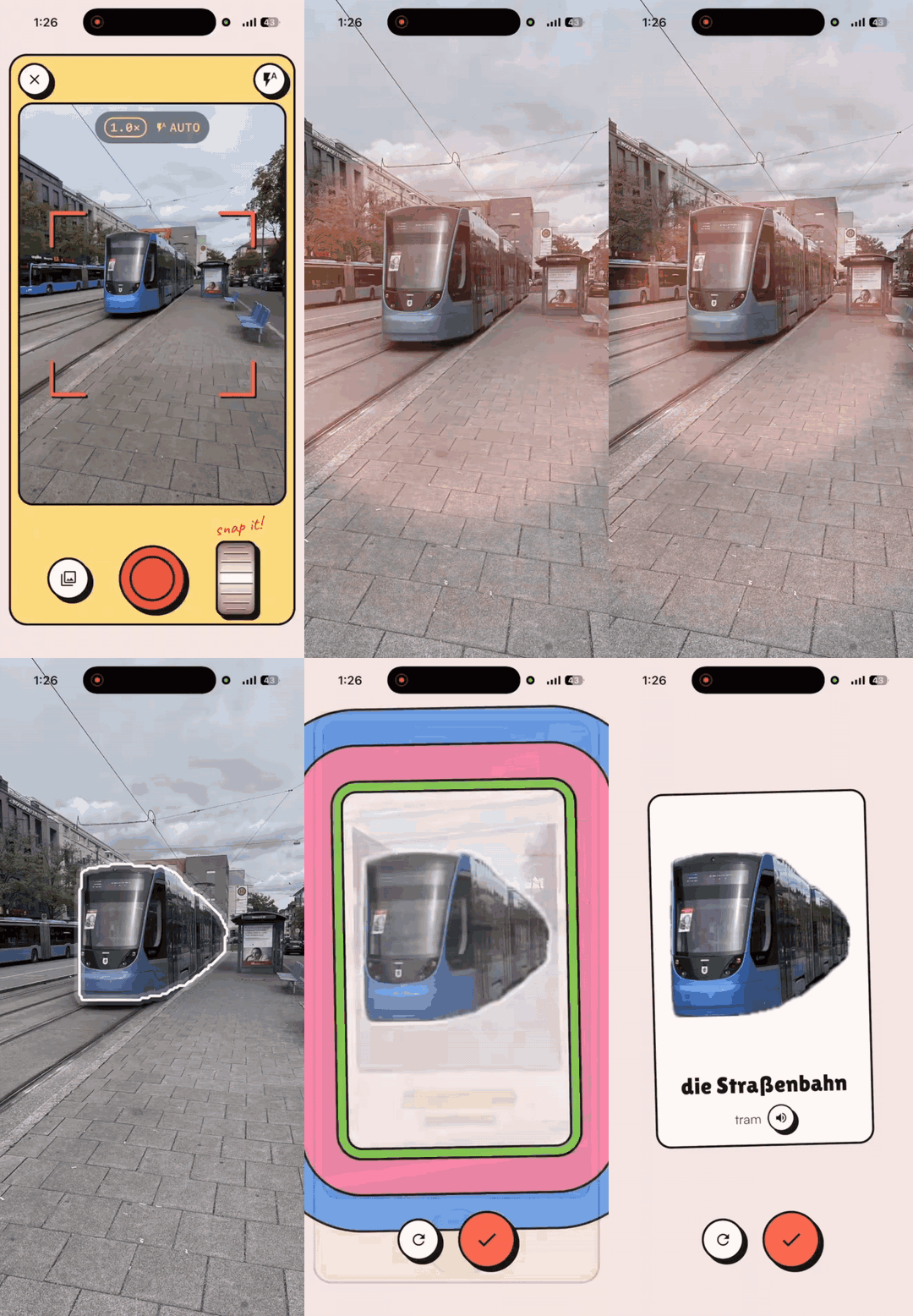
Take a photo of an object and Vocabloot gives you:
- The word in the language you are learning.
- The meaning.
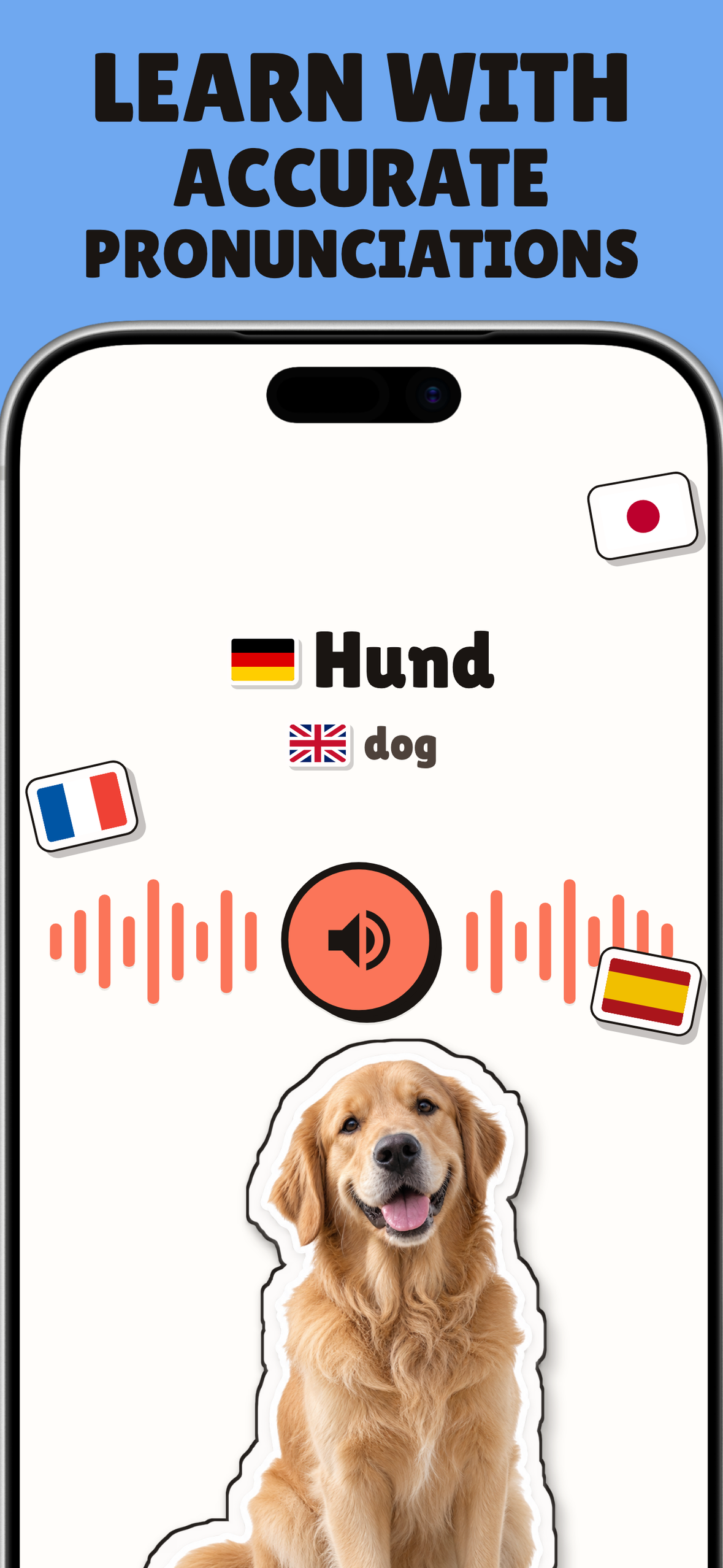
- Pronunciation.
- Part of speech.
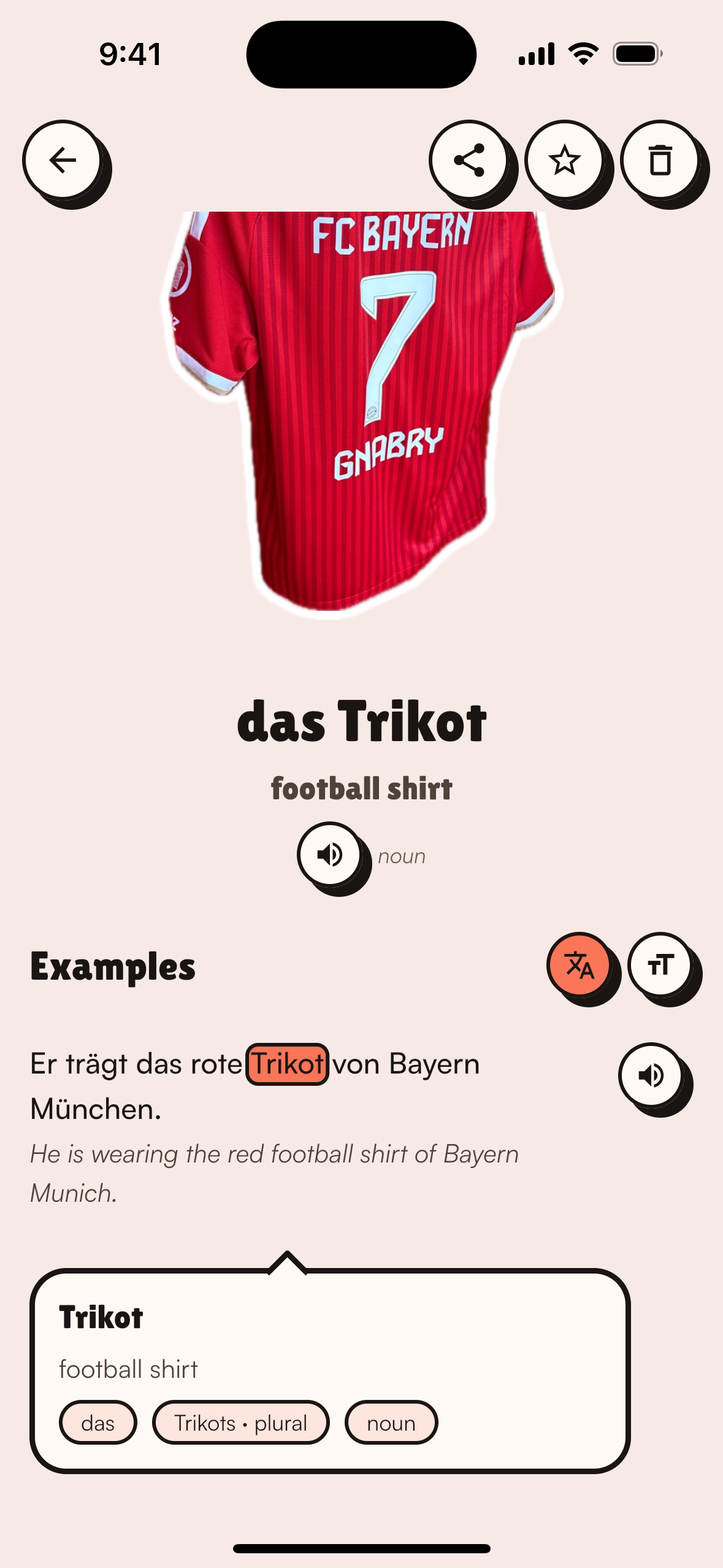
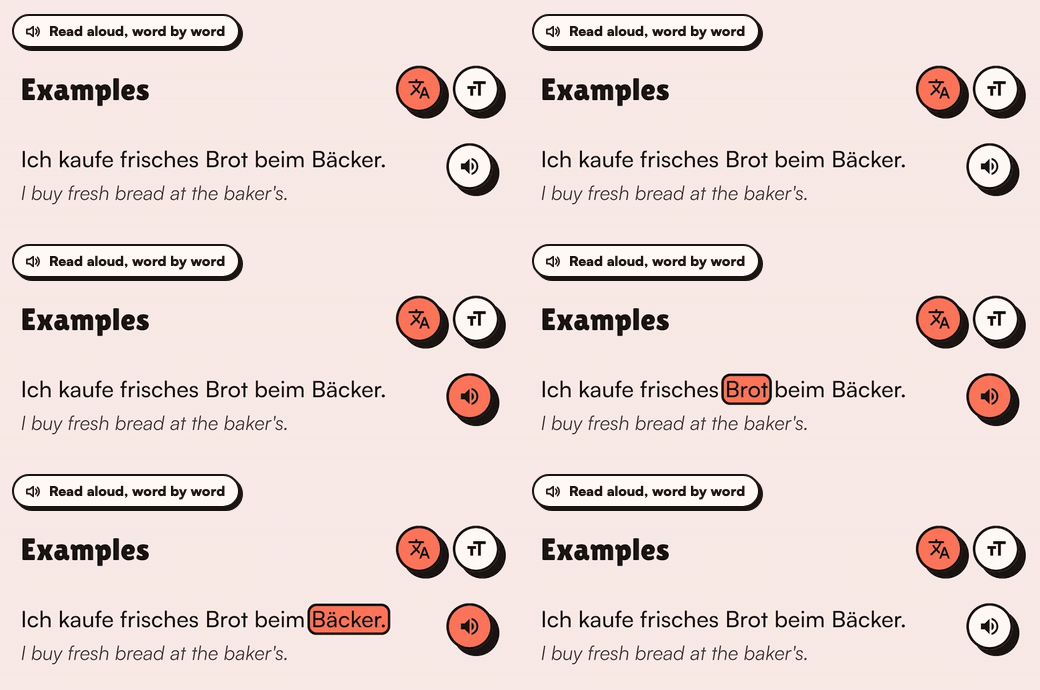
- Example sentences, read aloud with each word highlighted as it is spoken.
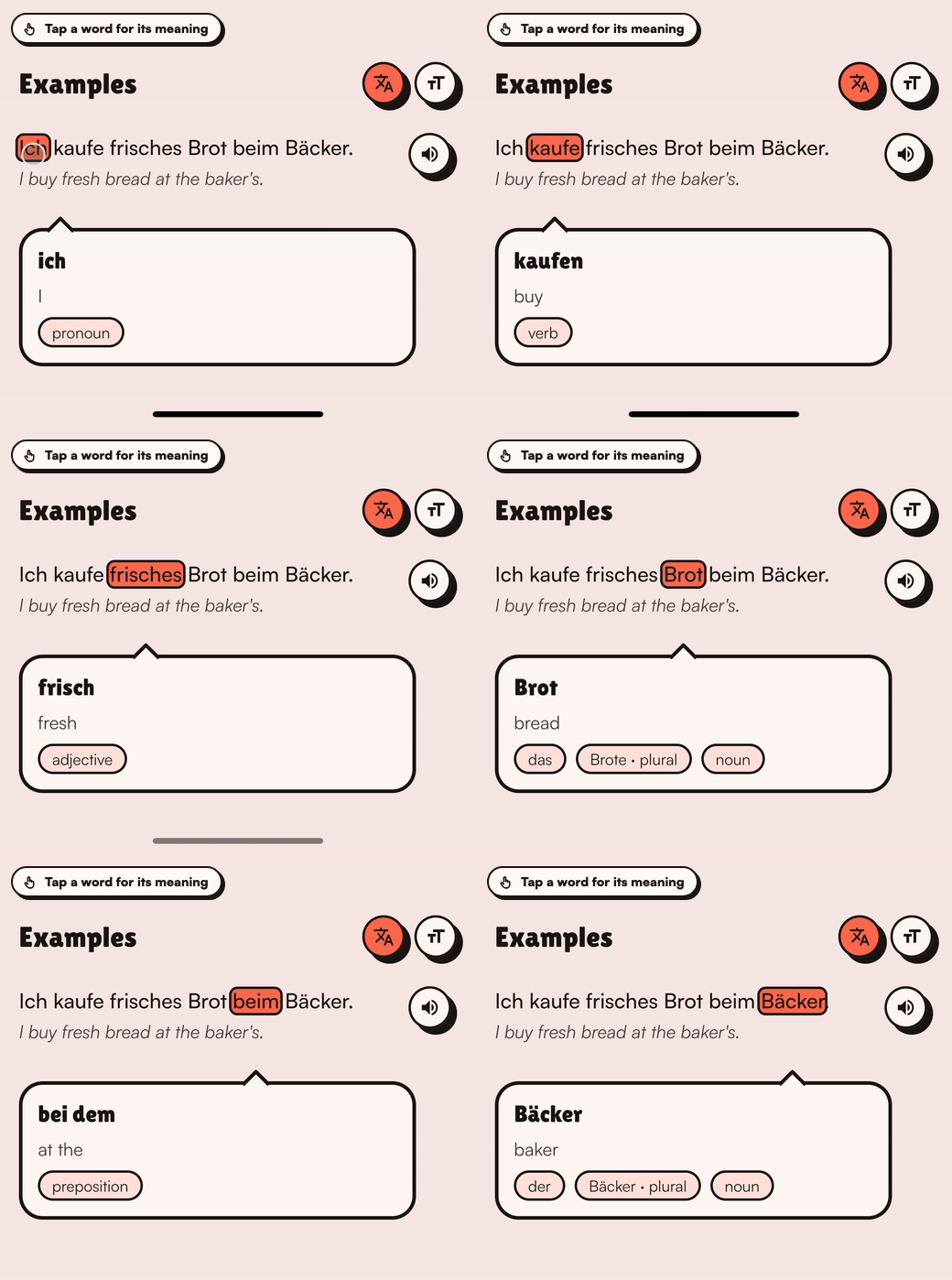
- Tap any word in the sentence and its meaning opens, with the article, the plural and the part of speech.
Vocabloot teaches 10 languages, and the app itself is localized in 24, so you can learn German from a Tamil or Arabic screen, not only through English.
Every snapped object also becomes a die-cut sticker, and there is a WhatsApp sticker pack.
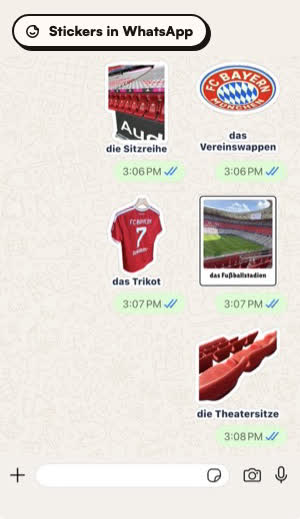
Share an image from another app or pick one from your gallery and it becomes a new word too.
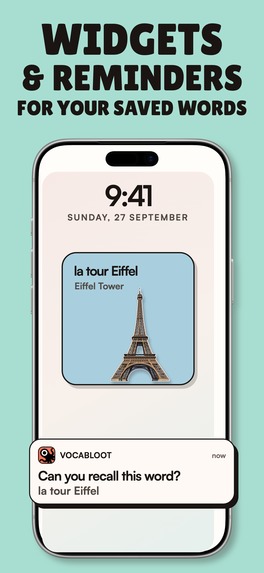
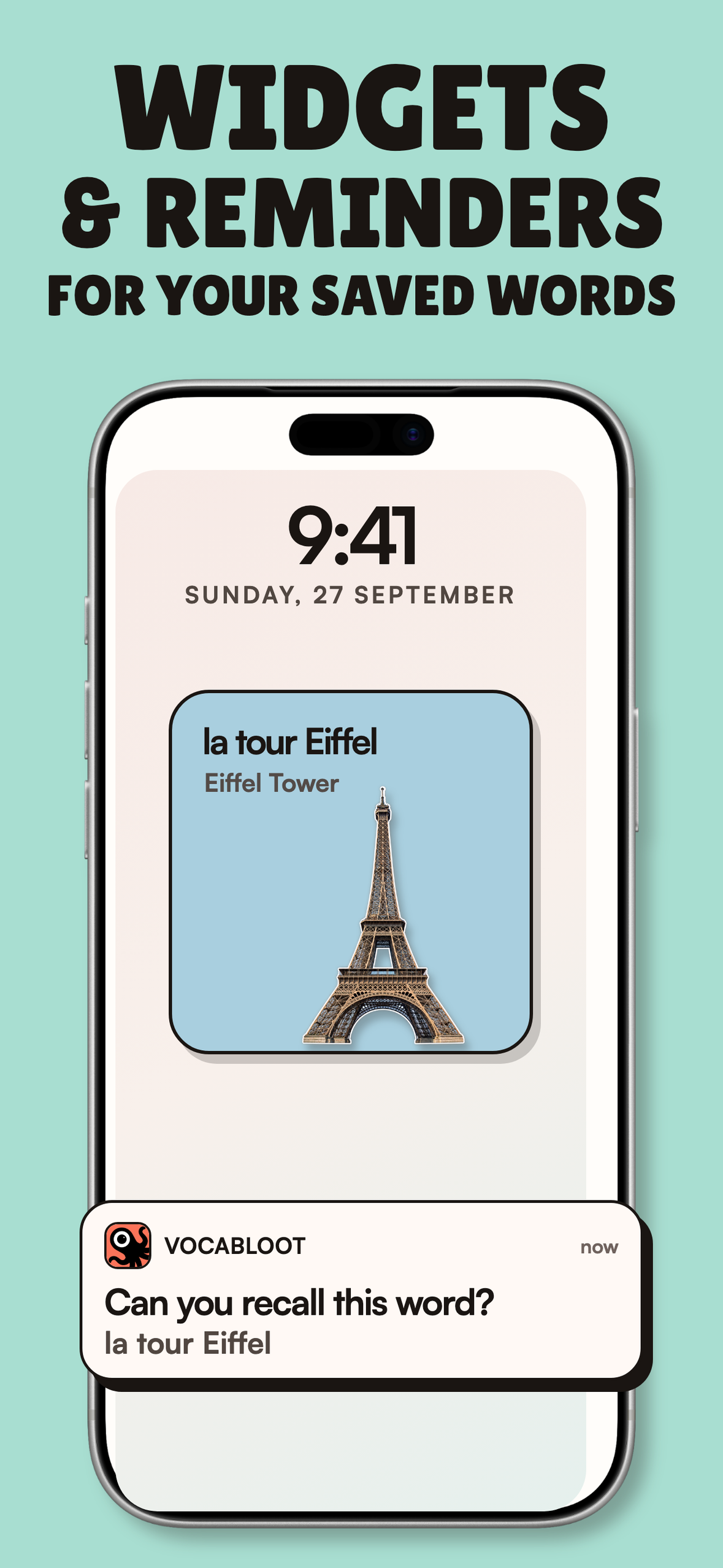
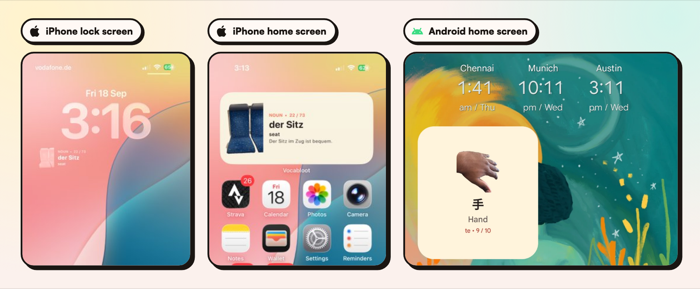
Widgets on the iPhone lock screen and on iPhone and Android home screens show your own words, photos and translations during the day.
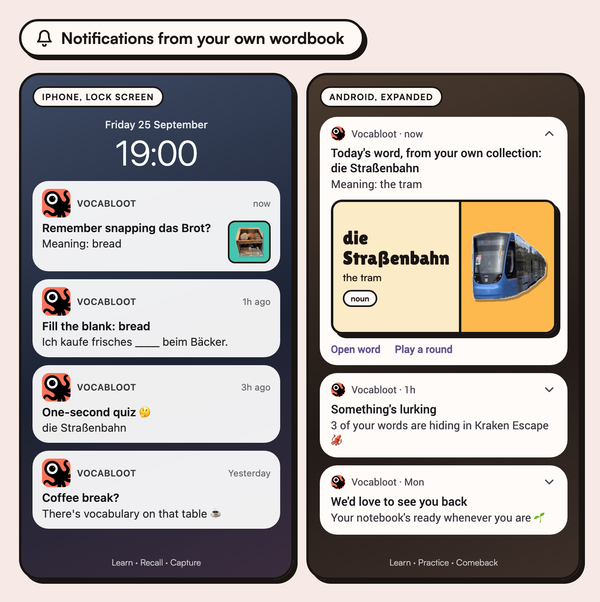
Notifications teach from your own wordbook, in the time window and number of words a day you choose:
- Learn notifications: one of your words with its meaning, or one of its example sentences with the word blanked out.
- Recall notifications: just the word, to check you still remember it.
- Practice notifications: an invitation to play a game with your words, at most once a day.
- Capture notifications: a nudge to snap something new, only when your wordbook has gone quiet.
- Comeback notifications: if you stop opening the app, it sends fewer and then goes silent after a week.
- Promo notifications: a new deck, feature or offer, at most once a week and never in your first week.
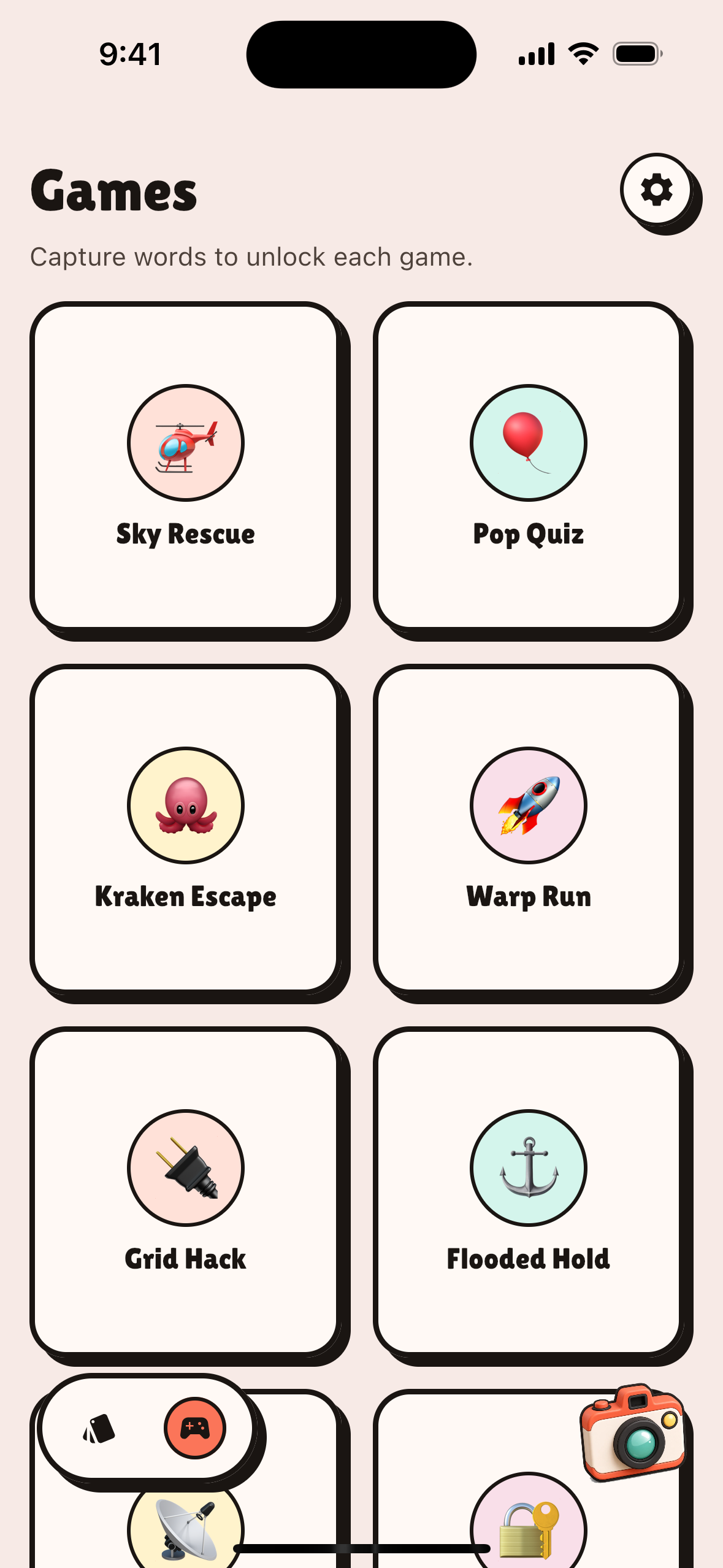
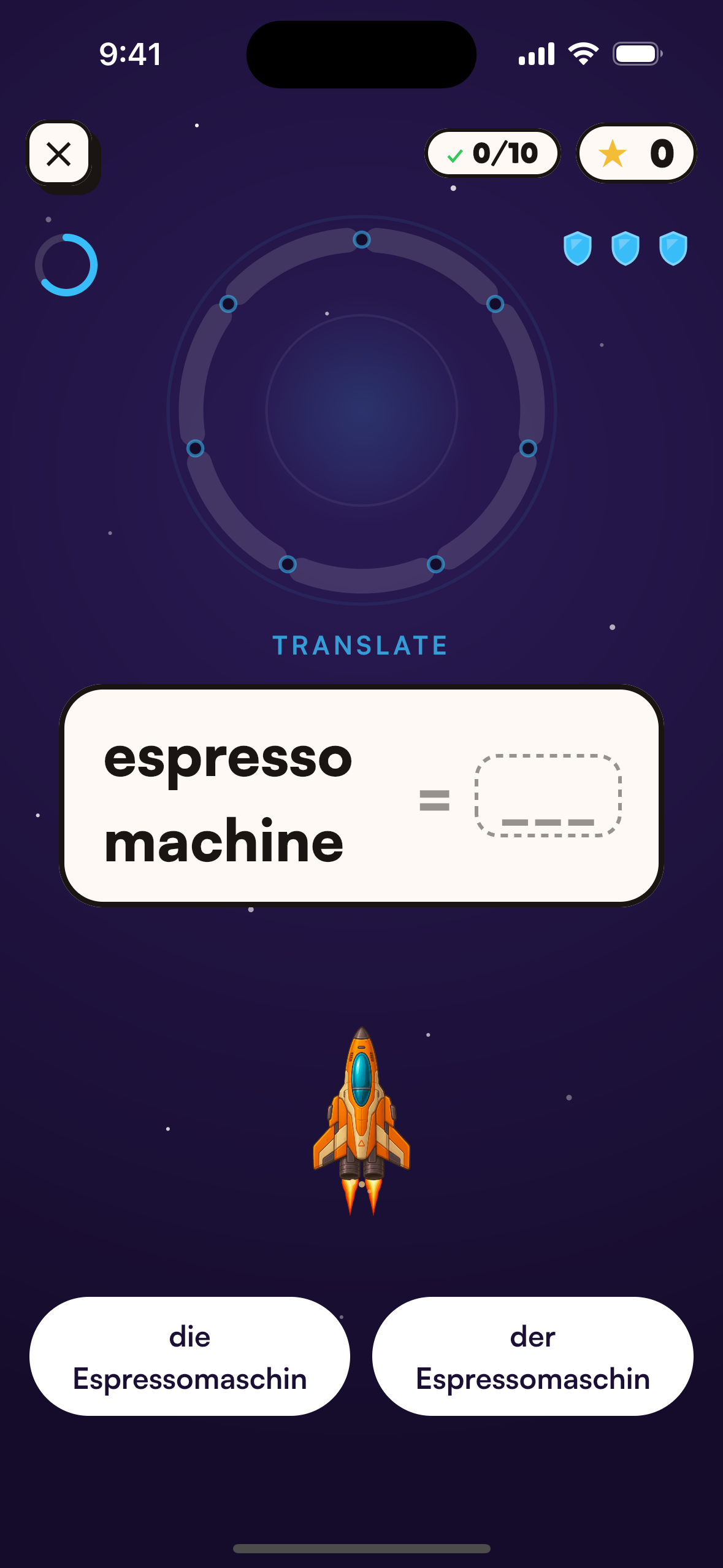
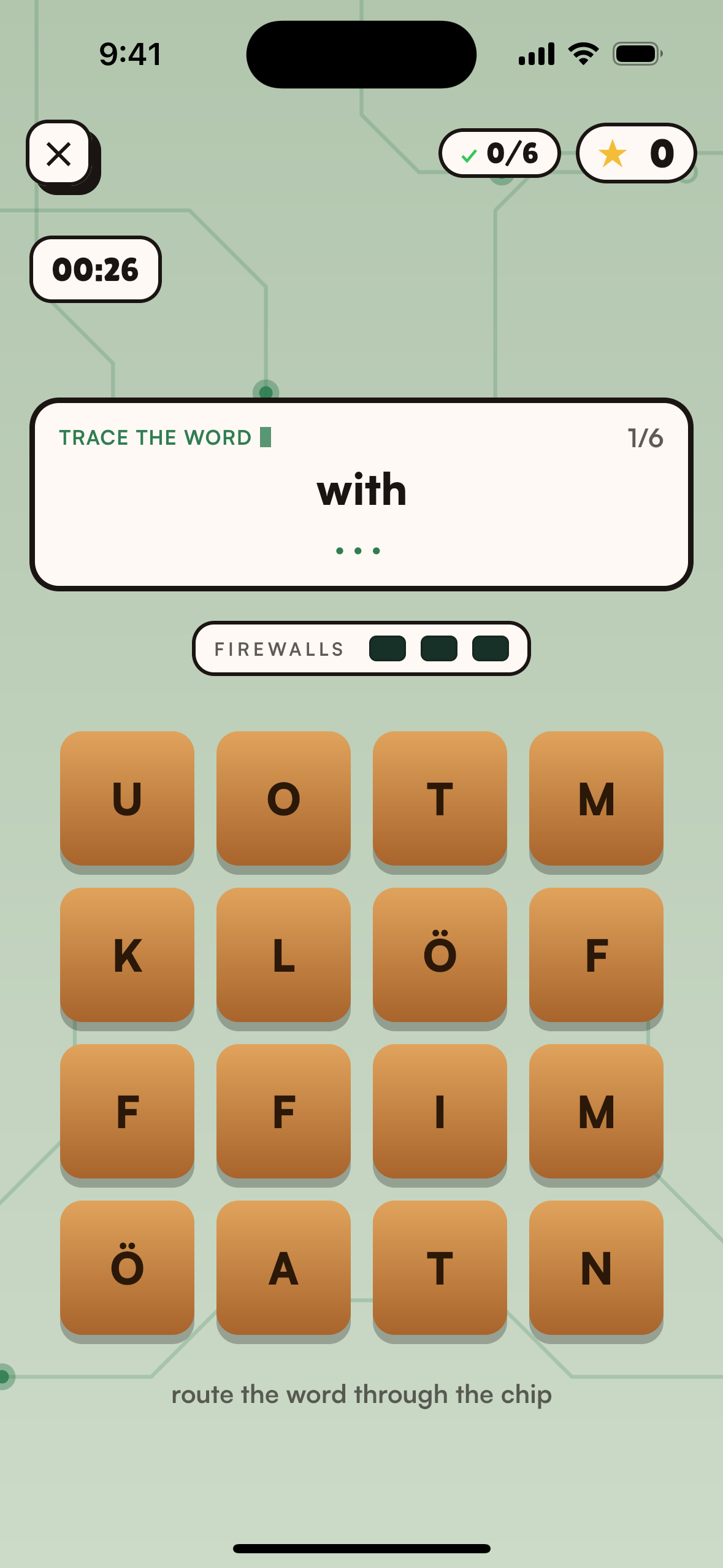
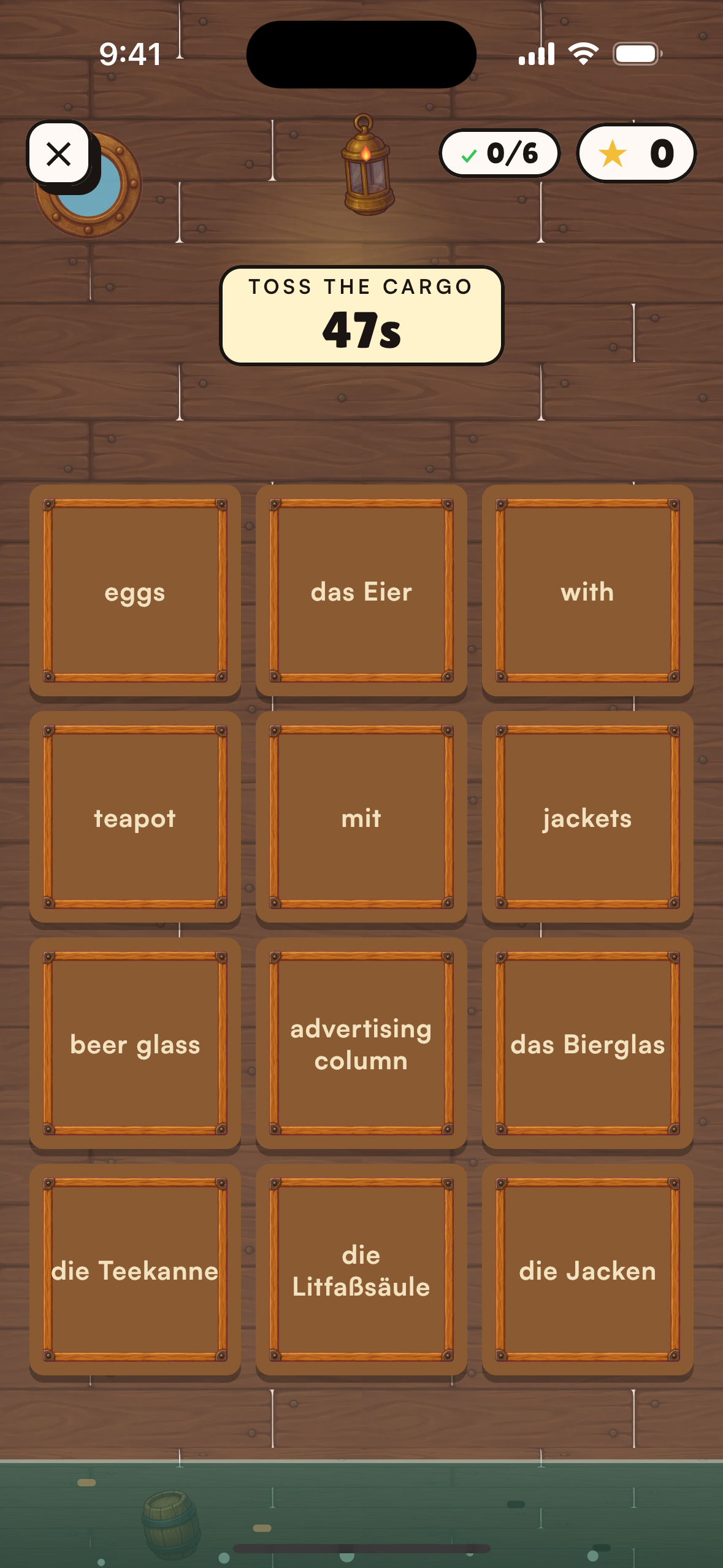
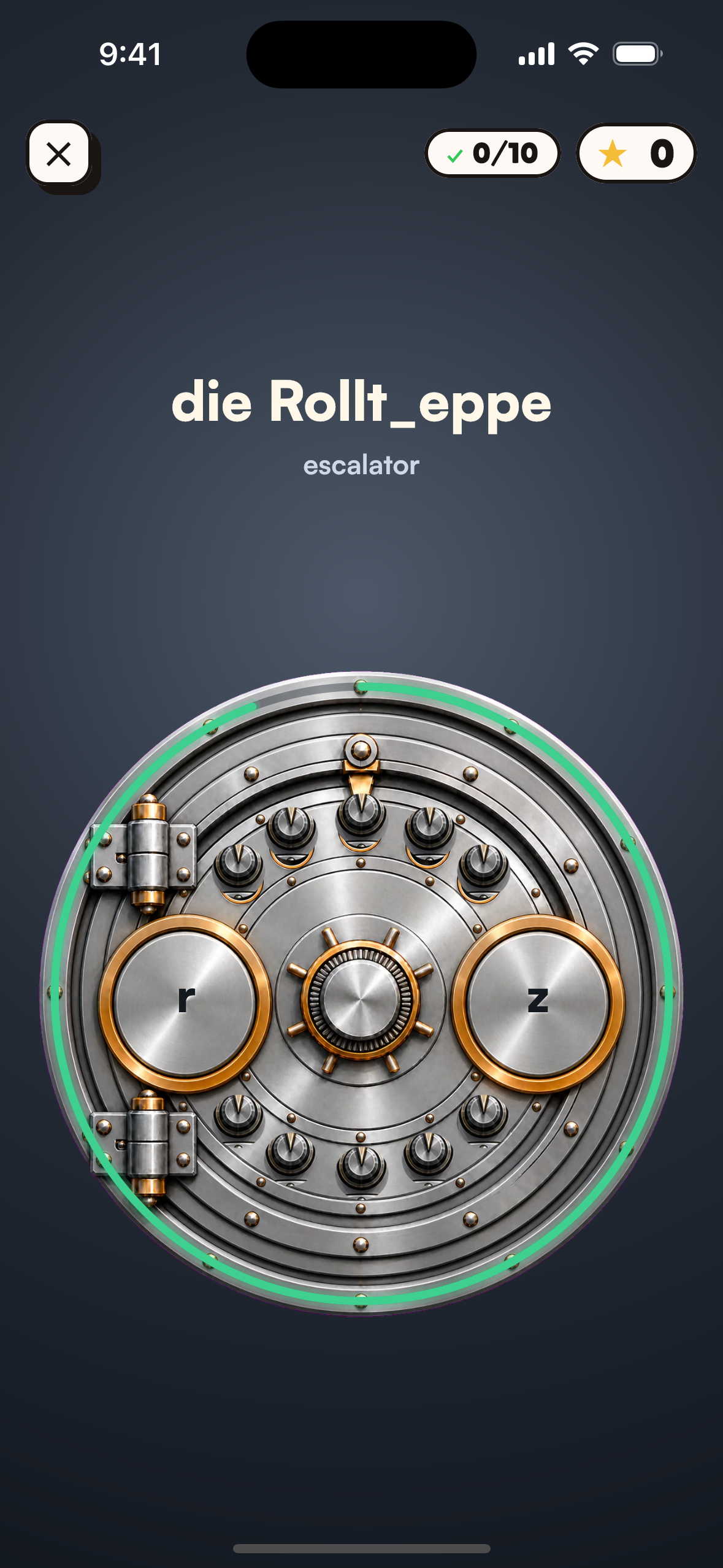
8 arcade games that make your own words stick
The thing you snapped this morning is the thing you practise tonight. Each game trains a different part of knowing a word:
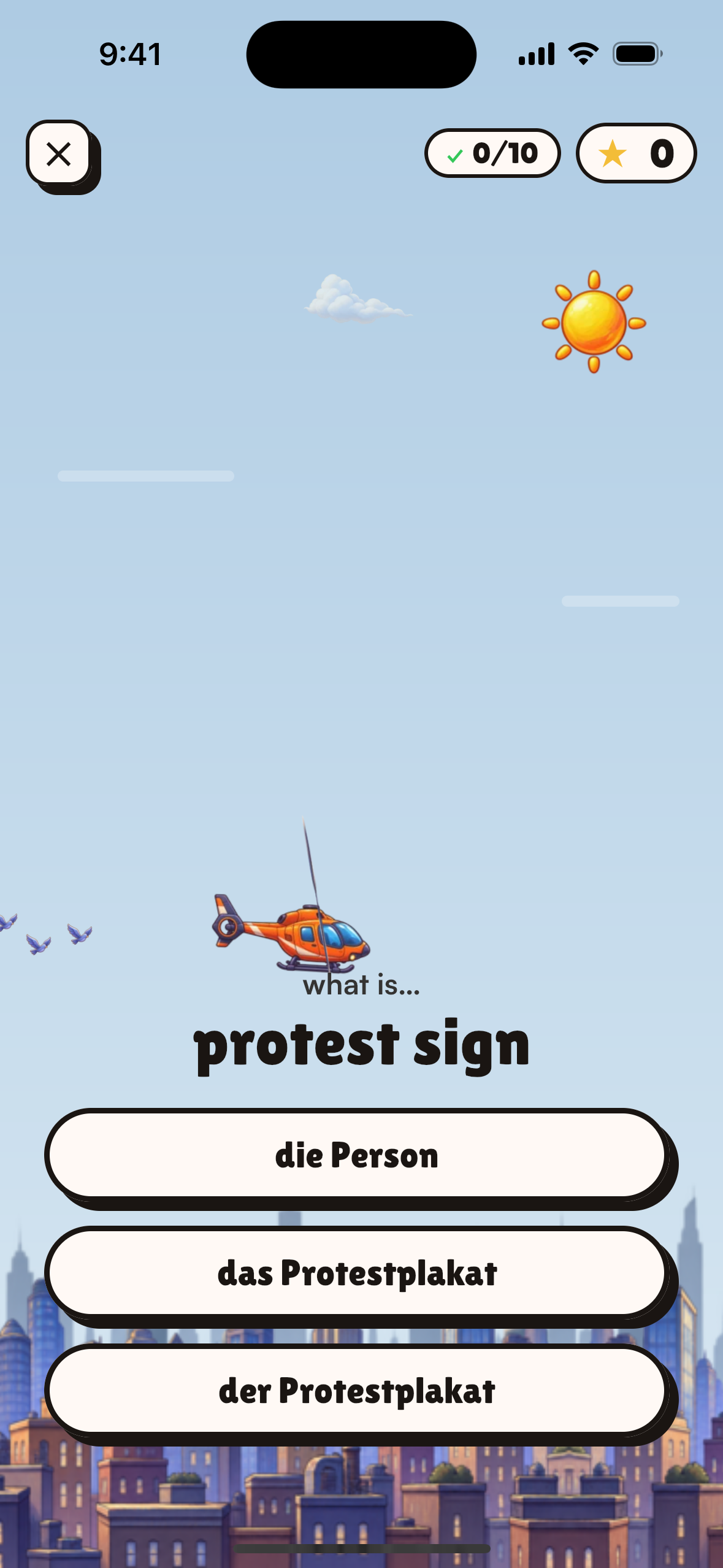
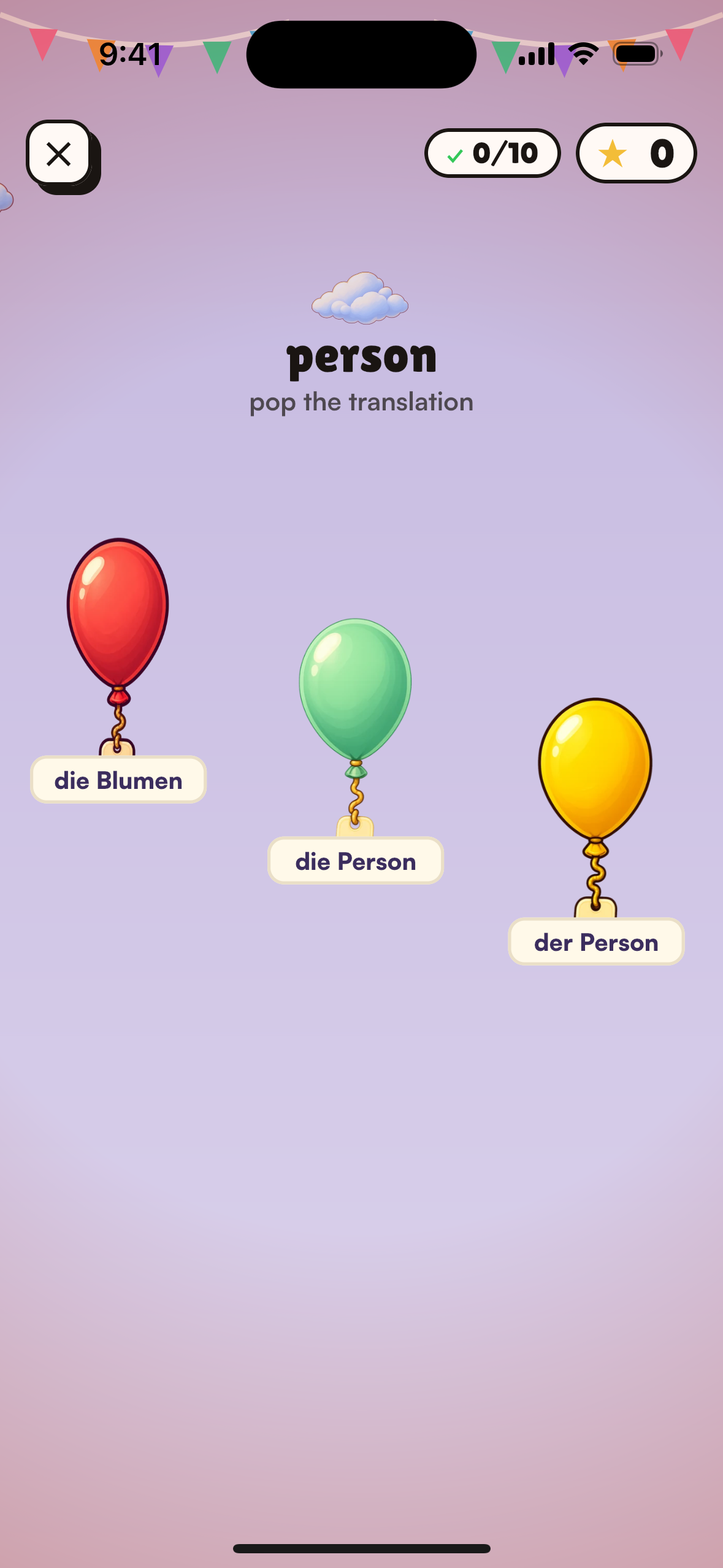
- Sky Rescue, Pop Quiz and Warp Run: recognising the meaning fast.
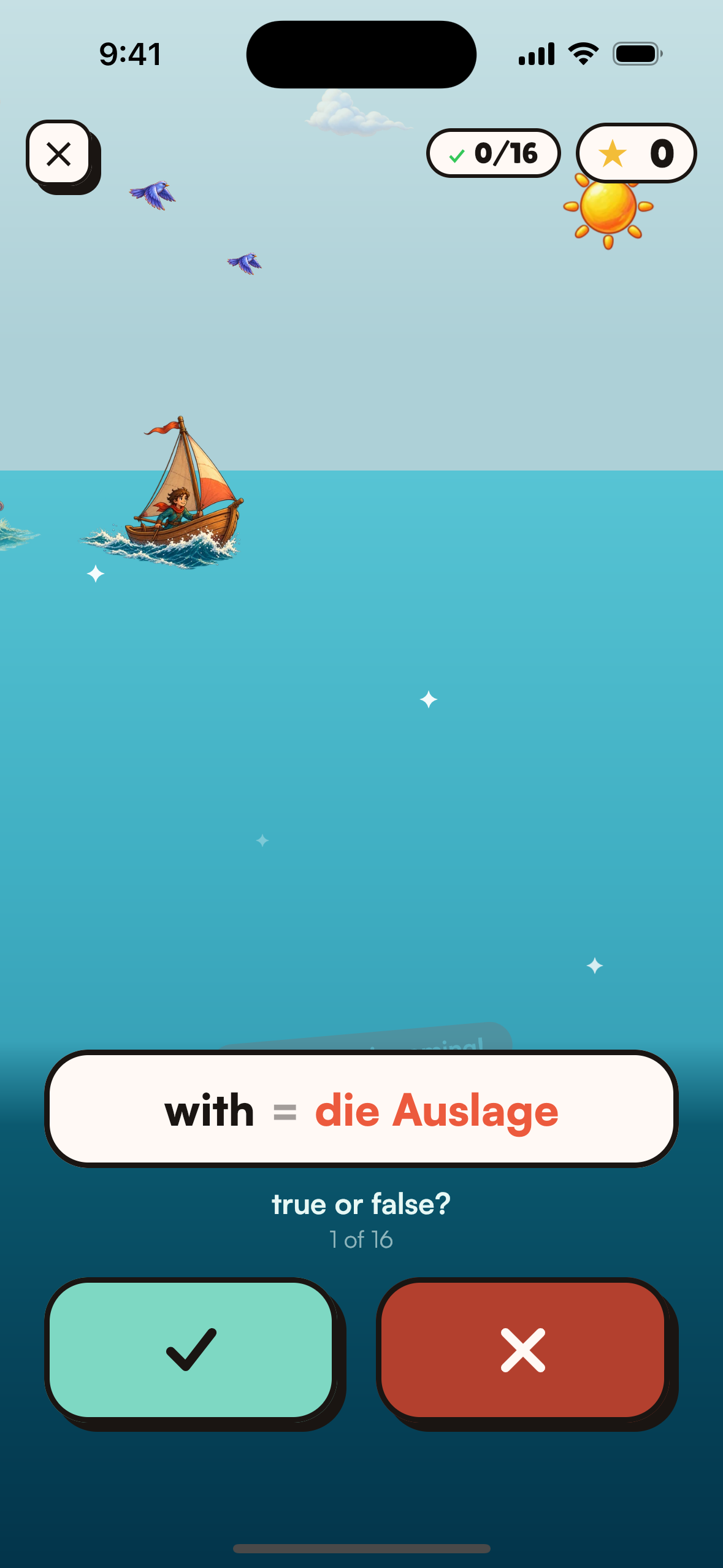
- Kraken Escape: checking a translation under pressure.
- Flooded Hold: matching words to their translations.
- Grid Hack and The Vault: spelling the word letter by letter.
- Intercept: understanding words in context, by reading a short message and answering questions about it.
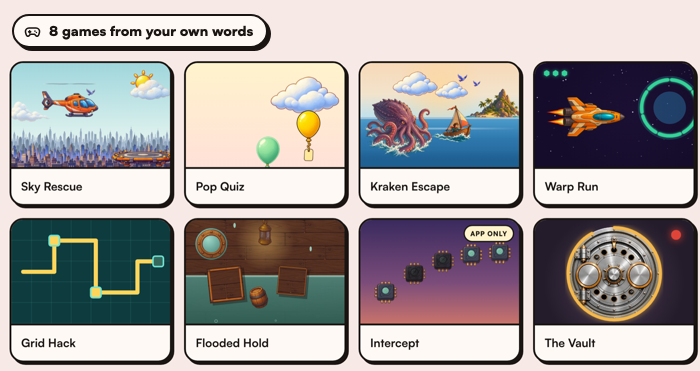
All eight are free and unlimited, drawn in Compose Multiplatform with one implementation on both phones. They also run in the browser at vocabloot.com/games.
Share your wordbook
Your whole wordbook, photos, stickers and sentences included, exports from Settings as one .vlbackup file. Send it to a friend, a classmate or your other phone, and Import a shared wordbook adds their words to yours. Words you already have are kept and nothing is deleted. Opening a .vlbackup from a chat or an email offers the same import.
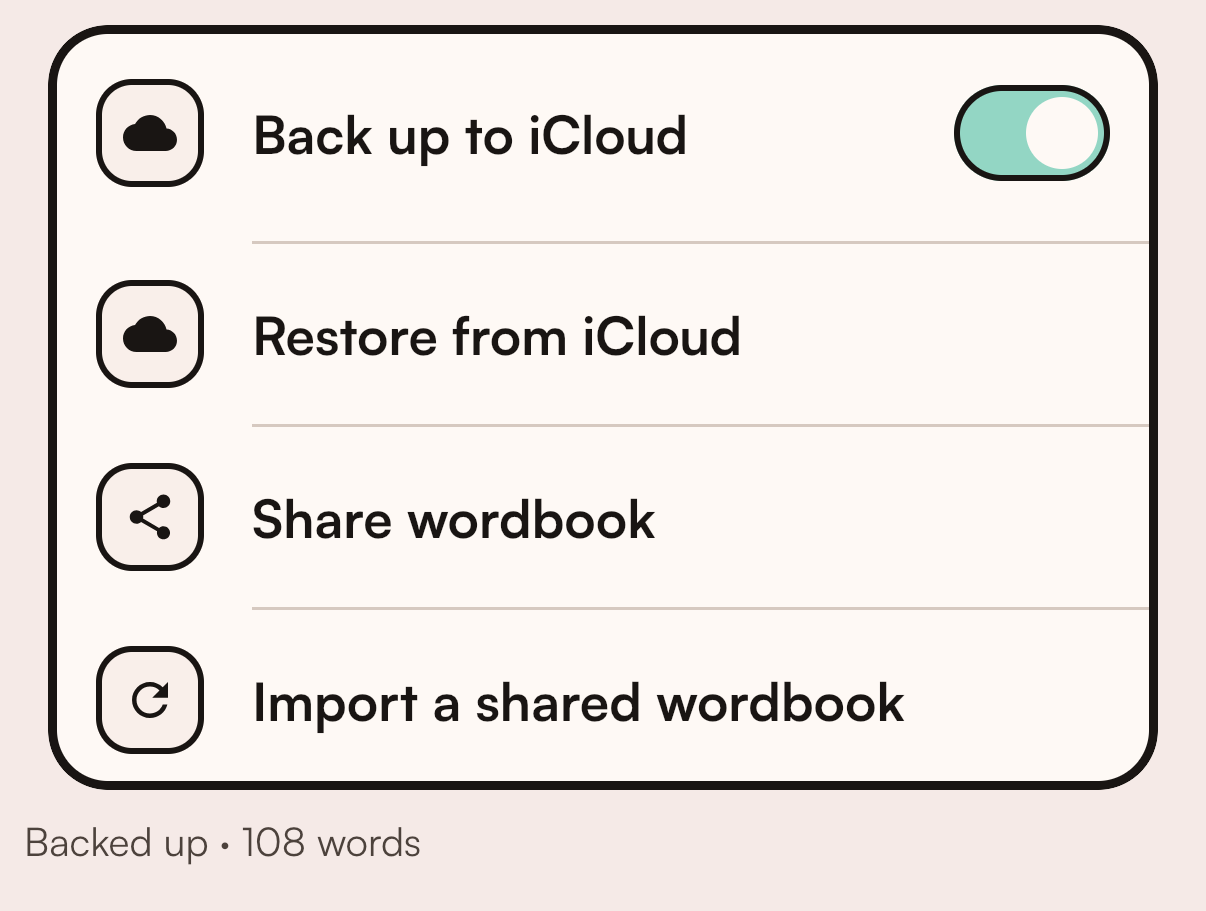
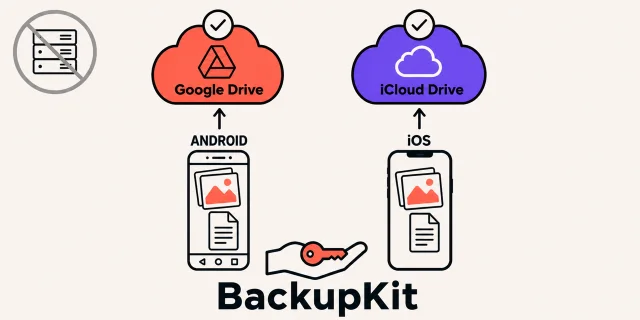
Turn on backup and the same wordbook mirrors into your own iCloud Drive or Google Drive, with no account and nothing on our servers. Restore brings it back on a new phone.
Because a wordbook is one file, decks and Creator Studio are built on it.
Decks: on the web, and made in ChatGPT
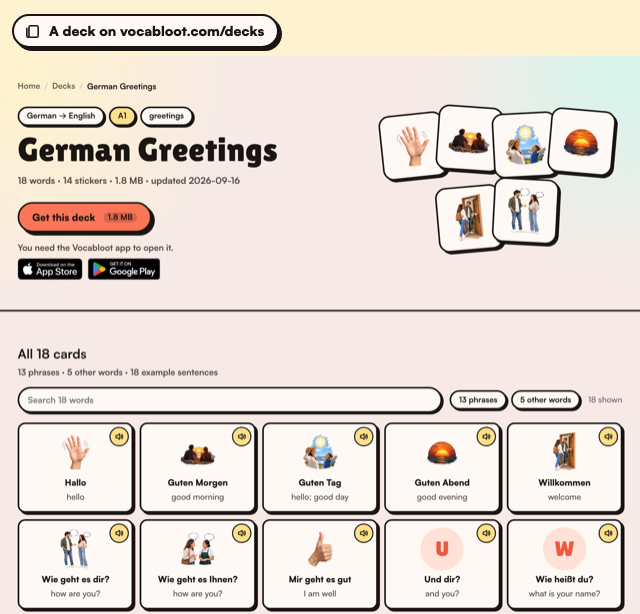
Greetings and set phrases ("Freut mich", "Wie geht es dir?") are the words you need first, and you can't photograph them. A deck is a .vlbackup file the app opens as its own, and every word in it gets what a camera word gets: a sticker, example sentences, tap-a-word meanings, the sound.
- The deck pages run the app's own Kotlin. vocabloot.com/decks lets you search, filter and hear every card. Its reading rules and the deck format are the phones' shared Kotlin compiled to JavaScript with Kotlin/JS, so a card on the web behaves the same way as the card in the app.
- Anyone can make a deck with ChatGPT. The open source Vocabloot Deck Kit is six skills that run in ChatGPT, Codex or Claude Code. Say what you speak, what you learn and the topic; the assistant writes every card, and the kit checks and packs them with the same Kotlin. It is listed in the ChatGPT plugin directory. The first community deck, German Greetings, was made this way.
Creator program and Creator Studio
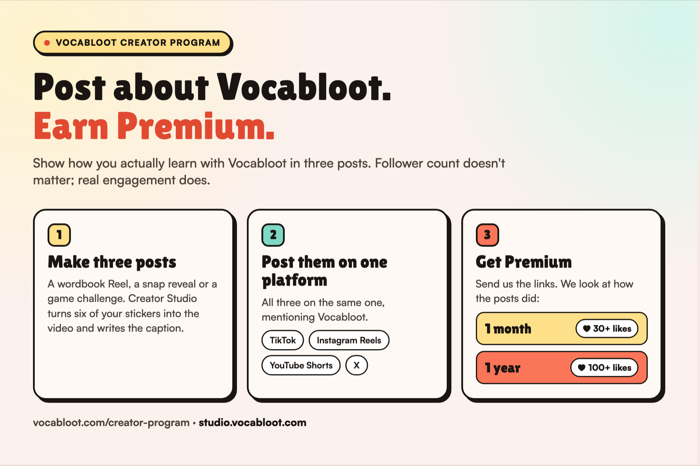
We started the creator program to get learners posting about Vocabloot. Post three times about how you use it on TikTok, Reels, Shorts or X. Small accounts are welcome, because we look at how the posts did, not at your follower count. Posts with 30+ likes earn one month of Premium, and posts with 100+ likes earn a full year of Premium.
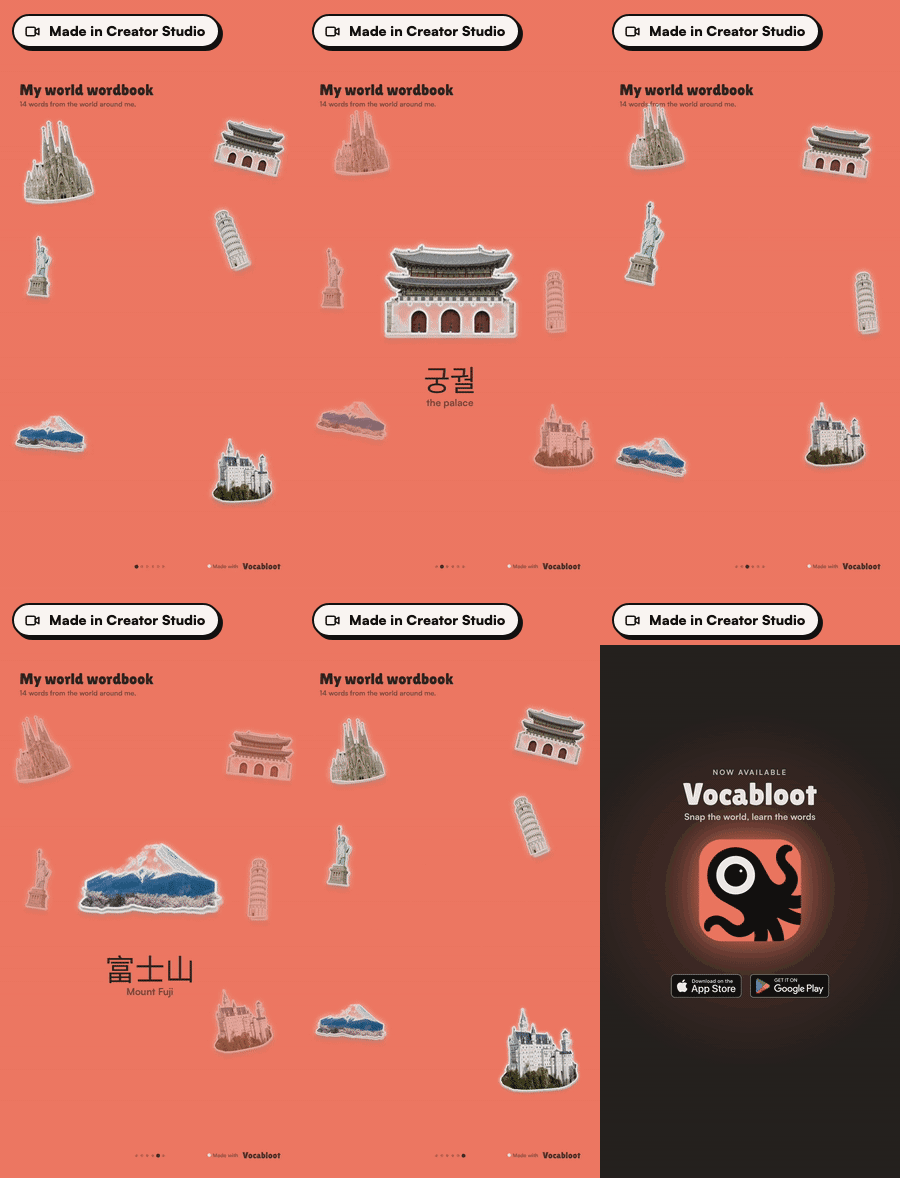
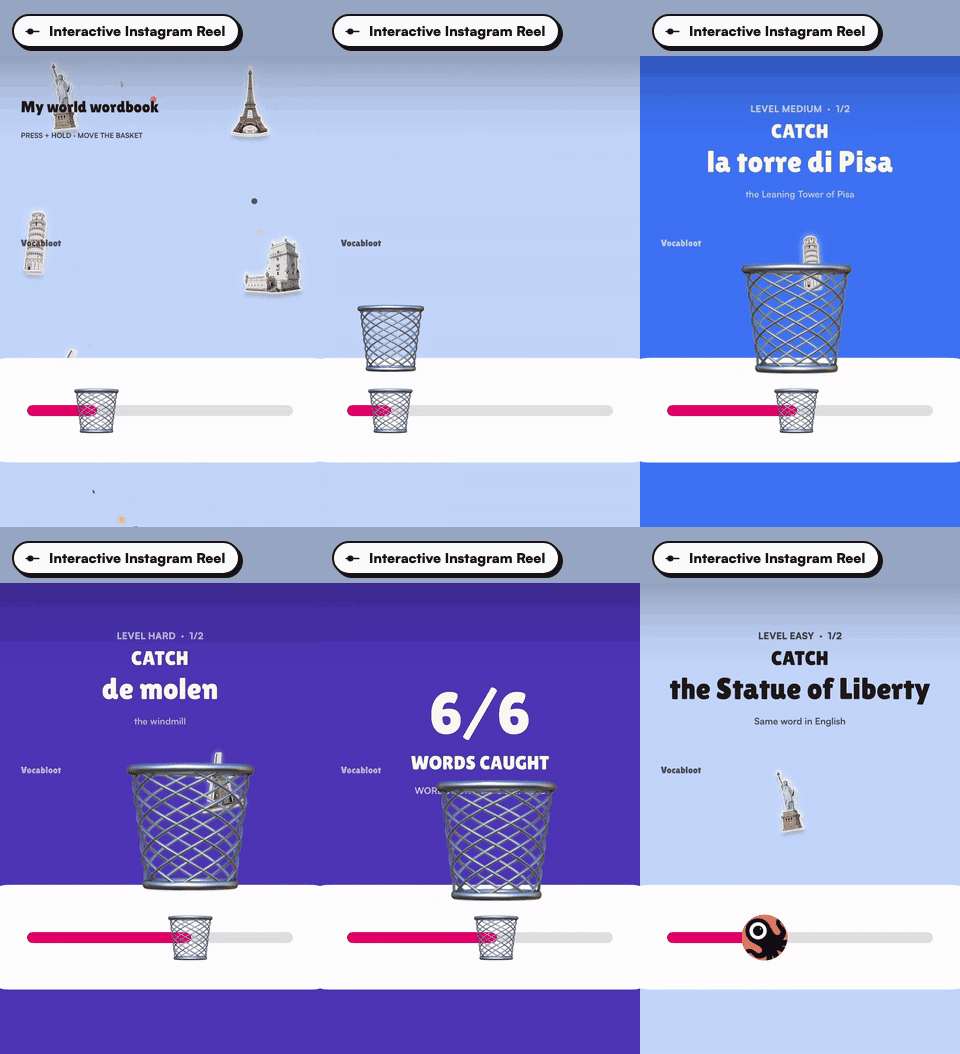
Then we saw that making the content is the hard part, so we built Creator Studio. Share your wordbook as a .vlbackup file, import it into Studio, and six of your own stickers become a YouTube Short, an Instagram or TikTok Reel, or an interactive Instagram Reel your viewers play along with through Instagram's emoji slider.
Your words on your wrist
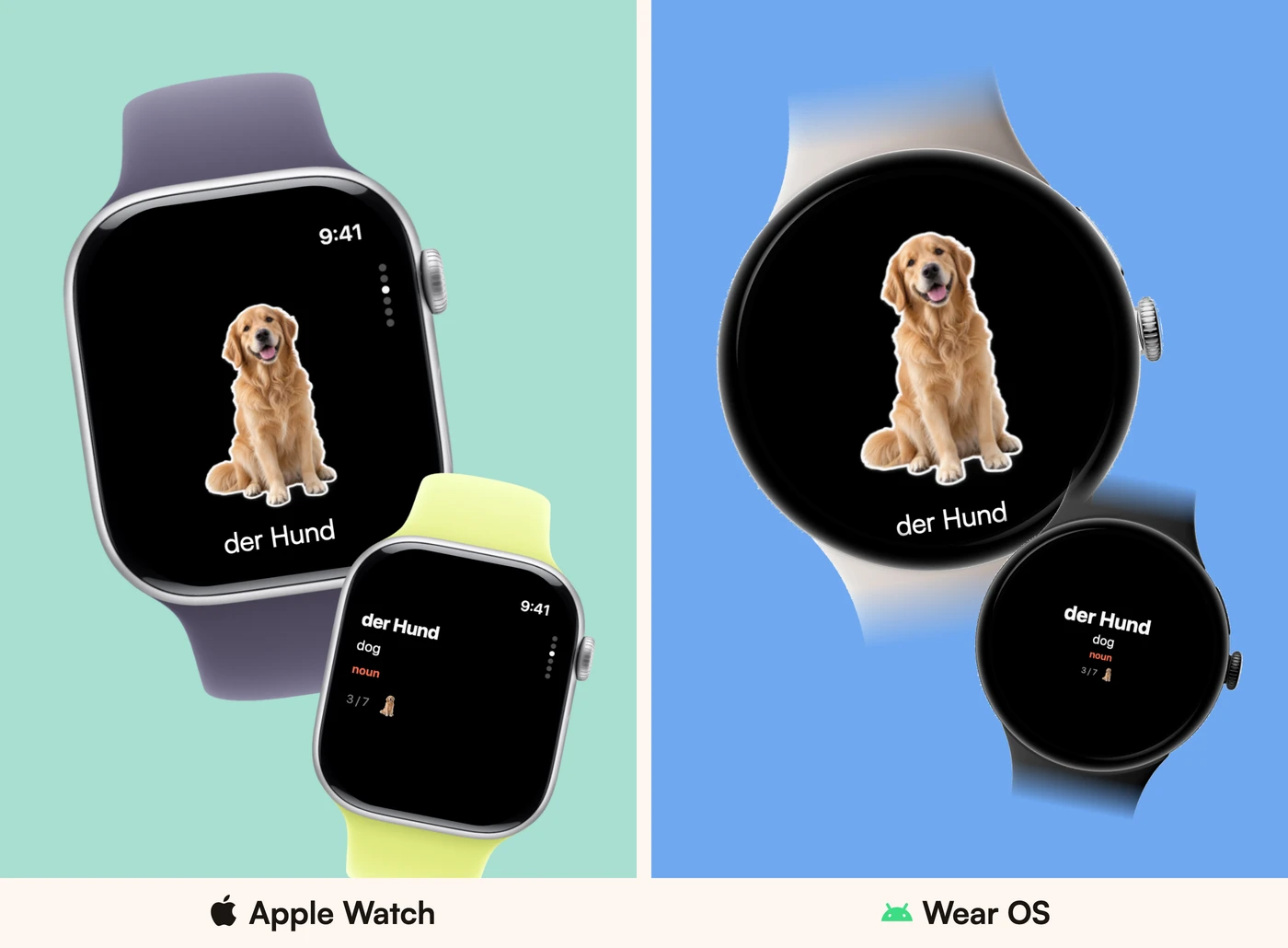
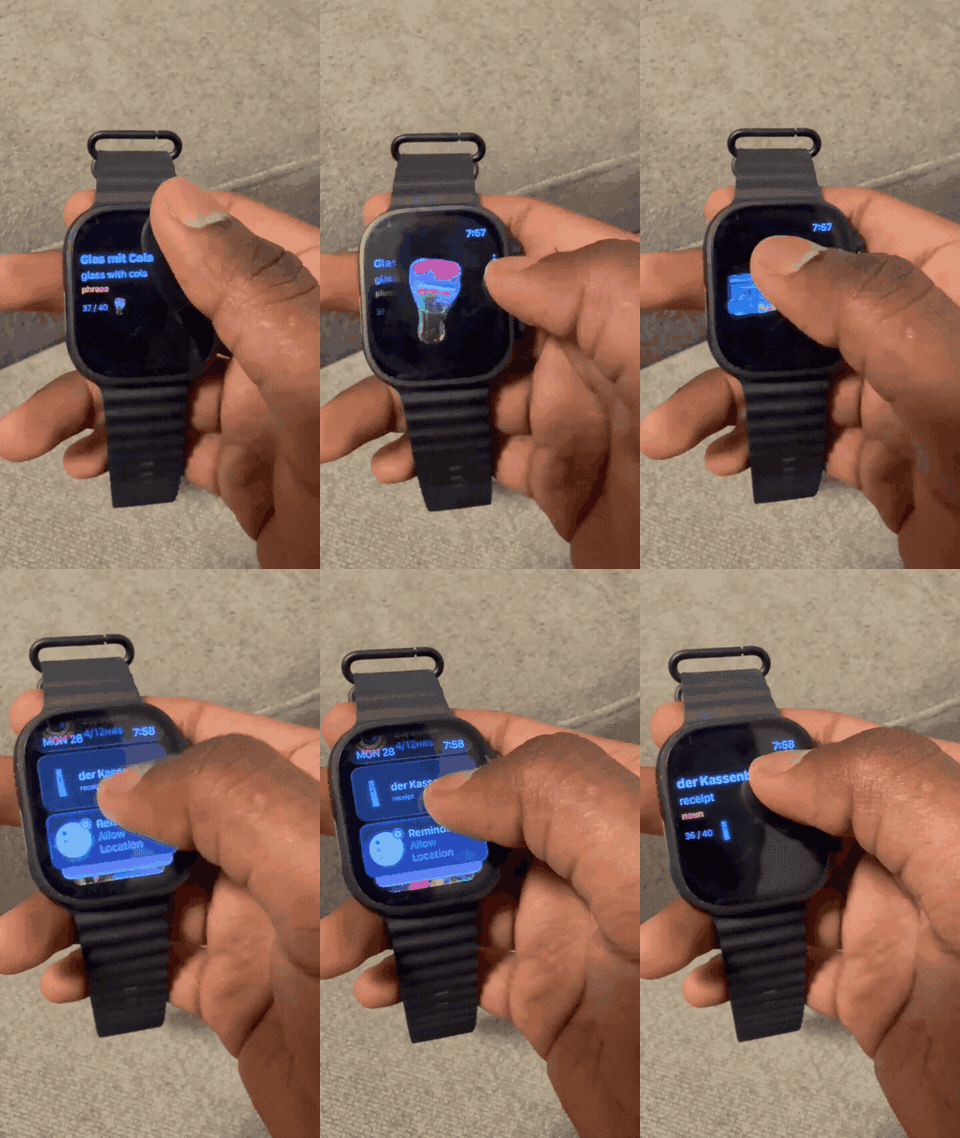
The wordbook follows you off the phone. The Apple Watch app shows your word cards with their stickers, swipe to see the sticker full-size, and a Smart Stack widget surfaces the word of the hour. The Wear OS app matches it screen for screen, with a Tile for the same word on your watch face.
Privacy first
There is no account to create. Your wordbook lives on your phone, and backup goes only to your own iCloud Drive or Google Drive.
Pricing
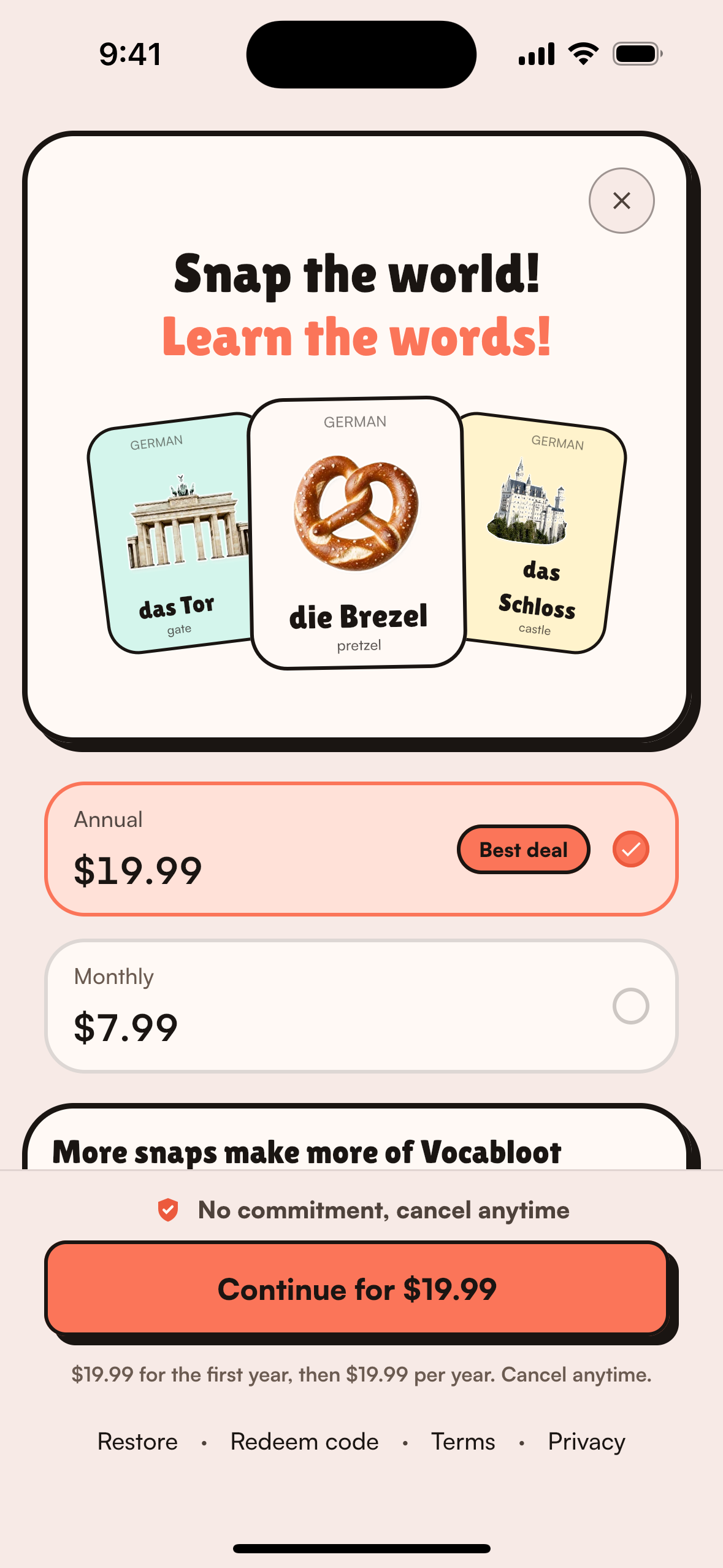
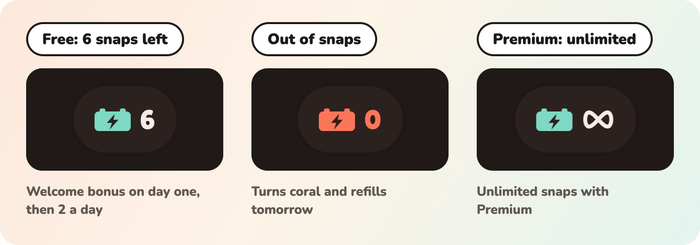
Vocabloot is freemium, and only snaps sit behind the paywall. Every game, the whole wordbook, stickers, widgets, decks and backup are free. Snaps work like energy in a game. An energy chip on the camera screen shows how many you have left: a green battery with a number, which turns coral at zero and refills the next day. Free users get 6 snaps on the first day and 2 a day after that. Premium turns the chip into ∞, unlimited snaps for $7.99/month or $19.99/year, sold through RevenueCat's Kotlin Multiplatform SDK.
How we built it
Vocabloot is one Kotlin Multiplatform codebase, and the UI is Compose Multiplatform on both phones. There are no native front ends sitting on top of shared logic. The screens, the navigation, the dependency graph and the games are written once, and Compose draws them on Android and on iOS.
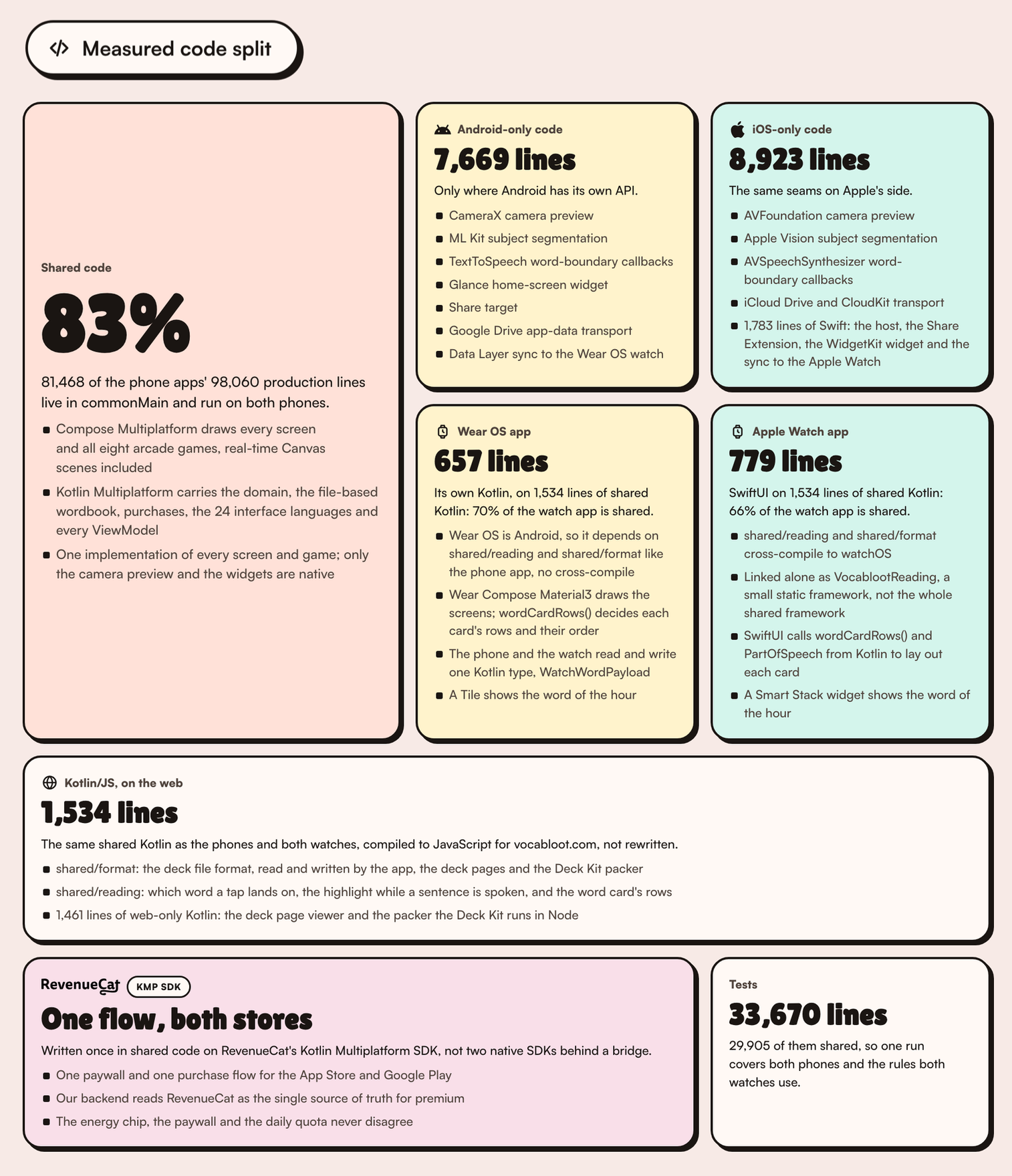
The split below is production code, tests counted separately, as published on vocabloot.com/shipaton. All eight games live in the shared code too: 15,511 lines, with zero game files in androidMain or iosMain.
| Where the code lives | Lines | Share | What is there |
|---|---|---|---|
| Shared (commonMain) | 81,468 | 83.1% of the phone apps | Every screen and all eight games in Compose Multiplatform, the domain, the file-based wordbook, purchases, 24 interface languages, every ViewModel |
| Android phone only | 7,669 | 7.8% | CameraX preview, ML Kit segmentation, TextToSpeech word callbacks, the Glance widget, share target, Google Drive transport, the Data Layer sync to the watch |
| iPhone only | 8,923 | 9.1% | AVFoundation preview, Apple Vision segmentation, AVSpeechSynthesizer word callbacks, iCloud Drive and CloudKit, and 1,783 lines of Swift for the host, the Share Extension, the WidgetKit widget and the sync to the Apple Watch |
| Wear OS app | 657 own, on 1,534 shared | 70% shared | Compose for Wear OS screens and a Tile; the card rows, the part-of-speech labels and the phone-to-watch payload come from shared/reading and shared/format |
| Apple Watch app | 779 Swift, on 1,534 shared | 66% shared | SwiftUI screens and a Smart Stack widget; the card rows and the part of speech come from Kotlin through the VocablootReading framework |
| Kotlin/JS on the web | 1,461 web-only, on 1,534 shared | 51% shared | shared/format and shared/reading compiled to JavaScript for the deck pages and the Deck Kit packer, not rewritten |
| Tests | 33,670 | 88% shared | 29,905 shared lines, so one run covers both phones and the rules both watches use |
Production code only, tests counted separately. The watches and the web run the same 1,534 of the 81,468 shared lines, so they get their own rows instead of one blended percentage; counting both watch apps into the total anyway gives 81,468 of 99,496 lines, 81%. RevenueCat purchases are one flow in the shared code, on the Kotlin Multiplatform SDK.
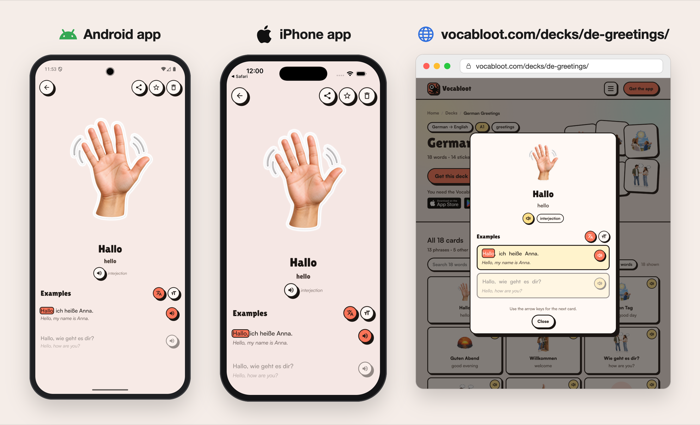
The same Kotlin also runs on the web. The deck pages on vocabloot.com and the Deck Kit's packer have to make decisions the app already makes: which word a tap lands on, which word lights up while a sentence is spoken, whether a card is valid at all. We did not want a second copy of those rules in JavaScript, so shared/format (the deck file format) and shared/reading (tap-to-word and the spoken highlight) compile to Kotlin/JS and run in the browser and in Node. A deck made with the Deck Kit is the same file the app itself would write. I wrote up how this works on dev.to, with the same card on Android, iPhone and the browser: Kotlin on Android, iPhone and the web. Android Weekly #746 featured it in its Articles & Tutorials section on 27 September.
The same Kotlin reaches the wrist the same way it reaches the web: the UI is native, the rules are shared. SwiftUI draws the Apple Watch screens and Compose for Wear OS draws the Wear OS screens, neither one reusing the phones' Compose Multiplatform UI. Both lay out every word card with the same wordCardRows() from shared/reading and label the part of speech with the same PartOfSpeech from shared/format that the phones and vocabloot.com use: 1,534 lines of shared Kotlin under both watches.
- Apple Watch:
shared/readingandshared/formatcross-compile towatchosArm64,watchosDeviceArm64andwatchosSimulatorArm64asVocablootReading, a small static framework exported alone rather than the whole shared framework, so the watch stays well clear of the memory ceiling that had already killed our first iOS widget. 779 lines of SwiftUI call into it, so 66% of the watch app is shared Kotlin. - Wear OS: no cross-compile at all. Wear OS is Android, so the watch app depends on the same
shared/readingandshared/formatGradle modules as the phone app, and the phone and the watch exchange words over the Data Layer as one Kotlin type,WatchWordPayload. 657 lines of its own Kotlin, so 70% of the watch app is shared. - The words themselves come from the phones' shared widget feed, published through our WidgetBridge library; 121 lines of Kotlin on Android and 231 lines of Swift on the iPhone forward it to the watch.
One Kotlin module, five real compile targets: Android, iOS, watchOS, the JVM and JavaScript.
Our stack:
- Kotlin Multiplatform, Compose Multiplatform, Kotlin/JS
- Koin, Voyager, Ktor
- Firebase (Cloud Functions, Auth, App Check, Remote Config, Crashlytics)
- OpenAI models, behind our Cloud Functions
- RevenueCat
AI requests go through Firebase Cloud Functions with App Check enforced, so no provider keys live inside the app.
The wordbook is stored as files instead of a database: a JSON manifest plus the image files, with atomic commits and a last-good copy. This keeps the app local-first and makes full backup, restore and decks the same operation.
Building in public
Everything we built during Shipaton is on one dated page, vocabloot.com/shipaton: the code split, every Wordathon post, every TikTok and Instagram post, both libraries, the deck program and a day-by-day timeline. The page keeps updating after 30 September. When one of our write-ups or libraries gets picked up by Android Weekly, Kotlin Weekly or anyone else, it goes there first.
On X: the #Wordathon, 101 words from the street
I set myself a public challenge: 100 German words, one per post, each looted with Vocabloot in a tram, a park or a shop, with the snap video and the example sentences. In between, rounds of The Vault and Sky Rescue on the words so far. It ended at 101.
- First post, 1/100 der Bus: x.com/NirmalJeffrey/status/2095430186346914127
- Challenge complete, 101 words: x.com/NirmalJeffrey/status/2102492878958162276
- Every post: x.com/NirmalJeffrey
On TikTok and Instagram
- TikTok, @learnfrombarbarah: learning Spanish with Vocabloot.
- Instagram, @vocabloot: our reels and posts.
Giving back to the Kotlin community
Two libraries extracted from Vocabloot during Shipaton, on Maven Central under Apache 2.0, each with a docs site, samples and test fakes. Both were picked for the Libraries section of Android Weekly #744 (13 September), and BackupKit again in Kotlin Weekly #529 (20 September). Vocabloot itself uses both from Maven Central, like any other app.
- BackupKit: backup into the user's own iCloud Drive or Google Drive app-data folder, no server, no account, with differential updates and resumable transfers.
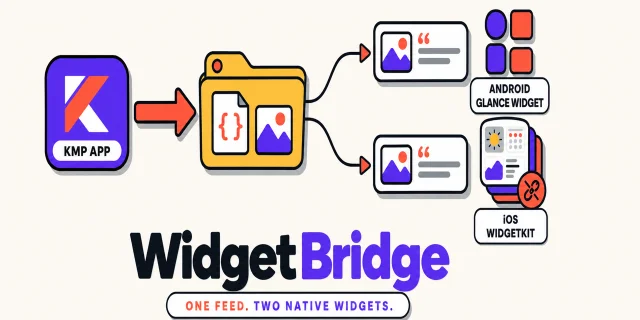
- WidgetBridge: typed handoff of data and images to Glance and WidgetKit widgets; the iOS extension never links Kotlin.
And a write-up other KMP teams can follow: Kotlin on Android, iPhone and the web on dev.to, on how the phones' shared Kotlin now powers our deck website through Kotlin/JS. Android Weekly #746 picked it up too, in its Articles & Tutorials section (27 September).
What building in public changed
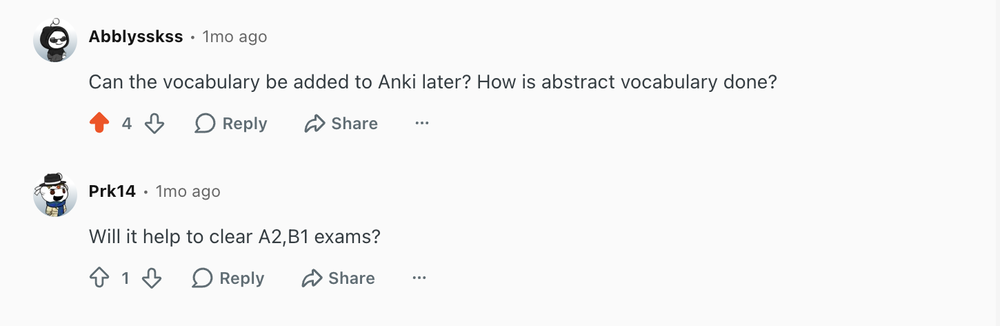
- The decks idea came out of a Reddit thread. I posted Vocabloot on Reddit and the top reply asked, "How is abstract vocabulary done?" I did not have an answer. You cannot photograph "Freut mich". That reply is where decks started, then the open source Deck Kit, then the first community deck, German Greetings. The moderators removed the post later, so the screenshot below is what is left of it. The reply under it, about A2 and B1 exams, is why every deck carries a level.
- Posting a word a day meant I was in the app every day, and that is how I noticed that a freshly snapped photo stayed hidden until its translation came back. It is fixed.
- Our Android home-screen widget went blank, but only in the store build. The fix went into the app and into WidgetBridge, our open source widget library, the same day, so anyone using the library gets it without ever seeing the problem.
- Anita, a retired nurse who is learning Korean, told us our Korean example sentences read like a textbook and that nobody talks that way. We changed how sentences are written for Korean and Japanese.
- The deck pages on our website had their own copy of one rule from the app, and it got a simple word wrong. We deleted the copy and made the website run the app's own code.
- A month of daily posting showed us what one post costs in time. That is where the creator program came from, and then Creator Studio, which turns a learner's own words into a Reel or TikTok that is ready to post.
What it cost: the three of us have full-time jobs in three time zones. The day's Wordathon post was usually the last thing I did at night, and on some days it was the only thing that shipped. The count kept going anyway.
Launch platforms
- Product Hunt
- Fazier
- Uneed
- Maidensail
- Startup Fame
- Munich Startup
- TechBase Directory
- FoundrList
- AlternativeTo
- Aitoolnet
- TinyLaunch
Challenges we ran into
Shared code does not mean identical behaviour. Every trap we hit was a place where iOS and Android disagree underneath the shared Kotlin:
- Widgets. Our first iOS widget linked the shared framework and was killed at the 30 MB extension memory limit. The fix became WidgetBridge.
- Speech highlighting. Android and iOS report spoken words through callbacks that disagree (
onRangeStartversuswillSpeakRangeOfSpeechString); we reconciled them into one contract with a test both sides must pass. - The camera. A live preview cannot be a Compose canvas, so it is the one native screen; its zoom, facing and flash state are shared anyway.
- Cloud backup. iCloud placeholders and Google Drive app-data behave nothing alike.
- Notifications. iOS keeps at most 64 pending notifications per app, so the schedule is capped at 19 and rebuilt every time the app opens. Android 14 wants a second permission for exact delivery; we chose a nudge that may arrive late over nagging for it. The library we started with said "scheduled" before the OS had answered, so both sides now call the system scheduler directly, behind one shared contract.
- Bugs JVM tests can't see. iOS sent Booleans as 0 and 1 to Cloud Functions and our strict schema rejected every snap; the Firebase wrapper maps every callable error to UNKNOWN on iOS. We now verify iOS-only paths on the simulator before every release.
Lag. Opening a word right after a snap stuttered. We traced it frame by frame and fixed it for 1.3: the word page now arrives over three frames, the reveal animation stopped recomposing on every frame, and the widget export and image uploads moved off the main thread.
AI output in 10 languages. Korean 물병 (water bottle) failed five retries in a row because the AI kept writing Hangul in the pronunciation field; we now blank a bad pronunciation instead of rejecting the whole word. Japanese の and Chinese 木 were rejected for a missing reading or measure word, until we checked those only on the headword.
The three of us work full-time jobs in three time zones, so this was built in early-morning calls, late-night reviews and weekends, with product, design and marketing coordinated across different schedules.
Shipping to both stores for a global audience meant that scripts and languages, AI accuracy, pricing, age ratings and privacy rules had to be right in every market, and then survive store policies, closed testing and review rounds on both sides.
Accomplishments that we're proud of
Vocabloot is on both stores and people use it:
- 1.0 on Google Play on 24 August 2026 and on the App Store on 26 August, after Google Play's closed testing with our tester community; then four releases on both stores in a month.
- 1,500+ words looted by learners, and 14 store ratings, all 5 stars, with ten written reviews from Germany, India and the US.
- Two libraries on Maven Central, picked by Android Weekly and Kotlin Weekly within weeks of publishing.
- Our dev.to write-up, Kotlin on Android, iPhone and the web, featured in Android Weekly #746 on 27 September.
- The Deck Kit in the ChatGPT plugin directory, and the first community deck made with it on vocabloot.com/decks the next day.
- A 101-word #Wordathon finished in public.
- An Apple Watch app and a matching Wear OS app, the same wordbook now on your wrist.
What we are proudest of is that all of it works together, in one app, built by three people.
What we learned
One of our biggest lessons was that cross-platform does not mean both platforms behave the same. Sharing code saves a lot of time, but you still need to understand how iOS and Android work differently.
We also learned that pricing is very hard. Vocabloot is a global language-learning app, so we wanted it to be affordable for people in different countries. At the same time, we still need to cover AI costs, infrastructure, app store fees and development costs.
Finding a price that is fair for users and also sustainable for us was harder than we expected. We ended up with one flat price everywhere and a free tier generous enough to learn from.
And even after building and shipping the app, marketing and distribution are even harder. We are still trying different ways to reach the right people: content, SEO, communities, creators, social media and partnerships. This is still one of the biggest things we are trying to crack.
What's next for Vocabloot
Our roadmap is public: see what's planned, vote, or add an idea at vocabloot.featurebase.app/roadmap.
Everything we shipped during Shipaton, day by day: vocabloot.com/shipaton
Built With
- android
- apple-vision
- avfoundation
- camerax
- cloud-functions
- compose-multiplatform
- crashlytics
- firebase
- glance
- ios
- koin
- kotlin
- kotlin-js
- kotlin-multiplatform
- ktor
- maven-central
- ml-kit
- openai
- revenuecat
- swift
- watchos
- wear-os
- widgetkit


Log in or sign up for Devpost to join the conversation.