Inspiration
Cities are growing vertically, but much of the property information we work with is still represented as flat 2D drawings. A single parcel can contain multiple floors, independent units, and underground spaces, yet understanding this structure from traditional plans can be difficult and time-consuming.
We wanted to explore a simple question:
What if a 2D building plan could automatically become a structured 3D representation of the property?
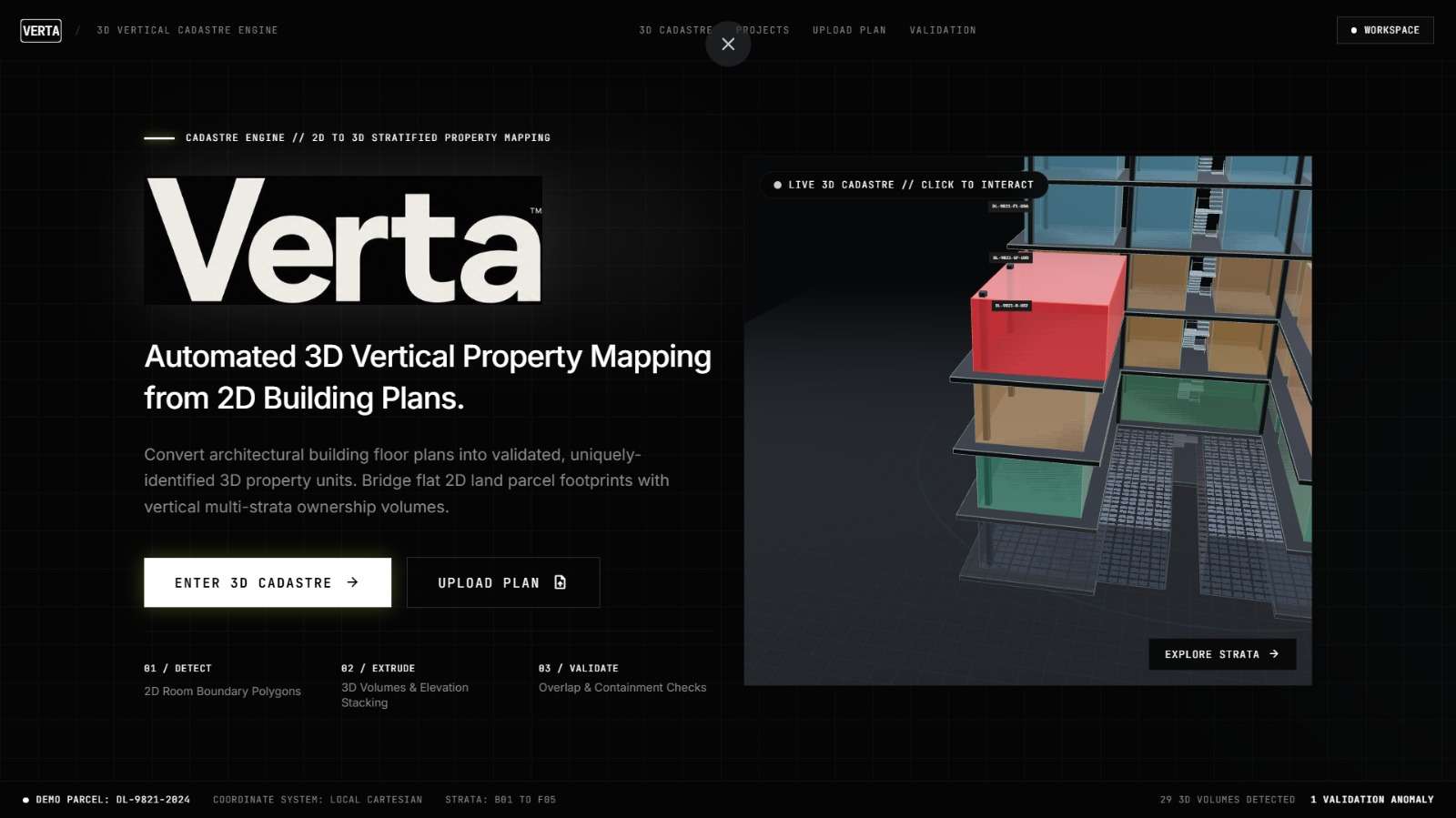
That idea led us to build Verta — a prototype for turning conventional building plans into structured 3D property intelligence.
What it does
Verta takes a 2D floor plan and building metadata and converts it into a structured 3D representation.
The pipeline is:
2D Floor Plan → Unit Detection → 2D Polygons → Floor Assignment → 3D Extrusion → Property IDs → Validation → Interactive 3D View
Verta can:
- Detect enclosed units from floor-plan images using computer vision.
- Convert detected regions into clean 2D polygons.
- Assign units to different floors and elevations.
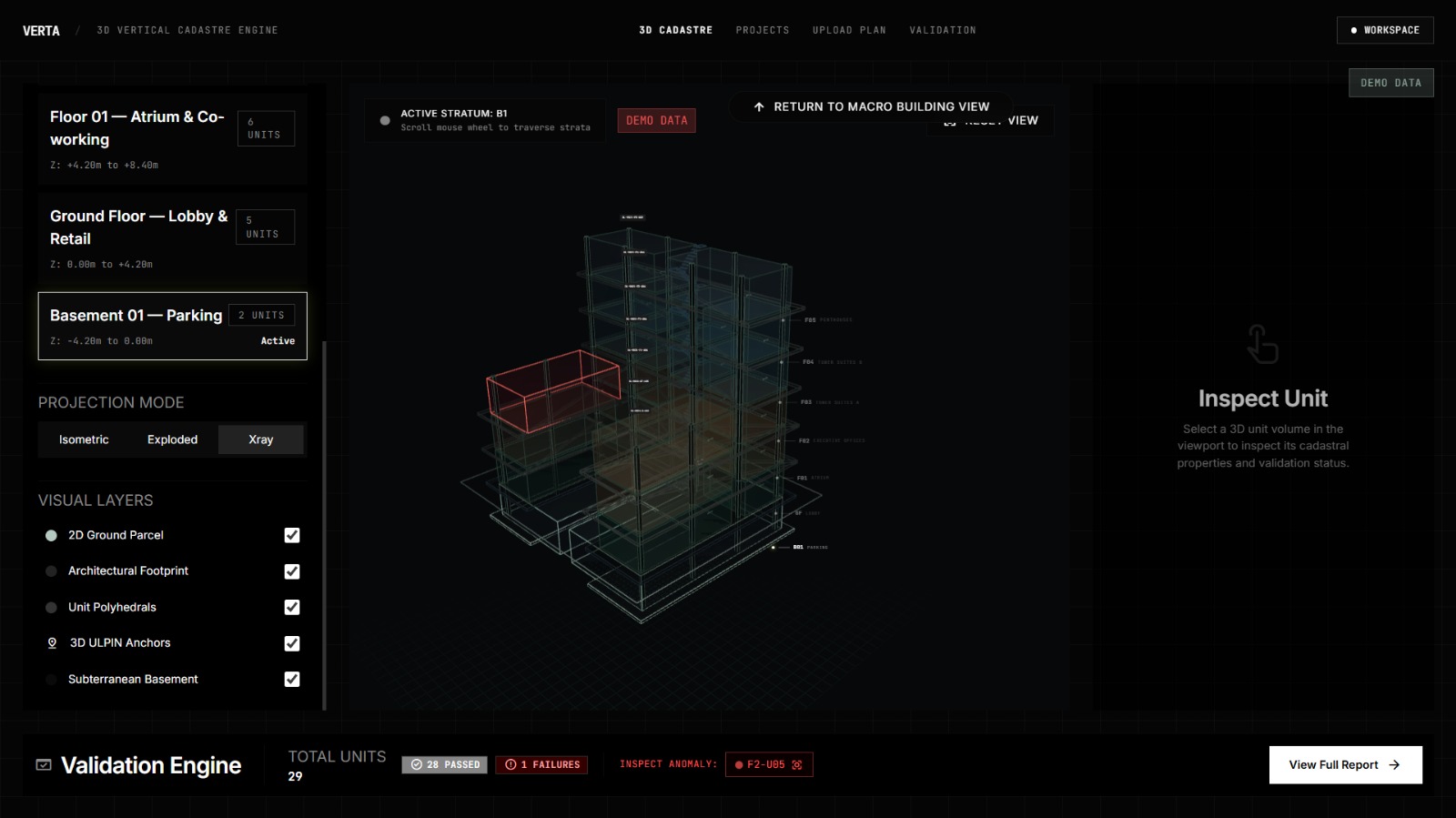
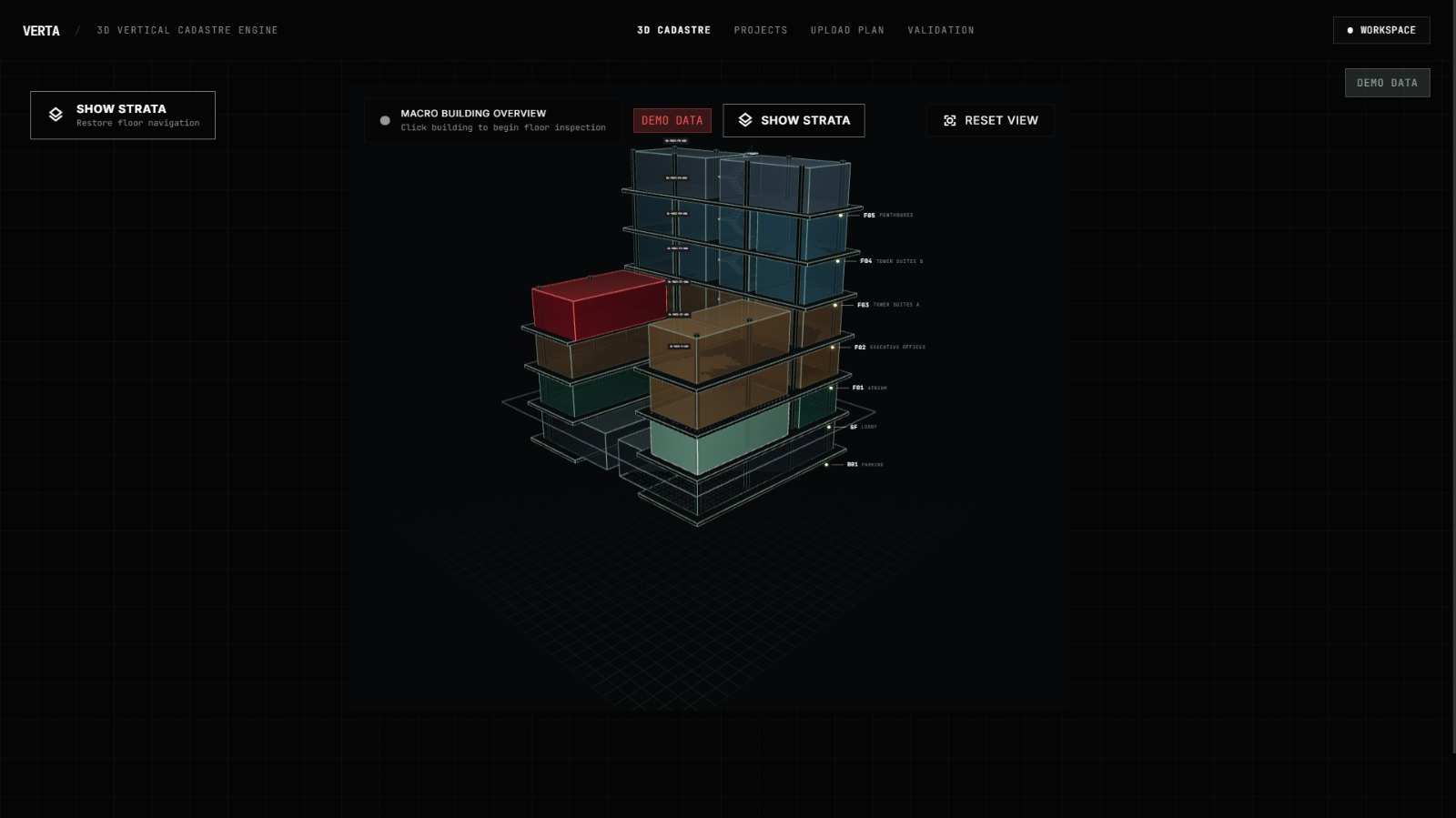
- Extrude the units into 3D spatial volumes.
- Generate hierarchical IDs for individual property units.
- Validate geometry for overlaps, gaps, duplicates, and boundary issues.
- Visualize the resulting building interactively in 3D.
- Support underground/basement levels using negative elevations.
- Group multiple individual units under a logical property structure while preserving their individual identities.
The goal is to make spatial property information visible, structured, identifiable, and verifiable.
How we built it
We designed Verta as a modular geospatial pipeline.
Computer Vision
We used OpenCV for the floor-plan processing pipeline:
- Grayscale conversion
- Image preprocessing and denoising
- Binarization
- Wall/boundary detection
- Enclosed-region extraction
- Polygon generation and simplification
For the prototype, we deliberately focused on a lightweight classical computer-vision approach rather than requiring a large trained deep-learning model or specialized survey hardware.
Spatial Processing
We used Python, NumPy and Shapely to process the extracted geometries.
The spatial layer handles:
- Polygon operations
- Unit boundaries
- Floor relationships
- Building footprints
- 3D extrusion
- Geometry validation
- Spatial metadata
Backend
The backend was built with FastAPI and Pydantic, providing APIs for processing floor plans, generating 3D geometry, validating projects, and retrieving unit information.
For the prototype, structured project data is stored using lightweight local storage with JSON/GeoJSON-style representations.
Frontend & 3D
The interface was built using React + TypeScript, with Three.js / React Three Fiber powering the interactive 3D environment.
Users can inspect different floors, select individual units, view their metadata, and explore the generated building spatially.
Challenges we ran into
The biggest challenge was that real-world floor plans are messy.
Different plans can have different line weights, symbols, room layouts, image quality, and architectural conventions. Detecting a clean unit boundary from an arbitrary image is much harder than detecting shapes in a perfectly prepared dataset.
We also faced challenges with:
- Converting 2D boundaries into valid polygons.
- Preventing overlapping or duplicated geometries.
- Maintaining correct floor elevations.
- Handling basement levels and negative Z coordinates.
- Avoiding 3D z-fighting and visual overlap.
- Keeping the frontend responsive while rendering multiple 3D units.
- Designing the system so that computer-vision errors can eventually be corrected manually.
Because this was a 24-hour hackathon, we focused on building a reliable prototype and representative/synthetic datasets rather than attempting to solve every real-world cadastral data problem.
Accomplishments that we're proud of
We're proud that we built an end-to-end working pipeline rather than stopping at a visualization.
A floor plan can go through the system and become:
Image → Detected Units → Structured Geometry → Floor-aware 3D Model → Validated Property Data → Interactive Visualization
We're particularly proud of combining computer vision, computational geometry, backend engineering, and 3D visualization into one workflow.
We also designed the system with a clear separation between:
- Physical unit identity — identifying an individual spatial unit.
- Property grouping — allowing multiple units to belong to one logical property.
This makes the concept more flexible for real-world property structures.
What we learned
Building Verta taught us that creating a 3D model is only one part of the problem.
The more important challenge is creating structured and trustworthy spatial data behind that model.
We learned how closely computer vision and GIS-style geometry processing need to work together. A visually convincing 3D model is not enough if its underlying polygons overlap, contain gaps, or lose their relationship to the original floor plan.
We also learned the importance of designing for fallbacks and imperfect data, especially when building a prototype under severe time constraints.
Most importantly, we learned to think of spatial data as a pipeline:
Extract → Structure → Validate → Visualize → Understand
What's next for Verta
Verta is currently a prototype, but the architecture is designed to grow beyond the hackathon.
Our next steps would include:
- Support for CAD/DXF and additional plan formats.
- Better automated extraction for complex architectural drawings.
- Human-in-the-loop correction of detected units.
- Multi-building and larger-scale property mapping.
- More advanced spatial analytics.
- Integration with GIS and existing urban-planning workflows.
- Stronger property and ownership relationship modelling.
- Cloud deployment for collaborative use.
- Eventually, integration with real cadastral and municipal datasets.
The long-term vision is to move from simply visualizing buildings to creating a richer layer of 3D spatial intelligence for urban planning and property management.
Verta — From 2D plans to 3D property intelligence.

Log in or sign up for Devpost to join the conversation.