-
-
Logo
-
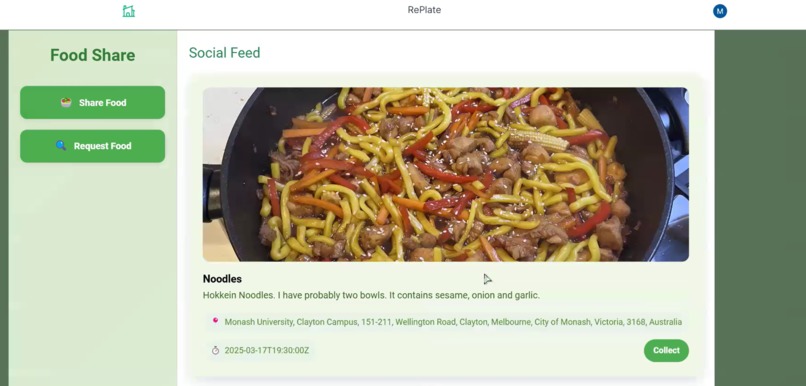
Feed View
-
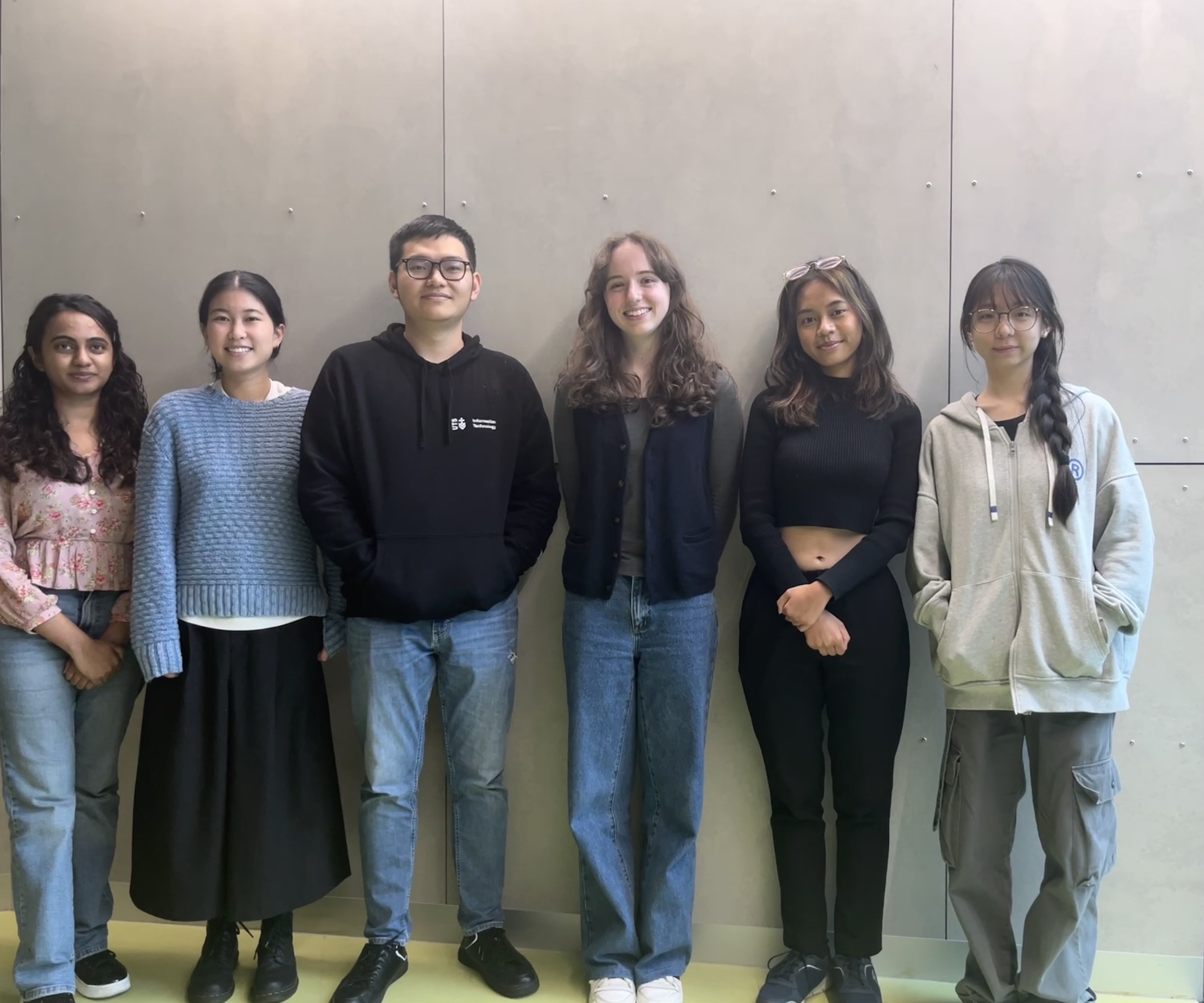
Meet the team
Inspiration
Every single day, businesses and individuals are creating waste by throwing away perfectly usable ingredients and meals simply because they have an excess amount. We've all seen it - the dumpster behind the bakery filled with baked goods leftover after closing, the clutter in our fridges destined to go bad as we fail to use it in time. What if we could find a way to stop these goods going to waste, and instead put them in the hands of those who need it most?
What it does
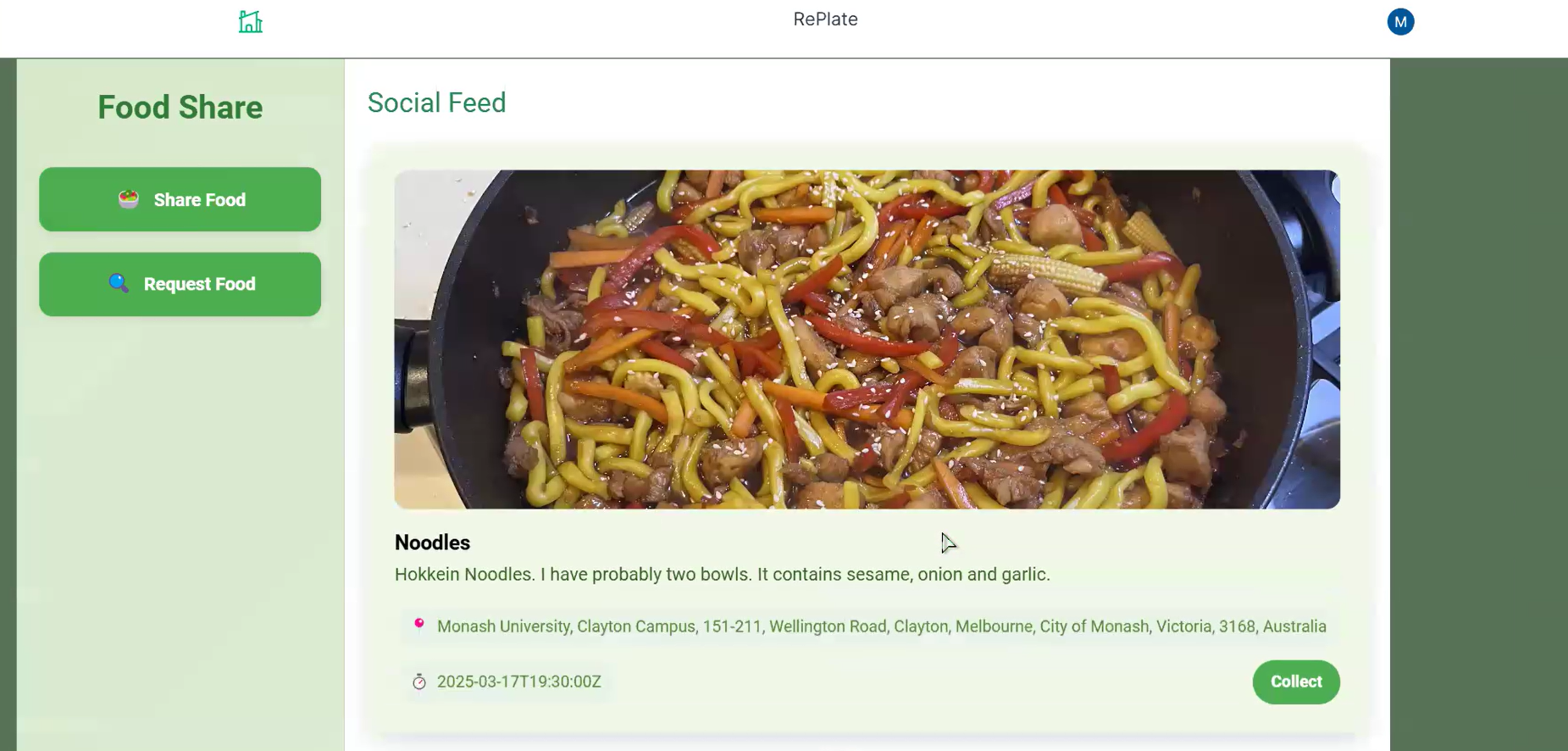
That's why we created 'RePlate', a social media platform on the web that allows you to connect with people in your area to either donate, or be a recipient of this food. When signing up/logging in you can your pre-existing Google Account to streamline this process. Once in the site, you are able to share posts advertising food items that you have in excess. Attached to this post, a photo, ingredient/allergen description, and expiry date must all be filled in and once this is shared, other individuals in your area are able to view and accept the donation. You can also see all donations posted by other users in a feed scroll view and are able to accept these donations.
How we built it
We built RePlate as a website using the Vue.js framework for the frontend and Django for the backend.
Once we had setup our Vue application, we created a selection of different Views for each page we wanted to show the user (about, feed, login etc.) and set up a Router to connect each page. The next step was to introduce navigational abilities with buttons on main pages and a navigation bar component on the Social Feed page. We then created functions to support key actions on the different pages; such as displaying an image a user uploaded to the web app, or accessing their geolocation (with permission!). After implementing this baseline functionality we put a lot of time into improving the UI/UX through improvements like:
- synchronising the colour scheme
- justifying and aligning content
- readability
- use of images and icons
The next big step for us was setting up the log in to our website, which was implemented by creating a Google project on Google Cloud Console from which the client ID and client secret were obtained. During the sign in the front-end uses Google script to generate a token which is sent to the back-end where it is used to verify the user, as well as fetching basic user details such as name, email and profile picture. Once the authentication is successful, the server will send back all the details, along with a token to be used for accessing resources.
After setting up the layout and basic front-end functions, we began linking the details from our feed to our database created with Django. When creating a post, a user token is used to verify their identity before we save the post to the database. A different model was made to enable the multiple images in a post. Post listing will fetch all the posts in the database, ordering from oldest to newest to minimise the waste if the product is going to expire soon. The comment and reply functionality is also implemented to allow user asking for more product details.
Challenges we ran into
Around half of our team had not used Vue.js as a framework before and had only basic experience using JavaScript. This introduced a steep learning curve at the beginning of our project, but with the help of our team leader, available mentors, youtube, and generative AI, we were able to get the ball rolling. Some of these initial challenges included:
- Installation of appropriate extensions (@vueuse, tailwind etc.)
- The uploading and displaying of photos also caused some difficulties, particularly with the functionality for allowing users to upload files.
- Formatting page layouts with CSS and the syntax related to this.
Another challenge was with linking the backend to the frontend which was difficult since we had divided our workload so that each member was either focusing on one or the other. There was also an imbalanced split here with 1 member focussing on the backend whilst the remainder of the team worked on UI/UX. This led to confusion on how the two halves of the website communicated and led to a lot of debugging with the 'Inspect' function to solve.
Accomplishments that we're proud of
We are proud of the final UI of our web application especially since our early prototypes were not particularly pleasing to the eye! We think that our logo and colour scheme reflect the vision of our product and whilst we initially struggled to implement this, did manage to create a visually aesthetic and easily usable website.
We are also proud of our use of Geolocation API to determine where our users are since none of us had worked with this type of software before. As one of our initial major concerns when brainstorming our project, it was very rewarding when we were able to display a user's coordinates. Managing to link our feed posts with live database data from our backend rather than the dummy data we initially had it populated with was one of our biggest achievements.
What we learned
We learned a lot during this project...particularly the sheer amount of work that goes into making and deploying a website. Some of our key takeaways were:
- How to utilise the Inspect Element function in browser to debug.
- How to use a Geolocation API to create a component that returns latitude and longitude.
- Not all generative AI is made equal, and some are more helpful than others at helping to solve coding related problems.
- How to fill out a CSS style tag.
- How to apply Tailwind to an element and the syntax associated with this.
- How to use Google Authenticator to supplement a login function.
Overall, this was a challenging, but rewarding project that pushed us all to learn something new.
What's next for RePlate
We have dreams for RePlate and its future in helping create a sustainable world. The next functionalities we would like to introduce are:
Business Account and Individual Account options
With a business account, the key difference to an individual account is that we connect you not only with individuals who accept your food donations, but also other businesses such as homeless shelters and food drive centres who may require larger quantities of food.
Location Based Recommendations
Currently, users are only able to view a set feed with no customisation allowed. To make the website more intuitive, we would like to implement a filter so that only post within a certain radius (eg. 5km) are shown.
Request an Item
Not only will users be able to share items that they no longer need, but they will also be able to request specific items. We hope that this feature will be useful in situations where only small quantities are needed (for example, 1 onion) that a neighbour might have and not need.


Log in or sign up for Devpost to join the conversation.