-
-
Title
-
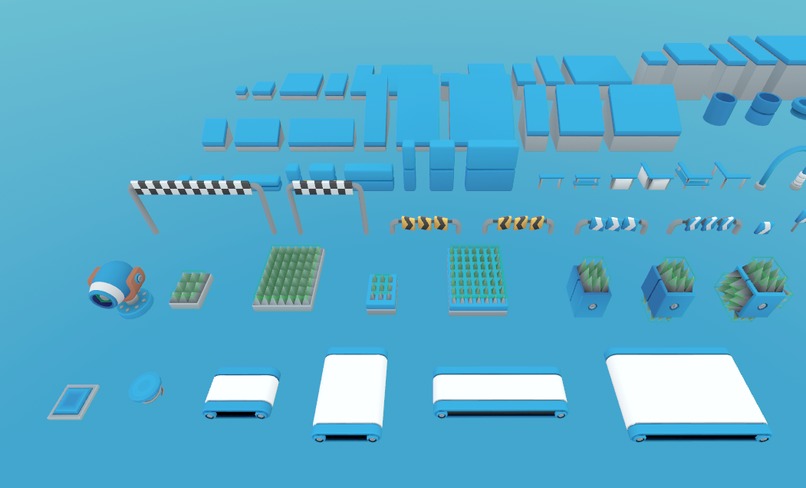
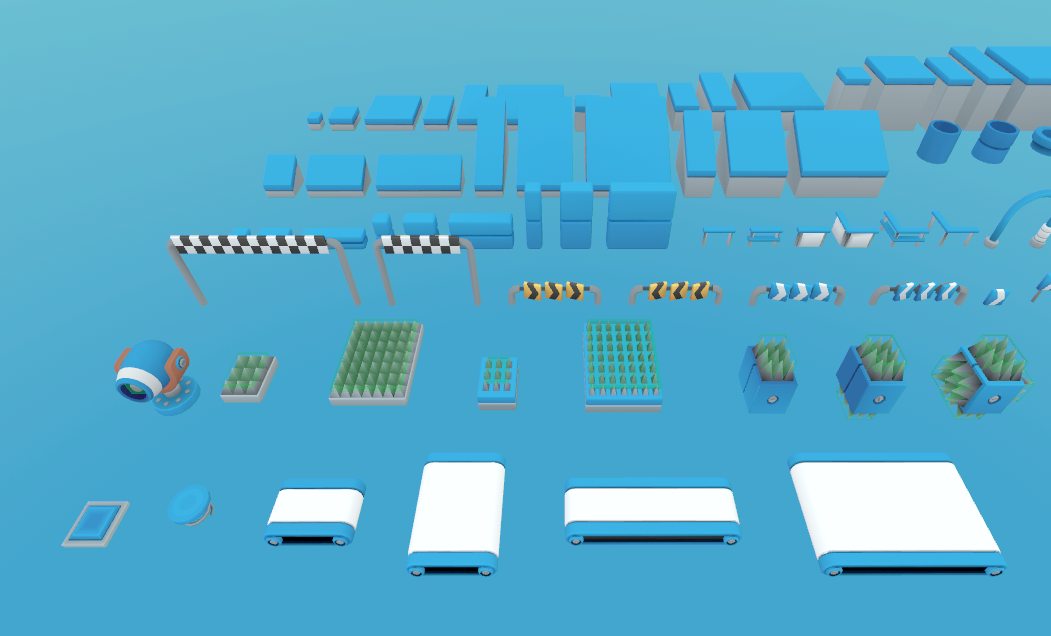
Traps and Assets Pt. 1
-
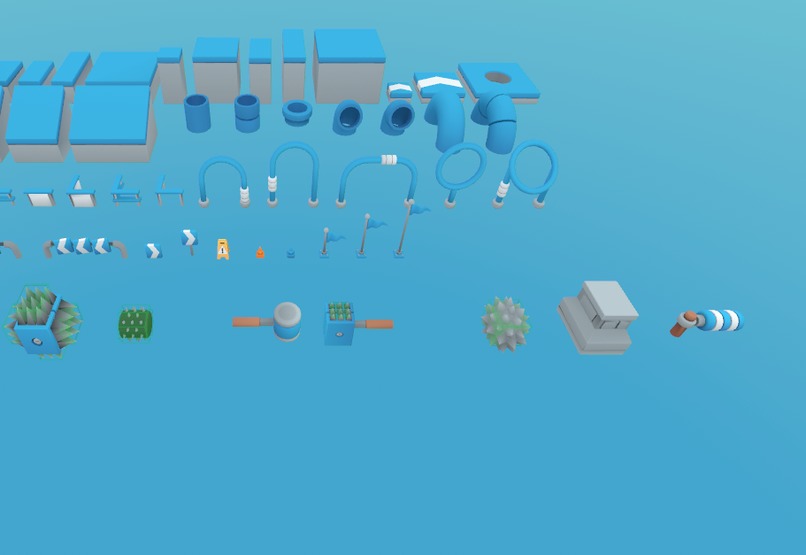
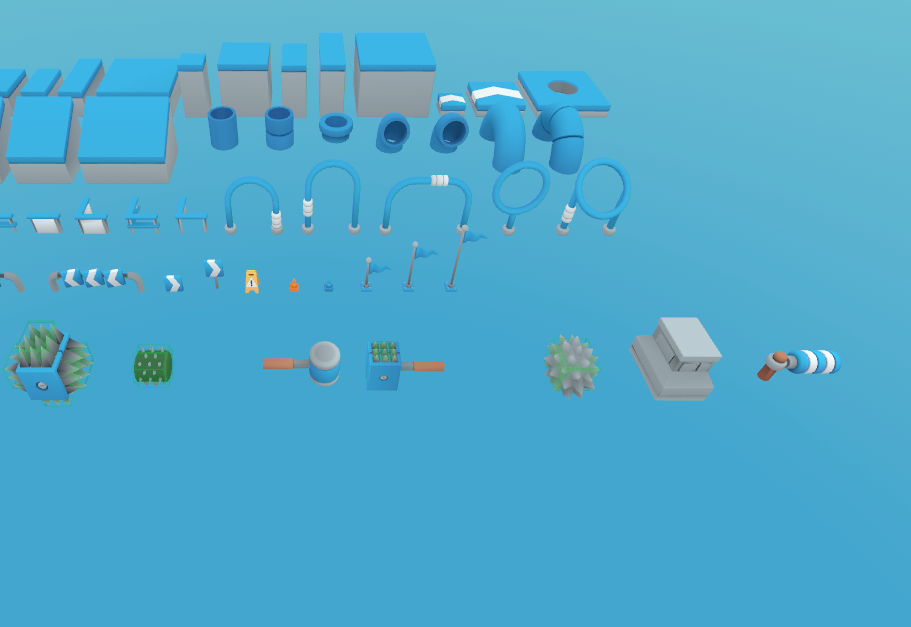
Traps and Assets Pt. 2
-
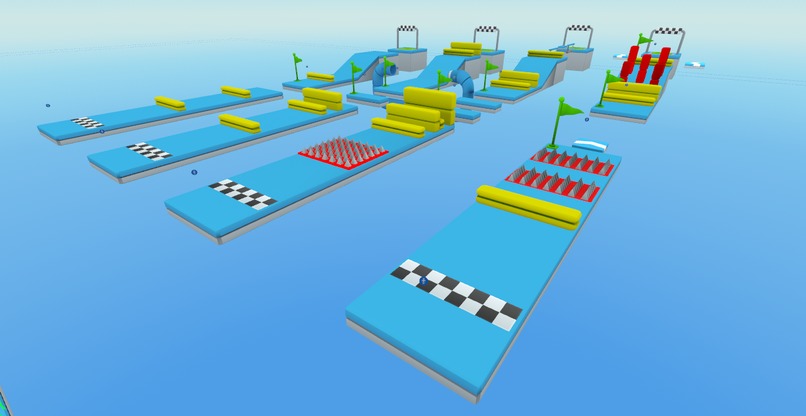
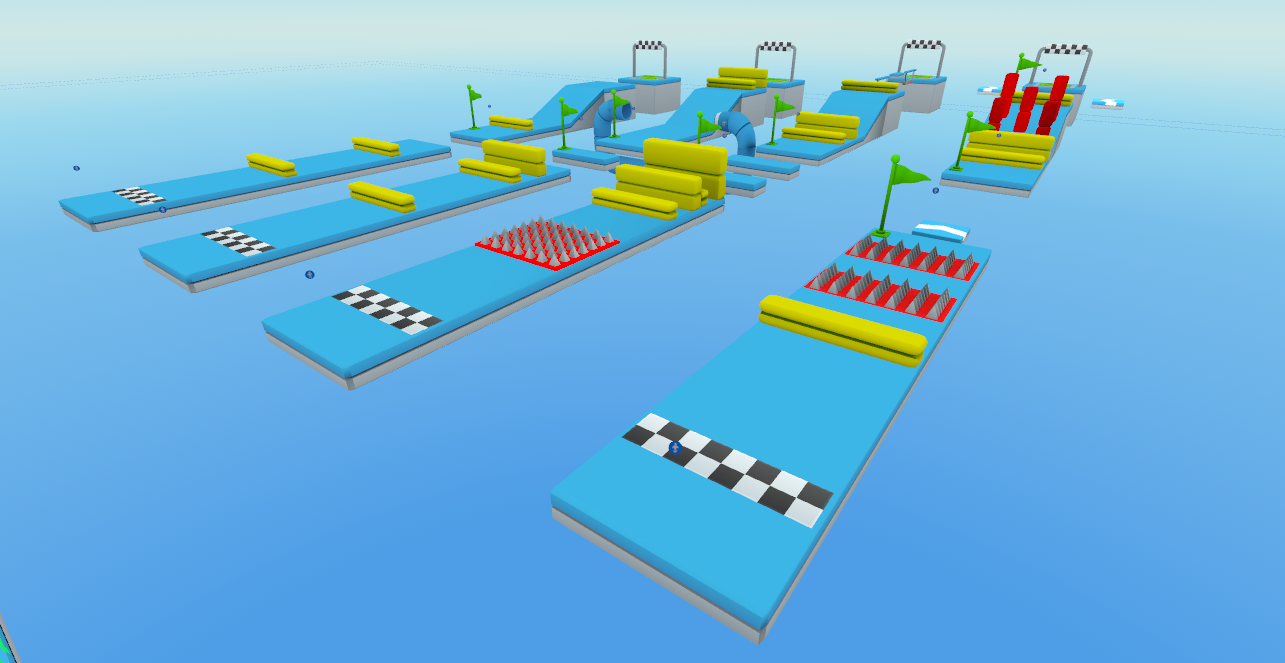
Example Stages that come with the Framework
DOCUMENTATION:
https://docs.google.com/document/d/1lHzQMkh-gmCUM9SStq9sYzA8waVHlz02v4D0Su7UjEc/edit?usp=sharing
🎮 Inspiration
Our inspiration for this framework was a combination of popular Obby games on other UGC platforms like Roblox, flash games like the Run series. The main mechanic that makes this genre addictive is the nonstop stream of levels that keeps the player hooked to play just one more level, or to replay levels to beat their own time or their friend's time.
📱 What it does
Our Mobile only framework provides creators to create an Obby with truly an unlimited number of levels without knowing how to code, bounded only by Horizon Worlds' vertex count. Each level can also have an unlimited number of checkpoints.
🔧 Features
Asset Variety: The framework comes with a variety of assets, including various traps and obstacles, that can be combined by the creator in hundreds of ways to create unique Obby levels or to whitebox their levels as an initial prototype.
Progress Tracking: The framework keeps track of each Player's progress in the game, and controls whether they can navigate to a level based on whether they unlocked it i.e. whether they finished a previous level. Therefore, dozens of players can enjoy the game on the same server, play the same stages or different stages based on their individual progress in the game.
Stage Navigation HUD
The framework comes with a familiar Stage Navigation HUD UI whose design is based on several popular UGC Obby games that are popular on mobile. It comes with the following buttons:
- Fast Rewind Button: Skips back 5 Obby stages. An alternate version of the function to always skip to the first level is provided.
- Previous Stage Button: Self explanatory
- Next Stage Button: Self explanatory
- Fast Forward Button: Skips forward 5 Obby stages. An alternate version of the function to always skip to the player's latest unlocked stage is provided.
- Restart Level Button: Self explanatory
- Go back to Hub Button: Teleports the player back to the Hub Spawn Point where they select a desired stage.
Stage Progress HUD
The framework comes with a Stage Progress HUD UI with a smoothly animated progress bar that shows the Player how many checkpoints they have crossed in the stage and their current progress on it.
Leaderboard Support
The framework comes with Leaderboard support to log the Player's best time on each Stage and to log the number of total Stage Completions.
Quests
The framework also comes ready with Quests such as:
- "Finish x Stage under y seconds"
- "Finish a total of x Stages"
- "Finish any Stage under y seconds"
🛠️ How we built it
We created the framework using the Meta Horizon Worlds Editor and used Krita for designing the UI elements.
🧩 Challenges we ran into
Sometimes the Quests Gizmo was unreliable, and I had to restart the editor several times to test the logic correctly. An editor version mismatch caused by my teammate receiving the update 2 or 3 days earlier than me meant that we had to work with one person in the editor at a time.
🏆 Accomplishments that we're proud of
How we managed to stay so true to the genre. We truly believe this framework has the potential to be widely used by the community since it is so accessible and easily to build upon.
📚 What we learned
We strengthened our understanding of the API and the Editor's "quirks". I especially got well versed with designing UI animations and dynamically constructed UI elements at runtime.
🚀 What's next for Ultimate Obby Creator
We plan to add more traps and assets for the artists and level designers to use, especially traps with complex animations that are still randomized, such as a laser trap wall and physics-based traps that can unlock new avenues of gameplay.
Built With
- adobe-illustrator
- horizon
- krita
- typescript


Log in or sign up for Devpost to join the conversation.