-
-
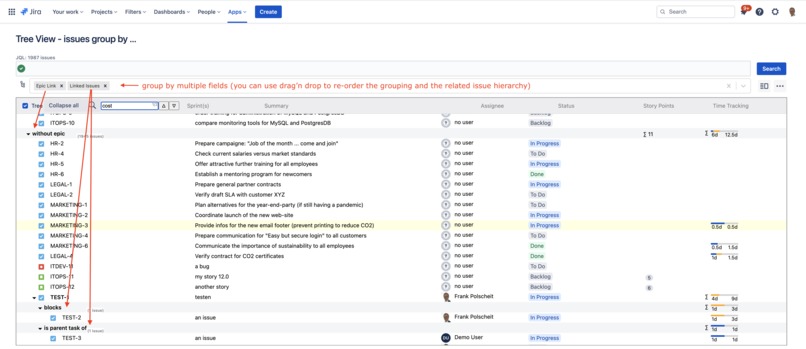
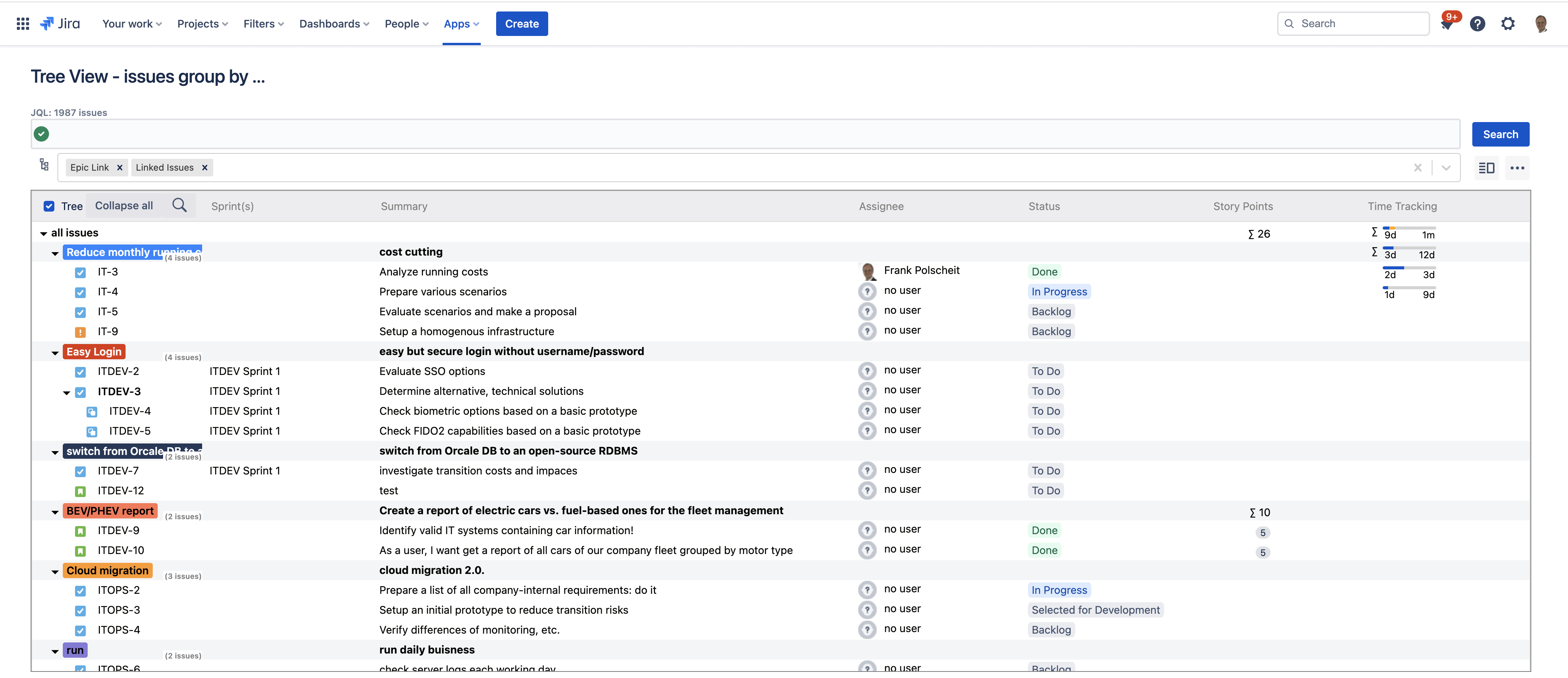
Build issue hierarchies based on a flexible group-by
-
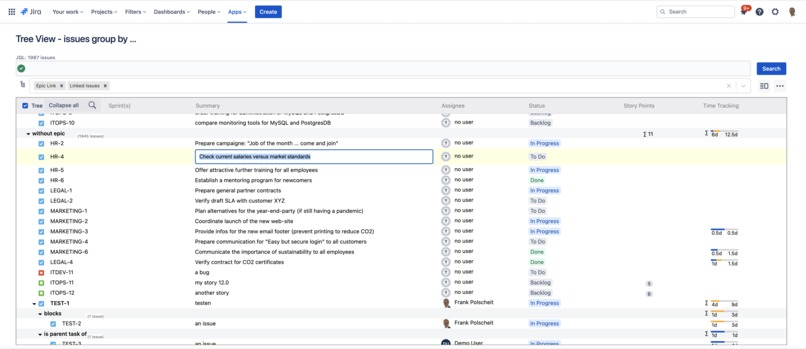
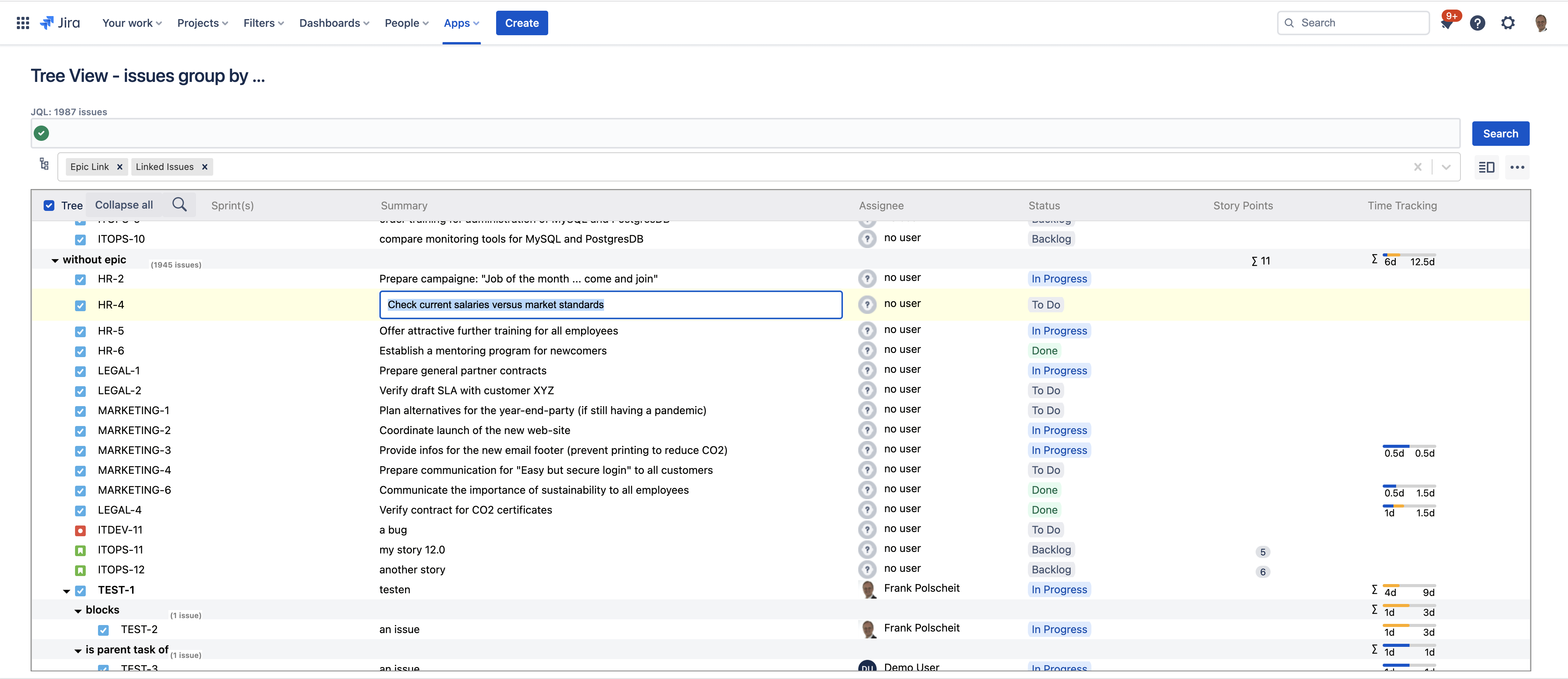
Inline editing of fields, like the summary, assignee, and status for easy maintenance of issues.
-
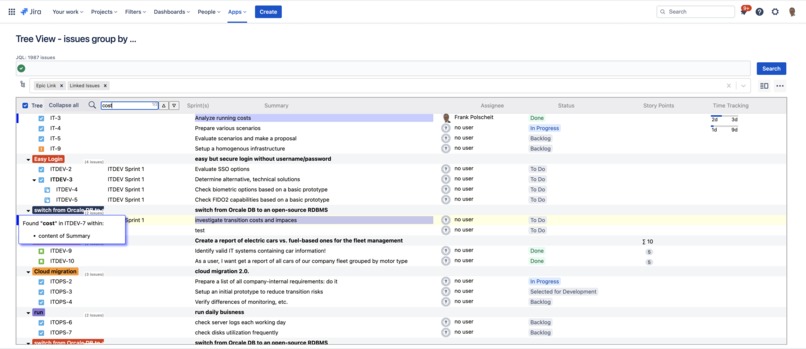
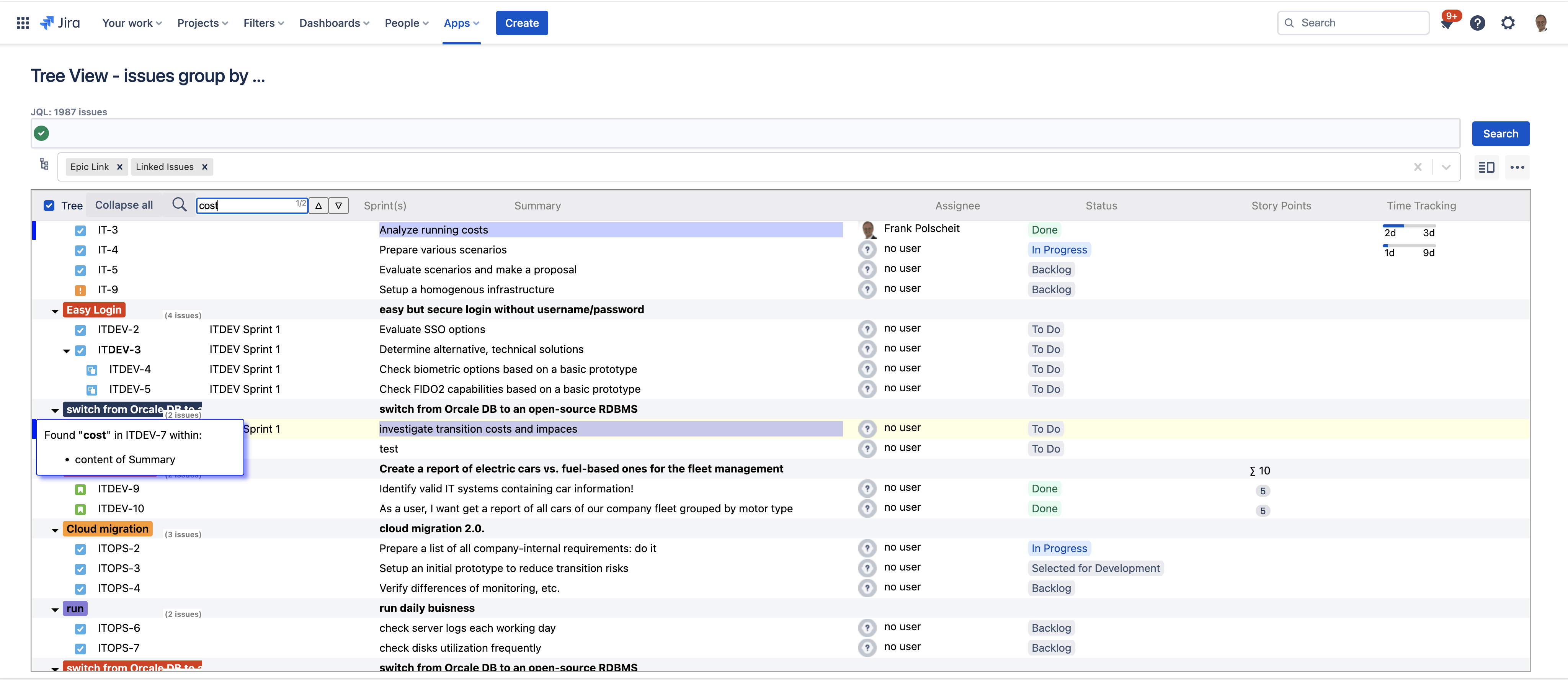
Search through all loaded issues' fields. Matching issues will be marked on the left side with a blue marker: mouse over to get more infos.
-
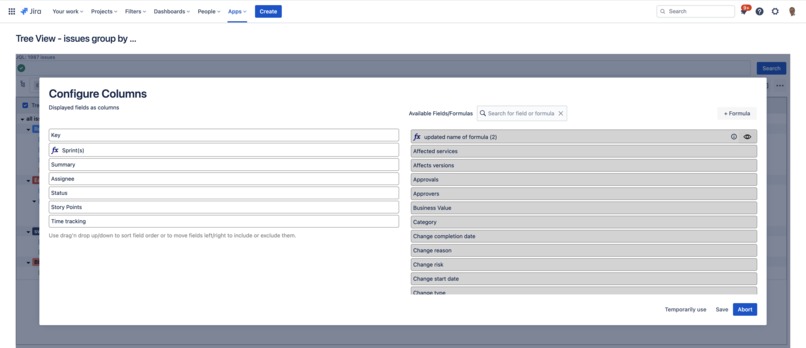
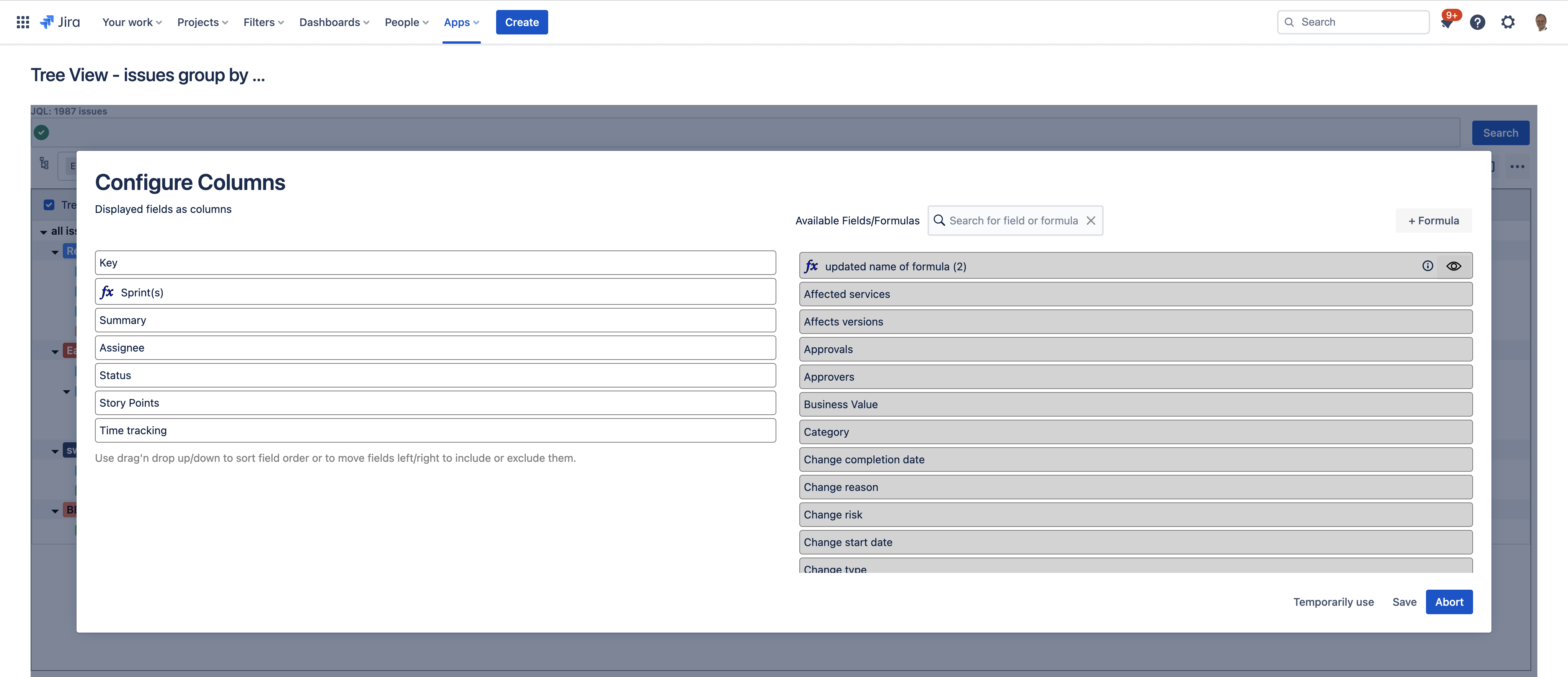
Configure and order the displayed fields via drag'n drop. Also, you can create new formulas to determine content and how to aggregate values
-
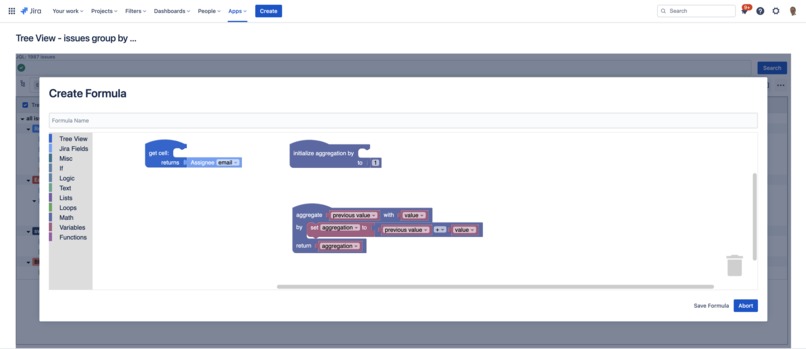
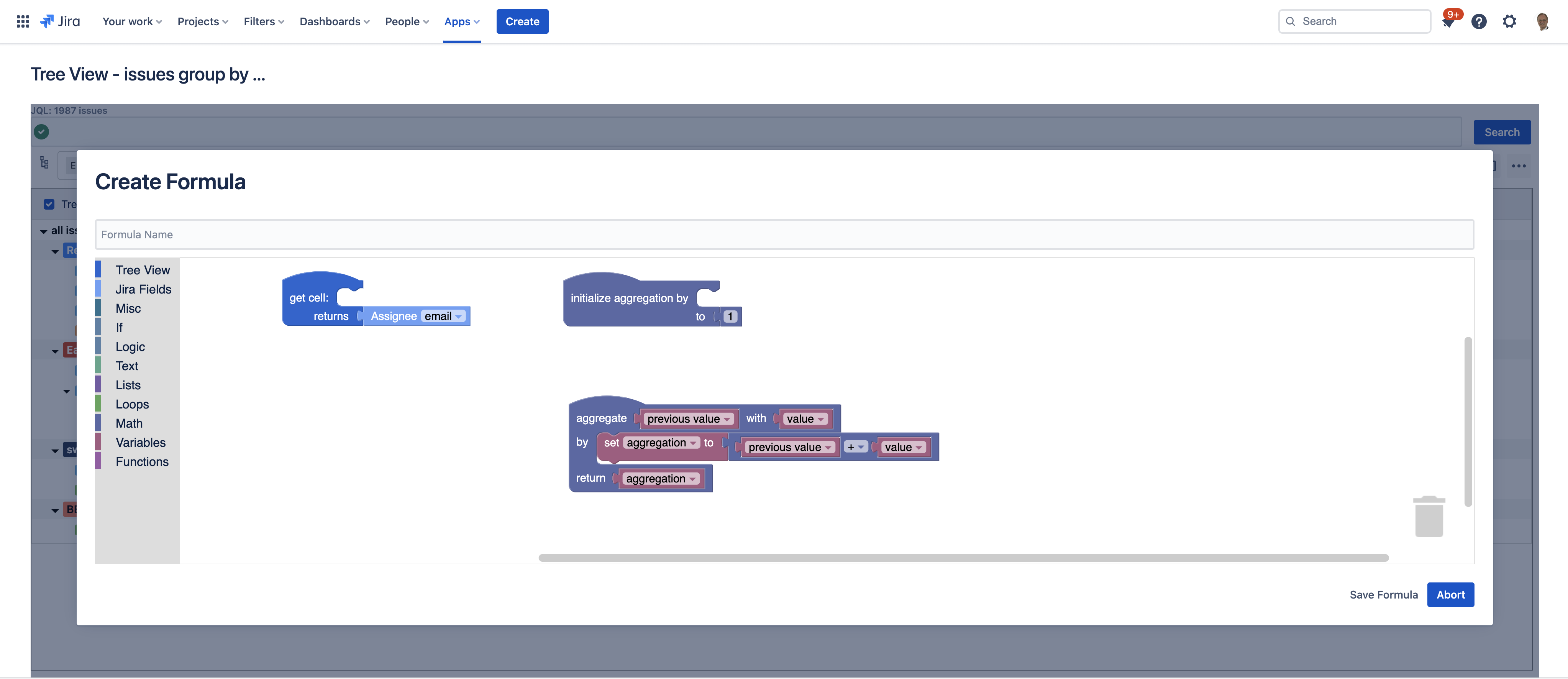
Configure user-defined formulas to render calculations in a column for issues and determine how to aggregate issues.
-
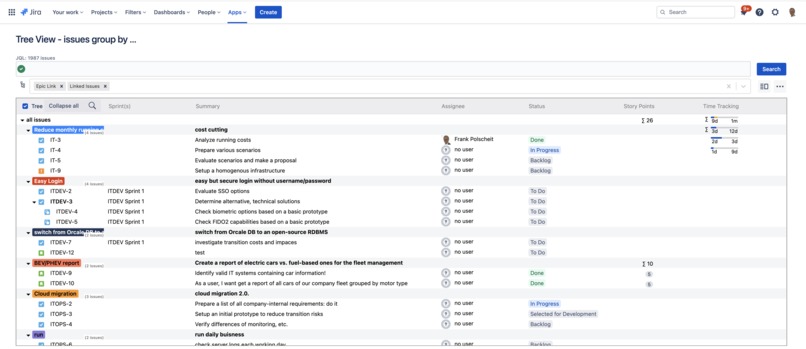
Display a columns content based on user-defined formulas like "Sprint(s)"

Inspiration
Listening to customers, I get requests and reasons for displaying issue search results in a tree view:
"(begin of quotes) ... Reasons a tree view would be awesome:
- Automatic group-by on fields' value: this is something Atlassian, unfortunately, does not have for query-based swimlane definitions (see JSWSERVER-4669)
- Unlimited hierarchical levels: the Jira-imposed three-tier limitations (Epic→Task→Subtask, and Swimlane→Task→Subtask) can be highly frustrating at times. In a tree view, the WBS has no such restriction but should be very flexible on the fly.
- Generally, a great way to view issues in an organized and hierarchical fashion with a collapsible TreeTable instead! This would be much better than the flat list view that Jira natively provides. (end of quotes)"
As such demands come from cloud-based customers and from customers using on-prem instances of Jira (data center), a bi-platform app would be an exciting idea attending this year's Codegeist 2022.
What it does
Search for issues via JQL and display the result in a tree view grouped by multiple fields like issue links, epic links, sprints, etc., to flexibly build an issue hierarchy of unlimited depth. Story points and time-tracking data are automatically aggregated over all hierarchy levels.
Suppose you configure a custom field as a column of the tree, and your search result consists of issues belonging to multiple team-managed projects. In such cases, the custom fields are different per team-managed project having other IDs. Nevertheless, the app treats all custom fields with the same name as identical and displays them within a single column for a better overview.
You can easily search through all loaded fields of your retrieved issues. All matching issues will be marked on the left side of the tree with a blue marker. Moving your mouse over a marker, a popup shows a list of the matching fields.
The app allows user-defined formulas for displaying calculated content in tree table's columns and aggregating relevant row data by issues. The necessary three functions of such a formula can be graphically designed based on Blockly ... it was never easier to get the results you need for your business.
To increase user experience, the JQL search statement and all grouping fields are automatically added to the URL as parameters to quickly create bookmarks within the browser or share with your team.
How I built it
Based on the customer requirements and the idea of a cross-platform application where most of the source code is shared, I started reviewing and selecting possible frameworks to complement Atlassian Forge, which uses React components. So, I first looked for a way to incorporate and use React components on the on-prem side. After this worked successfully, I abstracted the Jira REST calls for platform-dependent implementations and built the initial version for Data Center. Three iterations later, the app was completed. Then I ported the app to Jira Cloud: after only two days of effort, almost everything was initially working. Only two UI functions caused problems. A lot of research on the Internet and several debug attempts finally brought me to the solution: a version of an indirectly used library by a component caused compatibility problems. After downgrading to a compatible version, the initial app version for Jira Cloud based on Atlassian Forge now also worked. Further testing results in other invalid code for the cloud, like browser history, usage of hyperlinks, and embedding of images. But that was easy to adapt.
Challenges I ran into
Relevant react information for on-prem instances is rare, and the whole setup for bi-platform development is a bit more complex than initially estimated.
Accomplishments that I'm proud of
The Forge app reuses nearly 90% of the source code of the corresponding Data Center app. Within two days, I implemented the initial version of the Jira Cloud. Just some additional days for further testing and adjustments to get all running. This successful approach is a massive boost of efficiency and reduction of development efforts.
What I learned
Debugging react components and dependency side-effects can be time-consuming and become a nightmare. On the other side, using a well-working set of components and the right approach, it is possible to build a new bi-platform app for Jira Cloud based on Atlassian Forge as well as for on-prem Jira Data Center based on Atlassian SDK (P2) in a short time.
Documentation
See http://tree-view.polscheit.de
What's next for Tree View
- Publish this app on the Atlassian Marketplace for Jira Cloud.
- Update the documentation, e.g. usage of graphical user-defined formulas etc.
- Prepare all required performance and scalability tests for Atlassian's data center approval
- Publish this app on the Atlassian Marketplace for Jira Data Center.
Built With
- atlaskit
- atlassian-sdk
- forge
- javascript
- react


Log in or sign up for Devpost to join the conversation.