-
-
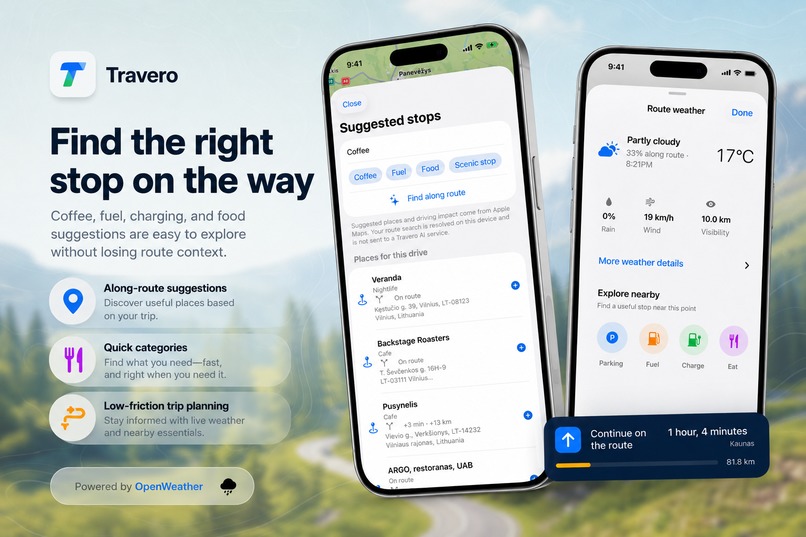
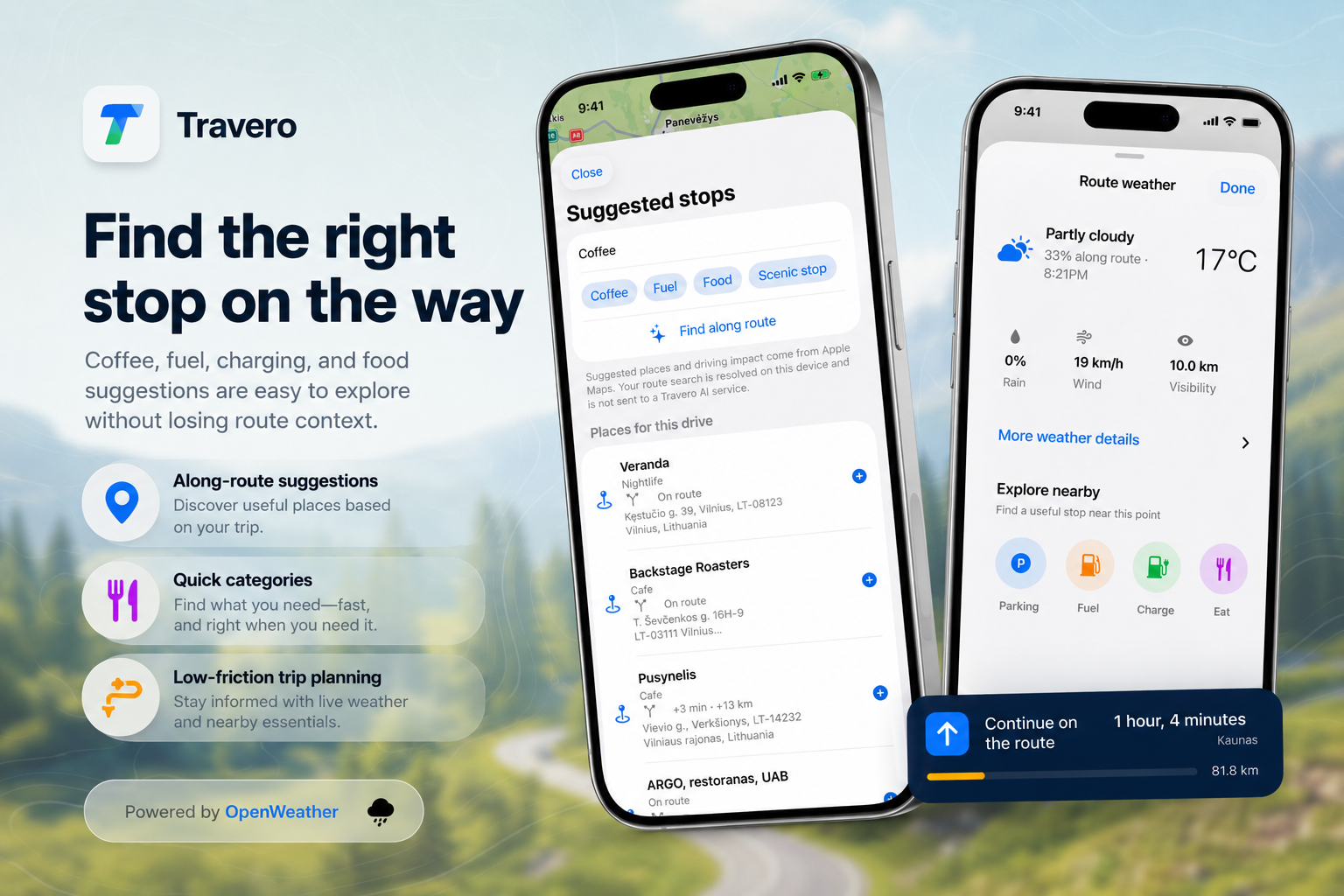
Find coffee, fuel, charging, food, parking, and scenic stops without losing context or adding unnecessary detours.
-
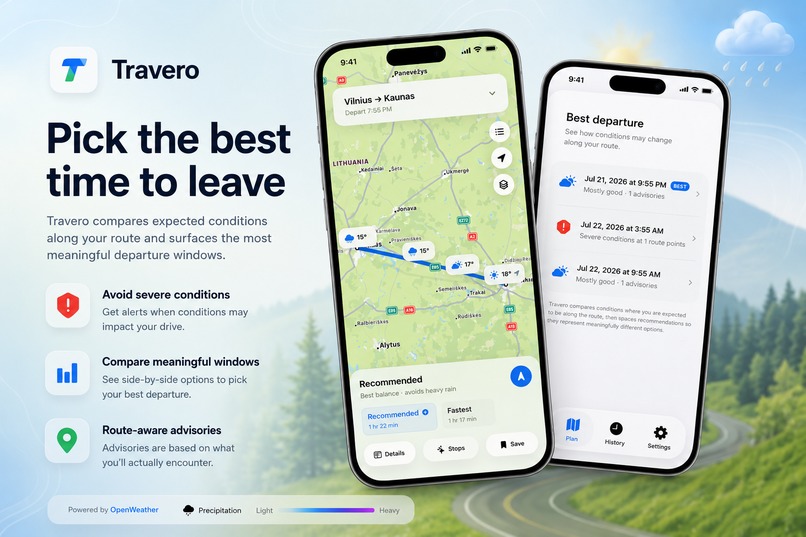
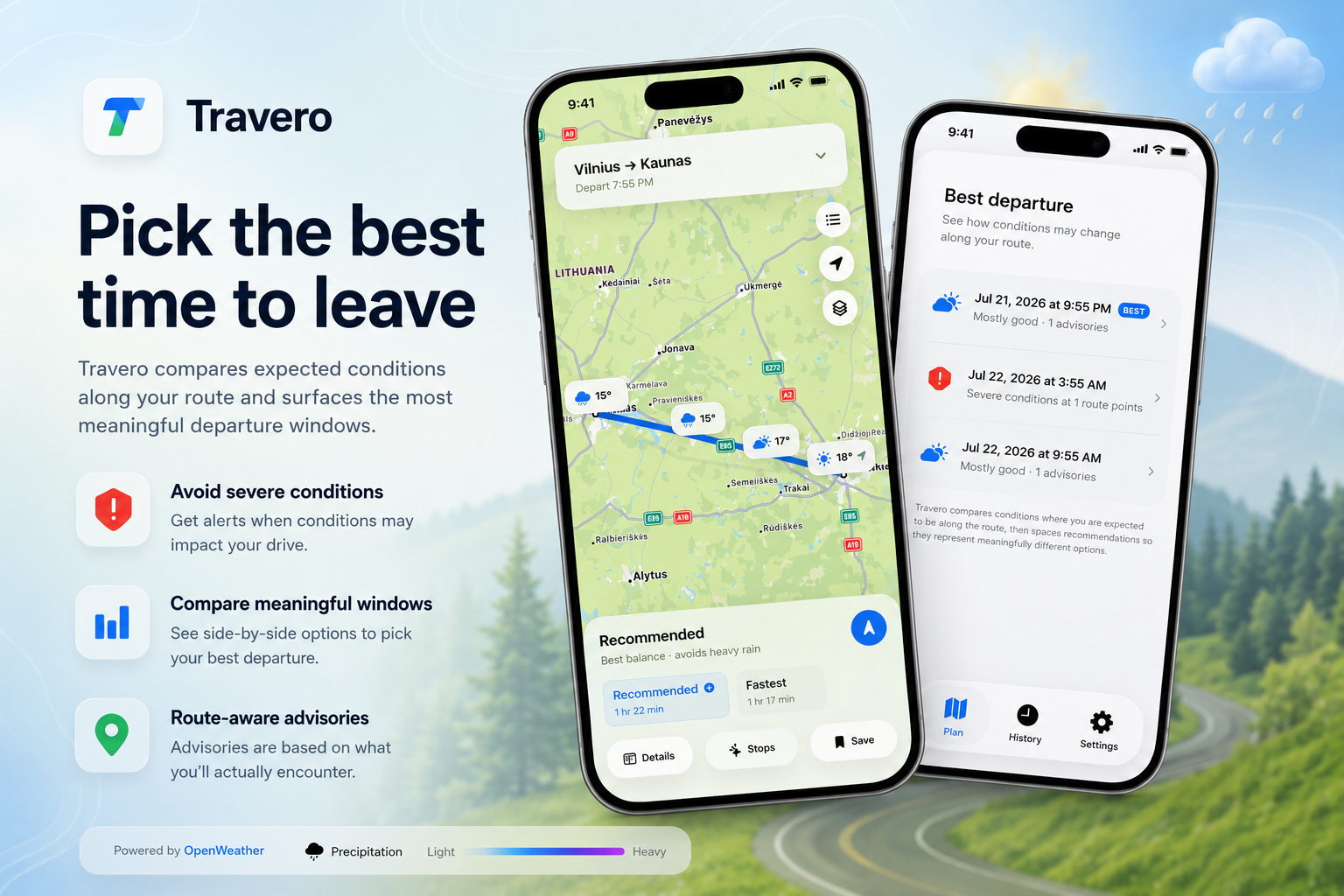
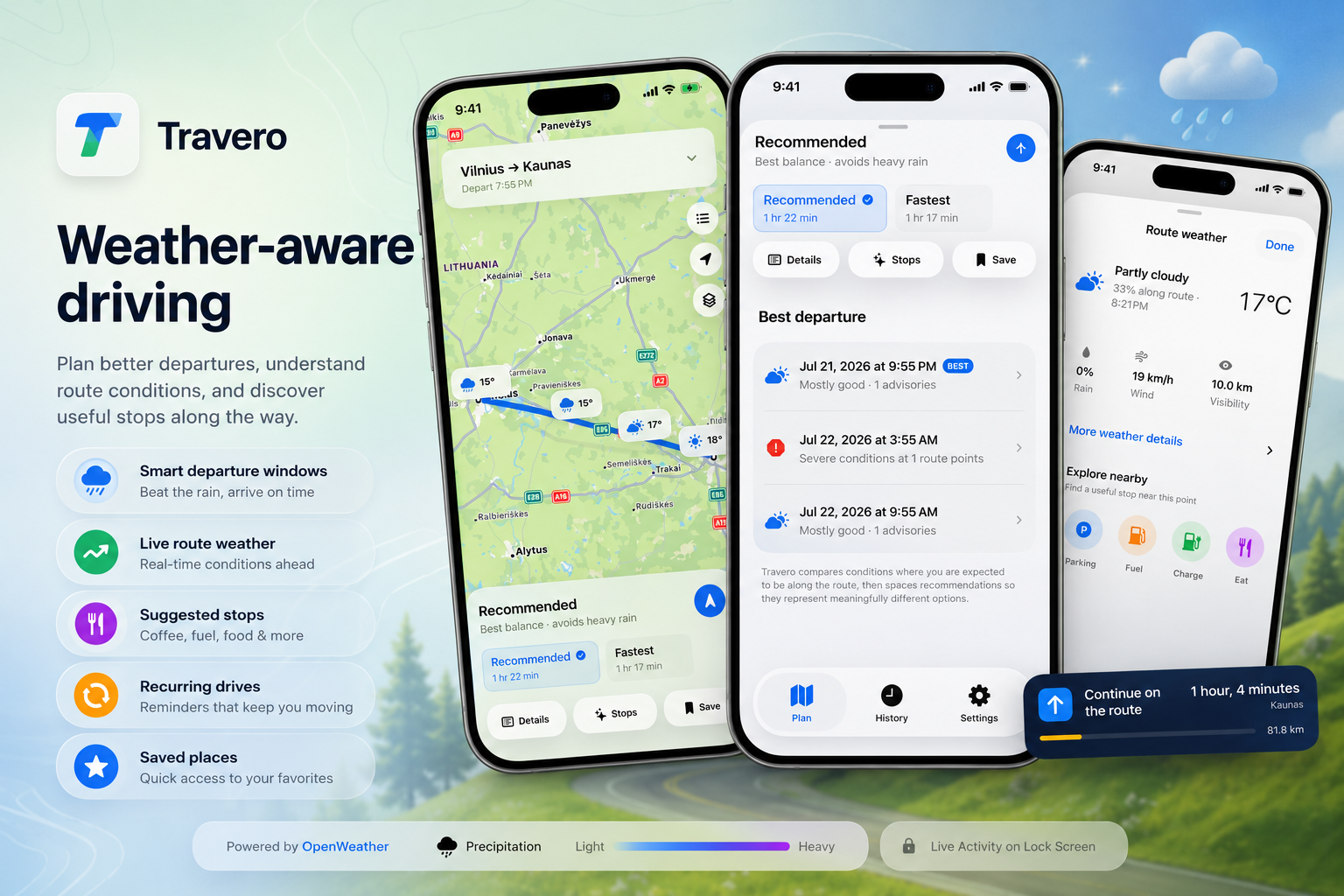
Compare departure times and choose the safest, most practical window based on conditions expected along your route.
-
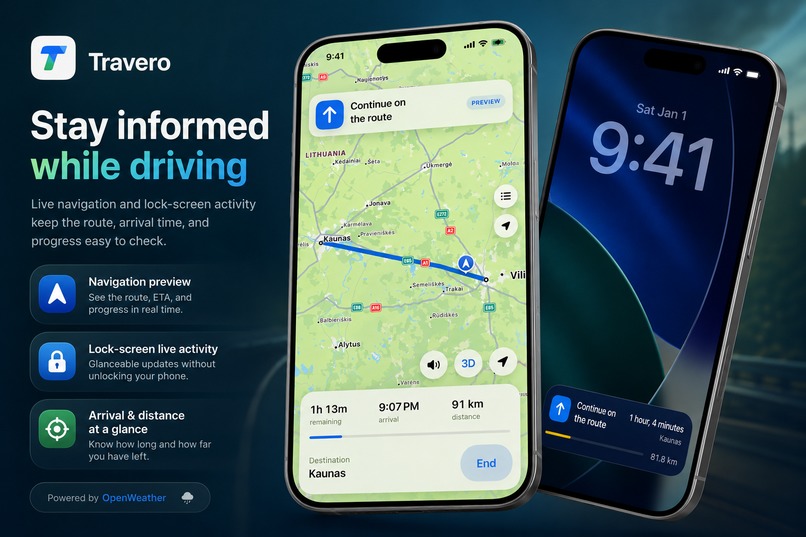
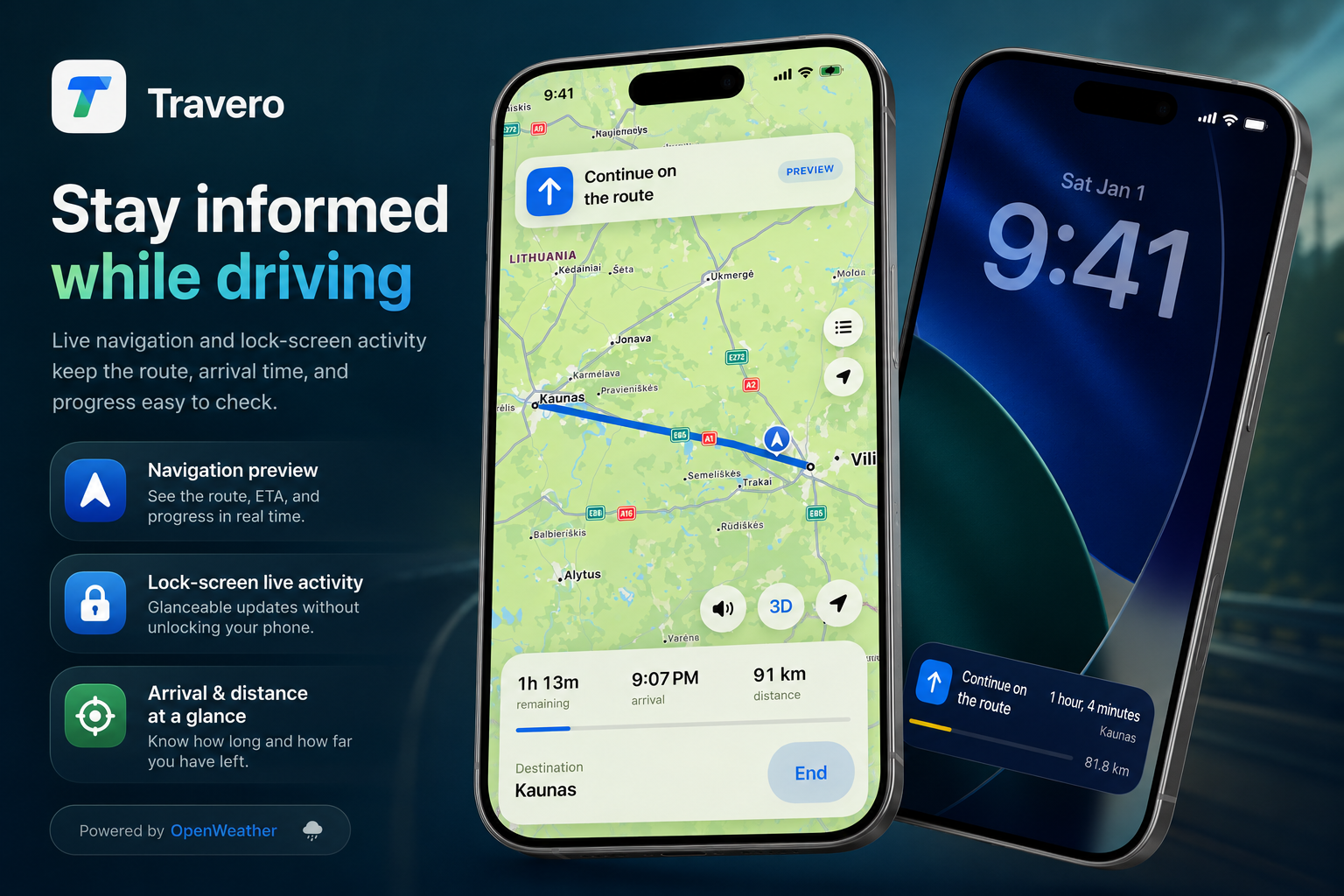
Follow live navigation, ETA, distance, and route progress through the app and Lock Screen Live Activity.
-
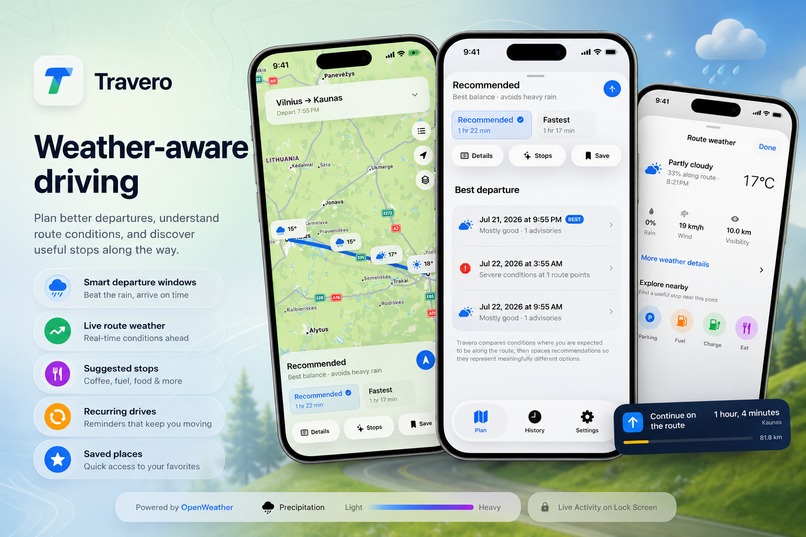
Plan routes around changing weather, compare options, find useful stops, and keep key trip details clear from departure to arrival.
-
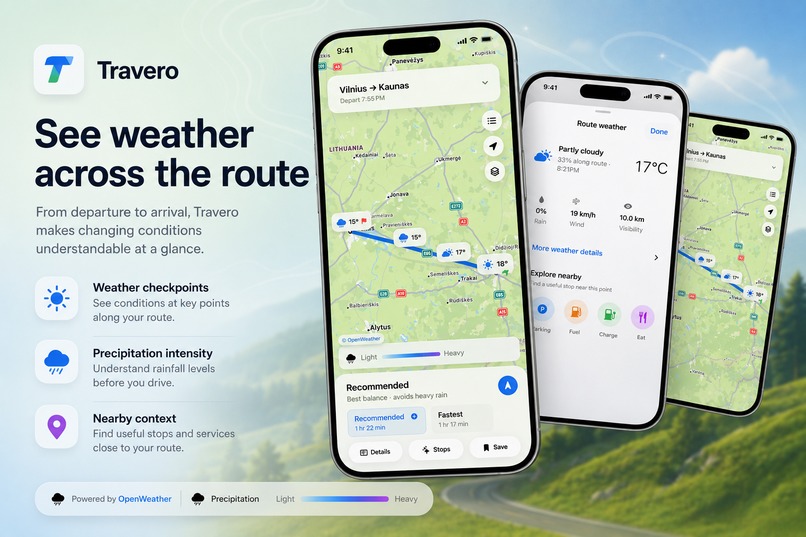
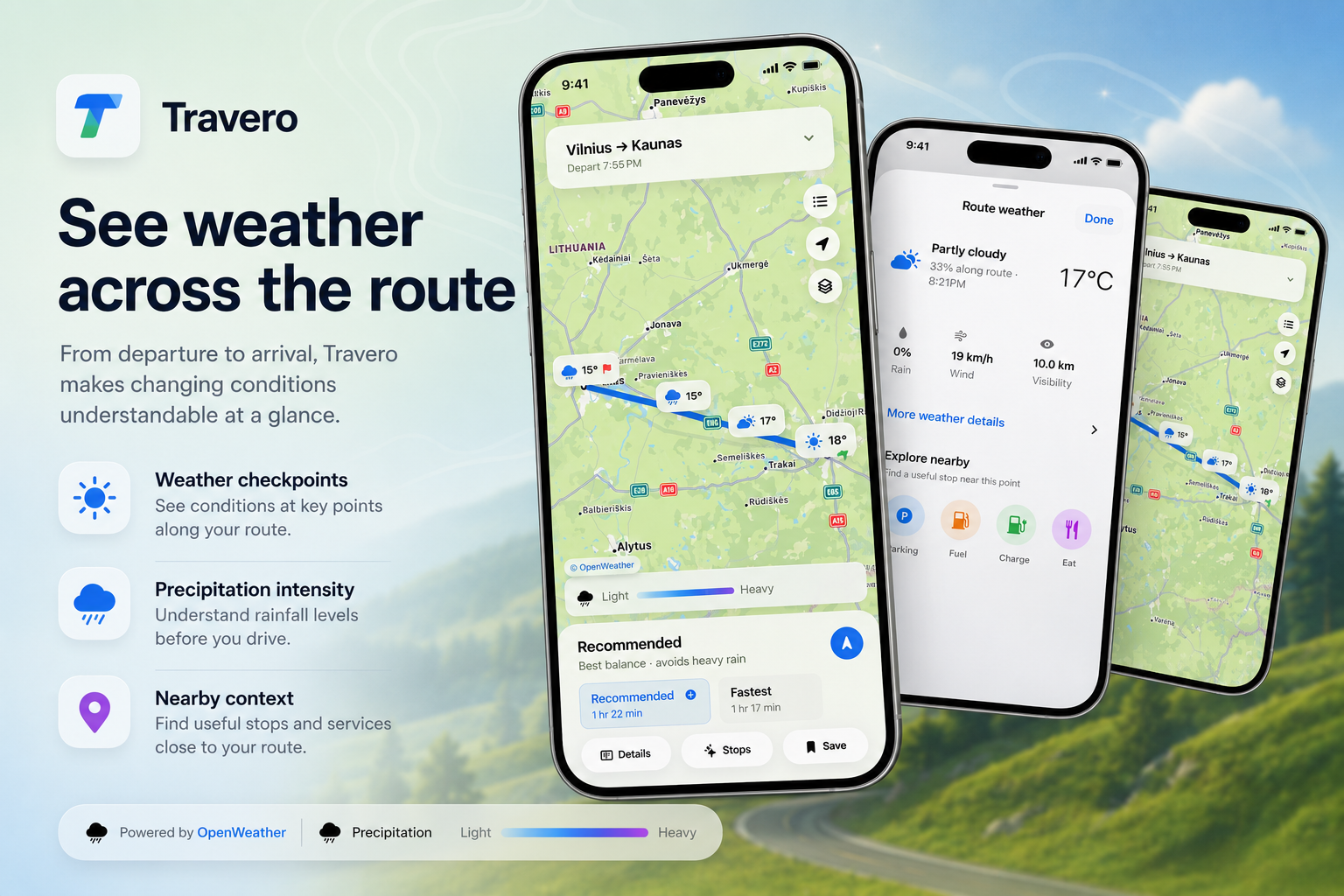
See weather checkpoints across the journey, including rain, wind, visibility, temperature, and precipitation intensity.
-
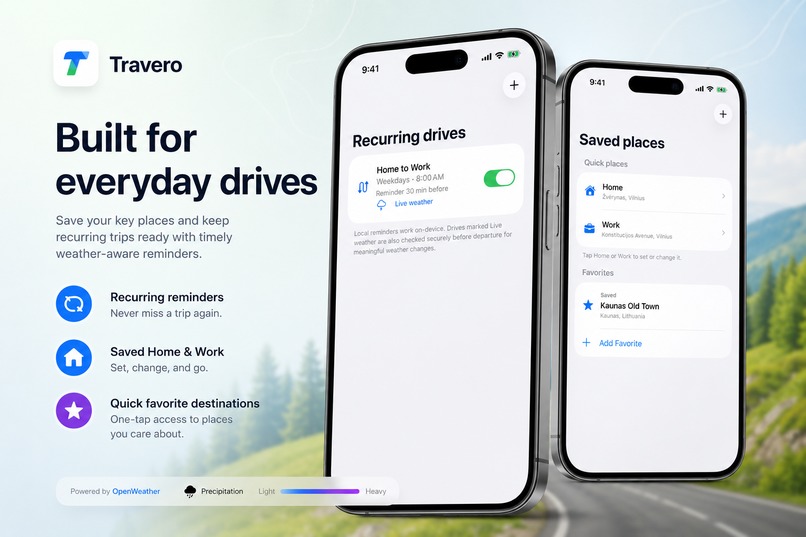
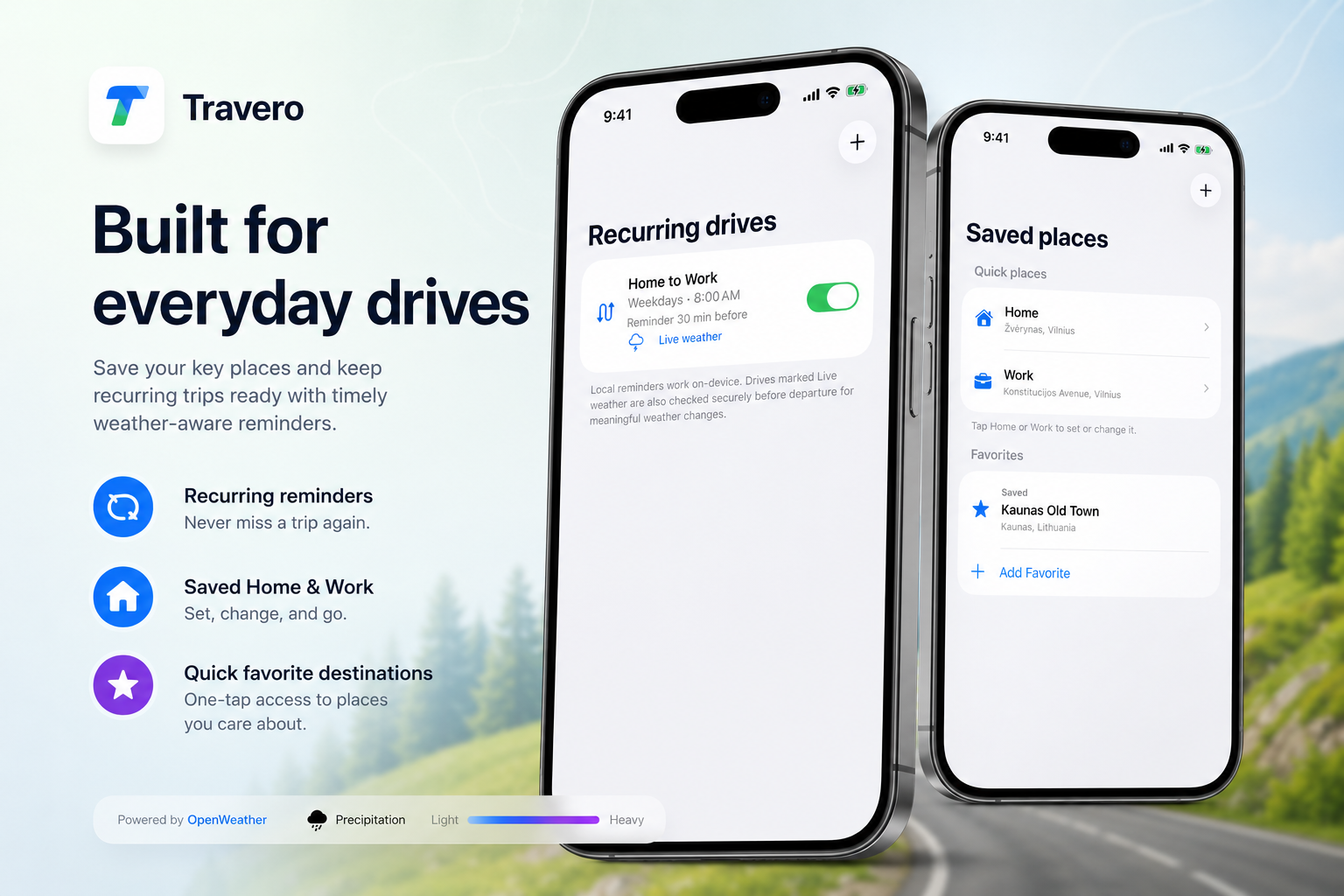
Save Home, Work, and favorite places, then create recurring drives with timely weather-aware reminders.
Inspiration
Travero started from a simple problem: weather apps show conditions at a location, while navigation apps mainly show traffic and travel time. Neither tells you what the weather may be like across the entire drive when you actually reach each part of the route.
The first Travero explored this idea. For Travero 3, I rebuilt the product as a native iOS application and designed the complete experience around daily driving, Apple Maps and the iPhone.
What Travero does
Travero combines route planning, weather and navigation in one application.
After choosing an origin, destination and departure or arrival time, Travero calculates alternative routes and checks the forecast for the expected arrival time at different points along each route.
The result is shown directly on the map, making it easy to understand where rain, wind, low visibility, freezing conditions or other weather may affect the drive.
Travero includes:
- Weather-aware route comparison.
- Recommended and fastest route alternatives.
- Timed weather checkpoints along each route.
- Best Departure recommendations.
- Precipitation, temperature, cloud and wind map layers.
- Detailed rain, temperature, wind, gust, visibility, humidity and pressure information.
- Native turn-by-turn navigation with spoken instructions.
- Automatic rerouting and updated route conditions.
- Lock Screen and Dynamic Island navigation through Live Activities.
- Route-aware parking, charging, fuel, food and rest-stop suggestions.
- Saved trips, History, Home, Work and favorite places.
- One-time trip reminders.
- Recurring drives such as Home to Work on weekdays.
- Live weather notifications when meaningful conditions change before departure.
- A Home Screen widget for the next planned drive.
Travero works without an account. Saved places, history and preferences remain on the device. All features are available in the current version without restricting the experience behind a paywall.
How I built it
Travero 3 is written in Swift and SwiftUI.
MapKit provides place search, route alternatives, traffic-aware travel times, rerouting and nearby places. WeatherKit provides forecasts for timed points along the route. SwiftData stores trips, places and recurring drives locally.
Weather map overlays use OpenWeather through a small Railway proxy, keeping the provider key outside the application.
Live recurring-drive monitoring uses Railway, PostgreSQL and Apple Push Notification service. A scheduled worker checks upcoming drives and sends an alert when significant weather develops before departure. Local reminders continue to work independently on the iPhone.
I used Codex with GPT-5.6 throughout the rebuild. It helped me review the previous product, plan the native architecture, implement the Swift code, build the Railway services, write tests, solve signing and distribution problems, and refine the interface through repeated TestFlight builds.
Codex was used to build the application rather than being added unnecessarily to the runtime. Route searches and private location data are not sent to an AI model.
Challenges
The main challenge was presenting a large amount of information without overcrowding the map.
Routes, weather markers, warnings, layers, navigation controls and stop suggestions all need space. I went through several versions of the interface, removing unnecessary cards and controls until the most important information was visible immediately and secondary details appeared only when requested.
Another challenge was time. The weather shown at a checkpoint must match when the driver is expected to reach it, not simply the current conditions. This required combining route geometry, travel time, forecast timing and partial weather coverage.
Navigation added location progress, maneuver timing, spoken guidance, background updates, rerouting and Live Activities. Live weather notifications added secure device registration, recurring schedules, time zones, duplicate prevention and server-side forecast monitoring.
What I learned
The rebuild showed me that a native application should not be a direct visual copy of an older product. SwiftUI, MapKit, WeatherKit, Live Activities, widgets and system notifications allowed Travero to become a more complete and natural iOS experience.
I also learned that simplifying the interface was as important as adding functionality. Travero contains a lot of information, but the user should only see what is useful at that moment.
Travero 3 is now a complete daily driving companion: plan the route, understand the weather ahead, choose when to leave, navigate, find useful stops and receive an alert before a regular drive.
The navigation architecture and shared route models are also prepared for a dedicated CarPlay experience.
Built With
- activitykit
- apple
- avfoundation
- codex
- github
- location
- mapkit
- node.js
- openweather
- postgresql
- railway
- revenuecat
- swift
- swiftdata
- swiftui
- testflight
- weatherkit
- widgetkit
- xcode


Log in or sign up for Devpost to join the conversation.