-
-
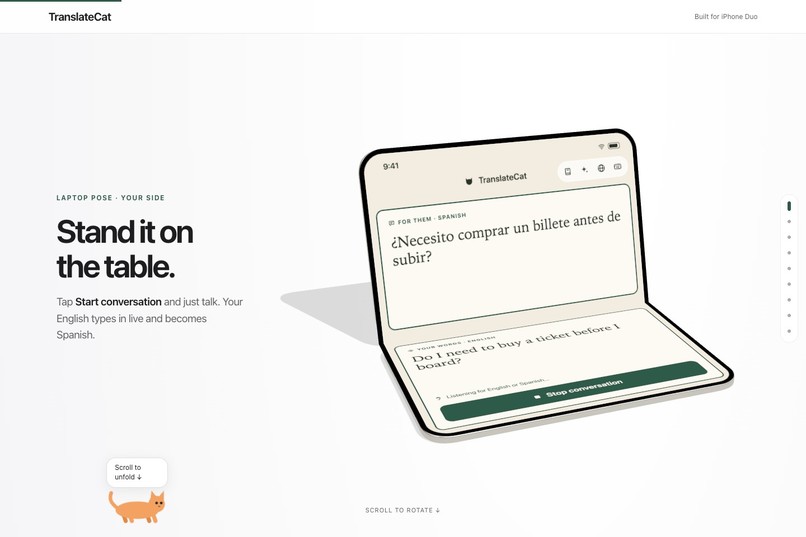
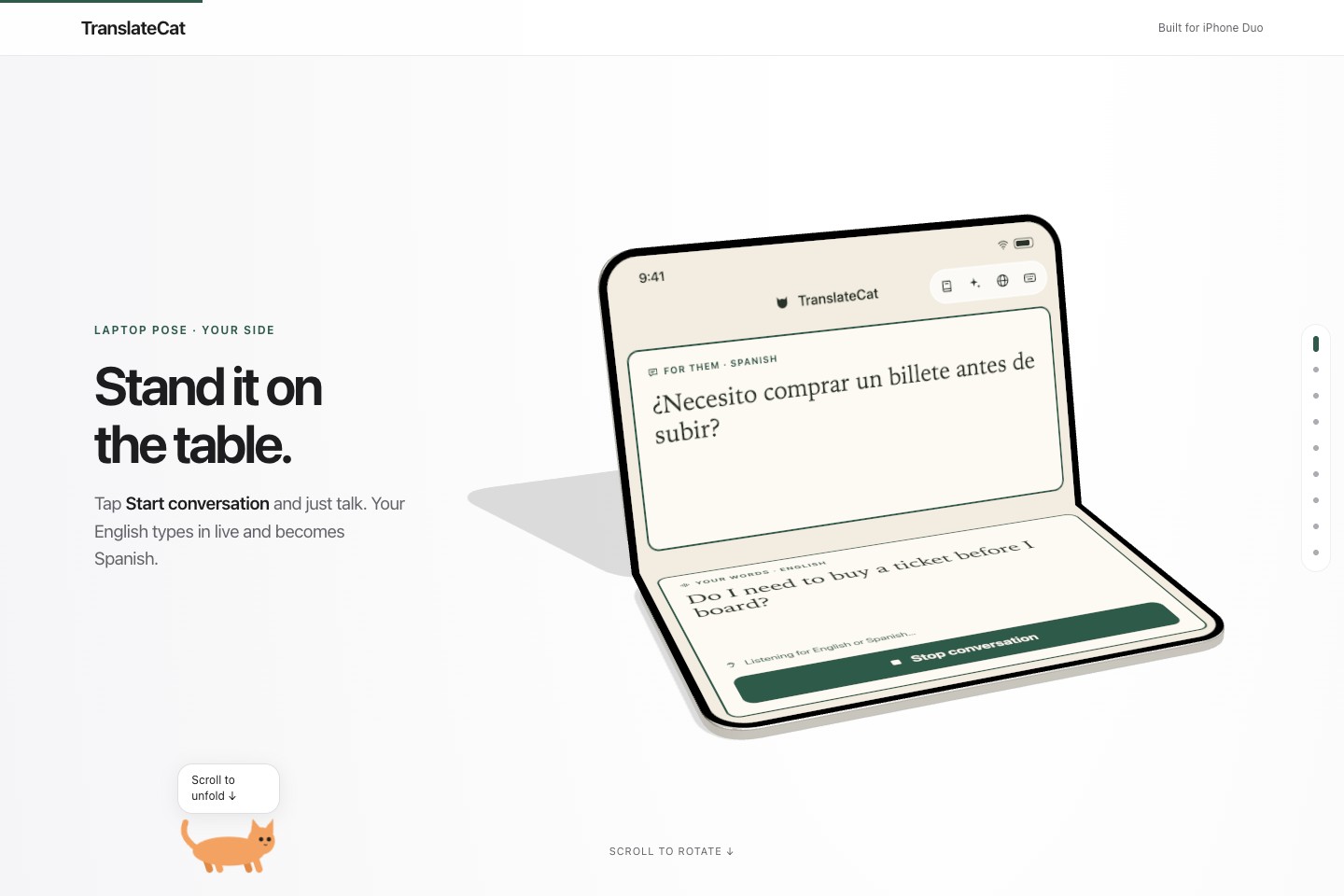
Your side: bilingual captions and conversation controls. Interactive 3D concept demo.
-
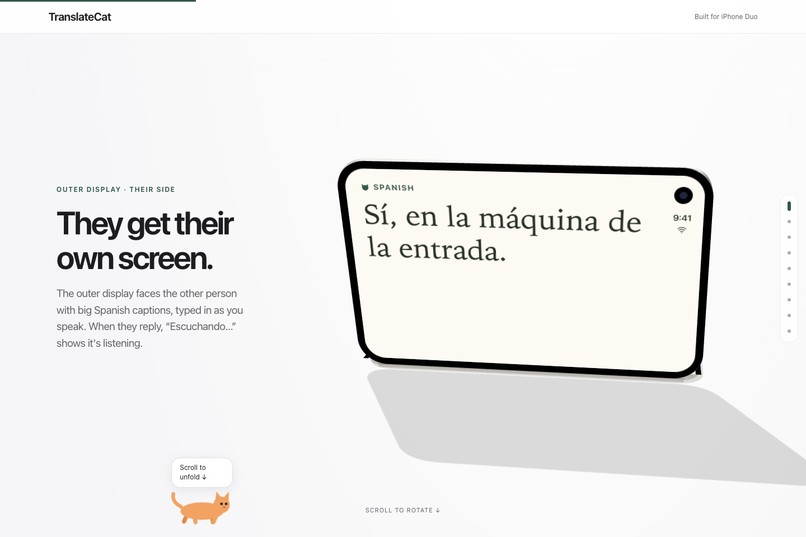
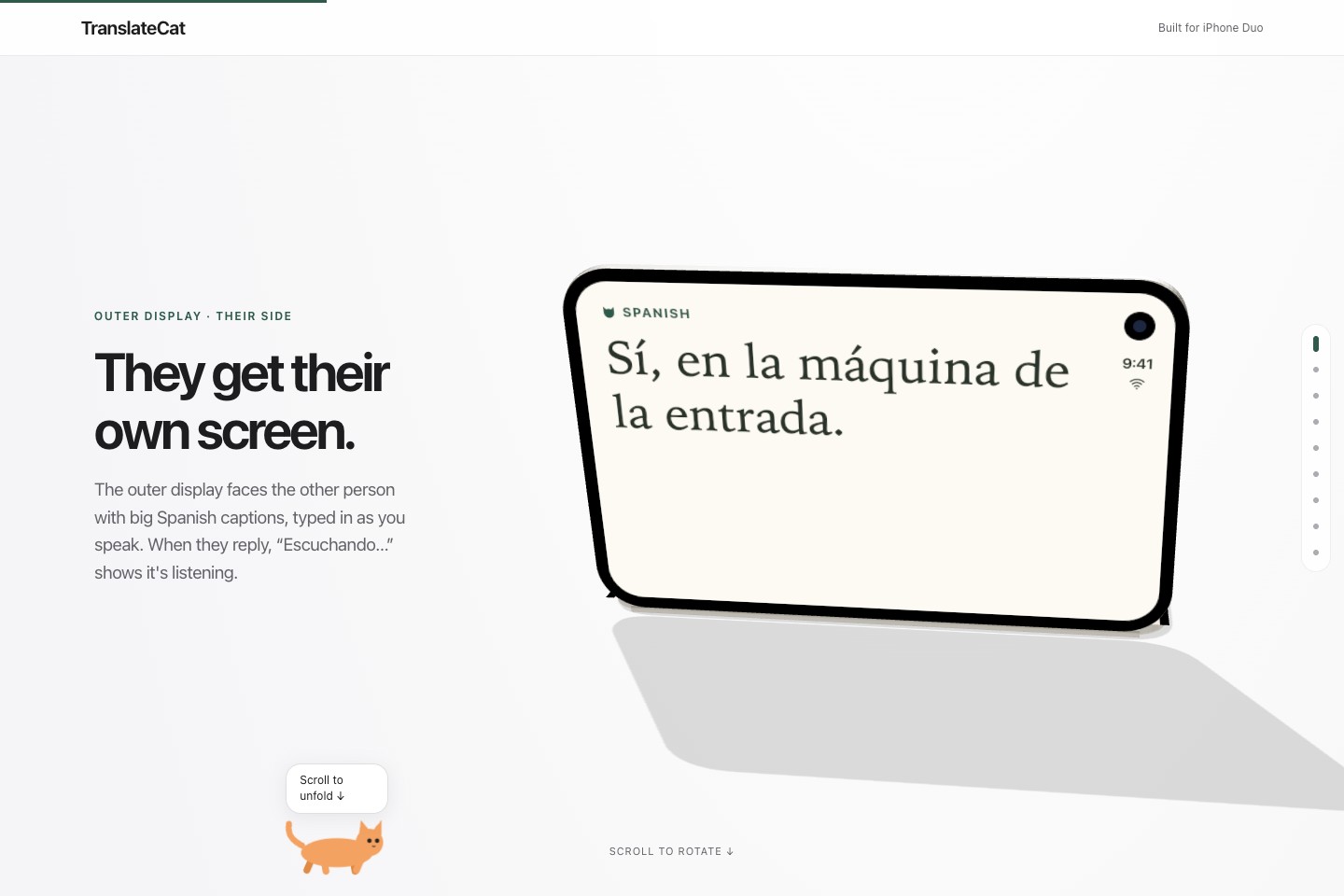
Their side: large translated captions for the person across the table. Interactive 3D concept demo.
-
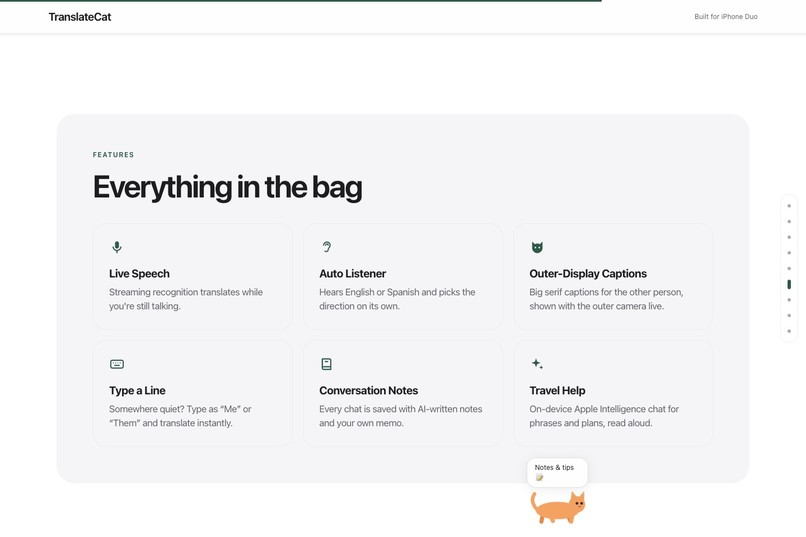
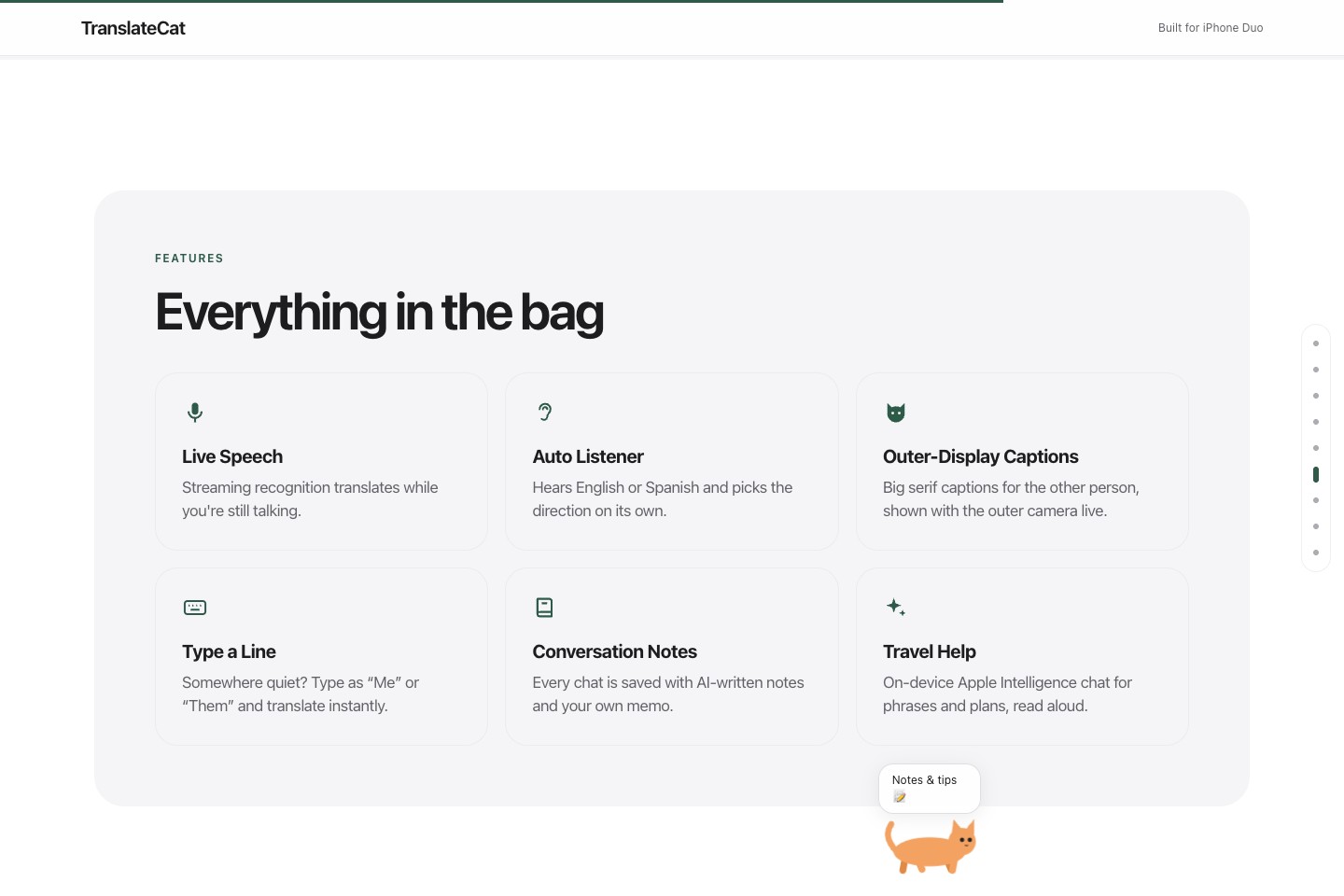
TranslateCat feature overview: speech, captions, typed input, conversation notes, and travel help.
Two people. Two languages. One very useful fold.
You're at a café abroad. You ask a question, turn your phone around, wait for someone to read it, then take it back for the reply. The translation works. The conversation keeps stopping.
TranslateCat gives each person their own screen. Open iPhone Duo, place it between you, and talk face to face. Your side holds the conversation. Their side shows large captions in their language. When you're done, Pro turns the exchange into a summary you can actually use.
Explore the interactive 3D demo · See the SwiftUI source
What it does
- Talk naturally. Pick two languages and tap Start. TranslateCat detects speech and pauses, identifies which selected language was spoken, and translates each utterance through Gemini.
- Read your own screen. The inner display holds the bilingual transcript and controls. The outer display gives the person opposite you large, correctly oriented captions.
- Put the fold to work. In the laptop-like pose, the transcript sits above the fold and the controls below it. The recap screen uses that same division for the summary and transcript.
- Choose from 16 languages. English, Spanish, French, German, Italian, Portuguese, Japanese, Korean, Simplified Chinese, Hindi, Arabic, Russian, Thai, Vietnamese, Indonesian, and Malay.
- Type when it suits you. Enter a line as either speaker, swap languages, and keep originals beside their translations.
- Remember the conversation. Save transcripts locally, add personal notes, and share them. TranslateCat Pro adds a title, short summary, key points, and follow-ups after a spoken conversation ends.
- Get travel help. Ask the on-device Apple Intelligence assistant practical travel questions and have its answers read aloud, when the model is available.
Ordering lunch is a useful starting point. So are hotel check-ins, directions, and the small conversations that make a trip feel personal.
Why iPhone Duo makes this possible
The two displays have two different readers. That decision shaped the whole app: where controls belong, which language appears outside, how captions rotate, and what changes when the phone folds.
The experience carries through after the last line is spoken. The fold-aware recap lets you review what mattered, share the transcript, and start the next conversation.
Built with Bitrig: from idea to a native Duo experience
Bitrig made the build-and-preview loop central to the project. I could work on the SwiftUI experience and inspect it in the iPhone Duo simulator as the idea developed. That was especially useful for a product whose design depends on the physical relationship between two displays.
The result is a native iOS 27.1 prototype with real SwiftUI views, speech capture, translation requests, local conversation history, and Duo-specific layouts. Bitrig helped me spend the hackathon iterating on how the app feels in a conversation.
RevenueCat: making Pro a focused integration
RevenueCat made it straightforward to give a useful feature a Pro upgrade path. The core value is easy to explain: have the conversation, then keep a clear record of what mattered.
I integrated RevenueCat's paywall, purchase restoration, Customer Center, and live customer-info updates. The translatecat_pro entitlement unlocks summaries, key points, and follow-ups. When a user unlocks Pro from a waiting recap, the app can generate that summary immediately.
That let me focus on the summary experience while using RevenueCat's existing purchase and entitlement tools. The hackathon prototype uses RevenueCat Test Store; production App Store configuration is a next step.
How I built it / new APIs used
- SwiftUI ArrangementView + .split: fold-aware conversation controls and recap layouts.
- reservedRegions(kind: .division) + onGeometryChange: respond to the display's division geometry.
- sceneAccessory + CameraCaptureAccessory + onAvailabilityChange: provide and track the outer-display caption experience, supported by a camera capture session.
- AVFoundation + Gemini: capture utterances, transcribe them, identify the selected language, and translate. Results are appended in speaking order.
- Apple Translation + translationTask: the available on-device fallback for typed translation, plus the live-speech translation integration.
- Foundation Models + LanguageModelSession: on-device travel help and an available summary fallback. Gemini provides structured Pro recaps.
- RevenueCat + RevenueCatUI: the paywall, Pro entitlement, restoration, and customer management.
- Observation, Codable, and UserDefaults: shared conversation state and local persistence.
Challenges and what I learned
A two-screen app needs two points of view. Caption orientation, readable type, and reachable controls mattered as much as the translation call.
Speech arrives in pieces. I had to detect pauses, retain a short audio lead-in, keep network results in speaking order, and let the final translations arrive before building a recap.
Model availability is part of the UX. Apple's on-device translation path hit simulator limitations. Gemini enabled the online demo, and the app explains when a connection or an available on-device model is needed.
I learned that the strongest foldable interaction starts with a practical job for each display. Bitrig supported that rapid native iteration, and RevenueCat gave the Pro feature a concrete purchase and entitlement flow within the prototype.
What I'm proud of
TranslateCat connects the live conversation to what happens afterward: speak, understand, remember, and share. The prototype combines the two-sided display experience, saved history, structured Pro summaries, and an integrated upgrade flow.
Typed English-to-Spanish translation was verified in the Duo simulator. The native app builds successfully, and the public presentation includes an interactive 3D walkthrough of the concept.
What's next
Test hands-free conversations across accents and noisy environments on physical hardware. Refine latency and caption readability, validate the full purchase flow on supported devices, and expand offline testing.
Before a public app release, move cloud credential handling behind an authenticated service and complete production purchase configuration.
Prototype and privacy notes
The hands-free Gemini path requires internet access. On-device features depend on model availability. Transcripts and notes are saved locally; speech audio is sent to Gemini for translation, and transcript excerpts are sent for Gemini summaries. The app does not retain recorded audio.
The web walkthrough and its gallery captures are illustrative 3D/UI demos. The repository contains the native app implementation.
Built With
- apple-translation
- avfoundation
- bitrig
- foundation-models
- gemini
- ios
- observation
- revenuecat
- revenuecatui
- speech
- swift
- swiftui
- xcode

Log in or sign up for Devpost to join the conversation.