-
-
Logo
-
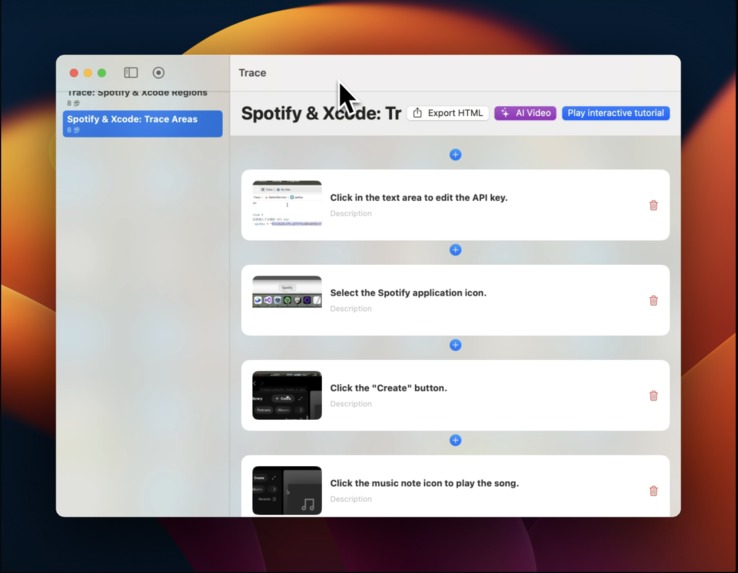
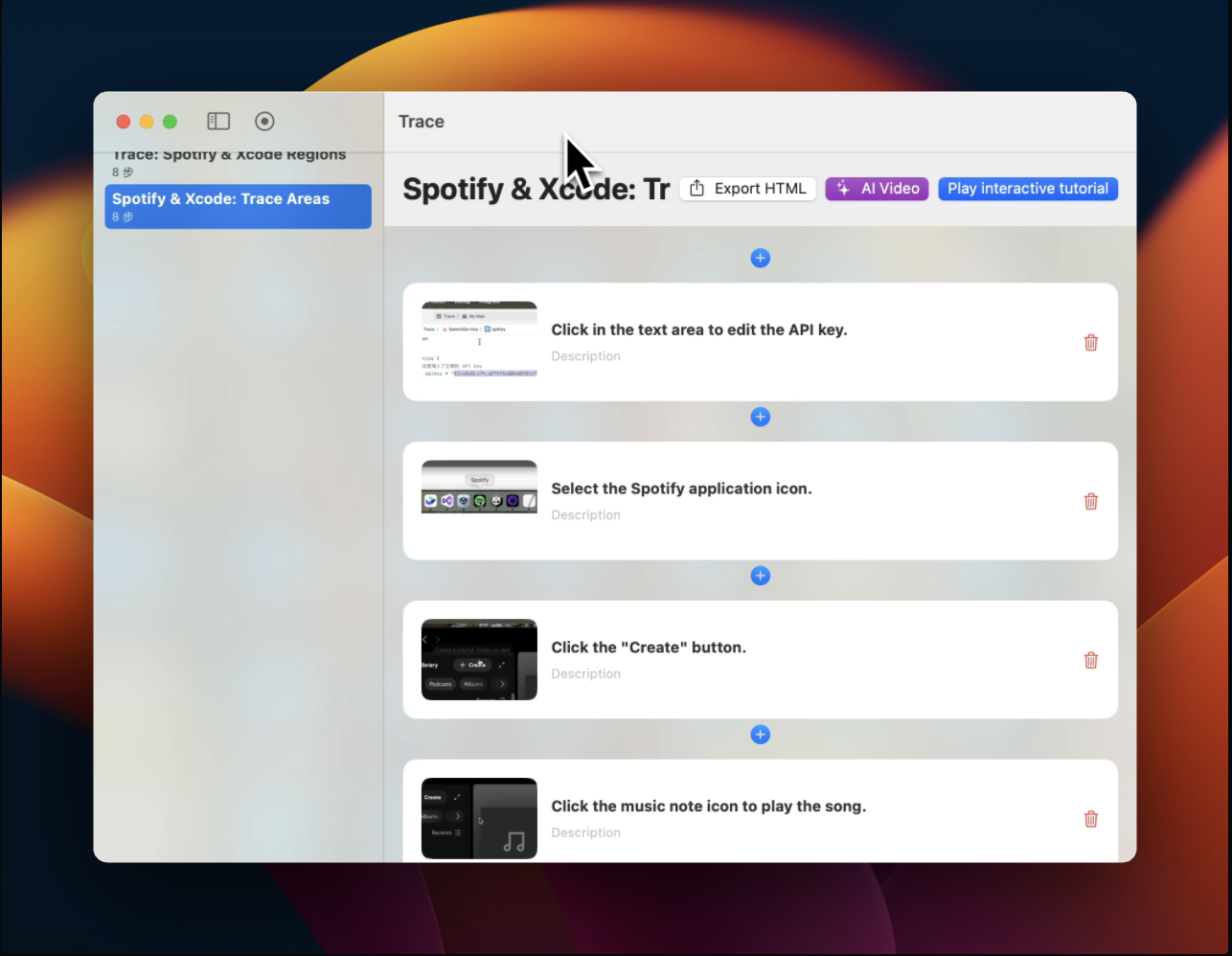
Trace interface
-
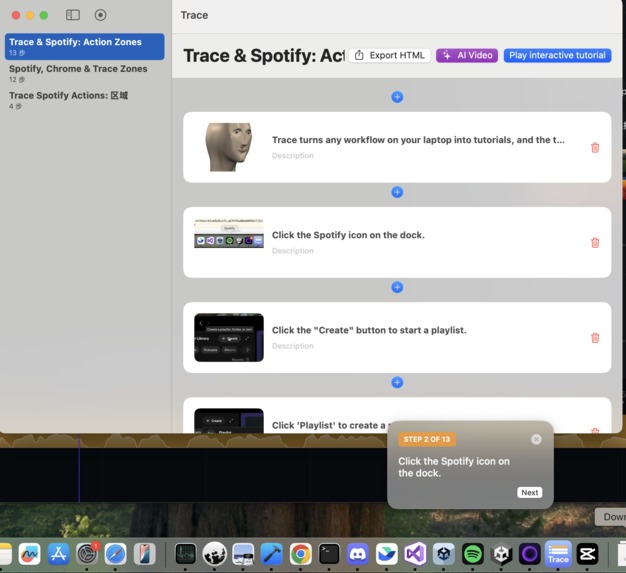
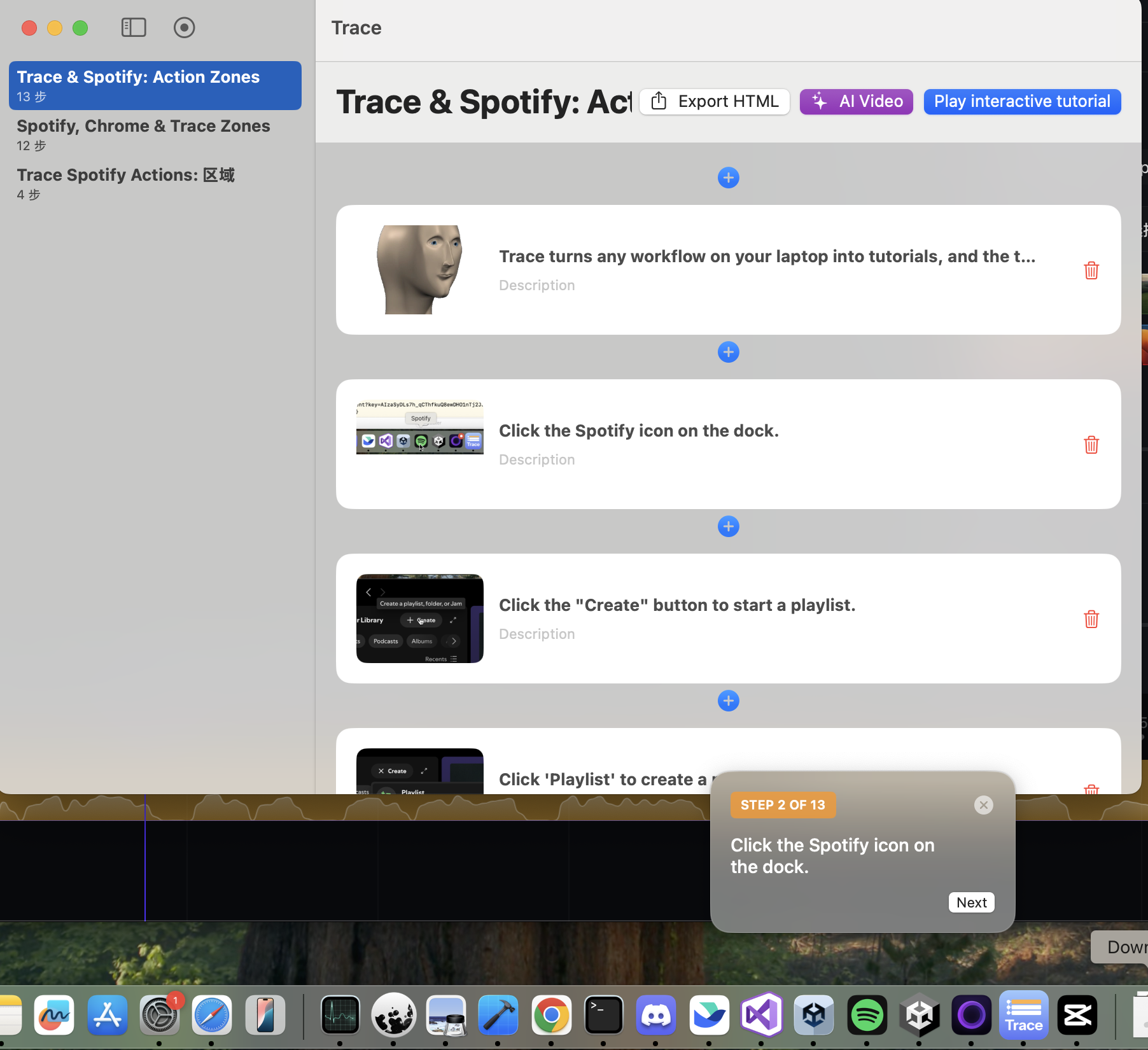
Create interactive tutorials overlay on screen
-

Generate a video walkthrough in seconds
-
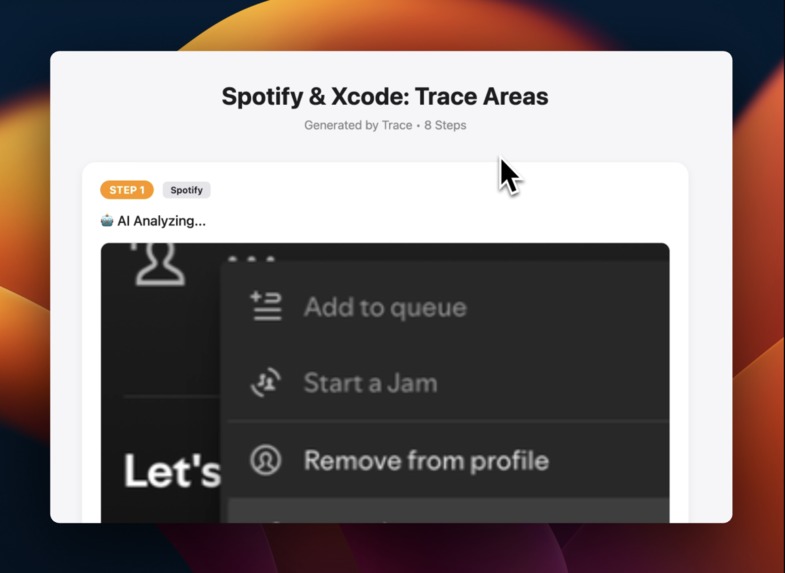
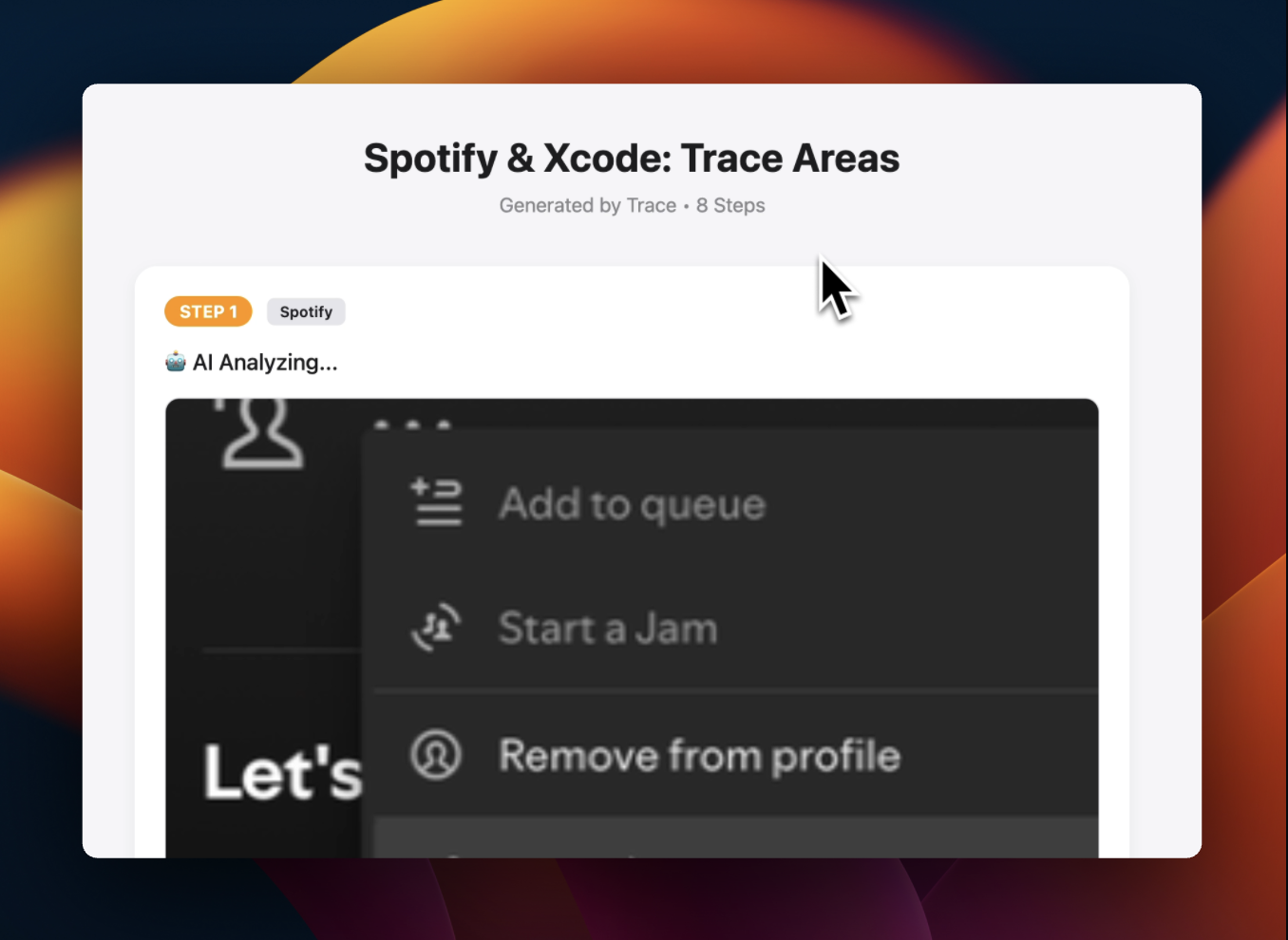
Export tutorial to html

Inspiration
As an indie game developer, I spend countless hours learning new tools and teaching others. I love watching tutorials and sharing knowledge with my community—but there's always been a painful gap: creating those tutorials takes forever.
I'd finish implementing a cool feature in Unity, or figure out a tricky bug fix, and think "I should document this." But the process of opening a screen recorder, editing the footage, adding voiceover, and uploading it would take hours. So most of the time, I just... didn't.
I looked at existing tools like Scribe, but they only work for web apps. As a developer, 90% of my workflow happens in native apps—IDEs, game engines, design tools, terminal windows. I needed something that could watch everything I do on my Mac and turn it into documentation automatically.
So I built Trace.
What it does
Trace is a native macOS application that lives in your menu bar and transforms any workflow into three formats:
- 📄 HTML Documentation – Beautiful step-by-step guides you can share instantly
- 🎮 Interactive Tutorials – Guided walkthroughs that run directly on macOS (coming soon)
- 🎥 Video Explainers – Narrated MP4 tutorials generated in seconds with AI voiceover
How it works:
- Record: Click "New Recording" and perform your task in any app—Chrome, Xcode, Figma, Terminal, anything.
- Analyze: For every click, Trace captures a screenshot and coordinates, then sends the visual data to Google Gemini.
- Generate: Gemini analyzes the UI context (e.g., "User clicked the 'Deploy' button in Xcode") and writes a concise instruction.
- Produce: Trace instantly creates your documentation including:
- Export as HTML for static docs.
- Interactive Tutorial: A guided overlay that highlights exactly where to click, running natively on macOS.
- ✨ AI Video Mode – Trace asks Gemini to write a natural voiceover script, then uses text-to-speech and AVFoundation to stitch screenshots and audio into a smooth
.mp4tutorial—no video editor required.
How I built it
Trace is a native SwiftUI app optimized for macOS. I built it using Gemini 3.0 in a week.
- Vision & Reasoning: I use the Gemini 2.0 Flash API for its incredible speed and multimodal capabilities. I feed it compressed, high-fidelity screenshots, and it returns structured instructions and JSON-formatted video scripts.
- System Integration: I use
ScreenCaptureKitfor low-latency screen recording across all apps andAXUIElement(Accessibility API) to detect window focus. - Video Engineering: Instead of relying on generative video (which can hallucinate UI details), I built a Deterministic Rendering Engine using
AVAssetWriter. I combine real screenshots with synthesized audio tracks (NSSpeechSynthesizer) to ensure the video is pixel-perfect and 100% accurate to the user's actions. - Performance: I implemented aggressive background threading and image compression to handle Retina-quality screenshots without blocking the main UI thread.
- Development: I used Gemini 3 as my development assistant throughout the build process.
Challenges I ran into
- The "OOM" Crash: Handling dozens of high-res Retina screenshots initially caused memory spikes that crashed the app. I had to rewrite my entire image processing pipeline to use streaming data and background actors.
- Audio/Video Sync: Generating a video programmatically is hard. I had to manually calculate the duration of every spoken sentence to ensure the video frame changes exactly when the voiceover finishes that sentence.
- Cross-App Recording: Unlike web-only tools like Scribe, I needed to capture every macOS app. This required deep integration with ScreenCaptureKit and careful permission handling.
- Gemini JSON Parsing: Getting an LLM to return strictly formatted arrays for my video engine was tricky. I used rigorous prompt engineering to ensure the output was always machine-readable.
Accomplishments that I'm proud of
- Building a native macOS experience that feels like a system app, not a web wrapper.
- Universal App Coverage: Unlike web-only tools, Trace works with Xcode, Unity, Blender, Terminal—any app on your Mac.
- The "AI Video" button. Seeing the app generate a full MP4 with voiceover from scratch in under 10 seconds was a magical moment.
- Interactive Tutorial Overlays: Successfully implementing a guided click-through system that highlights exactly where users should click.
- Achieving near-instant analysis speeds by optimizing my image compression before sending to Gemini.
What's next for Trace
- Distribution System for Interactive Tutorials: The interactive overlay mode currently works on the creator's Mac, but viewers also need Trace installed to see the overlays. I need to build a distribution system so viewers can see the interactive tutorial with just a link.
- Multi-language Support: Using Gemini to translate the guide and voiceover into languages like Spanish, Chinese, and Japanese instantly.
- Direct Integration: Exporting guides directly to Notion, Confluence, or Jira API.
- Focus Highlighting: Automatically drawing red boxes around the clicked elements in the final video.
Built With
- api
- avfoundation
- gemini
- screencapturekit
- swift
- swiftui

Log in or sign up for Devpost to join the conversation.