
Inspiration: the problem
Retro camera apps sell nostalgia, but almost all of them cheat. They stack a preset over a finished photo, or worse, hand the frame to an image model that redraws it into something that never happened. You get an approximation of "old," and you get it after the shutter — you cannot see what you are shooting while you shoot it. And nearly all of them stop at the same narrow band of nostalgia: a bit of 70s fade, a bit of VHS.
What TokiCam does
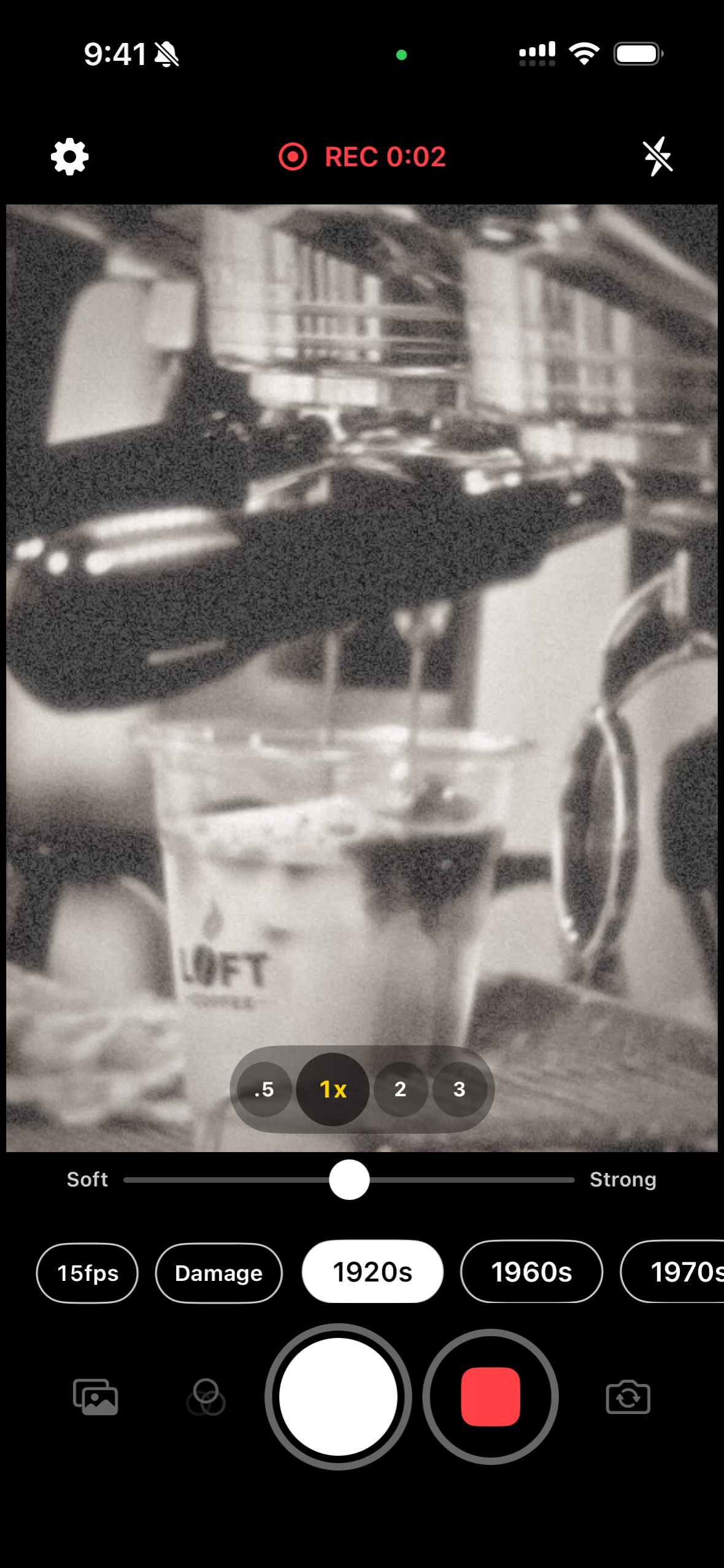
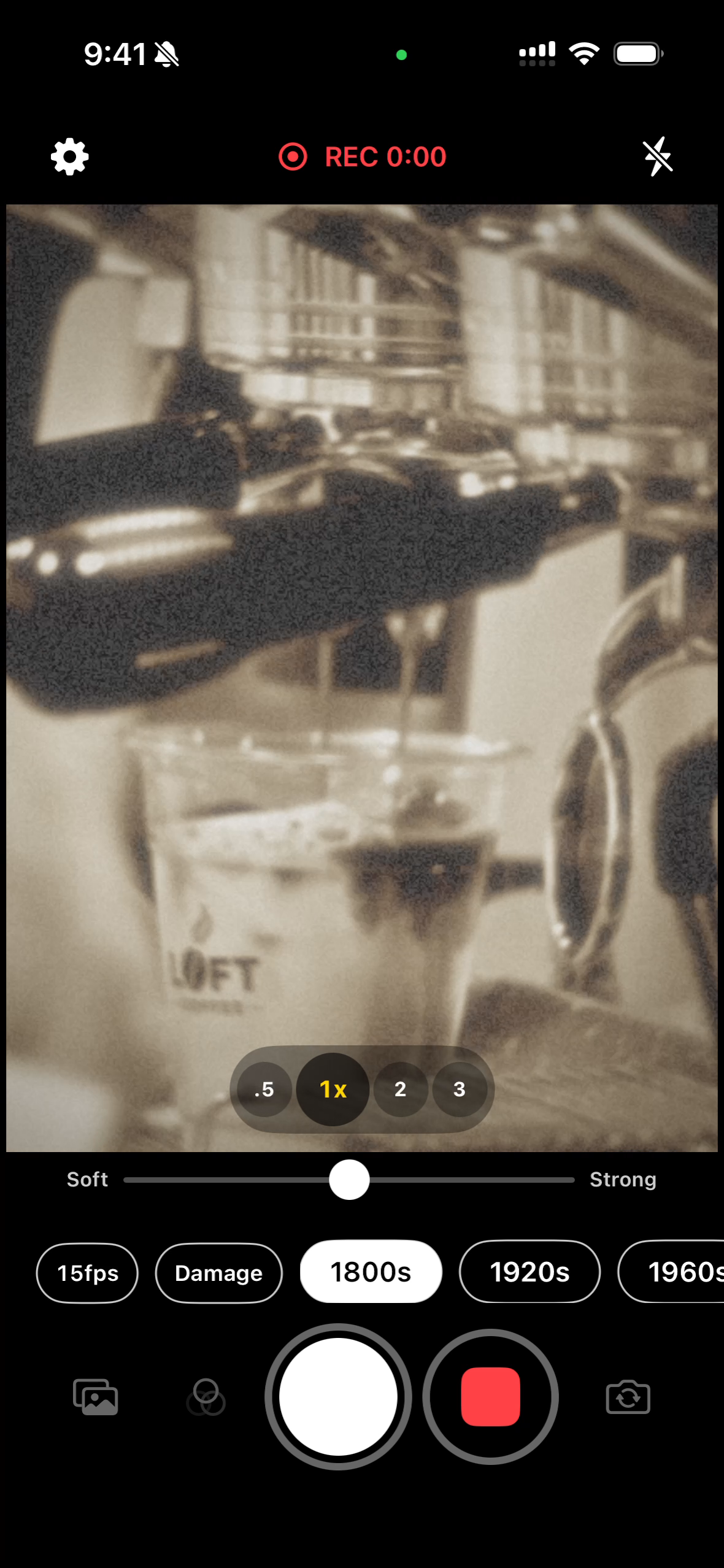
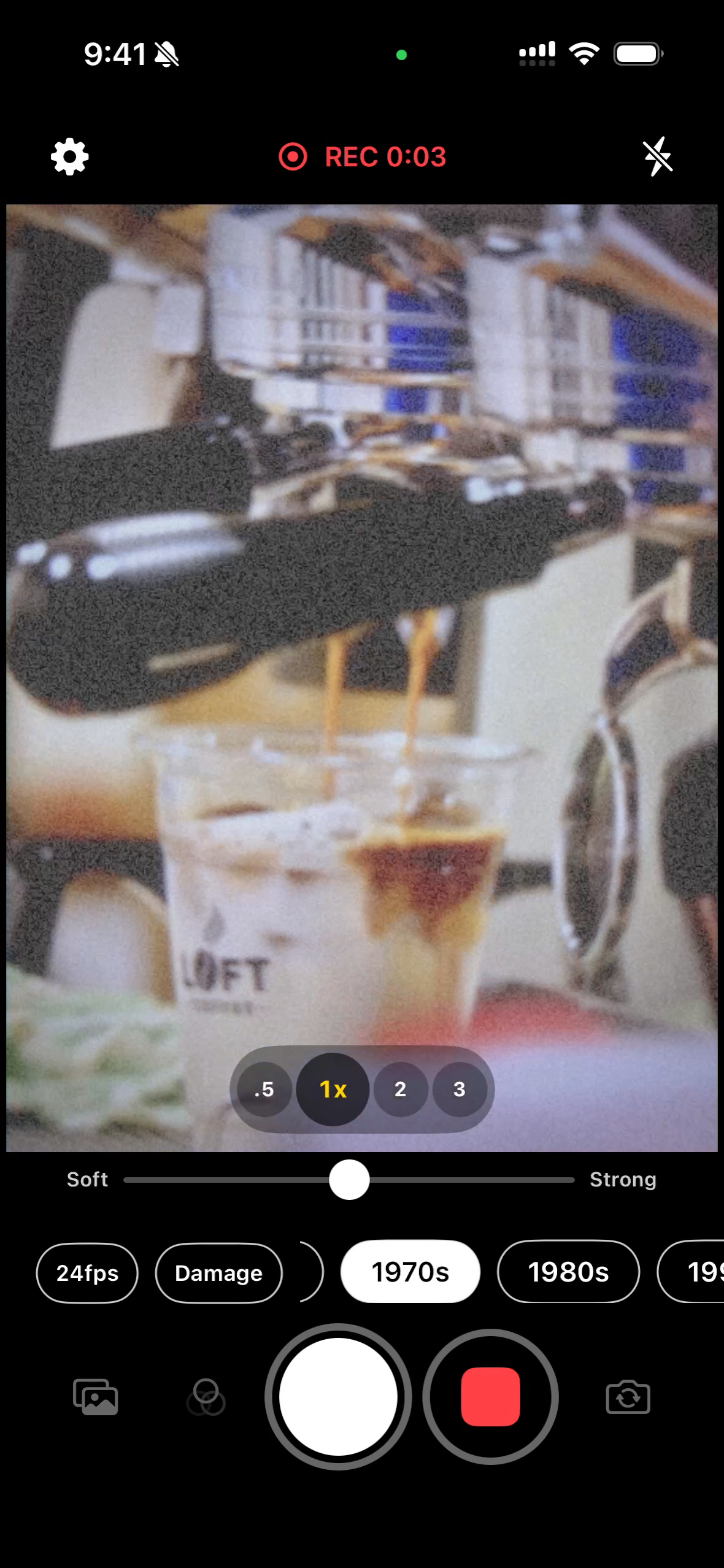
TokiCam is a camera that renders the actual optical and chemical signature of an era, live, on every frame before it reaches the screen.
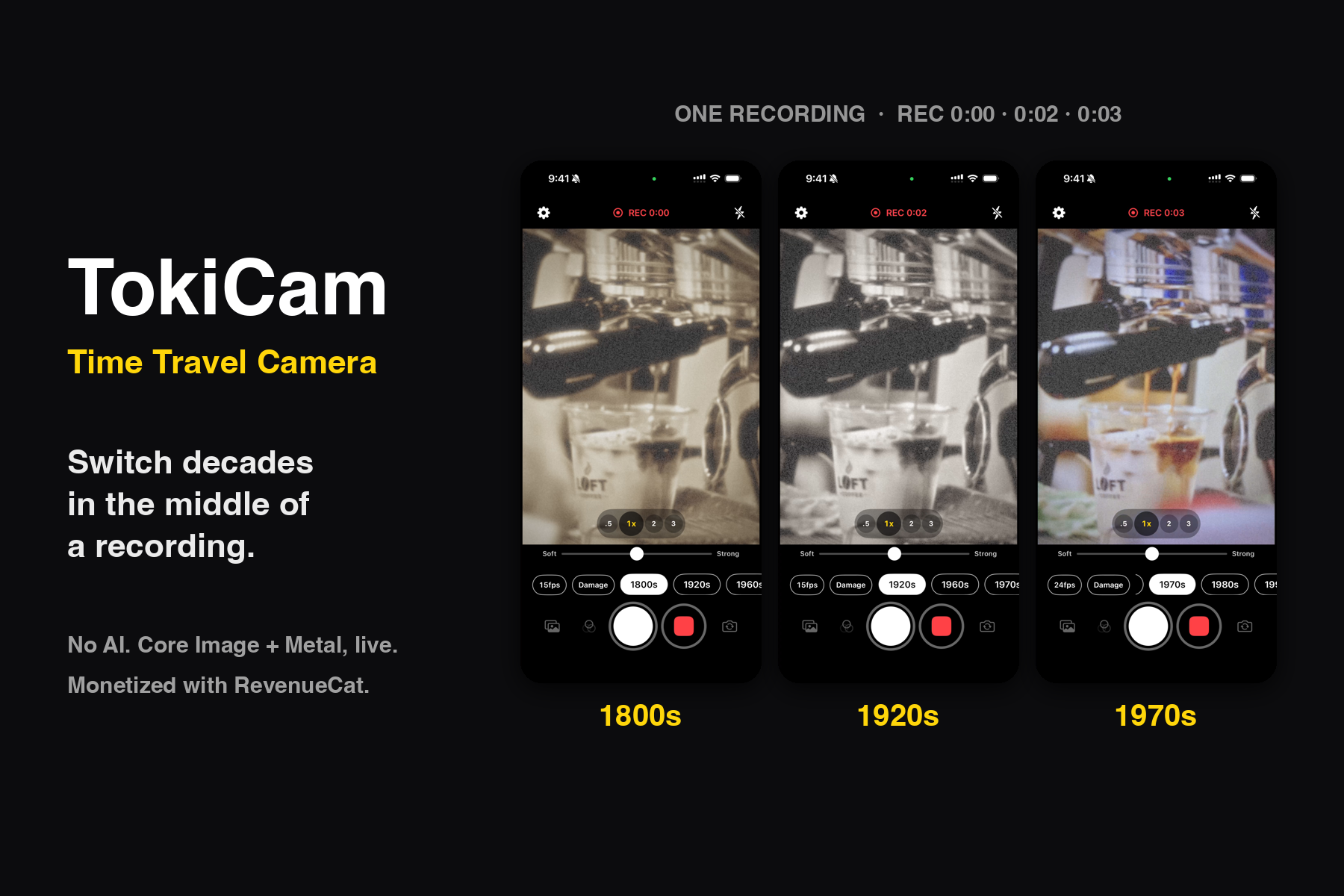
Eleven eras and modes, each researched against real photographs of its period:
| Era | What it recreates |
|---|---|
| 1800s | Wet plate collodion and albumen print sepia |
| 1920s | Orthochromatic film, warm-black tone |
| 1960s | High-contrast press monochrome |
| 1970s | Faded early color prints |
| 1980s | Warm consumer film, Kodak Gold character |
| 1990s | AF compact and disposable-camera snapshot look |
| 2000s | CCD digicam bloom and chromatic aberration |
| 2010s | Plain early-smartphone rendering |
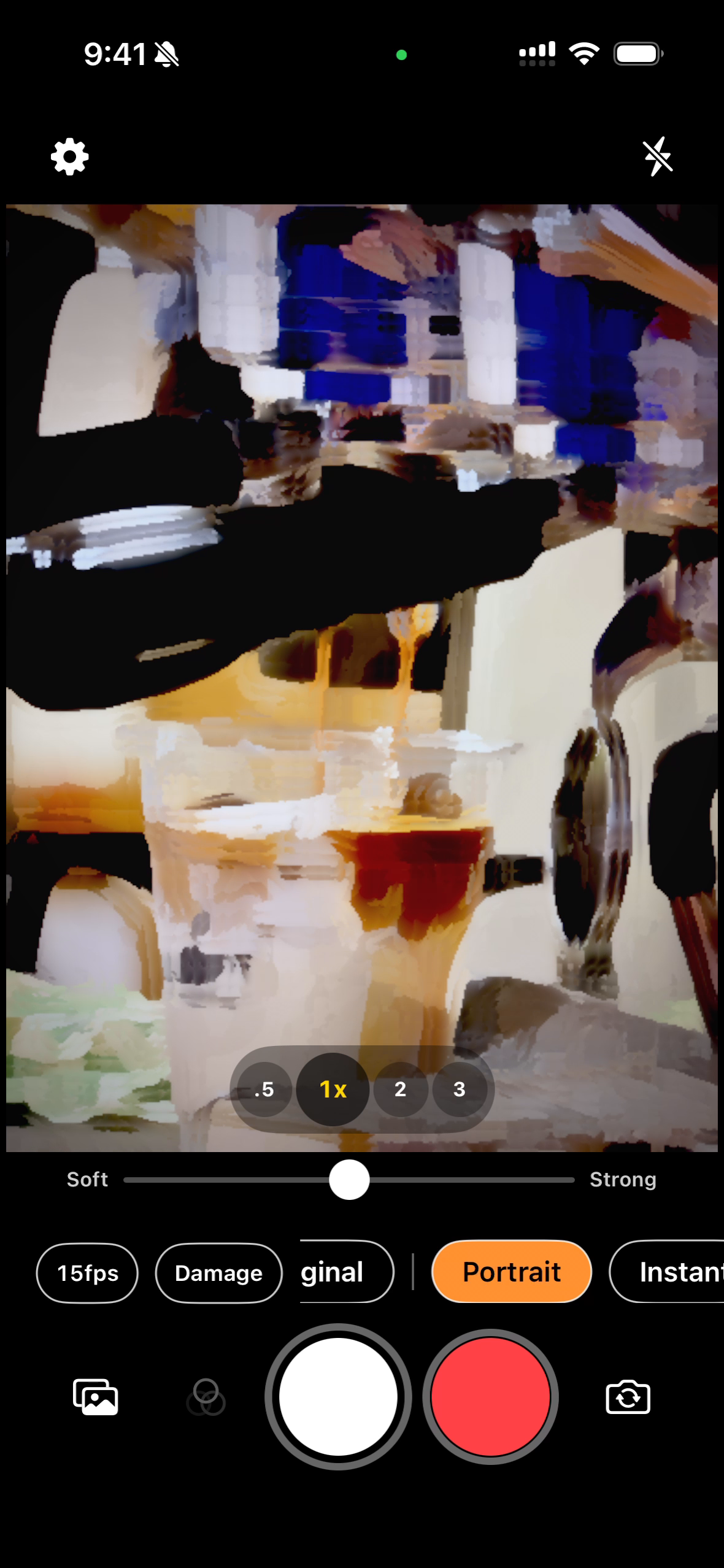
| Portrait | Oil-painting brushwork from before photography existed (Kuwahara filter, Metal shader) |
| Instant | Magenta-shifted disposable film |
| Flip Phone | Low-resolution, block-noise phone-camera nostalgia |
Plus an aged-damage layer — scratches, dust, fading, silver mirroring, flicker — procedurally generated and re-seeded each session, so no two shots wear the same damage.
The differentiator: one pipeline, no surprises
Every frame goes through one Core Image + Metal chain, and the same filtered frame is what you see in the viewfinder, what gets written to the photo, and what gets written into the video. There is no separate "export" render. What you framed is what you get, at zero shutter lag.
That single design decision unlocks the thing no other retro camera does: you can change decades in the middle of a video recording, and the century flips frame-by-frame in the finished file. A pan across a street can start in 1968 and end in 2004.
And no AI image generation, anywhere in the app. The person in the frame is the person who was in the frame.
Who it is for
- People who shoot film or collect old cameras and can tell when a "retro" filter is faking it
- Creators making period-styled reels and shorts who need the effect baked in live, not in post
- The Y2K / digicam revival audience that has aged out of one-preset novelty apps
- Anyone who wants to see their ordinary street look like a photograph that could have existed a hundred years ago
Monetization (RevenueCat)
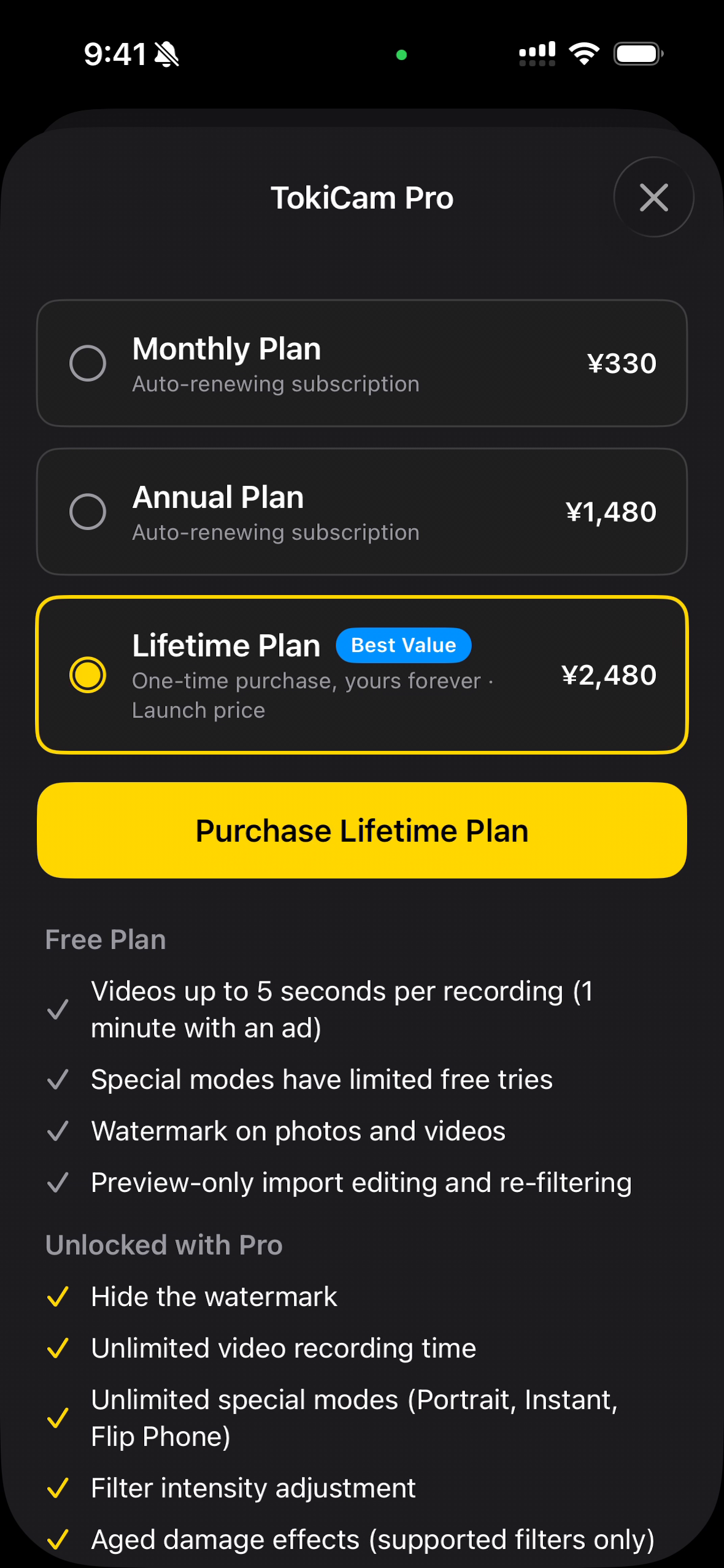
RevenueCat powers all purchases, with three offerings surfaced in one paywall:
- Monthly subscription
- Annual subscription
- Lifetime unlock — the hero plan, badged "Recommended" and pre-selected
The free tier is deliberately generous, because the core experience has to sell itself: all eight decade filters, unlimited photos, a small app-name watermark, and video capped at 5 seconds per clip. A rewarded ad (AdMob, reward-only — no banners, no interstitials) extends the next recording to a full minute, unlimited times.
Pro removes the watermark and the recording cap, unlocks the three special modes, the aged-damage layer, the filter-intensity slider, photo-library import, post-shot re-filtering, and custom date stamps.
The three special modes (Portrait, Instant, Flip Phone) run on a trial-count model held in iCloud Key-Value Store and Keychain, so the count survives reinstalls and device changes — 15 captures each when signed into iCloud. Preview is always free and unlimited; only saving consumes a try.
How I built it
Swift, SwiftUI (iOS 17+), AVFoundation, Core Image, Metal (custom .cikernel shaders), RevenueCat, Google Mobile Ads, Firestore REST (force-update and analytics, no Firebase SDK), xcodegen. Localized into 8 languages. No backend server.
Challenges and what I learned
- Procedural damage without AI. Core Image's random generator also randomizes alpha, and downstream filters receive alpha-divided values, which silently broke every threshold. Forcing alpha to one fixed it. Thin scratches and dust also vanish under linear resampling, so they are scaled with nearest-neighbor sampling.
- Keeping one pipeline fast. Previewing, recording and saving the same filtered frame means every filter must hold frame rate on-device. Shader compilation is warmed up in parallel at launch, and static damage layers are pre-baked into a single overlay on a background queue.
- Camera feel. Pinch-to-zoom had to be normalized against the gesture recognizer's first magnification value; otherwise the zoom jumped about 5% at the start of every pinch.
What is next
Per-decade quick-launch from the Action Button and Control Center, full-resolution stills, and a shared "same scene, every decade" grid export.
Built With
- admob
- avfoundation
- camera
- computer-graphics
- core-image
- firestore
- image-processing
- in-app-purchase
- ios
- localization
- metal
- revenuecat
- shader
- storekit
- swift
- swiftui
- video-processing
- xcodegen

Log in or sign up for Devpost to join the conversation.