-
-
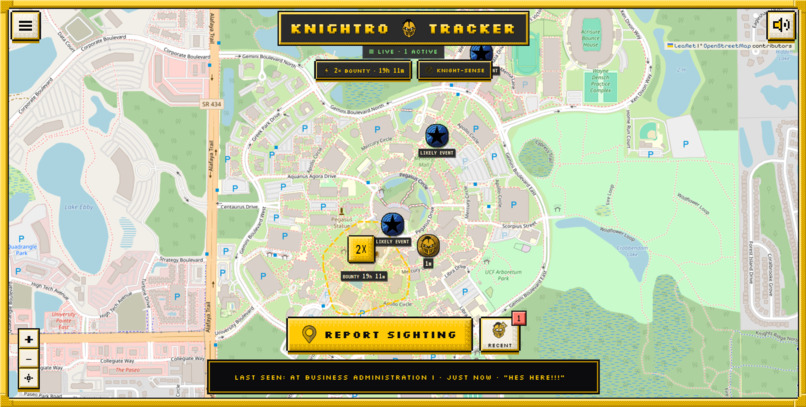
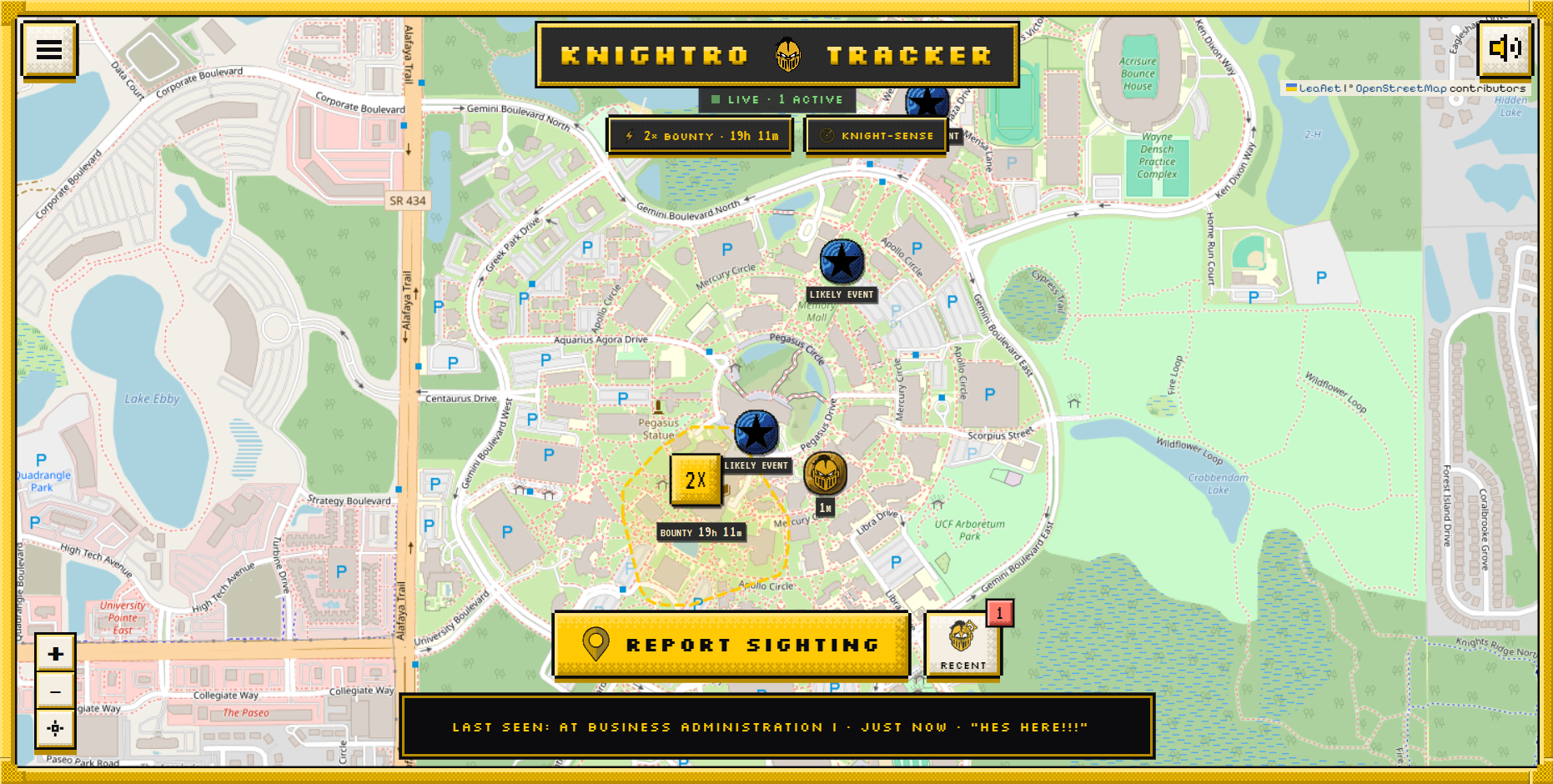
Overview of the entire map
-
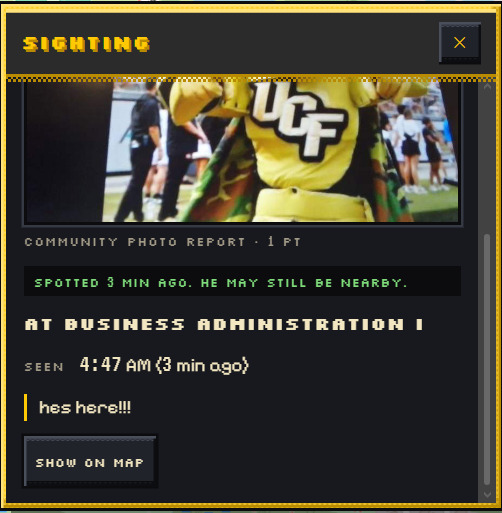
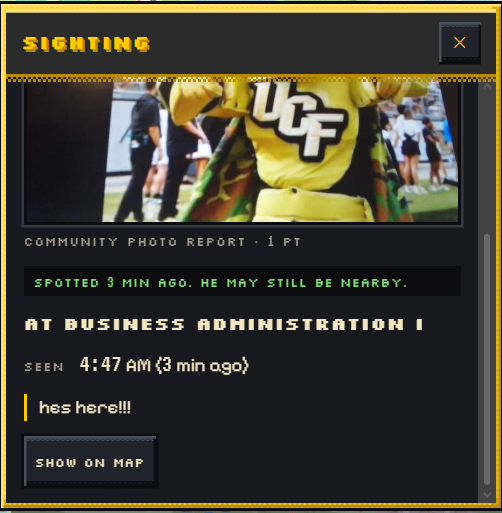
Sighting details panel to browse a specific pin when it has been clicked
-
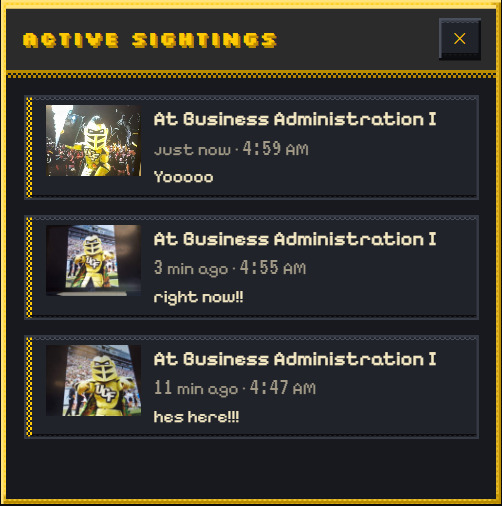
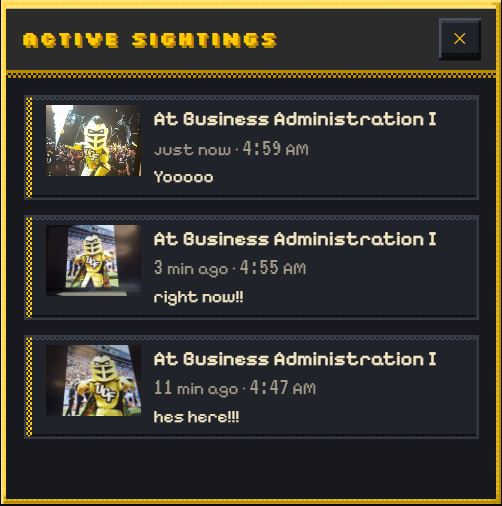
Recent sightings panel to browse active Knightro sightings with photos, locations, and timestamps
-
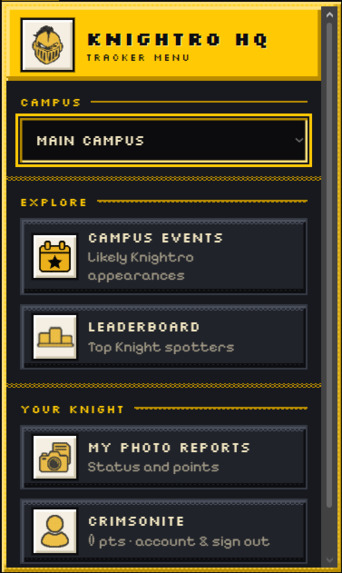
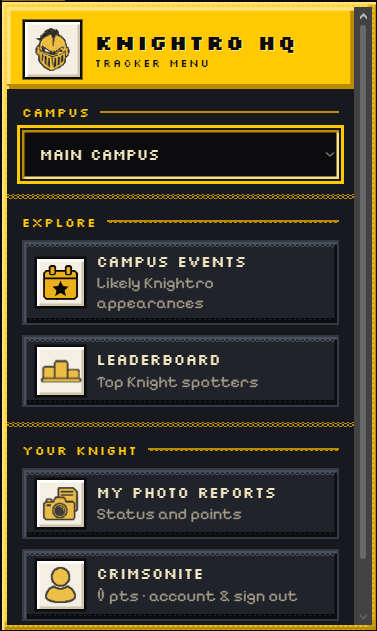
Toggleable navigation menu to switch campuses, check events, leaderboard, and past reports
-
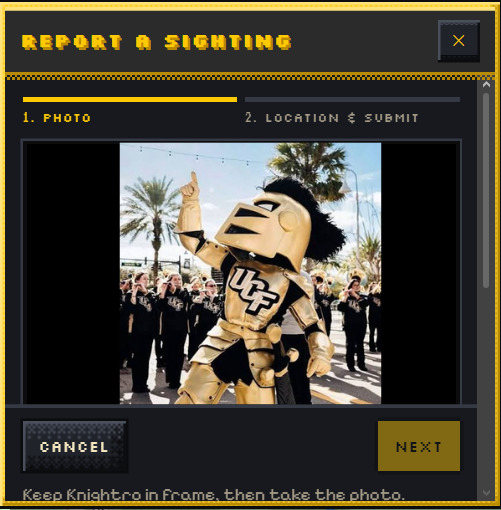
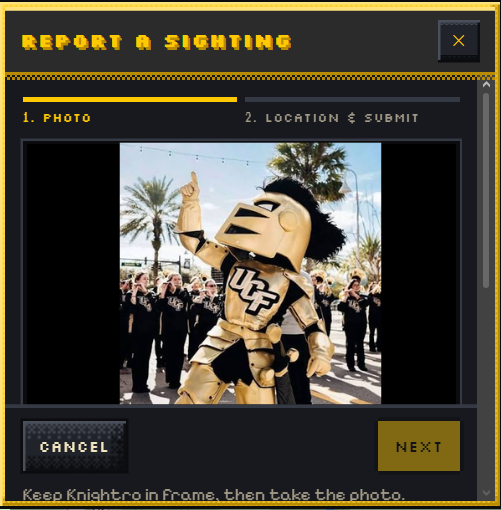
Panel for uploading a picture to report a sighting
-
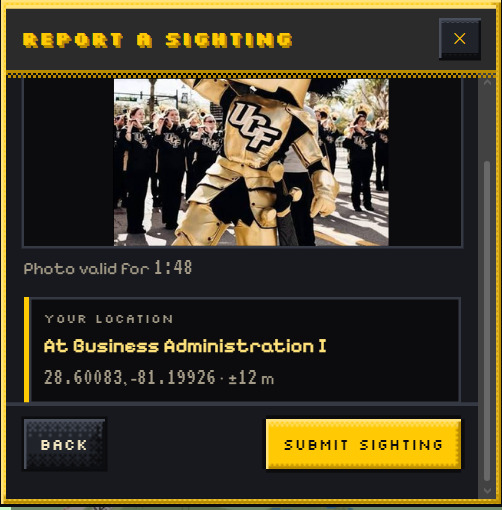
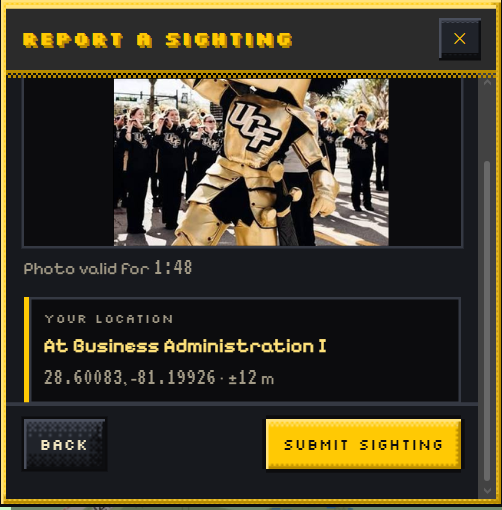
Panel to confirm location of a sighting
Inspiration
After our team realized that we had only seen Knightro a few times and almost always at football games, we wondered: why can't we find him and where is he on campus? After watching Spider-Man, we were inspired by its own Spidey Tracker website. We wanted to bring that same excitement to UCF, giving students a fun way to find our mascot, share sightings, and connect with one another. We understand the importance behind being the face of UCF, and that is why we brought this tracker to life to promote student spirit and social interactions in a fun and friendly competitive manner.
What it does
Knightro Tracker turns rare, lucky encounters with Knightro into a student-powered campus adventure. Students report sightings, discover possible appearances, earn points, and compete through an interactive video-game styled radar interface.
Report a Knightro Sighting
- Sign in: Sign in with a UCF email
- Choose the location: Allow location access so the app can retrieve your current coordinates and automatically identify the campus building or nearby area for your sighting.
- Snap a live photo: Take a picture directly inside the app, keeping sightings tied to the moment rather than old gallery photos.
- Check for Knightro: Our trained Hugging Face recognition model evaluates the photo to determine whether Knightro is present.
- Publish and earn points: A successful report drops an instant sighting pin on the live map, appears in recent sightings, and normally awards 1 point.
Other students can follow recent reports to find out where Knightro was last spotted. Pins fade and eventually expire so the map emphasizes recent activity.
Daily Bounties
Each day, a randomly selected campus section is highlighted as a bounty area. Eligible successful sightings inside the highlighted area earn 2x points instead of 1. Everyone can participate, and the bounty remains active for the entire day. A fresh random selection happens at midnight, giving students a new reason to explore.
Campus Events
Our event pipeline collects public listings from KnightConnect, stores their details, and filters for events where Knightro may appear. Instead of filling the map with ordinary club meetings, the tracker looks for appearance-related information and recognizable campus locations. Students can browse likely appearances and open the original event listing for more information. These are potential appearances, helping students plan their search without presenting an event listing as a confirmed sighting.
Leaderboard
The leaderboard ranks students by the points they earn from successful sightings. It adds a friendly competitive element: find Knightro, contribute useful reports, and climb the rankings.
Knight-Sense
Inspired by Spidey-Sense, Knight-Sense looks for signals that Knightro might be nearby. When several participating users open the app near the same building within a short period, the system can trigger an unconfirmed location hint. An upcoming event with a likely mascot appearance can also trigger an alert. Messages such as “My Knight-Sense is tingling near Memory Mall…” give students a place to investigate.
My Photo Reports
My Photo Reports gives each user a personal history of their submitted Knightro sightings. Students can revisit their report records, check their status, and see the locations and points associated with their contributions even after the sightings disappear from the live map.
How we built it
- Frontend: HTML, CSS, and JavaScript power the responsive interface, inline camera flow, pixel artwork, and retro styling.
- Interactive map: Leaflet and OpenStreetMap provide campus navigation, sighting pins, marker clustering, building locations, and highlighted bounty areas.
- Backend: Python APIs handle accounts, photo reports, building identification, points, bounties, and Knight-Sense activity.
- Databases: SQLite supports the application’s local storage. Our event pipeline uses SQLAlchemy and supports SQLite or PostgreSQL.
- Event collection: A Python scraper uses Playwright to collect public KnightConnect listings, Requests to retrieve calendar files, and iCalendar parsing to extract structured event information.
- AI recognition: We trained a model with over 150 photos of Knightro and 100 negative samples. The model is stored on Hugging Face and called through Python scripts hosted on Vercel.
- Hosting: We used Vercel for frontend deployment and the Python scripts supporting recognition. We also prepared deployment support for the application backend to run on AWS.
- Development tools: Claude and Codex helped us implement features, debug problems, and refine the interface. We reviewed and tested the resulting code as a team.
Challenges we ran into
Switching backend approaches meant keeping our API calls, authentication, data storage, and frontend behavior consistent while the architecture evolved.
Automating the event database presented another challenge. Collecting listings was only part of the job: we also needed to parse locations and times, avoid duplicate records, and keep the published feed reliable.
We worked around free-tier limits and restricted resources, which pushed us to prioritize essential features and simplify our deployment choices.
We also had to balance the retro design with usability. The interface needed to feel playful while keeping the map readable, the camera flow simple, and the controls usable on mobile devices.
Accomplishments that we're proud of
We are proud of turning a simple question like “Where is Knightro?”, into a working project through teamwork and communication.
Seeing the pixel artwork, animated assets, map, and frontend come together into a retro looking experience was also very rewarding.
We are also proud of training a recognition model that successfully identifies Knightro in our test photos. Combining that work with live reporting, campus events, and rewards made the project feel like a complete experience that we're proud to have worked on.
What we learned
We learned how training examples and negative samples affect an AI recognition model, and why testing across different photos matters as much as getting an initial prediction to work. We gained experience deploying frontend applications and Python scripts through Vercel, connecting frontend features to backend APIs, and managing configuration across environments. We also learned more about web scraping, database storage, and keeping automated event feeds consistent. And of course, we learned how to divide responsibilities, communicate through changing requirements, and test the full user experience as a team.
What's next for Knightro Tracker
We want to expand the training dataset with more photos of Knightro across different lighting conditions, poses, distances, and backgrounds. Our goal is to reduce both false positives and missed sightings. We also plan to complete and validate the AWS backend deployment, improve reliability as more students participate, and continue refining the mobile experience. Future interactive features could include new campus challenges, community milestones, and additional rewards for participation. Our goal is to grow Knightro Tracker into a campus tradition that encourages school spirit, exploration, and real-world social connections.
Built With
- adobe
- adobe-illustrator
- antigravity
- claude
- codex
- css
- github
- html
- huggingface
- javascript
- node.js
- procreate
- python
- sqlite
- supabase


Log in or sign up for Devpost to join the conversation.