-
-
Main Logo
-
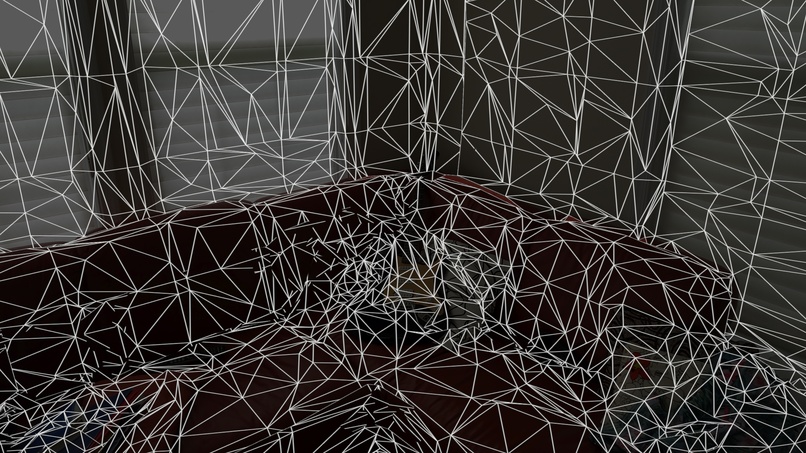
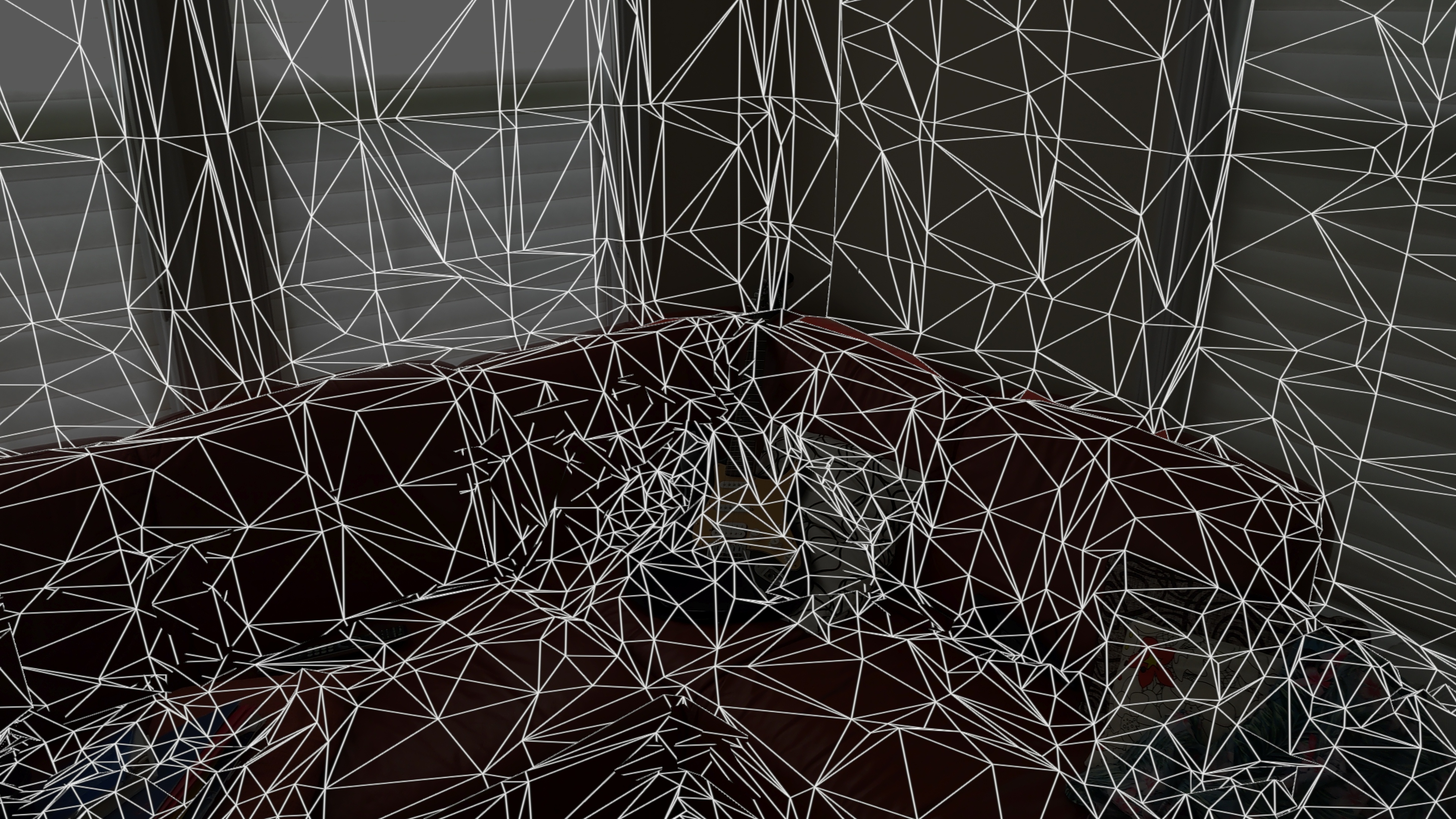
"Hello World!" but its Hello Mesh instead
-
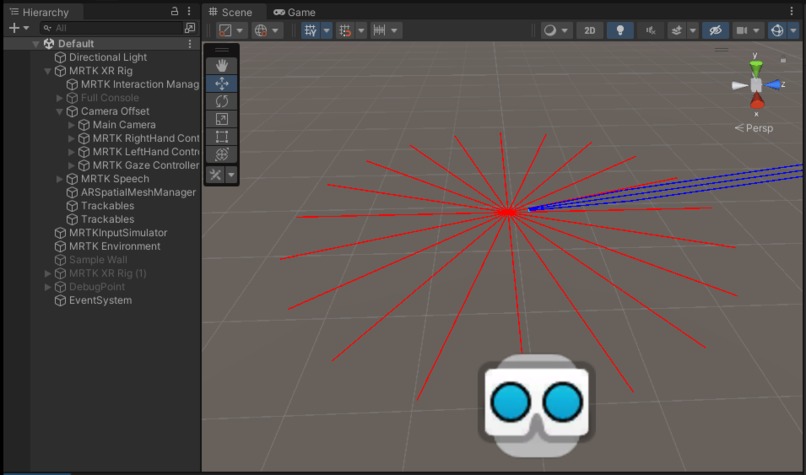
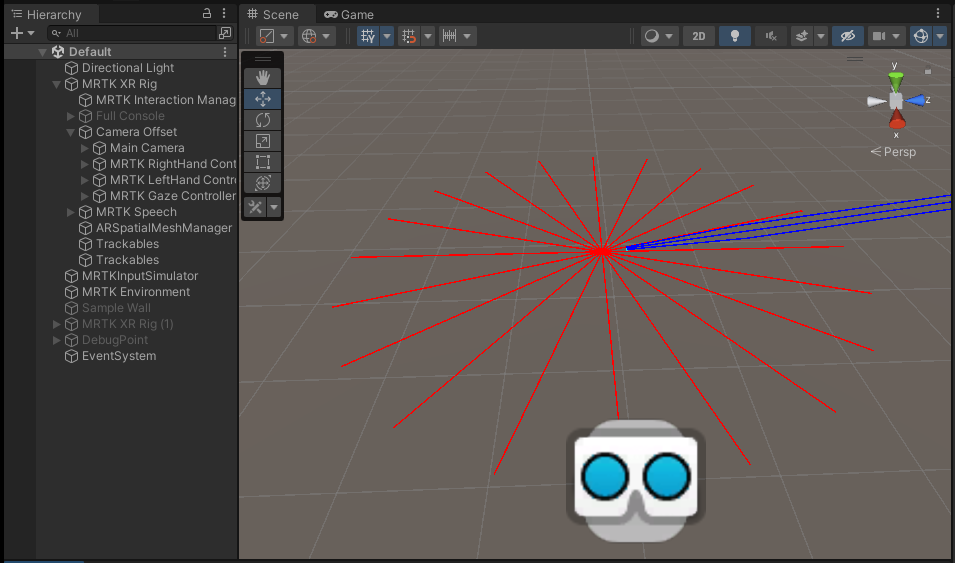
Raycasts shown in Unity as Debug lines (Main culprit of generated spatial sound)
-
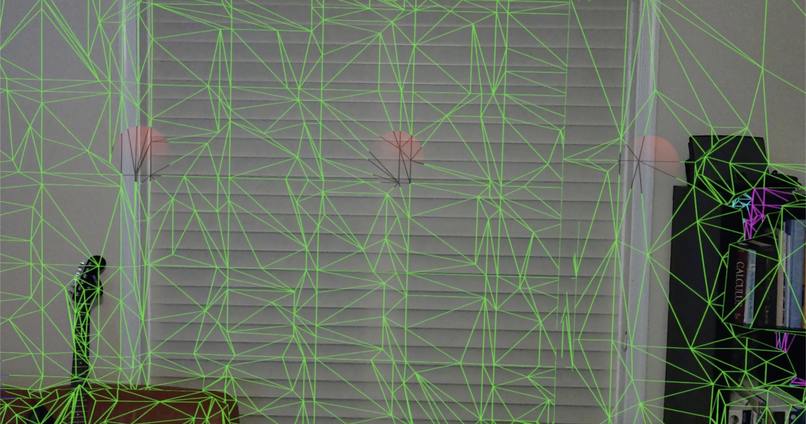
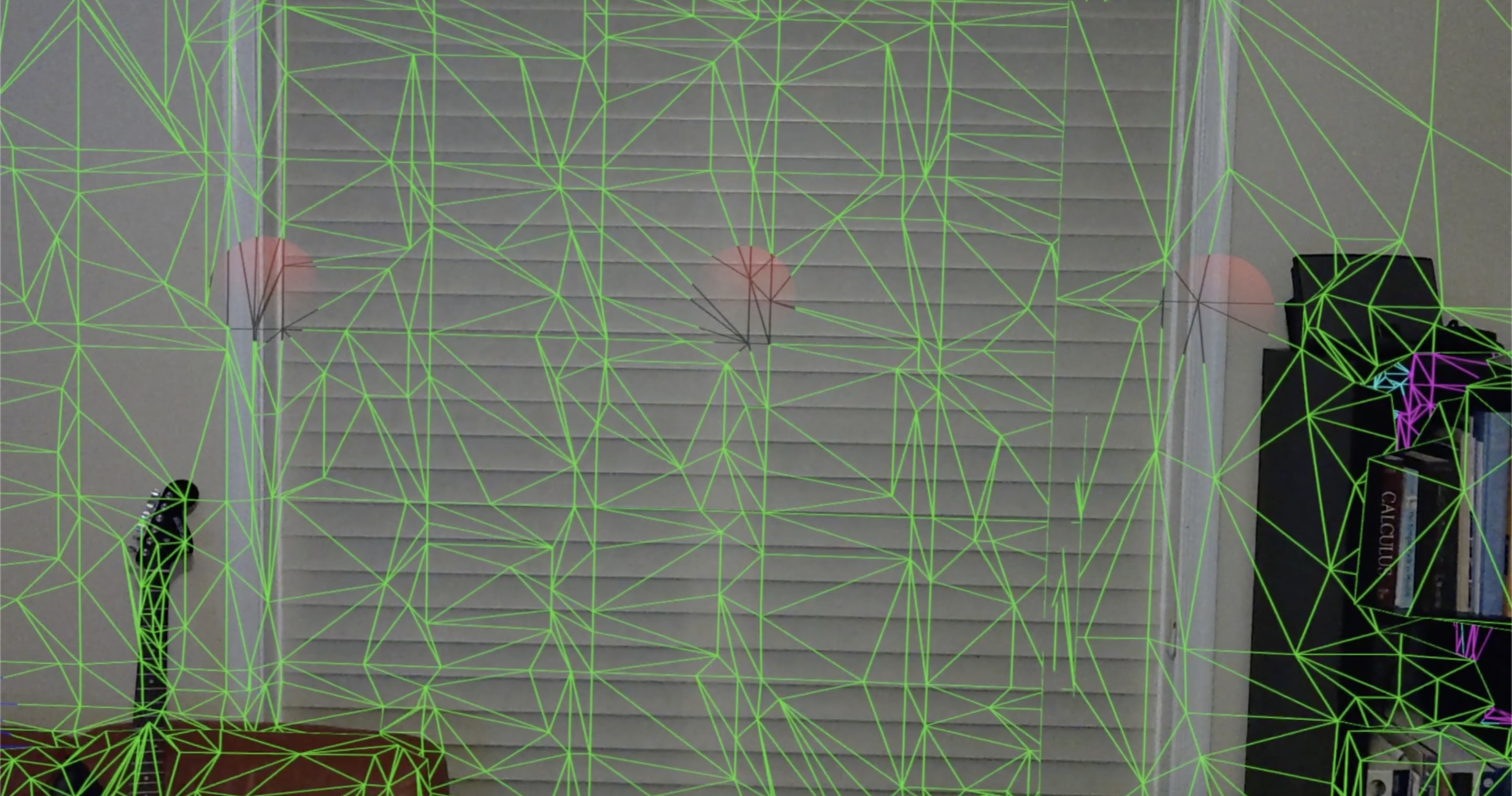
Visual Artifacts of Radar Sound
Welcome to BlindEyes! Whether you were looking through the Dev Days submissions or stumbled across this Devpost accidentally, it would be an honor for you to try out my project! I'd love to hear any feedback, positive or negative.
Inspiration
My own eyes suck. If I go a single day without wearing contact lenses, I won't even be able to read the word "stop" on a stop sign. Imagine the people who can't see even with contact lenses; how difficult it is to navigate an unfamiliar environment around them. Blindness and visual impairment are two of the world's oldest problems and have been solved previously with glasses/contacts and surgery, but never augmented reality.
My biggest inspiration comes from a research paper I did a while back on how video game playing affects cognition. Though the results were mixed, one of the prime ways video games improved cognition was through spatial awareness. The concept of spatial awareness intrigues me and how humans can simply memorize spaces with sensory experience.
And I'd like BlindEyes be a gateway: a way to help all people improve their spatial awareness by augmenting reality :)
What it does
Imagine a world where all objects were highlighted with holograms. Imagine a world where we could always remember where we last left our wallet. Imagine a world where audio was mixed with vision, in a way that we could have a second pair of eyes that gave us audio cues on what was around us. BlindEyes starts with a concept to help the blind maintain spatial awareness through spatial sound, striving to expand to those who are visually impaired, and finally to the general public as both an auditory and visual aid to help us detail the space around us. Spatial awareness is often overlooked, but the better we get at it, the less we forget where our wallet is or lose track of our parking spot.
Features:
- Togglable, automatic radar scanning of surrounding space using spatial sound
- Manual radar scanning of surrounding space using spatial sound
- Visual feedback for radar scanning a space (WIP) — as of right now, toggleable visual artifacts are present to demonstrate where each radar sound lies
How we built it
Oh, what a story. BlindEyes starts with 5 attempts of a misconfigured MRTK3 project, leading into a fun, niche prototype. Depending on what you want to learn more about, I've included separate sections.
Radar Audio: This was probably the most streamlined portion of work — as I developed the sound, I knew I was actually making progress the entire time. In Logic Pro X, I sampled a creative commons radar sound and pitched it down significantly. I also added multiple plugins such as EQ, filter, and compressor to enhance the tonality and clarity of the radar sound.
Raycasting: More on that in "Challenges we ran into" but it's important mentioning how the raycasting component works. To push out a single sweep of raycasts, a timer delay is present. Once the timer hits a certain threshold, it repetitively decrements and shoots raycasts at an angle relative to the total number of raycasts. Once a full circle of raycasts is achieved, the timer is reset. For the duration of a single radar sweep, the starting point for each raycast direction is the initial point: the point where the user was at when the first raycast in any series of raycasts is shot. The collider tag of the raycast is checked, and if that tag is a mesh tag, the raycast will generate sound at the intersection.
Voice Commands: A lot of credit to the software engineers at Microsoft and Unity for their wonderful documentation on voice commands. I was able to repurpose parts of their code in order to configure voice commands within MRTK3 using UnityEngine.Windows.Speech. Each command is bound to a function, mostly boolean locks. The "toggle" command continuously resets the timer to 0 if it is under a certain threshold, since it will be above that threshold if an iteration is actively running or a manual iteration is requested by the user. The "pulse" command increments the timer such that it will immediately trigger the raycasting method. The "debug" toggles a boolean that decides whether or not to instantiate debug spheres in the AR scene.
Meshing: This took a lot of trial and error since it is very different from MRTK2 and the new meshing system does not like to cooperate with your goals for it. Even though it seems very "cookie cutter," the prefab attachment does not work properly unless the mesh was displayed (containing density), and attempts to hide mesh lines while trying to use it were thus thwarted. Even snippets of code to hide the spatial mesh that worked in previous iterations of MRTK did not work with the spatial mesh in MRTK3.
Challenges we ran into
MRTK3, being relatively new, has limited documentation! Understanding its capabilities tends to come with trial and error.
One of the biggest challenges was with ARRaycasting in this project. At first, it seemed tempting to have Raycasts interact with physical objects in real-world space. However, the implementation seemed to never work. After some inspiration from an MR chat and some digging into documentation, I was able to use the collider from a Physics.RaycastNonAlloc at an intersection point with a prefab attached to the XR Mesh with a specific mesh tag and layer. Each one of those collision points in real-world space plays the audio-engineered.
Meshing was always a huge headache since either it would show but work, or not show and not work. Additionally, understanding the both meshing component and camera within the context of the "MRTK XR Rig" prefab was a pain. Scripts attached to the camera did not always work properly but worked consistently, while scripts attached to MRTK XR Rig were oddly inconsistent: once I ended up with my left eye blinded with a pink, untextured wall, and the next time the viewing was perfectly normal without changing the hierarchy.
If you'd like to take more pleasure in the rest of my pain, feel free to look at the commits in the BlindEyes github. Some of the things I messed up are very laughable like the setup of MRTK3, while other issues like raycasting were genuine obstacles.
Accomplishments that we're proud of
In the end, the main mechanic of generating spatial sound works relatively well. Additionally, getting voice commands to work was sweet. To a typical MRTK developer it may sound simple, but this project had so much learning to it since this is my first time developing with Augmented Reality and I'm very proud of even a basic spatial audio mechanic.
What we learned
As an honorable mention, I'd like to thank all the github knowledge I learned from merging to formatting the readme. I'd known the basics: git add *, git commit -m "commit description", and git push origin main. However, understanding .gitignore and .gitattributes, and minor, circumstantial commands will now stick with me forever.
My biggest takeaway from BlindEyes was not relearning Unity3D, nor was it learning the AR elements and how they interacted with the real world. My biggest takeaway, instead, was that I significantly strengthened my time management skill. A month seems like a long time when you're a month away. However, as time progresses, it becomes quite clear that a month is not as much time as you thought for a full fledged project. Learning new concepts takes time and it is important to plan around it rather than cram the new information (these "words of wisdom" do not apply to college). Setting deadlines would be challenging because there were times where I wanted to perfect the things I included in the project, such as radar sound and generation of spatial sound. However, having a finished product is better than having parts of a whole.
What's next for BlindEyes
In the coming future, I am planning on adding the following features:
- Multilayer radar scanning
- Moving object tracing and detection
- Visual feedback for moving objects
On the future direction of this project, I am looking towards providing a visual and auditory aid to the general public in hopes of improving the quality of spatial awareness across the globe.
Plus, there's always room for improvement on basic mechanics! I plan to improve the user's experience with better directional sound. I hope to continue to make it easier for the user to tell where the boundaries of a room are.
Miscellaneous
I couldn't find a good location to include this information, but you may be asking: why use a pulsing radar sound? It's simple. If the sound was not directionally pulsing, then it would be difficult for the user to tell how far the sound in each direction is, and the whole point of being spatially aware would be defeated. By playing the spatial sounds in rapid succession in a radar-like sequency, the sounds give off how far from each direction a barrier/wall is present from the user, allowing the user a better mental picture of their space.


Log in or sign up for Devpost to join the conversation.