Inspiration
As young drivers who have just gotten their permit, it is best for us to learn to be safe now rather than later. Sometimes we don’t follow the speed limit or don’t stay long enough at a stop sign without even realizing! On top of that, picking up my phone is such a dangerous but common distraction. To solve these problems, we created KARcoin, an app that incentivizes drivers to follow traffic laws and avoid using their phone.
What it does
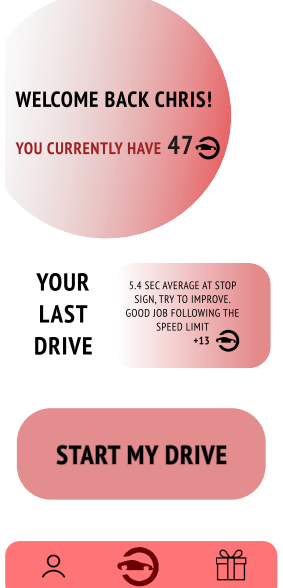
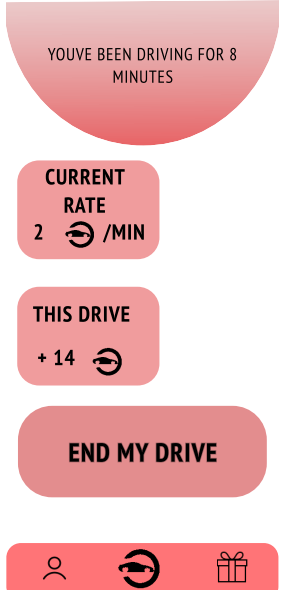
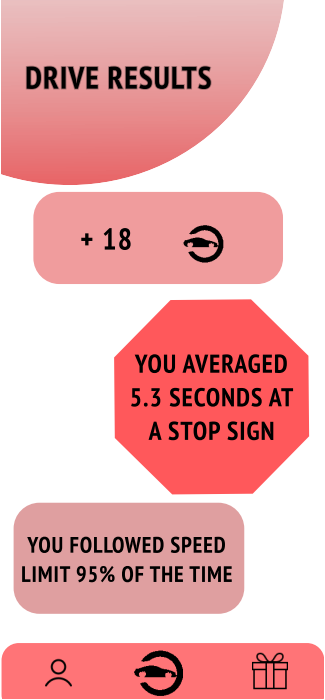
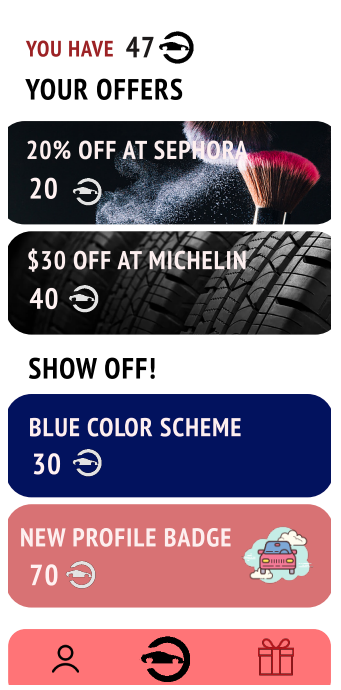
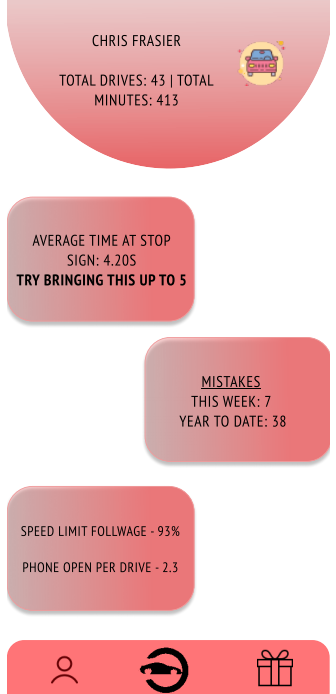
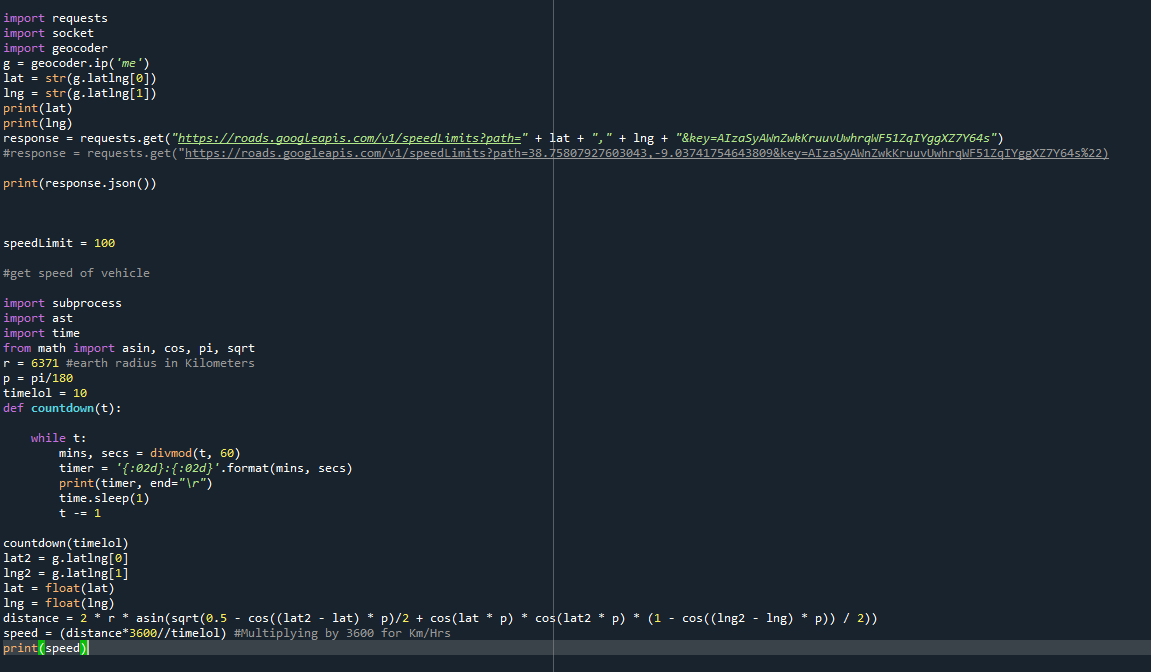
KARcoin is free to use mobile app that enable good driving behavior especially in younger and more impressionable drivers. The objective of KARcoin is to reward good driving etiquette which in turn encourages drivers to drive more safely with our own currency. Coins are given out based on good driving and rule following. A constant coin rate will be given while driving, which can be lowered or halted if rules are broken, but maybe increased if you have consistent rule following or good driving. The app tracks the location of the car and calculates its approximate speed. A google maps API is then used to find the speed limit in that certain location. Should the driver be not following the speed limit, their KARcoins rate would lower. Additionally, Mapillary’s stop sign API is used to identify nearby stop signs, and record how long the car waited at them - if it is too low the user would be penalized. If the user's phone is opened during the drive, they will be warned and be penalized. After the ride, a ride summary will be displayed showing your rule following percentages and statistics. An analytics page will compile your previous rides and identify what needs to be worked on, whether it be staying longer at stop signs or opening your phone less. The KARcoins earned can be exchanged for goods and deals on certain items in the rewards section, with the idea that sponsored rewards would be offered along with app customizations.
How we built it
A user interface was developed using Figma while the backend coding was written in Python. To track speed limit and location, we used Google Maps API. To track stop sign locations, we used the Mapillary API. Additional code was written in flutter as substitute on the GitHub.
Challenges we ran into
After developing our user interface on Figma it was revealed that Figma does not have an ideal way to connect to the backend. This severed the connection between the actual program and what the user will see. Another challenge we ran into was the lack of stop sign APIs. Although mapillary contains stop sign locations, it doesn’t have the location of every single stop sign, making it difficult for our app to verify that driver’s were following safety rules. A challenge that stemmed from this API was the fact that the mapillary database was difficult to connect to using Python.
Accomplishments that we're proud of
Creating a sleek user interface on Figma as well as implementing the google maps API to make a concise and efficient back end.
What we learned
How to format well on FIGMA About the Google Maps API and how to use geolocation combined with other APIs.
What's next for KARcoin
Connecting the developed user interface with the developed python backed in order to create a final finished product.

Log in or sign up for Devpost to join the conversation.