-
-
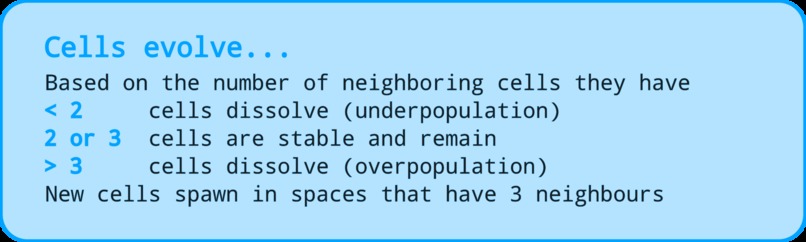
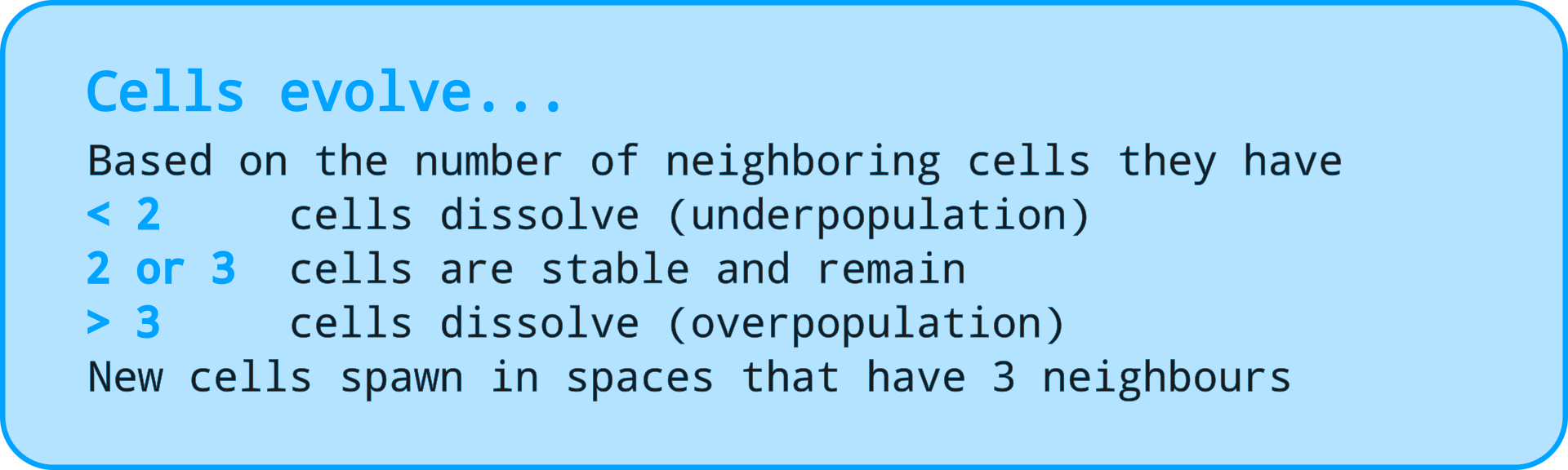
Evolution rules
-
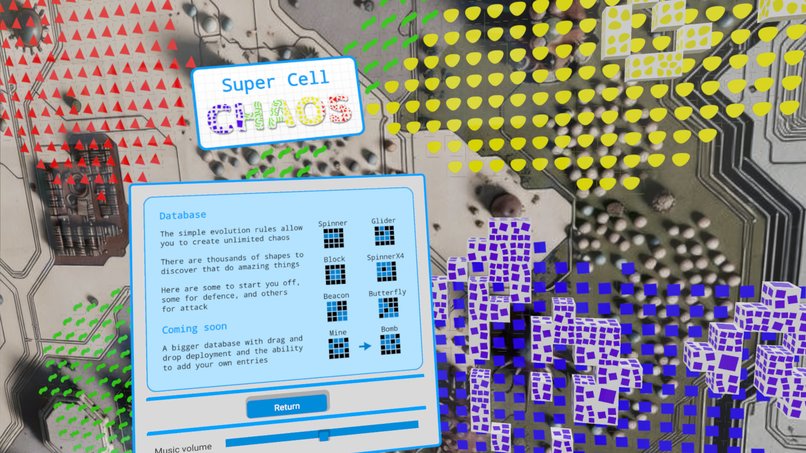
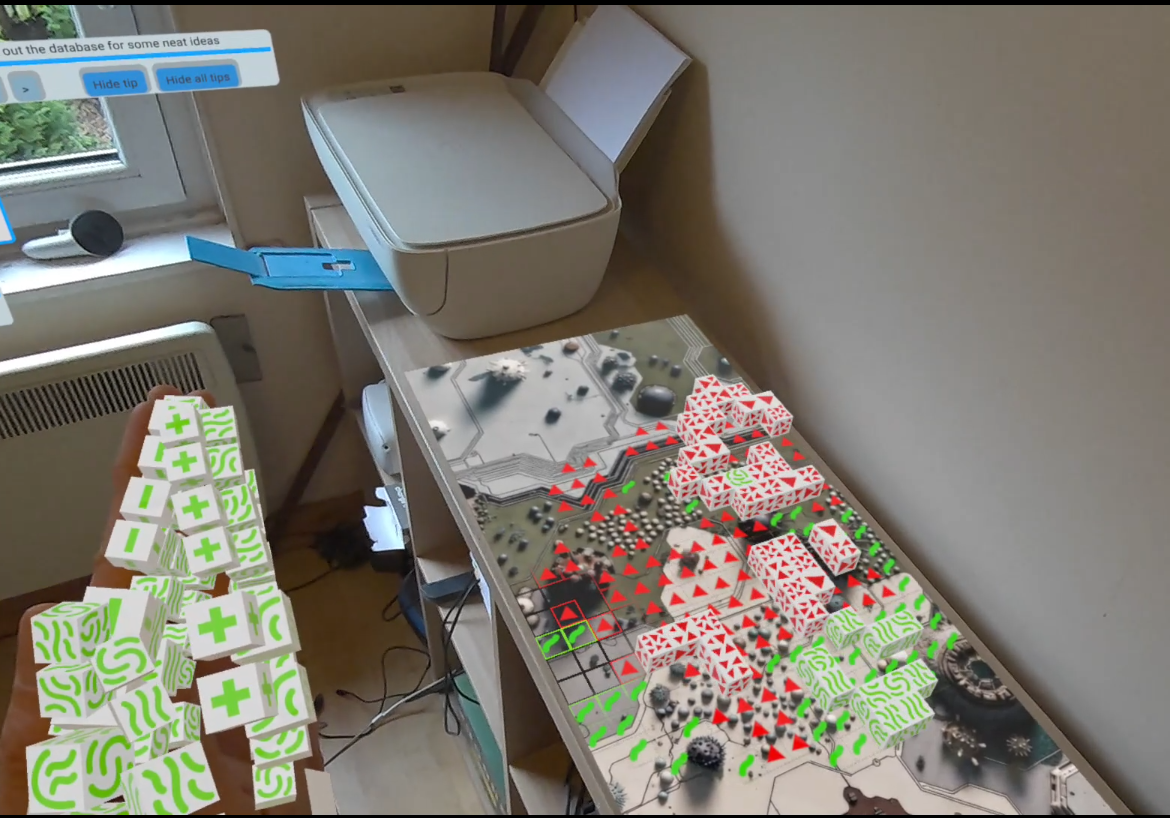
Start of the database - hundreds to add or find
-
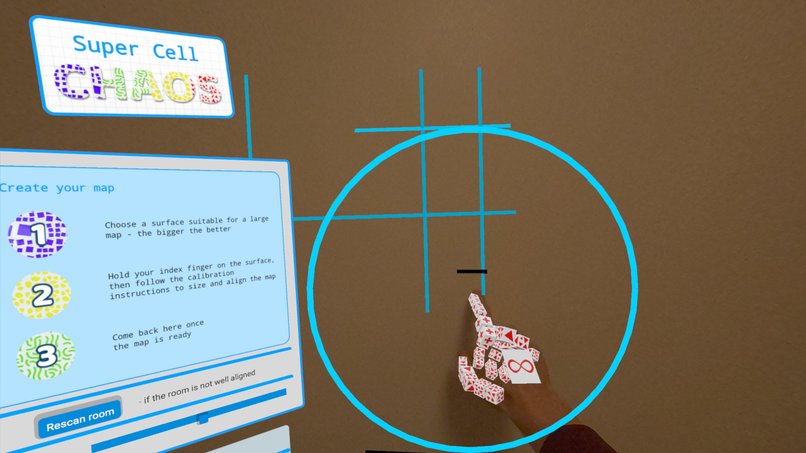
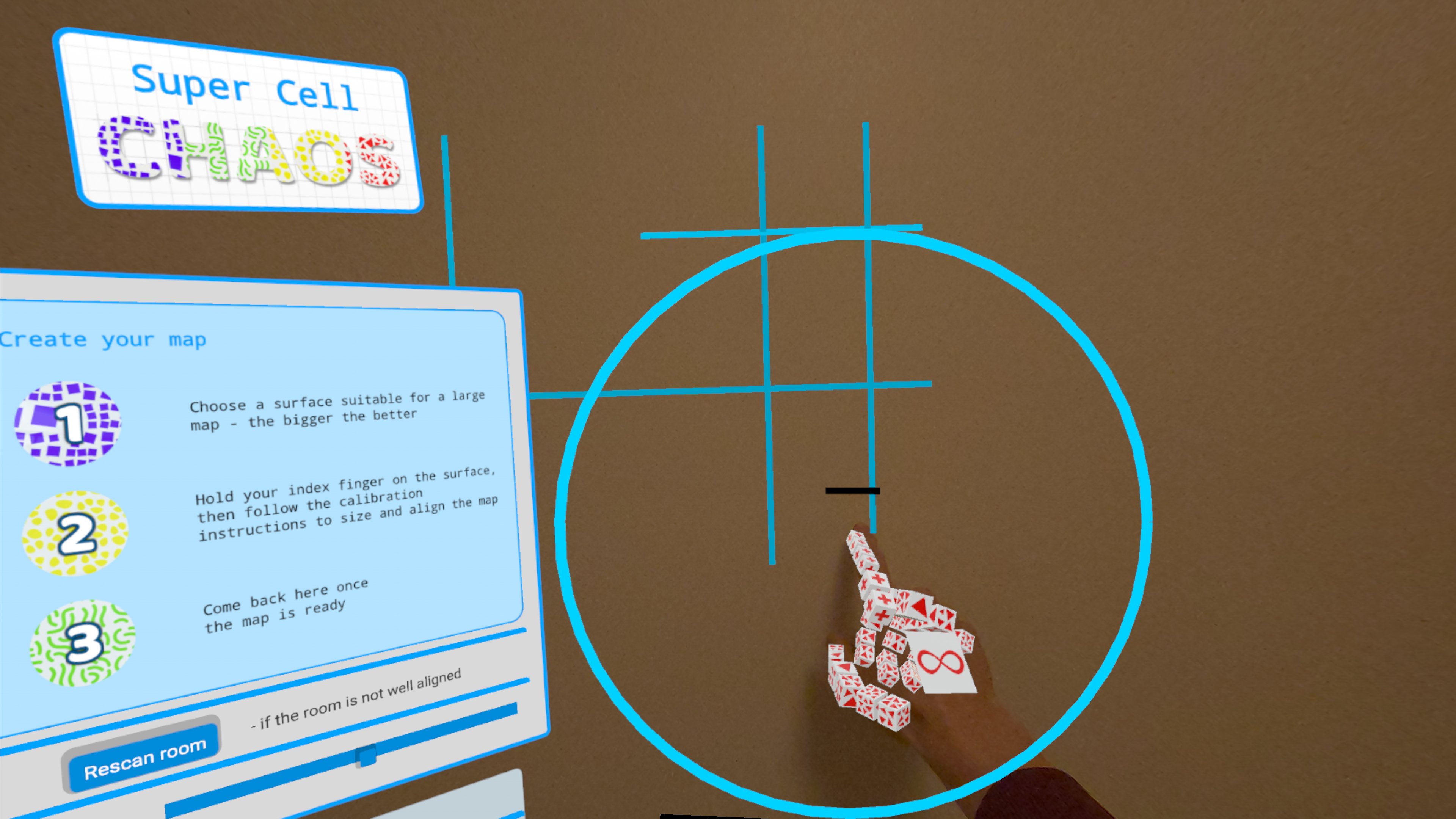
Selecting map location. Scan lines show surfaces + circle shrinks while hand is to show hand still
-
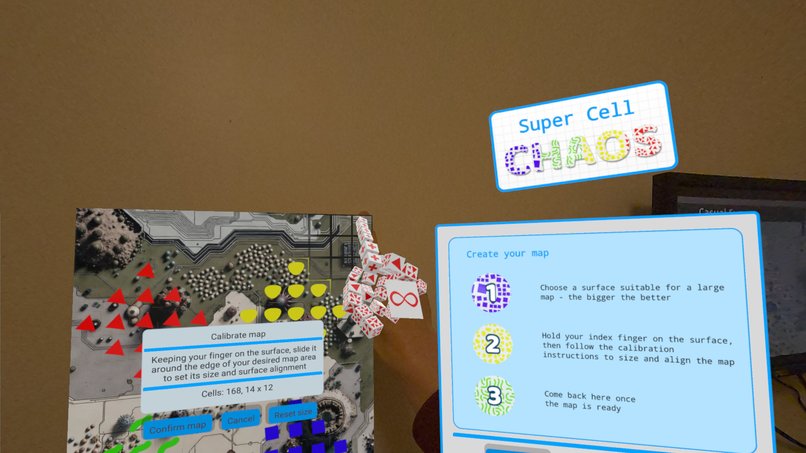
Scaling and aligning the map
-
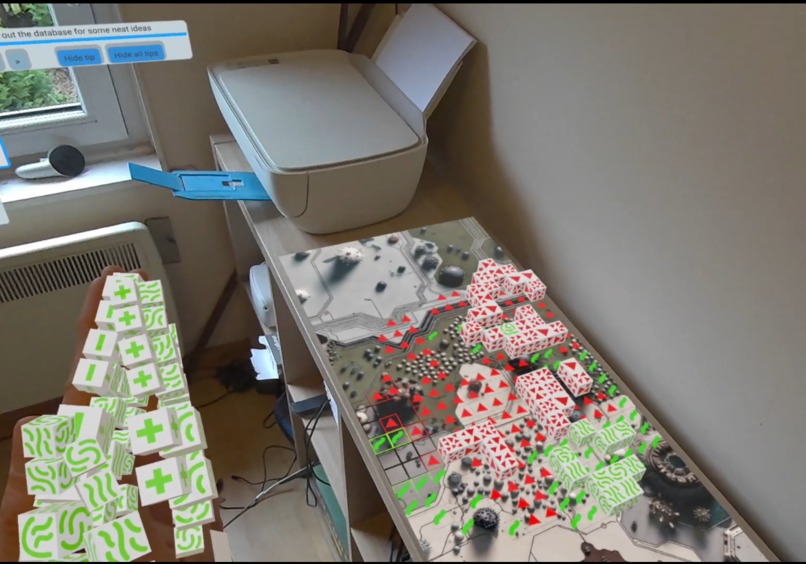
Varied play areas.


Inspiration
Cellular automata games (e.g. Conway’s Game of Life) have simple rules that spawn amazingly complex structures. People spend hours finding cell arrangements that grow, animate, or explode with action. This hackathon and the Meta-specific OpenXR APIs gave me the opportunity to bring this genre to mixed reality. The simple game mechanic allowed me to spend more time on innovation.
Type of game
The game is a casual single and multiplayer mixed reality experience. It uses hand tracking, passthrough and scene understanding to allow you to position massive maps on your walls (using spatial anchors) to use as play areas. With your map in place, you can design arrangements of cells and then have them evolve. In single player you can switch between player colours to set up battle scenarios and practice.
What it does
The game challenges you to evolve cells to dominate the map. There are two modes:
Sandbox One or more players add cells and experiment to see what arrangements they can find. Expect some to fade and die while others explode across the map. The evolution follows simple rules, but when they start to interact, anything can happen. It's fun to experiment and play around with, a place where you lose track of time.
Combat This is the unique competitive version, with multiple difficulty levels and settings. You can only place cells on your own player's colour. As your cells evolve, they expand across the map and battle with other cells for dominance. The winner is the player with the most land. Difficulty levels introduce time limits before auto-evolution occurs and restrict the number of cells you can add, forcing you to think strategically.
It's quite a visual treat to convert large walls into playable areas and then watch as thousands of cells evolve, creating patterns and interactions.
Instructions
Use hand tracking and be prepared to scan your room to play. The game currently supports 2 colocated players. 4 will be supported in the future, including remote VR sessions.
How we built it
I used native C# StereoKit and OpenXR, and various Meta-specific OpenXR extensions. Multiplayer uses Epic Online Services (no registration required)
Meta-specific OpenXR API's used:
Colocation discovery - provides a one-click connection solution to linking with your friends. Scene understanding - allows us to visualise the room and decide where maps can be placed. Spatial anchors - allow maps to be fixed to walls and surfaces and persisted across sessions. Body tracking is used to animate the avatar of your colocated players when obscured by the map to avoid collisions. Hand tracking and Passthrough are also used.
Innovation
Using walls for the play area enhances hand tracking with haptic feedback. This helps you keep a steady hand as you draw cells onto the maps.
Scene understanding is used to help place your map. My custom map calibration enhances this step and accurately aligns maps with walls, even if sloped, and will work if the "scene understanding" has drifted by up to 20cm. This reduces the need to rescan your room when it has drifted a little.
When a player moves in front of the massive maps, they are hidden by the graphics. This could lead to collisions. I use stylised avatars, animated by Meta body tracking, to reduce the risk. Parts of the avatar only appear if your line of sight puts them in front of the map. This gives a gradual transition from real world body to avatar and lets you see the real person as they step away. (temporarily disabled due to shared spatial anchor issues but demonstrated in the video)
Experience Design
The hand-tracked controls are super easy. One finger adds cells, one removes them, and placing your palms together evolves the cells. Together with the haptic feedback of the surface, it feels intuitive and reliable. No pinching, complex gestures or UI's to deal with while playing.
There are 4 player colours to choose from. You can swap between them at any time. This allows a single player to test multiplayer scenarios or create pixel art with the 4 colours.
You choose the map's shape and size - and it can be massive. This can impact which arrangements are effective.
Maps have "nudge buttons", so if it's slightly too far in or away from the wall, you can correct it with a quick click of a button.
The colocation discovery allows players to quickly connect with one button press.
Technical Implementation
It has a solid frame rate, runs at 1.4 pixel density and uses lots of Meta features as explained elsewhere.
Polish & Presentation
The game has a consistent, stylised, colourful appearance. My favourite elements are: The simple way surfaces are highlighted as your gaze moves. How your hands shed the old colours when you change players. How boxes fall away when you remove them, rather than just disappearing. How the colour-coded grid only shows when your hands are close. How the music changes for different vibes in the menu, sandbox, combat and victory / loss screens.
Challenges we ran into
Shared spatial anchors suddenly started returning intermittent XR Runtime errors in the last 48 hours, so I had to quickly add a manual calibration mode between the host and client to align their view of the map. This was previously an automatic step using Shared spatial anchors. This also means my avatars won't function because they are positioned relative to anchors.
What's next
Fix the shared spatial anchors to optimise setup time and re-enable avatars.
Replace the placeholder background image and make more available.
Add remote VR support (2 colocated players and 2 remote players should be a fun option)
Ability to save snapshots of your map.
Add your own arrangements to the database.
More cell / avatar skins.
Gameplay balancing, enhancements, and more game types.
AI opponents.
Polish, rework, testing.
Built With
- c#
- colocationdiscovery
- epiconlineservices(multiplayer)
- handtracking
- openxr
- passthrough
- sceneunderstanding
- spatialanchors
- stereokit


Log in or sign up for Devpost to join the conversation.