-
-
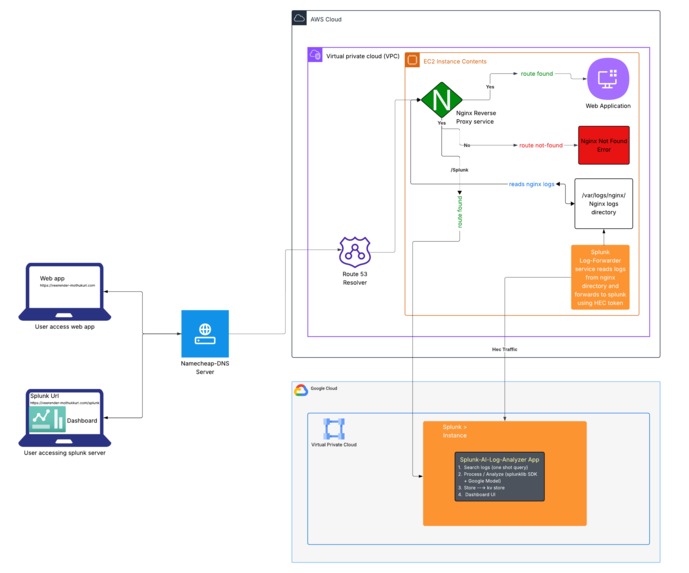
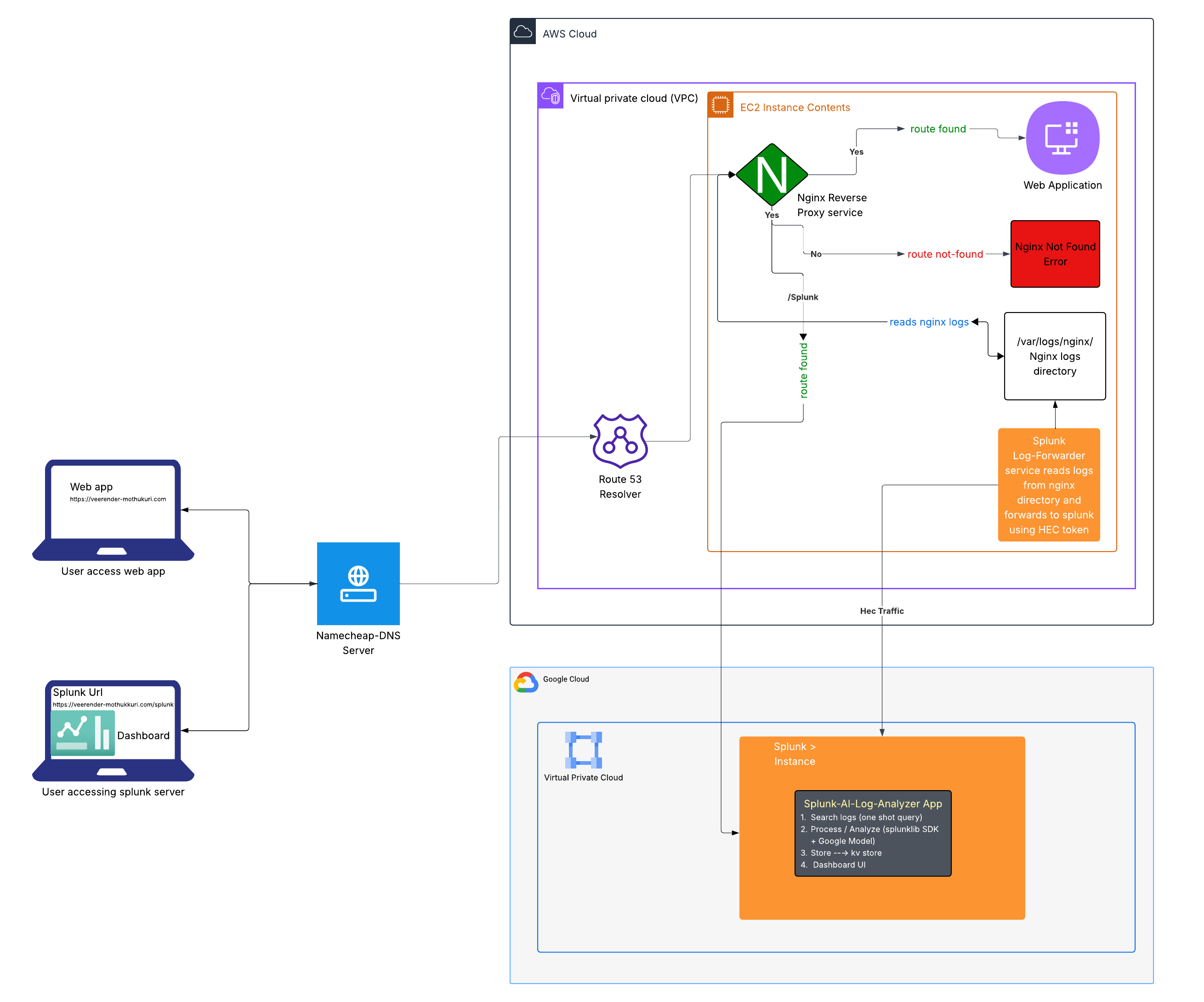
Architecture
-
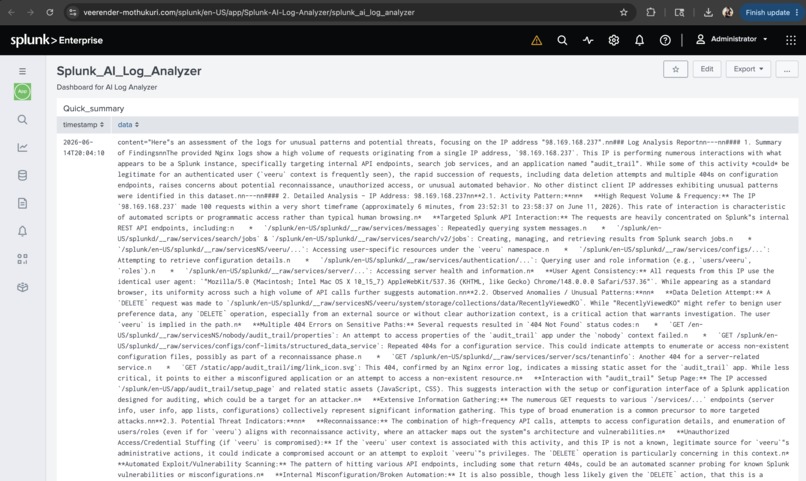
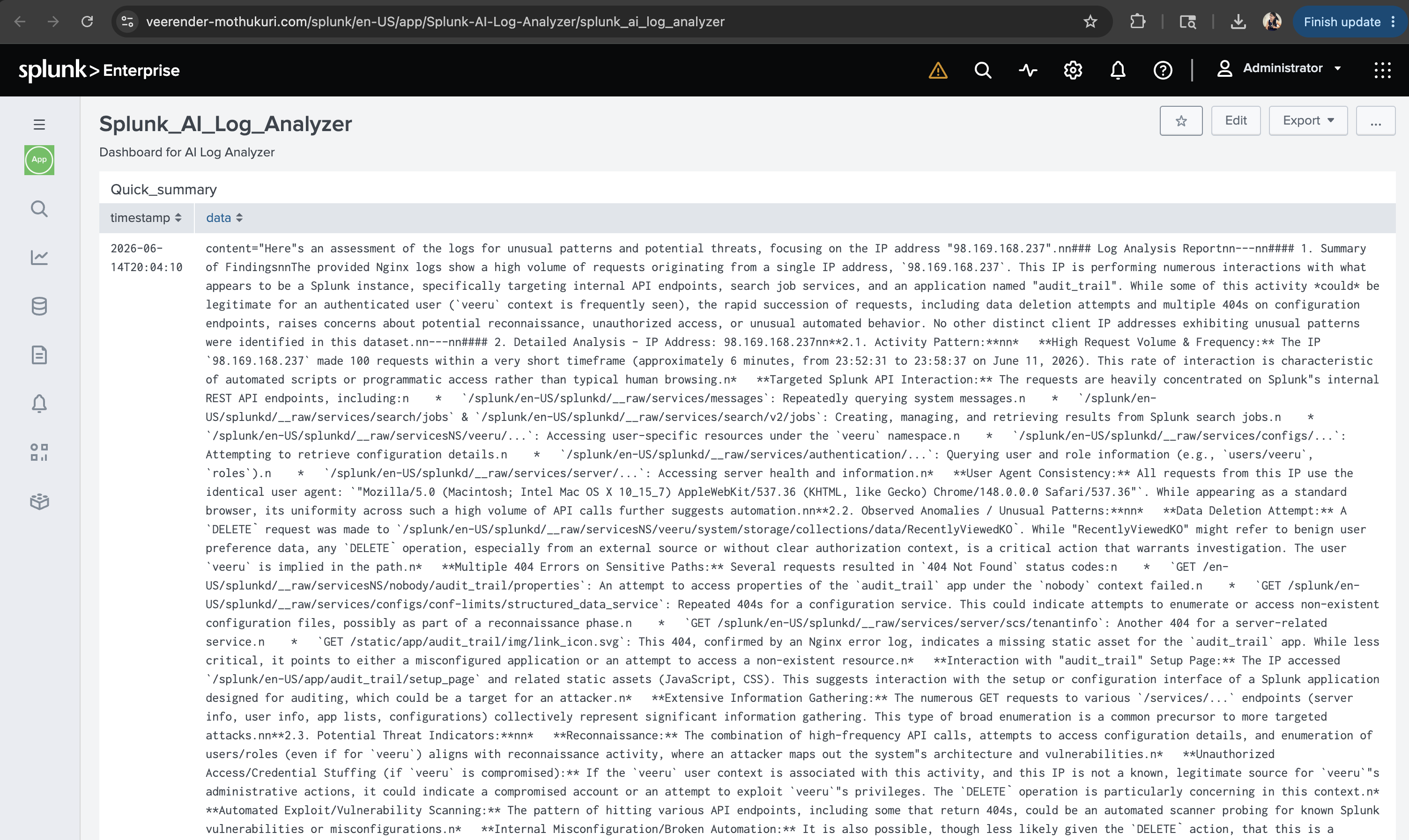
AI-Analyzed-Logs-Dashboard
Inspiration
It always takes a few mins to identify the issue manually during an active incident. Using Automated Analysis helps us find the issue way ahead and helps in low MTTR's and not escalating the incident to higher priority levels.
What it does
The AI-Log-Analyzer app analyzes the logs from the application and lists the findings with Recommendations.
How we built it
The App built using the Splunk SDK for AI using Gemini models written in Python. The analyzed logs are stored in the Splunk KV stores for Dashboarding. The Splunk instance is hosted on the GCP VM, and Nginx logs are forwarded to Splunk using HEC. This is scheduled to run every day in the morning at 6:30 a.m. EST.
Challenges we ran into
Setting up the Splunk AI SDK library in the GCP VM is quite challenging for downloading and configure the packages in Splunk.
Accomplishments that we're proud of
Dashboard creation in Splunk with findings and recommendations
What we learned
AI Skills and Splunk capabilities
What's next for Splunk-AI-Log-Analyzer-APP
More optimization and robustness for identifying the issues along with solutions to fix.
Built With
- amazon-web-services
- gcp
- iac
- nginx
- python
- sdk
- splunk

Log in or sign up for Devpost to join the conversation.