Inspiration
Losing your slippers is a small annoyance for most people. For someone with low vision or memory loss, it can mean a slow search on hands and knees, or waiting for someone else to come help. We wanted a companion for everyday life: something that knows the space, remembers where things are, and answers in plain words when you ask.
What it does
Sought is an independent accessibility platform that helps people with low vision or memory loss find their way around their spaces with greater ease. In testing, Soughtbot found a navy backpack on its own from a plain-words request.
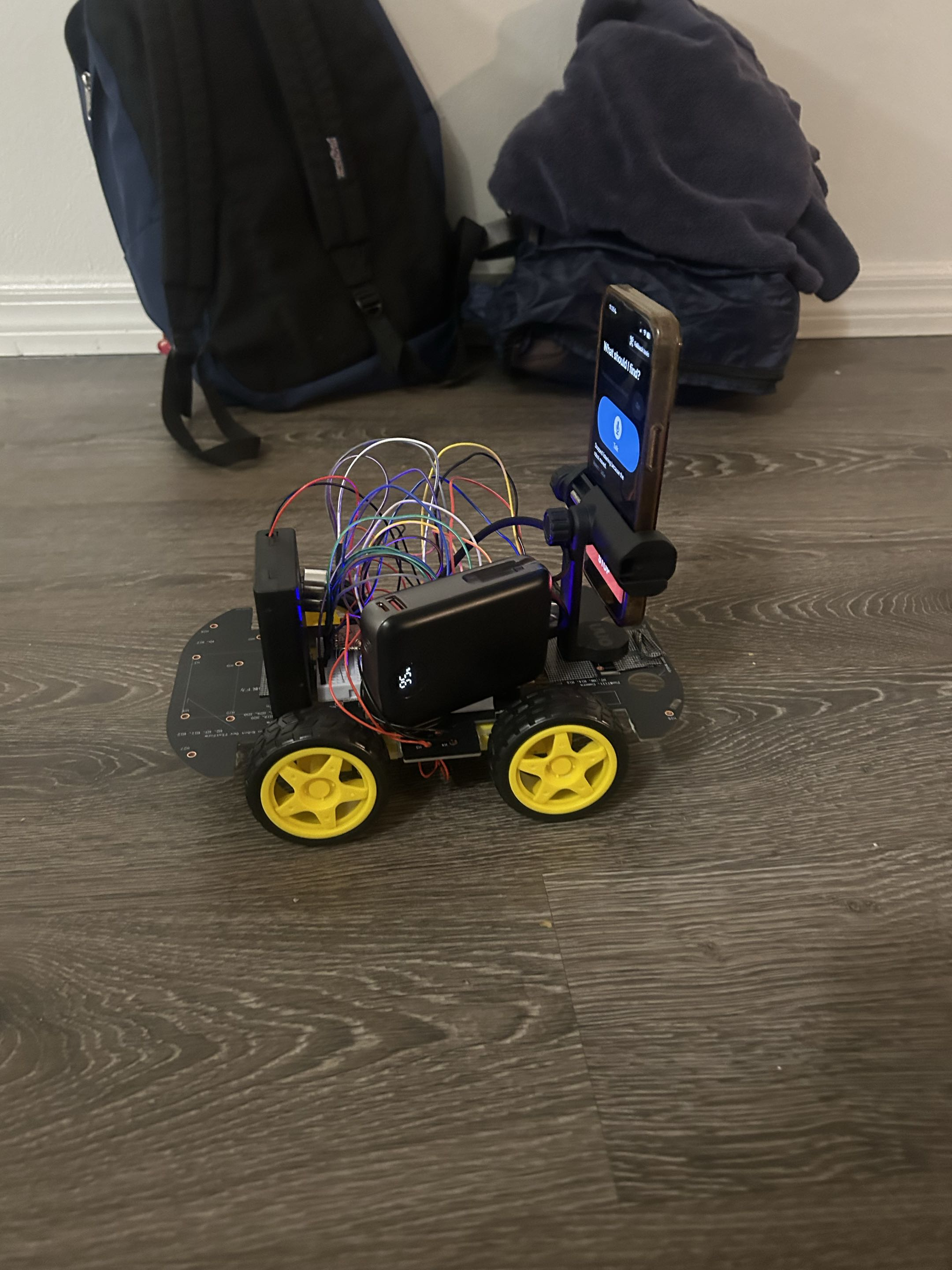
Soughtbot is an automated rover that learns your home, office or otherwise. It combines vision recognition, LiDAR, depth tracking, vector embeddings and ultrasonic sensors to build a map and a catalog of the things it sees.
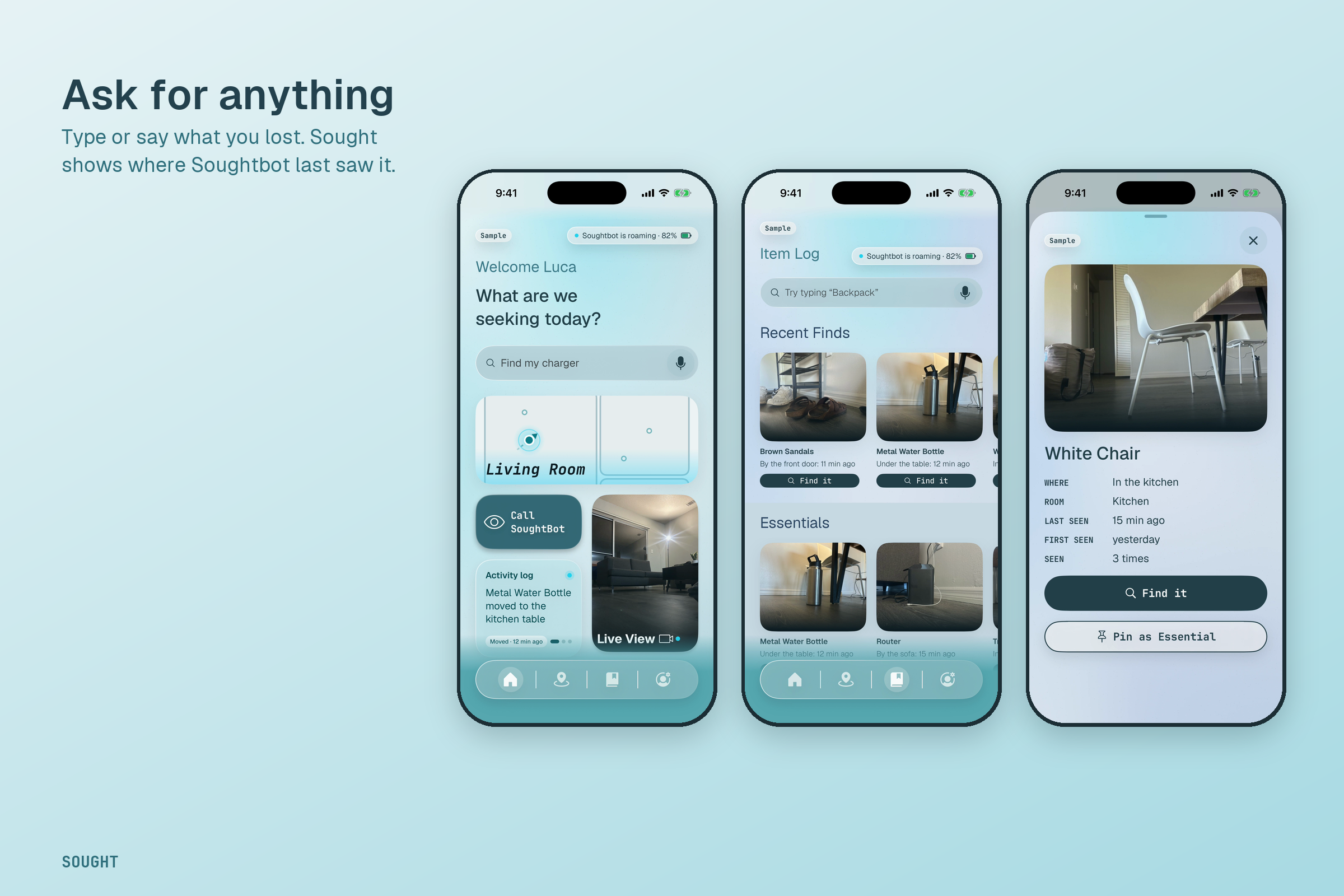
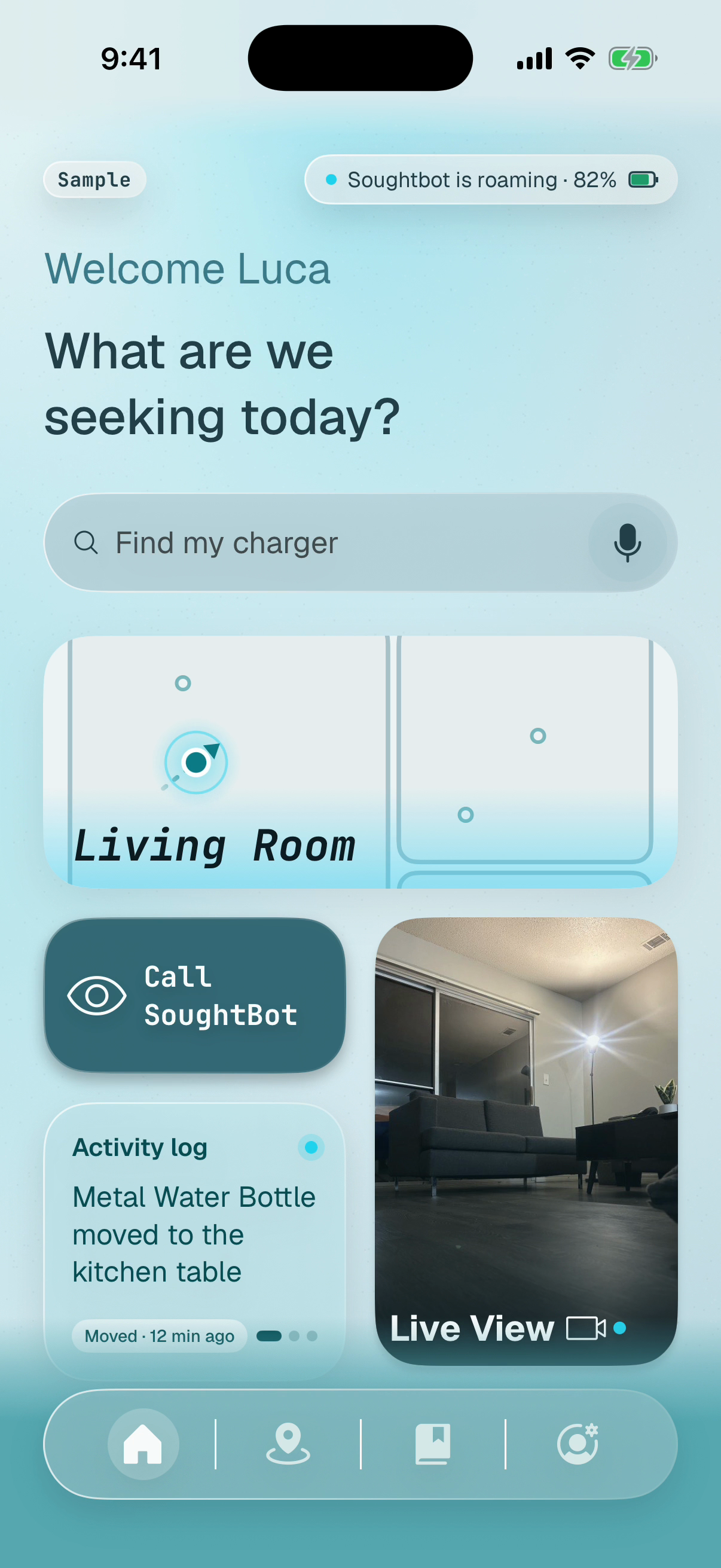
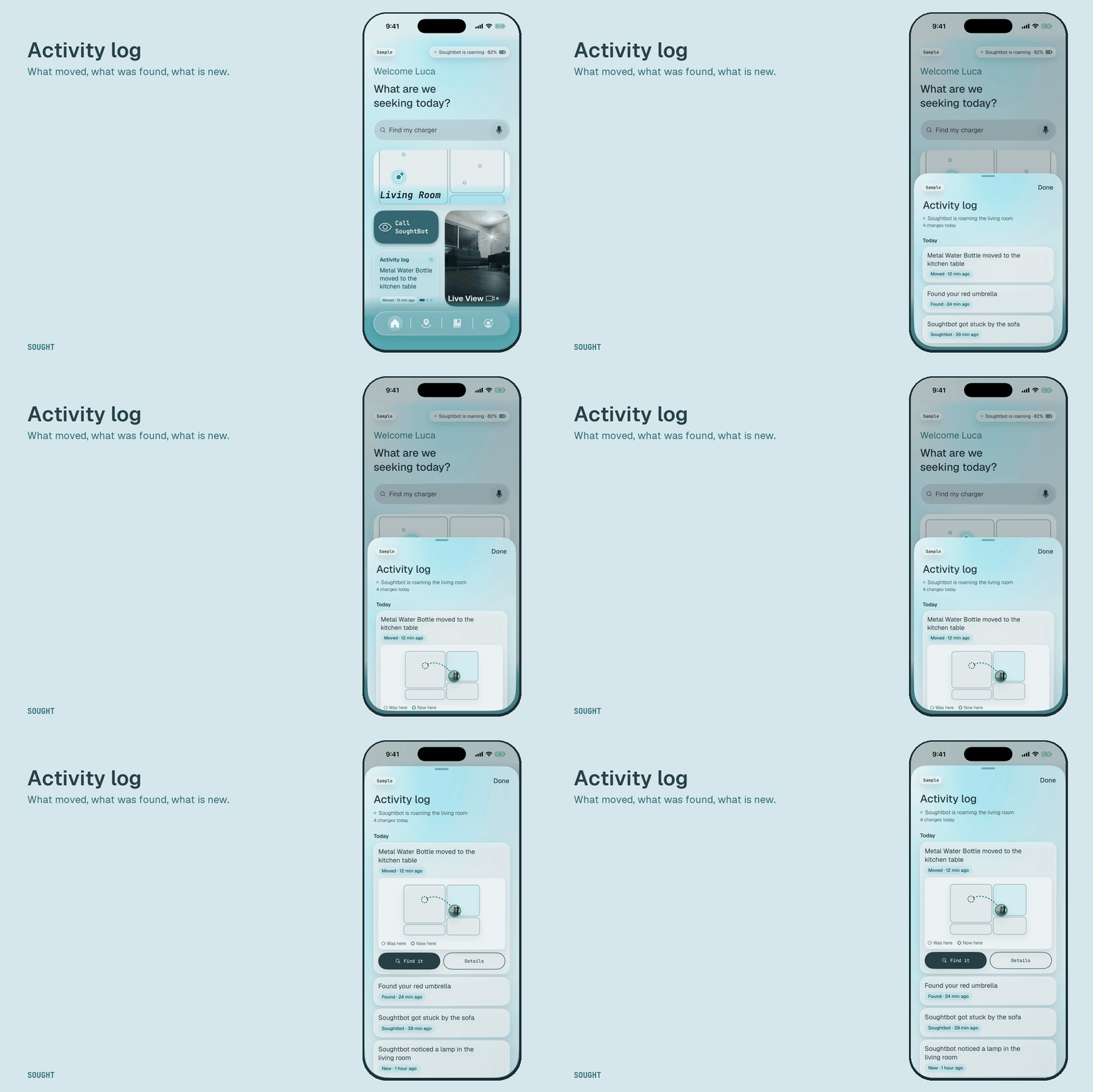
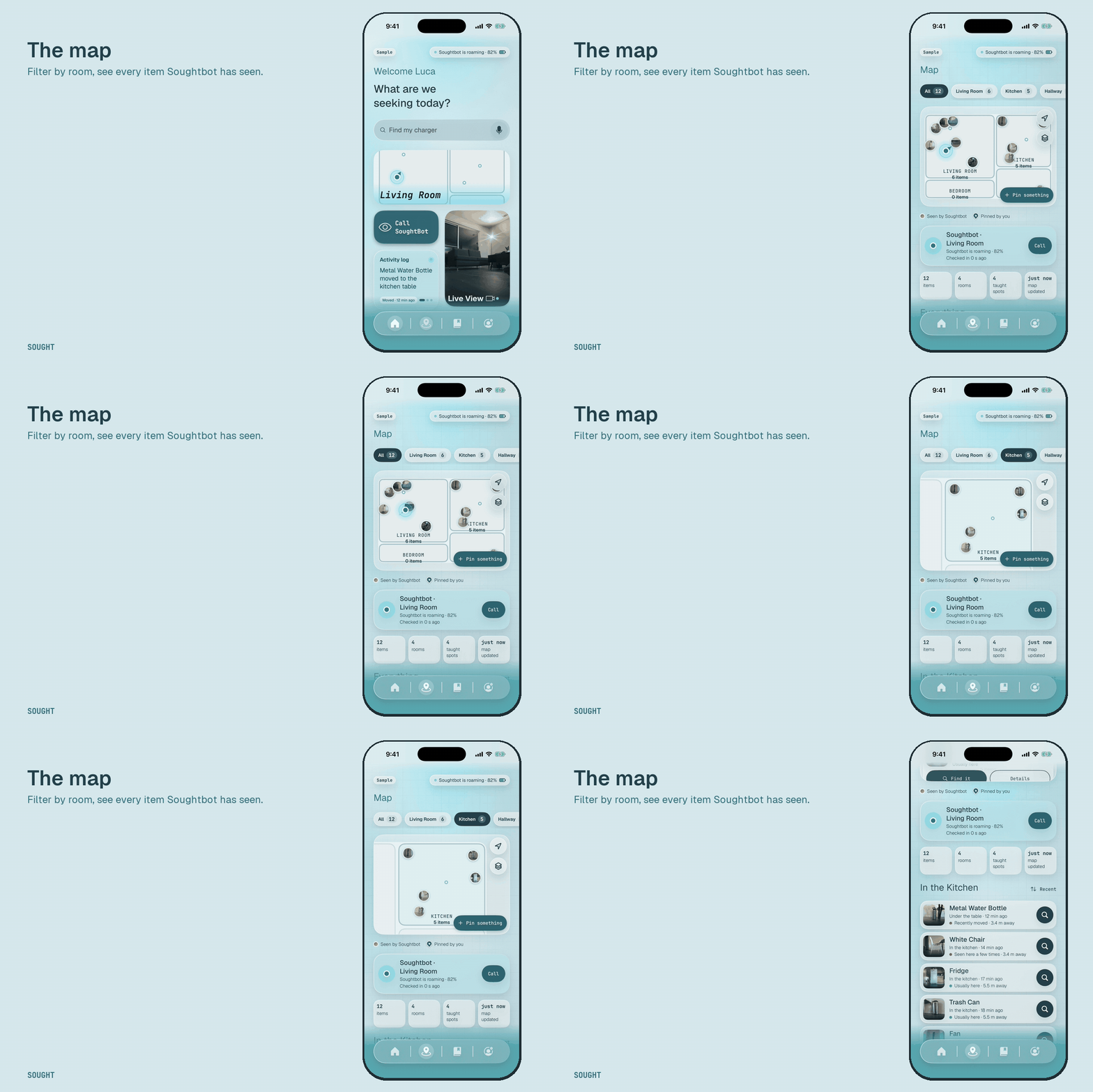
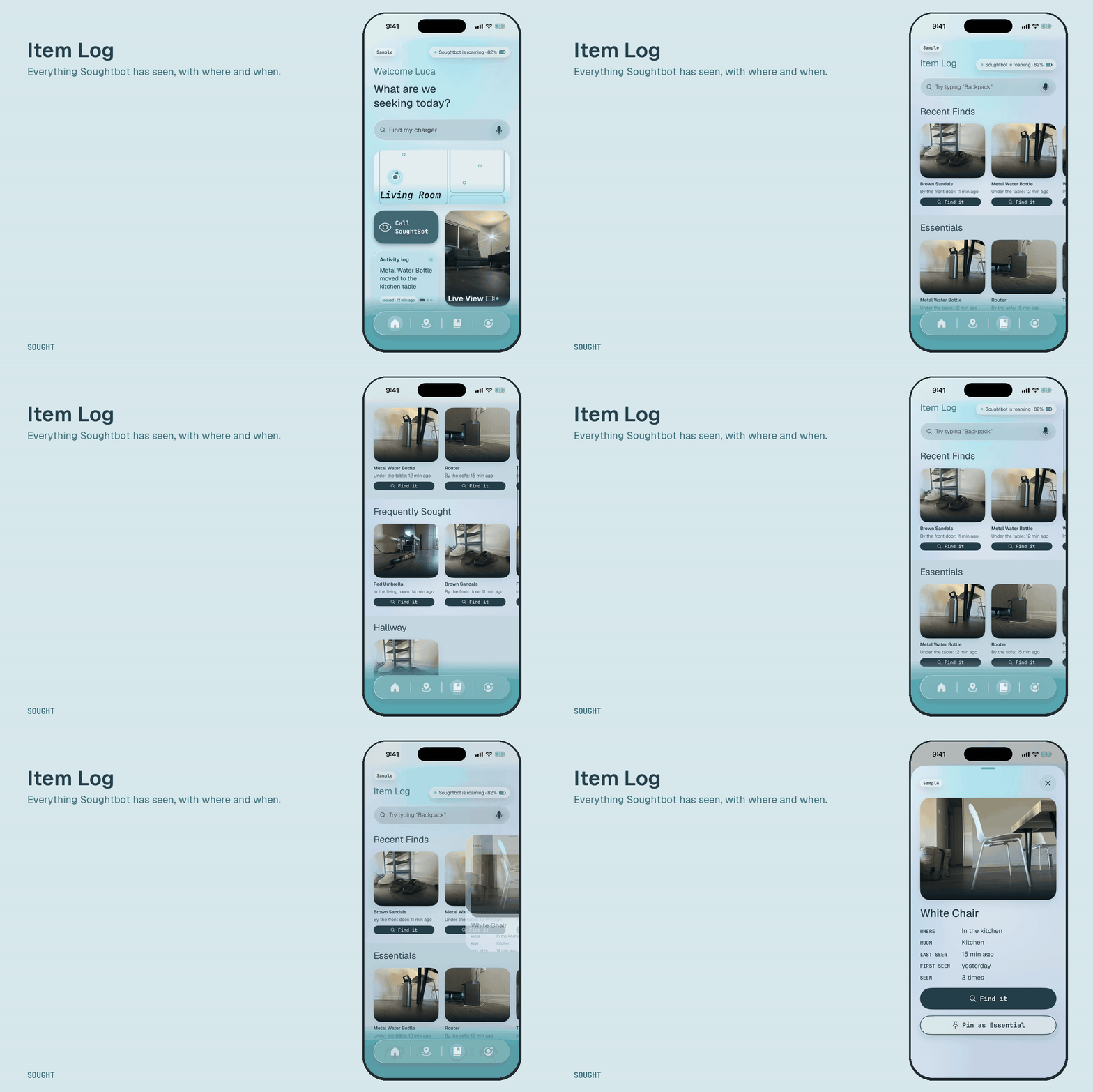
The Sought app reaches Soughtbot wirelessly through a small server. It shows Soughtbot's live status and where it is, everything it has catalogued, and what has moved since. Soughtbot recognizes things by how they look, not by name, so the app asks you once: "Soughtbot found something near the front door. What is it?" Say "slippers", and from then on you can ask for your slippers by name.
Let's say someone with low vision has misplaced their favorite pair of slippers:
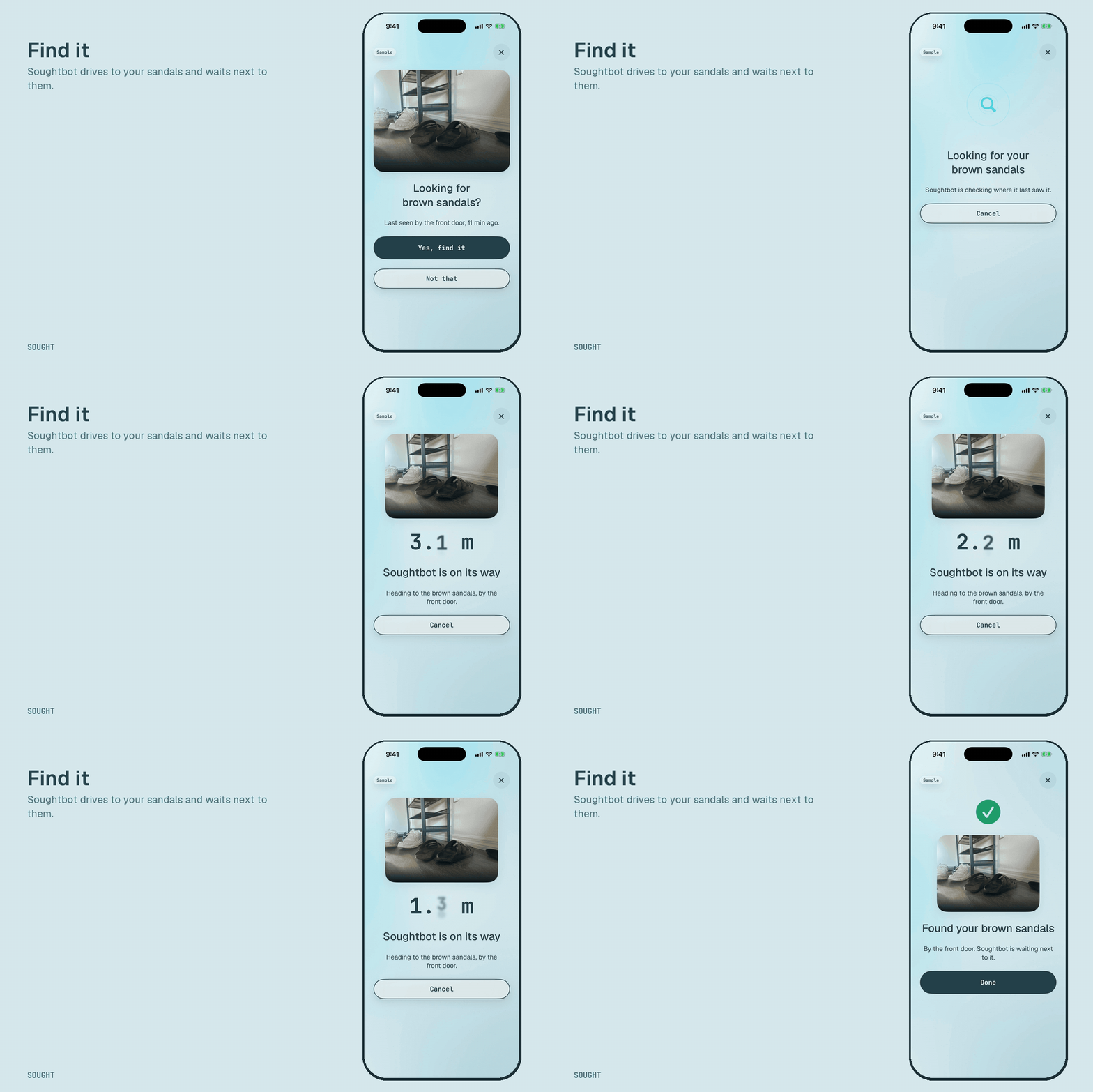
- They open Sought and say "find my slippers", or type it.
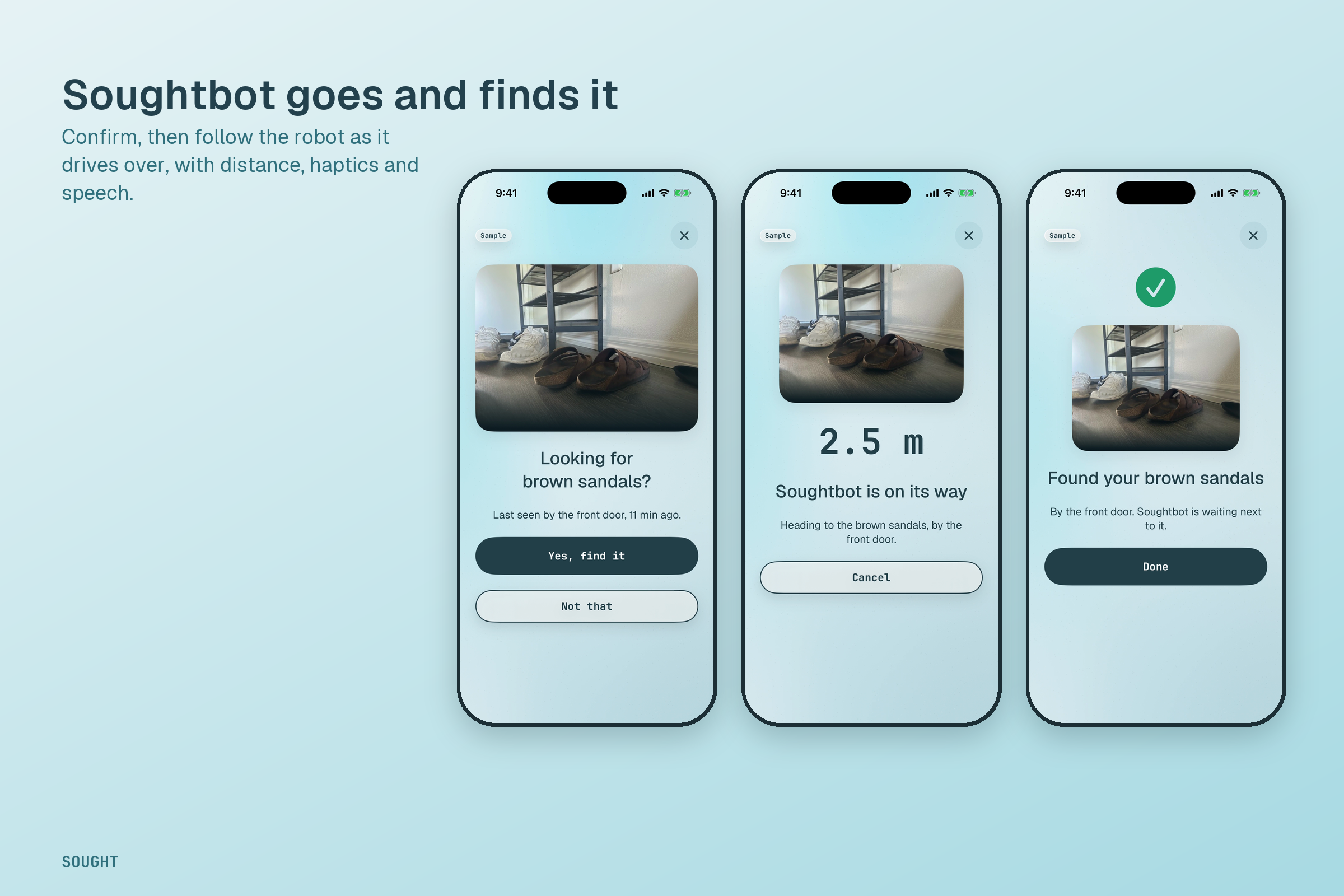
- Sought answers in plain words, out loud: "Last seen near the front door, 12 minutes ago", with a map.
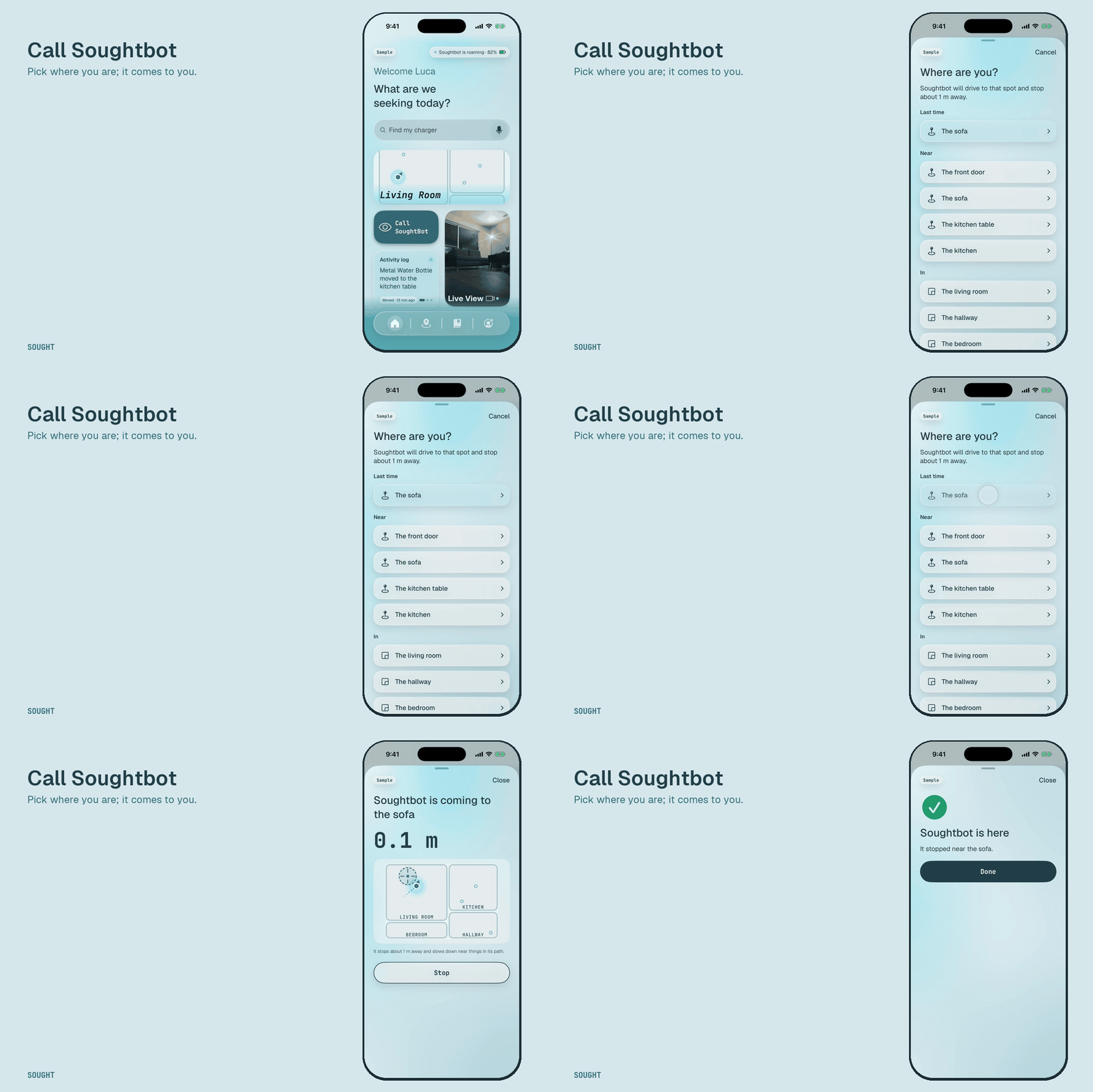
- They can also tell the app which room they are in, to call Soughtbot over.
Users can curate their catalog: pin essentials they look for often, and drop their own pins for things Soughtbot can't see ("my remote is under the blue cushion"). Pins are always marked as theirs, never passed off as something the robot saw.
In our demo, Soughtbot's live status, its position and the items it catalogued come from the robot itself. Photos of items and the robot driving to a request from the app are shown with sample data, labeled on screen.
How we built it
- The rover: an ESP32 drives the motors and reads ultrasonic sensors over Bluetooth. Safety lives on the ESP32: a watchdog stops the motors if the phone goes quiet (about 0.28 s measured against a
300 ms limit) and the front sensor always wins.
- The robot iPhone: mounted on the rover. ARKit and LiDAR give it its position; perception crops what the camera sees, a Core ML CLIP model turns each crop into an embedding, and an on-phone memory keeps every object with where and when it was seen, tied to the saved map of the room. A Gemini planner turns requests into actions, with a keyword fallback offline. Embeddings and video never leave the phone.
- The backend: FastAPI with bearer-token auth, run on a laptop on the home network. The robot posts its status every 2 s and mirrors its object tracks and taught spots every 5 s. A command queue lets the app send plain-words requests to the robot's planner.
- The Sought app: SwiftUI, built mock-first so every screen worked with labeled sample data before the robot was connected. Designed in Figma and carried to every screen: frosted glass cards, a background that shifts with the screen and with Soughtbot's state, and a splash built from the logo itself.
## Accessibility Accessibility is the product, so we treated it as a requirement and tested it.
- Voice first: search by voice or text from the top of Home; every step of a find is spoken, and guiding uses haptics that speed up as the distance drops.
- VoiceOver: every card reads as one sentence ("Brown sandals, by the front door, seen 12 minutes ago. Double tap to find."), and status changes are announced.
- Large text: every screen reflows at the largest accessibility text sizes.
- Contrast: we darkened three colors from our own design that failed WCAG; rendered text measures 6.0 to 8.9:1, and High contrast mode switches to a dark set.
- Motion and transparency: Reduce Motion turns animations into fades; Reduce Transparency turns glass solid.
- Honesty: anything not coming from the robot is labeled as sample data on screen.
Apple's accessibility audit runs on 15 app screens as an automated test and passes for touch target size, labels and roles.
Challenges we ran into##
Two teams, a robot and an app, building toward a shared contract in a time crunch. We built the app mock-first against that contract so neither side waited on the other, and kept a shared message board so decisions were written down. The robot's own challenges, tracking, safety and retrieval on a phone, were the hardest part of the project.
Accomplishments that we're proud of
- A live link from rover to app: the robot's real status, position and catalog reach the user's phone through our own backend within seconds.
- An app that feels finished, from Figma to every screen.
- Accessibility that is tested, not assumed.
- Safety on the rover that does not trust the phone: a hardware watchdog and an always-on front stop.
- A Brand kit and promotional materials.
What we learned
Designing for low vision made the app better for everyone: plain words, one clear action per screen and big targets read faster at a glance. We also learned to say exactly what is real, and to label the rest.
What's next for Sought
- Ask, and it goes: finish the last link so a find or "come to me" sent from the app drives the robot. The app and server side are built; the robot's side is next.
- Photos and names from the robot, so people confirm instead of typing.
- Exploring on its own, without a guided Teach walk.
- Shared pins and a caregiver view for family.

Log in or sign up for Devpost to join the conversation.