-
-

App Logo
-
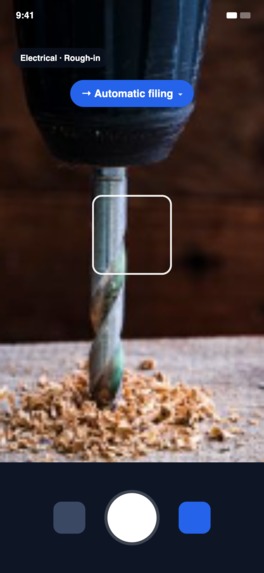
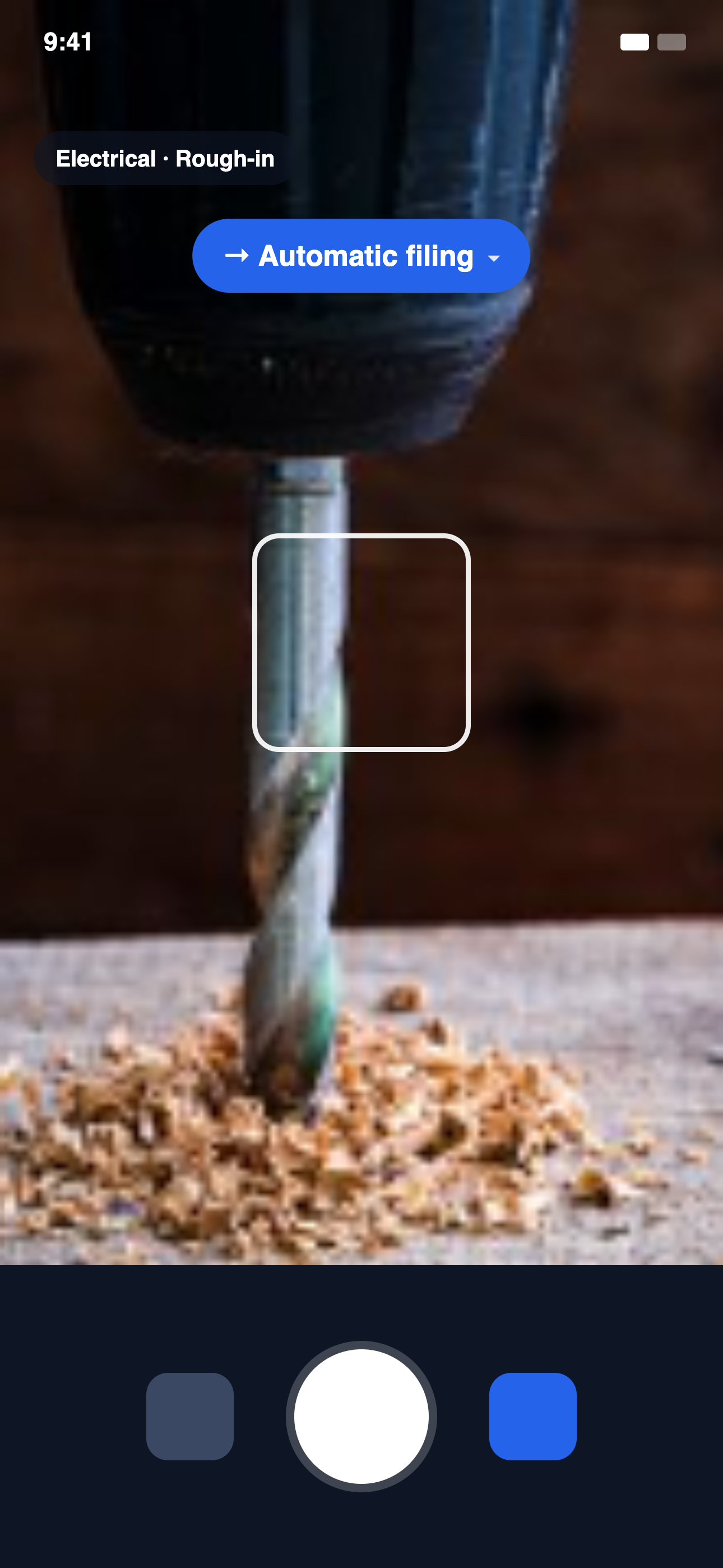
Shoot the photo and Snapline files it automatically by trade and phase, so the context is captured at the moment it happens.
-
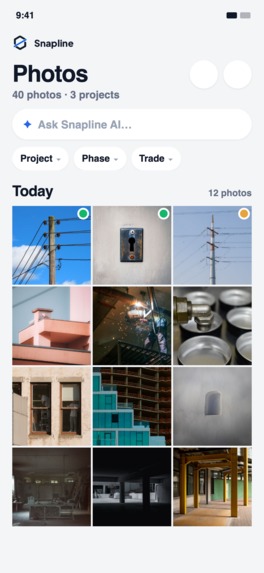
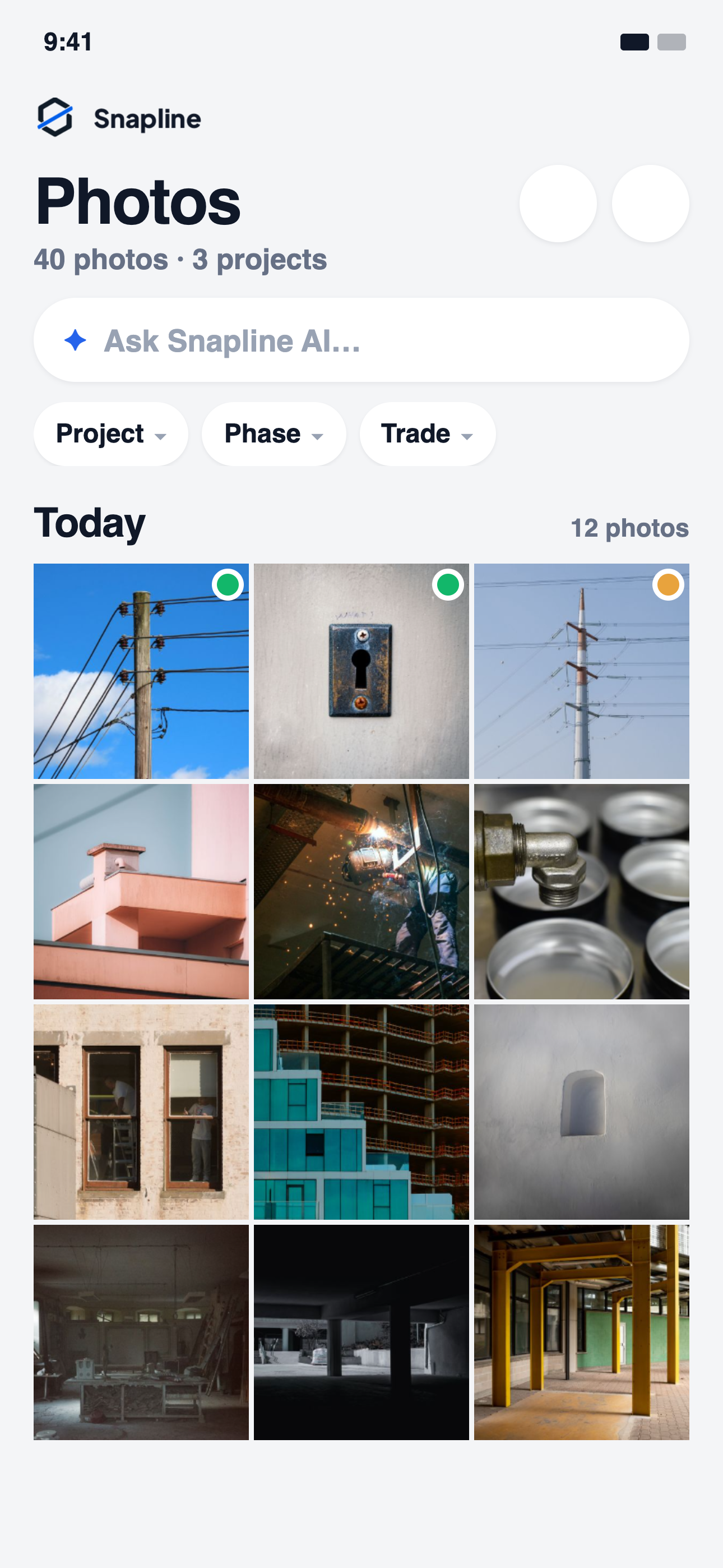
Every jobsite photo in one place, filtered by project, phase and trade, with AI search instead of endless scrolling.
-
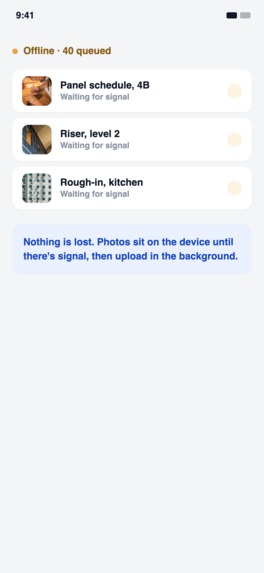
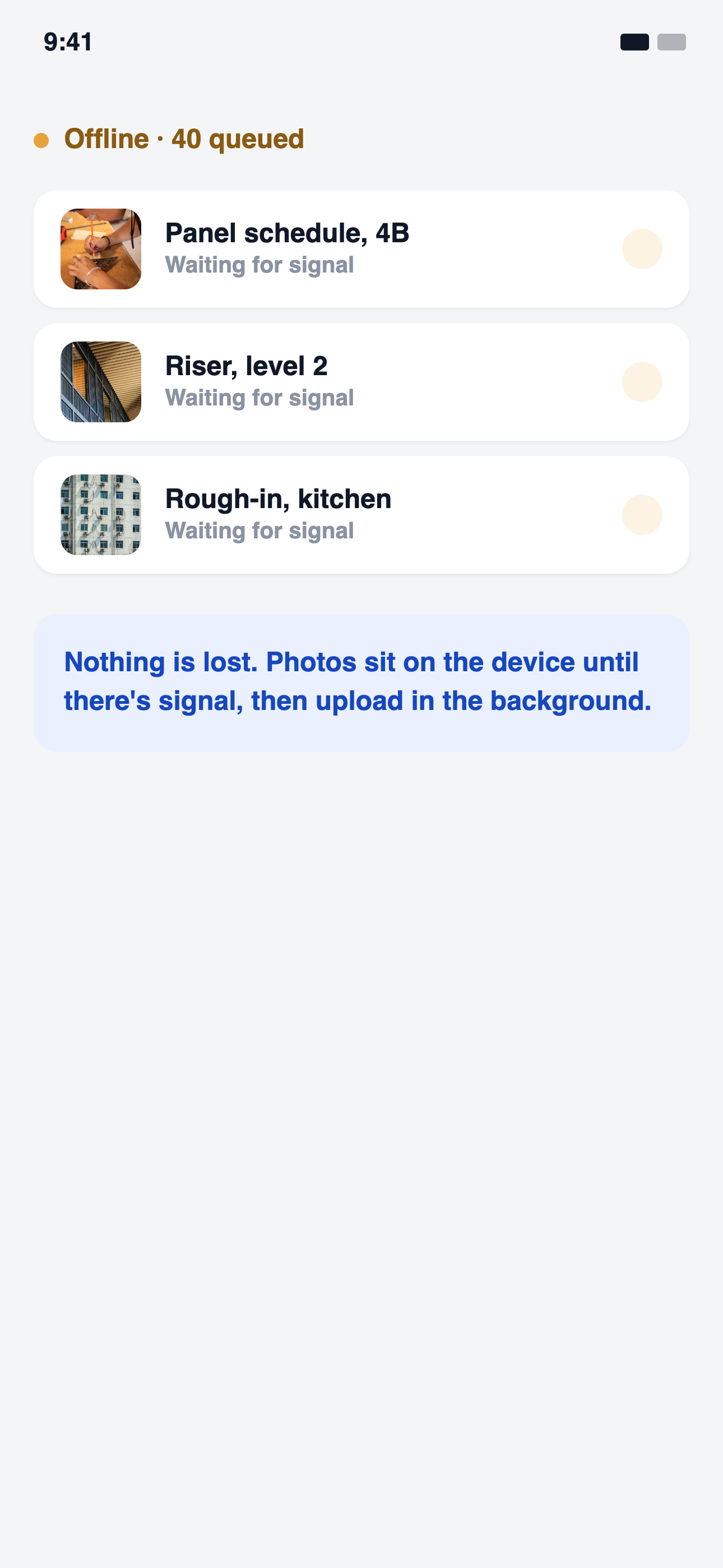
No signal on site is not a problem. Photos queue on the device and upload in the background as soon as service comes back.
-
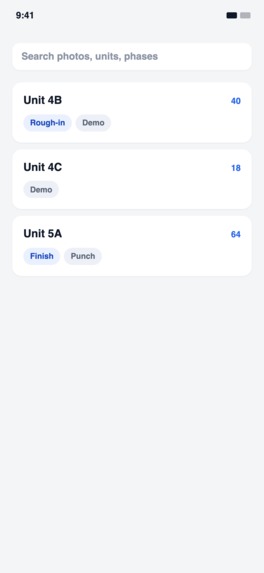
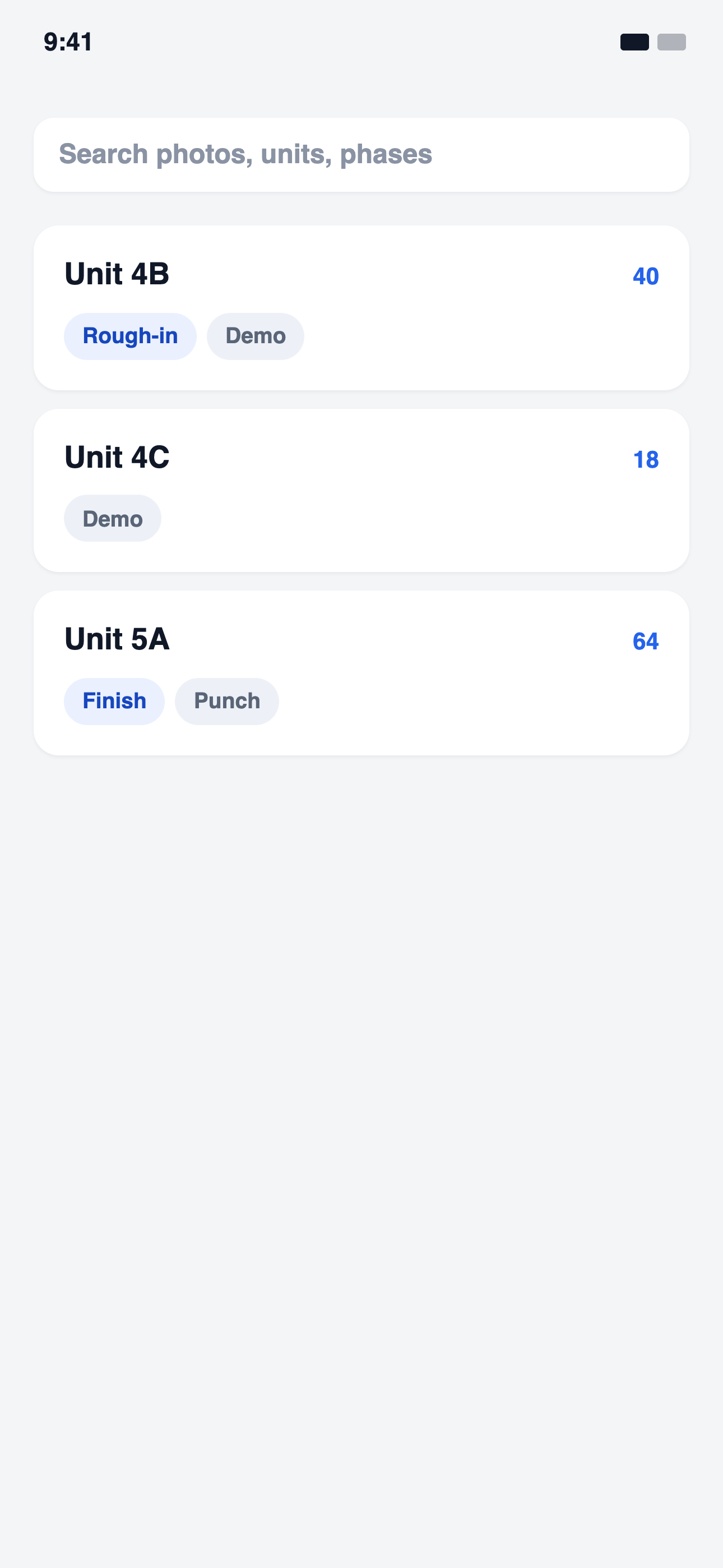
Search across units and phases to pull up the exact photos you need, months after the walls were closed up.

Snapline
The Story Behind Snapline
I didn't start building Snapline because I thought contractors needed another photo gallery.
I started building it because I've spent years around construction and remodeling and have seen how much of a contractor's day happens outside the actual work.
My background is in business and marketing, but I also spent years working in my family's remodeling business. That experience exposed me to something that became a recurring theme in everything I build: contractors are incredibly good at their trade, but their workflows are often built around paperwork, phones, photos, and software that wasn't designed for the way they actually work.
That eventually led me to build Voice2Jobs, a voice-first AI platform for contractors. The idea was simple: instead of stopping what they're doing to type estimates, notes, or customer information into complicated software, contractors could simply speak naturally and let AI handle the administrative work.
Voice2Jobs taught me that voice can be an incredibly powerful interface for people who spend their days moving between jobsites, vehicles, tools, and customers.
But while building it, I kept seeing another part of the workflow that hadn't been solved.
Contractors take enormous numbers of photos.
They photograph water damage, electrical work, HVAC equipment, framing, before-and-after conditions, materials, defects, completed work, and things that need to be remembered later.
Those photos are important documentation, but the process around them is surprisingly primitive.
They're mixed into the same camera roll as family photos. They're difficult to search. Context gets lost. Dates and locations can disappear during transfers. And if a contractor wants to turn those photos into a professional report, they're often manually copying images into a document and trying to remember what each one meant.
That became the inspiration for Snapline.
I wanted to build the missing visual documentation layer for the same contractors I was already building Voice2Jobs for.
And then I realized there was an even bigger opportunity:
Contractors don't just take pictures. They talk while they work.
So instead of forcing someone to stop walking through a property and type notes, why not let them simply photograph what they're seeing and explain it out loud?
That became the foundation of Snapline's AI walkthrough workflow.
Inspiration
Anyone who has worked in construction, remodeling, or the skilled trades knows the ritual: pull out your phone, photograph the water damage, wiring, framing, or finished work before it gets covered up, and hope you remember later what the photo shows, when it was taken, and where it happened.
The stock Camera app and Photos gallery are designed for memories, not evidence.
A jobsite photo is fundamentally different from a vacation photo. It can become part of a customer report, a change-order discussion, a warranty record, or proof of work completed.
I wanted to build something that treated a jobsite photo the way contractors actually need it:
as a timestamped, location-aware, annotatable record rather than just a snapshot.
But Snapline goes beyond documentation.
Imagine a contractor walking through a house saying:
"This is the water damage behind the drywall. The leak appears to be coming from this connection. This section will need to be opened up and replaced before the wall is closed."
They take a few pictures while talking.
Normally, that information would exist in separate places: photos in the camera roll, thoughts in the contractor's head, and perhaps notes typed later.
Snapline connects those pieces.
The contractor can walk, talk, and photograph the jobsite naturally. AI then contextualizes the spoken walkthrough alongside the visual evidence and generates a professional PDF jobsite report.
The workflow becomes:
Walk → Talk → Photograph → AI contextualizes → Report
Instead of:
Walk → Photograph → Remember everything → Write notes → Organize photos → Create report → Send to customer
The goal is not to make contractors document more.
It's to make documentation happen as a natural part of doing the job.
What It Does
Snapline is a native iOS app built with SwiftUI and backed by Convex, designed specifically for capturing, documenting, organizing, and reporting on jobsite work.
Photos can be captured directly inside the app or imported from the device's photo library individually or in bulk.
Once a photo is in Snapline, it can be:
- Annotated with freehand drawings, shapes, and text
- Automatically tagged with its date and GPS coordinates
- Corrected manually when metadata needs to be adjusted
- Selected individually or in large batches
- Organized on both iPhone and iPad with layouts optimized for each device
AI Walkthroughs
One of the core workflows is an AI-powered jobsite walkthrough.
A contractor can walk through a property, take photographs, and speak naturally while explaining what they're seeing.
Snapline captures the visual evidence and spoken context together.
The AI then contextualizes the walkthrough, connecting the contractor's narration with the relevant photos and turning the raw documentation into a structured PDF jobsite report.
The report can bring together:
- Jobsite photographs
- Contractor voice notes
- AI-generated contextual descriptions
- Photo annotations
- Timestamps
- GPS information
- Structured observations
This is important because a photo by itself can be ambiguous.
A photo plus the contractor's explanation of what we're looking at, why it matters, where it is, and what needs to happen next becomes much more useful.
How I Built It
The frontend is built natively in SwiftUI, with:
- AVFoundation for in-app camera capture
- PhotoKit for accessing the device's photo library and underlying metadata
- A custom annotation layer for drawing, shapes, and text
- Voice capture for hands-free walkthrough documentation
- AI contextualization for transforming spoken observations and visual evidence into structured reporting
- PDF generation for professional jobsite reports
- Convex for backend data, authenticated mutations, photo metadata, and audit logging
- Clerk for authentication
The architecture treats a jobsite record as more than an image.
Photos, timestamps, locations, annotations, and spoken observations are all pieces of the same record.
That context is what allows Snapline's AI layer to transform raw jobsite documentation into something a contractor can actually hand to a customer.
Building a Gallery That Understands Intent
The gallery needed to support three different interactions through essentially the same touch surface:
- Tap a photo to open it.
- Press and hold a photo to toggle its selection state.
- Drag across multiple photos to select them as a group.
The challenge was making those interactions coexist with normal vertical scrolling.
The solution was to make the gesture commit early based on the user's initial movement.
If the horizontal component of movement dominates the first few points of travel, the interaction is interpreted as a selection gesture. If vertical movement dominates, it is passed through to the scroll view.
If the finger never moves more than approximately 10 points from its starting position, the interaction resolves as a selection toggle when the finger is released.
This created a predictable interaction model:
the app decides what the user intended before competing gestures have a chance to interfere with each other.
Preserving Metadata During Import
Another problem appeared when importing existing photos.
The system photo picker doesn't automatically provide all of the metadata I needed. Photos could arrive at the backend without their original creation date or GPS coordinates.
Instead of accepting that loss, I added a lookup against the source PHAsset before the photo is uploaded.
Snapline retrieves the original creation date and location from the device's photo library and associates that information with the imported image.
I also added a quiet background process capable of backfilling dates for photos that had already been imported without them, using whatever information the device's photo library still retained.
This reinforced an important principle for the project:
Metadata is part of the evidence, not an accessory to the image.
Challenges I Faced
Some of the hardest bugs were the ones where the feature appeared to be completely broken.
The Invisible Annotation Canvas
The annotation system initially appeared to render nothing at all.
No strokes. No shapes. Nothing.
After tracing the problem through the rendering pipeline, the actual cause turned out to be a single SwiftUI PreferenceKey implementation.
Its reduce function was resetting accumulated layout information to zero instead of merging the values.
The result was that the annotation canvas effectively received a zero-sized layout.
What looked like a rendering failure was actually a state-reduction bug one layer away from the visible symptom.
Fixing the reducer caused the annotation system to immediately start rendering correctly.
The Ignored Launch Setting
Snapline includes a setting that lets users choose whether the app launches into the camera or the gallery.
The setting appeared to be completely ignored.
The underlying value was correct.
The problem was SwiftUI view presentation.
A second .sheet modifier had been attached to a view that already had another sheet presentation. SwiftUI only honors one active presentation from that view, so the second sheet never had an opportunity to appear.
Moving the second presentation onto a separate anchor view resolved the issue.
The Camera Flash on Cold Start
The strangest bug was a brief flash of the camera screen when the app launched, even when the user's preference was set to open the gallery.
The launch preference wasn't actually wrong.
The real problem was timing.
On a cold start, onboarding state was being restored and rendered before the backend connection had finished initializing. A leftover "take your first photo" state could briefly render before the application knew where the user should actually be routed.
The solution was to introduce an explicit connecting state between:
Signed In → Connecting → Ready
Instead of allowing the UI to guess what to display while the backend was initializing, Snapline now waits until routing state is known.
That eliminated the flash and made the startup state deterministic.
How It Makes Money
Plans are priced on the one thing a contractor already counts: photos. Starter is free (300 photos). Solo (5,000), Crew (25,000) and Company (50,000) are monthly or annual subscriptions through RevenueCat, each with a month free. The subscription belongs to the company, not the phone, so one purchase covers the whole crew.
At the ceiling nothing is deleted. New photos wait on the device and upload the moment there is room. The paywall says exactly that, and tells you how many photos an upgrade would bring in.
Every price, trial term and plan change comes from the store and the server, never from the app. A purchase goes RevenueCat, webhook, Convex, and the plan the backend writes is the only thing any ceiling check reads.
The same three plans are sold on the web through RevenueCat Funnels and RevenueCat Billing on Stripe at get.snapline.org. A web purchase is claimed in the app with one tap on the emailed link, and lands on the same company through the same webhook. Two doors, one room.
What I Learned
The biggest lesson was that in a declarative UI framework, a feature that appears completely broken often isn't broken at its core.
It may never have been invoked.
It may have received the wrong data.
It may have been rendered with an incorrect size.
Or it may have been evaluated at the wrong point in the application's lifecycle.
In other words:
the visible symptom isn't necessarily where the bug lives.
I also learned how fragile metadata can be. Dates and GPS coordinates can disappear at almost every handoff between a photo library, picker, application, backend, export, or re-import unless the application deliberately carries that information forward.
The AI walkthrough feature taught me something equally important: context is often more valuable than raw data.
A folder containing 50 jobsite photos is useful.
Fifty photos combined with a contractor explaining what they saw, where they saw it, and what needs to happen next is dramatically more useful.
And this project reinforced something I've learned from building Voice2Jobs: the best interface isn't always another form or another button.
For someone standing on a jobsite with their hands occupied, speaking naturally can be dramatically more efficient than typing.
That principle shaped both products.
Voice2Jobs asks: What if contractors could run more of their business by talking instead of typing?
Snapline asks: What if their voice and the work they're photographing could automatically become the documentation they need?
Together, they represent the same larger idea:
Technology should adapt to how skilled workers actually work, not force skilled workers to adapt to software.
Snapline started with a simple observation: contractors already take thousands of photos.
The opportunity isn't to make them take more.
It's to turn the photos, voice, location, timestamps, annotations, and expertise already being captured on the jobsite into a complete, trustworthy record of the work, and a professional report without the paperwork.
Built With
- avfoundation
- blender
- clerk
- convex
- ios
- ipados
- onesignal
- photokit
- revenuecat
- stripe
- swift
- swiftui
- typescript
- vercel
- xcode

Log in or sign up for Devpost to join the conversation.