-
-
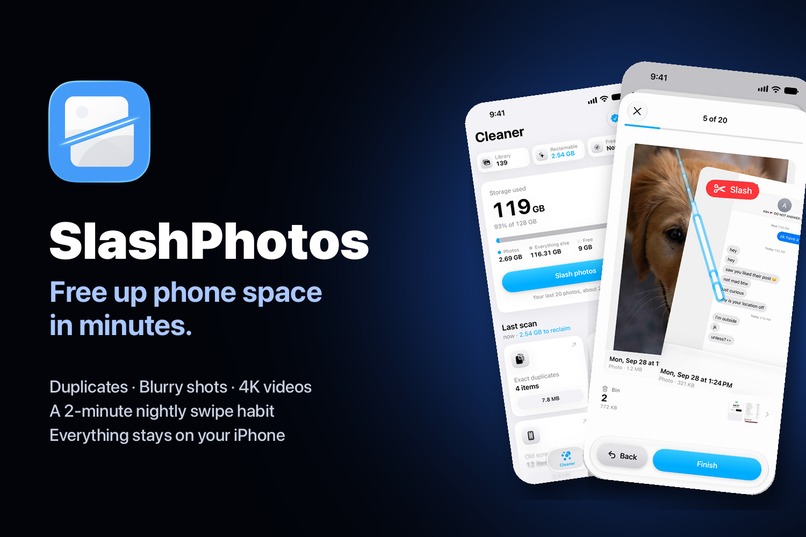
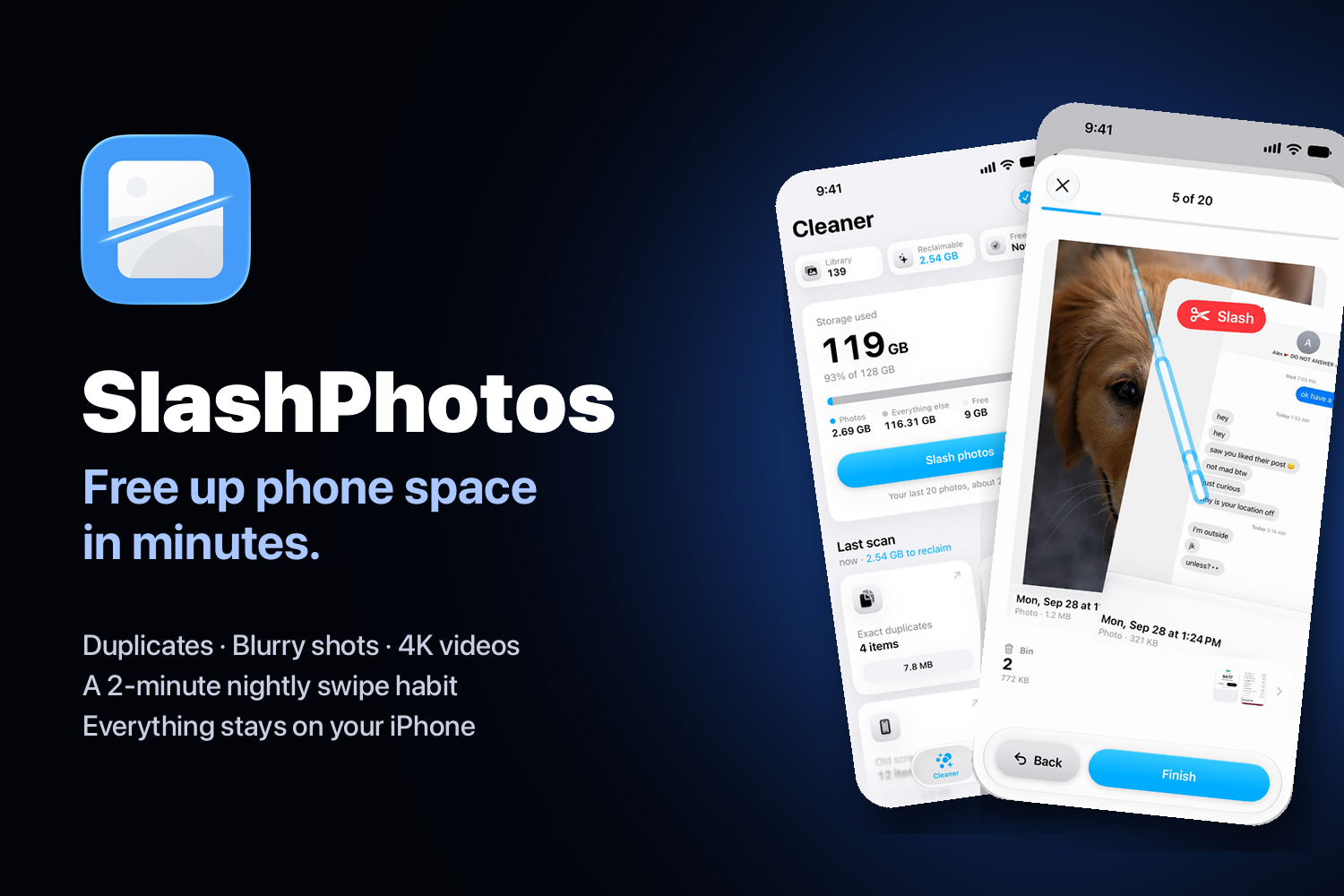
SlashPhotos: free up phone space in minutes, all on your iPhone.
-
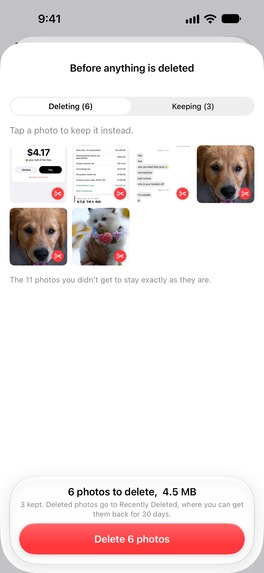
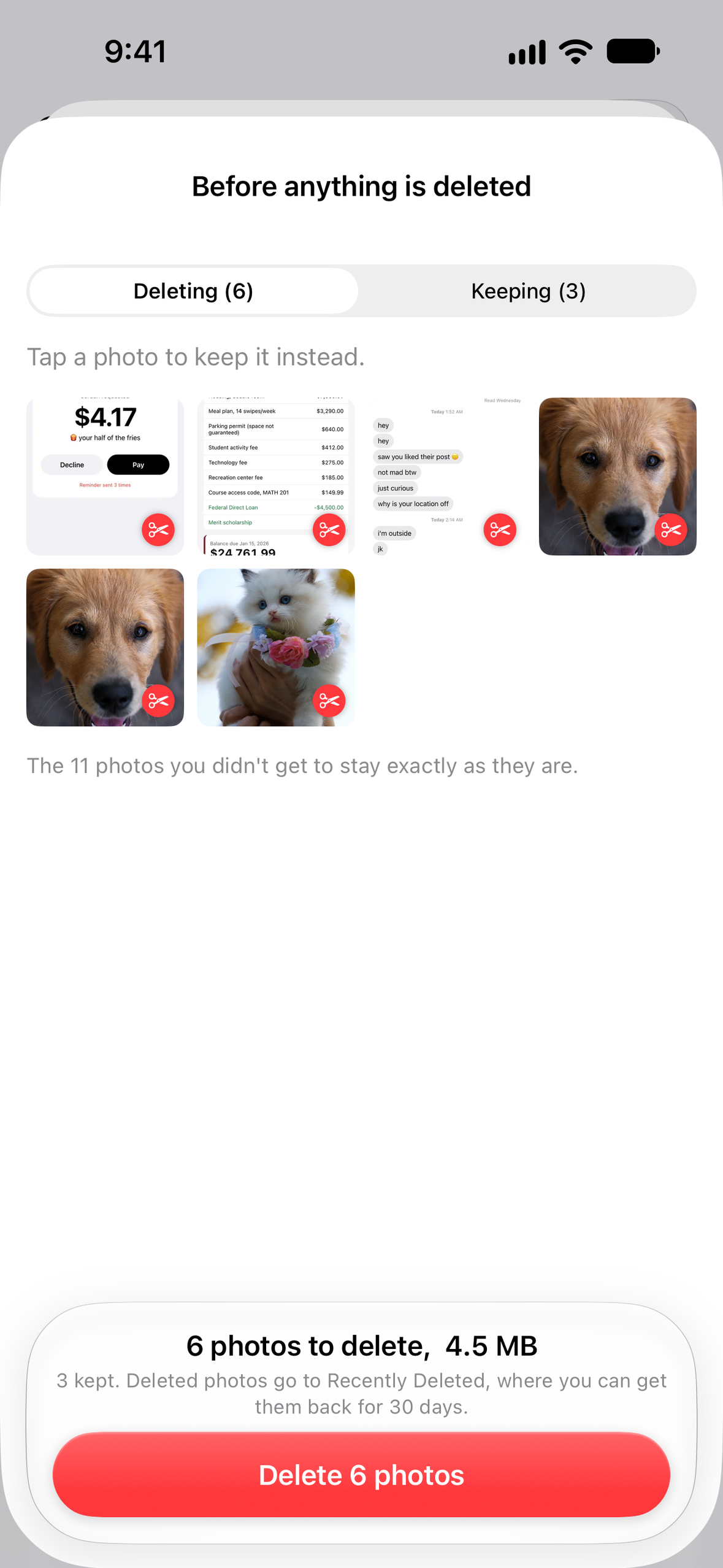
Review everything before anything is deleted.
-
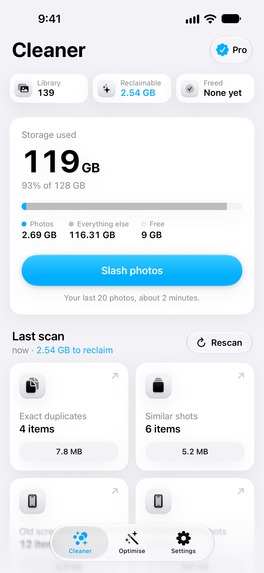
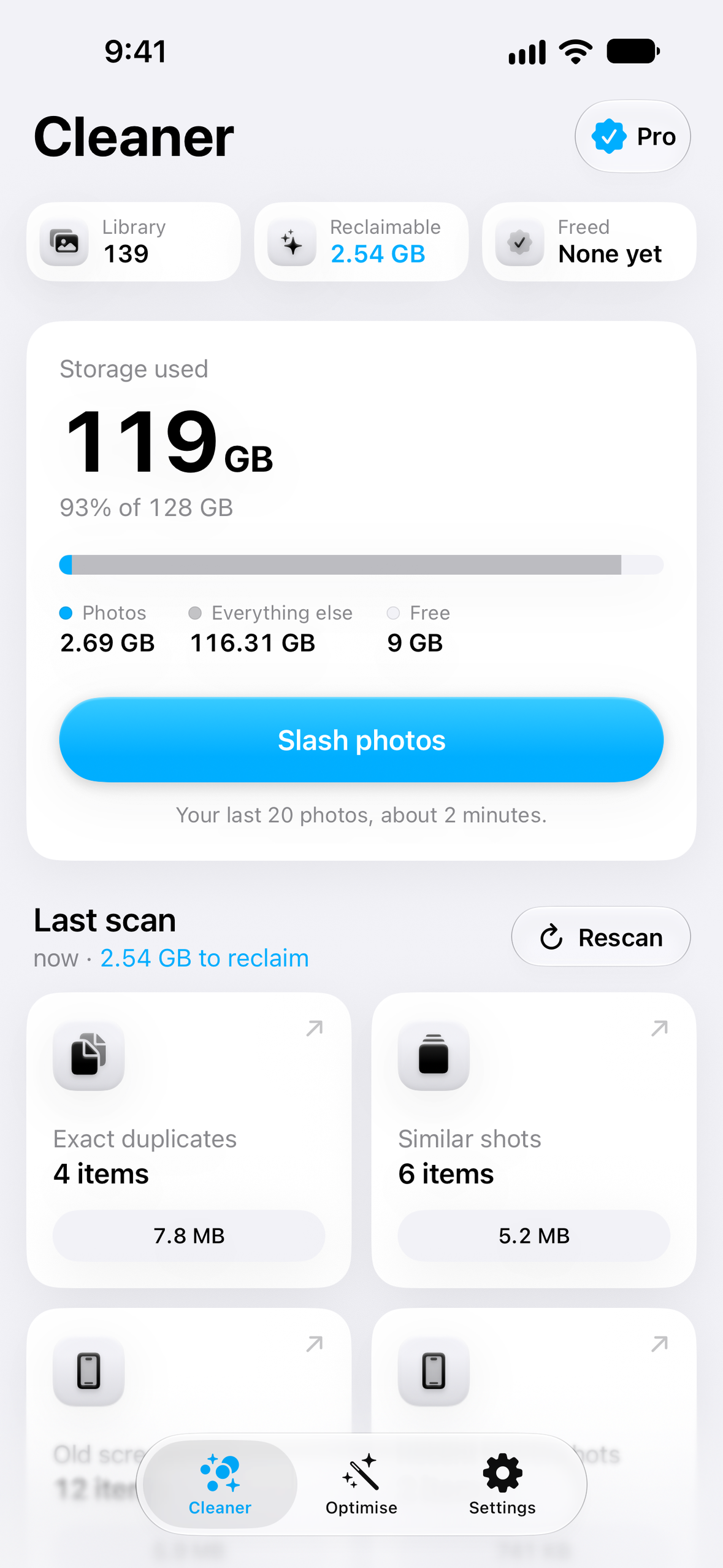
Home: storage used and the space you can reclaim.
-
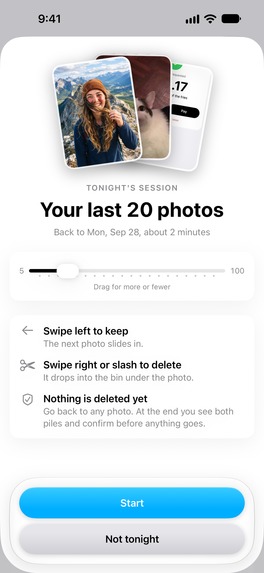
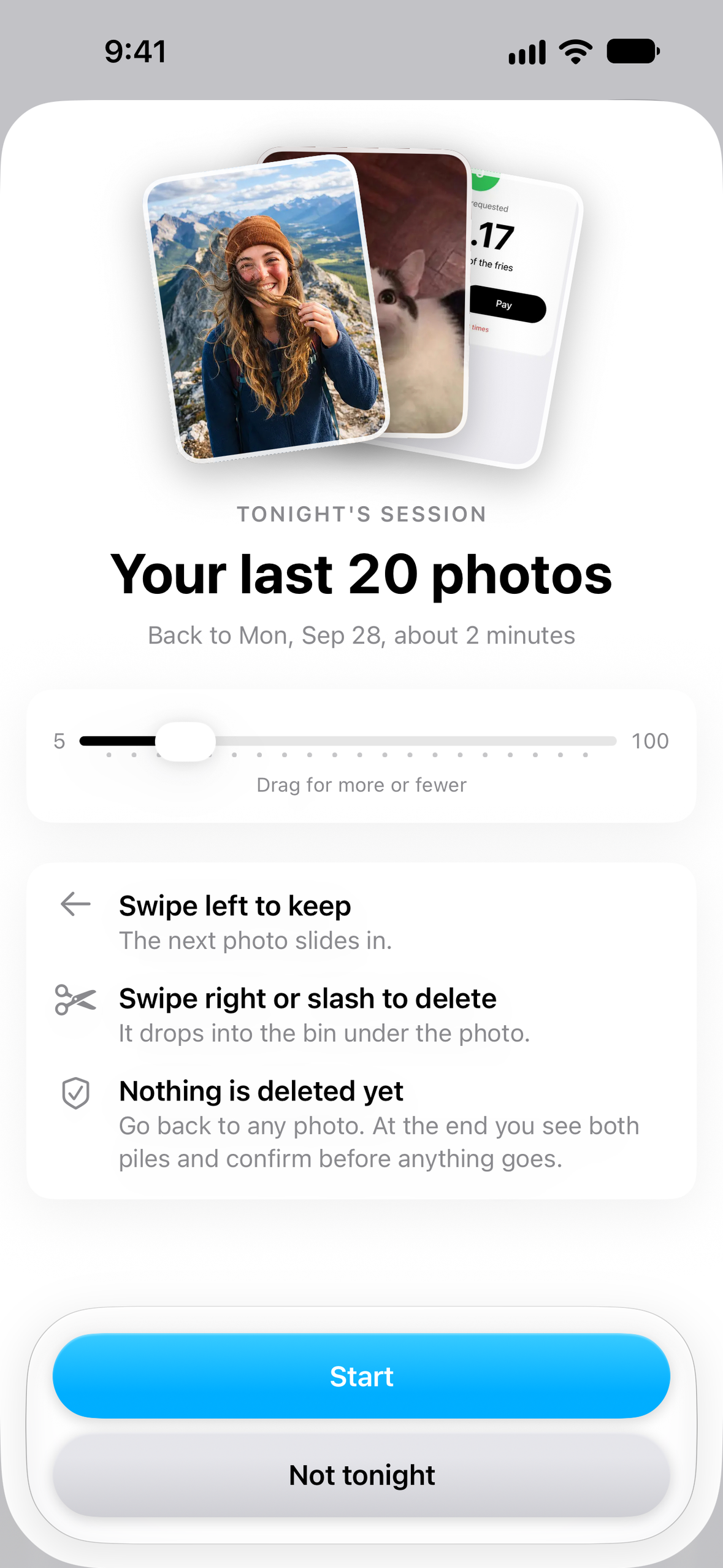
Tonight's session: your last 20 photos in about 2 minutes.
-
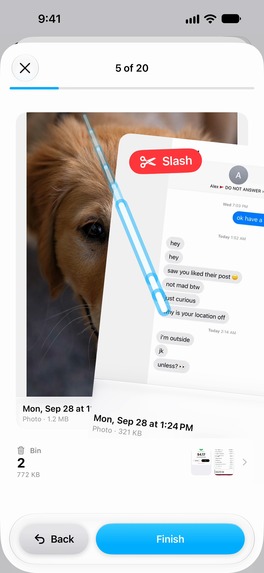
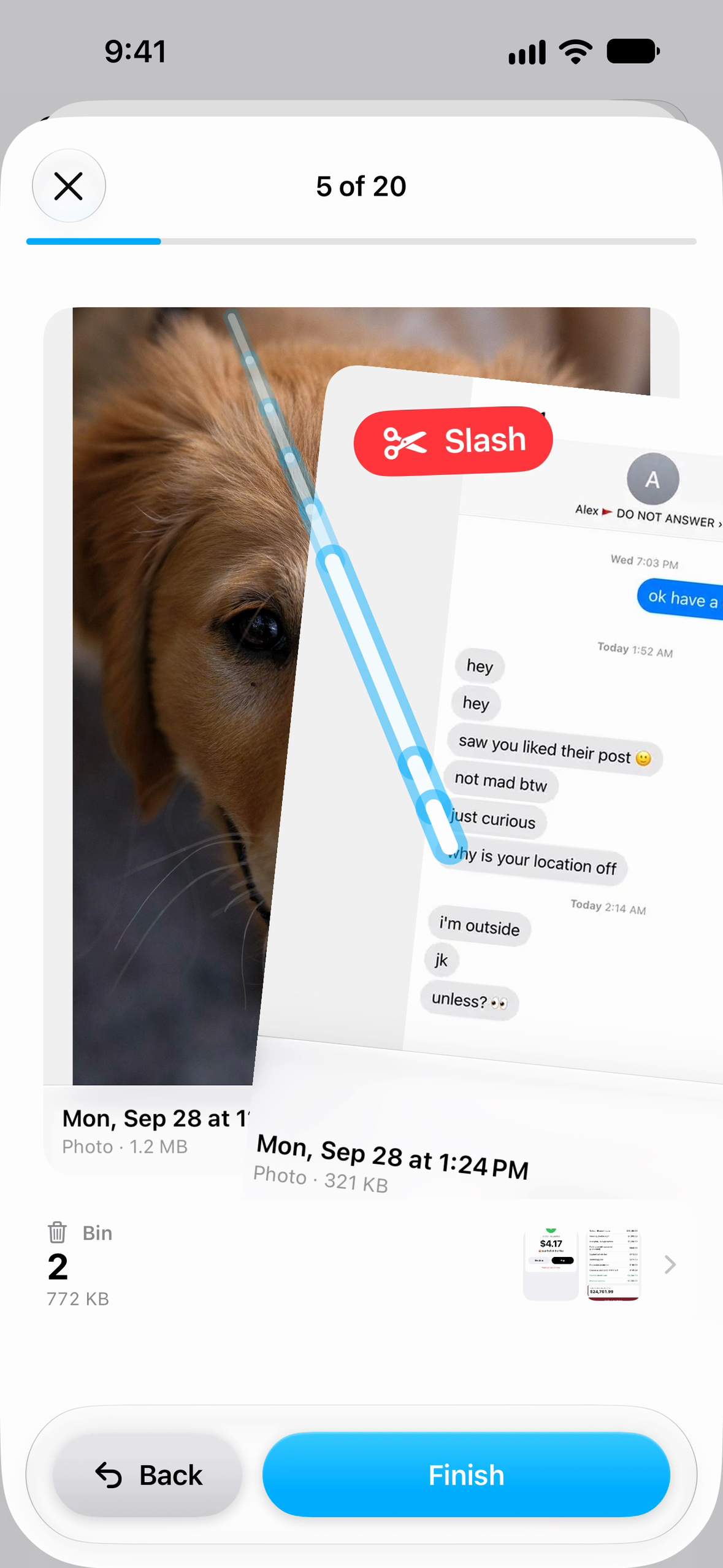
Slash a photo across the card to bin it.
-
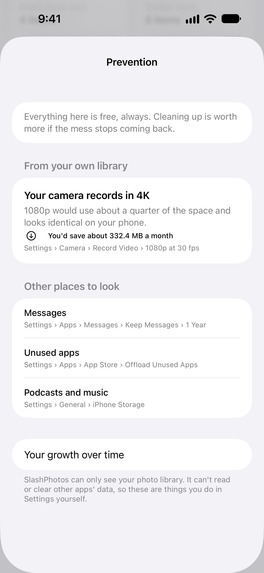
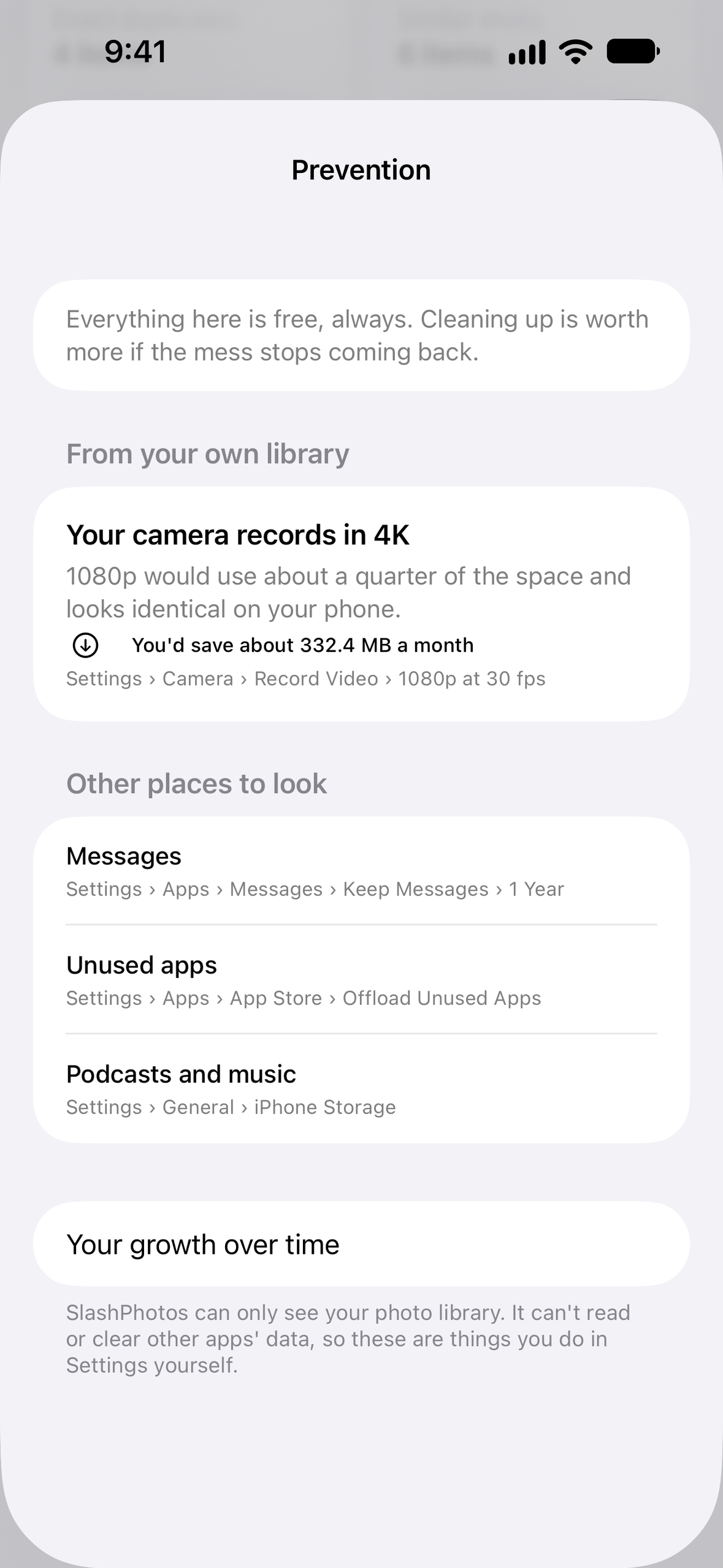
Prevention tips from your own library.
-
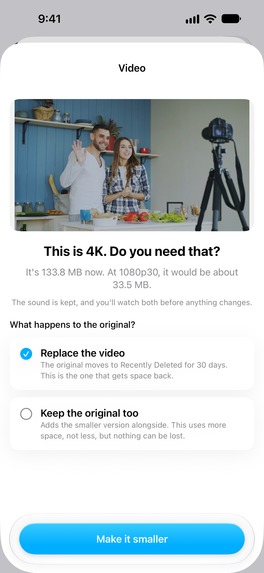
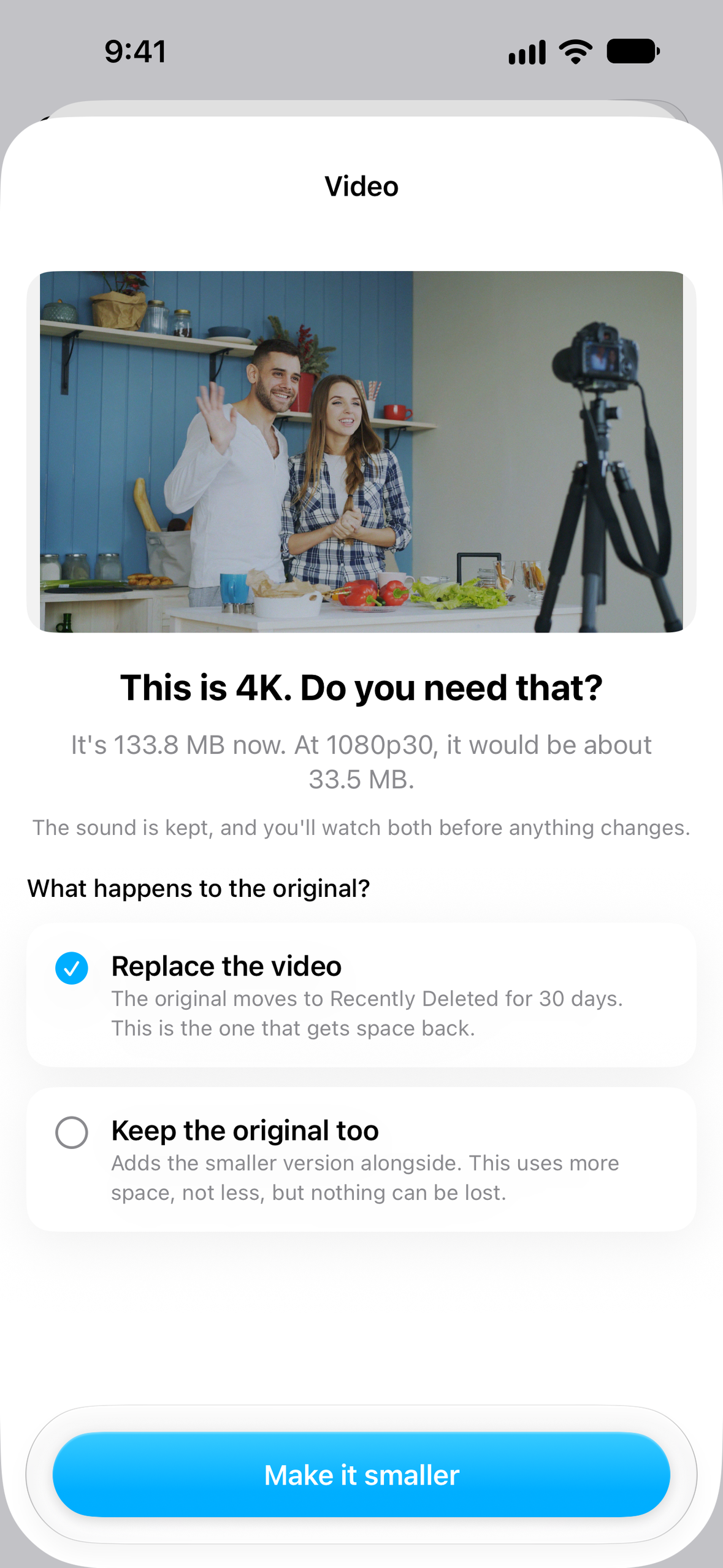
"This is 4K. Do you need that?" Convert to 1080p and keep the moment.
-
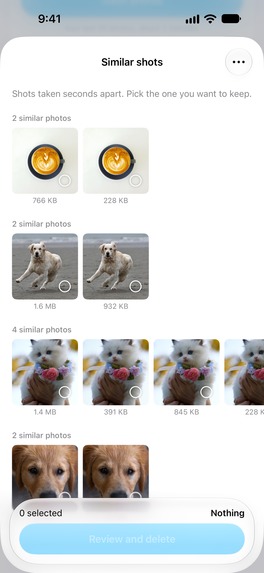
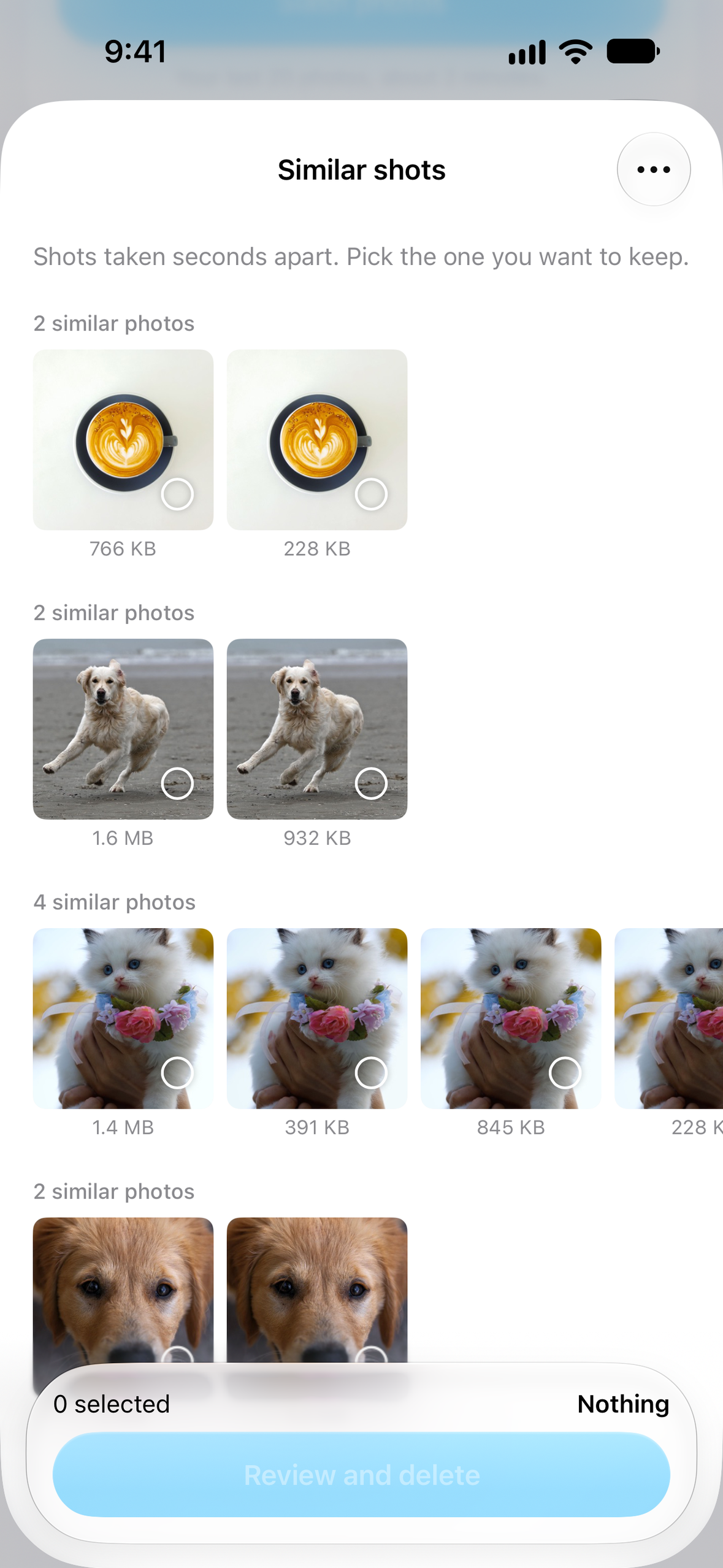
Similar shots grouped with sizes. Pick the keeper.
-

App icon, 1024 x 1024.

Inspiration
Every iPhone owner has seen "Storage Almost Full" at the worst moment. The usual fix is an hour of scrolling through thousands of photos, deleting one at a time, and a month later the phone is full again. Most cleaner apps also want your library on their servers, or pre-select photos you would never delete. We wanted a cleaner that is fast, private, never deletes without your say-so, and fixes the habit as well as the mess.
What it does
- One scan, one number. SlashPhotos sorts the whole library on the phone and shows how much space you can get back, before you pay anything.
- Finds the waste: exact duplicates, similar shots and bursts (with a suggested keeper you confirm), blurry photos (a two-pass check so soft-focus portraits are not flagged), old screenshots and screen recordings, short accidental clips, and large videos, biggest first.
- Slash through your latest photos. A short nightly swipe deck of your newest photos. Swipe to keep, swipe or slash across the card to bin it. Two minutes a night keeps the camera roll under control, with a streak to keep you coming back.
- Shrink instead of delete. Recompress photos to HEIC at the lowest quality that still passes a strict perceptual check (dates, location, HDR and Portrait depth kept), and convert 4K videos to 1080p. A 3-minute 4K60 clip drops from about 1.1 GB to about 200 MB. You play both before deciding.
- Stops the mess coming back. It reads how you shoot and points out the settings filling your phone, like 4K at 60 fps, with the exact Settings path. A monthly report shows how much the library grew and how much you cleared.
- Nothing goes without your say-so. Judgement calls are never pre-selected, everything is reviewed before deletion, and deleted items stay in Recently Deleted for 30 days.
- Private by design. Scanning, hashing, blur detection and compression all run on the iPhone. Photos never leave the device.
How we built it
- Native Swift 6 and SwiftUI for iOS 18+, with Liquid Glass on iOS 26.
- A layered Swift package:
Core(domain models),Heuristics(pure scoring, thresholds and deck composition, 90% test coverage),Imaging(perceptual hashing and blur detection with Core Image and Vision),Library(the only PhotoKit boundary: scan engine and deletion),Store(SwiftData) andPurchases. - AVFoundation for 4K to 1080p video conversion, ImageIO for HEIC recompression with a calibrated perceptual quality gate, Core Haptics for the slash.
- RevenueCat powers every purchase: product loading, purchase, restore, the
proentitlement, billing-issue detection and win-back offer eligibility, all behind onePurchaseStateobservable so the SwiftUI views stay simple. - Localised into 28 App Store locales with String Catalogs, and a lint script that fails the push on any untranslated string.
- App Store screenshots in every locale are captured by XCUITest on a seeded simulator and framed by a Python compositor, so they always match the real UI.
Challenges we ran into
- Blur detection that respects portraits. A single sharpness score flags every bokeh, macro and motion shot. Stage one is Laplacian variance on a small thumbnail; stage two runs Vision face and saliency detection on the candidates and discards any photo whose face or subject is sharp.
- Compressing without visible loss. Picking one HEIC quality either wastes space or damages some photos, so each photo is searched down to the lowest quality that still passes a perceptual check, with thresholds set by our own calibration script.
- Swapping the purchase layer late. Moving from raw StoreKit 2 to RevenueCat touched entitlements, restores, Ask to Buy and win-back offers. Keeping the
PurchaseStateAPI stable meant the views barely changed.
Accomplishments that we're proud of
- The slash gesture: a blade trail, a red "Slash" stamp and haptics that make clearing photos feel satisfying rather than like a chore.
- Every figure that changes rolls its digits, and the shrink flow shows your photo developing like a print.
- 28 languages at launch, with screenshots captured from the real app in each one.
- It never deletes anything you did not confirm.
What we learned
Cleaning is a habit problem, not a one-off task. The nightly two-minute session and the prevention tips matter as much as the scan. We also learned that trust sells: showing the reclaimable number before the paywall, and never pre-selecting judgement calls, makes people comfortable paying.
What's next for SlashPhotos
- A win-back offer for lapsed annual subscribers, with a "Come back to Pro" home screen quick action.
- RevenueCat Experiments on paywall pricing and trial length.
- Localised App Store screenshots for all 28 locales.
Built With
- avfoundation
- core-haptics
- core-image
- fastlane
- photokit
- python
- revenuecat
- storekit
- swift
- swiftdata
- swiftui
- vision
- xcode
- xcodegen

Log in or sign up for Devpost to join the conversation.