-
-
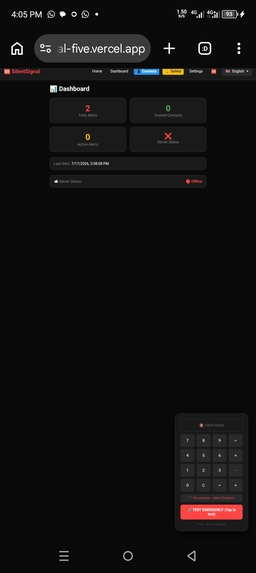
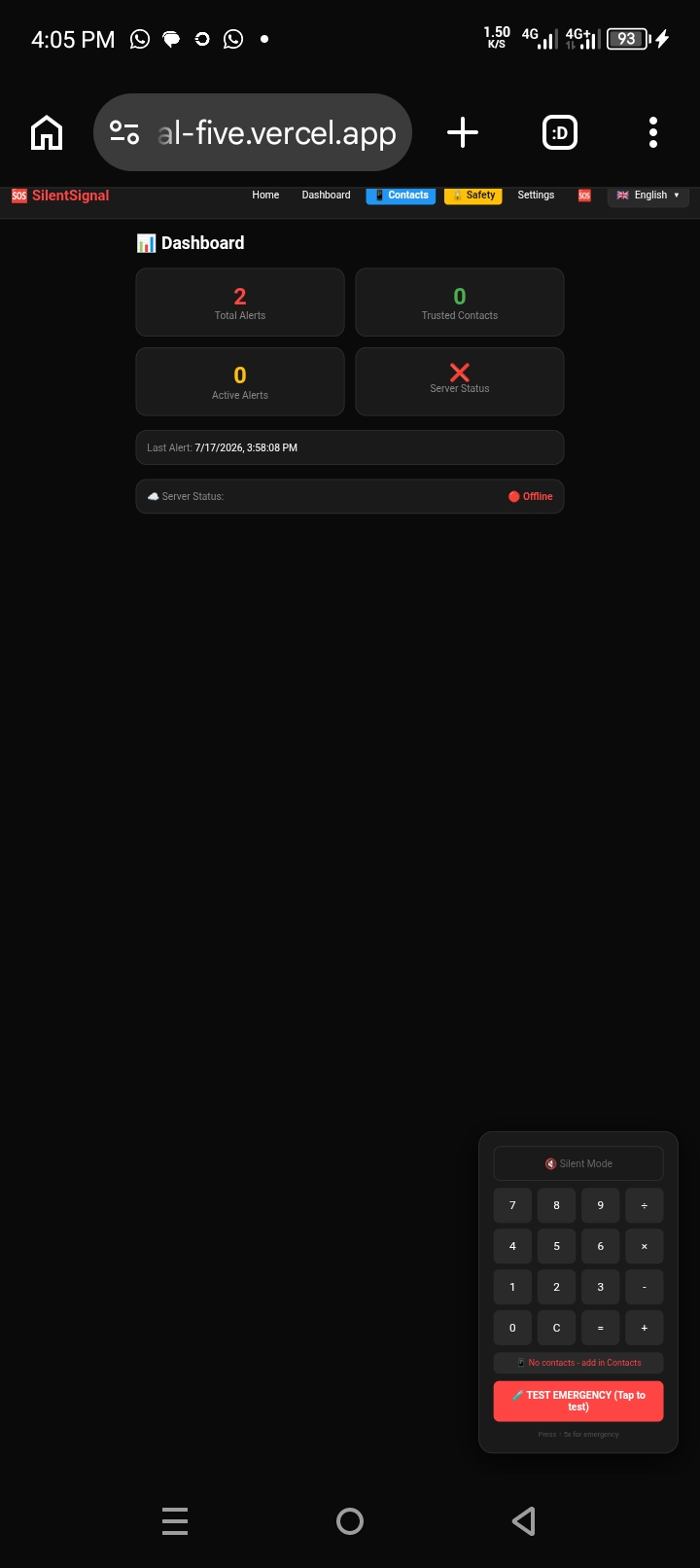
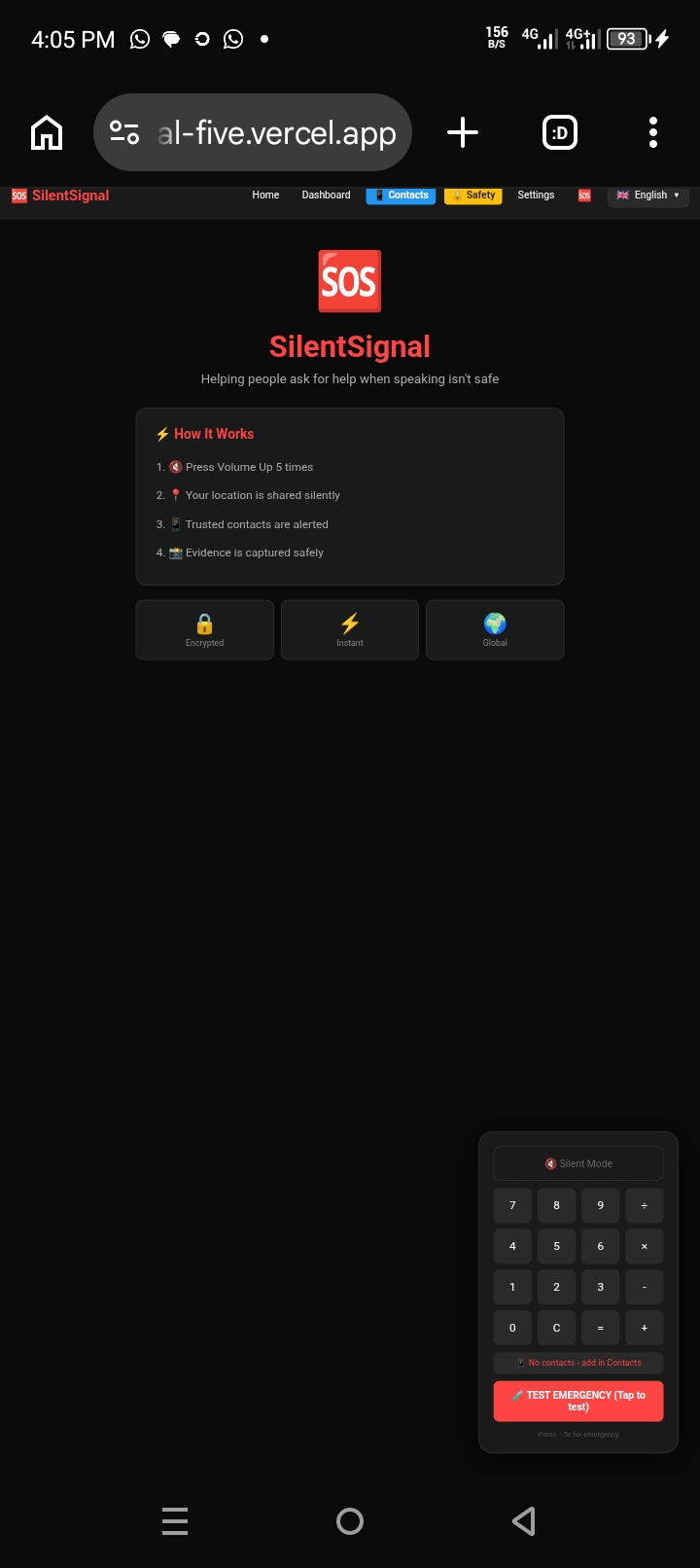
Dashboard
-
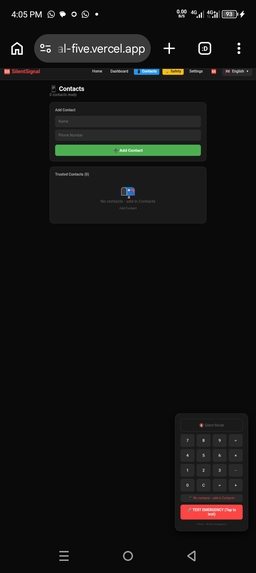
Contacts
-
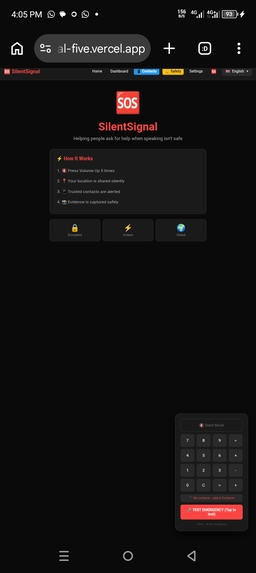
Home
-
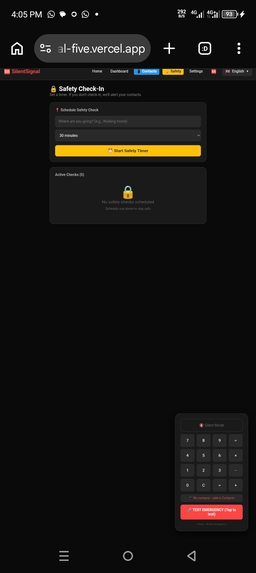
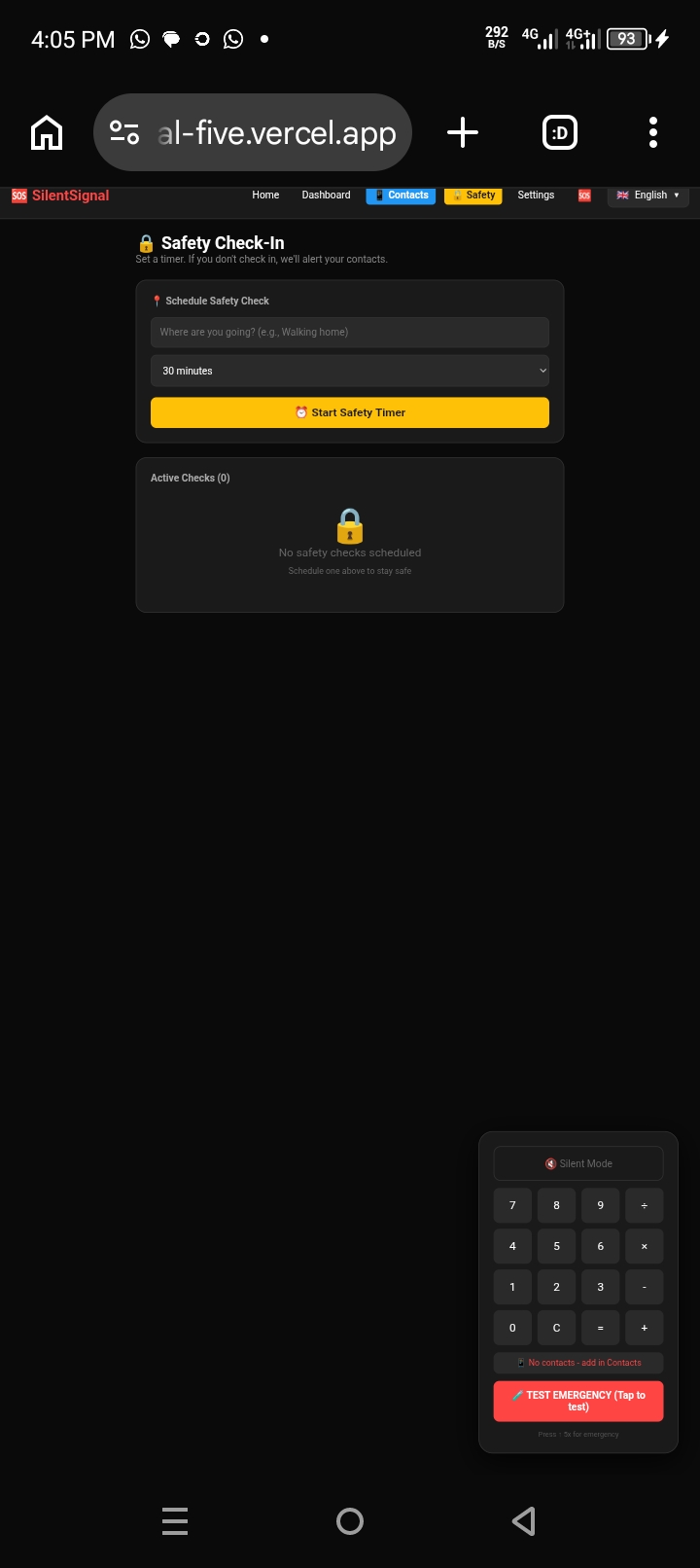
Safe check
-
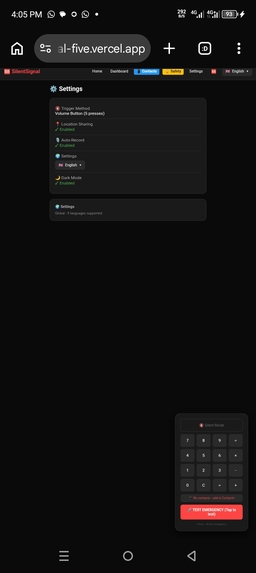
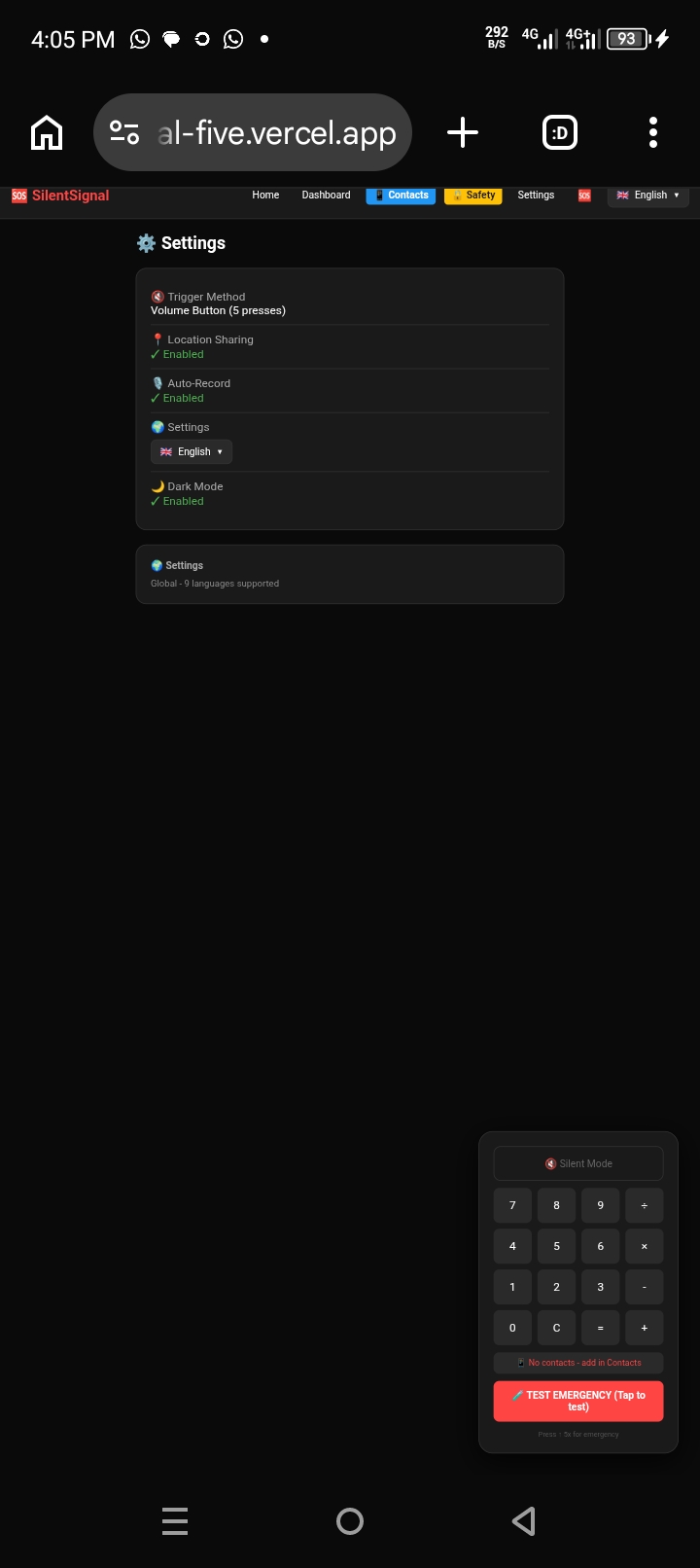
Settings
-
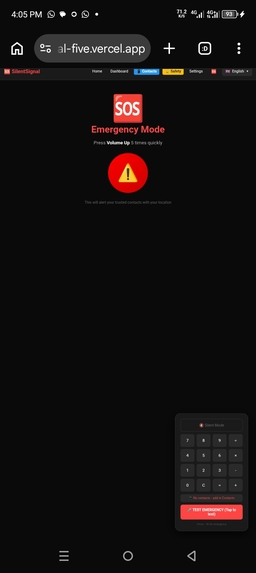
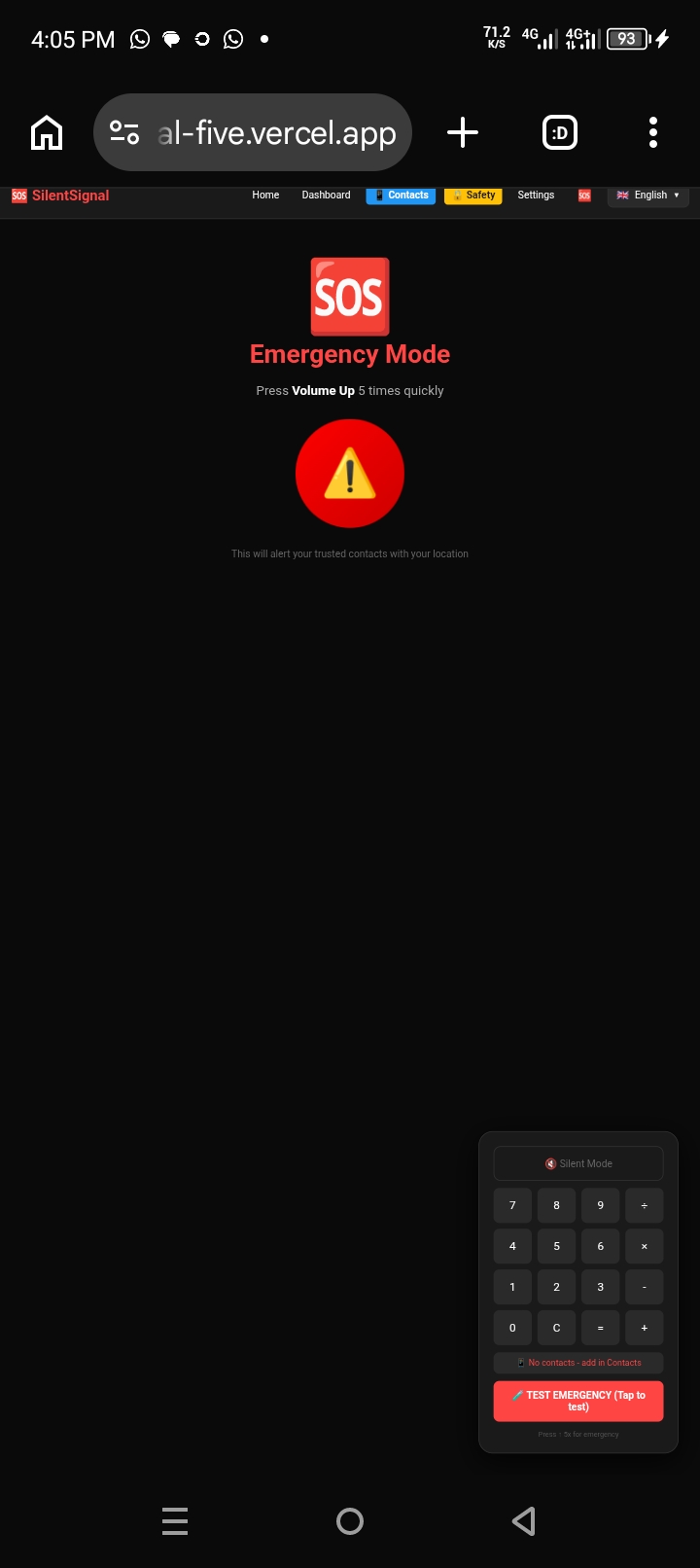
Emergency mode
-
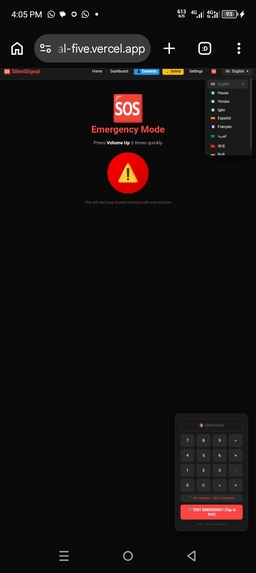
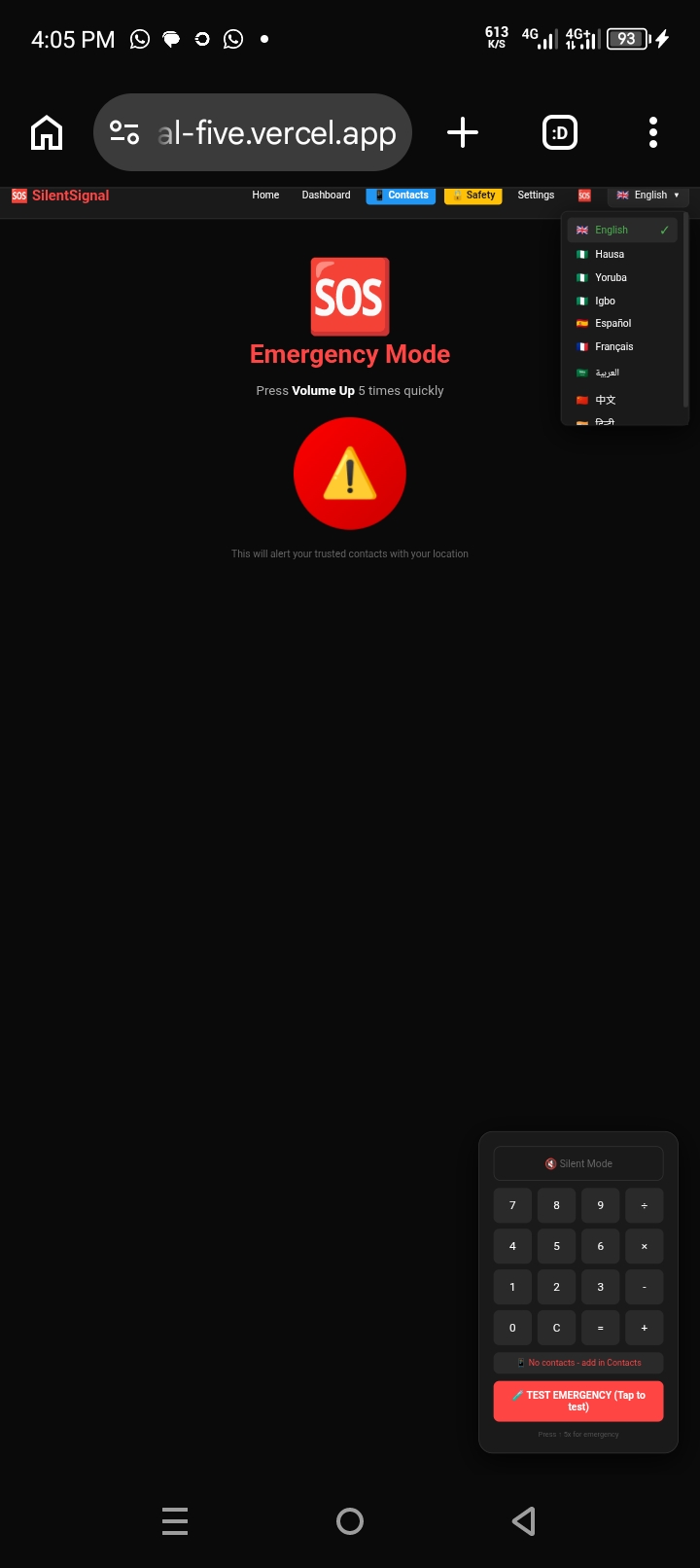
Languages switch
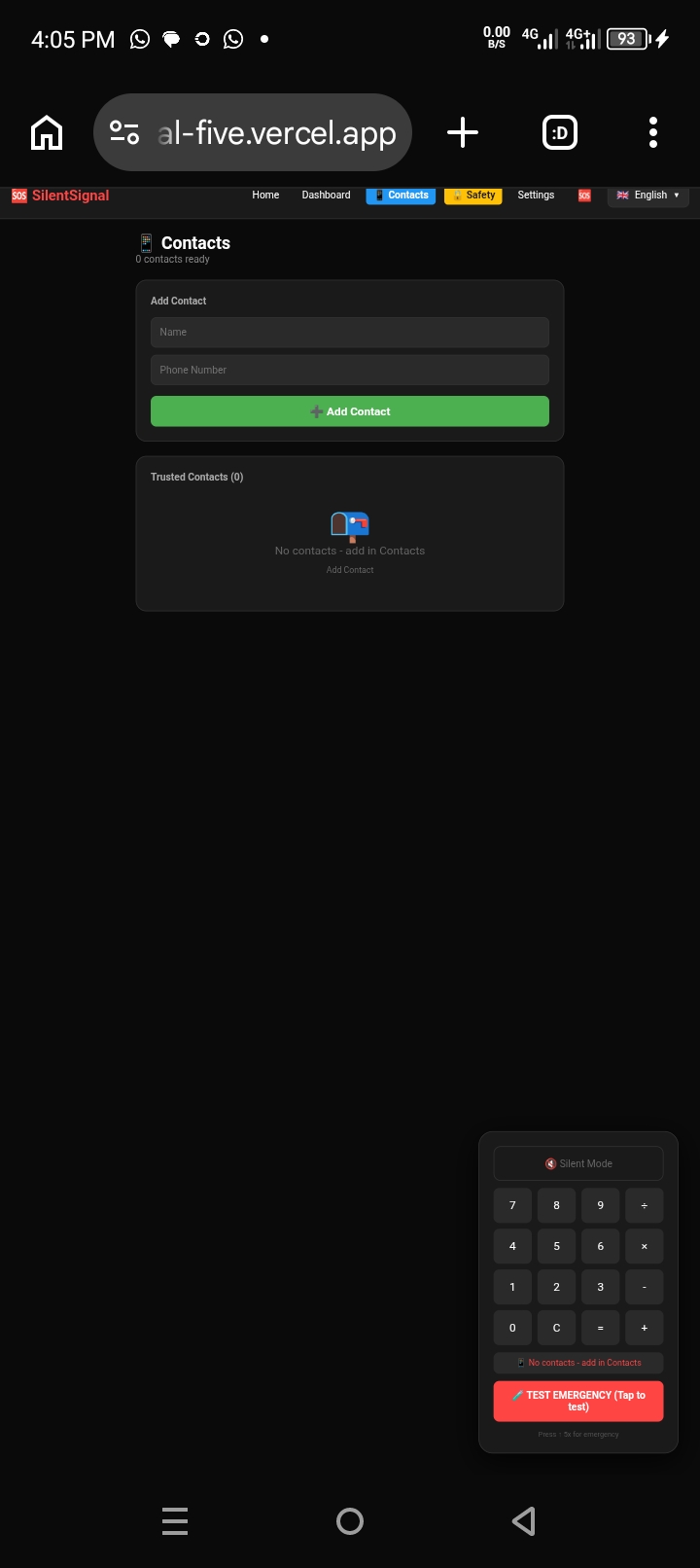
Inspiration
Millions of people experience situations where they cannot openly ask for help. Domestic violence, kidnappings, human trafficking, school bullying, elder abuse, and medical emergencies all share one terrifying common factor: the victim often cannot speak or call for help.
I was inspired to build SilentSignal after reading about cases where victims had their phones but couldn't use them because speaking would alert their abuser. Current emergency apps require users to speak, unlock several screens, or explain their situation - which simply isn't possible in many dangerous scenarios.
I wanted to create something that could work in complete silence, with just one hidden gesture, and look like something totally harmless. The calculator disguise was born from this idea - it's something everyone has on their phone and nobody would suspect.
What it does
SilentSignal is a life-saving emergency communication app that helps people ask for help when speaking isn't safe.
How it works:
- User presses the volume button 5 times quickly (or taps the test button)
- The app silently captures the user's location
- SMS messages are sent to all trusted contacts with a Google Maps link
- The emergency is stored locally and synced with the backend API
- Everything happens in complete silence - no sound, no visible alert
Key Features:
- 🔇 Silent Trigger: Volume button 5x in 3 seconds
- 🧮 Calculator Disguise: Looks like a normal calculator app
- 📍 Live Location Sharing: GPS coordinates sent to contacts
- 📱 SMS Fallback: Works without internet - opens native SMS app
- 👥 Emergency Contacts: Add trusted people who will be alerted
- 🔒 Safety Check-In: Proactive protection - set a timer, get checked in
- 🌍 9 Languages: English, Hausa, Yoruba, Igbo, Spanish, French, Arabic, Chinese, Hindi
- ☁️ Backend API: Full-stack with data persistence
- 📊 Dashboard: Track all emergencies with statistics
How we built it
I built SilentSignal entirely on my Android phone using Termux, which was one of the biggest challenges and accomplishments of this project.
Frontend:
- React with React Router for navigation
- React Toastify for notifications
- LocalStorage for data persistence
- Custom CSS with dark theme
Backend:
- Node.js with Express
- File-based JSON storage (for simplicity)
- RESTful API endpoints
APIs & Services:
- Geolocation API for location tracking
- SMS URI scheme for SMS fallback
- Vercel for frontend hosting
- Render for backend hosting
Languages & Tools:
- JavaScript (React, Node.js)
- CSS3 for styling
- Git for version control
- GitHub for repository hosting
- Termux on Android for development
Challenges we ran into
Building on Android: Developing a full-stack app entirely on a phone using Termux was challenging. Limited screen space, no proper IDE, and learning keyboard shortcuts slowed things down.
Volume Button Detection: Browsers cannot directly detect hardware volume buttons. I solved this by adding a test button for web demos and designing the app to work with keyboard arrows for testing.
ESLint Build Errors: Vercel builds failed due to ESLint warnings. I fixed this by adding
DISABLE_ESLINT_PLUGIN=trueto the build environment.SMS on Web: Sending SMS directly from a web app isn't possible. I implemented SMS fallback using the
sms:URI scheme, which opens the native SMS app with a pre-filled message.Multi-Language Support: Managing translations for 9 languages required careful planning. I created a translation object with all keys and a simple
t()function to handle dynamic content.Data Persistence: Keeping data in sync between frontend and backend was challenging. I implemented a dual-storage approach: localStorage for immediate access and backend API for persistent storage.
Accomplishments that we're proud of
Building a Full-Stack App on Android: Everything was built using Termux on my phone - no laptop, no IDE, just a phone and determination.
9 Language Support: Including Nigerian languages (Hausa, Yoruba, Igbo) makes this app truly accessible to local communities.
Calculator Disguise: This creative feature makes the app virtually invisible to anyone who might be watching.
Safety Check-In Feature: Proactive safety thinking - preventing emergencies before they happen.
Complete User Flow: From adding contacts to triggering an emergency to seeing data on the dashboard - everything works seamlessly.
SMS Fallback: The app works even without internet, making it reliable in any situation.
Successful Deployment: The app is live on Vercel and ready for anyone to use.
What we learned
Development on Mobile is Possible: With Termux, Node.js, and a browser, you can build complete applications on Android.
Problem-Solving Under Constraints: Building with limited tools forces creative solutions.
User Experience Matters: A 3-second trigger vs a 30-second process can be the difference between life and death.
Global Impact Requires Language: Adding 9 languages including local Nigerian languages makes the app truly accessible.
Proactive > Reactive: The Safety Check-In feature prevents emergencies rather than just responding to them.
Testing is Critical: Testing the emergency flow with real locations and SMS ensures the app works when needed most.
Small Features Add Up: Each small feature (contacts, SMS, tracking) combines to create a powerful solution.
What's next for SilentSignal
Native Mobile App: Convert to React Native for true volume button detection and native SMS sending.
Real-Time Tracking: Continuous location tracking during emergencies with live updates.
Audio Recording: Capture audio evidence during emergencies.
Emergency Services Integration: Direct integration with 911/112 emergency services.
Offline Mode: Full functionality without any internet connection.
More Languages: Expand to 20+ languages for global reach.
Community Features: Allow users to share safety tips and support each other.
Privacy Enhancements: End-to-end encryption for all emergency data.
Wearable Integration: Connect with smartwatches for even faster triggers.
Voice Authentication: For situations where speaking IS safe, enable voice-activated triggers.
Built With
- api
- css
- eslint
- express.js
- git
- github
- gps
- html
- javascript
- localstorage
- node.js
- react
- render
- rest
- router
- sms
- termux
- toastify
- vercel

Log in or sign up for Devpost to join the conversation.