-
-
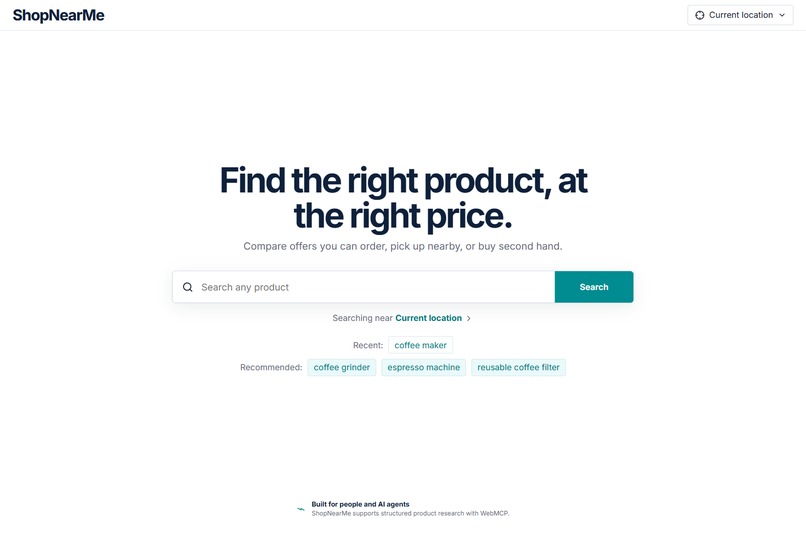
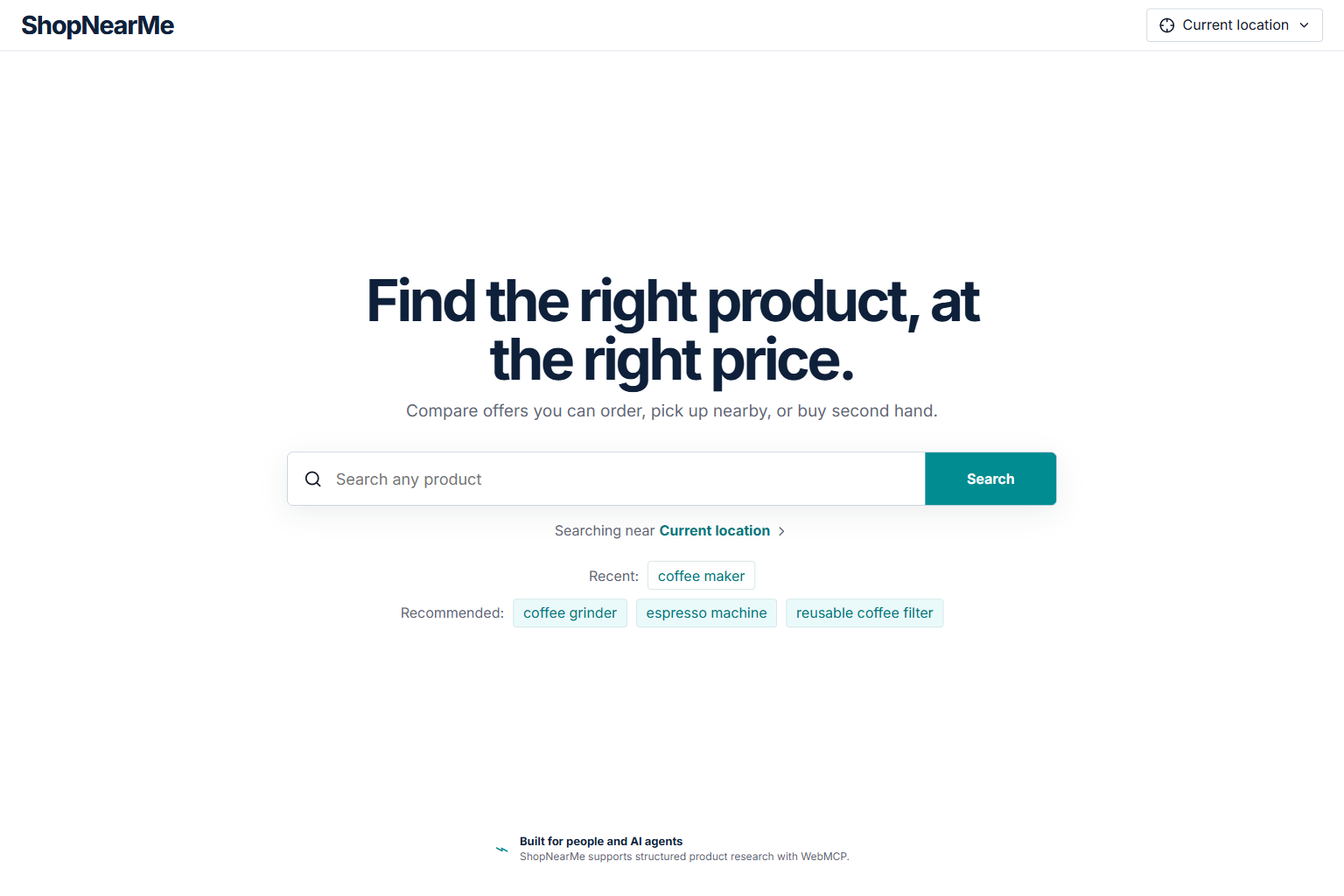
Home Page - Desktop
-
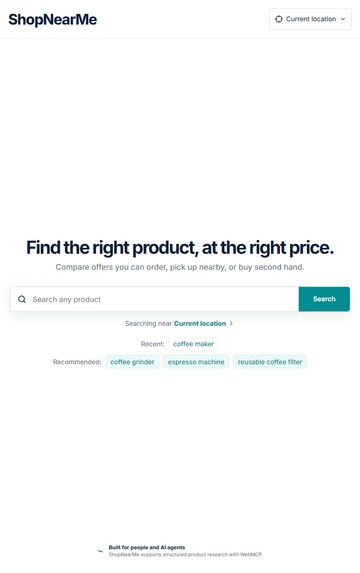
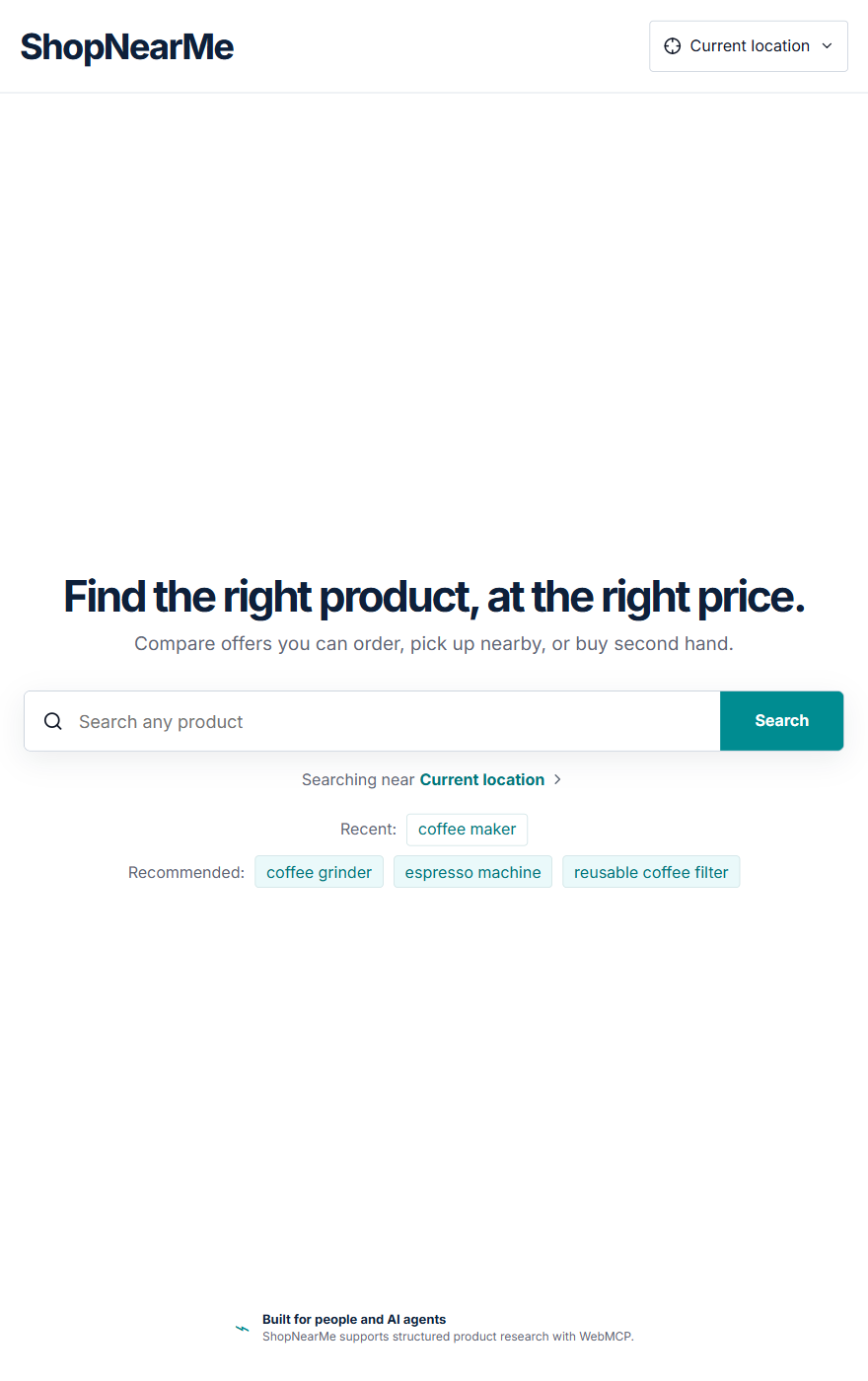
Home Page - Mobile
-
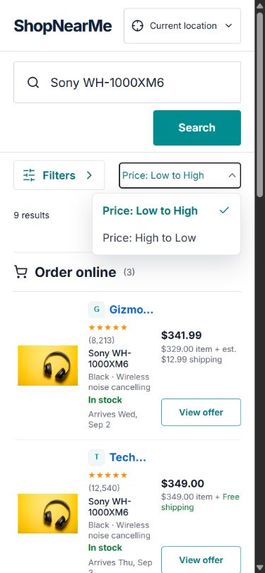
Product Search 2 - Mobile
-
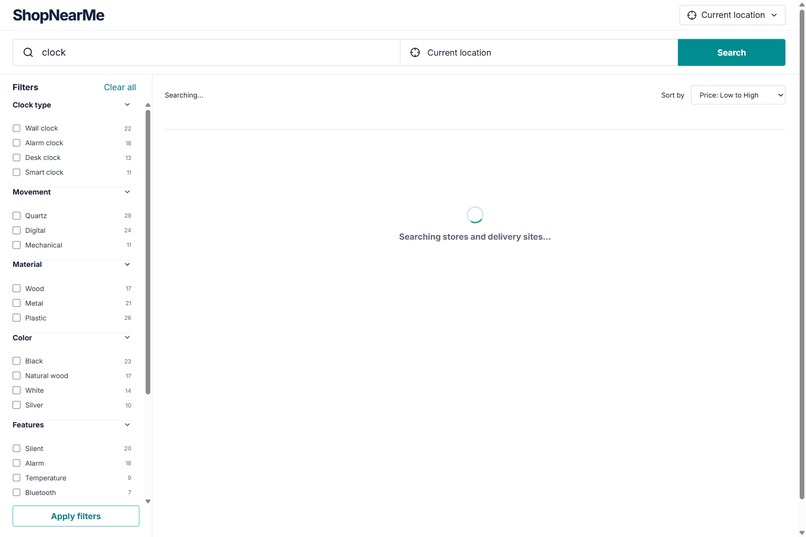
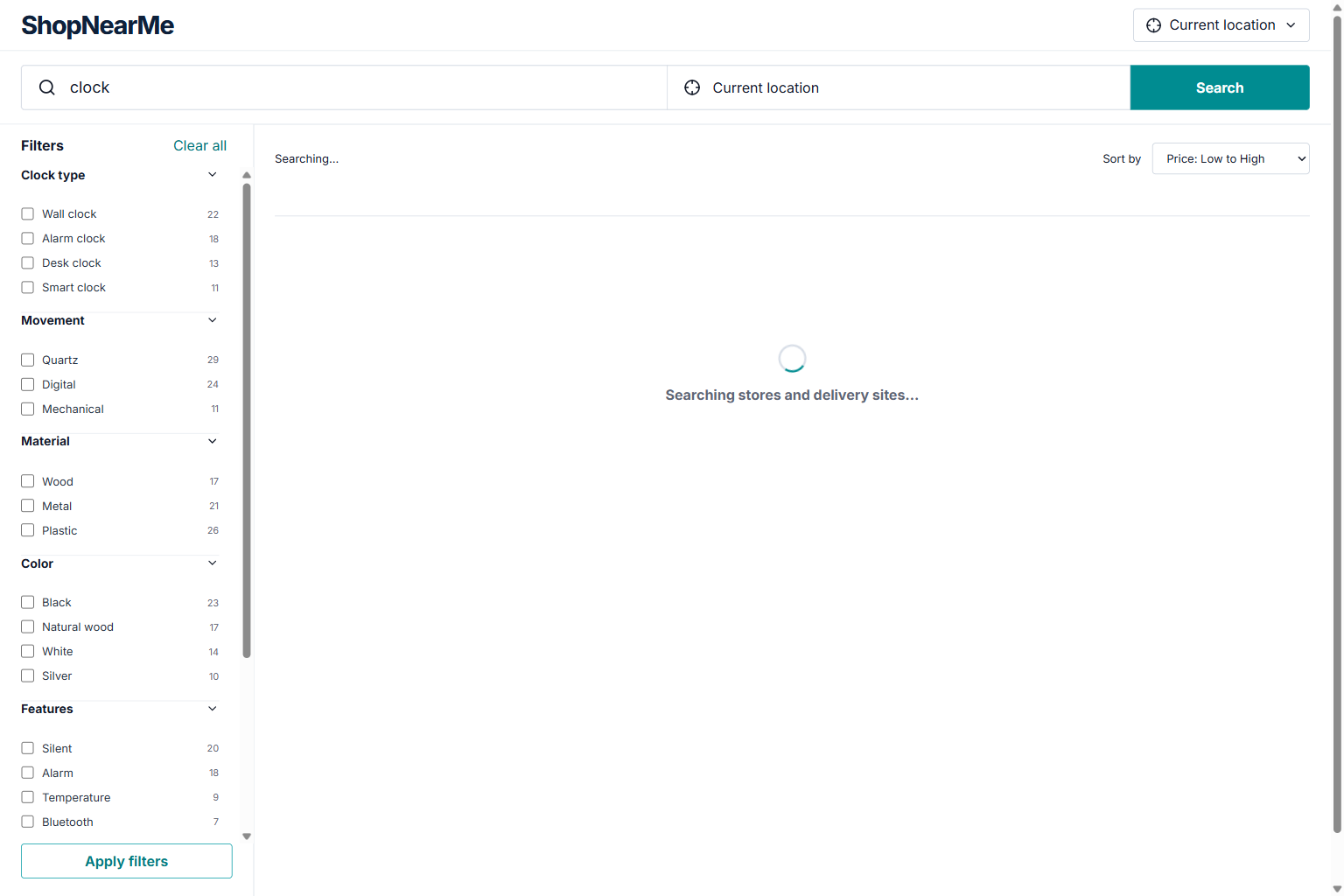
Searching...
-
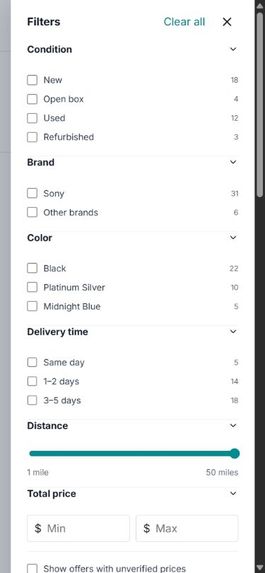
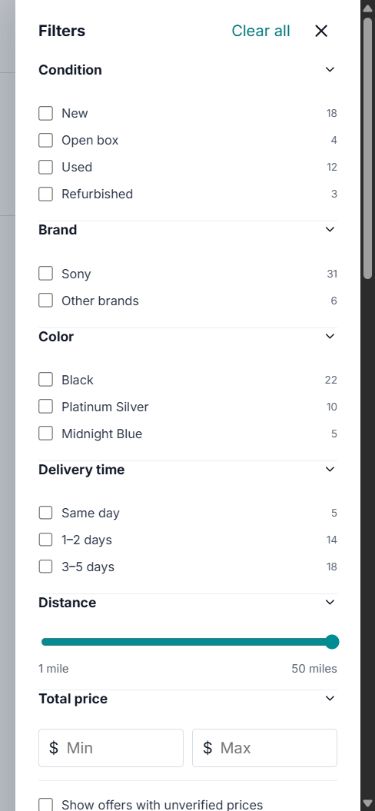
Filters Menu
-
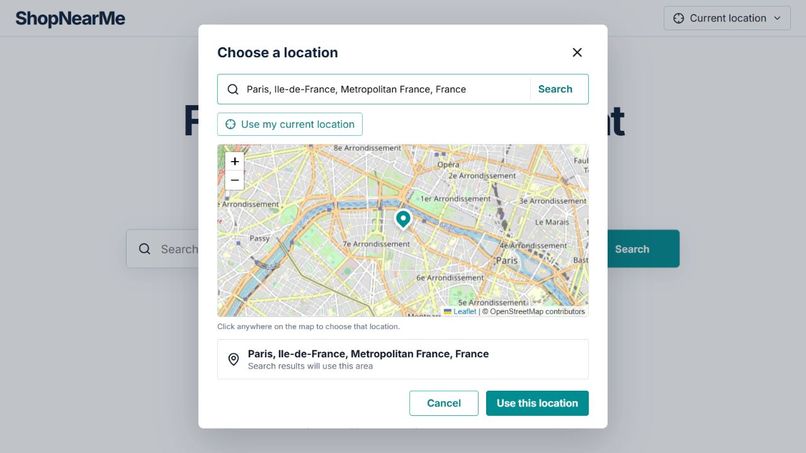
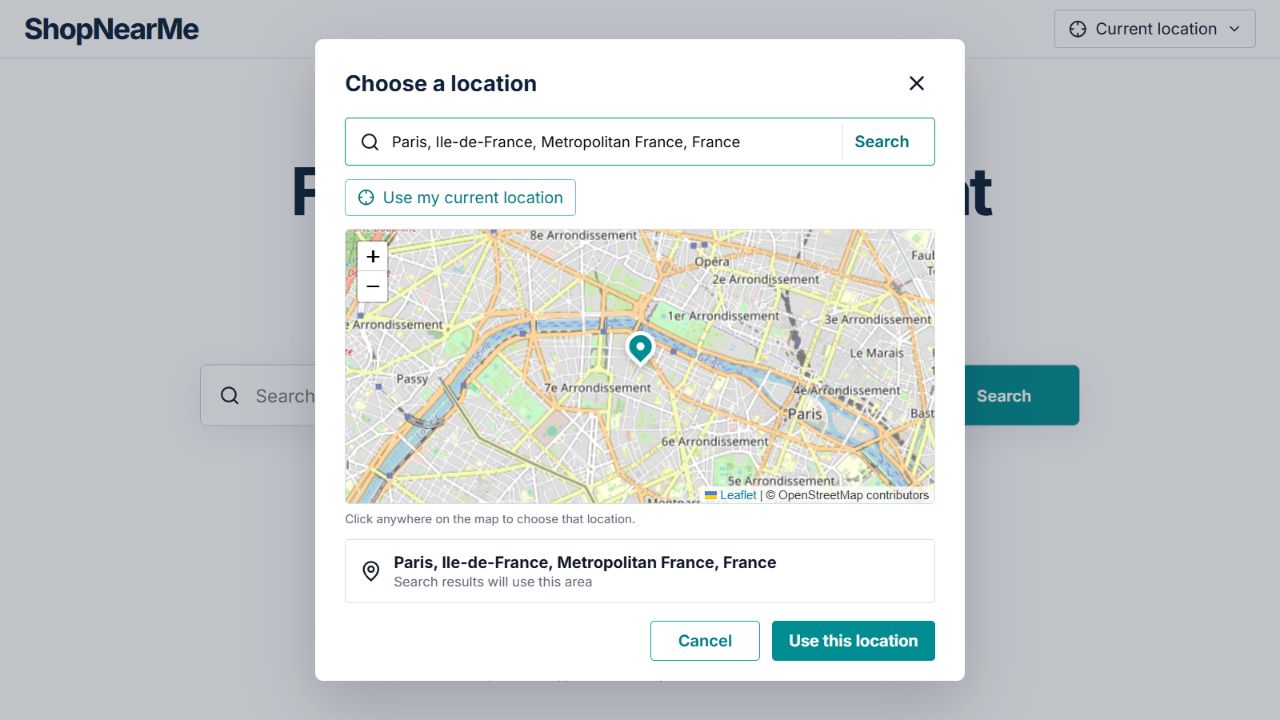
Choosing Location
-
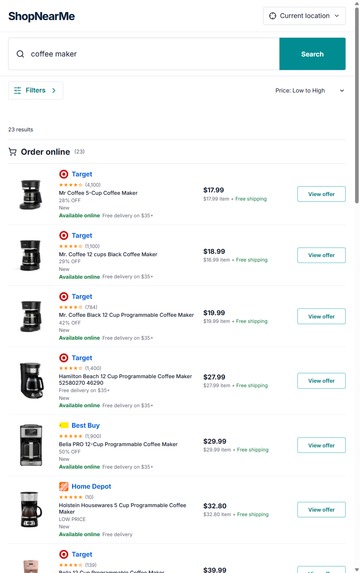
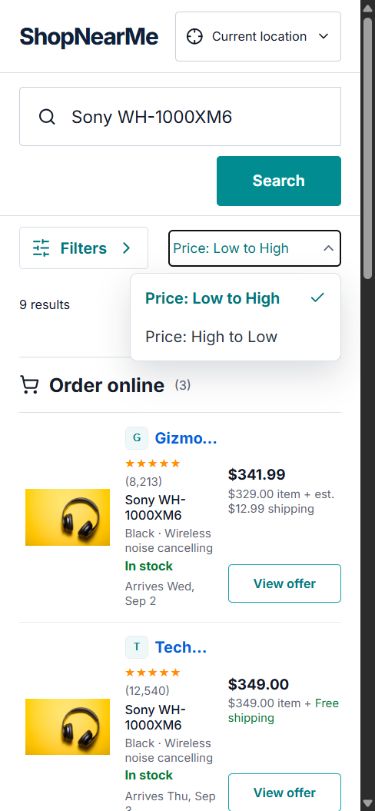
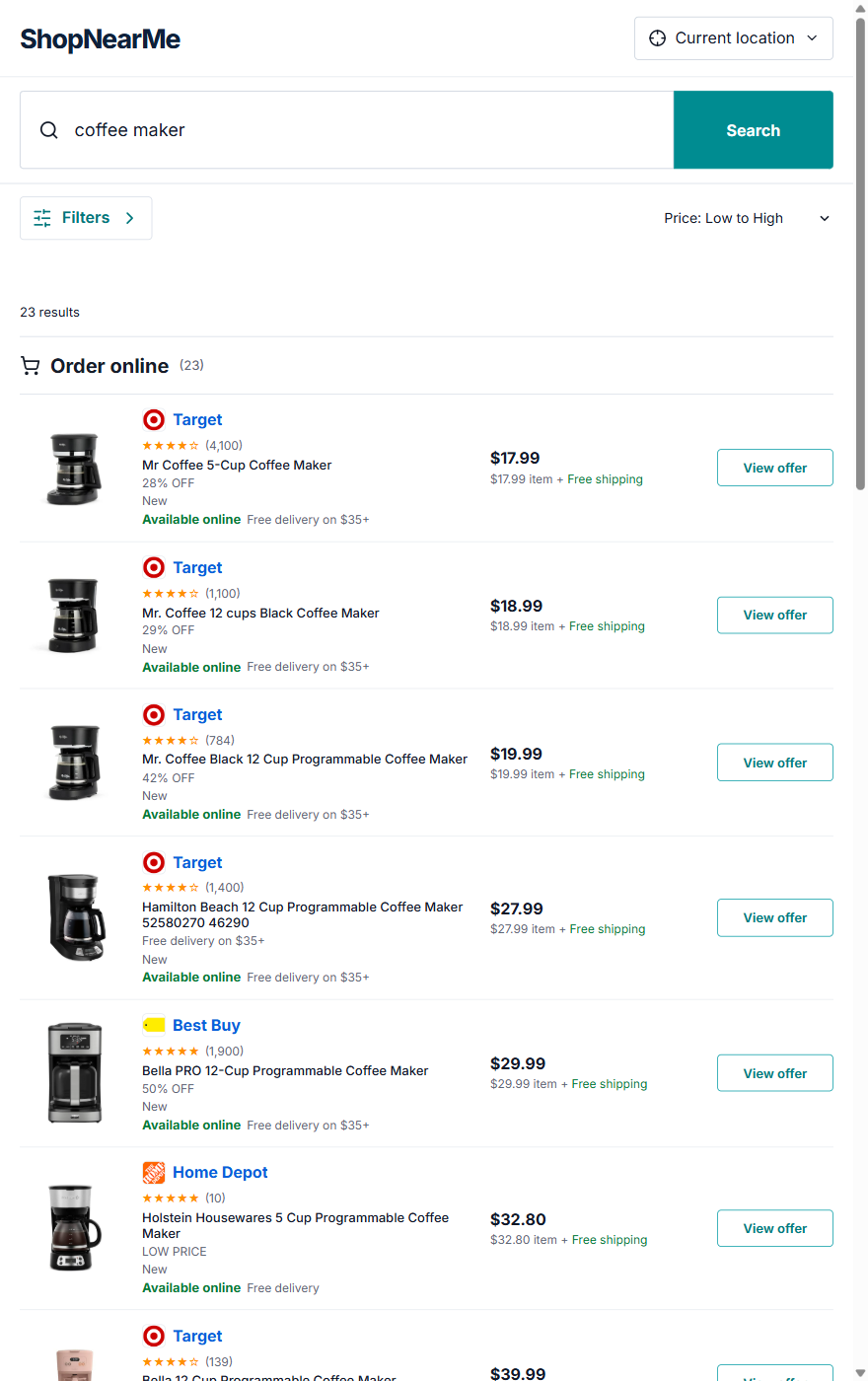
Product Search 1 - Mobile
-
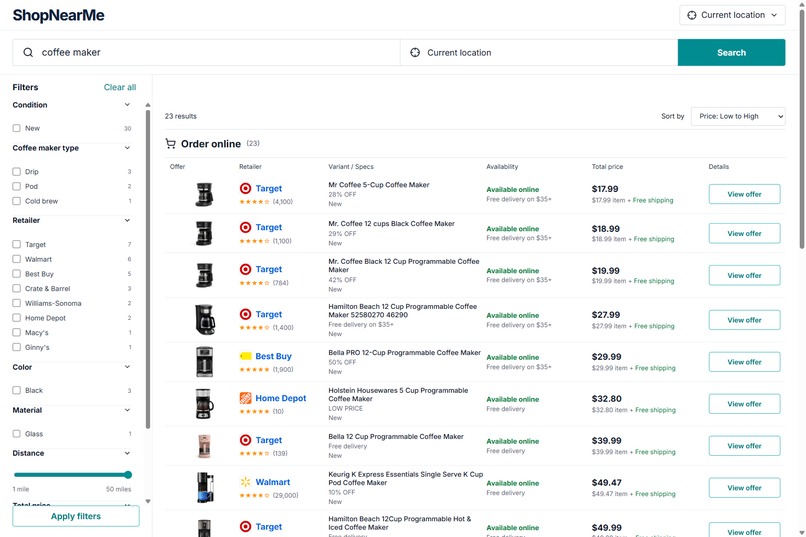
-
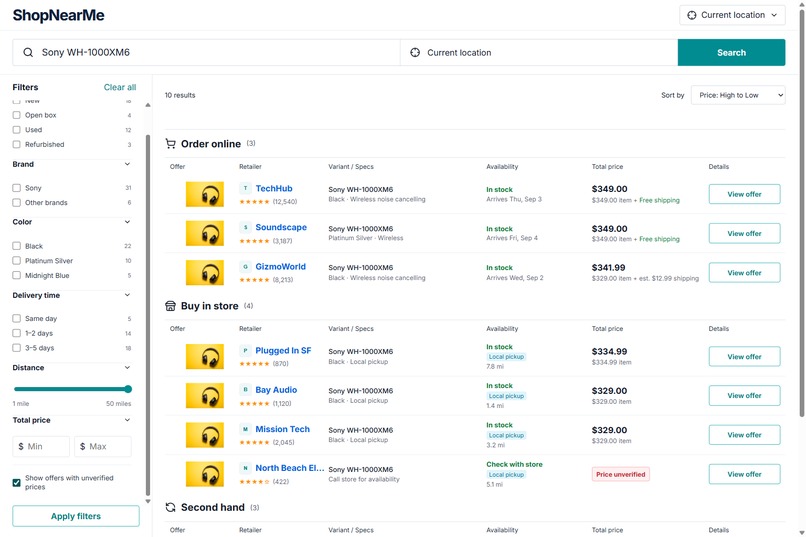
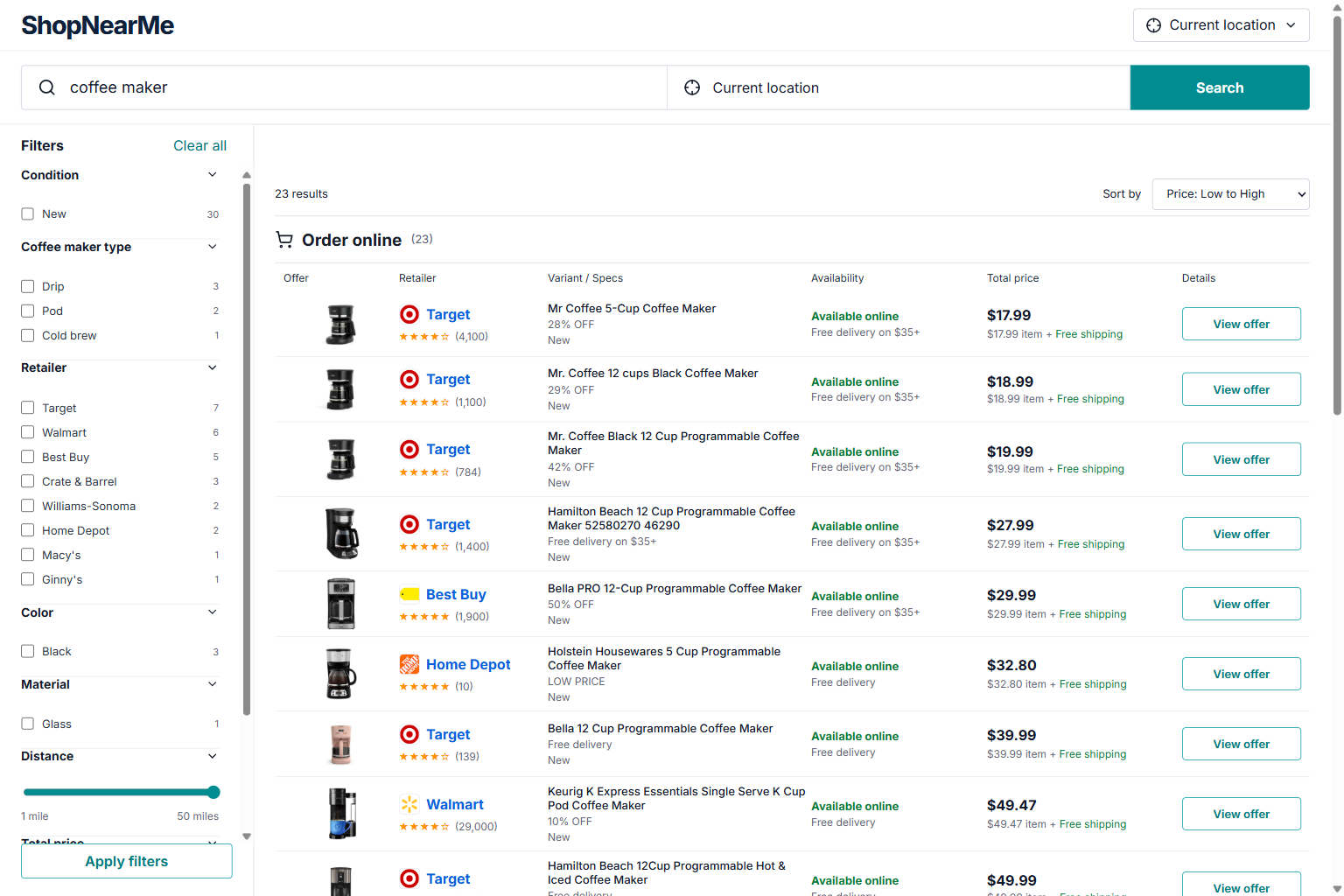
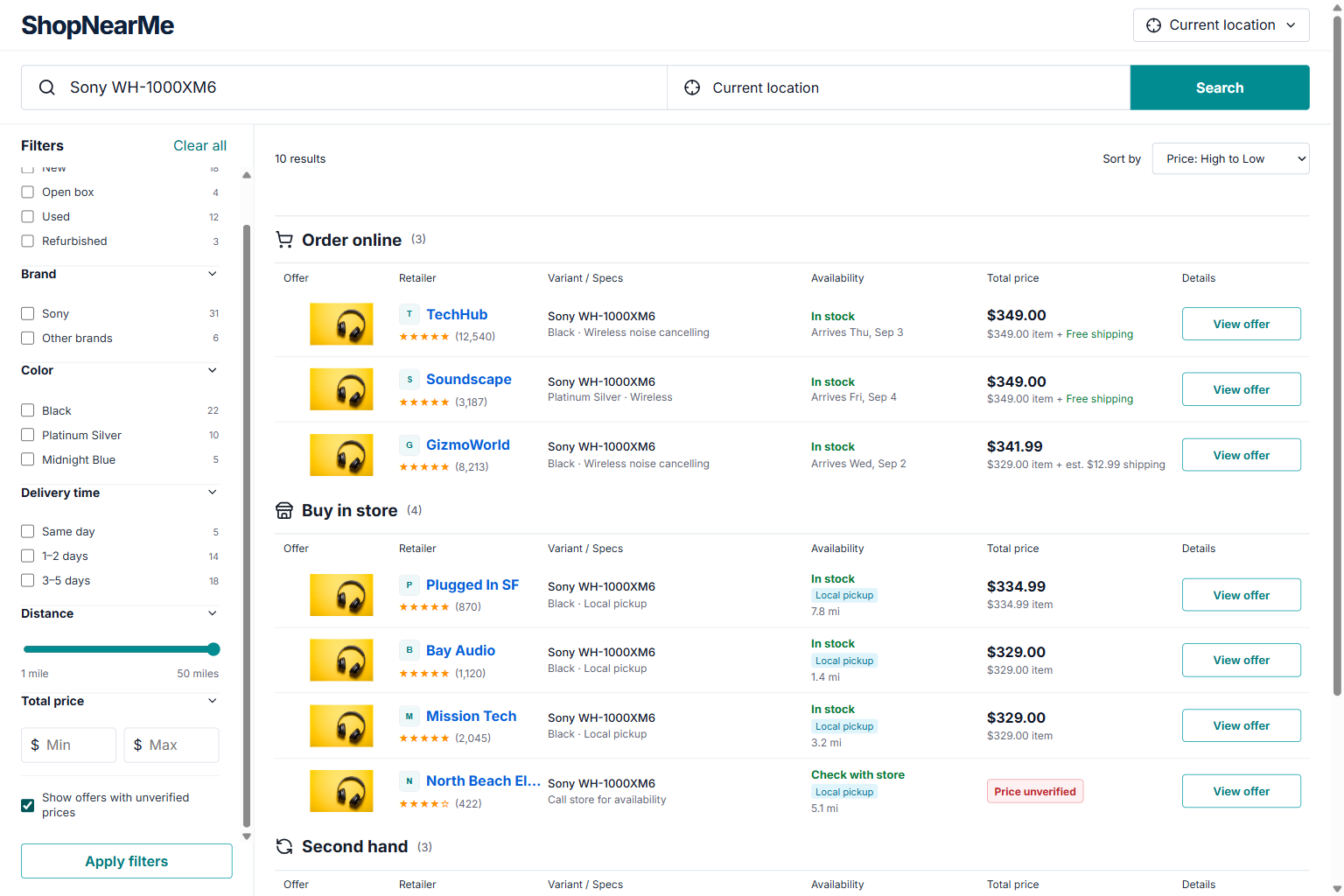
Product Search 2 - Desktop
Inspiration
Shopping for a product often means repeating the same research across search engines, marketplaces, local-store websites, maps, and second-hand listings.
ShopNearMe was built around a simple idea: product comparison should work equally well for people and for AI agents. Instead of forcing an agent to interpret buttons, filters, dropdowns, and result cards visually, WebMCP lets the website expose those capabilities directly as structured tools.
What it does
ShopNearMe searches for products around a selected location and combines several ways of buying them into one interface:
- Buy in store — nearby physical stores relevant to the product.
- Order online — online offers, including shipping in the total price when available.
- Second hand — used or pre-owned offers when available.
Users can search for arbitrary products, use their current location or choose another location on an interactive map, sort by total price, and apply filters derived dynamically from the current product results.
The filters therefore change with the product. For example, a clock search can expose clock-specific attributes such as clock type or movement, while other products expose different facets.
ShopNearMe also distinguishes between verified product prices and nearby stores where a reliable price could not be obtained. Unverified offers are hidden by default and can be explicitly enabled.
Why WebMCP
Product research is naturally multi-step.
A request such as “Find desk clocks near Tel Aviv and show me the cheapest options” normally requires an agent to understand the page layout, operate the location selector, submit a search, inspect dynamic results, find the sort control, and extract the results.
ShopNearMe instead exposes those operations through WebMCP.
The application registers five tools:
search_productsget_visible_resultsset_search_locationfilter_resultssort_results
This gives agents a structured contract instead of requiring them to guess how the visual interface works.
WebMCP is especially useful here because ShopNearMe is highly dynamic: products, categories, filters, locations, prices, and available offers can all change between searches.
Human and agent collaboration
The human and the agent use the same application state.
An agent can search, change the location, filter results, or change the sorting order, and those actions are reflected in the visible ShopNearMe interface.
The user can then inspect the results visually, compare prices and stores, change filters manually, or follow a retailer link.
This creates a useful division of work: the agent can handle repetitive product research while the person retains the visual context and final purchasing decision.
How I built it
ShopNearMe uses React, TypeScript, and Vite for the frontend.
Live product and local-store data are fetched through server-side search endpoints so provider credentials are not exposed to the browser. Search data includes Google Shopping and Google Maps local results through SerpApi.
The location picker uses Leaflet and OpenStreetMap, with geocoding and reverse geocoding for address search and direct map selection.
Search results are normalized into a shared offer model. ShopNearMe calculates total prices including shipping when available, derives product-specific filters from the returned data, separates different purchase methods, and handles offers whose prices cannot be verified.
WebMCP is implemented directly with document.modelContext.registerTool(...). The tools operate on the same state used by the normal interface rather than functioning as an unrelated API layer.
The project is deployed on Vercel. GitHub Actions runs linting, TypeScript checking, tests, and a production build.
Challenges I ran into
One of the main challenges was normalizing inconsistent commerce data. Different listings provide different levels of information about shipping, price, availability, attributes, location, and store details.
Local shopping also behaves very differently from online shopping. A local store may be highly relevant to a product even when no trustworthy price is available. Instead of presenting that data as equivalent to a verified listing, ShopNearMe exposes unverified local offers separately.
Another challenge was making product filters truly dynamic. Hard-coded filters would only work for predefined products, so ShopNearMe derives useful facets from the actual results.
The WebMCP integration also required keeping agent actions synchronized with the visible interface so that the user and the agent are genuinely operating the same application.
Accomplishments
ShopNearMe is a working, deployed WebMCP application rather than a WebMCP proof of concept.
Its five WebMCP tools cover the core shopping workflow and operate on the same state as the human-facing application.
The project also includes:
- Live arbitrary-product search
- Nearby physical-store results
- Online and second-hand offers
- Shipping-aware total prices
- Dynamic product-specific filters
- Two-way price sorting
- Current-location support
- Searchable interactive map selection
- Explicit handling of unverified prices
- Responsive desktop and mobile interfaces
- Automated tests and CI
A live desk clock search around Tel Aviv, for example, returned local stores together with online and second-hand offers.
What I learned
The main thing I learned is that an agent-native website does not need a separate AI interface.
WebMCP can expose the semantics behind an existing human interface while keeping both interaction models synchronized.
I also learned that useful WebMCP tools should represent meaningful user actions rather than simply wrapping backend API endpoints.
The project also required learning more about normalizing commerce data, location-aware search, dynamic filtering, geocoding, handling uncertain data, and testing agent interactions in a real browser environment.
What's next
A production version of ShopNearMe could add more commerce providers, direct retailer integrations, stronger stock verification, better cross-store product matching, broader international support, and improved ranking of physical stores.
Future WebMCP tools could also support saved comparisons, watchlists, product availability monitoring, and multi-product shopping plans.
Built With
- github
- leaflet.js
- maps
- nominatim
- openstreetmap
- react
- serpapi
- shopping
- typescript
- vercel
- vite
- vitest
- webmcp


Log in or sign up for Devpost to join the conversation.