-
-
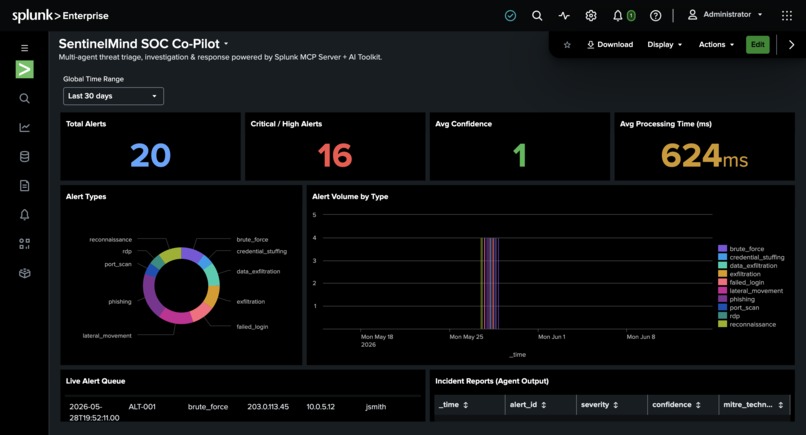
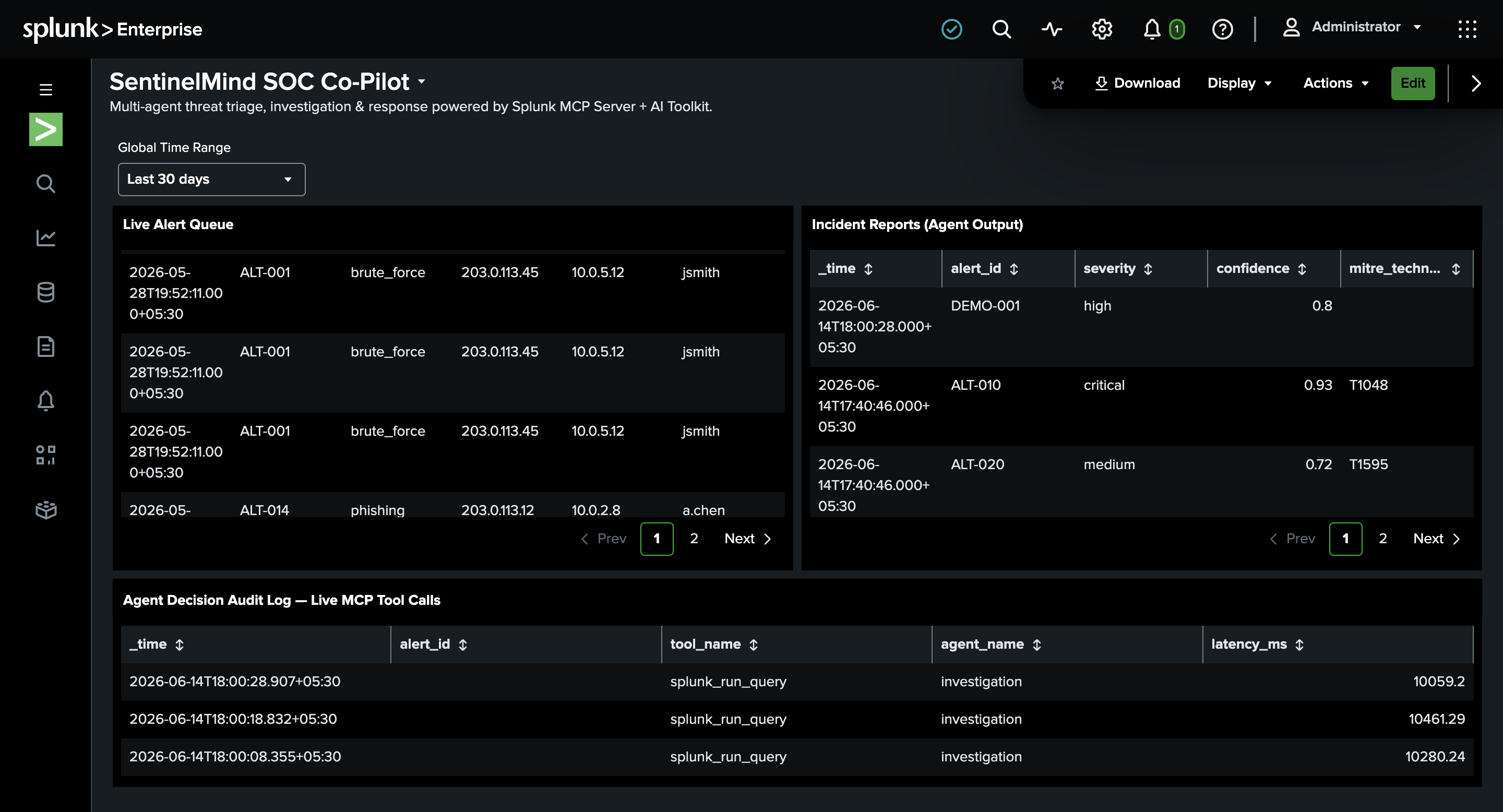
The dashboard created in Splunk
-
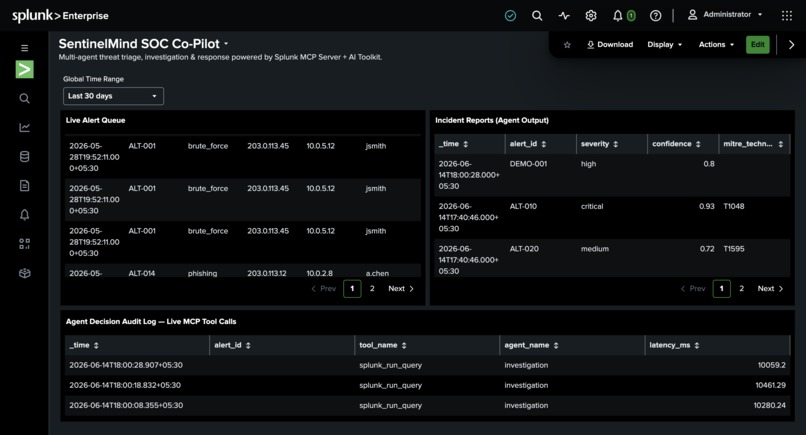
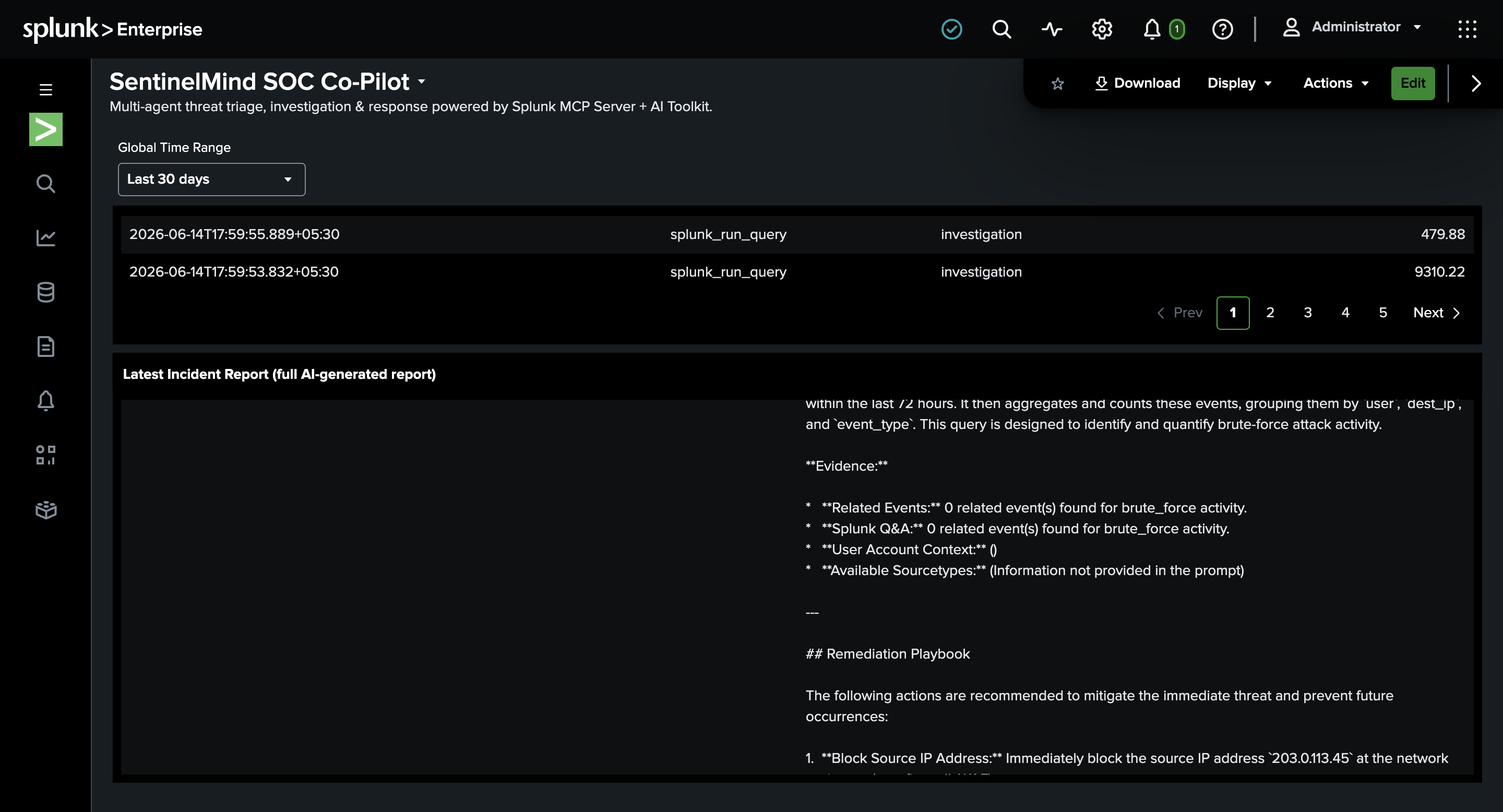
MCP tool calls and audit logs
-
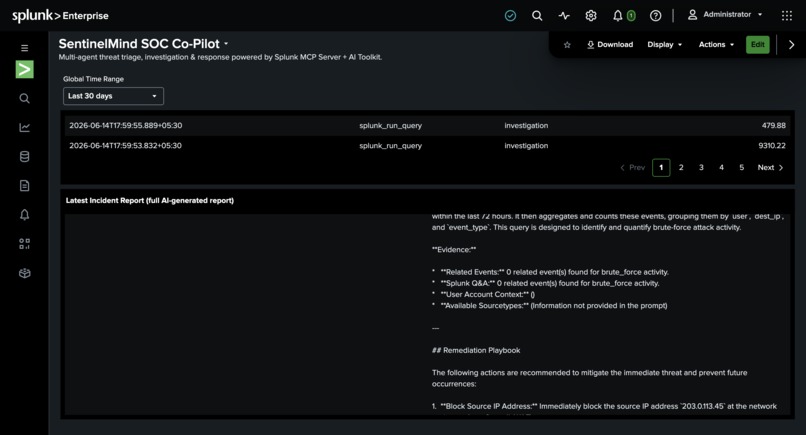
latest incident report section in the dashboard
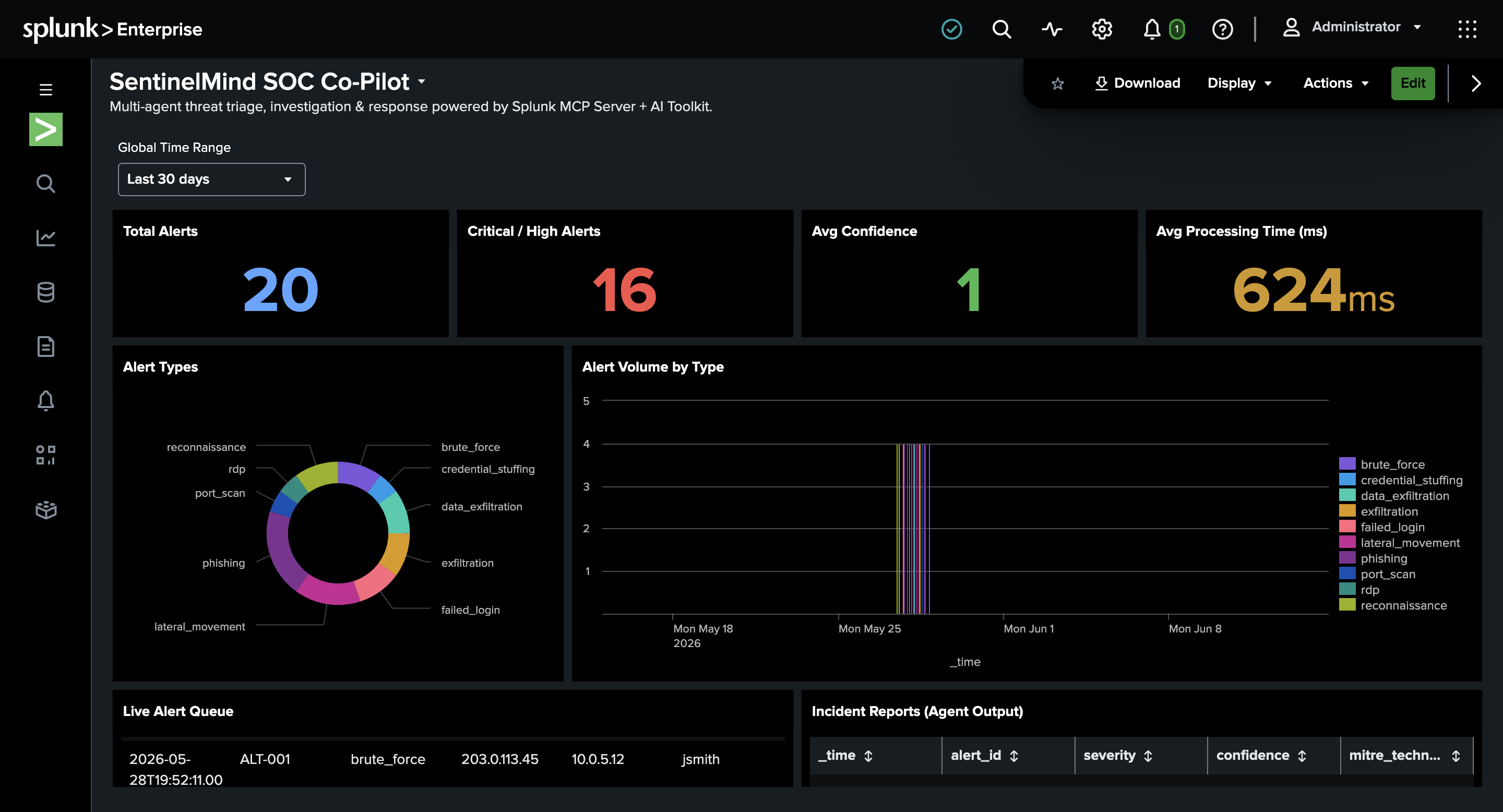
Inspiration
Security Operations Centers drown in alerts. A Tier-1 analyst spends 30–45 minutes manually triaging a single alert — writing SPL, correlating events, checking user context, and drafting a report — while real threats wait in the queue. We wanted to know: could a team of AI agents do that entire workflow autonomously, inside Splunk, using Splunk's own AI capabilities rather than bolting on an external tool?
What it does
SentinelMind is a multi-agent SOC co-pilot. Given a security alert from a Splunk index, five coordinated agents run the full investigation lifecycle:
- Triage Agent — scores severity and maps to MITRE ATT&CK using the Splunk AI Toolkit
| aicommand - Investigation Agent — queries correlated events, user account context, and metadata through the Splunk MCP Server
- Reasoning Agent — reconstructs the attack timeline and extracts IOCs
- Response Agent — generates a full incident report and a numbered remediation playbook
A LangGraph Supervisor orchestrates them, with a human-in-the-loop escalation path for low-confidence incidents. Every agent decision and MCP tool call is written back to Splunk indexes and surfaced in a Splunk Dashboard Studio dashboard — giving full audit transparency. Alert → actionable intelligence, autonomously.
How we built it
- Orchestration: LangGraph
StateGraphwith five agent nodes + a supervisor and conditional routing. - Splunk MCP Server: a client built on the official
mcpPython SDK (JSON-RPC / streamable HTTP) calls five tools at runtime —splunk_run_query,splunk_get_indexes,splunk_get_user_info,splunk_get_metadata,splunk_run_saved_search. - In-Splunk inference: all LLM reasoning (triage, timeline, report, playbook) runs inside Splunk via the AI Toolkit
| ai connection=...SPL command — the model executes under Splunk's control, not as an external API call. - Write-back + visualization: incident reports and the agent audit trail are written to Splunk indexes and rendered in a Dashboard Studio dashboard (severity distribution, MITRE coverage, live agent audit log, and full report detail).
- Resilience: a direct LLM fallback and deterministic heuristics keep the pipeline producing a result even if a Splunk service is briefly unreachable.
Challenges we ran into
- Speaking real MCP, not REST. The Splunk MCP Server speaks JSON-RPC 2.0 — our first hand-rolled HTTP client failed until we rebuilt it on the official MCP SDK and discovered the real tool names and schemas.
- Knowing what's Cloud-only. Some
saia_*MCP tools and Splunk's hosted models (Foundation-sec, GPT-OSS) require Splunk Cloud; we made the pipeline degrade gracefully and route inference through the AI Toolkit| aicommand instead. - Connecting an LLM the right way. We configured the AI Toolkit's Connections tab so inference runs in Splunk, and tuned prompts so the
| aicommand parses them cleanly (SPL treats{}as field substitution!). - Keeping the demo reliable under free-tier LLM rate limits — solved with backoff, fallbacks, and a clean dashboard dataset.
Accomplishments that we're proud of
- A genuinely agentic SOC workflow where AI runs natively inside Splunk — not an external app with Splunk as a data source.
- 100% of agent MCP calls are audited to a Splunk index for full decision transparency.
- An end-to-end live demo: fire one real alert → agents investigate via MCP →
| aiwrites a full incident report → it appears in the Splunk dashboard in under a minute.
What we learned
- How to build a real MCP client with the official SDK and orchestrate tools across a multi-agent graph.
- How Splunk's AI Toolkit
| aicommand turns SPL into an AI-native query language — and how to engineer prompts for it. - The difference between Splunk Cloud and Enterprise AI capabilities, and how to design for graceful degradation.
What's next for SentinelMind
- Swap the AI Toolkit connection to Splunk-hosted Foundation-sec-8B / GPT-OSS on Splunk Cloud for fully native security models.
- Auto-trigger from real saved-search alerts and push remediation actions to SOAR.
- Add
saia_optimize_splso agents refine their own queries, and expand MITRE coverage.


Log in or sign up for Devpost to join the conversation.