-
-
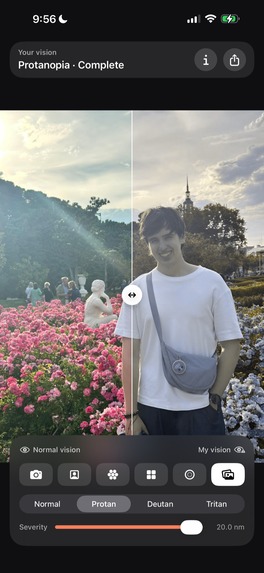
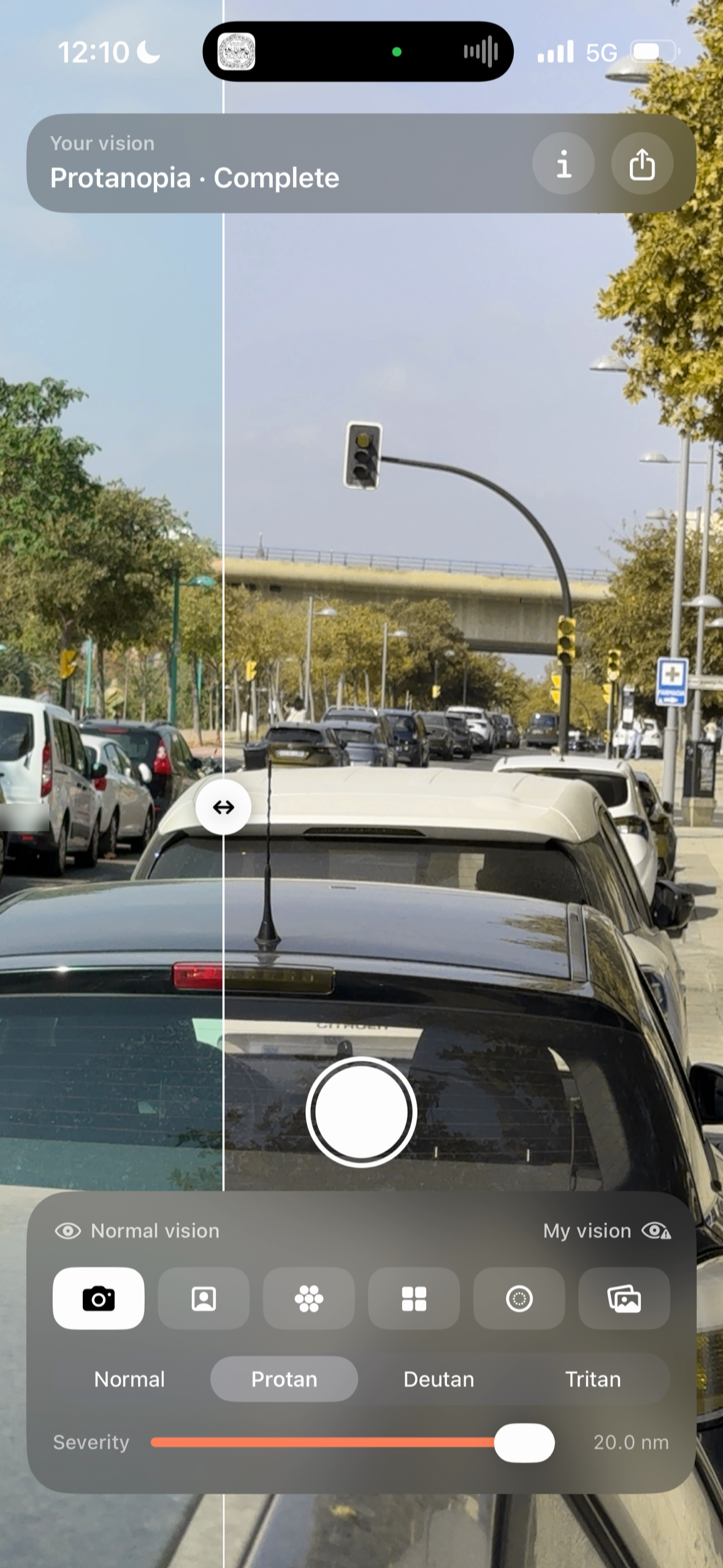
The same photo split down the middle: normal vision on the left, mine on the right. Drag the divider to compare.
-
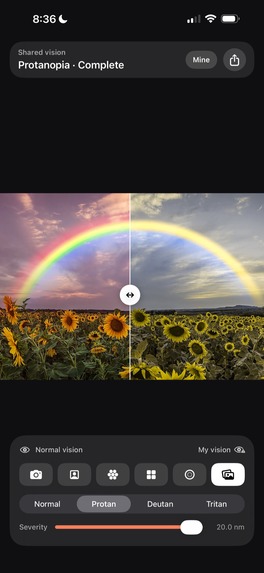
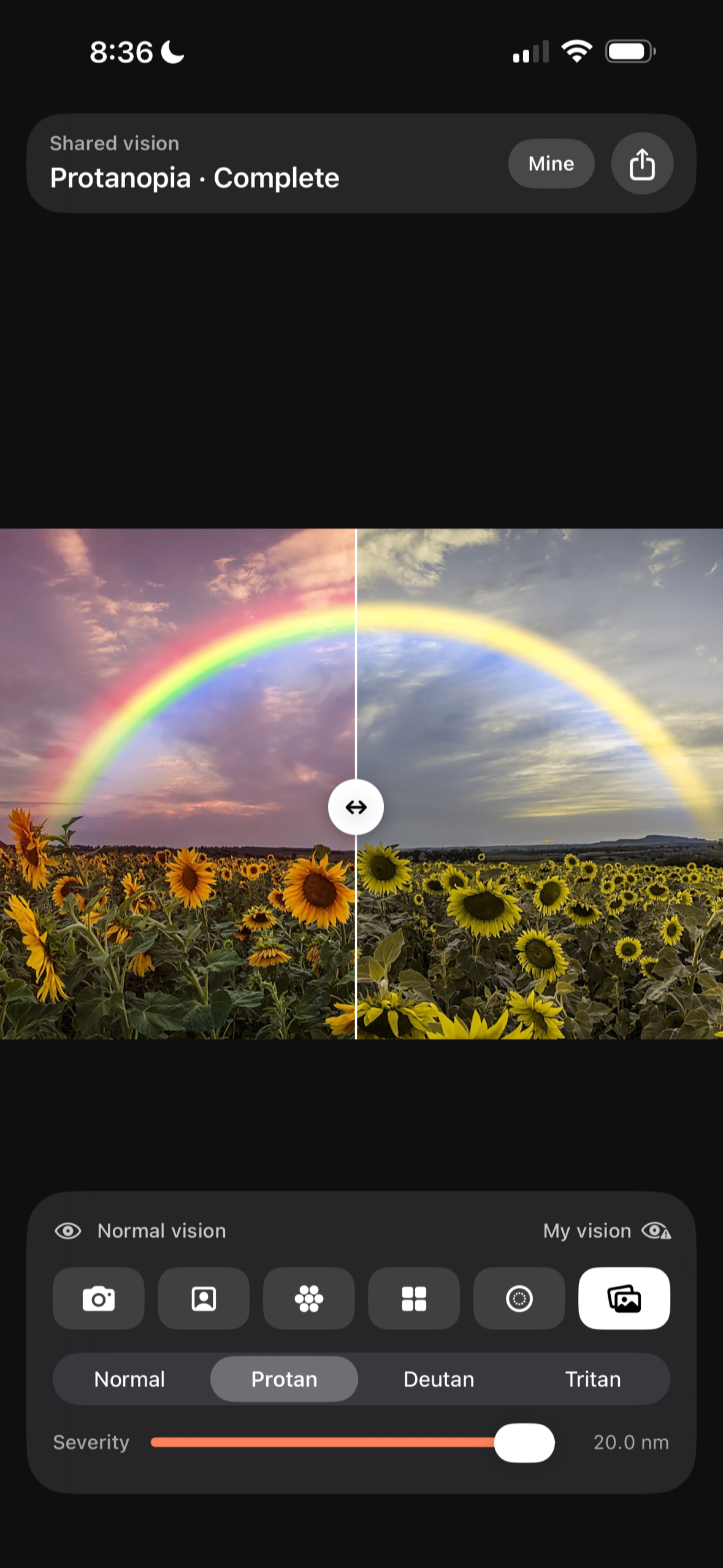
A rainbow with normal vision, and the same rainbow with mine. Most of it is simply not there.
-
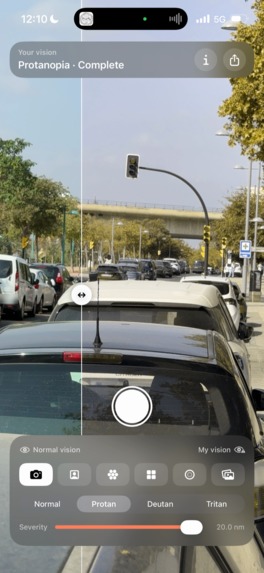
A car's brake light cut in half by the divider: red on the left, olive on the right. Same light, two colors.
-
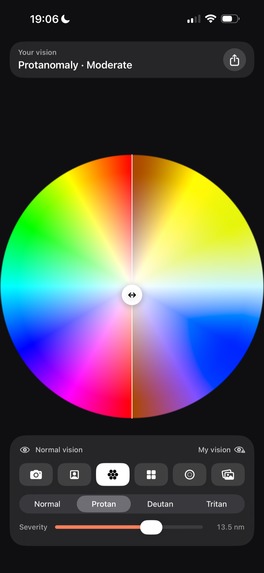
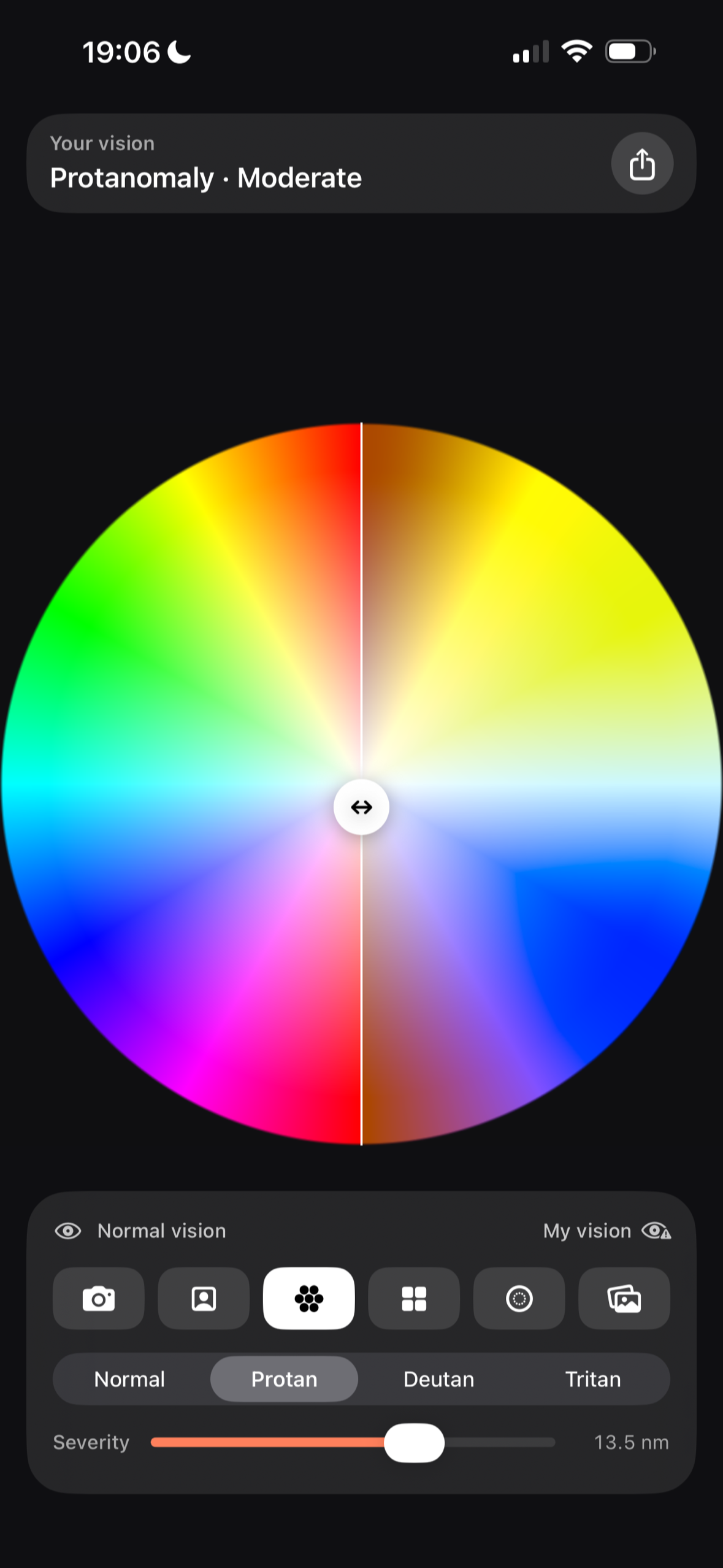
The full hue wheel against how it reaches my eyes. The quickest way to calibrate your own setting.
-
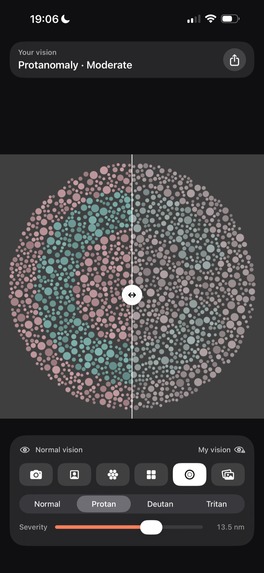
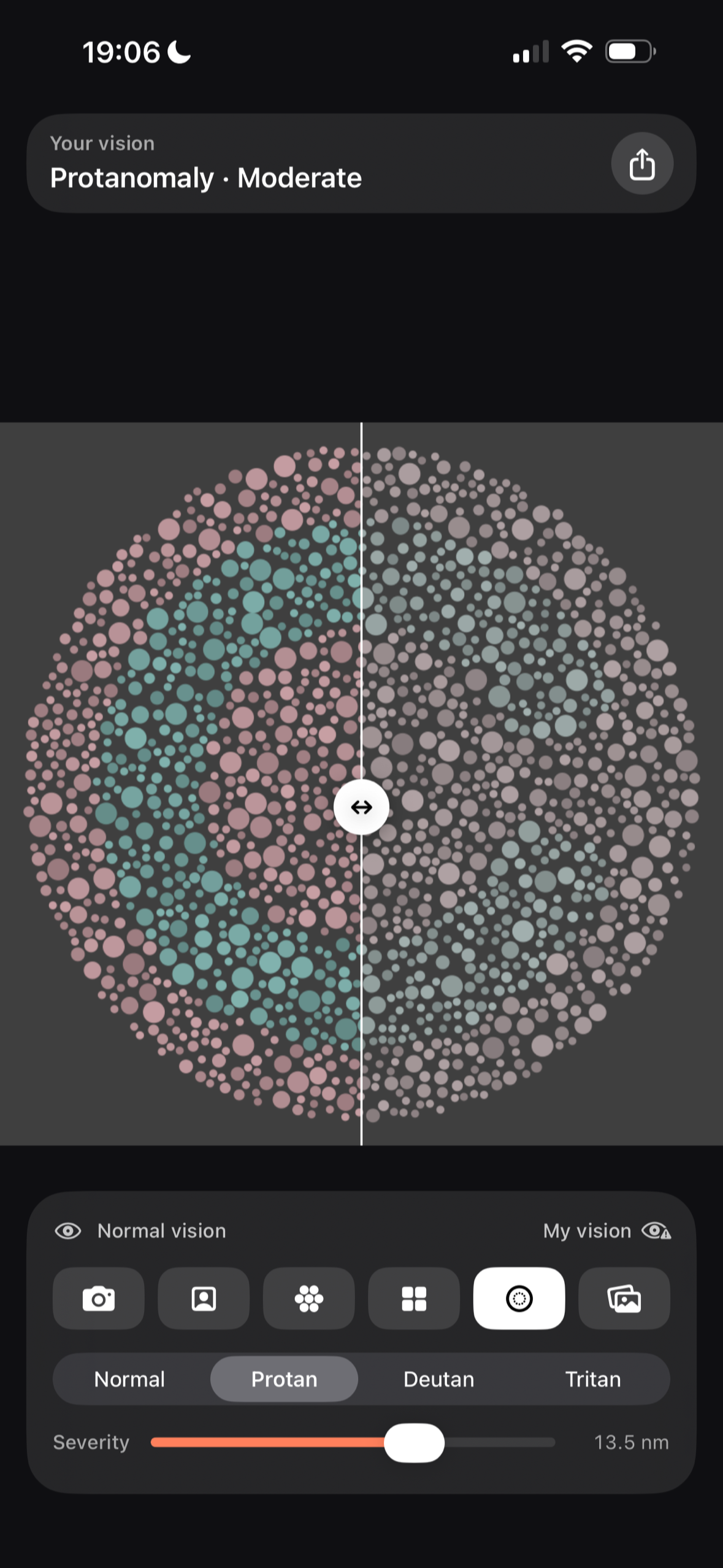
A generated test plate. Move the severity until the shape stops being visible to you: that is your setting.
-
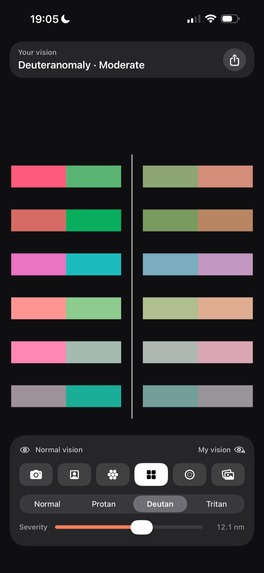
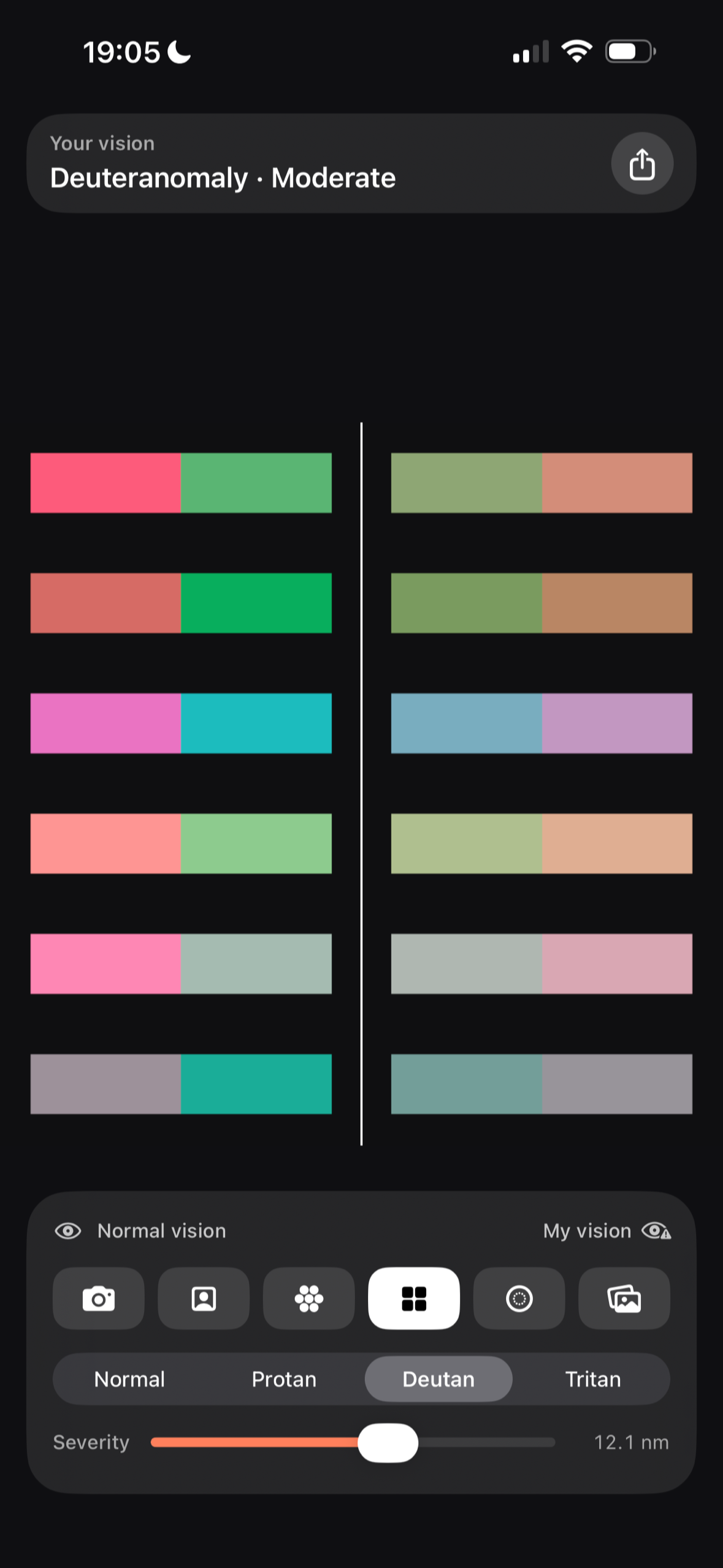
Pairs of colors your particular eye cannot separate, built on your own confusion axis and recalculated every time you change type.
-
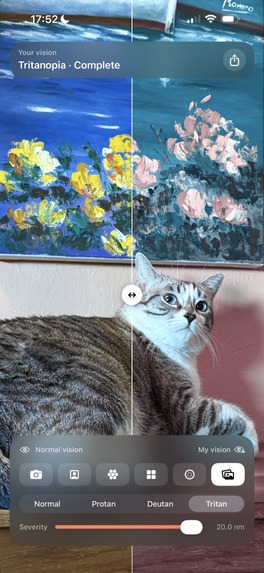
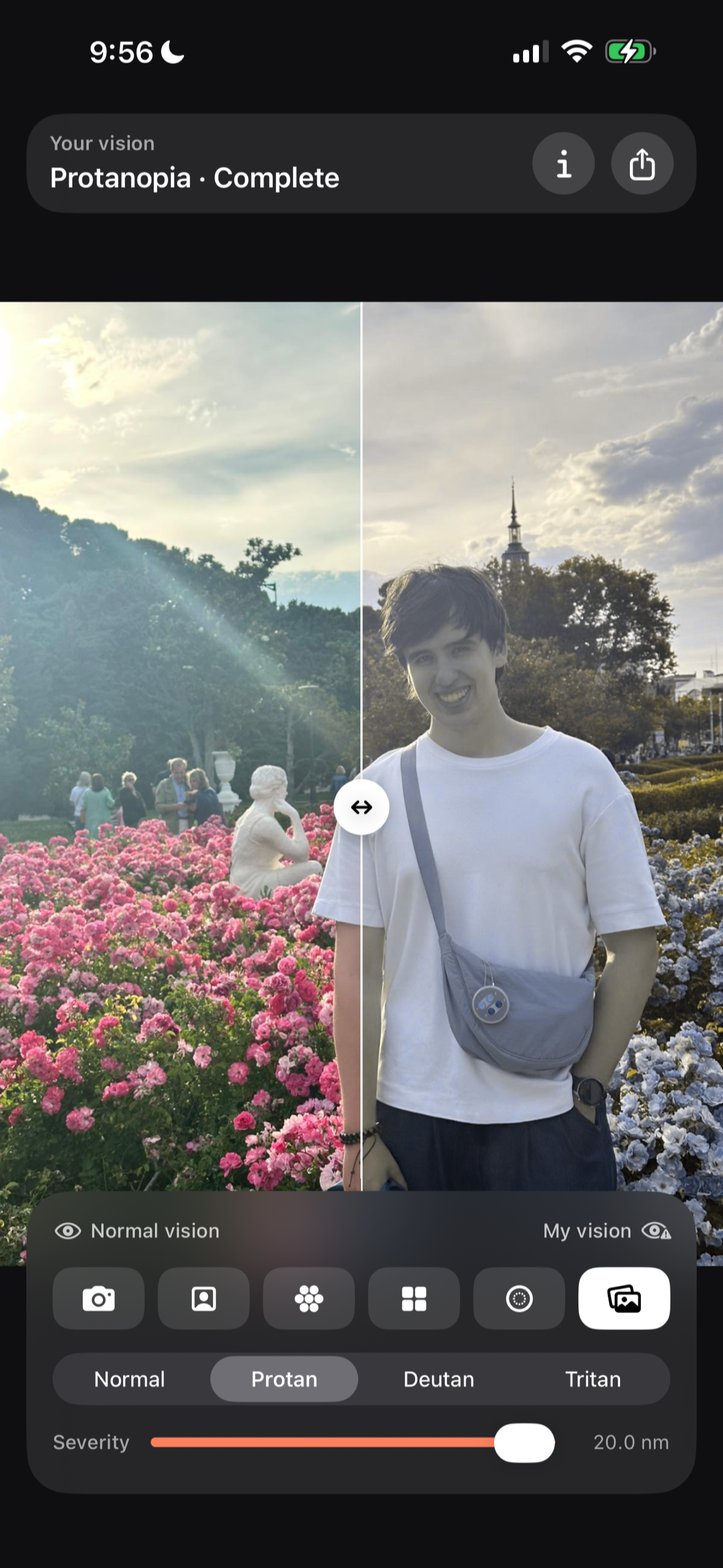
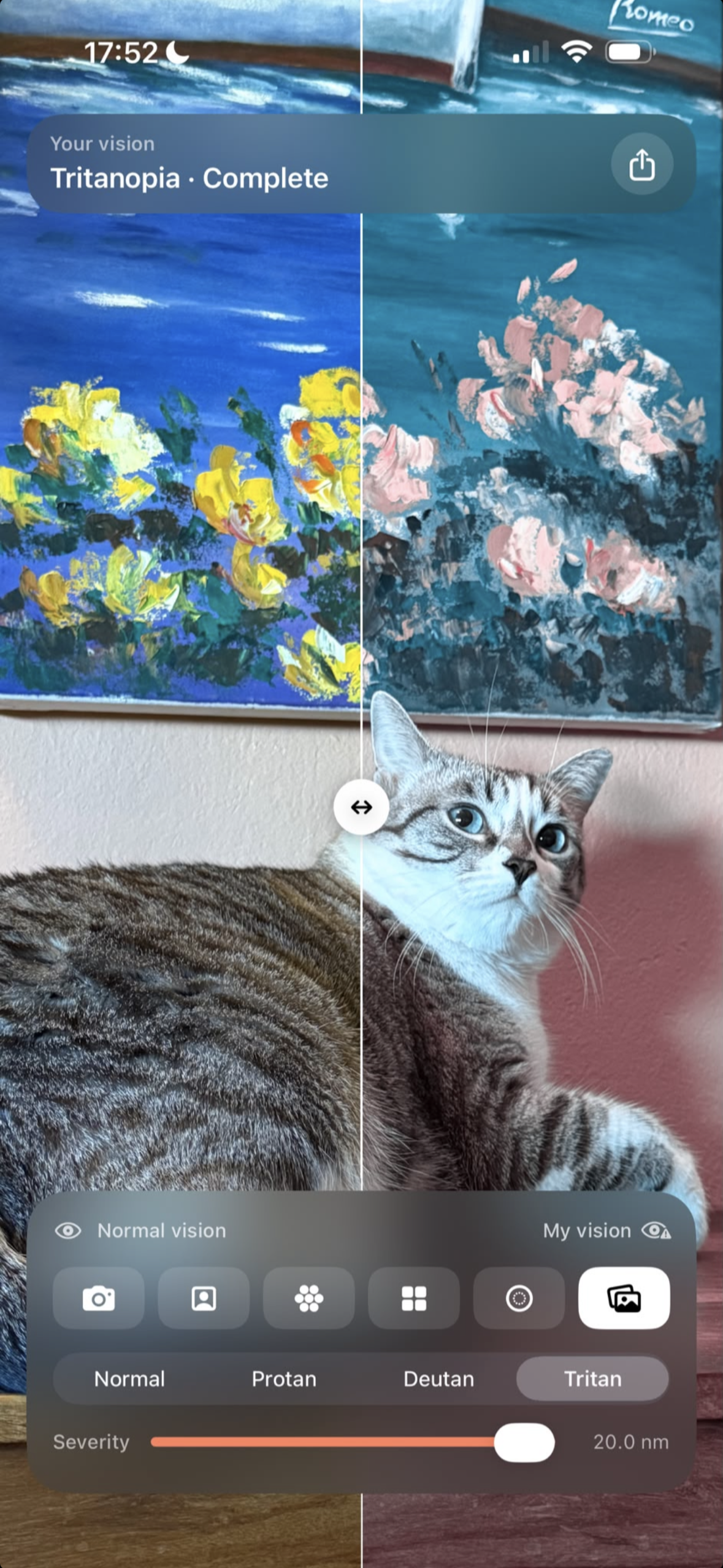
Any photo from your gallery, side by side with how I see it.
-
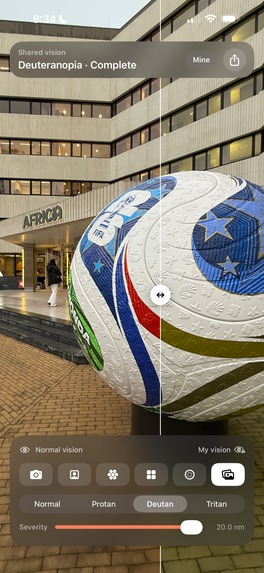
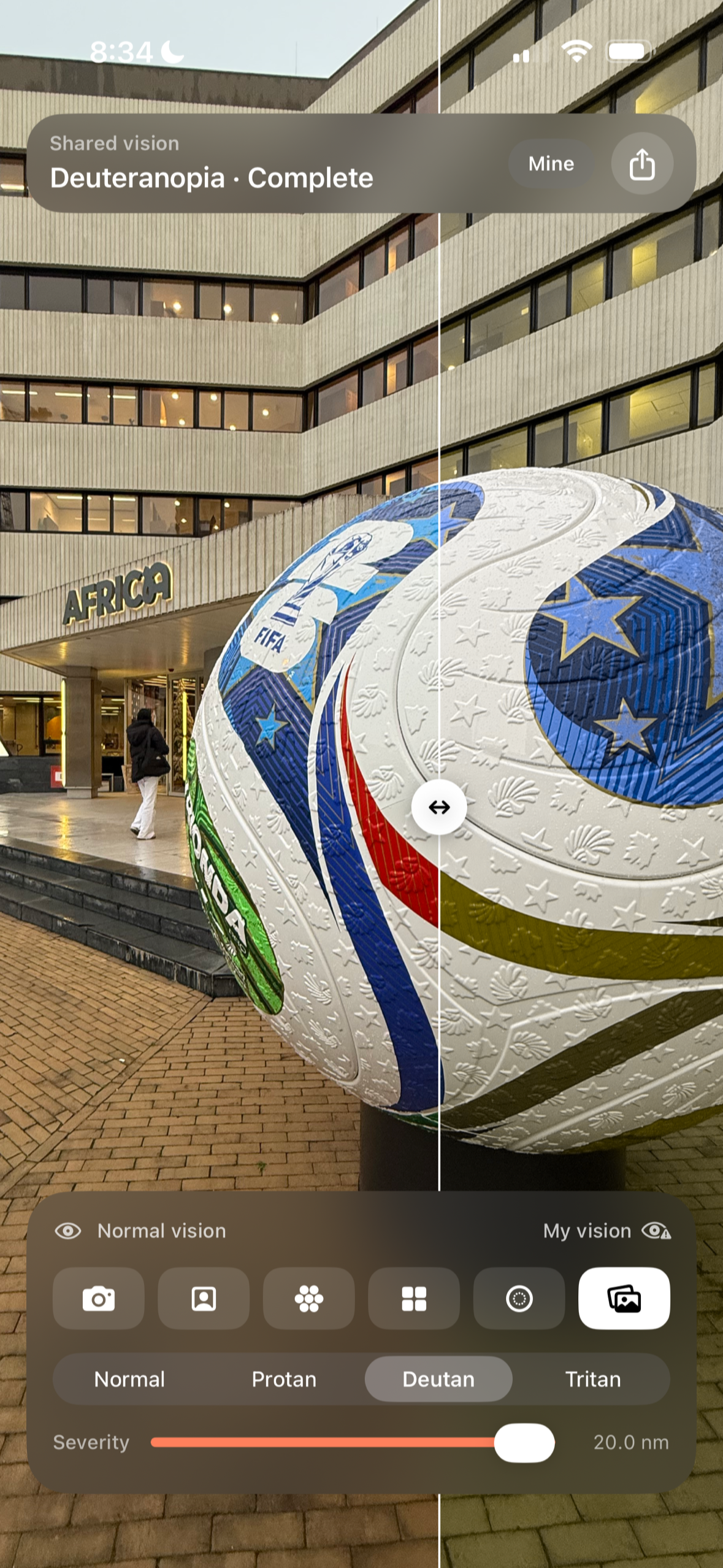
Deuteranopia, complete. The red and the green on the ball both turn into the same olive on my side.
-
The 1024x1024 app icon.
Inspiration
When I was six, in art class, I painted baby Jesus green. My teacher asked me whether he was a Martian baby. It was later at home, talking it over with my mother, that I found out I was colorblind: protanopia, I can't see reds. My grandfather and my brother are colorblind too, because it's genetic.
Ever since, I've run into people asking me how I see. Some of them thought it wasn't a vision problem at all, that I simply had to learn the colors by heart, like numbers. Some kids thought it was catching, and others just never quite got it.
It has also led to genuinely funny situations: playing the wrong pieces in board games, or putting outfits together that made no sense whatsoever.
I've always leaned on other people for colors, asking family or friends. And at work, which is tech, I ended up using the Photoshop eyedropper to pull the hex value and work out from the number what the color actually was.
1 in 12 men is colorblind, and every one of us has been asked at some point how we see, whether out of curiosity or because someone wanted to adapt a game or something at work. With See as Me: Colorblind I don't have to answer that question any more: my family, my friends and my colleagues can now see the way I do.
Because of that, if we get together to play something with colors I can't tell apart, they can mark the pieces with a pen before we start. My girlfriend knows which colors she can dye her hair, because the burgundy she used to wear would sometimes blur into black for me. And the people around me understand why I take everything in a slightly more melancholic way, not seeing the passion in red.
I also hope kids now have a way to show their classmates and their teachers how they really see. Understanding each other matters, even in the things you can't see at a glance.
What it does
The APP splits the screen in two with a divider: on the left, how a person with normal vision sees; on the right, how I see. You drag the divider to give more room to one side or the other over the same image.
The idea is that the colorblind person picks their type and moves the severity until they stop seeing any difference between the two sides. That's their setting: when the simulation matches your eyes, applying it takes nothing away that you could see anyway, so both halves become identical to you. You don't need anyone with normal vision standing next to you to confirm it.
It has three types (protan, deutan and tritan) and a severity that runs from mild degrees all the way to the complete case, which is being unable to process a color at all, the way red works for me.
And six modes:
- Camera: the rear camera at 60 fps, with zoom and tap to focus.
- Selfie: the front camera, same thing.
- Hue wheel: a color wheel to calibrate at a glance.
- Confusions: pairs of colors your particular eye cannot tell apart, generated on your own confusion axis and recalculated every time you change type.
- Test plate: you move the severity until the shape stops being visible to you. That's your setting.
- Gallery: any photo of yours, to show how you see it.
And the most important part: the share button. Your setting turns into a link.
- If the other person has the APP, the link opens it with your vision already loaded and they can point their own camera at whatever they want.
- If they don't have it, the link opens a page that draws two dot plates with a number inside: on the normal one they read it, on yours it isn't there.
No account, no server and nothing stored about anyone: the whole profile is four bytes inside the address itself. Free, no ads, in Spanish and English.
How I built it
It's a native APP, in Swift and SwiftUI. The simulation isn't a color filter laid on top: it runs in Metal, with a shader of my own, on the iPhone's GPU, over every single camera frame, at 60 fps.
Underneath it is the Brettel, Viénot and Mollon (1997) model, implemented in full. In plain English: the colors a colorblind person can still tell apart don't fall on one plane, they fall on two half-planes joined along the gray axis. Almost every simulator flattens that into a single matrix because it's cheaper, and it shows: they turn my red into a brown that is much lighter and much less saturated than the one I actually see. See as Me computes both half-planes and picks one for every pixel. The degrees in between are approximated by interpolating between normal vision and that projection.
The page the shared link opens is plain HTML and JavaScript, with no server behind it: the profile travels inside the address itself. The plate it draws doesn't use preset colors, it solves them from your profile, looking for the pair that this particular eye cannot separate and a normal one can. That's why it works with any profile, tritan included, and it's also why with a mild deficiency the number doesn't quite disappear: when that happens, the page says so instead of pretending otherwise.
The tip jar is built with RevenueCat: there is nothing behind a paywall, so all I needed was three products and a way to know whether someone had left a tip, and they take care of that without me running a server or touching a receipt.
I taught for four years at Universidad San Jorge, three of them Computer Graphics, which is the part of my background I have leaned on the most here.
The app icon was drawn by my friend Jorge Vizmanos, who made it as a gift.
Challenges I ran into
1) An interface that anyone can understand
The APP does one thing and I wanted that to show. I kept taking noise out until anyone, at any age, could open it and move through the modes without a word of explanation from anybody. It's the kind of work nobody sees: when it comes out right, it looks like there were no decisions at all.
2) Making sharing genuinely easy
Simulating well is worth little if you then can't show it to anyone. The share button uses the same iOS sheet as everything else, with your contacts and your apps, and it sends an image with both visions plus a link. Whoever sends it understands what they are sending, and whoever receives it understands what they are looking at.
3) Deciding how the project holds itself up
I built the APP without thinking about making anything from it, and I wanted it to stay free and without ads. In the end I went for a tip jar: it unlocks no features and the APP is exactly the same if you never use it. It's what lets me keep putting time into this without putting anything behind a paywall.
4) A bug that was hiding in plain sight
Photos I opened from the gallery were simulated wrong, and only in the most vivid colors, so I went weeks without noticing. When I finally found it, the reason was that the camera and the photos were not speaking the same color language, and I was running the same math on both. I fixed it by making the whole APP speak one language, from the camera all the way to the screen.
5) Deciding that this is not a test
One of the first things people asked me for was a diagnosis, and I said no on purpose. See as Me does not diagnose: it starts from the fact that you already know your type, and what you do is calibrate the severity until you stop seeing a difference between the two sides. If you don't know it, you can still calibrate and get somewhere close, but a diagnosis is a job for an ophthalmologist or an eye care professional, not for an APP.
Accomplishments that I'm proud of
Released on Colorblindness Awareness Day (6 September).
Reddit: the top voted post of the day in r/ColorBlind on Colorblindness Awareness Day, with comments from other protanopes saying the APP simulates better than any other simulator they had tried.
TikTok taken with the idea: across two videos, more than 90,000 views and 3,000 likes, with a lot of people finding out what color blindness is and how it works.
Covered by regional television, a national newspaper and tech media.
What I learned
Ship early. Get a first version on the store as soon as you can, and get the payment paperwork out of the way from the start. For peace of mind, and above all so you can show it and find out whether it's worth carrying on. TestFlight works for that too.
Every place asks for a different story. On television I showed the APP in general. On Reddit the interest was in the science. And in tech media, in which iPhone capabilities I had managed to use, like the Metal shader. It's the same APP told three different ways.
What's next for See as Me: Colorblind
1) Saving several profiles in the APP Color blindness is genetic, so a family usually has more than one colorblind person in it. I want to be able to save several profiles with names and switch between them, each with its own type and severity.
2) Landscape mode The APP has a clear photographic side to it, so a landscape mode would be useful above all for scenery.
3) Recording video from inside the APP Right now you can record the phone screen, but it would make more sense to do it from inside, moving the severity live to show the difference while you record.
RevenueCat Peace Prize
One in twelve men is colorblind, and it's something you cannot see from the outside. What we lack is not information about our condition: it's being able to show it. We spend our lives hearing "no, it's green" with no way to prove what we see.
The APP has already had a real effect. In the TikTok comments there are people with normal vision seeing how a colorblind person sees for the first time, and there are people who have found out that they are colorblind because of the APP and the content I posted.
And it changes concrete things. In a classroom, a kid can show their classmates and their teacher how they really see, and a teacher can go back over their material with that vision and pick colors that can be told apart. At work it's the same: the statuses on a ticket board, or the colors on a chart, stop leaving someone out the moment you see what they see.
It's realistic because it's already done: the APP is live, it's free, it has no ads and no accounts, and whoever receives your vision through a link does not need to install anything to see it.
RevenueCat #BuildInPublic Prize
Building this in the open gave me things I would not have got on my own. At the RevenueCat event in Zaragoza I showed the APP in front of people and came away with concrete changes: tweaks to the interface and to how the tip jar was set up. And the TikTok comments, besides bringing in a lot of people who had no idea what color blindness was, gave me ideas for things to improve that had not occurred to me.
TikTok: 69,000 views and 2,700 likes.
TikTok: a second video filmed in a supermarket, pointing the app at everyday products on the shelves.
RevenueCat event in Zaragoza, September 2026.
Aragón TV, regional television.
elDiario.es, one of the reference national newspapers in Spain, telling my story and the APP.
Microsiervos, national tech media.
Built With
- avfoundation
- core-image
- css
- github
- html5
- ios
- javascript
- metal
- metalkit
- photosui
- revenuecat
- swift
- swiftui
- xcode


Log in or sign up for Devpost to join the conversation.