-
-
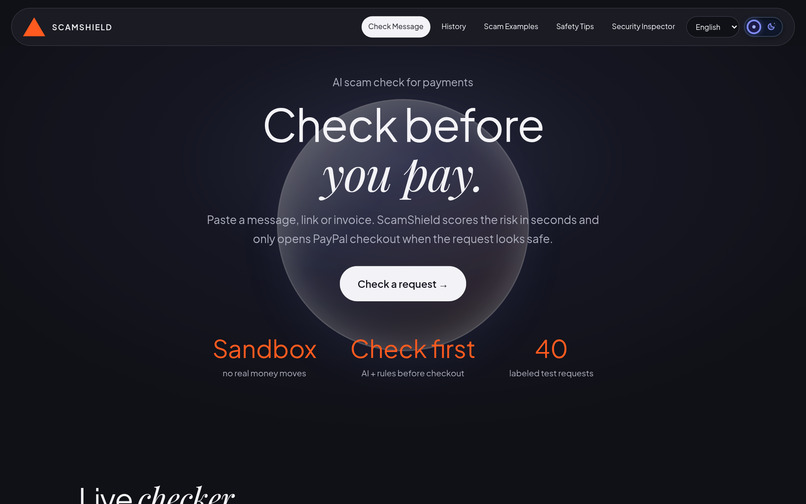
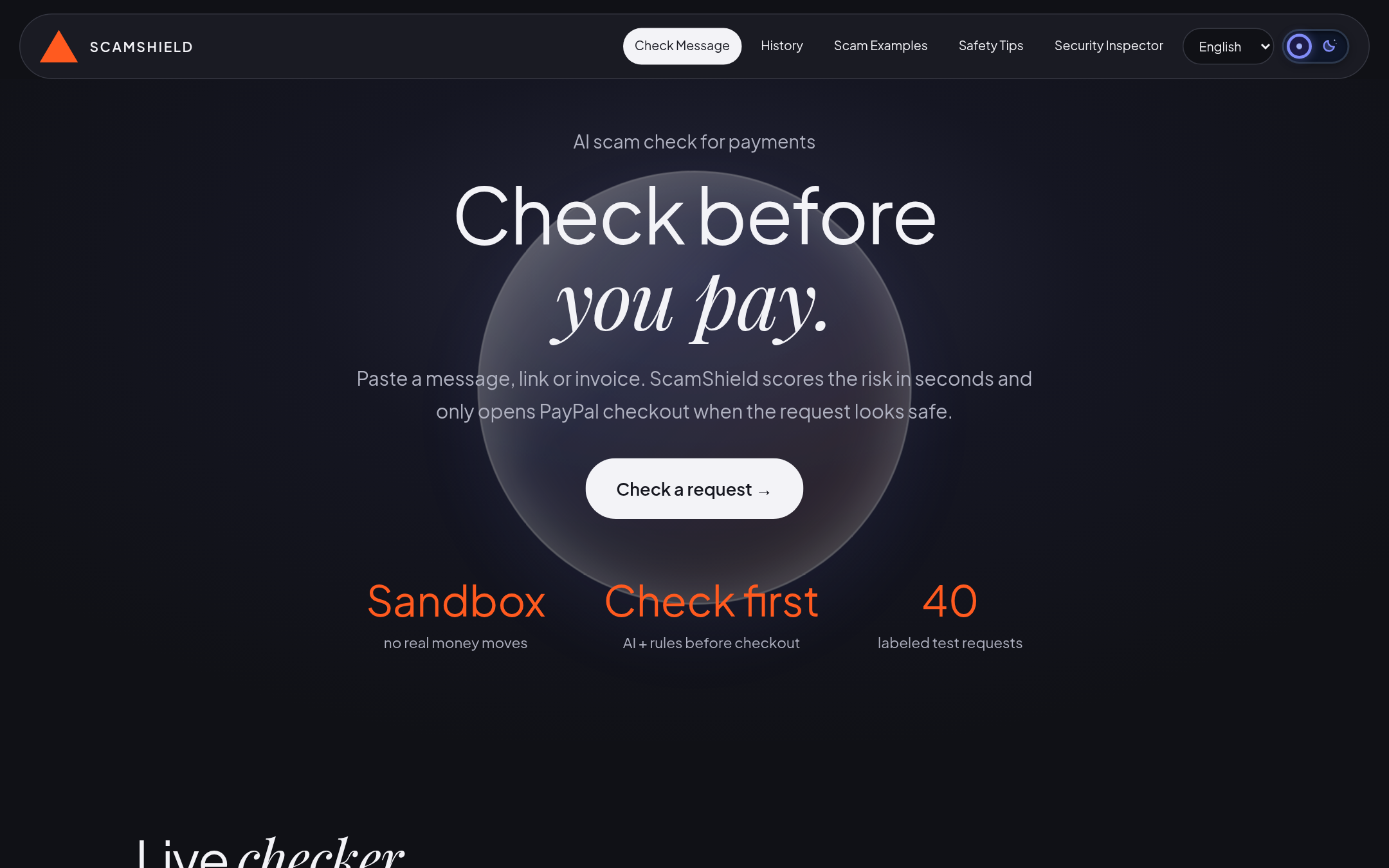
Home: Check before you pay. Sandbox only, no real money moves.
-
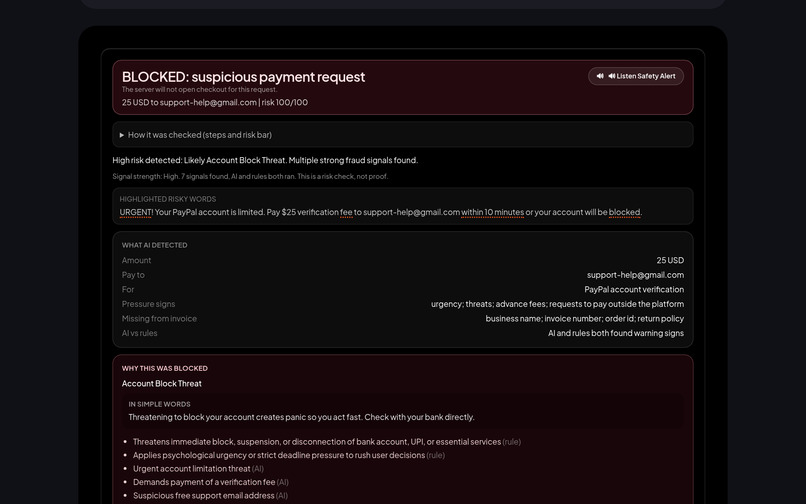
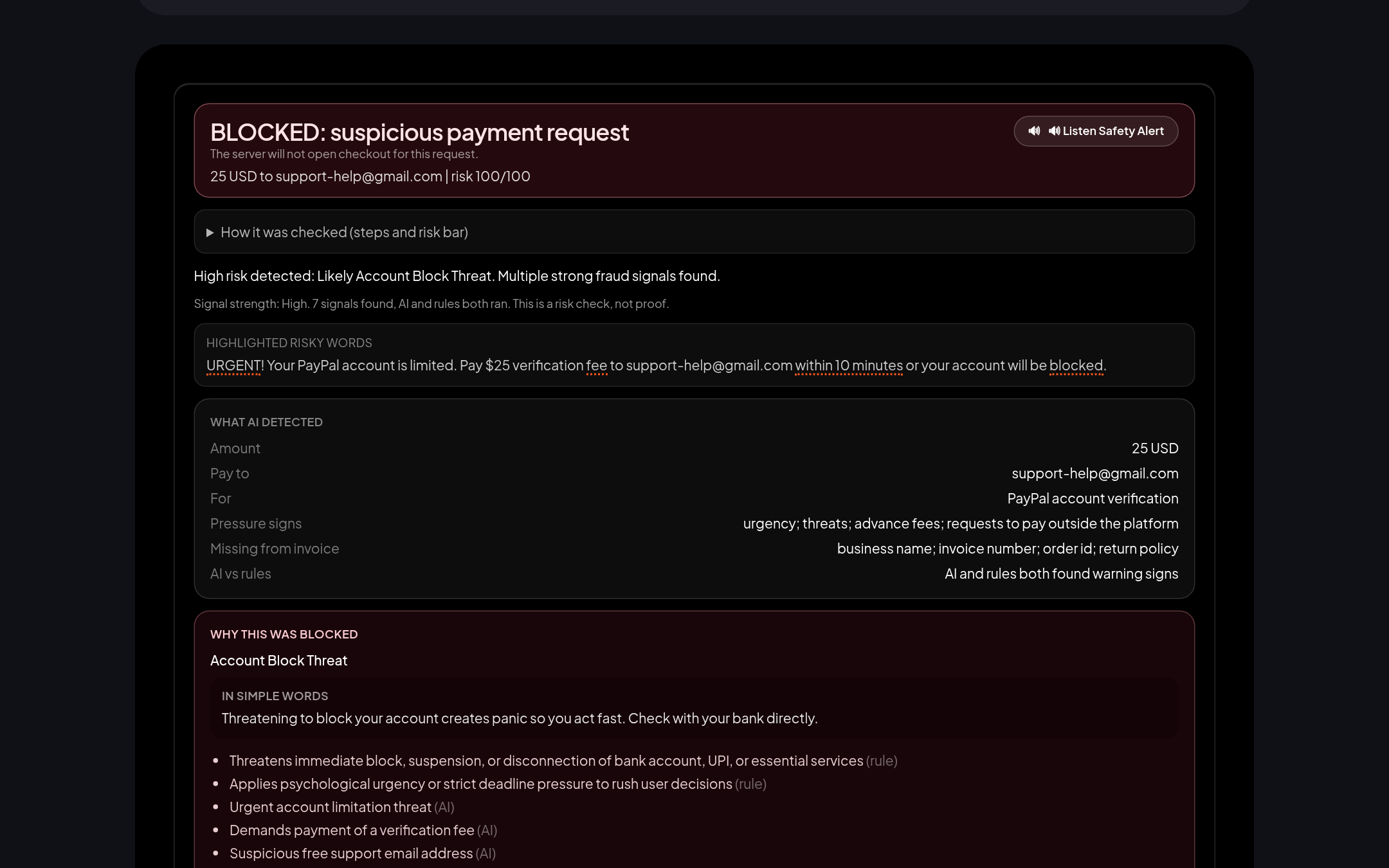
Blocked: a fake PayPal fee request. Risk 100/100, PayPal checkout never opens.
-
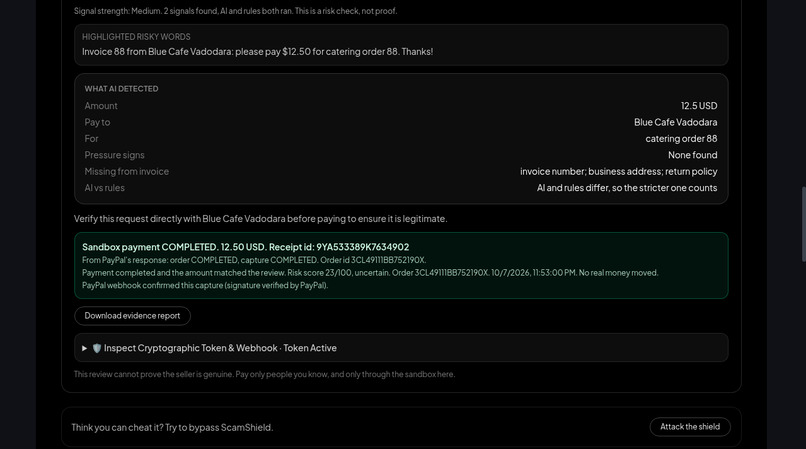
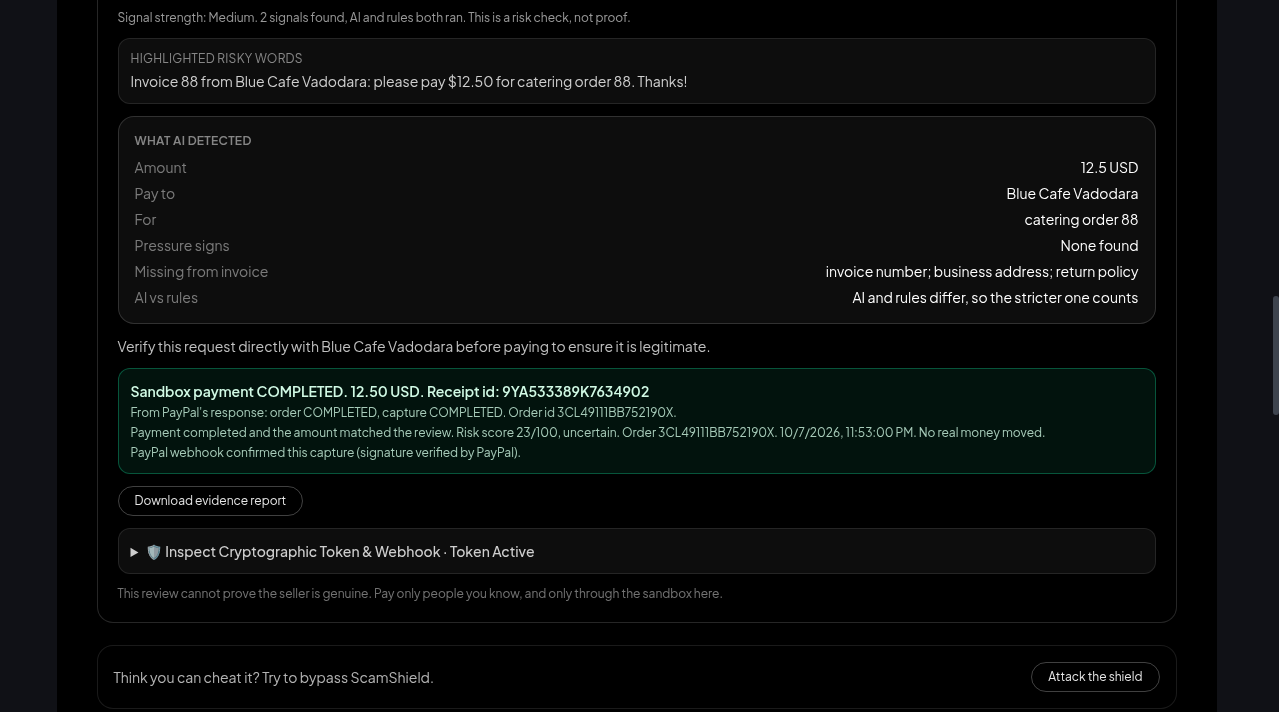
Cleared and paid: sandbox receipt shows PayPal's order COMPLETED and capture COMPLETED, plus a signed webhook confirmation.
-
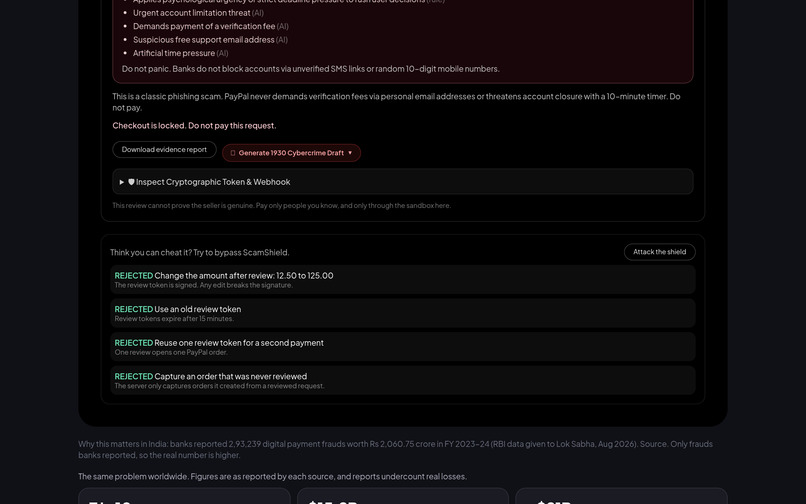
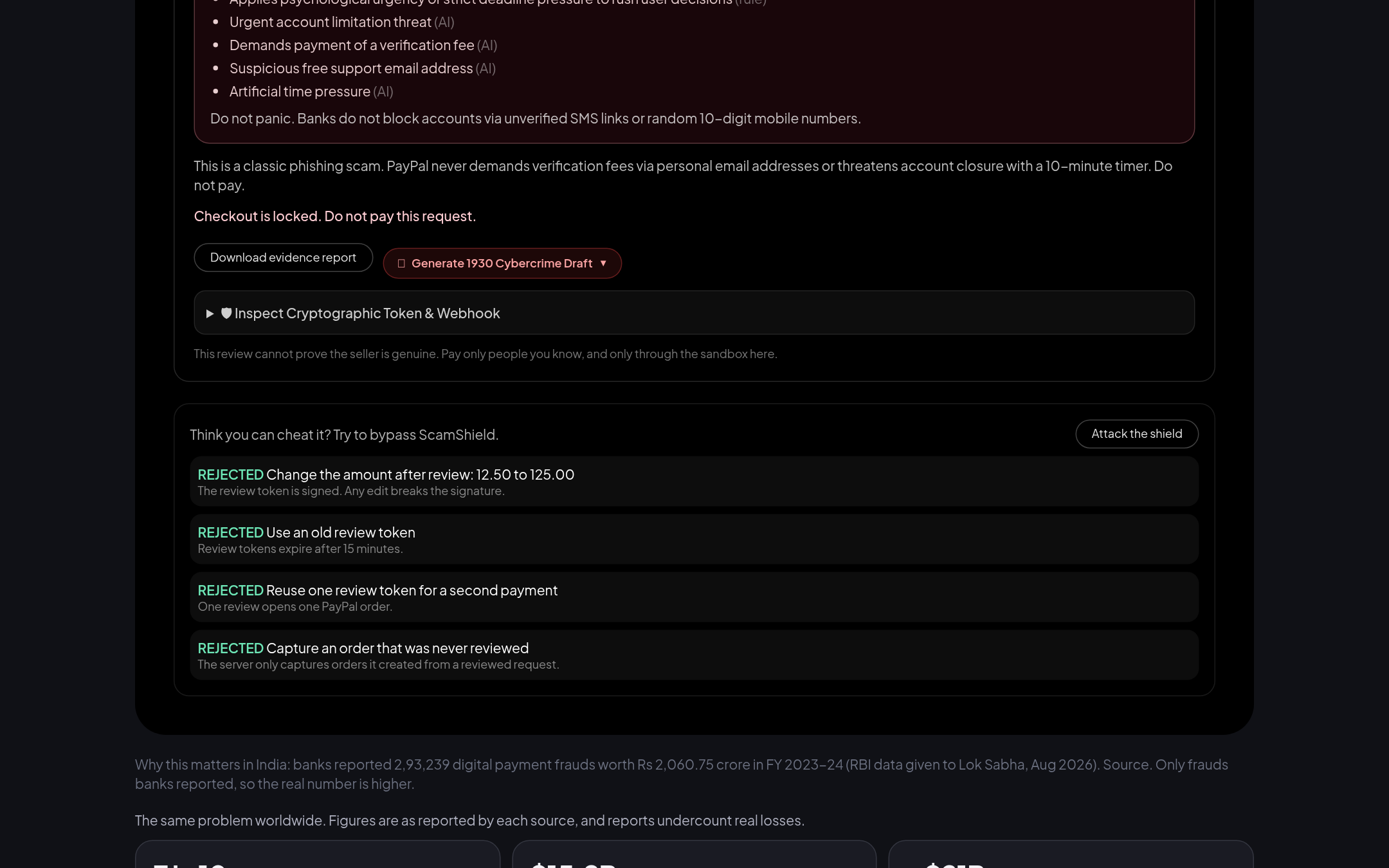
Attack the shield: 4 tampering attempts (changed amount, old token, reused token, unreviewed order) all rejected by the server.
-
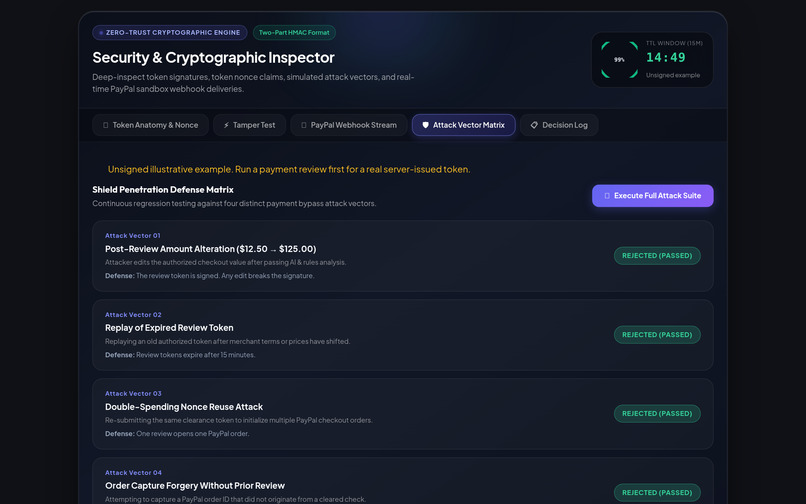
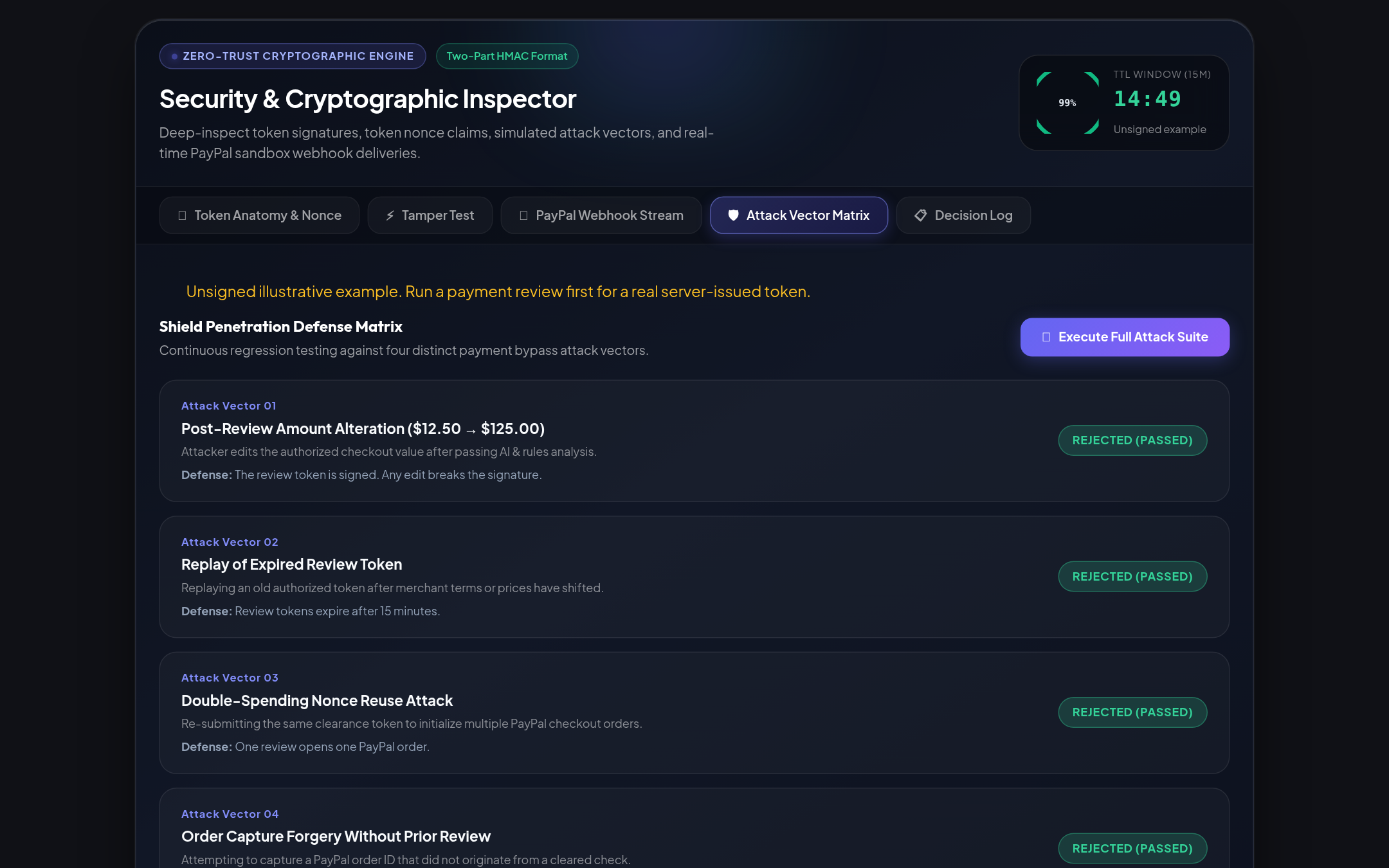
Security Inspector, Attack Vector Matrix: each attack and the defense that stops it.
-
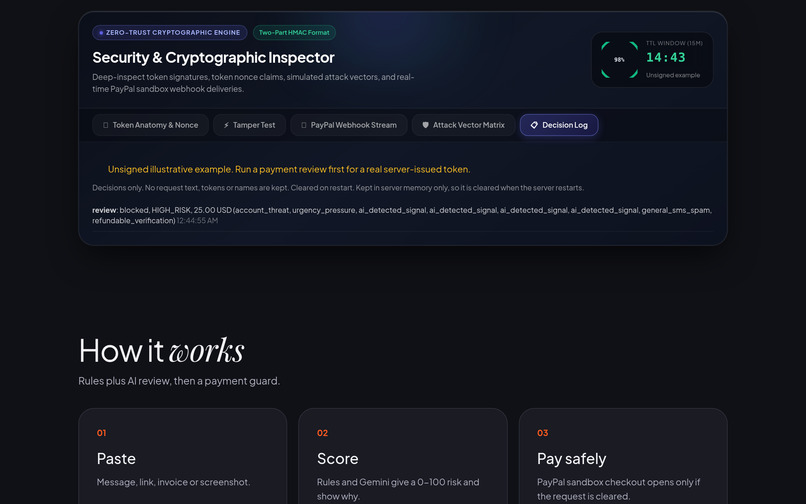
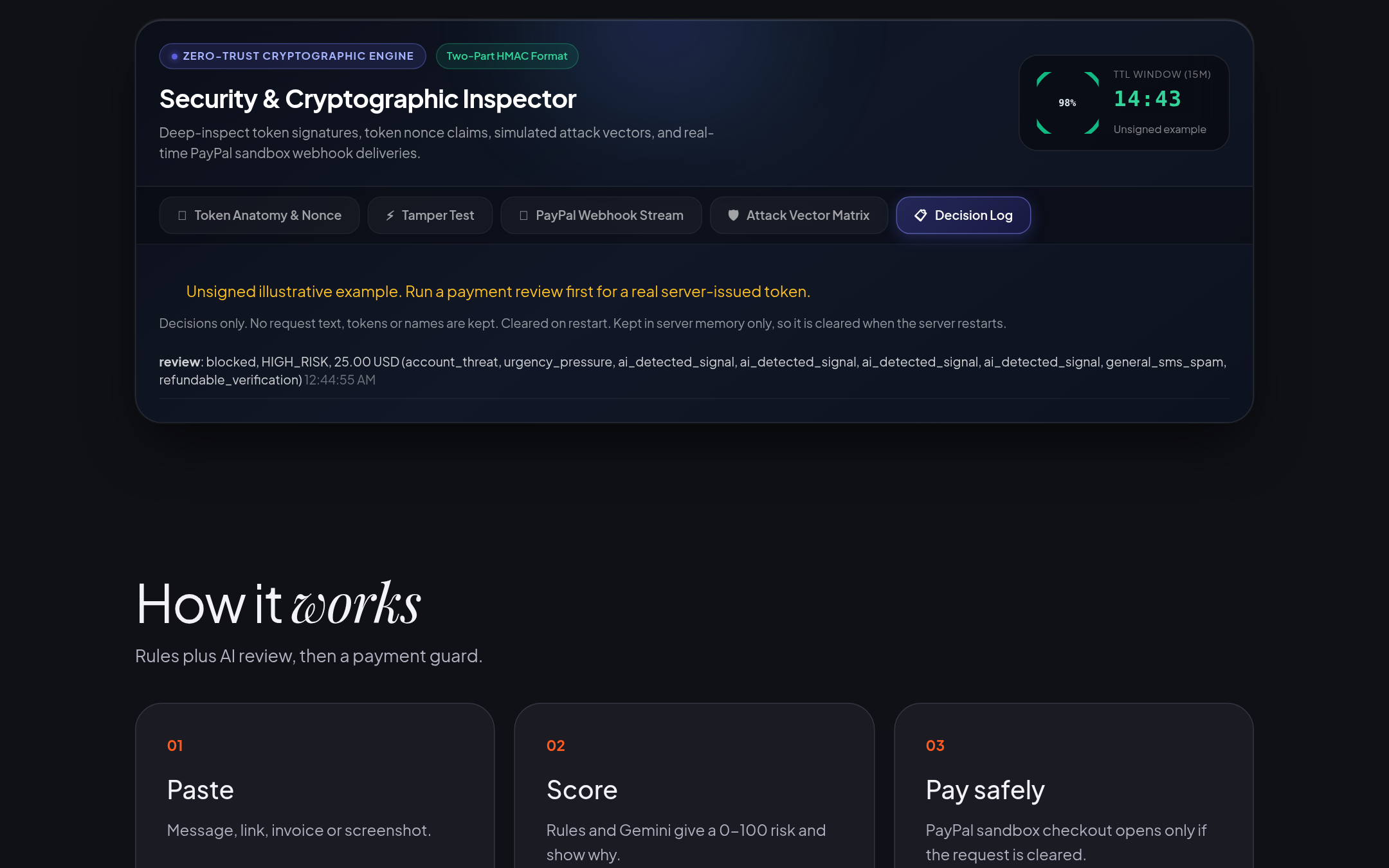
Security Inspector, Decision Log: decisions only, no request text kept. Token panels are labeled illustrative until a real review runs.
-
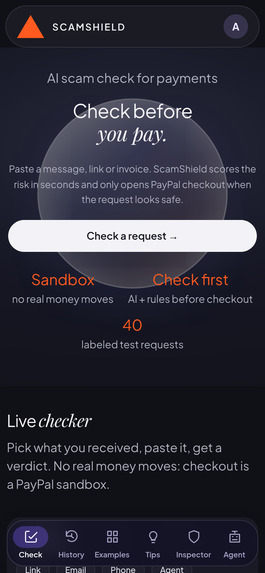
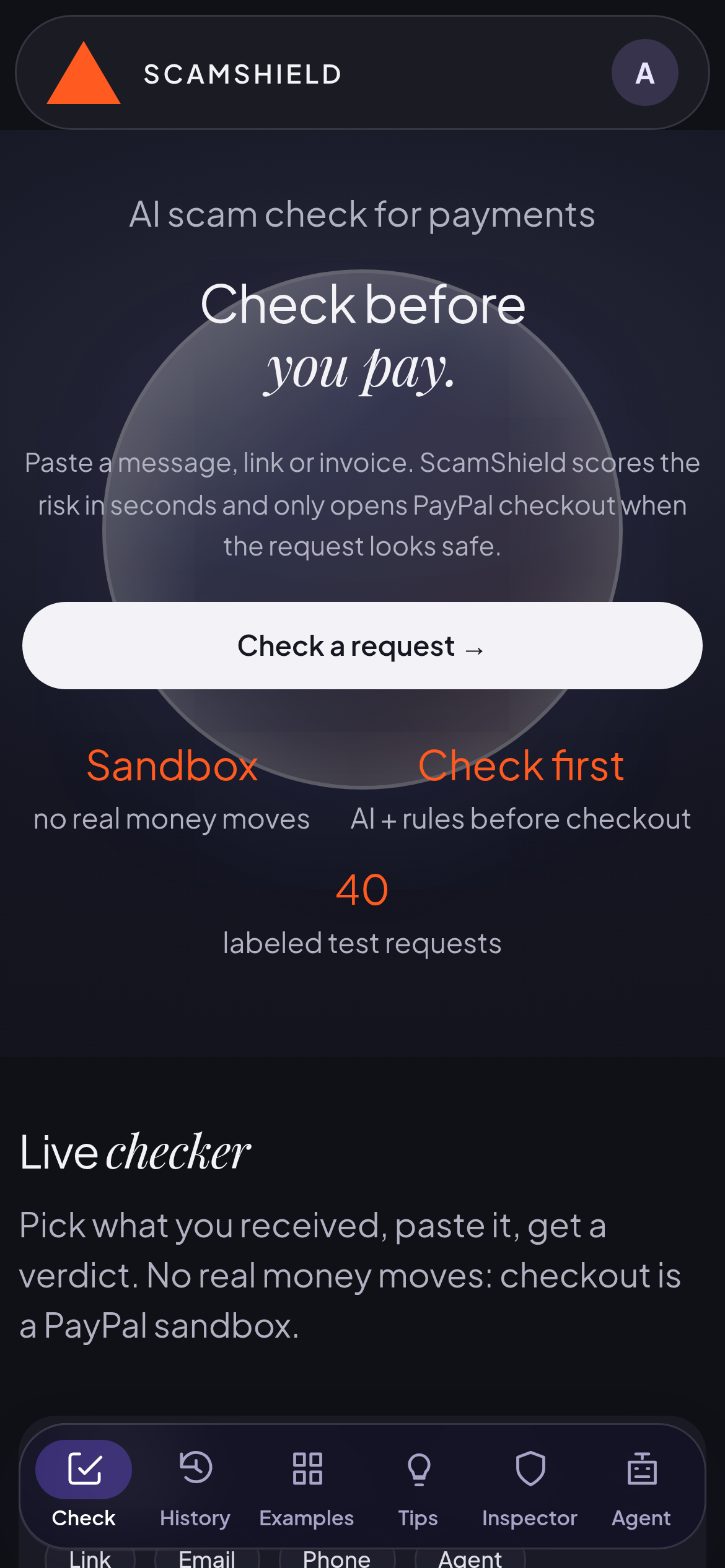
Mobile view of the same check.
We also built a Chrome extension (Manifest V3 prototype): select a payment request on any page, right-click "Check with ScamShield", and the same server review shows BLOCKED or CHECKOUT ENABLED on top of that page. Download and install steps are in "Try it", step 5. It only runs when you ask and does not verify sellers.
Inspiration
Payment scams work because the victim pays first and thinks later: fake prize fees, fake refunds, urgent invoices. I wanted a step that sits between the payment request and the payment button. ScamShield is a pre-payment intent firewall, not a merchant verification service: it checks what the request says and gates checkout on that review, it does not verify who the payee is.
What it does
You paste a payment request or upload a screenshot of it. Gemini and a set of scam rules read it together and return a Risk Signal Score (0-100, a warning signal, not a probability), what the AI detected (amount, payee, purpose, pressure signs, what is missing) and a plain reason.
- Risky request: BLOCKED. The server will not create a PayPal order. The card shows next steps: verify out of band, never pay a fee to unlock money, report it if money already moved.
- Clean request: CHECKOUT ENABLED (no strong scam signal; seller identity not verified). PayPal sandbox checkout unlocks, and the app shows "Payee identity: not matched" because sandbox pays the app's own test merchant, not the payee named in the request. After payment the server captures it and shows a receipt built from PayPal's own response (order and capture status), after checking the captured amount. It never says a request is "safe". It says what it found and what it could not check.
Chrome extension
Besides the web app, the repo includes extension/, a user-triggered Chrome extension (Manifest V3, desktop, unpacked install, ZIP at https://scam-shield-paypal.onrender.com/extension.zip). It sends only the text you select to the same review and draws the result on the page. It does not run automatically, is not on the Chrome Web Store, and cannot verify sellers.
How it works
- Review: Gemini (text and vision) plus rules score the request. A one-time review token, bound to the reviewed amount and currency, is issued only when checkout is enabled. The server refuses to create or capture a PayPal order that does not match the review (intent-bound payment authorization).
- Order: the server creates the PayPal order (PayPal Agent Toolkit
create_order, with REST Orders as the base). The token ties that one review to that one order and amount. - Pay: the buyer approves with the PayPal JS SDK checkout buttons (sandbox).
- Capture: the server captures only if the token is valid and unused, the order is the reviewed one, and PayPal returns COMPLETED with the same amount.
- Confirm: PayPal sends a signed PAYMENT.CAPTURE.COMPLETED webhook. The server verifies the signature with PayPal, and the receipt shows when PayPal confirmed it.
Security features
- Single-use review token, released if order creation fails. Parallel reuse of one token is tested.
- Capture-once and amount match: a changed amount, old token, reused token or never-reviewed order is rejected.
- Prompt-injection mitigations: text inside a request or screenshot is passed to Gemini as untrusted data between delimiters, not as instructions; this reduces but does not eliminate the risk. Results are capped when a request looks like a one-time-code message.
- Security demonstrations page with a Decision Log (what was decided and why), Tamper Test, Webhook Stream and Attack Matrix.
- "Attack the shield" panel: runs 4 bypass attempts against the real server and shows each one rejected.
- Per-IP rate limits, input size limits, and fallback across Gemini models when one is out of quota.
- 103 automated server regression tests. These check that the guards behave as designed; they are not a detection-accuracy number.
Try it (for judges)
Live demo: https://scam-shield-paypal.onrender.com/pay (Render free tier: first load can take up to a minute to wake up. Sandbox only, no real money.)
- Blocked example. Paste: URGENT! Your PayPal account is limited. Pay $25 verification fee to [email protected] within 10 minutes or your account will be blocked. Press Analyze. Expected: BLOCKED, PayPal checkout stays locked. BLOCKED is a risk decision by ScamShield, not proof of fraud.
- Cleared example and payment. Paste: Invoice 88 from Blue Cafe Vadodara: please pay $12.50 for catering order 88. Thanks! Expected: CHECKOUT ENABLED (low Risk Signal Score, "uncertain", not "safe"). Open PayPal sandbox checkout and log in with the sandbox buyer: Email: [email protected] Password: d7)3:q@J (PayPal sandbox test account, no real money.) After payment the receipt shows PayPal's order and capture status, then a "PayPal webhook confirmed" line.
- "Attack the shield": runs 4 simulated tampering attempts against the server-side gate (no PayPal call). All 4 should show REJECTED.
- Security demonstrations (top menu): Tamper Test, PayPal Webhook Stream, Attack Vector Matrix, Decision Log.
- Chrome extension (optional prototype, desktop Chrome/Edge/Brave): download https://scam-shield-paypal.onrender.com/extension.zip and unzip. Open chrome://extensions, turn on Developer mode, click Load unpacked, pick the scamshield-extension folder. Open https://scam-shield-paypal.onrender.com/demo-store.html, select the payment request text, right-click and choose Check with ScamShield. The result (BLOCKED or CHECKOUT ENABLED, Risk Signal Score, reason) shows on the page. It only runs when you ask, sends only the selected text to the ScamShield server, is not on the Chrome Web Store, and does not verify sellers.
- Agent mode is experimental and can time out. It is not needed to evaluate the project. Payee verification is NOT checked: checkout pays this app's own sandbox merchant.
Built with
Gemini, PayPal REST Orders API, PayPal Webhooks, PayPal Agent Toolkit (used for create_order only), PayPal JS SDK checkout buttons, Chrome extension (Manifest V3), React + Vite, Node/Express, Render, GitHub.
Why it matters in India
Banks reported 2,93,239 digital payment frauds worth Rs 2,060.75 crore in FY 2023-24 (RBI data given in the Lok Sabha, https://sansad.in/getFile/lsapps/loksabhaquestions/annex/188/AU3487_CUPVNR.pdf). ScamShield checks the request before the user pays. It has India examples (fake KYC, QR refund, job fee, UPI collect) and an "In simple words" box in English or Hinglish.
How well does the checker work (measured, with limits)
- On a 129-case filtered public-source evaluation: 68 of 69 scam cases flagged, 59 of 60 benign cases not flagged (98.55% precision and recall). Labels are keyword-based, so this is not real-world fraud accuracy. Results file is in the repo.
- What the AI adds (30 reworded messages, 15 scam and 15 benign): rules alone flag 6 of 15 scams, Gemini alone flags 15 of 15, the fused verdict flags 15 of 15, and 15 of 15 benign are not flagged by any mode. Small team-written set, not a benchmark. See docs/ablation-rules-vs-gemini-vs-fusion.md in the repo.
- If the AI review cannot complete, ScamShield fails closed: checkout stays locked. Demo state is in memory or local files; production needs durable storage.
- A separate 30-message paraphrase set is a development set: I tuned the rules after seeing it, so it is not a fair test.
- Limits: sandbox only, no real money. The payee is not verified. PayPal pays the app's own sandbox merchant. A CHECKOUT ENABLED result does not prove a seller is genuine. The AI agent mode is experimental and can time out, so the demo video does not rely on it.
What was significantly updated between Oct 1 and the deadline
The project started as UPI Scam Shield, a scam-message checker for India. For this hackathon I built, from Oct 2:
- PayPal sandbox payments: create order, capture, receipt from PayPal's response
- Signed PayPal webhook verification
- "Check before you pay" flow with review-to-payment gating
- Screenshot review with Gemini vision
- Security demonstrations: Decision Log, Tamper Test, Webhook Stream, Attack Matrix
- "Attack the shield" panel and hardening from review rounds
- User-triggered Chrome extension prototype (right-click check on any page, same server review) and a download page
- New UI, Risk Signal Score, "What AI detected" and "Why this was blocked" panels Work is in a new public repo, separate from the older project.
Challenges
Free Gemini quota ran out during heavy testing, so I added model fallback. Keeping the checker honest: it reports risk signals, not certainty. Making a payment gate hold up against a user who edits the request after review.
What I learned
Gating a payment on an AI review needs server-side checks (one-time token, amount match, signed confirmation), not just a UI warning.
Where it would plug in
A marketplace or freelance platform could run this review on its server before it creates a payment link for a buyer. That integration is not built here; this project is the standalone checker plus a sandbox PayPal checkout that shows the gate working.
What's next
Seller reputation checks, more currencies and languages, an extension that checks automatically on checkout pages and is published on the Chrome Web Store (today it is a user-triggered prototype).
Links
- Live demo: https://scam-shield-paypal.onrender.com/pay
- Code (MIT): https://github.com/gajit9147-dev/scam-shield-paypal
- Demo video: https://youtu.be/2HSRVaYXA7I
Built With
- express.js
- gemini-api
- github
- node.js
- paypal-agent-toolkit
- paypal-js-sdk
- paypal-orders-api
- paypal-sandbox
- paypal-webhooks
- react
- render
- vite

Log in or sign up for Devpost to join the conversation.