


Inspiration
After using AI to analyze millions of Reddit posts, we found one common problem that we had experienced ourselves: switching between projects takes far too much time. Because we're passionate about using development to build things that help people, we regularly move between apps like Visual Studio Code, GitHub Desktop, and Figma, while also juggling schoolwork in Canvas, Desmos, and Zoom. Every time we switch projects, we have to search our computers to reopen the right apps and files, wasting valuable time. But the problem goes beyond just switching apps. We also lose our train of thought, often forgetting what we were working on, where we left off, and what we planned to do next. Getting back into a project can cost us hours of productive time, and hundreds of thousands of people on Reddit completely agree with us. In order to solve our problems and theirs, we built Savespace macOS.
What it does
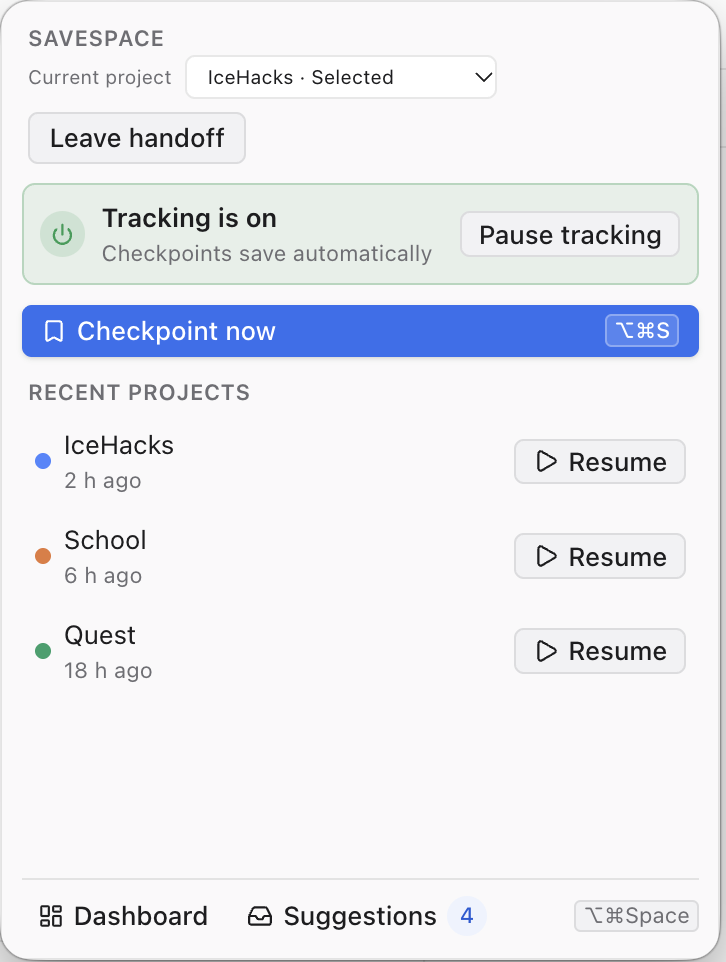
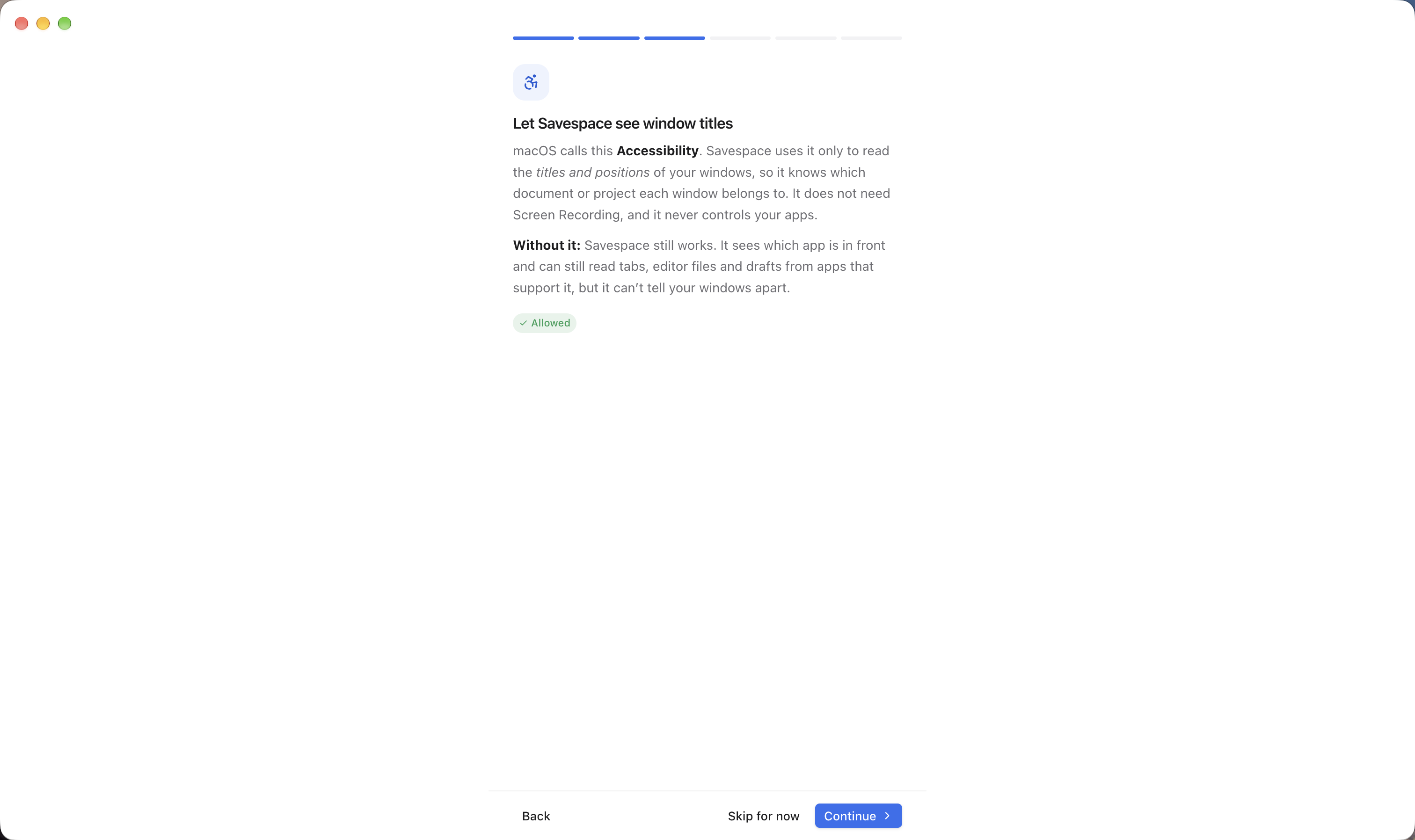
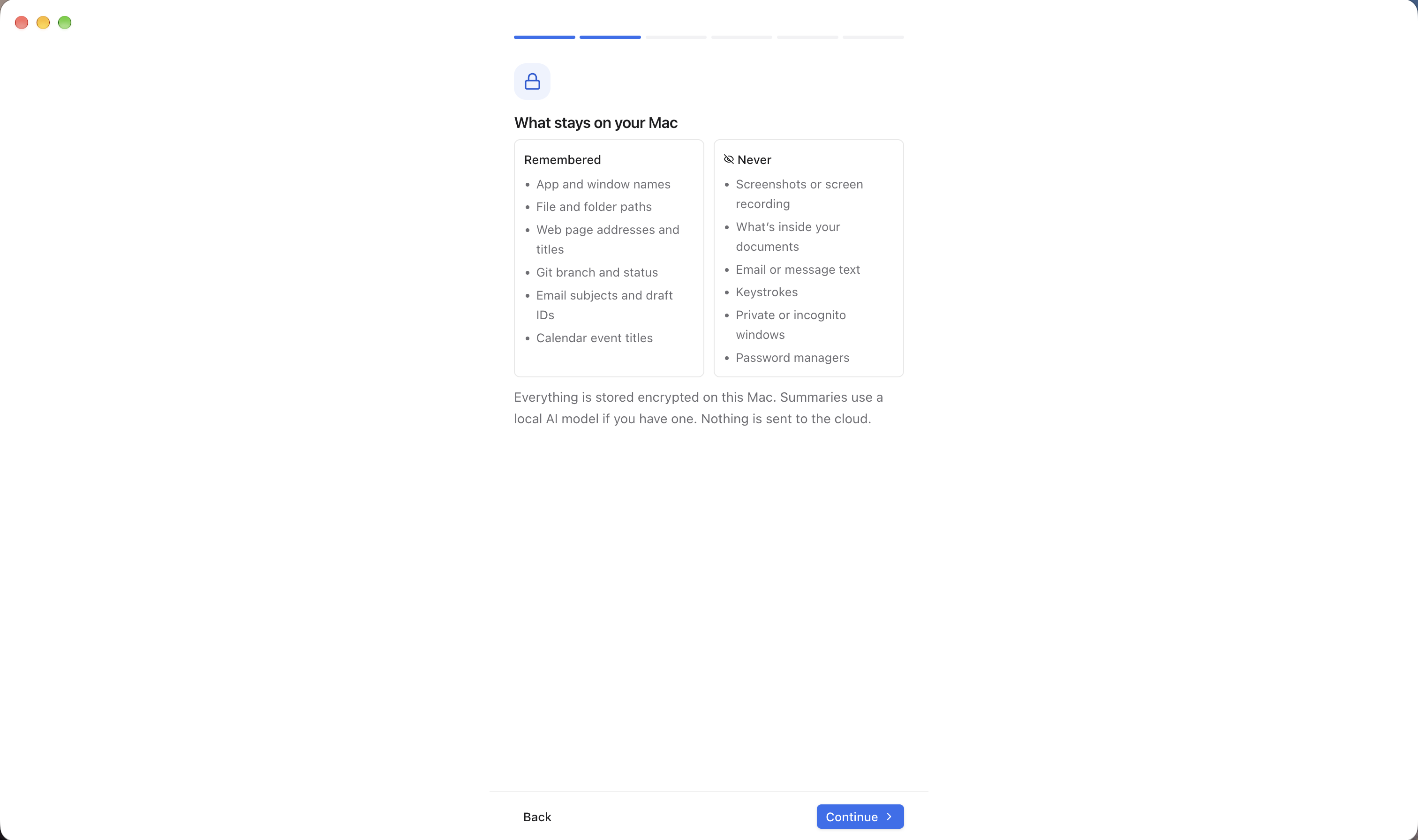
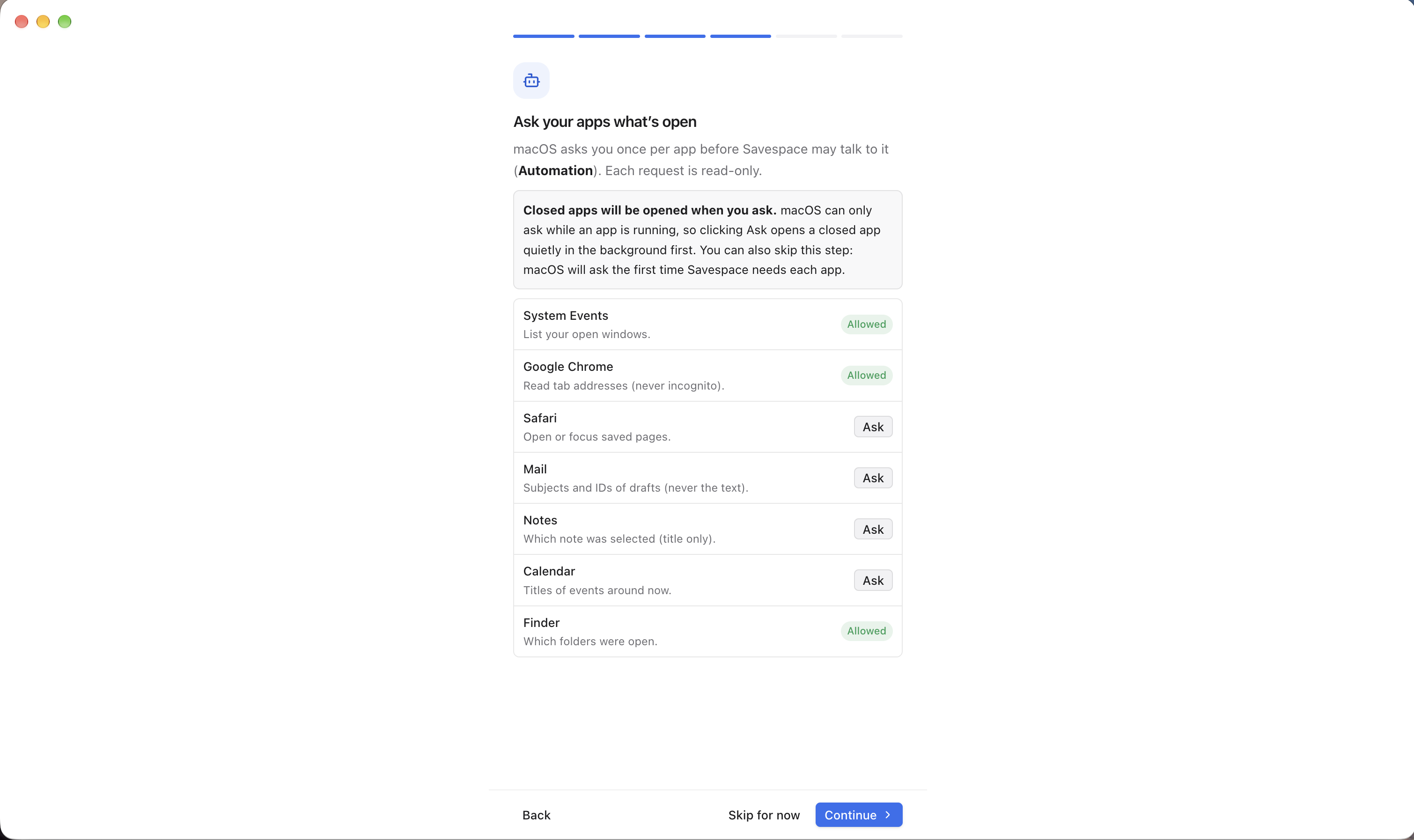
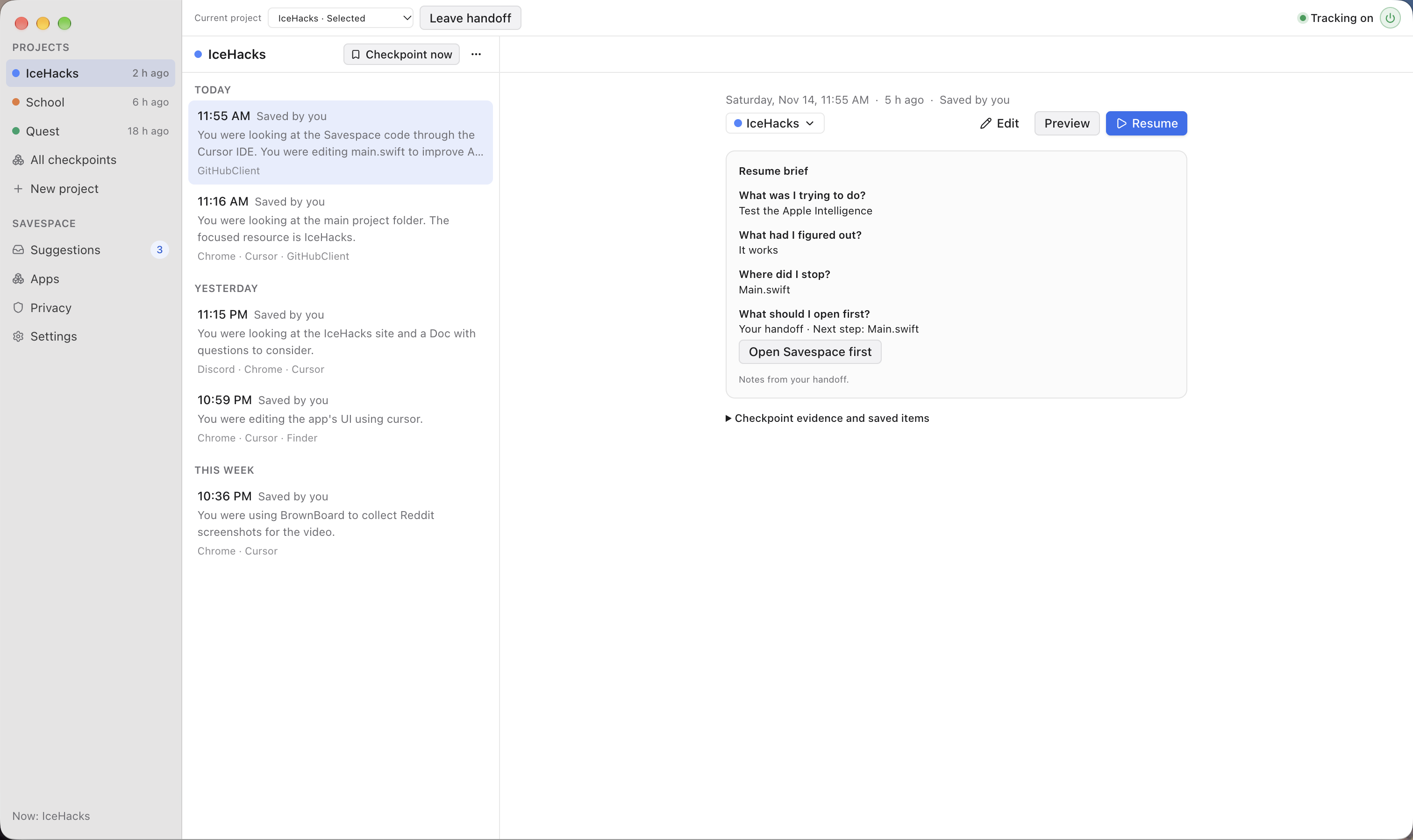
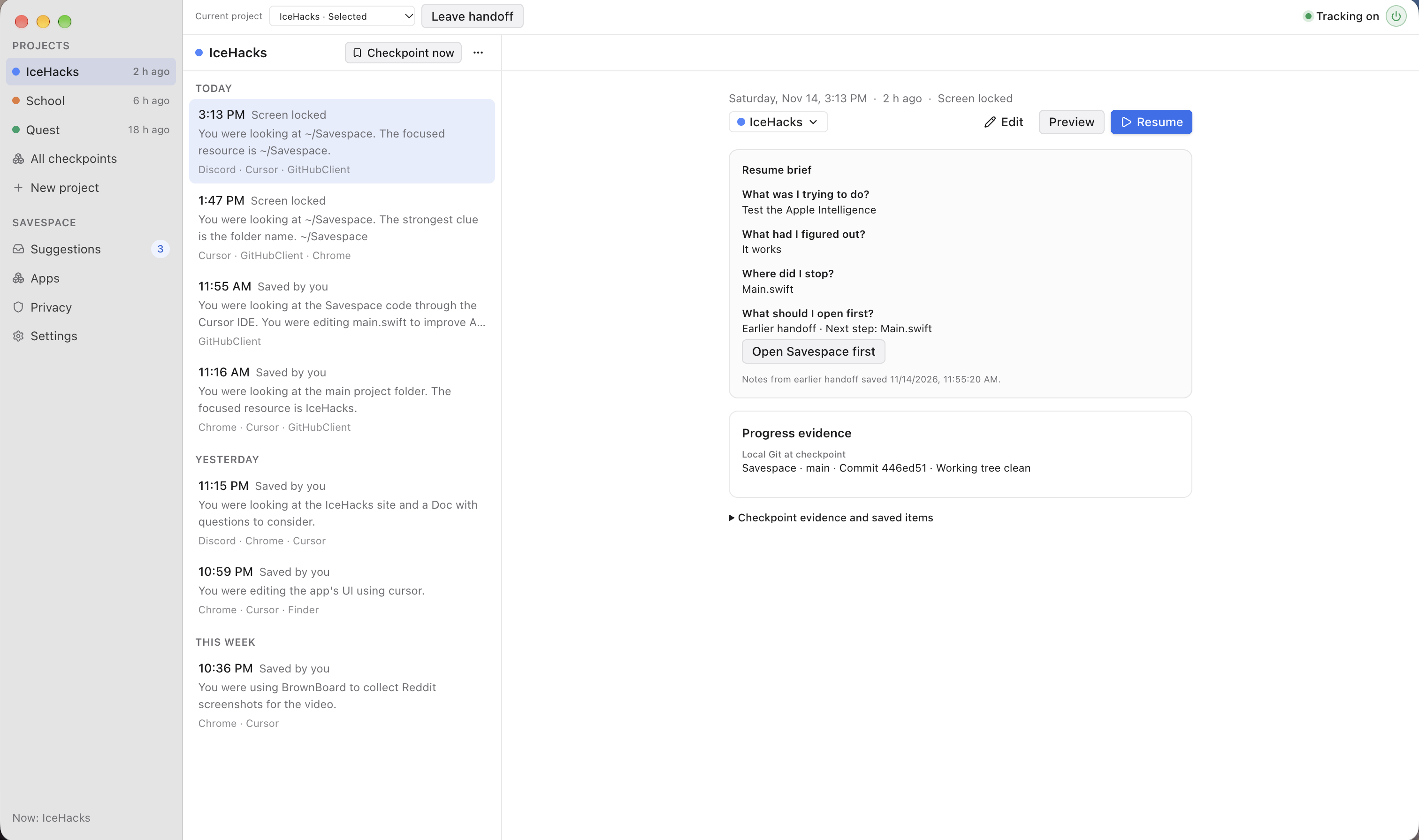
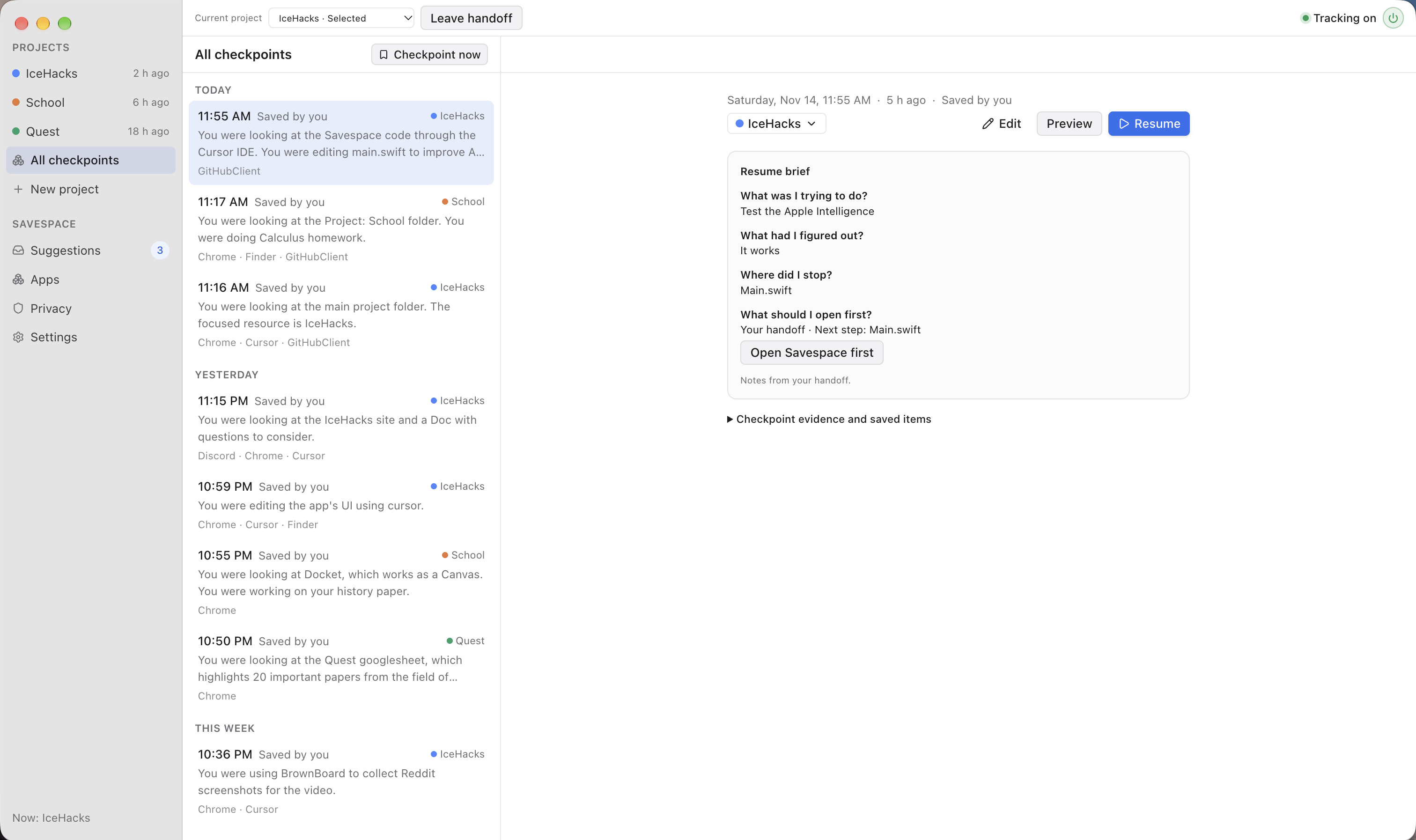
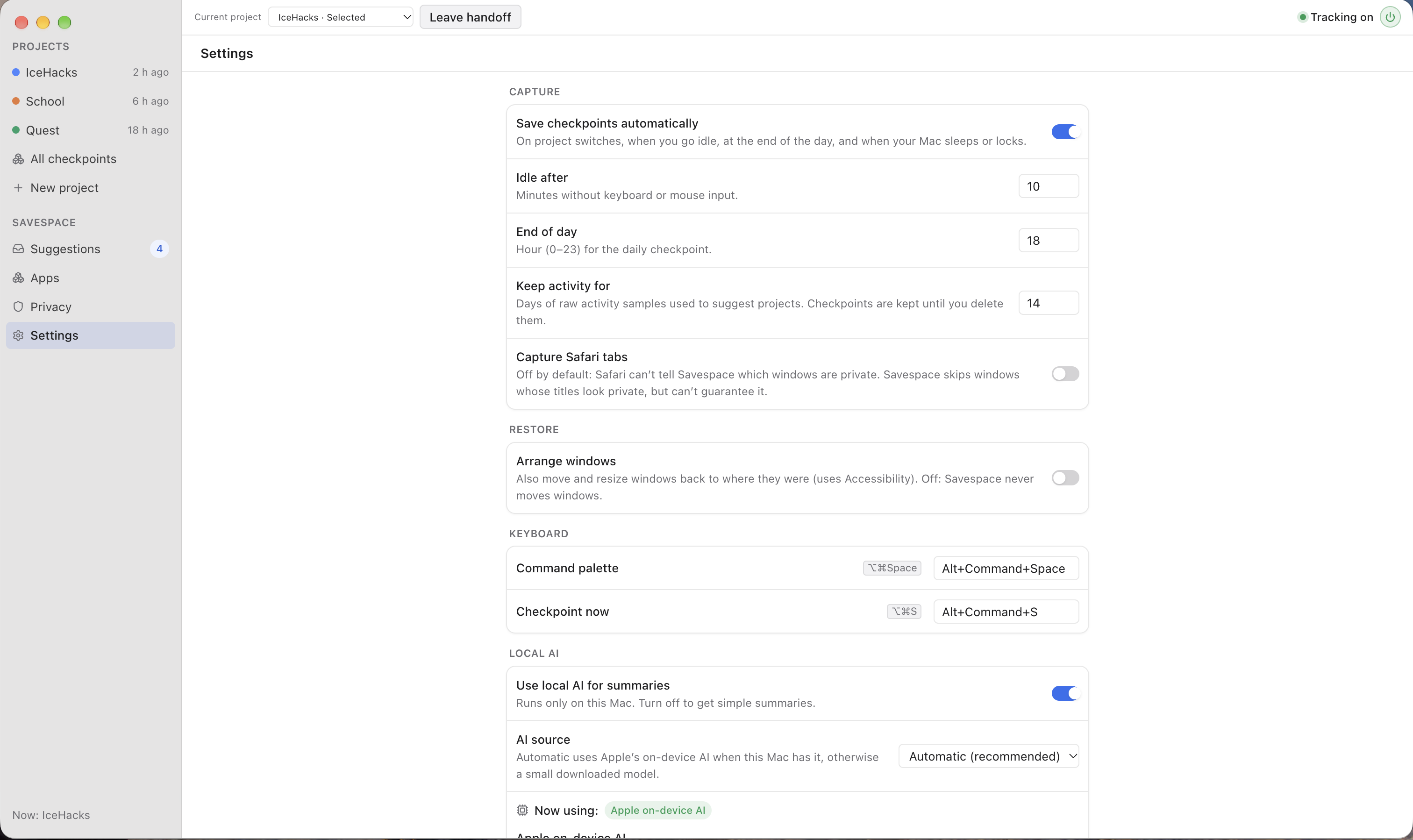
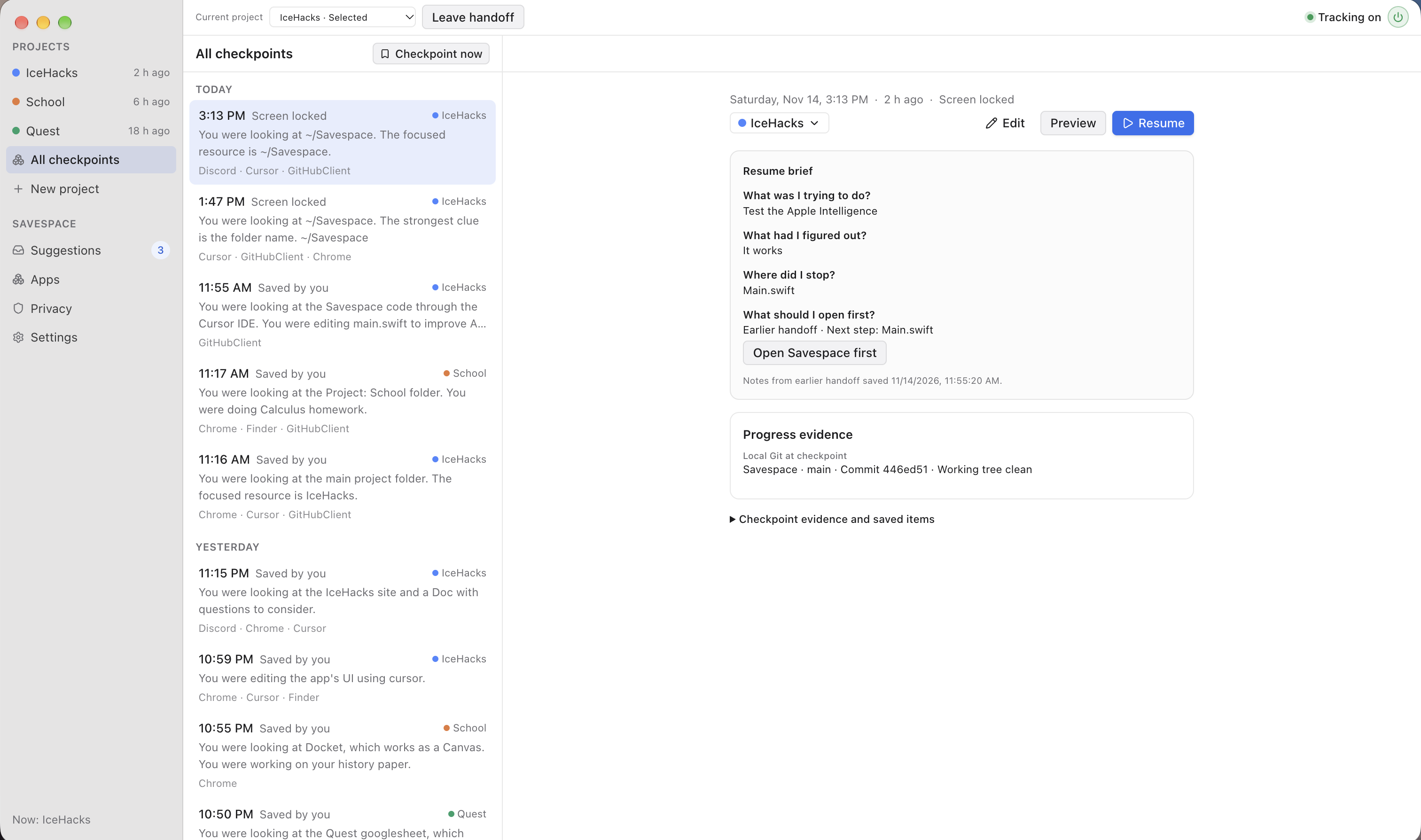
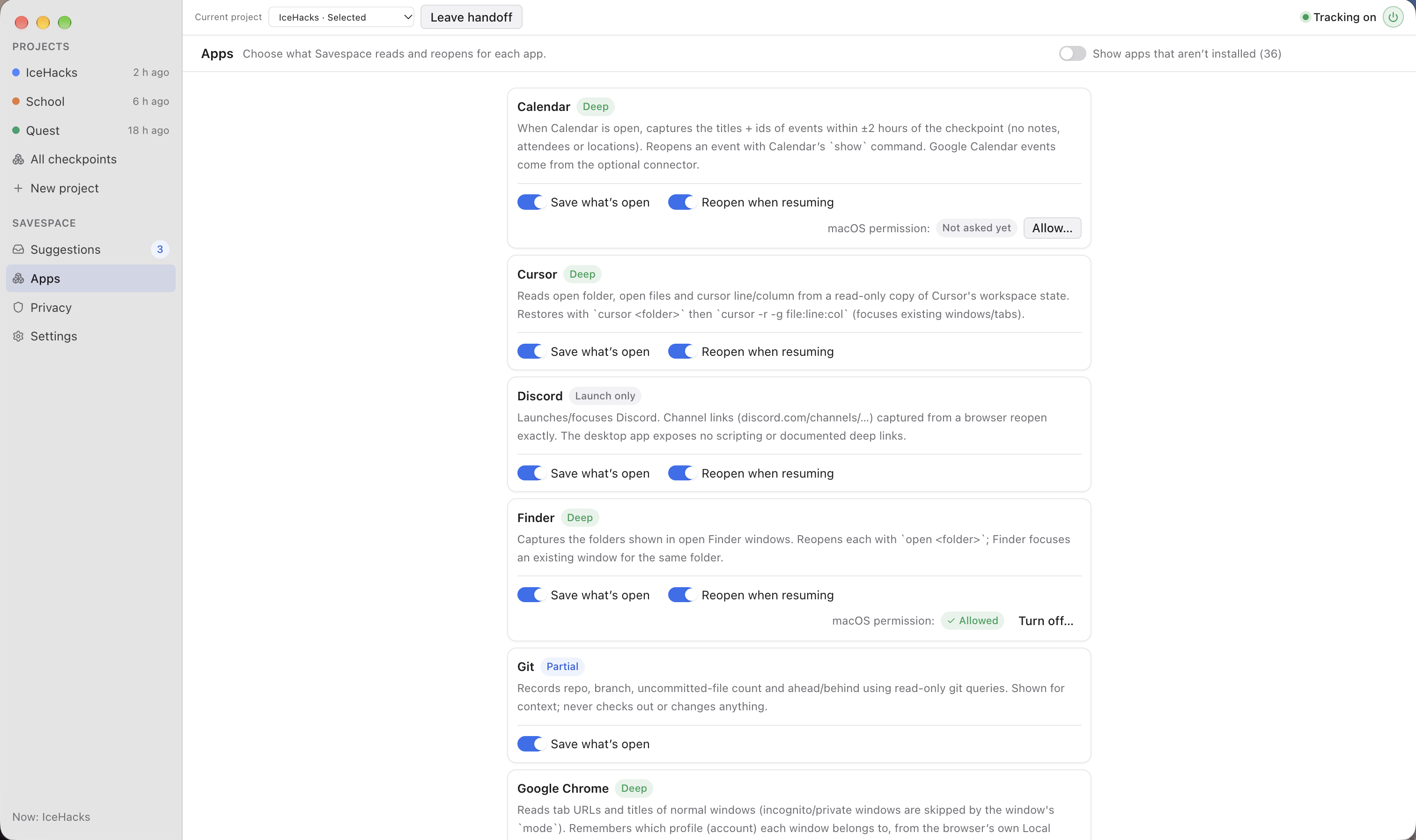
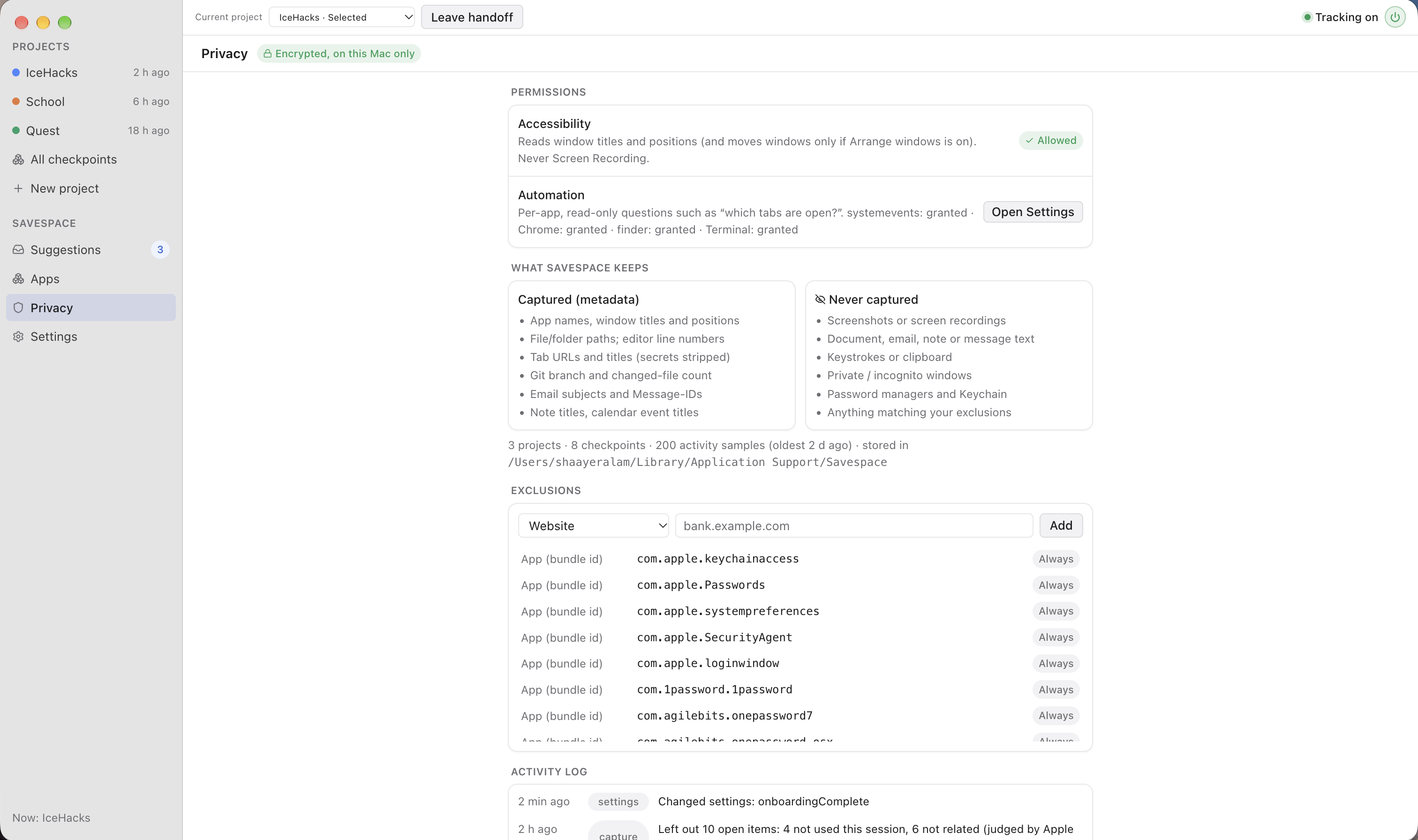
Savespace runs quietly in the background, automatically creating checkpoints of your computer's workspace. Each checkpoint includes a summary of what you were working on, the apps and tabs you had open, and your most likely next step. Savespace uses AI to analyze your open apps and generate these summaries. It also compares each new checkpoint with previous ones, using app names, window titles, and work summaries to determine which project it belongs to. When switching projects, you can also create a manual handoff checkpoint to make sure the AI doesn't miss any important details. When you click Resume on a checkpoint or project, Savespace immediately reopens all your saved apps and tabs to exactly where you left them. This makes switching between projects quick and seamless. To prevent accidental changes, Savespace never closes apps or modifies their data. Most importantly, Savespace puts user privacy first, as it only ever looks at metadata and never the actual content of your files or windows. Importantly, your data also never leaves your computer. To ensure this, Savespace uses either built-in Apple Intelligence or a small, downloadable Ollama model that runs entirely locally.
How we built it
Savespace was built primarily in Typescript, which is a common language used to build complex applications. Along with Typescript, we used languages like JavaScript and Swift for specific actions needed around the app. In order to package Savespace as a stand alone app, we used Electron’s framework across the app. We also used a React framework to build the app’s overall user interface. On top of these frameworks, we used Tailwind CSS for styling, Node to run code out of a browser, Vite for faster development, SQLite as a local database, and lastly, Drizzle to simplify database interactions. For Savespace’s AI, we default to using Apple’s built-in Apple Intelligence, which keeps all interactions fully secure and in the Apple ecosystem. If the user is on an older Mac, Apple Intelligence is not an option, which is why we also included the ability for Savespace to automatically download a lightweight Ollama model directly onto the user’s computer, ensuring a fully local experience for all data. While building Savespace, we used a mix of AI coding assistants, such as Claude Code, Cursor, Codex, and Copilot, in order to speed up the development process. Even though we used these AIs to help code, we made sure that all design decisions were sanctioned by us, and that we understood everything used, which allowed us to independently read, edit, and maintain our code whenever we needed to.
Challenges we ran into
The main challenge we faced was designing the AI generated summary to be as helpful as possible while still ensuring user privacy and data security. We went through dozens of iterations testing all kinds of models. Initially, we considered using an Anthropic or OpenAI API, though we then realized that those models required sending data off the computer, which compromised our security goals. We then explored Ollama, which lets users run AI models entirely locally. After testing countless models, we found a couple that balanced quality with download size. During the process, we discovered that Apple Intelligence was an option, and we switched to using that for any users who have it, as it has high quality while being extremely secure. Another big challenge we ran into was how to properly sort different checkpoints into projects, as just one mistake could lead to a snowball effect of incorrect classifications. After running extensive tests, we eventually found the correct information to check between checkpoints to ensure no mistakes. Every time a checkpoint would come through, we check titles, file names, and specific keywords, as no mistakes can be tolerated. After this, we have Savespace’s AI do another pass over it to confirm the checkpoint is in the correct project. Whenever uncertain, it immediately results in an unassigned checkpoint to avoid wrong categorizations.
What we learned
During the process of developing Savespace, we learned a lot from all of the new experiences that we went through. Starting off, we learned how to give an app Mac menu bar capabilities, which is what gives it the ability to create the icon in the top right corner of the user’s screen to show the app running in the background. This makes it much easier for users to interact with the app and use the checkpoints created by Savespace, as it is now always only two clicks away. We also learned how to use SQLite, which is revolutionary for how we will approach future projects. In the past, we have always used Supabase, which stores data on servers and off the user’s computer. With SQLite, we can do similar actions with everything being stored locally, which significantly increases the security that projects can have. Finally, our last big learning was that an app can use a Mac’s built-in Apple Intelligence, which is also groundbreaking for all of our future projects. This gives us an easy to use AI that is already downloaded onto a user’s computer, which has the potential to completely change how we think about AI APIs in our projects.
What's next for Savespace MacOS
During the research stage of this project, we analyzed hundreds of thousands of online conversations between people who have been waiting for a solution like Savespace. Looking ahead, our goal is to officially publish Savespace and establish a meaningful presence in the global market, making it accessible to users around the world. As we begin reaching out to our first users, we plan to gather feedback, learn how people use the app in their everyday workflows, and identify areas where we can improve. We want Savespace to evolve alongside its users, incorporating their suggestions and addressing their needs through regular updates and new features.
Built With
- adobe-illustrator
- claude-code
- codex
- copilot
- cursor
- drizzle
- electron
- github
- https://brown-board.vercel.app/#/
- javascript
- node.js
- ollama
- react
- sqlite
- swift
- tailwind-css
- typescript
- vercel
- vite

