-
-
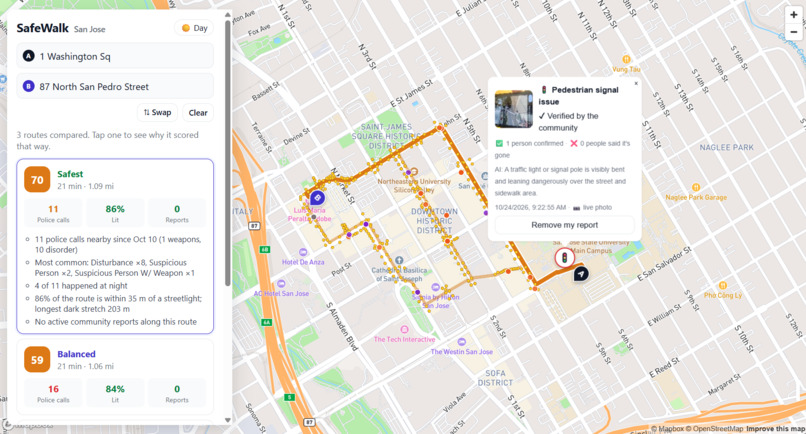
Safewalk takes into account hazard reports, recent police reports and conditions on the route to give an optimized route that avoids all
-
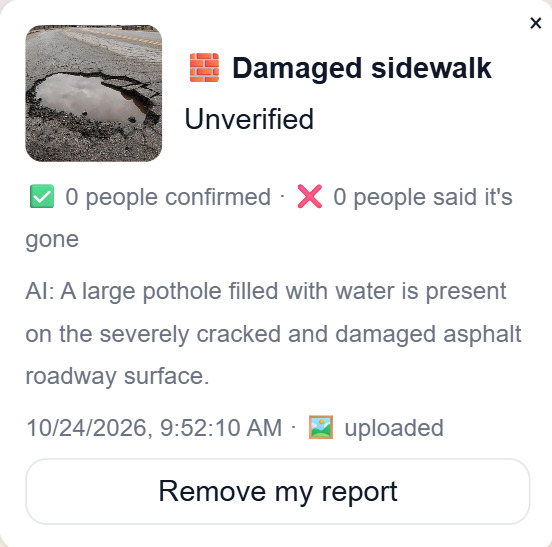
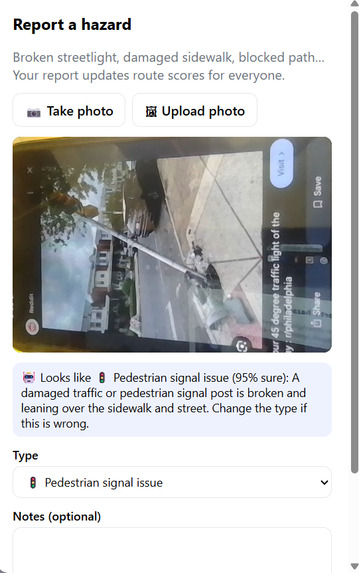
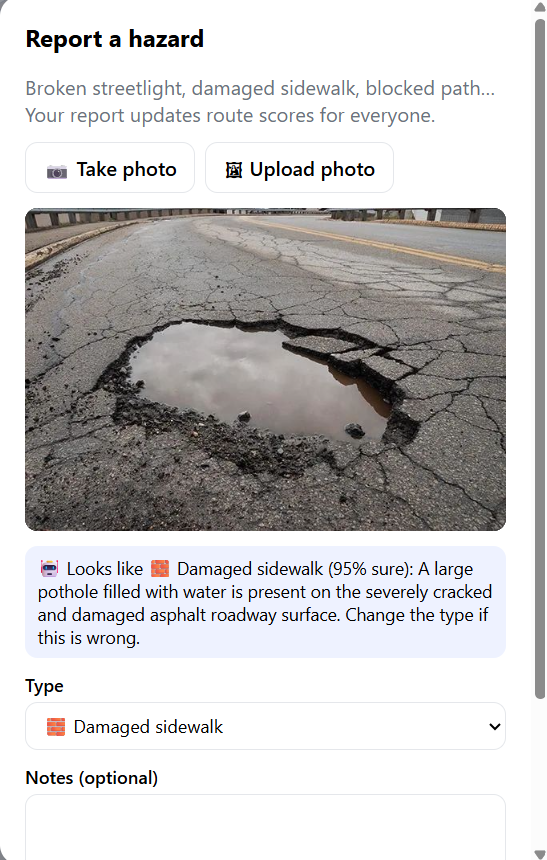
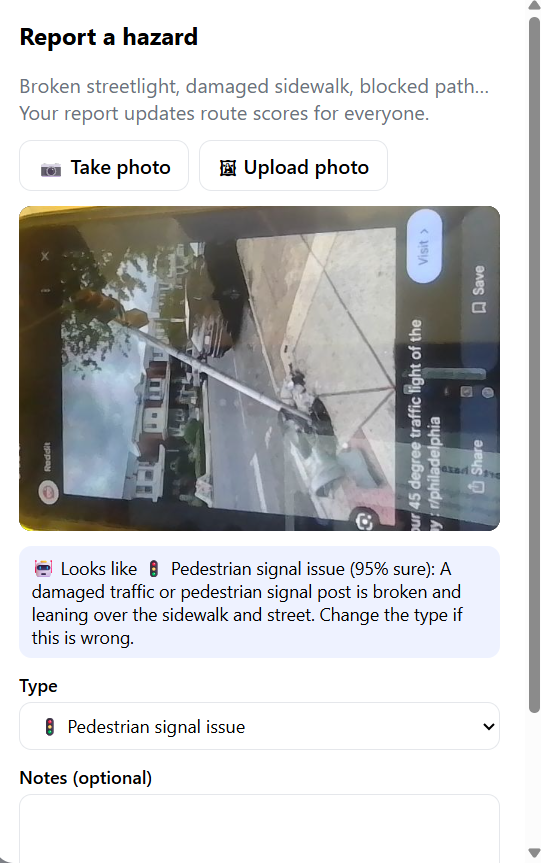
Snap or upload a photo and Gemini suggests the hazard type. Confirm it, add notes, and your report goes live on the map.
-
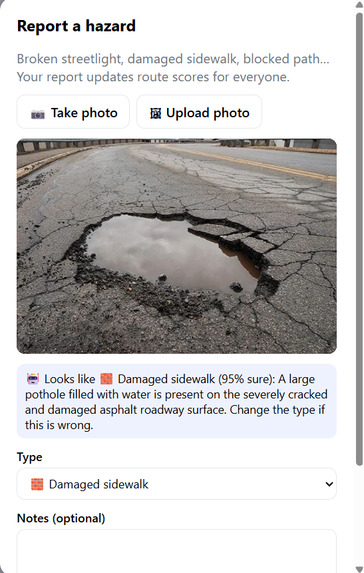
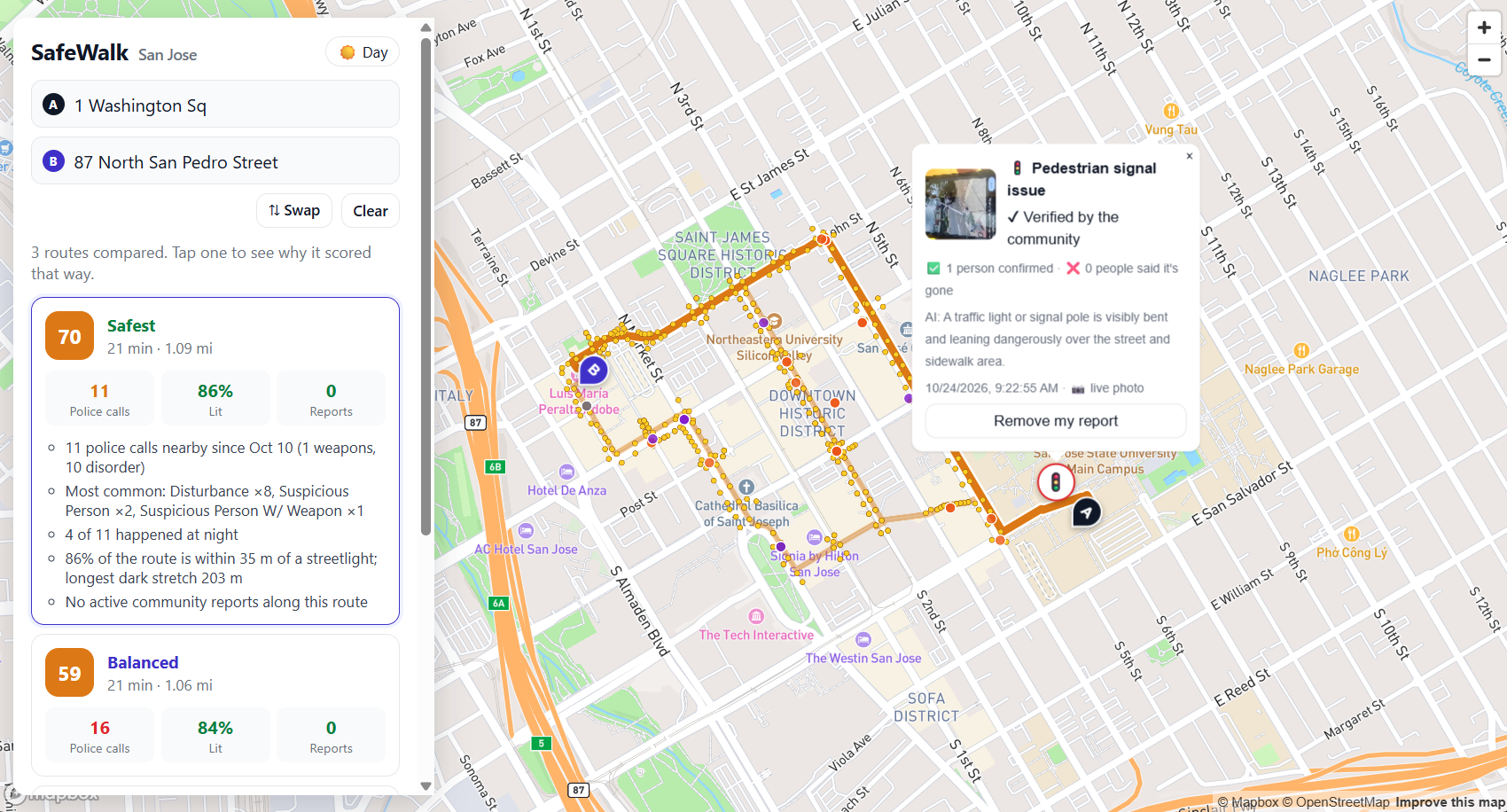
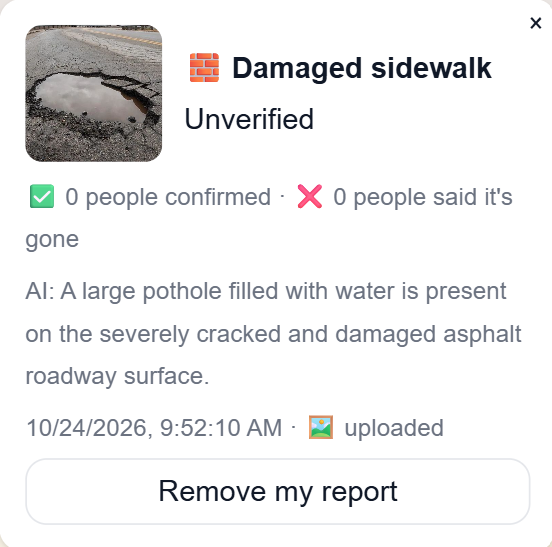
See the photo, type, and severity of a reported hazard, then vote on whether it’s still there to keep the map trustworthy.
-
-
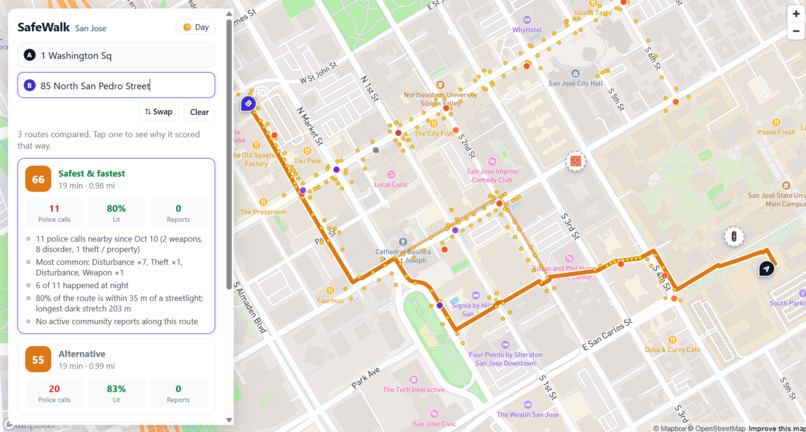
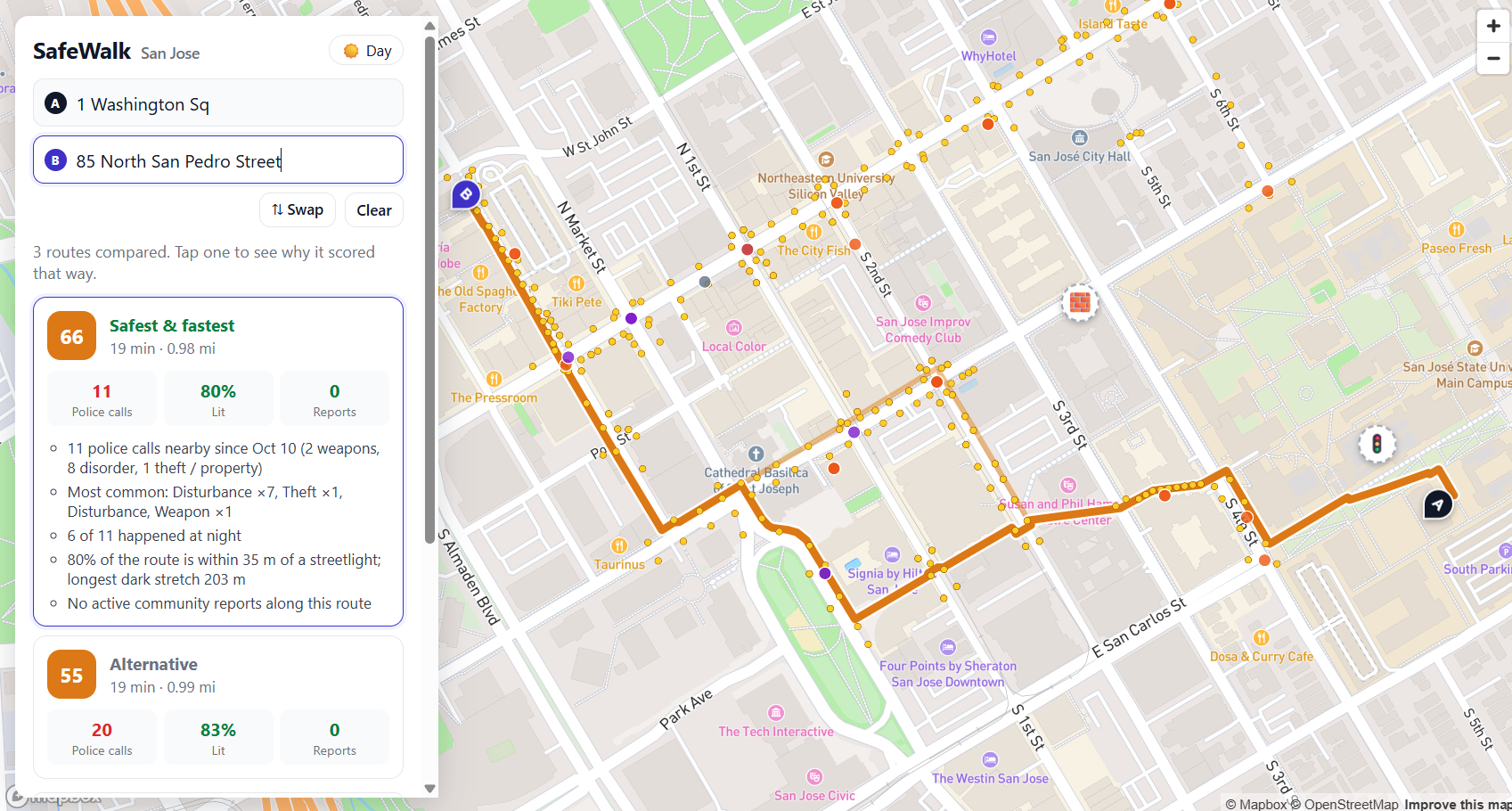
Compare Safest, Balanced, and Fastest routes by time, distance, and risk score, with the hazards and crimes behind each score
Our inspiration came from our experiences as SJSU students who often walk after dark after attending classes, extracurricular activities, or work. But our target market includes all pedestrians.
WalkSafe uses user-uploaded photos to identify and categorize potential hazards along pedestrian pathways. By analyzing this information, WalkSafe recommends multiple walking routes and provides details about lighting conditions, crime activity, and overall risk levels.
How we built it
SafeWalk is a web app built with Leaflet for the map. Routing uses OpenStreetMap data and Mapbox, and people can type addresses instead of clicking two points. Incident reports, photos, verification votes, and about 2,000 San José crime records live in a Supabase database with Row Level Security.
Technologies
Frontend: React, TypeScript, Vite, and Mapbox GL JS, with Mapbox geocoding and walking directions.
Backend: Python and FastAPI.
Data: PostgreSQL with PostGIS for location-based queries; Docker Compose provides local development, with Supabase supported for production database and photo storage.
City data: San Jose police-call data and streetlight GIS services. Gemini is optional for photo classification.
The pipeline:
- Report: someone takes or uploads a photo of a hazard, and Gemini classifies it into an incident type.
- Verify: other users confirm or deny that the hazard is still there.
- Score: every report is weighted by its severity, how fresh it is, and how many people confirmed it.
- Route: we pull in extra routes that steer around the worst hazards, pool them with the standard ones, and rank them.
- Show: the user sees the Safest, Balanced, and Fastest options, each with a risk score.
Each route's risk score adds up its hazard points and its crime points:
$$ \text{risk} = \sum_{h \in \text{hazards}} s_h \cdot c_h \cdot f_h \;+\; \sum_{k \in \text{crimes}} w_k $$
where \(s_h\) is the hazard's severity, \(c_h\) is the community confidence from verification votes, \(f_h\) is a freshness factor that decays over time, and \(w_k\) is the severity weight of crime \(k\). A robbery counts for far more than a vehicle stop.
The crime layer classifies crimes by type and a recency slider filters by how recent the crimes are.
Challenges we ran into
- Routes that were too similar. The routing engine kept returning near-identical alternatives, so all three often passed the same hazard. We now request extra routes that avoid reported hazards, pool everything, and pick the best three ourselves.
- Crime data overload. With a crime on nearly every corner, dots buried the map. We load only what's in view, added the recency slider, and switched to a heat map weighted by severity.
- Map and API problems. We hit blocked tiles, gray tiles at high zoom, API key requirements, and Supabase's 1,000-row limit. We fixed them by keeping keys in a git-ignored config file and paging the queries.
- Merging teammates' code. Different branches had different scoring and routing logic. We combined them into one pipeline with a single scoring system.
Accomplishments that we're proud of
- A working end-to-end loop: report a hazard with a photo, have AI classify it, have the community verify it, and see routes change because of it.
- Safety that is explainable. Every route shows a risk score and why, such as nearby hazards and recent crimes, so users aren't just trusting a black box.
- Crime data that is readable at city scale instead of a wall of dots.
- A tool that takes addresses and gives real walking routes, not just a demo map.
What we learned
- Routing engines optimize for distance, so safety has to be added as a second layer on top of the routes they return.
- Raw data isn't useful until it's weighted. Crime counts mean little without severity and recency.
- Community verification matters. A photo alone can be wrong or out of date, and votes add confidence.
- Small practical details, like API key handling, paging, and tile limits, can take as much time as the main feature.
- Merging work from several people goes better when scoring and routing sit behind clear interfaces.
What's next for SafeWalk
- A mobile-first app. Reporting a hazard should take a few taps, with the camera opening straight from the app, so people actually use it while walking.
- Live navigation. GPS tracking and turn-by-turn directions, with the route updating if a new report appears ahead of you.
- More places. Using the same approach beyond San José, starting with the SJSU campus area.
Built With
- docker
- fastapi
- gemini
- html5
- mapbox
- opendata
- opengovernment
- openstreetmap
- postgis
- postgresql
- python
- react
- typescript
- vite

Log in or sign up for Devpost to join the conversation.