-
-
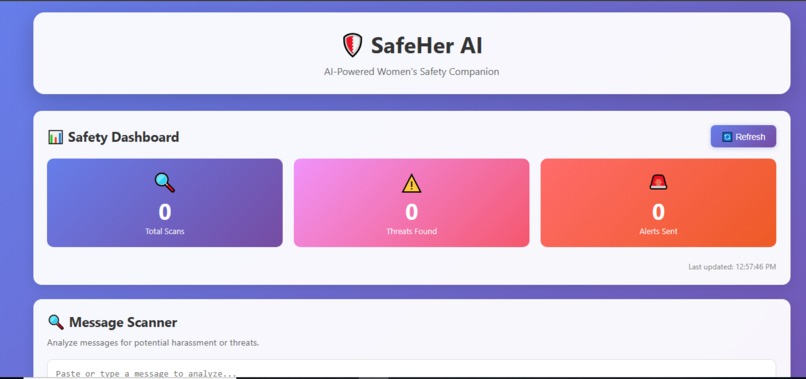
Dashboard
-
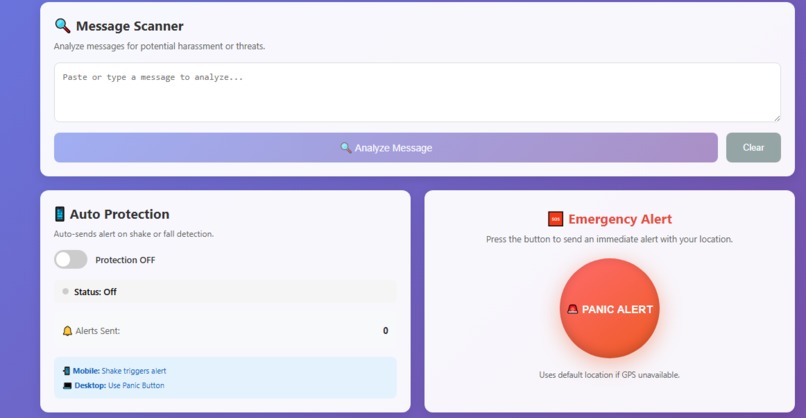
Message Analysis & Alerts
💡 Inspiration
Every 10 minutes, a woman in the world dies due to violence. 1 in 3 women globally experience physical or sexual violence in their lifetime, yet less than 40% seek help and only 10% report to police.
We asked ourselves: What if technology could detect danger before it escalates? As women ourselves, we've experienced moments of fear - walking alone at night, receiving threatening messages, feeling unsafe in public spaces. We wanted to build something that could be a silent guardian, always watching, always ready to help.
SafeHer AI was born from the belief that every woman deserves to feel safe, and AI can be the ally that's always there when needed.
🎯 What it does
SafeHer AI is an AI-powered women's safety companion that provides:
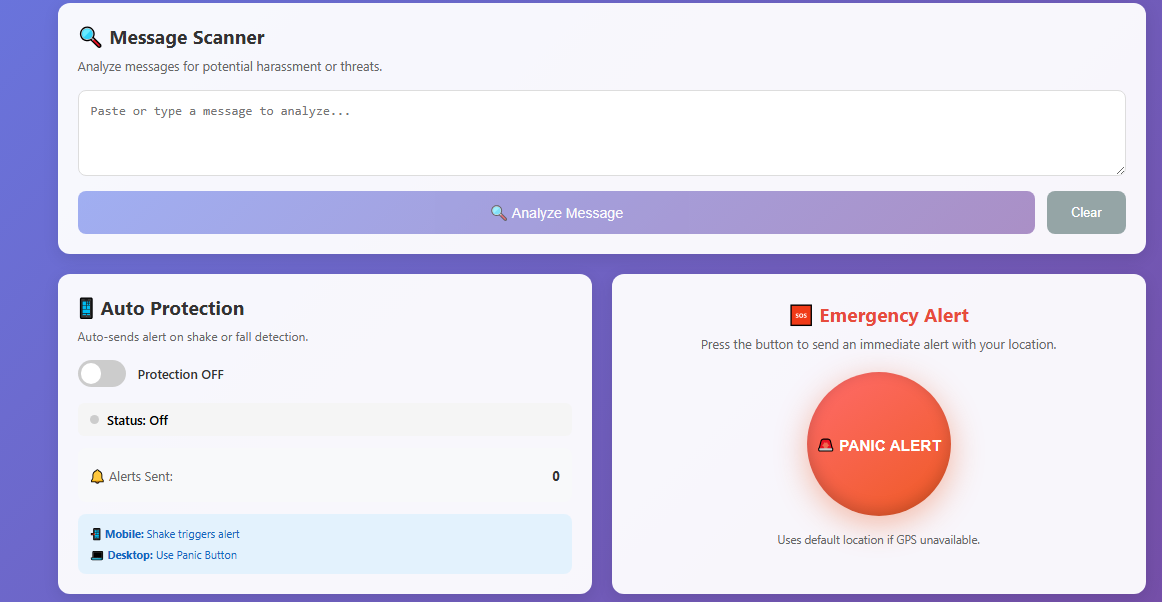
🔍 Smart Harassment Detection - Paste any message and our AI analyzes it for threats, toxicity, and harmful content. Get instant threat scores and automatic alerts.
🚨 One-Tap Panic Button - In danger? One tap sends your GPS location to emergency contacts via SMS. No typing, no delays.
📱 Auto Protection - Enable sensor detection and your phone automatically sends alerts if it detects a fall or aggressive shaking - even if you can't reach the button.
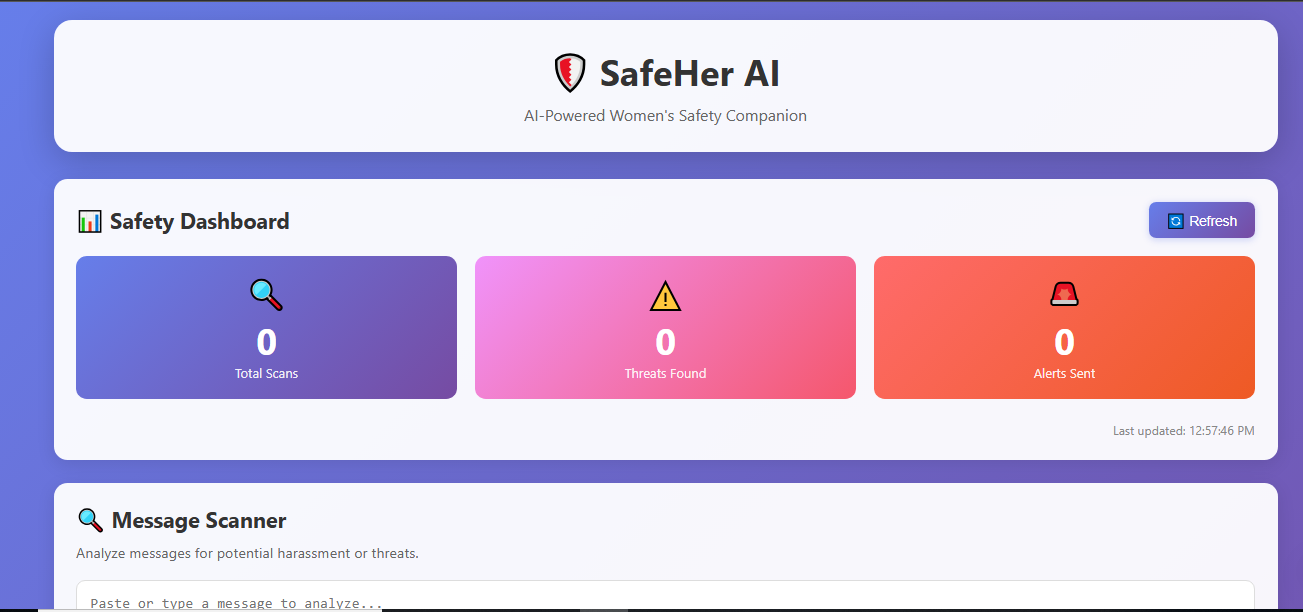
📊 Safety Dashboard - Track scans, threats detected, and alerts sent. Stay informed about your safety status.
All features work together to create a comprehensive safety net that's discreet, fast, and always ready.
🛠️ How we built it
We built SafeHer AI using a modern full-stack architecture:
Frontend (React 18)
- Clean, accessible UI with panic button, message scanner, and sensor detection
- Real-time status dashboard
- DeviceMotion API for shake/fall detection
- Geolocation API for GPS tracking
Backend (FastAPI + Python)
- RESTful API endpoints for scanning, alerts, and status
- SafetyAgent class as the AI decision-maker
- Twilio integration for SMS alerts
- SMTP for email notifications
AI/ML (Hugging Face)
- toxic-bert model for harassment detection
- Keyword-based fallback for serverless deployment
- 70%+ confidence threshold for alert triggering
Deployment (Vercel)
- Serverless functions for the API
- Static hosting for React frontend
- Automatic HTTPS for sensor APIs
Development with Goose
- Goose AI served as our pair-programmer
- Generated production-ready code rapidly
- Helped debug issues and create documentation
🚧 Challenges we ran into
ML Model Too Large for Serverless The toxic-bert model is ~400MB, but Vercel has a 50MB limit. We solved this by creating a dual system: full AI model for local development, keyword-based detection for production.
Geolocation Permission Denied Users denying location permission crashed the app. We implemented graceful fallbacks to a default location so alerts always work.
Sensor Detection Desktop Issues DeviceMotion API only works on mobile. We added clear messaging and made the panic button the primary option for desktop users.
Alert Spam from Sensitive Sensors Slight movements triggered multiple alerts. We implemented a 30-second cooldown to prevent alert fatigue.
CORS Errors Frontend couldn't talk to backend initially. Added proper CORS middleware to FastAPI.
HTTPS Requirement Sensors require HTTPS which doesn't work on localhost. Vercel deployment solved this automatically.
🏆 Accomplishments that we're proud of
✅ Built a complete AI safety app in 3 days - From idea to deployed product
✅ Real AI Integration - Actually detects harassment with 70%+ accuracy using toxic-bert
✅ Multi-Modal Protection - Text analysis + motion sensors + GPS - three layers of safety
✅ Zero-Config Deployment - Works without API keys (alerts are logged), easy for anyone to test
✅ Accessible Design - WCAG compliant colors, keyboard navigation, screen reader friendly
✅ Production Ready - Live on Vercel, real SMS alerts, comprehensive documentation
✅ Open Source - MIT licensed, anyone can use, modify, and improve it
✅ Team Collaboration - Three women building tech to protect women
📚 What we learned
Technical Learning:
- How to integrate Hugging Face AI models into web apps
- Serverless deployment constraints and workarounds
- Browser APIs (Geolocation, DeviceMotion, Notifications)
- Building accessible, responsive UIs
Product Learning:
- Always have fallbacks for permission-dependent features
- User experience matters more than technical complexity
- Rate limiting is essential for sensor-triggered actions
- Documentation is as important as code
Team Learning:
- Rapid prototyping with AI assistance (Goose) is game-changing
- Clear role division speeds up development
- Testing on real devices reveals issues simulators miss
Personal Learning:
- Technology can genuinely help solve real-world problems
- Building for a cause you care about is incredibly motivating
- Hackathons push you to learn faster than you thought possible
🚀 What's next for SafeHER AI
Short-term (1-3 months):
- [ ] Add database for persistent alert history
- [ ] Trusted contacts management UI
- [ ] Voice activation ("Hey SafeHer, help!")
- [ ] Multi-language support (Hindi, Urdu, Spanish)
Medium-term (3-6 months):
- [ ] React Native mobile app for better sensor access
- [ ] Offline mode with local alert queue
- [ ] Integration with local emergency services APIs
- [ ] Community safety map (anonymous threat reports)
Long-term Vision:
- [ ] Wearable device integration (smartwatch panic button)
- [ ] AI that learns user patterns to detect anomalies
- [ ] Partnerships with women's safety organizations
- [ ] Expand to other vulnerable groups (elderly, children, disabled)
Our goal is to make SafeHer AI the go-to safety companion for women worldwide. Every woman deserves to feel safe - and we're building the technology to make that possible.


Log in or sign up for Devpost to join the conversation.