-
-
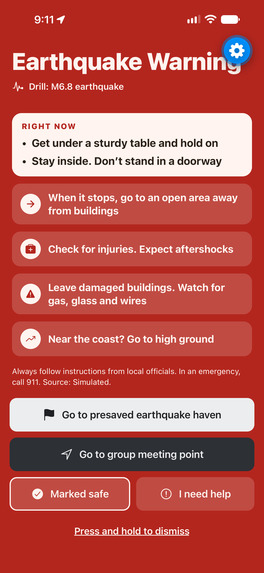
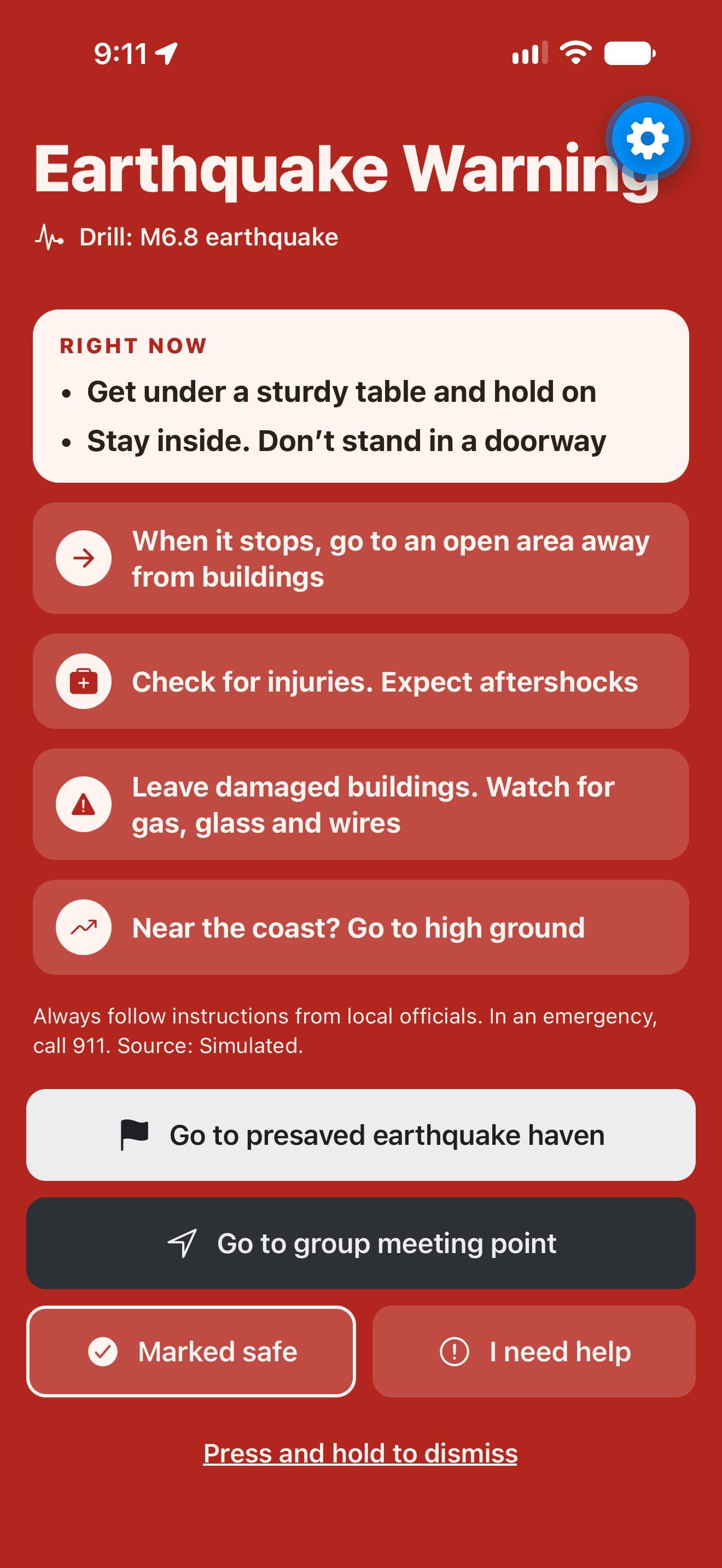
Earthquake simulation. The app tells you what to do now, as well as gives buttons to go to the meeting points.
-
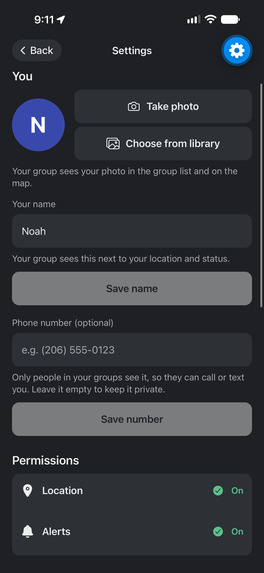
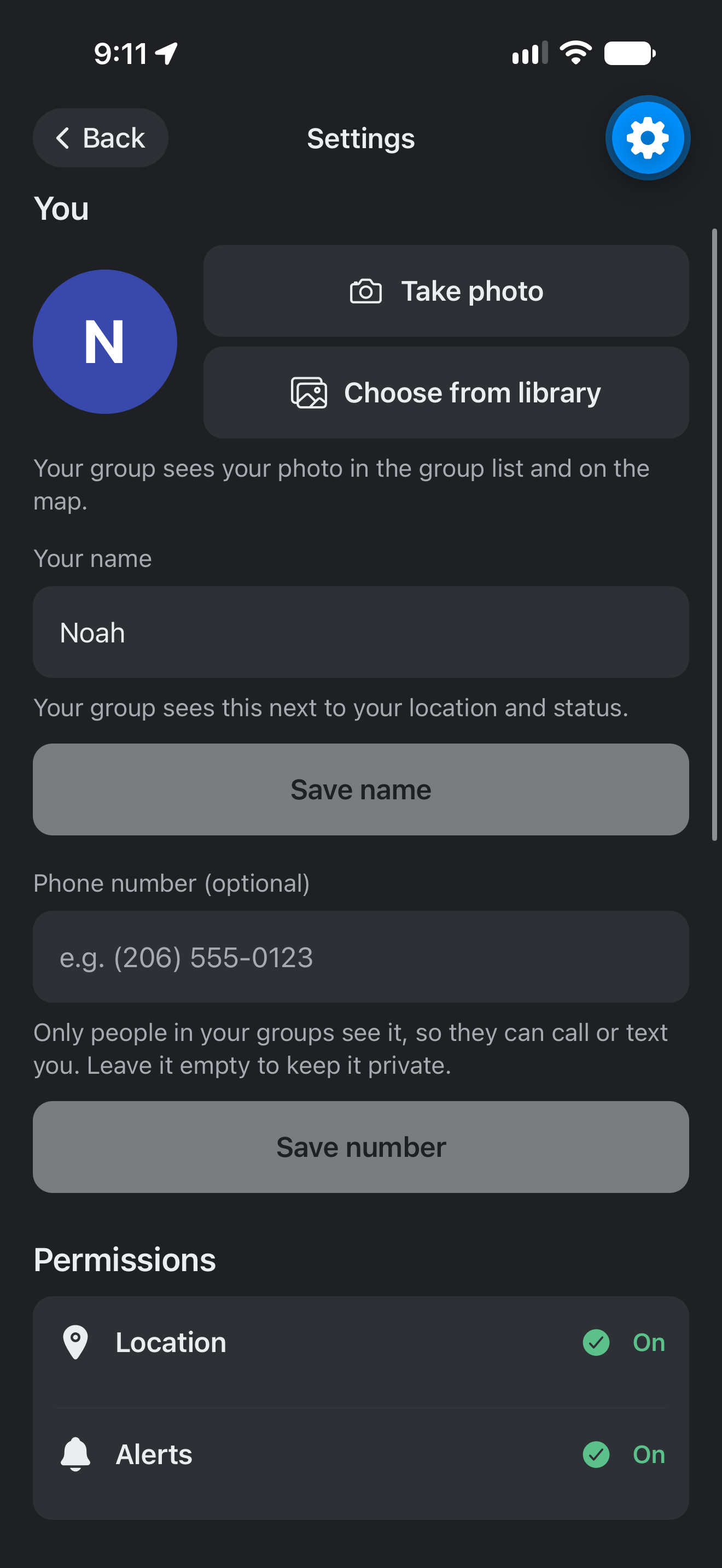
This is the top of the settings page where you can edit your profile.
-
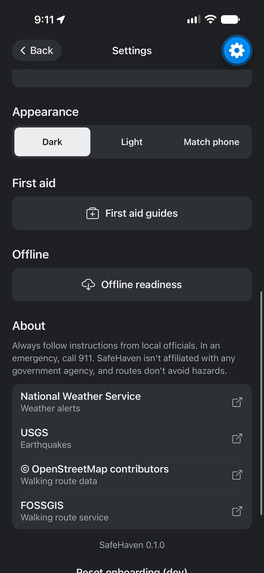
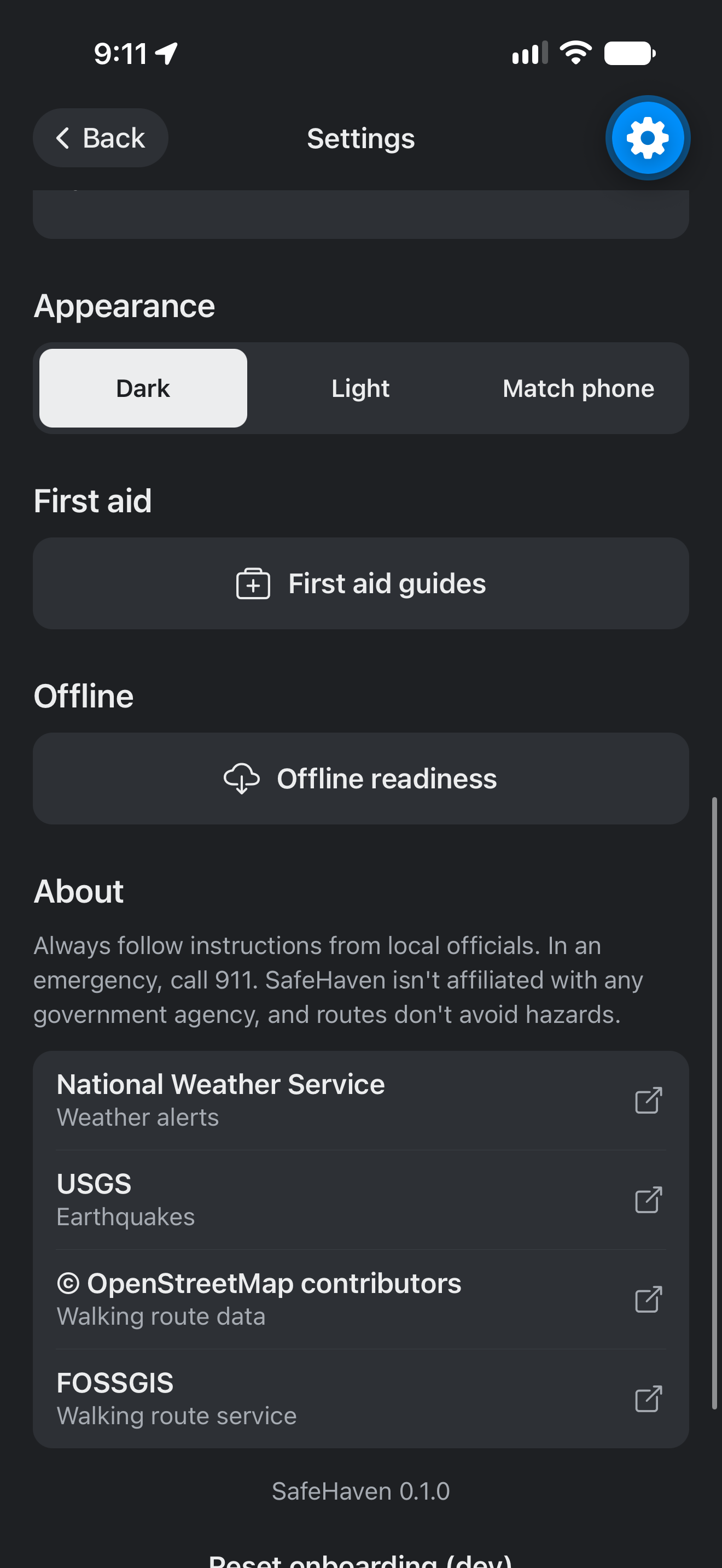
This is the bottom of the settings page. It contains appearance, the first aid guide, offline readiness, and an about section.
-
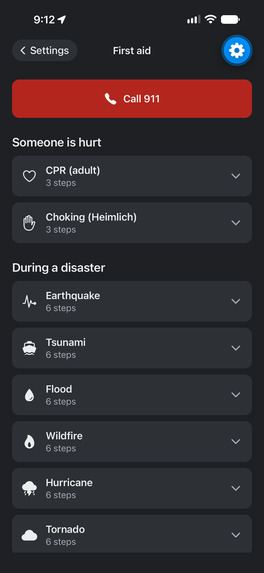
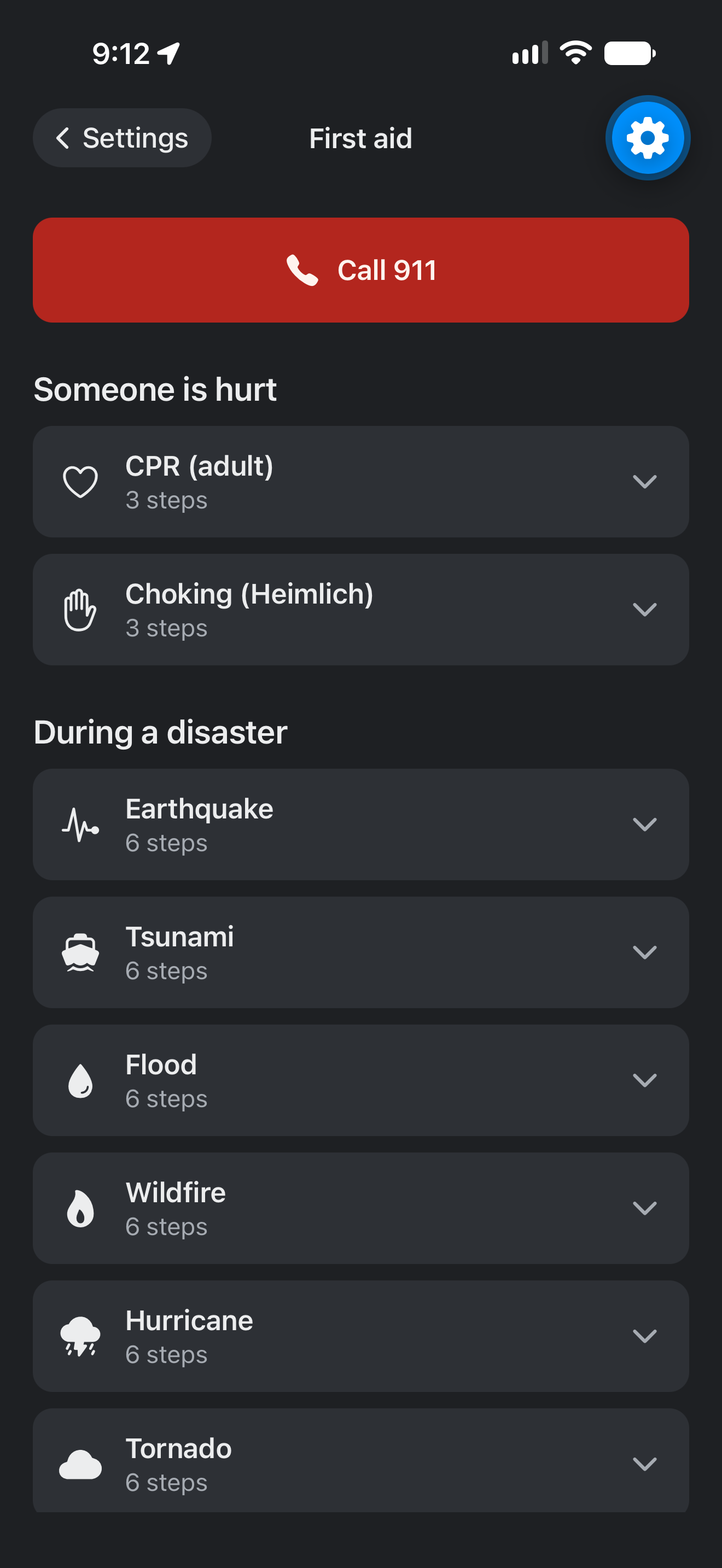
This is the first aid and hazard screen. Click on any of the buttons to learn about what to. Built in 911 call. Learn how to give first aid.
-
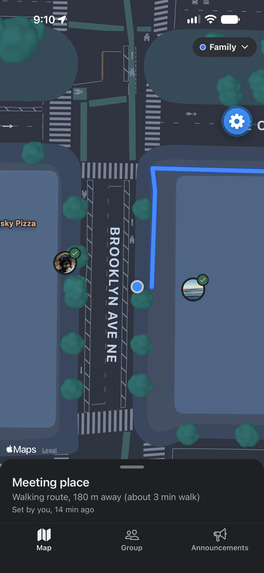
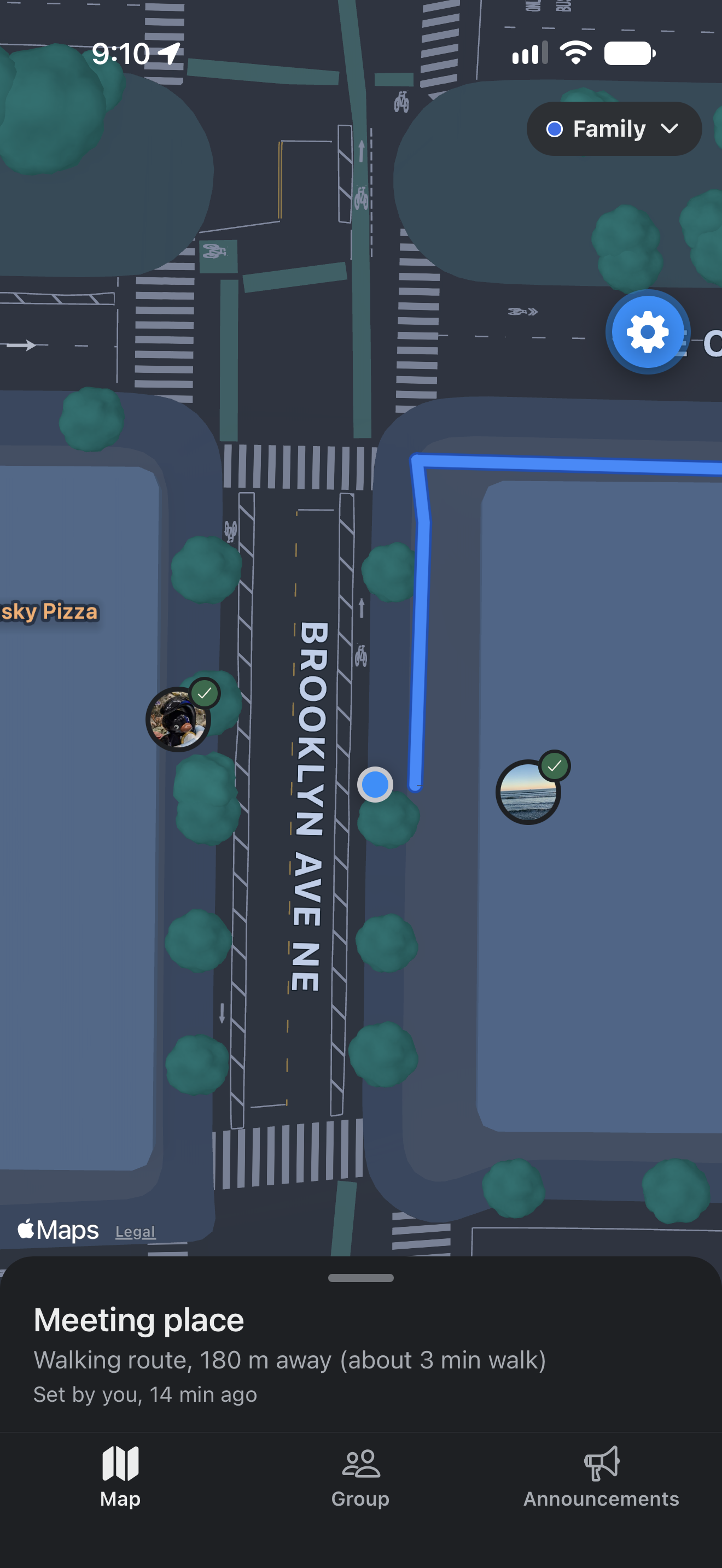
This screenshot contains an example of all members in a group being shown near each other on the map.
-
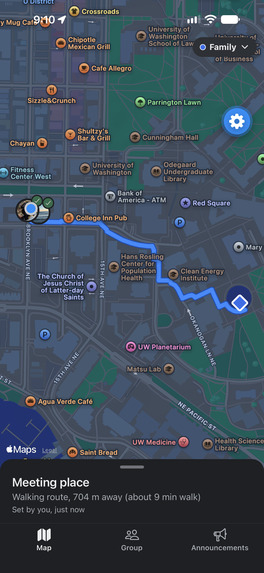
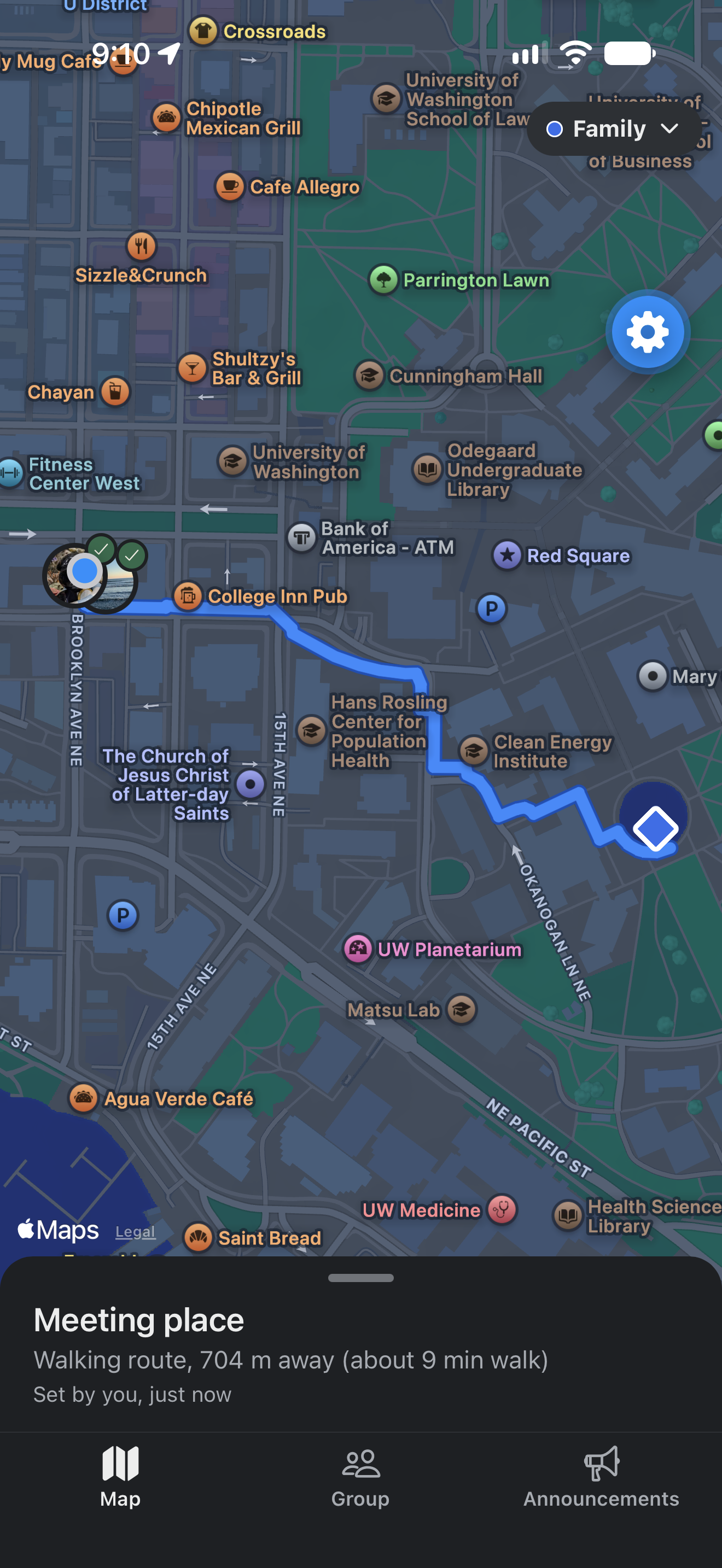
This map contains a screenshot of an example of routing to a meeting point.
-
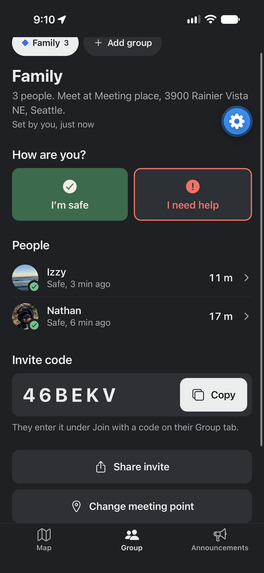
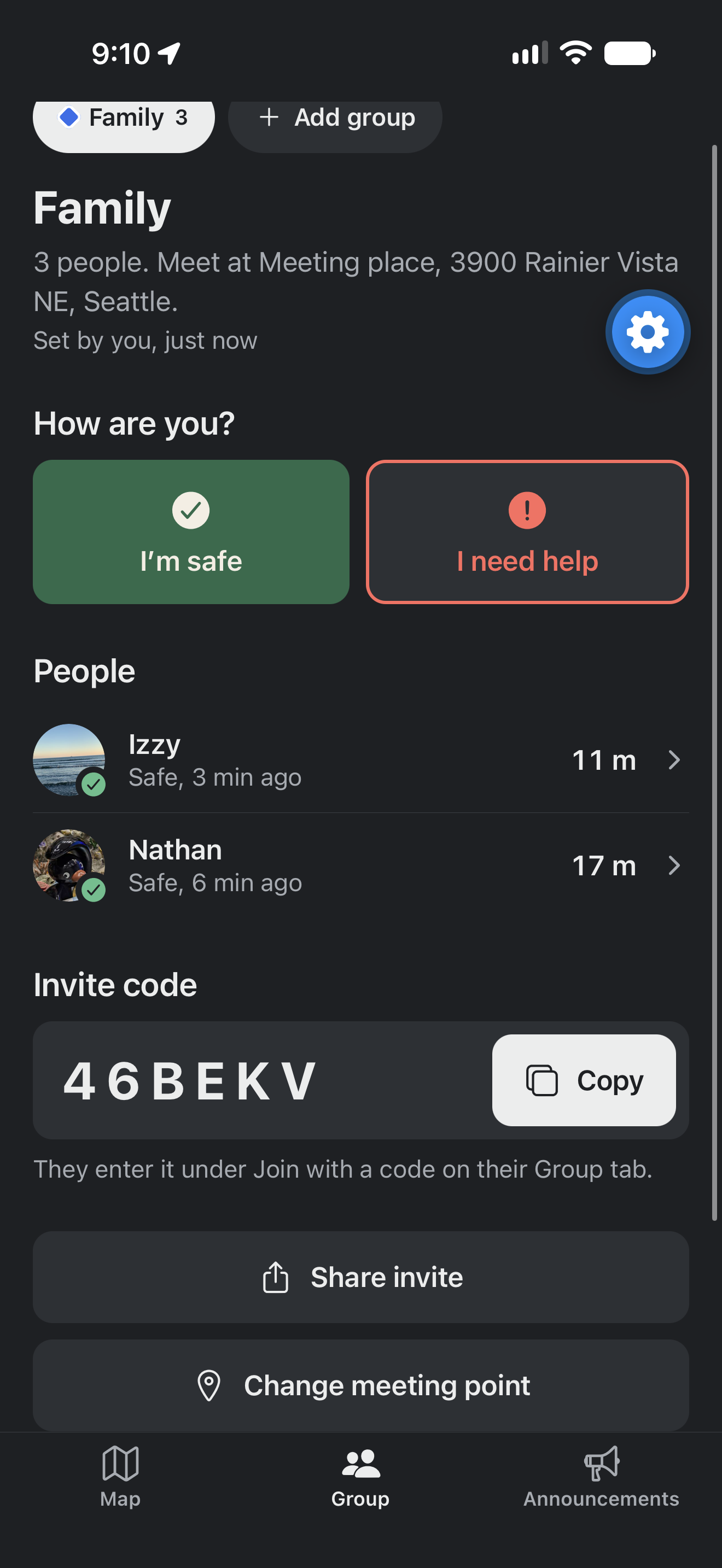
This shows the groups page. It lists all members in your group, how far away they are, if they're safe, and the group invite code.
-
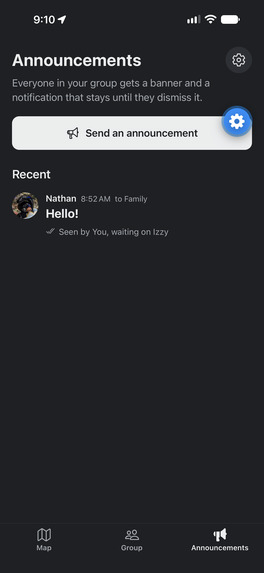
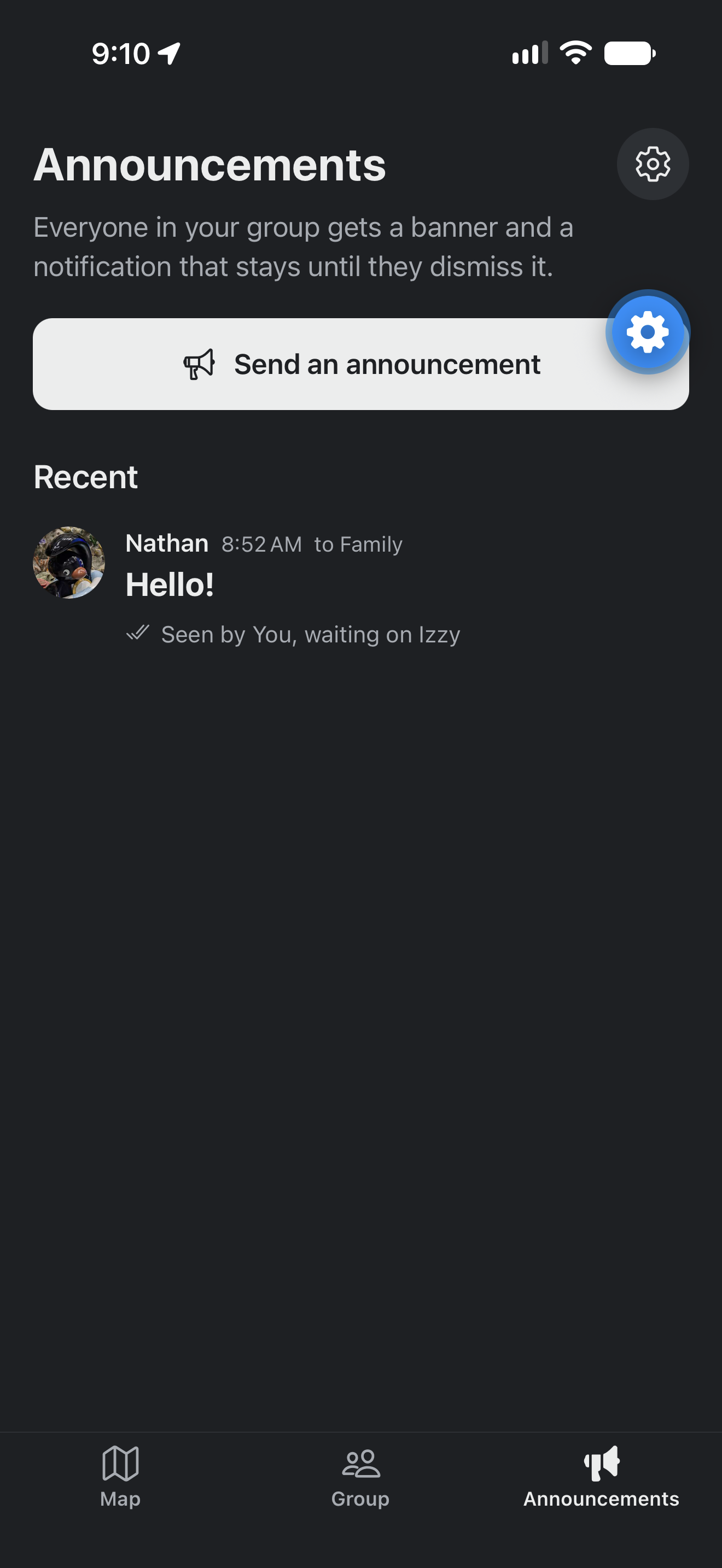
This shows the announcements page.
-
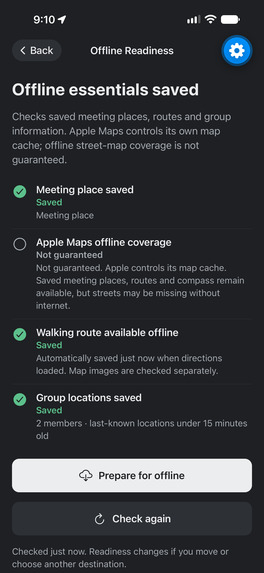
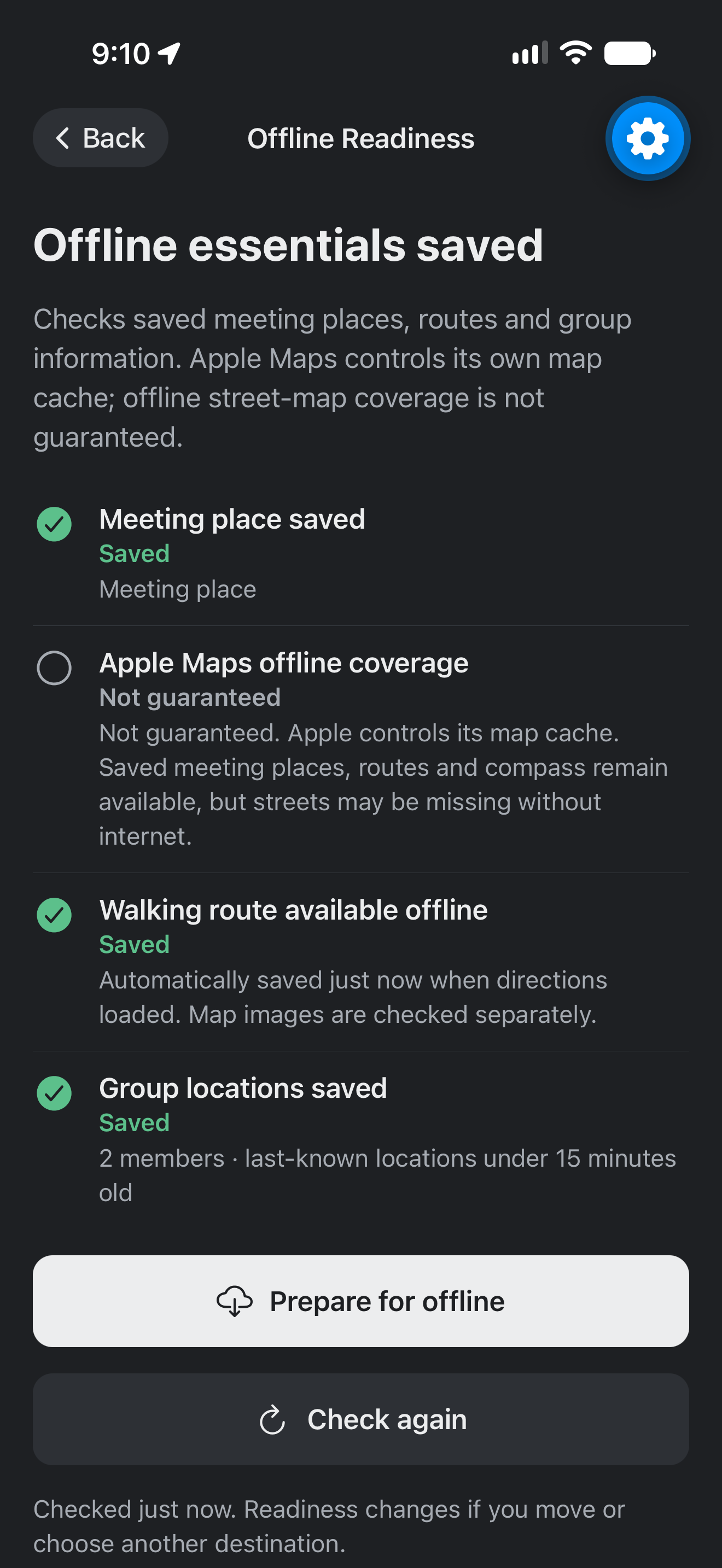
This photo shows offline readiness, whether or not your meeting points are saved, and locations are updated.
Inspiration
In our Engl 131 class themed around apocalypses, we learned about “The Big One”, a catastrophic and long-overdue mega earthquake that is expected to hit the west coast of Washington. The Big One is considered to be scientifically inevitable, with a 10-39% chance of happening in the next 50 years. With thousands of structures highly susceptible to earthquakes and less than 2 weeks of supplies in an emergency, most Seattleites are unprepared for an event of this magnitude. Since natural disasters are far and few in the Pacific Northwest, our residents have long since grown complacent towards the threat of disasters like “The Big One”. We created SafeHaven to help people prepare before disaster strikes.
What it does
SafeHaven is an emergency preparedness and group coordination app compatible with both iOS and Android that not only alerts users during a disaster, but also routes them to safety with or without Wi-Fi. Our app allows users to form groups that update each member’s location in real time while allowing the group to set a meeting point where the group can evacuate to in case of an emergency. Users are able to mark themselves as “safe” or “needing help,” which would automatically send an alert to other group members. Each group can choose an everyday meeting point and save separate “Disaster Havens” for six possible scenarios: earthquakes, tsunamis, floods, wildfires, hurricanes, and tornadoes. Saving a haven allows users to plan ahead for each specific disaster and use their preset “Disaster Havens” even when there is no time or signal. SafeHaven also checks National Weather Service and USGS feeds while the app is open to ensure accurate disaster alerts, displays hazard-specific guidance depending on the disaster, and supports group announcements. In case of lost connectivity, SafeHaven automatically downloads the last known group information locally using our offline readiness protocol. GPS and compass guidance allow SafeHaven to lead you to safety even without a signal.
How we built it
We built SafeHaven using React Native, Expo, Expo Router, and TypeScript, testing the app on phones through Expo Go.
- We used react native maps with both Apple Maps on iOS and Google Maps on Android.
- Firebase Authentication provides anonymous identification without requiring users to create an account. - Cloud Firestore was used to synchronize groups, locations, safety statuses, disaster havens, profiles, and announcements.
- Expo Location allowed the implementation of GPS coordinates and compass navigation, while react native maps displayed the map, meeting places, members list, and shortest route.
- Our walking directions were sourced from the FOSSGIS pedestrian routing service, which uses
- OpenStreetMap data to make navigation possible. Lastly, we stored our app snapshots locally with
- AsyncStorage so that our offline readiness protocol can survive an app restart.
Challenges we ran into
Android compatibility created hurdles for both deployment and map display. For iPhone, our initial workflow was to open directly in Expo Go. For Android, we implemented a browser-to-application handoff (with discovery of the different shell installations) and found we needed to distinguish between loading in Expo Go versus our custom development build. We set the launch in the latter, targeting the former. As we shared one React Native codebase, native maps didn't render exactly the same. Custom markers that worked on iOS resulted in excessive memory use and the app crashing on Android. We avoided this by only refreshing markers when their content changed rather than redrawing them continuously. We also waited to apply the layout adjustments until the map was fully initialized to avoid another native crash, and reduced screen spacing to avoid the Android navigation bars. This showed us that cross-platform development requires sharing the core logic of the application but will still need to be tested for each platform.
What we learned
We learned how to integrate mobile interfaces, GPS and compass sensors, real-time cloud updating, and local storage into a single app.
- We also learned that using shared code on iOS and Android doesn't eliminate the need for program-specific testing.
- Developing offline features made us realize that a phone can do some things locally and needs a network connection for others. GPS can still work without a network connection, but we can't retain live group updates or set new meeting points. A saved route doesn't mean the underlying map imagery will remain available.
- As a team, we learned about clear ownership, focused GitHub branches, and regular merges.
- Resolving merge conflicts made us realize how important communication and work allocation are in a team environment.
- Although Claude Code and Codex accelerated our efficiency, we were responsible for understanding, verifying, and debugging their output on real devices.
- Most of all, we realized that planning for emergencies requires clarity. Users should know at a glance where to go, who needs help, and whether this information is live or last known.
- Cramming information into the interface is not helpful for the user. Rather, we realized that simple, efficient information is the best kind of reassurance in the event of an emergency. We want SafeHaven to be intuitive enough to never need a tutorial but useful enough to offer life-saving information during a disaster.
Built With
- asyncstorage
- cloudfirestore
- expo.io
- firebase
- openstreetmap
- react
- react-native
- typescript


Log in or sign up for Devpost to join the conversation.