-
-
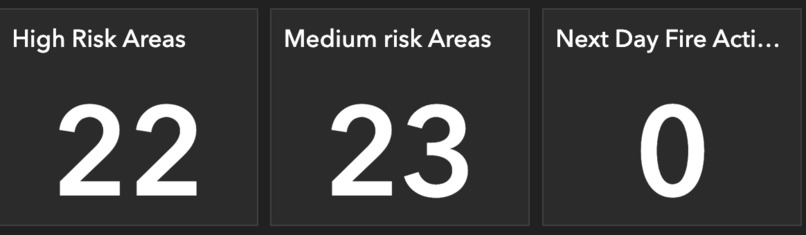
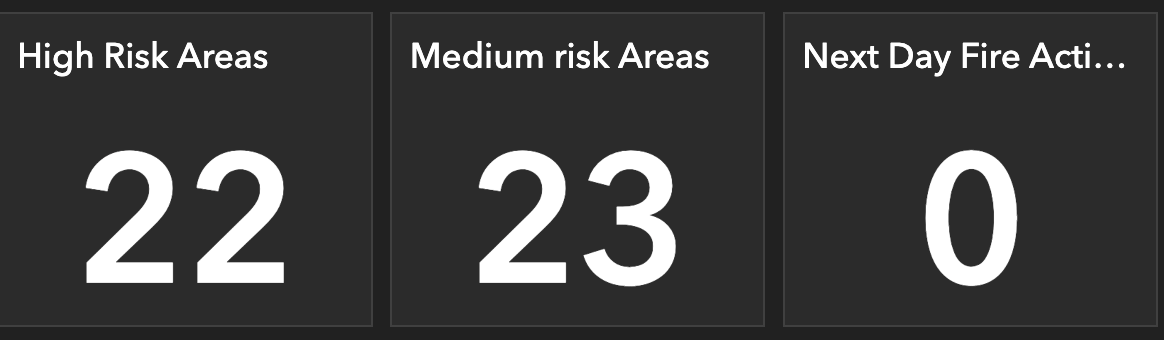
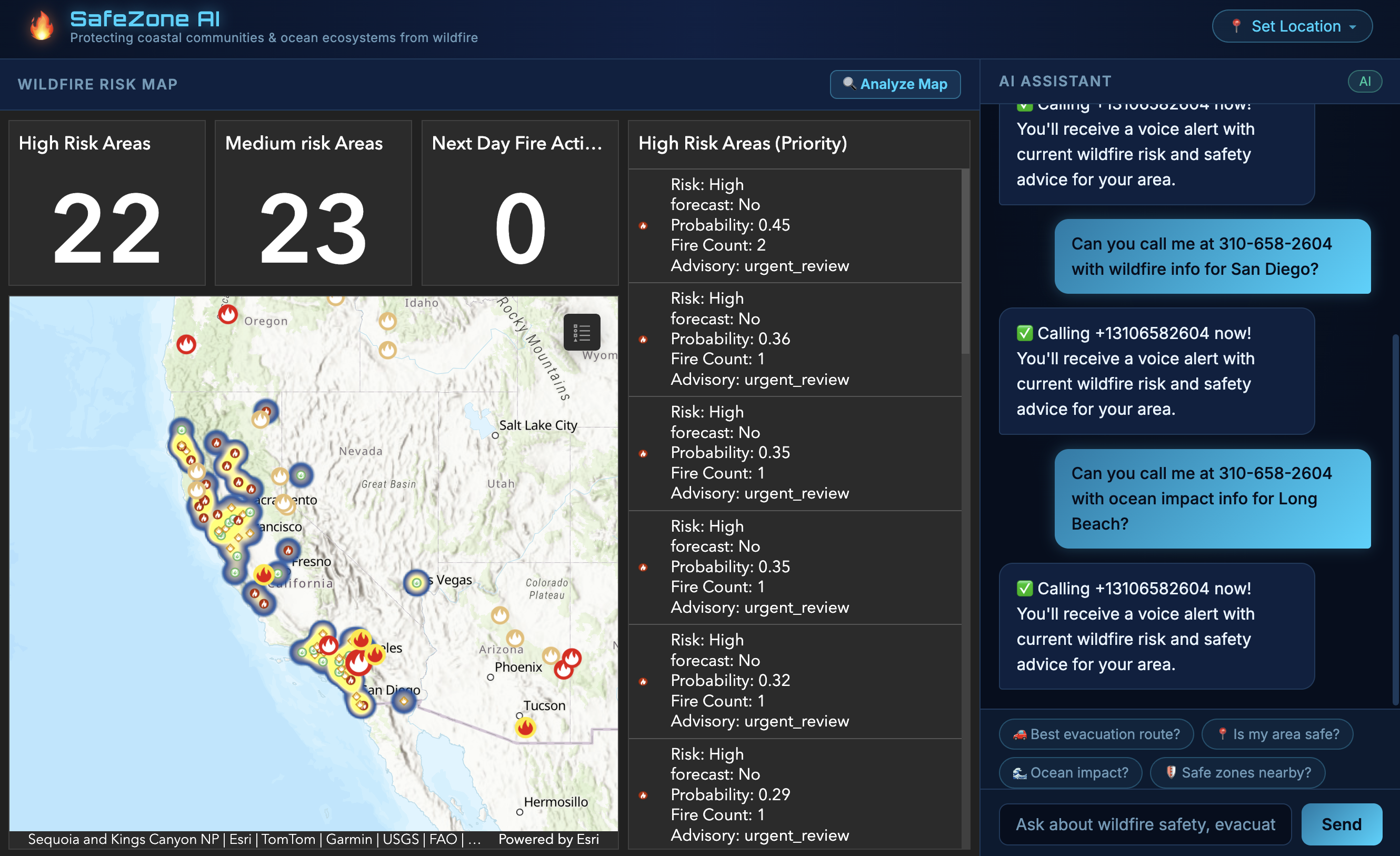
number of risk
-
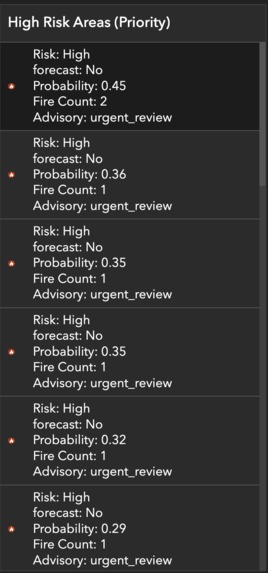
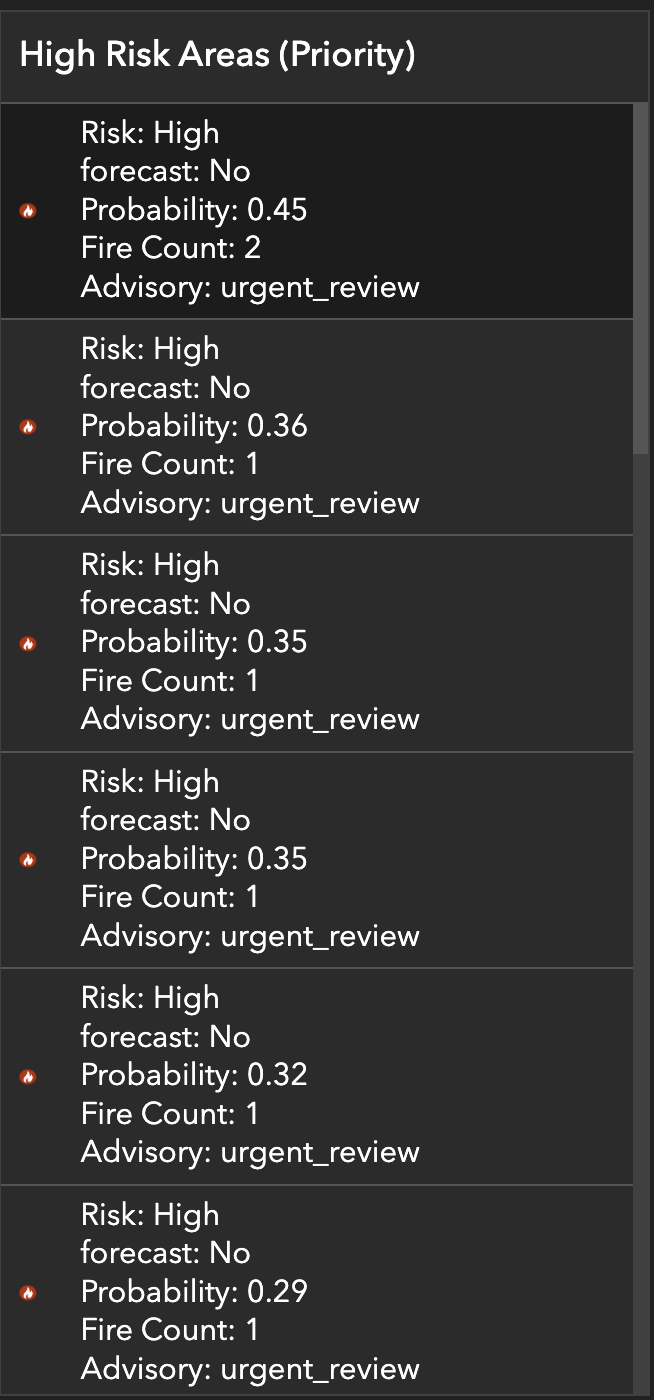
Risk detail
-
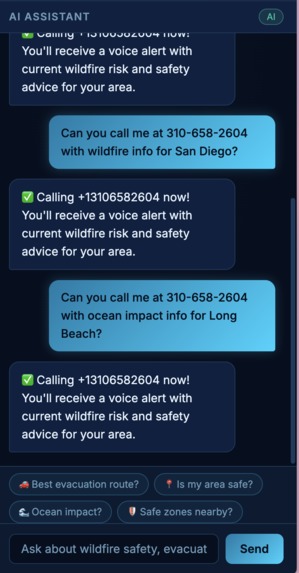
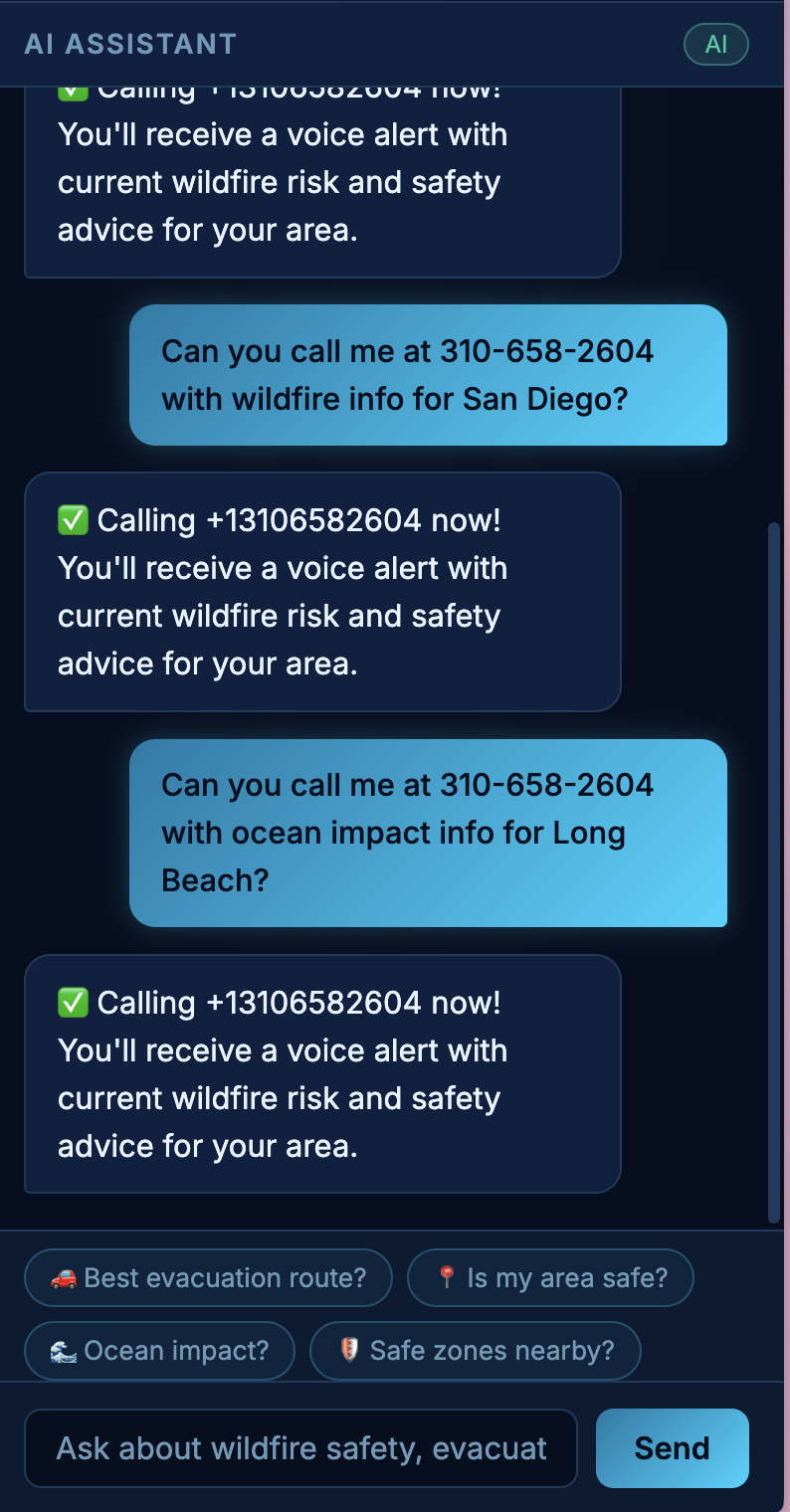
AI chat
-
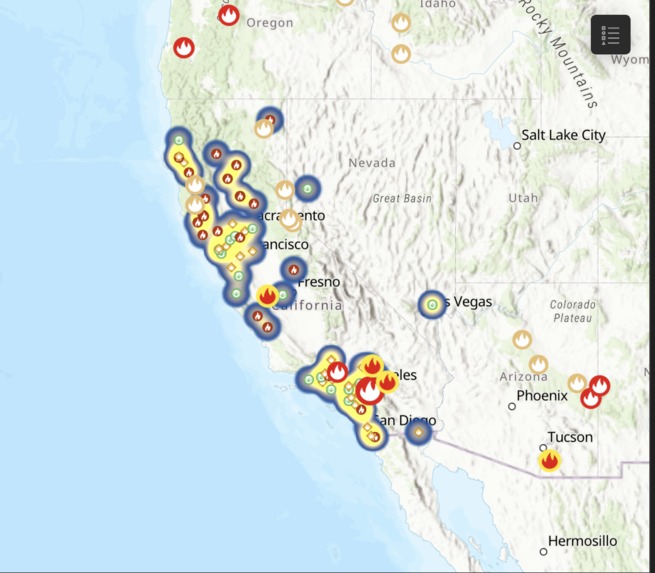
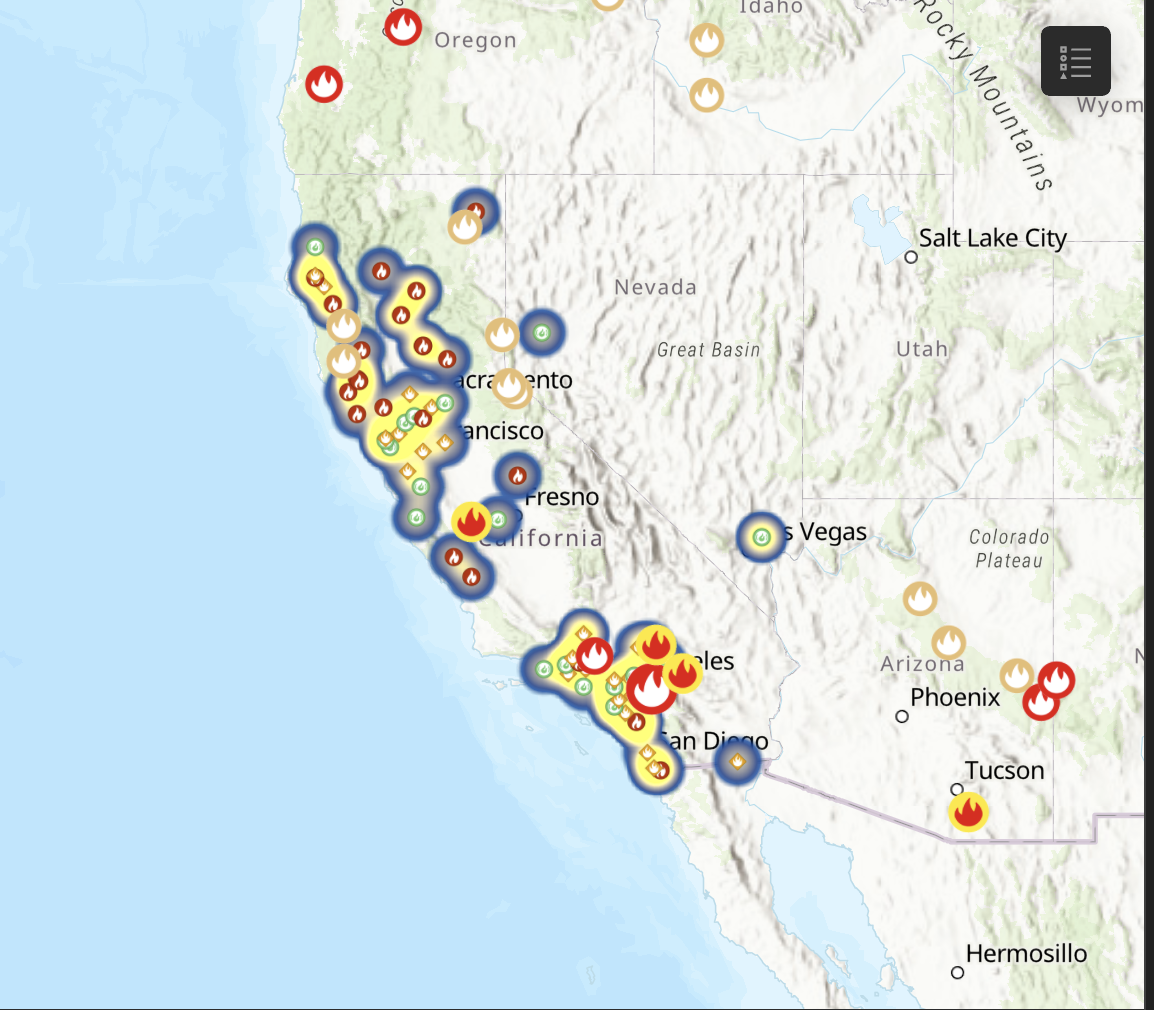
arcGIS map
-
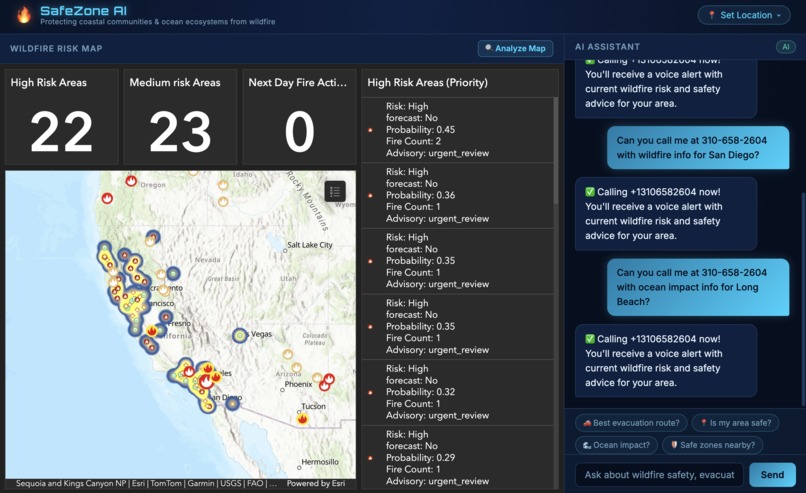
web page
Inspiration
Wildfires in California don't just destroy homes they also devastate coastal ecosystems through ash runoff, degrade ocean water quality, and blanket communities in dangerous air. We were inspired by the gap between raw satellite fire data and what everyday people actually need: "Is my neighborhood safe right now, and where should I go?" Most wildfire tools are either too technical for the public or too slow to be actionable. We wanted to build something that bridges real-time ML predictions with a human-friendly interface and keeps coastal communities and ocean ecosystems front of mind.
What It Does
SafeZone AI is a wildfire situational awareness platform that:
- Predicts wildfire risk across 63 California zones using a machine learning model trained on NASA FIRMS satellite data, NOAA weather conditions, and FEMA risk indicators
- Visualizes risk in real time via an ArcGIS dashboard embedded directly in the app which showing fire detections, risk zones (HIGH / MEDIUM / LOW), wind conditions, and spatial clustering
- Answers your questions through an AI chat assistant (GPT-4.1) that knows your location, the nearest risk zone, fire probability, evacuation context, and never speaks in raw coordinates
- Calls you with an alert type your phone number in the chat and SafeZone AI will call you with a voice alert summarizing current conditions and what to do
- Guides evacuation by identifying danger clusters and naming the safest nearby cities using reverse geocoding
How We Built It
ML Pipeline (Python)
- Pulled live fire detections from NASA FIRMS and weather data from NOAA
- Engineered spatial features: fire count density, avg/max brightness, wind speed, and 1–3 day lag fire counts
- Trained a
RandomForestClassifierto predict next-day fire activity (binary), evaluated on a time-based train/test split - Assigned risk levels (LOW / MEDIUM / HIGH) and advisory levels, then exported predictions to CSV for the frontend
ArcGIS Dashboard
- Uploaded prediction output to ArcGIS Online
- Built an interactive dashboard showing risk zones, fire clusters, wind vectors, and a priority risk list
Frontend (Vanilla JS / HTML / CSS)
- Single-page app with a Deep Sea ocean theme (bioluminescent cyan, Orbitron font, navy gradients)
- ArcGIS dashboard embedded as an iframe (70% of screen)
- Loads ML prediction CSV, finds the user's nearest risk zone by coordinates
- OpenStreetMap Nominatim for forward geocoding (city → coordinates) and reverse geocoding (coordinates → city names in AI responses)
- AI chat with full wildfire context injected: risk level, probability, advisory, evacuation city clusters
Backend (FastAPI + Twilio)
- Two endpoints:
POST /api/alert/smsandPOST /api/alert/call - Twilio voice call reads an AI-generated alert using text-to-speech
Challenges We Ran Into
- Toll-free SMS blocking our Twilio trial number (
844-xxx) was blocked by carriers without Toll-Free Verification (a multi-week process). We pivoted to voice calls, which worked immediately on the same number. - Raw coordinates in AI responses GPT kept mentioning lat/lng in answers. We fixed this by reverse-geocoding all zone coordinates to city names before injecting them into the system prompt, and adding an explicit rule: "Never mention raw lat/lng."
- Geolocation on privacy browsers Arc browser caches location denials aggressively. We built a full location dropdown with both GPS and manual city/zip input as fallback.
- iframe embed restrictions NASA FIRMS and several map providers block iframe embedding via X-Frame-Options. We switched to the ArcGIS dashboard our teammate built.
- Class imbalance in the ML model actual next-day fire events are rare (~3.6% of data), so the model achieved 90% accuracy but low precision/recall on the positive class. We addressed this with time-split evaluation and probability thresholds for risk scoring rather than relying on binary predictions alone.
Accomplishments That We're Proud Of
- End-to-end pipeline: from raw NASA satellite data → ML predictions → live AI chat with contextual awareness
- The AI never hallucinates coordinates every location reference is a real city name from reverse geocoding
- Voice alert working live: say a phone number in the chat → get a real phone call with a safety briefing in seconds
- The "Analyze Map" button gives a full situational briefing of all 63 zones in one click, naming danger clusters and safe destinations
- Clean, polished UI that looks like a real emergency operations tool, not a hackathon prototype
What We Learned
- Geospatial ML requires careful temporal validation a random train/test split would leak future fire events into training and inflate accuracy
- Prompt engineering matters as much as model quality: injecting structured context (risk level, probability, wind, advisory) into the system prompt produces dramatically more useful AI responses than a generic chatbot
- Twilio's trial account has significant restrictions that aren't obvious upfront toll-free SMS needs carrier verification, voice calls work more reliably
- Reverse geocoding as a middleware layer between raw data and user-facing output is essential for trust and readability
What's Next for Safe Zone AI
- SMS delivery complete Twilio Toll-Free Verification or switch to a local 10-digit number to enable SMS alongside voice
- Scheduled alerts "text me every morning if my area is HIGH risk" using APScheduler or a cron job
- Richer ML features add humidity, temperature, terrain elevation, and vegetation dryness indices (NDVI) for better prediction accuracy
- Expand beyond California the pipeline is generalized; other states with NASA FIRMS coverage can be added
- Markdown rendering in AI responses for cleaner formatting of evacuation checklists and route guidance
- Ocean ecosystem impact tracker quantify projected ash runoff and water quality degradation by risk zone
Built With
- esri
- fastapi
- html/css
- javascript
- nasa-firms
- noaa-weather-api
- openstreetmap
- python
- scikit-learn
- twilio


Log in or sign up for Devpost to join the conversation.