-
-
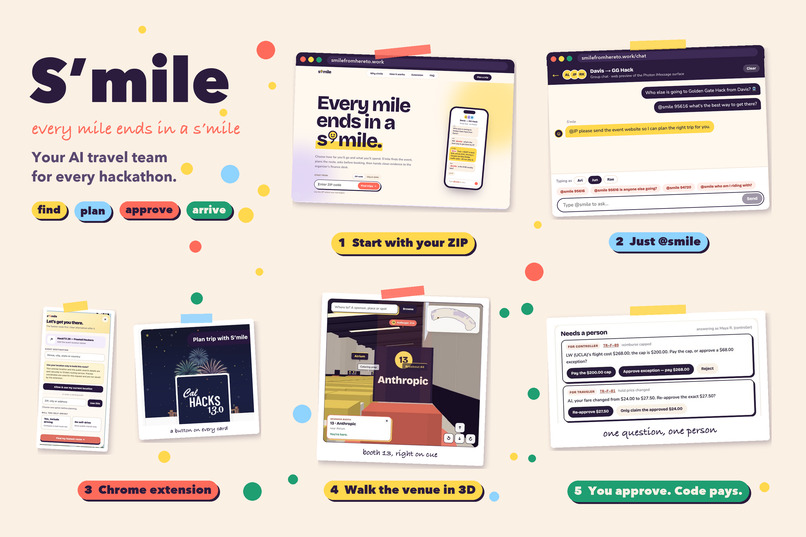
Core Features
-
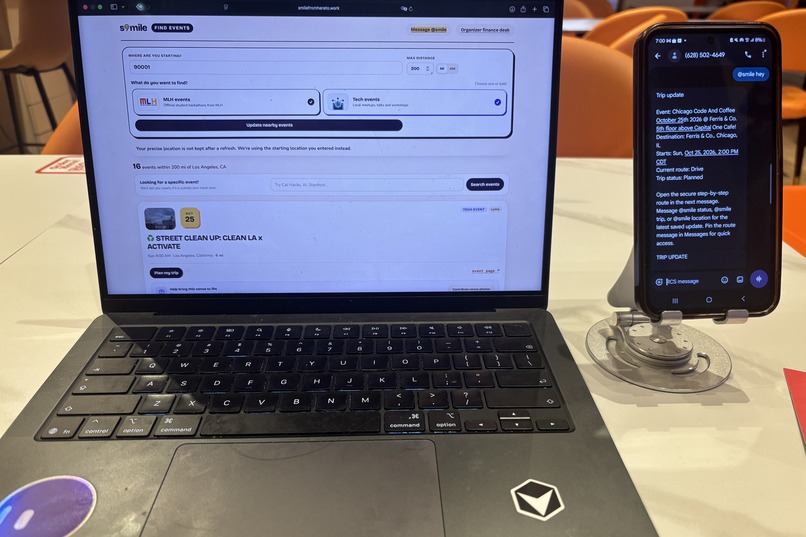
Live in the chat
-
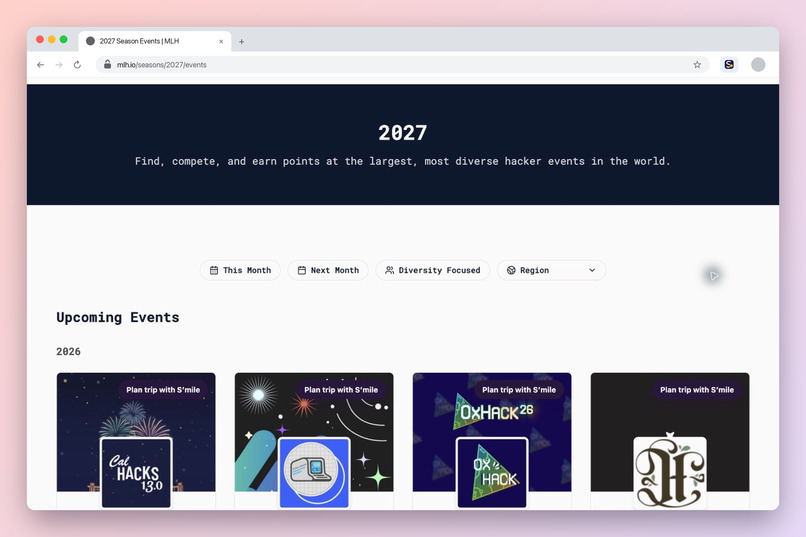
One click on every MLH event
-
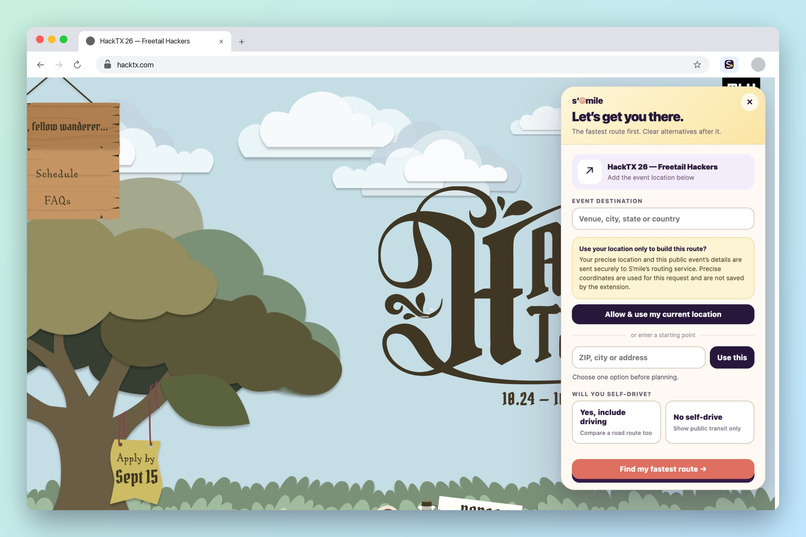
Plan from any event page
-
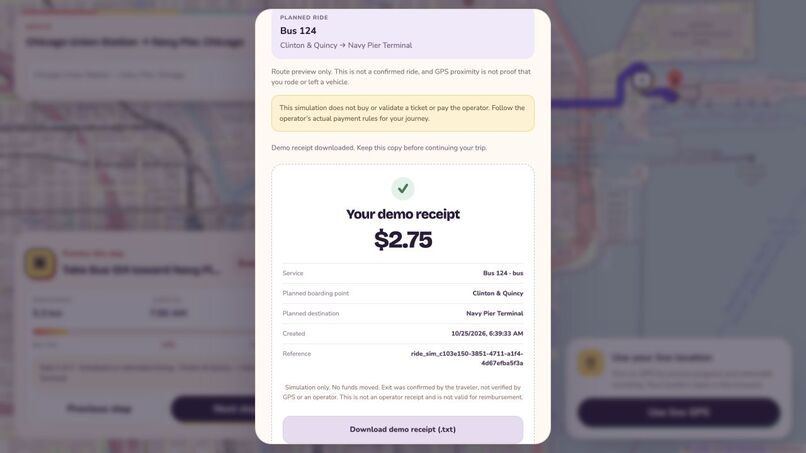
Visa Receipt Demo
Inspiration
I love hackathons, but for me the hardest part was never the code. It was getting there. One of the hackathons I joined was an AI hackathon at UCLA. I didn't have a car and I had never been to UCLA, so the night before, I looked up directions on Google. The directions confused me more. There was a long list of bus steps that didn't match what I saw at the stop, one transfer I wasn't sure about, and not many other choices. I got lost on the way, I was stressed the whole time, and I arrived late and tired before the hackathon even started.
Later I saw that many students have the same problem. We go to hackathons in cities and campuses we don't know. We open five apps and still don't know the best way. We pay for the ticket ourselves and wait weeks to get the money back. Friends from the same area go to the same event alone without knowing. And when we finally arrive, we don't know where our table is.
So I made S'mile. I want every trip to a hackathon to end with a smile, not with stress. My idea was simple: what if our group chat had a friend who knows every way to get there, picks the best one, and only pays the exact amount we say yes to?
What it does
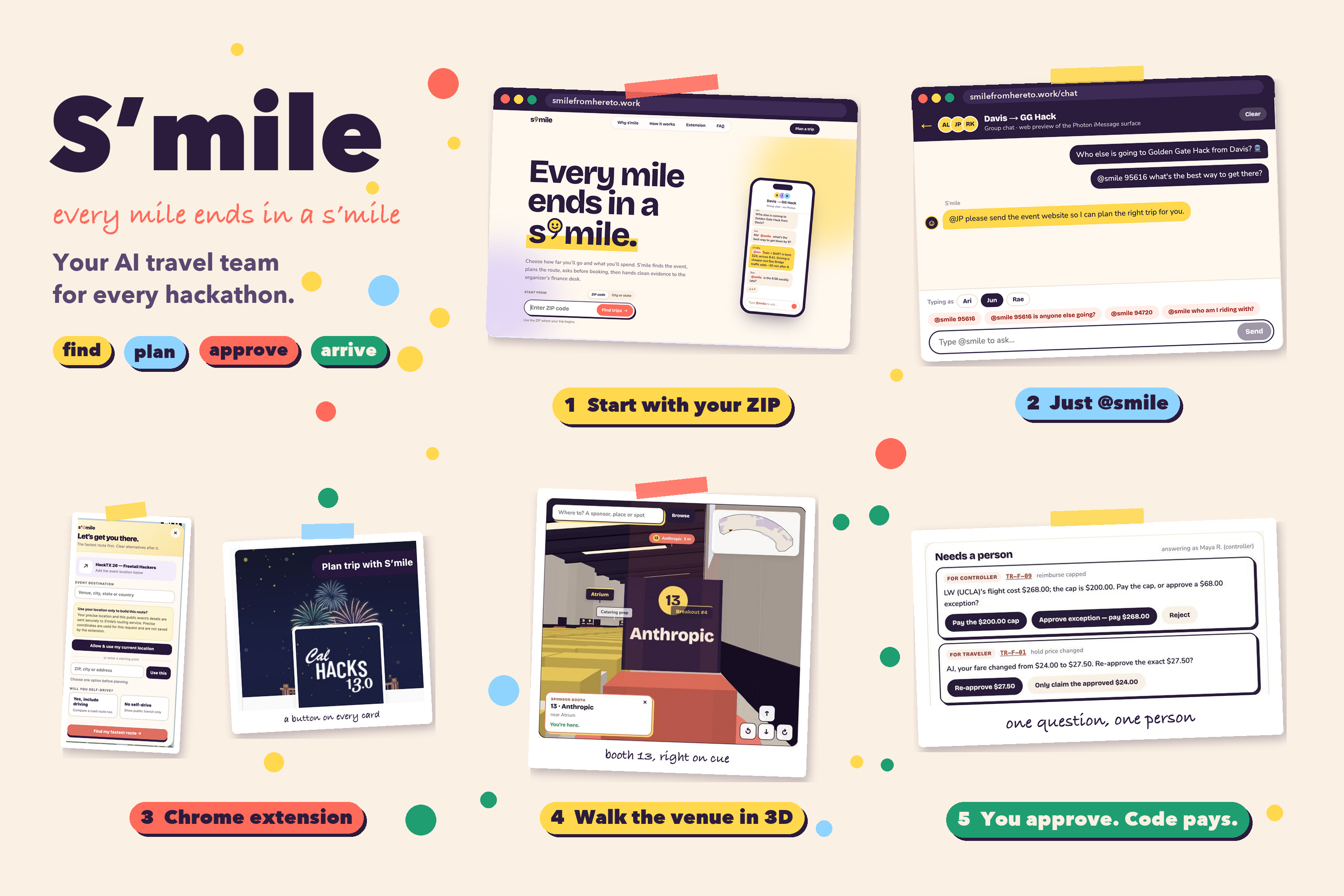
S'mile helps students get from home to a hackathon. You can type your ZIP code on the website, or tag @smile in your group chat with your ZIP code and the event link. S'mile finds the event and shows every way to get there: train, bus, carpool, rideshare or plane. For each one, it shows the price, how long it takes, how likely you are to be late, and how much pollution it makes. It tells you which one is best and why. If friends near you are going to the same event, it tells you so you can go together.
When you like the plan, you say yes to the exact price. Only then does S'mile make a one-time card for that trip, and the card cannot charge even one cent more. After that, S'mile keeps checking for you. It tells you if the price changes a lot, if it will be very hot at the venue, or if the event changes its date or place.
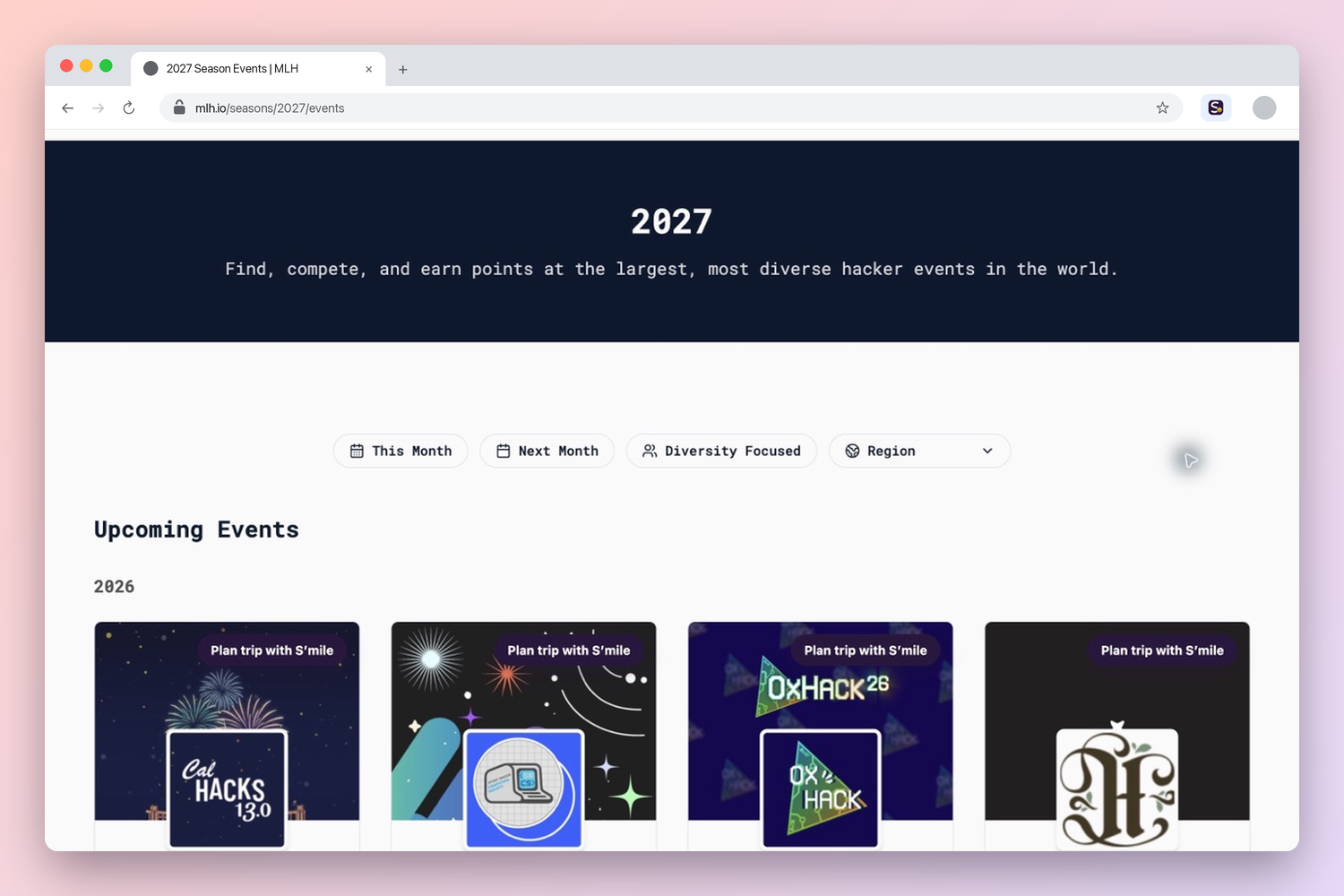
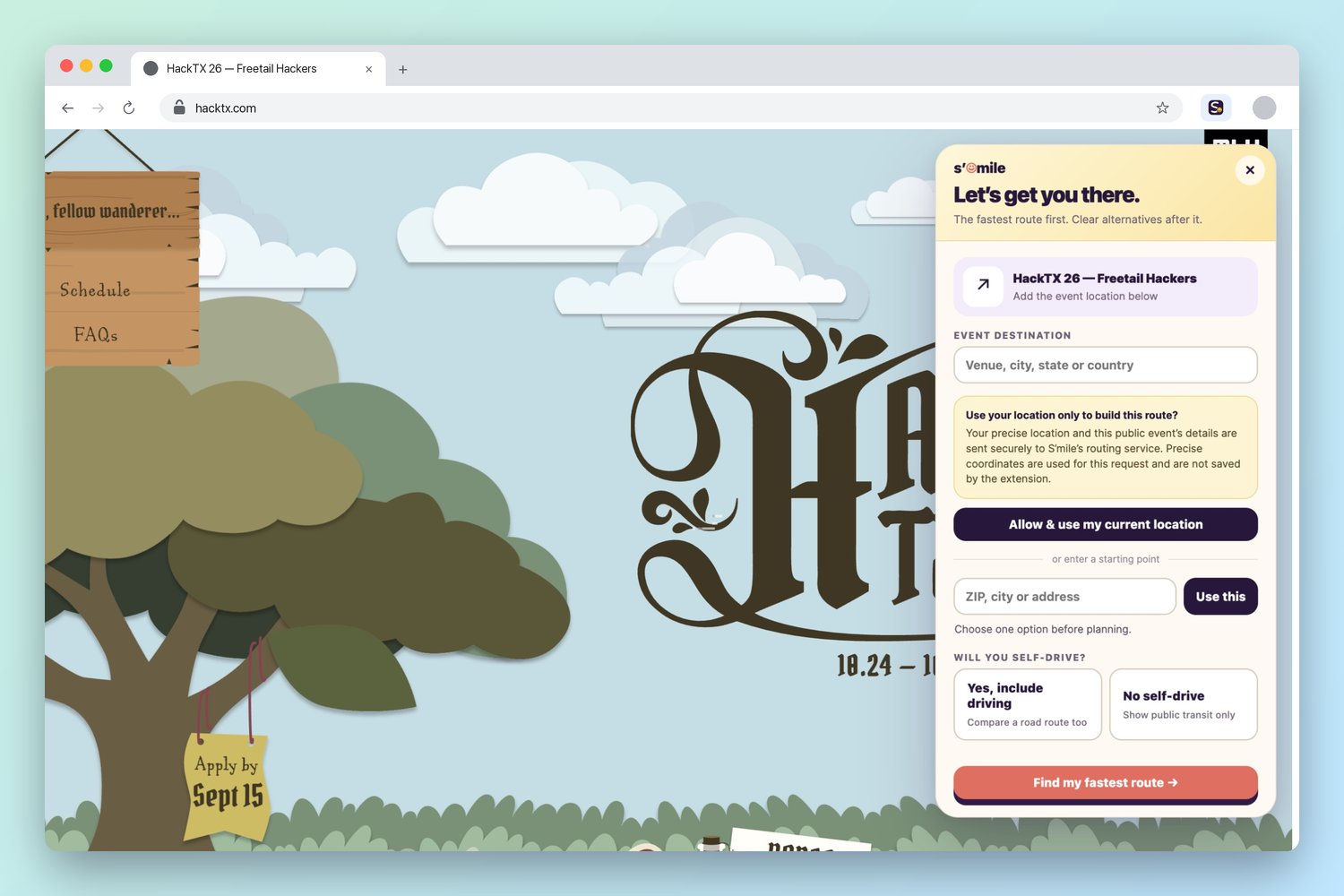
I also didn't want students to download another app. So S'mile has a Chrome extension. On the MLH events page, every event gets a "Plan trip with S'mile" button, and one click opens the planner right there. I also made a 3D walk-through of the venue, because I remember not knowing where to go when I arrived. For Cal Hacks, I rebuilt the main floor of the Palace of Fine Arts from the floor plan, with all 263 hacker tables and 43 sponsor booths. You can search for a sponsor, and S'mile walks you to their booth.
How I built it
I built S'mile as a team of AI helpers instead of one big chatbot. One helper looks at prices, one checks the weather, one reads the event page, and they share what they find with each other. The AI helps decide what to do, but every price comes from regular code, and every payment waits for your yes.
For travel, S'mile uses live public transit routes, official ticket prices, road routes from OpenStreetMap, and live flight prices from Google Flights through Bright Data. I also trained my own models to guess rideshare and flight prices. Pollution numbers come from the U.S. EPA, and the heat check uses weather forecasts from the National Weather Service and Open-Meteo.
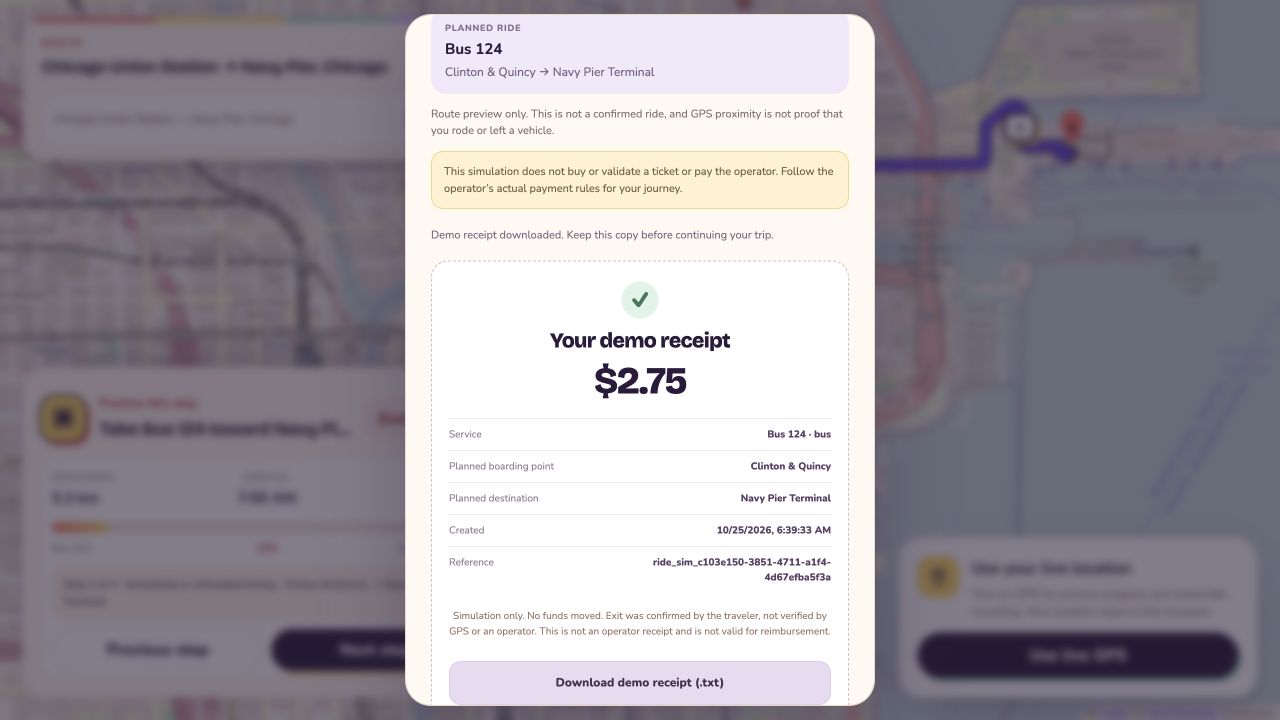
For payments, I used Visa's test system to make one-time cards for the exact amount. Every payment back to a student is written down in a record book with proof attached. The group chat works in iMessage through Photon. The website uses Next.js, and the 3D venue uses three.js. When it walks you to a booth, it finds a path through the aisles instead of through tables.
Challenges I ran into
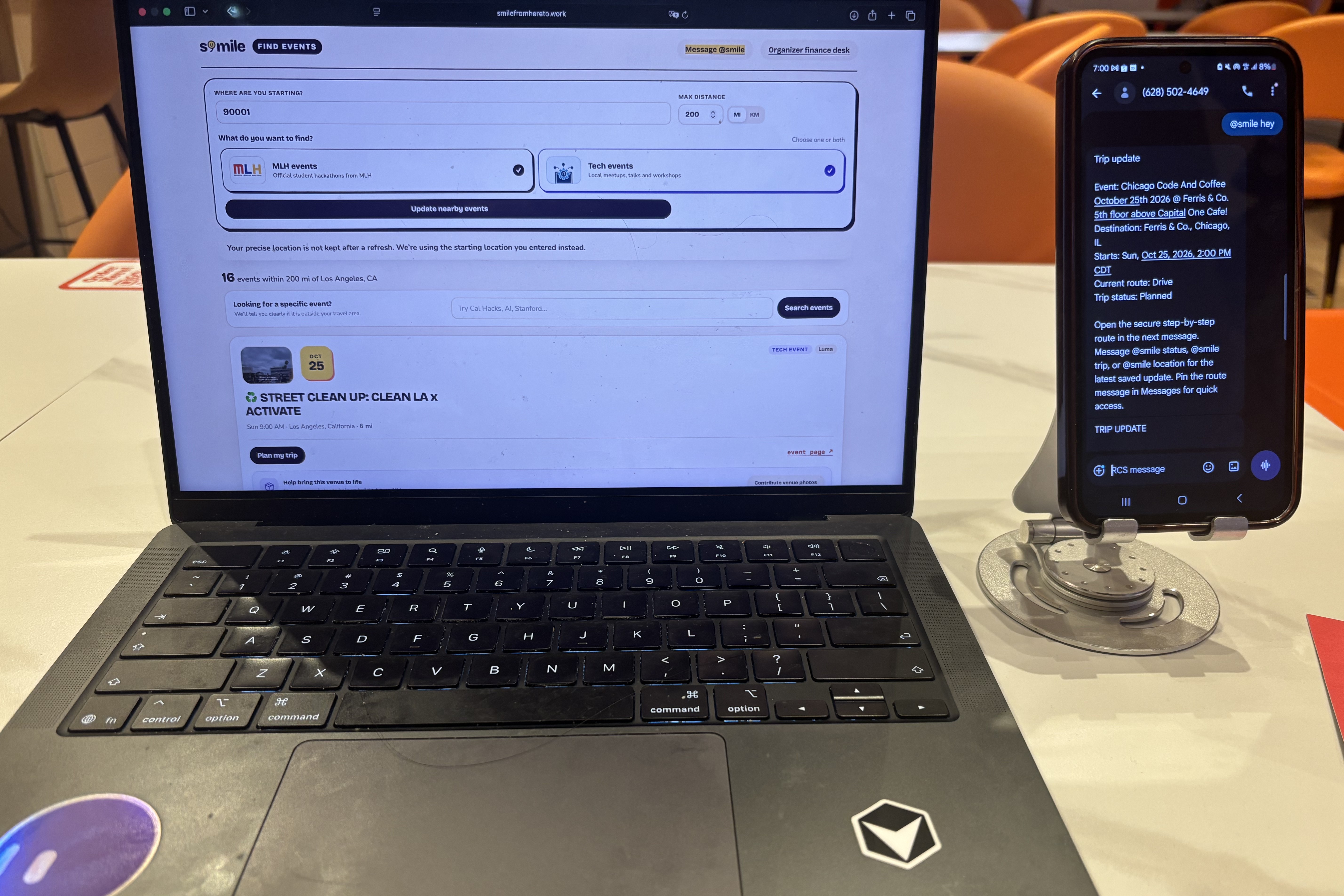
One of the hardest parts was connecting S'mile to iMessage through Photon. At first, the bot missed messages or answered when nobody asked it anything. I made it answer only when someone tags @smile, and I made the connection steady so it doesn't lose messages.
Machine learning was also new for me. I wanted to guess rideshare and flight prices, so I trained models on a lot of old trip data on a powerful computer. The training took a long time, and my first model was too big to run fast in the app, so I had to make it smaller. I also learned that a guess is only useful if it's honest, so S'mile shows prices as a range and never treats a guess like a real price.
The 3D venue was hard too. My first version was a map seen from above, but it didn't feel like being there. So I changed it so you walk inside at eye level. I traced the walls from the floor plan by hand, fixed parts I drew wrong, and made sure the path never goes through a wall.
Accomplishments that I'm proud of
I'm proud that S'mile can do a lot on its own and still never spend more than you agreed to. In my test, it checked 40 practice trips by itself, stopped one payment that looked strange so a person could check it, and paid the exact right amount after the person said yes.
But the thing I'm most proud of is personal. For the same kind of trip that got me lost at UCLA, I can now see every choice in one place, say yes once, and even walk inside the venue before I leave home.
What I learned
I learned that an AI helper doesn't need blind trust to be useful. It is more useful when it works inside rules it cannot break. In S'mile, the AI decides what to do, regular code handles the money, a person says yes, and every step is written down.
I also learned to build for where people already are. Students are already in the group chat and already on the event page, so S'mile should be there too.
What's next for S'mile
Next, I want to try S'mile with real hackathon organizers and their travel money, so students don't have to pay first. I want organizers to make their own 3D venue from their floor plan, make carpools the first choice, and send price and weather alerts straight to the group chat. My goal is that no student gets lost on the way to a hackathon like I did.
Tracks
Cal Hacks Most Creative Hack: You can use S'mile in three places. In iMessage, you tag @smile in your group chat. On the MLH events page, the Chrome extension adds a "Plan trip with S'mile" button to every event. And for Cal Hacks, I rebuilt the Palace of Fine Arts in 3D, with 263 tables, 43 sponsor booths and 16 places like the stage and restrooms. If you search "Anthropic", a light shines over booth 13 and S'mile walks you there.
Cal Hacks Best People-First Social Impact Hack: This idea comes from my own trip to the UCLA AI hackathon, when I got lost and had to pay by myself. With just a ZIP code and no account, S'mile compares train, bus, carpool, rideshare and plane. It shows the price, the time and how likely you are to be late. You say yes to the exact price from a private link, so no student has to pay first and wait weeks to get the money back.
Cal Hacks Best Solo Hack: I built every part by myself this weekend: the website, the 13 AI helpers, the payments, the price models, the Chrome extension, the iMessage bot and the 3D venue.
[Anthropic] Claude for Public Benefit: Claude powers the AI helpers that get students to hackathons. In the group chat, @smile uses Claude to choose between 5 actions: find events near you, plan a trip, guess prices, check a live flight price, and check the heat at the venue. If Claude writes a price that no tool gave it, the message is blocked and replaced, so a student never sees a made-up price.
[MLH] Best Domain Name from GoDaddy Registry: My domain is smilefromhereto.work. It reads "smile from here to work", which is the whole idea: getting students from where they are to where they build, with a smile.
[Hyphenate] The Hyphenated Enterprise: Autonomous Systems for Finance: S'mile has a money desk for organizers that works on its own. For each trip, it checks the receipt, the bank charge, the card charge and whether the student actually showed up. It follows 13 travel rules. For example, the most it pays is $40 for trips up to 50 miles and $400 for the farthest trips, and anything over $150 needs the finance lead to approve it. In my test, it handled 40 practice trips and only asked a person when a rule said to, like a $268 flight that went over the $200 limit. Every step is written in a record that can't be changed, and nobody can approve their own spending.
[Visa] Best use of Reimagining Shopping sponsored by Visa: Usually you pay for a trip first and hope to get the money back. With S'mile, you say yes to the exact price first. Then S'mile makes a one-time card with Visa's test system, locked to that amount and that kind of trip, like a train or bus. If the price changes when you buy, for example from $24.00 to $27.50, the card says no and you are asked to approve the new price.
[Microsoft] Built for the Real World: S'mile solves a real problem I had, with real live information: public transit routes, official ticket prices, road routes, live flight prices and real weather. After you say yes, it keeps checking by itself: prices every 6 hours, heat every 3 hours, and event changes every 12 hours. Even without AI, it still gives an answer using simple rules, so it never just stops.
[Meta] Bringing People Closer Together with AI: S'mile lives in the iMessage group chat where friends already make plans. When two friends from the same area plan the same event, @smile tells them they can go together. It remembers each person's budget and choices, and other people in the chat can't change them. It also only shows people by their initials, to keep things private.
Built With
- bright-data
- claude
- jupyter
- next.js
- node.js
- openstreetmap
- photon
- postgresql
- python
- railway
- react
- sqlite
- three.js
- typescript
- vercel
- visa
- xgboost


Log in or sign up for Devpost to join the conversation.