-
-
Shows processing of video
-
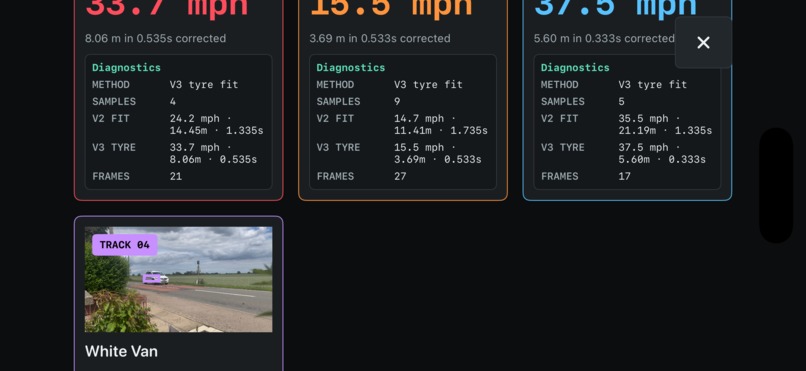
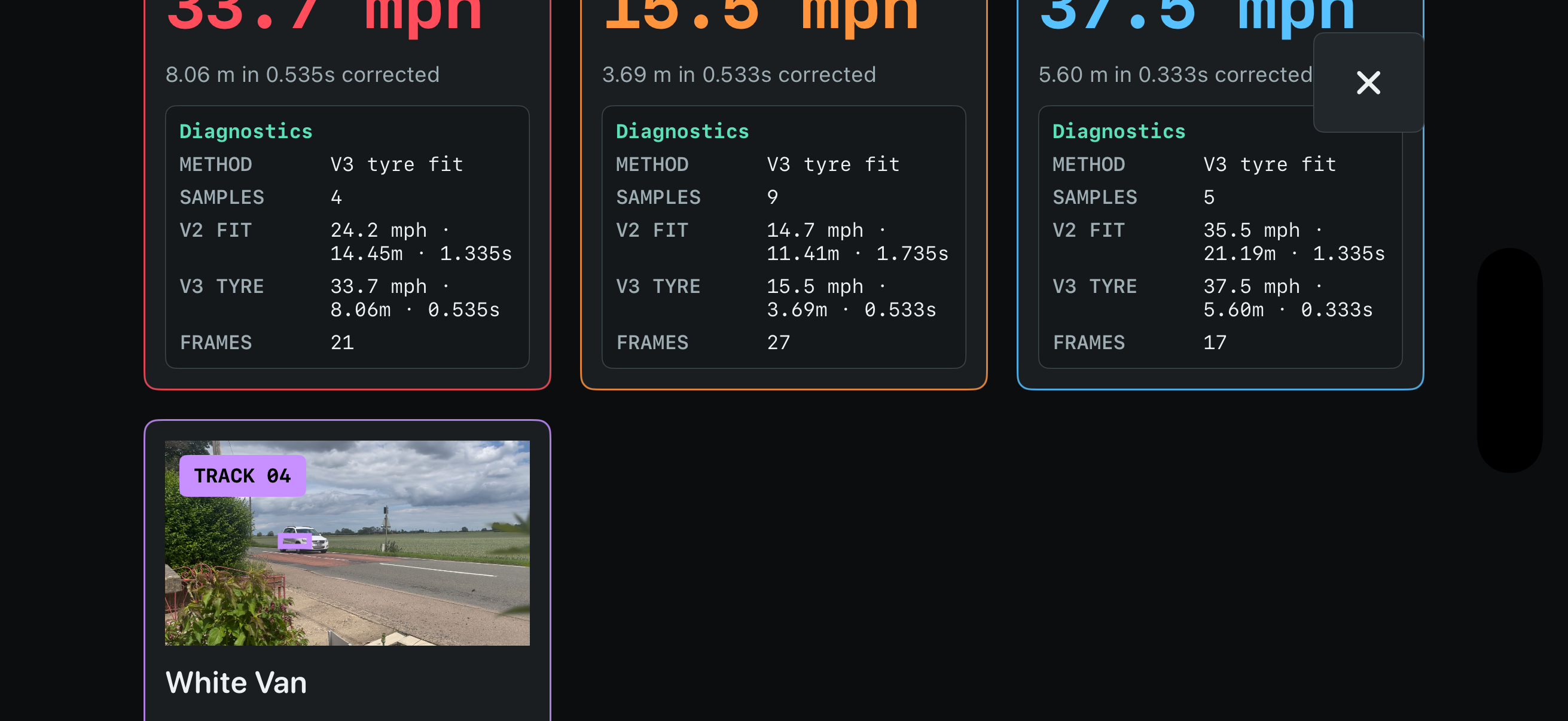
Further calculation information
-
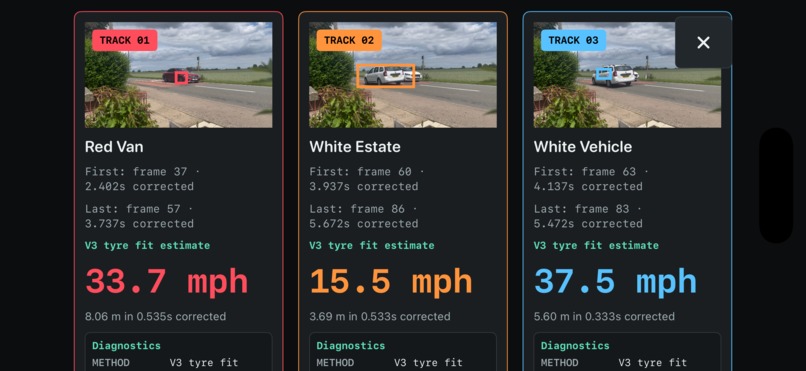
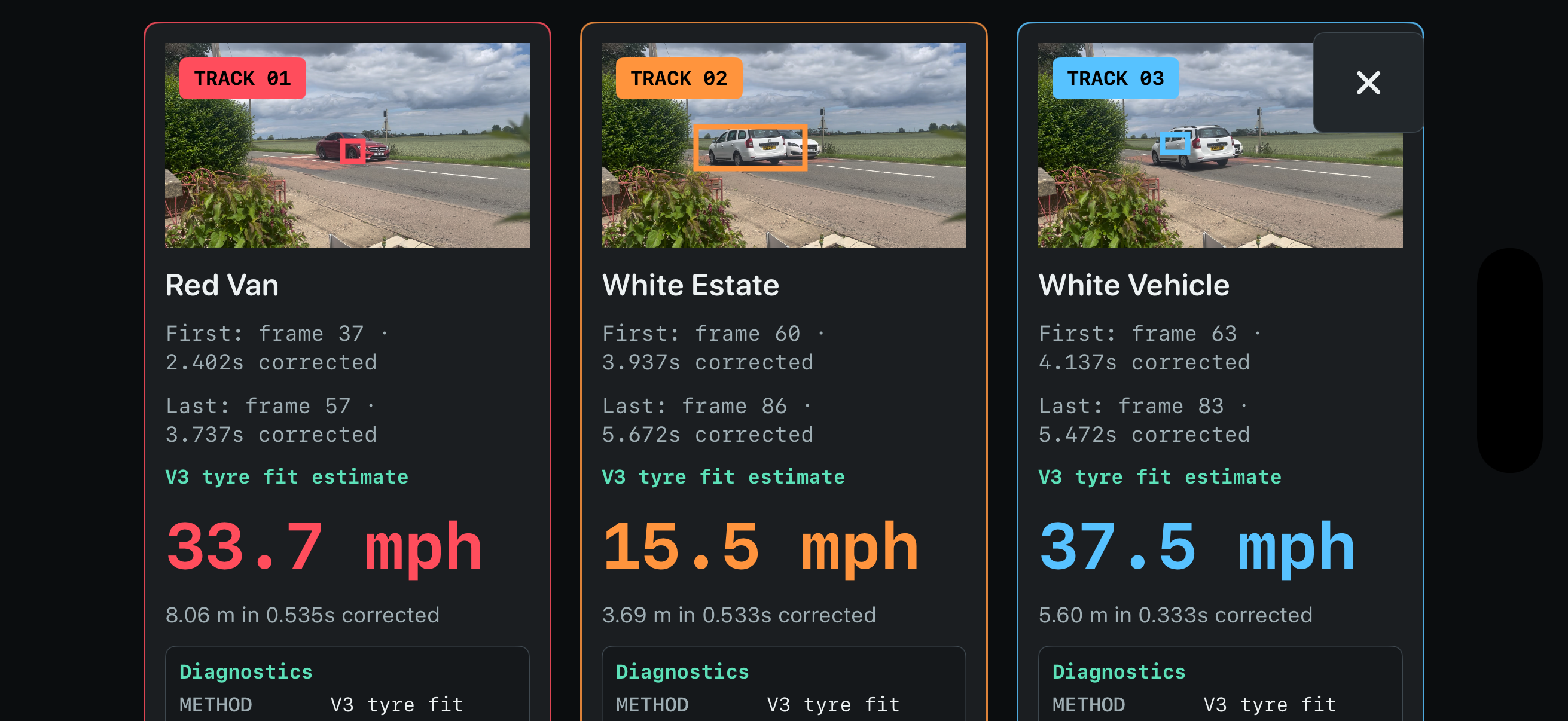
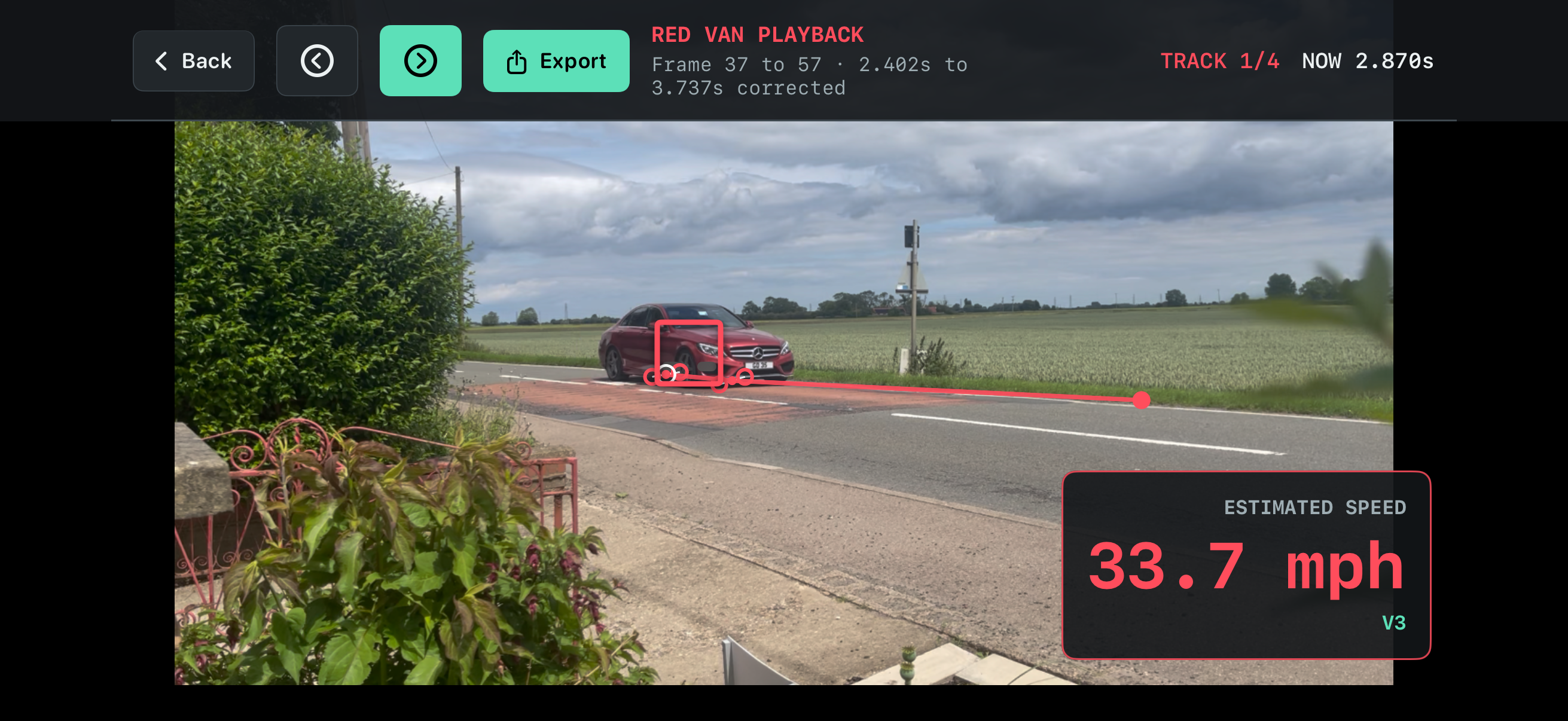
Shows estimated speed, plus calculation information
-
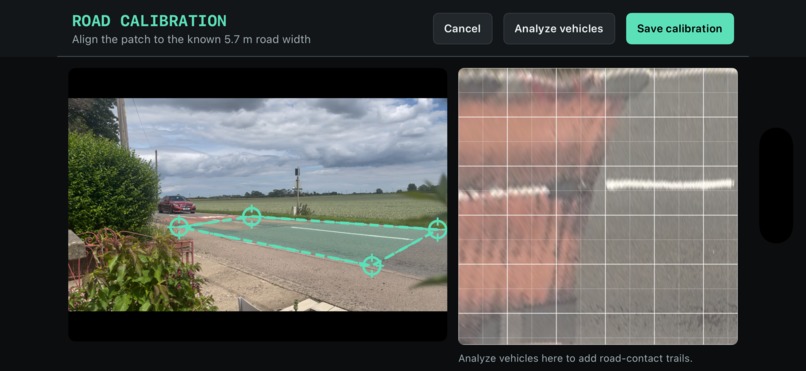
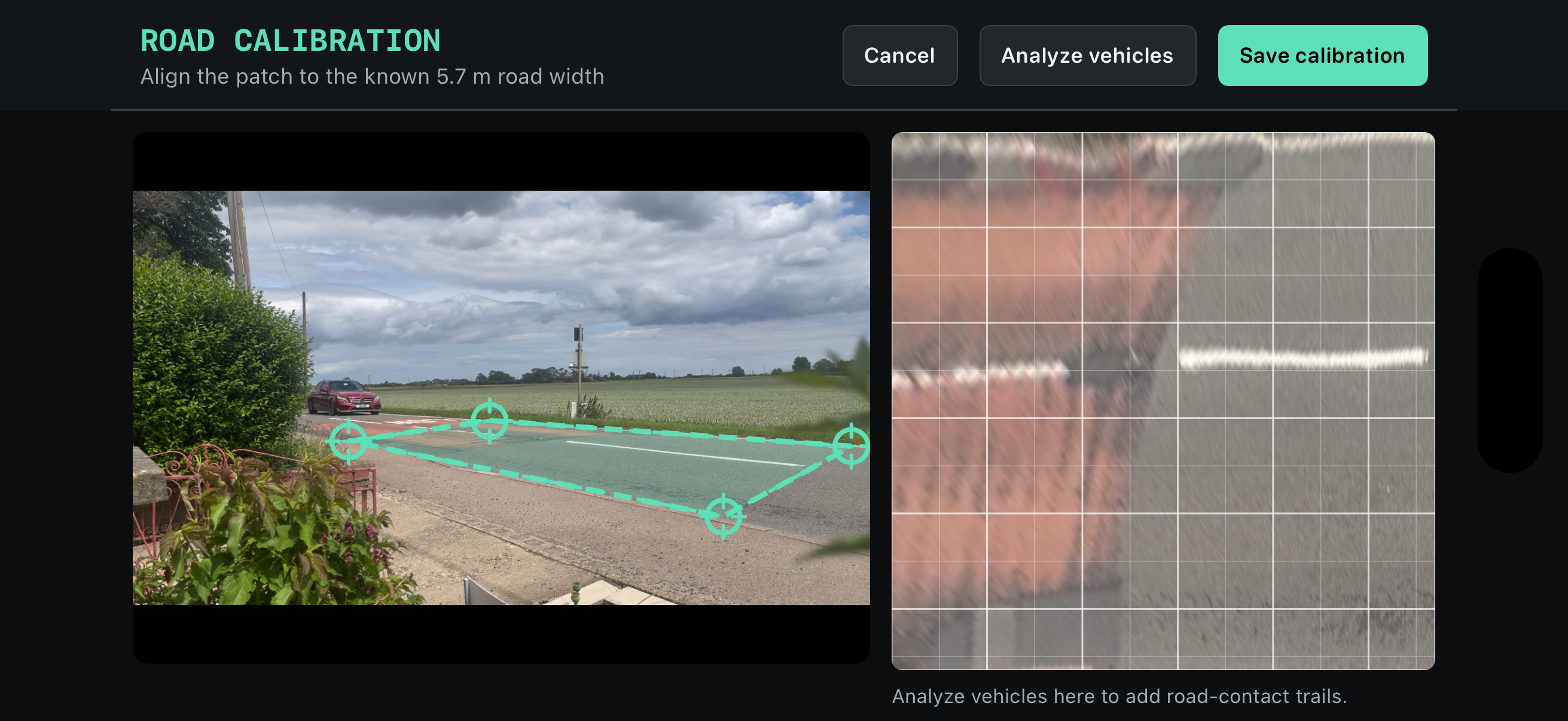
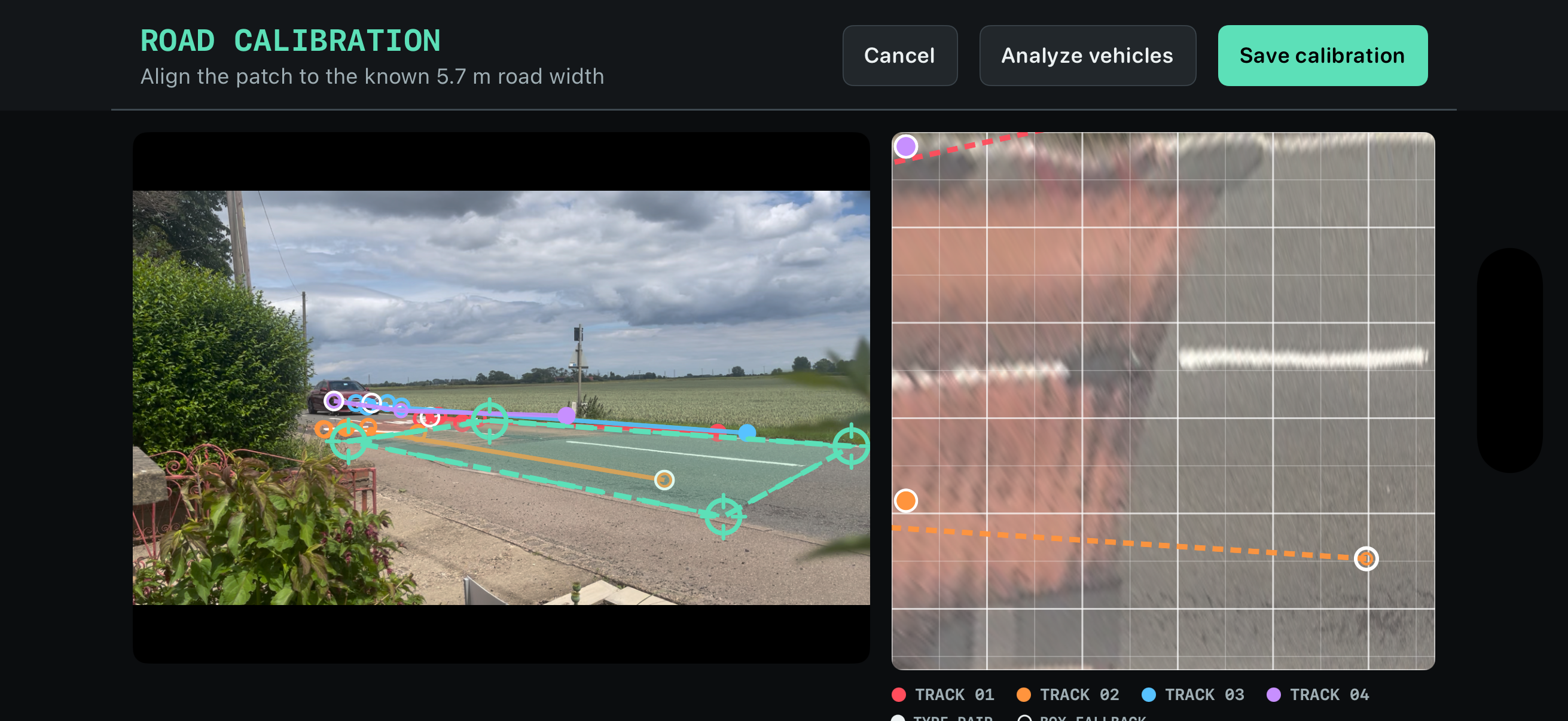
Shows calibration and top down view based on the plane
-
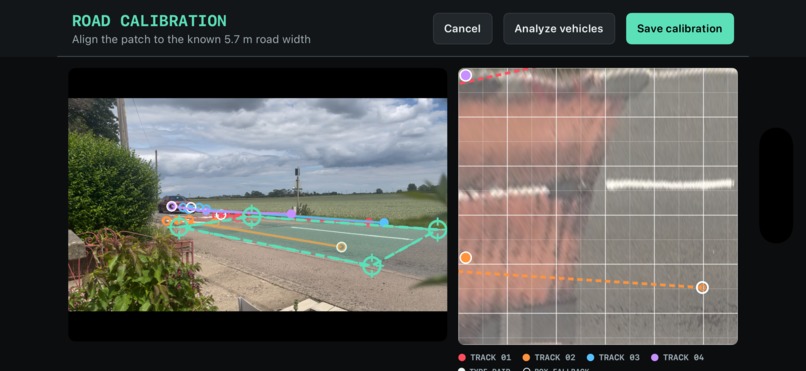
Shows calibration of tracks identified
-
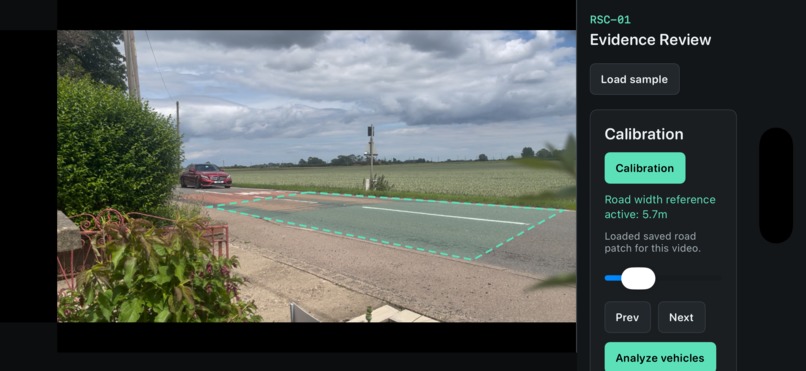
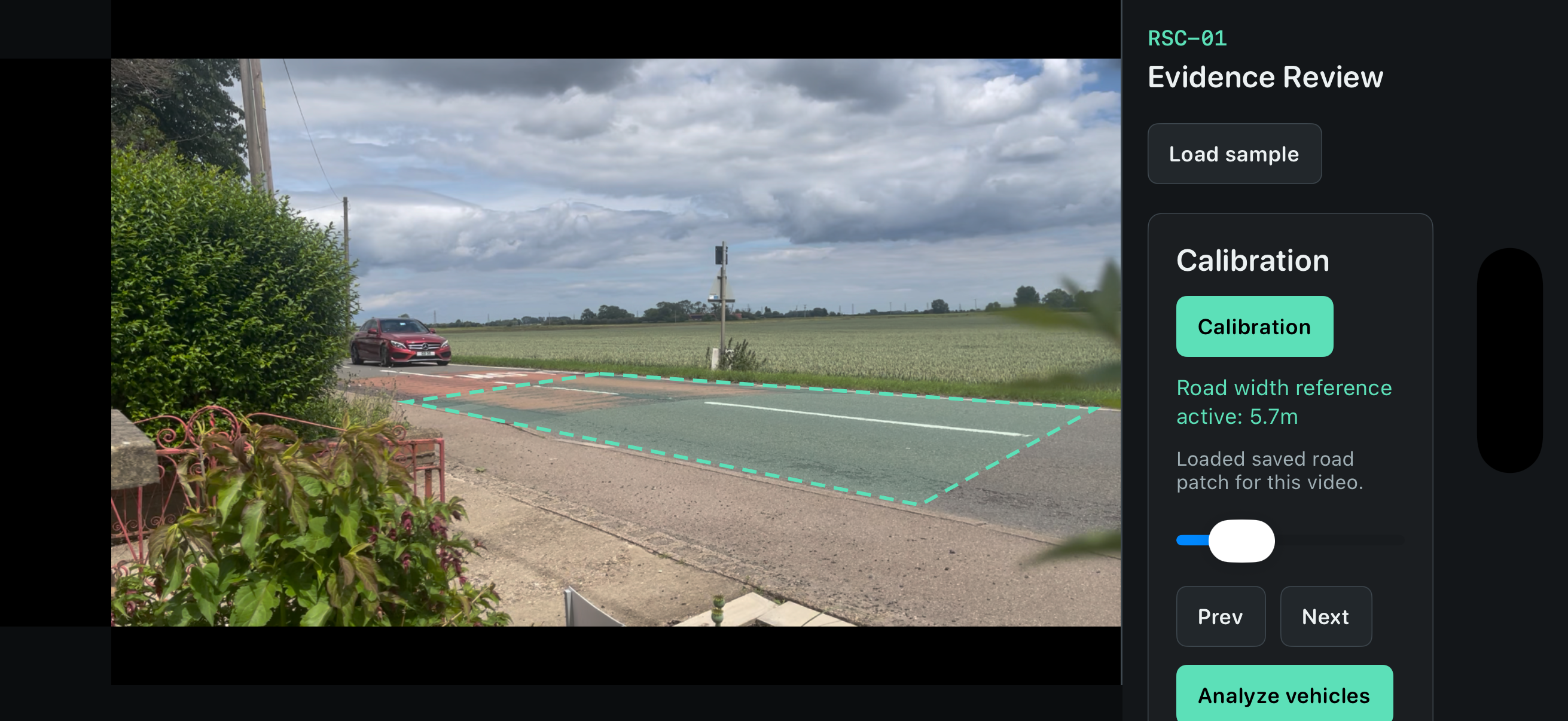
App ready to process video
-
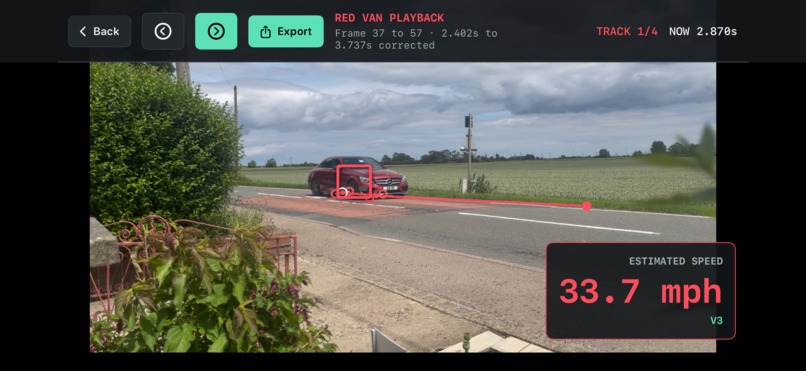
Track playback, showing vehicle and path
-
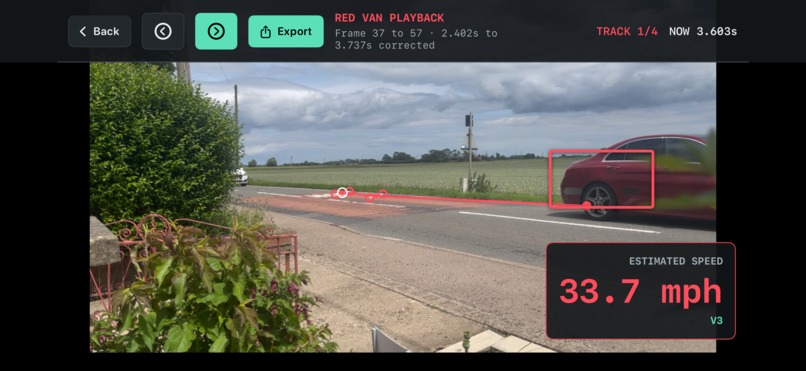
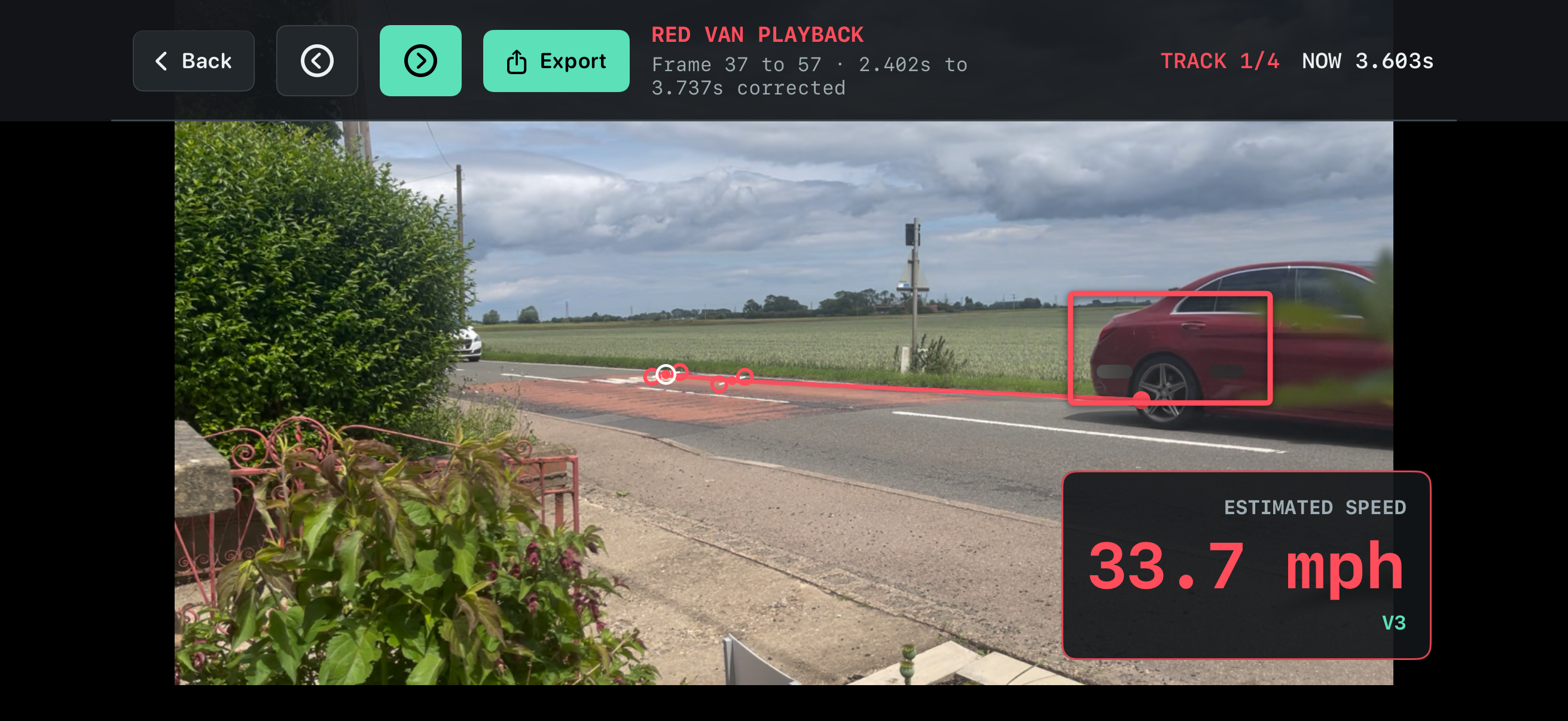
further vehicle and path
Inspiration
I live in a rural area where many vehicles pass our house at what appears to be excessive speed. It is a recurring concern, but simply saying that vehicles are “driving too fast” does not provide much useful evidence.
I wanted to build an app that could help document the problem: recording how many vehicles appear to exceed the speed limit, retaining video evidence, and producing a reasonable estimate of each vehicle’s speed. The aim is to give more weight and context to reports made to local authorities or other responsible organisations.
The app is not intended to replace certified speed-enforcement equipment. It provides an estimated speed alongside the video and information used to calculate it. This could help show how often vehicles appear to be speeding and whether professional monitoring is needed.
What it does
Road Speed is an iOS app that records or imports roadside video and estimates the speed of vehicles in it.
The user marks out an area of the road and enters its known width. The app then reviews the video frame by frame and looks for vehicles that it can track. It uses the vehicle’s movement and the actual timestamp of each video frame to estimate distance, time, and speed:
$$ v = \frac{d}{\Delta t} $$
where $$d$$ is the estimated distance travelled across the calibrated road plane and $$\Delta t$$ is the time between the observations.
The app includes
- High-frame-rate recording and video import
- Frame-by-frame video analysis
- Timing based on the actual timestamp of each frame
- Road calibration with a top-down view to help strengthen the calibration
- Vision and Core ML-assisted vehicle tracking
- Wheel-position tracking, with vehicle bounding boxes as a fallback
- Vehicle contact trails showing the path used for the calculation
- A summary of the measurements and estimated speed
- Video evidence export
How I built it
I built the app in Swift and SwiftUI as my background of an iOS Engineer gave me a better understanding of what I thought was possible.
I used Codex with GPT-5.6 throughout OpenAI Build Week. I have not manually written the application code, but I have directed how the app should work, tested the results, identified problems, and decided which changes were needed.
Codex helped me to:
- Create the project from scratch
- Analyse video frames, extracting timestamps and calculating speed
- Build the top-down calibration screen
- Display vehicle contact trails
- Create the evidence-video export
- Add and run regression tests
- Find problems with video timing and vehicle tracking
- Build and test the app in the iPhone Simulator
I was responsible for the original idea, how the calibration and speed calculation should work, the product decisions, and reviewing the results produced by Codex.
The project started before Build Week. During the submission period, I extended it by adding evidence export, saved calibration, improved vehicle summaries, the top-down calibration workspace, and vehicle contact trails.
Challenges I ran into
Video frame rates are not always what they appear to be
I originally thought that a 30 fps video would mean that every frame was exactly one thirtieth of a second apart. This is not always true, particularly with slow-motion video or video that has been exported or converted.
Using the frame number alone could therefore produce the wrong elapsed time and the wrong speed. I changed the approach so that the app uses the actual timestamp stored against each frame.
Perspective changes the apparent distance
A pixel near the camera does not represent the same distance as a pixel farther away. This meant that using one pixels-to-metres value for the entire image was not accurate enough.
To improve this, the user marks four corners around a section of road. The app then shows that area from a top-down view, which makes it easier to check whether the road has been marked correctly.
Finding a vehicle is not the same as finding its road position
A vehicle detector normally returns a box around the whole vehicle. The box is useful for finding and following it, but it does not tell us exactly where the vehicle touches the road.
I tried using the position of the wheels to produce a more consistent contact point. When a reliable wheel position cannot be found, the app can fall back to a point based on the vehicle’s bounding box.
This was one of the more difficult parts of the project because a small change in the chosen contact point can affect the estimated distance and speed.
Vehicles do not always track cleanly
Some things that are obvious to a person are not automatically obvious to a tracking model. A vehicle should not suddenly change direction, disappear, or become a different nearby vehicle.
I had to add checks for these situations and repeatedly test the tracker against the sample footage. The vehicle trails were particularly useful because they made tracking mistakes much easier to see.
Showing the evidence behind the result
A speed result on its own would not be very useful when reporting a wider speeding problem. I wanted to be able to show how the result had been reached.
During Build Week, I added an evidence export that includes the relevant section of video, the tracked vehicle, its contact trail, timing information, and estimated speed.
Accomplishments that I’m proud of
I am particularly pleased that the app:
- Uses actual video timestamps rather than assuming a fixed frame rate
- Shows the road calibration used for the calculation
- Shows the vehicle trail rather than only displaying a final speed
- Can export a video containing the supporting evidence
- Developed from an early experiment into a working iOS app during Build Week
Overall though I'm proud that working with Codex has allowed me to build a fairly complex application without previously knowing how to implement vehicle tracking, video processing, and perspective geometry in Swift.
What I learned
The original idea seemed quite simple: track a vehicle in a video, measure how far it moves, and calculate its speed. In practice, each of those steps introduced another problem.
I learned that video frame rates cannot always be taken at face value and that the frame timestamps are more important than the number printed in the video properties.
I also learned that detecting a vehicle is only the beginning. The app needs to decide which point on the vehicle represents its position on the road, keep following the same vehicle, reject unlikely movements, and account for perspective.
A calculation may be technically correct but still be difficult to trust if the user cannot see where its inputs came from. Adding the calibration view, contact trails, and evidence export made it much easier to spot mistakes and understand the result.
Working with Codex also taught me that I need to be very specific about the behaviour I want. Breaking the work into smaller stages, explaining which calculations must not change, and asking for focused tests produced much better results.
What’s next for Road Speed
The next step is to make Road Speed more useful for documenting speeding concerns over a longer period.
I want the app to report how many vehicles were observed, how many appeared to exceed a chosen speed, and what time each vehicle passed. This could make it easier to show whether speeding is an occasional event or a repeated problem.
I would also like to improve the vehicle and wheel tracking, show an uncertainty range with each estimated speed, and compare the results with vehicles travelling at independently measured speeds.
The evidence export could eventually produce a report containing the vehicle counts, estimated speeds, video clips, calibration information, and an explanation of the limitations. This would make the results easier to share with local authorities or community road-safety groups.
Road Speed is not intended to replace certified enforcement equipment or provide legally definitive speeds. Its purpose is to help residents collect better information and support a request for proper traffic monitoring.
Built With
- avfoundation
- avkit
- codex
- computer-vision
- core-image
- core-media
- core-video
- coreml
- gpt-5.6
- ios
- mapkit
- swift
- swiftui
- video
- xctest


Log in or sign up for Devpost to join the conversation.