RescueAI: Devpost Submission
Inspiration
- The problem isn't detection, it's decision-making. Grocers and farms already know which produce looks imperfect, a bruised apple, an oddly shaped tomato, a batch with a shorter shelf life than the shelf wants to deal with.
- Once a batch is flagged, someone still has to work out, fast, whether it should go to:
- a discount shelf
- a food bank
- a processor
- or the compost bin
- Nobody has time to shop a batch of tomatoes around to five buyers by hand before it spoils.
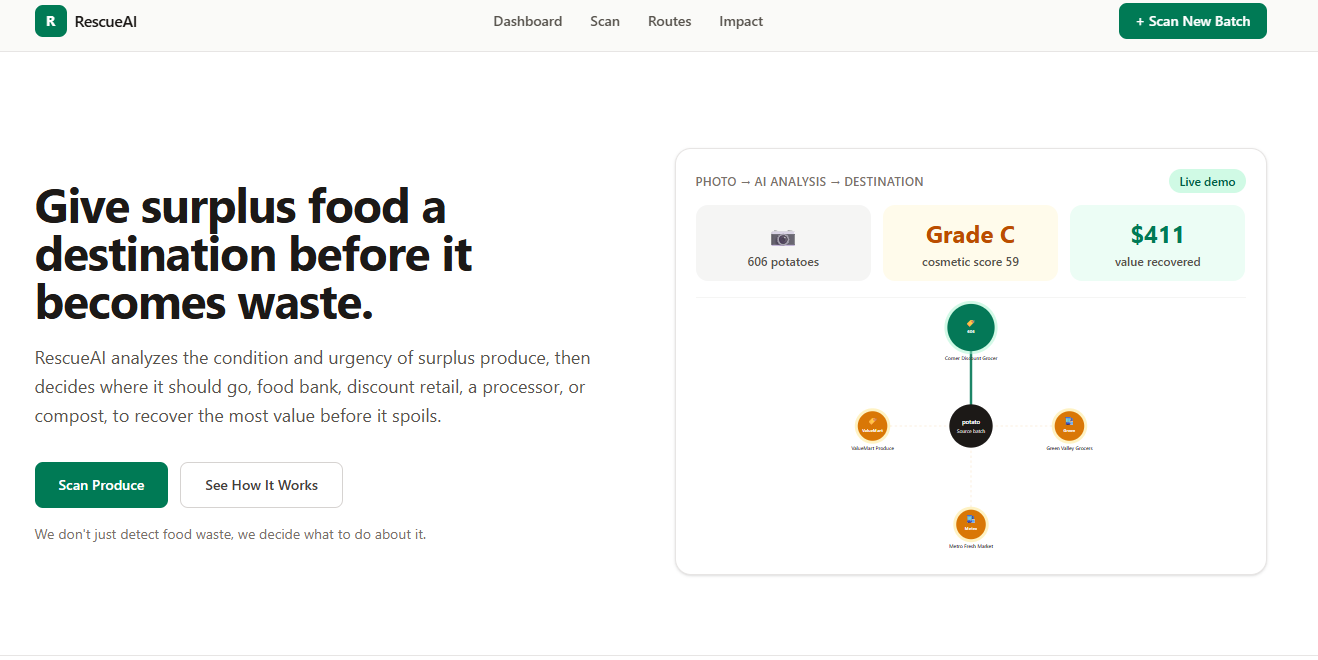
We wanted to build something that doesn't just flag imperfect produce, it decides where that produce should go, and defends the decision in plain language.
What it does
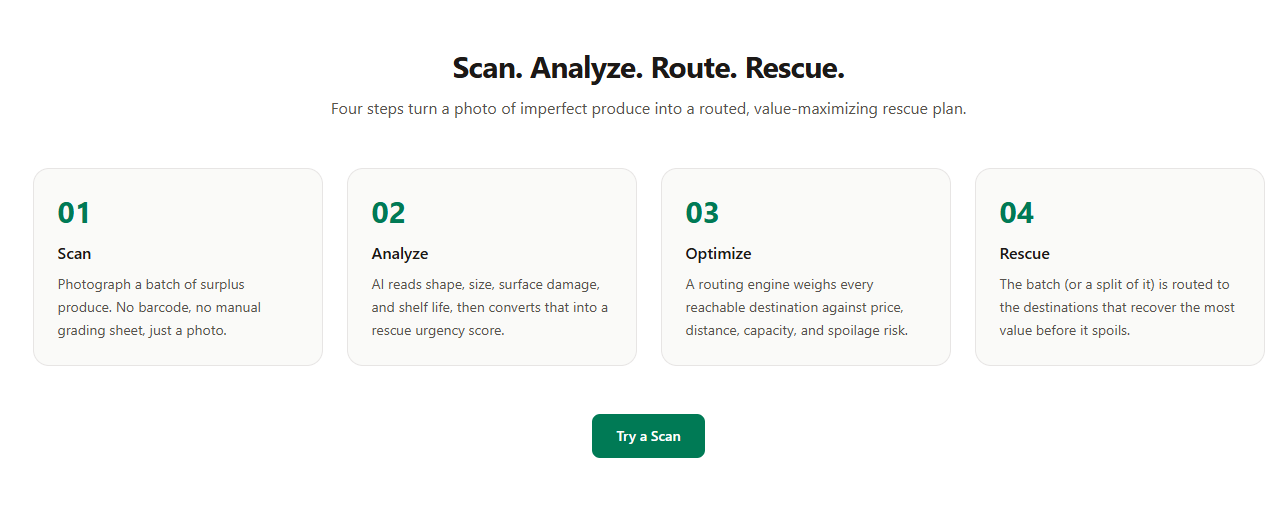
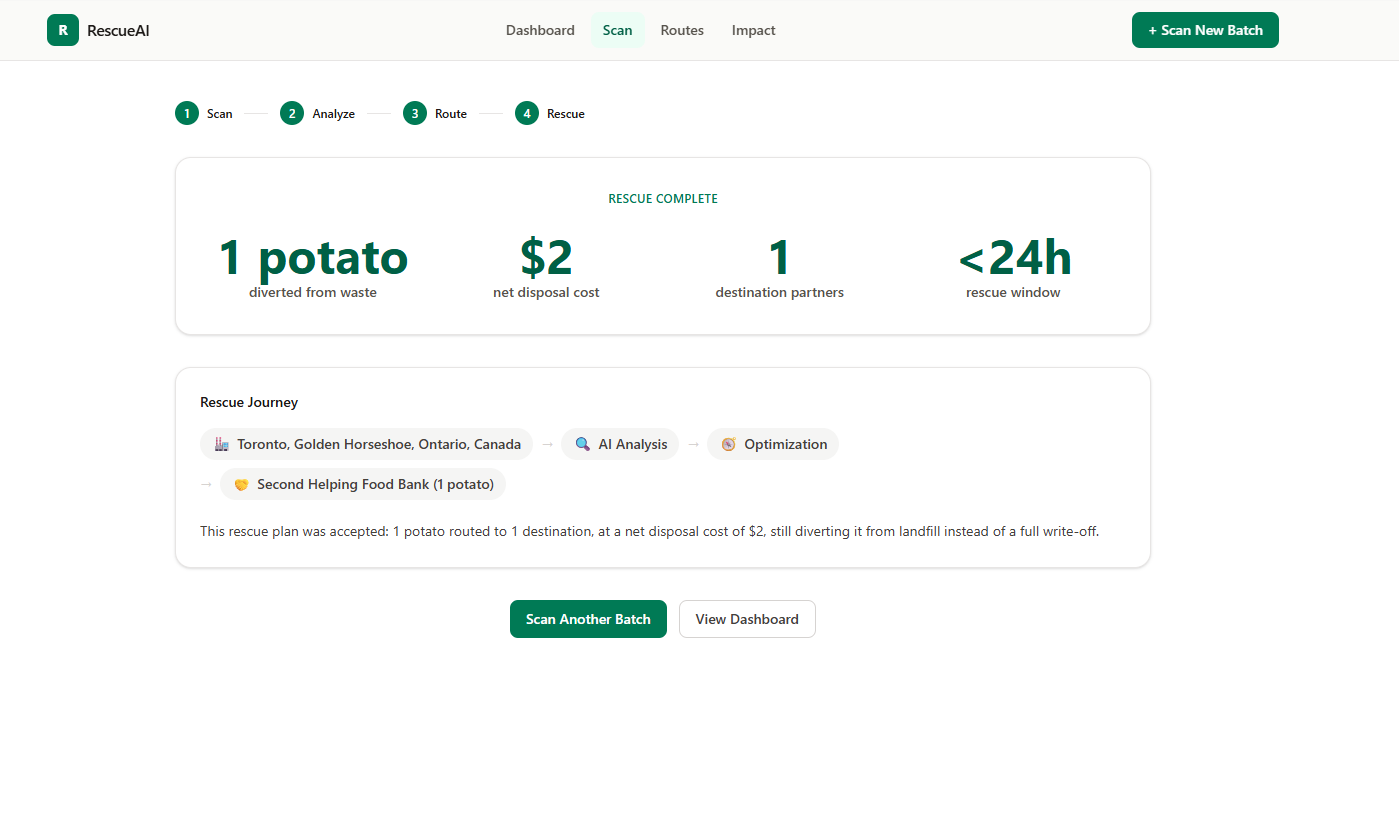
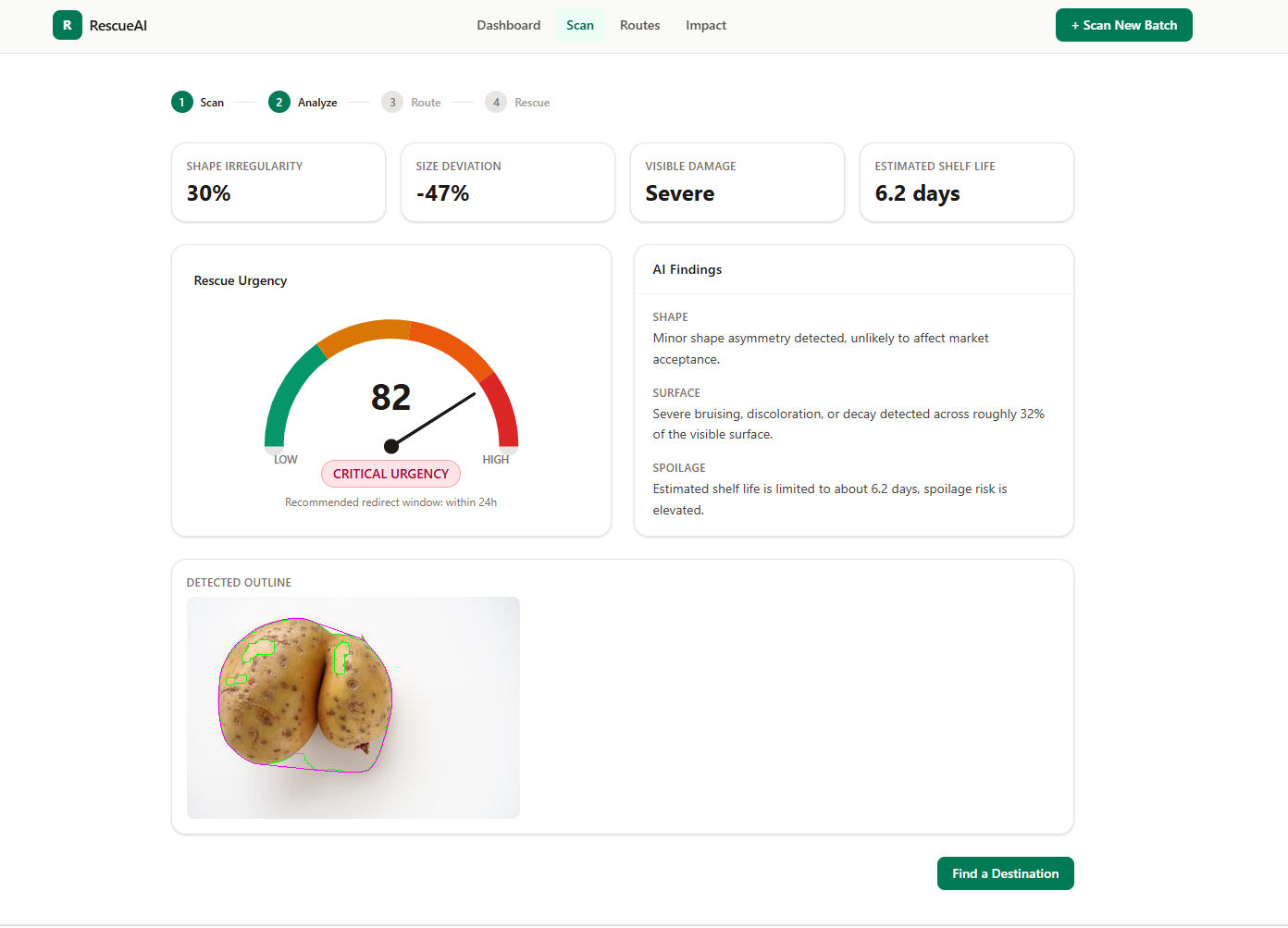
RescueAI turns one photo into a full rescue plan:
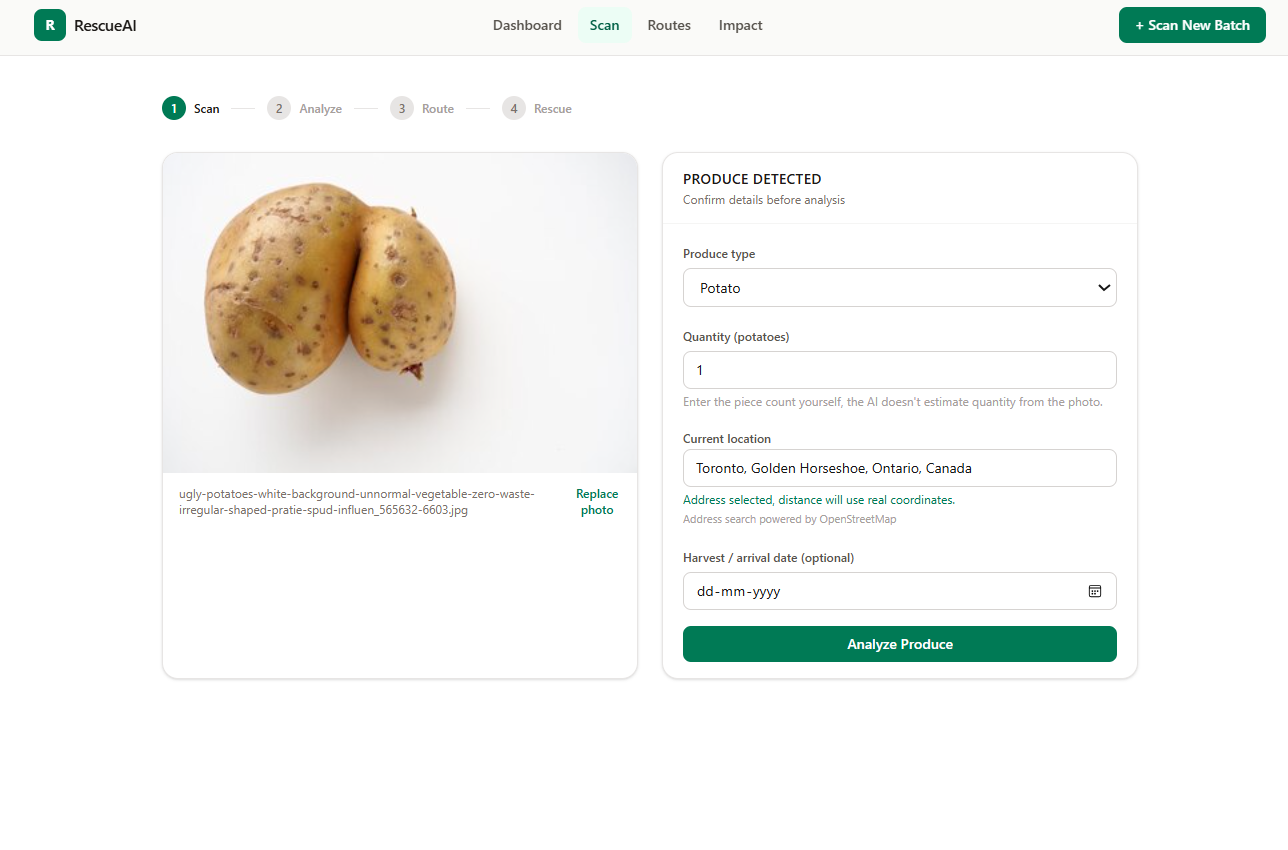
- Scan - photograph a surplus batch, no barcode or manual grading sheet.
- Analyze - computer vision reads:
- Shape irregularity
- Size deviation
- Visible damage
- Discoloration
- Estimated shelf life
- Score - a 0-100 rescue urgency score with plain-language findings.
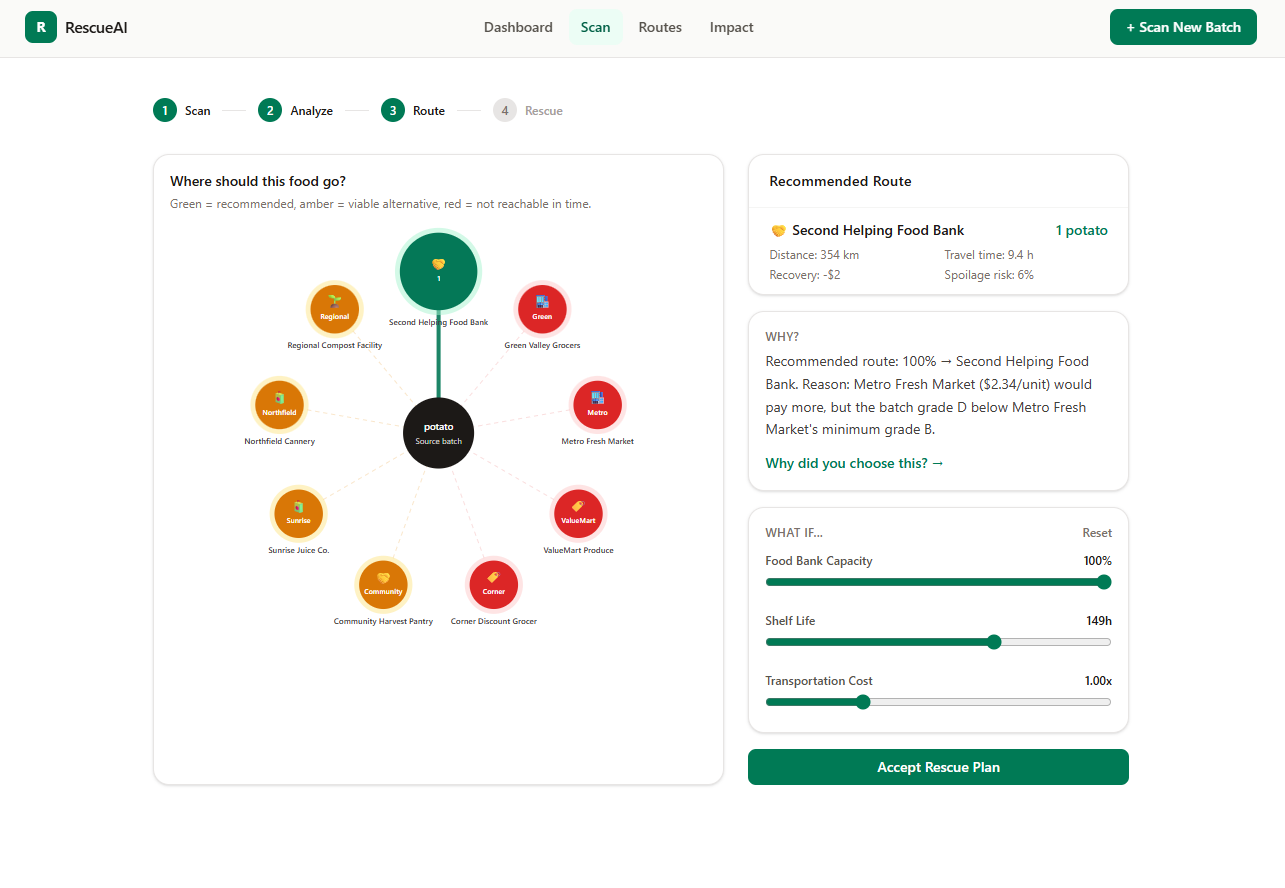
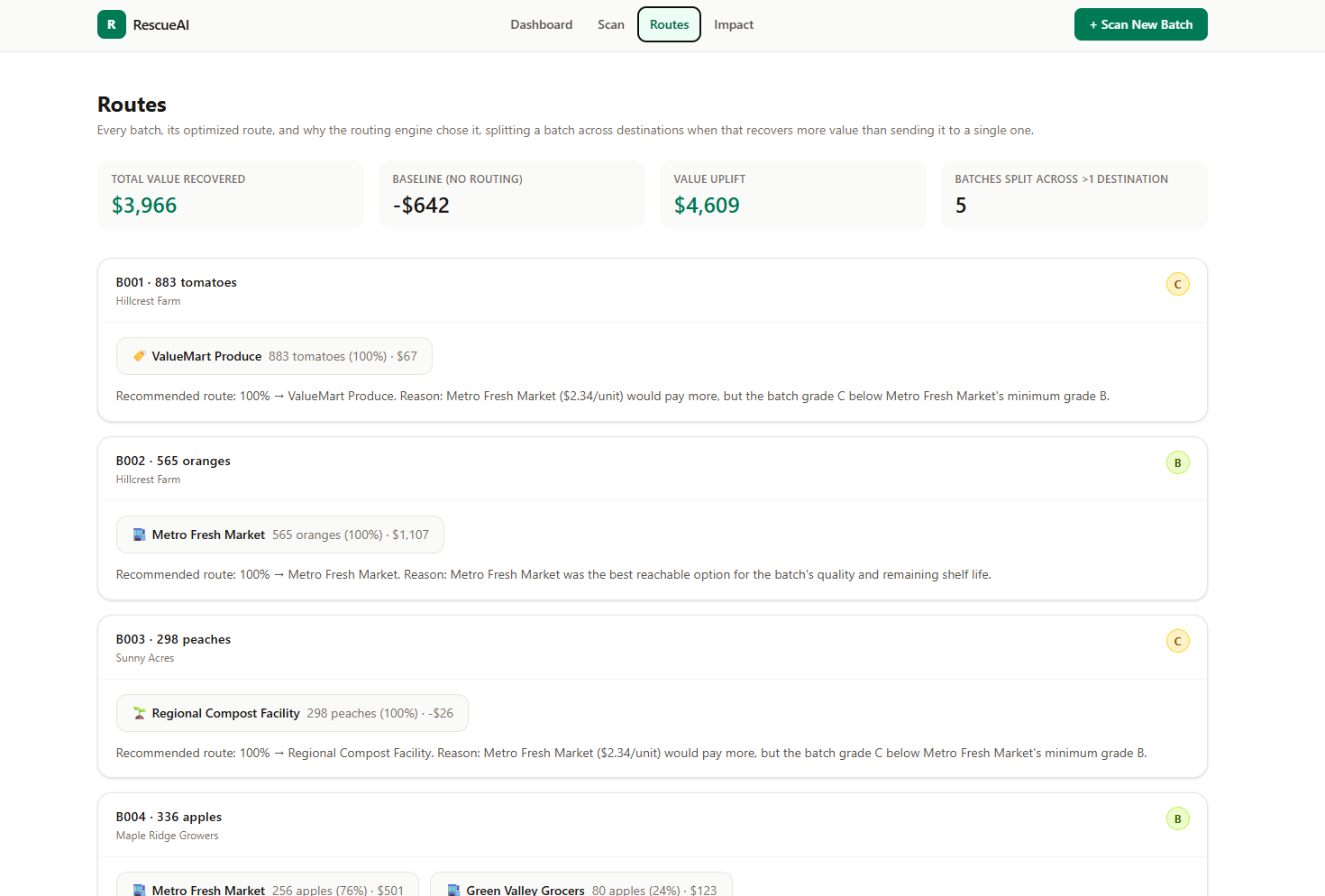
- Route - an optimizer compares every reachable destination and recommends where the batch should go, splitting it across multiple destinations when that recovers more value.
Destinations it can route to:
| Destination | Role |
|---|---|
| Full-price retail | Highest price, highest grade requirement |
| Discount retail | Reduced price, accepts lower grades |
| Food bank | Free or low-cost, real social value |
| Processor | Juice, sauce, etc, tolerant of blemishes |
| Compost | Last resort, always feasible, lowest value |
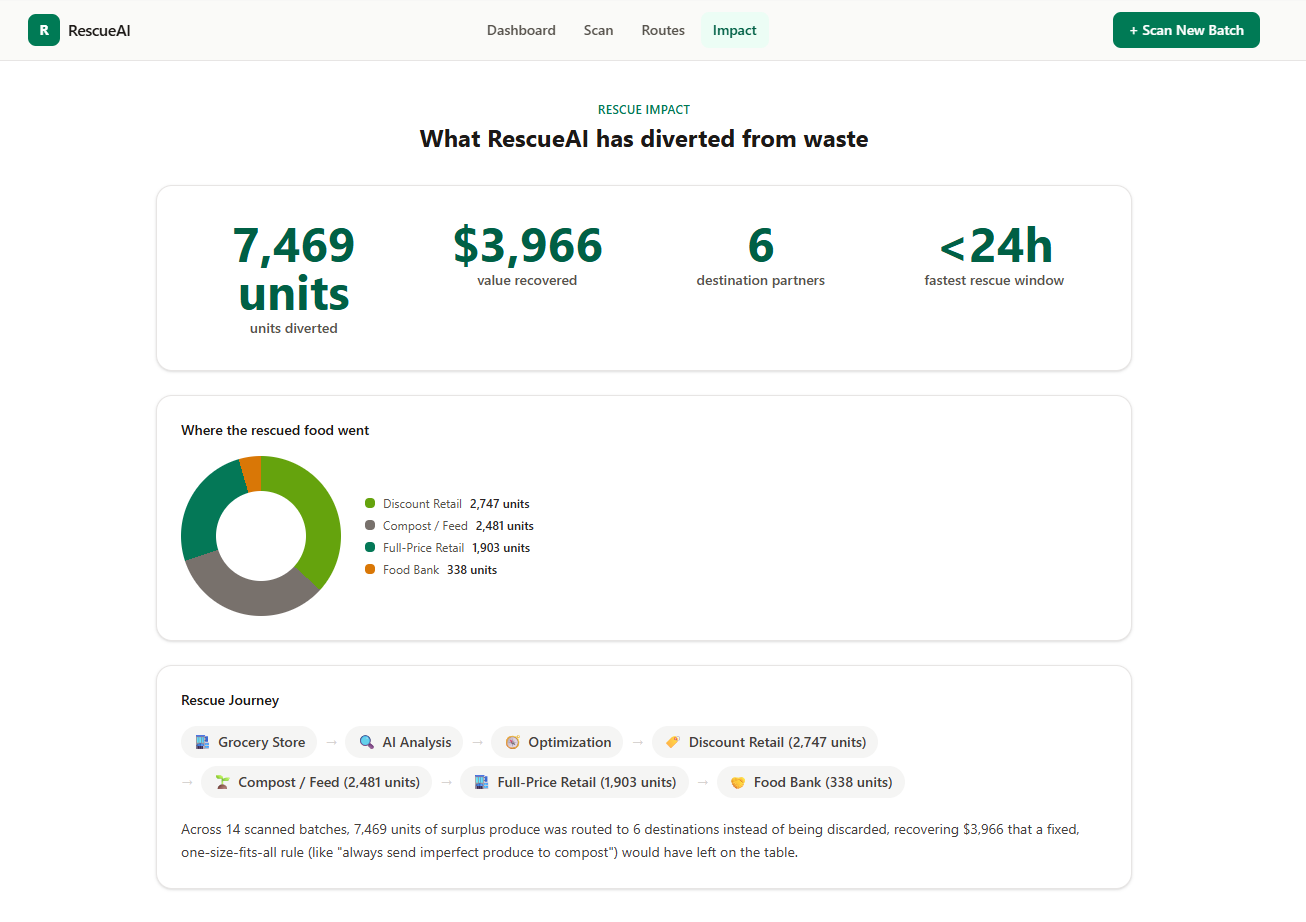
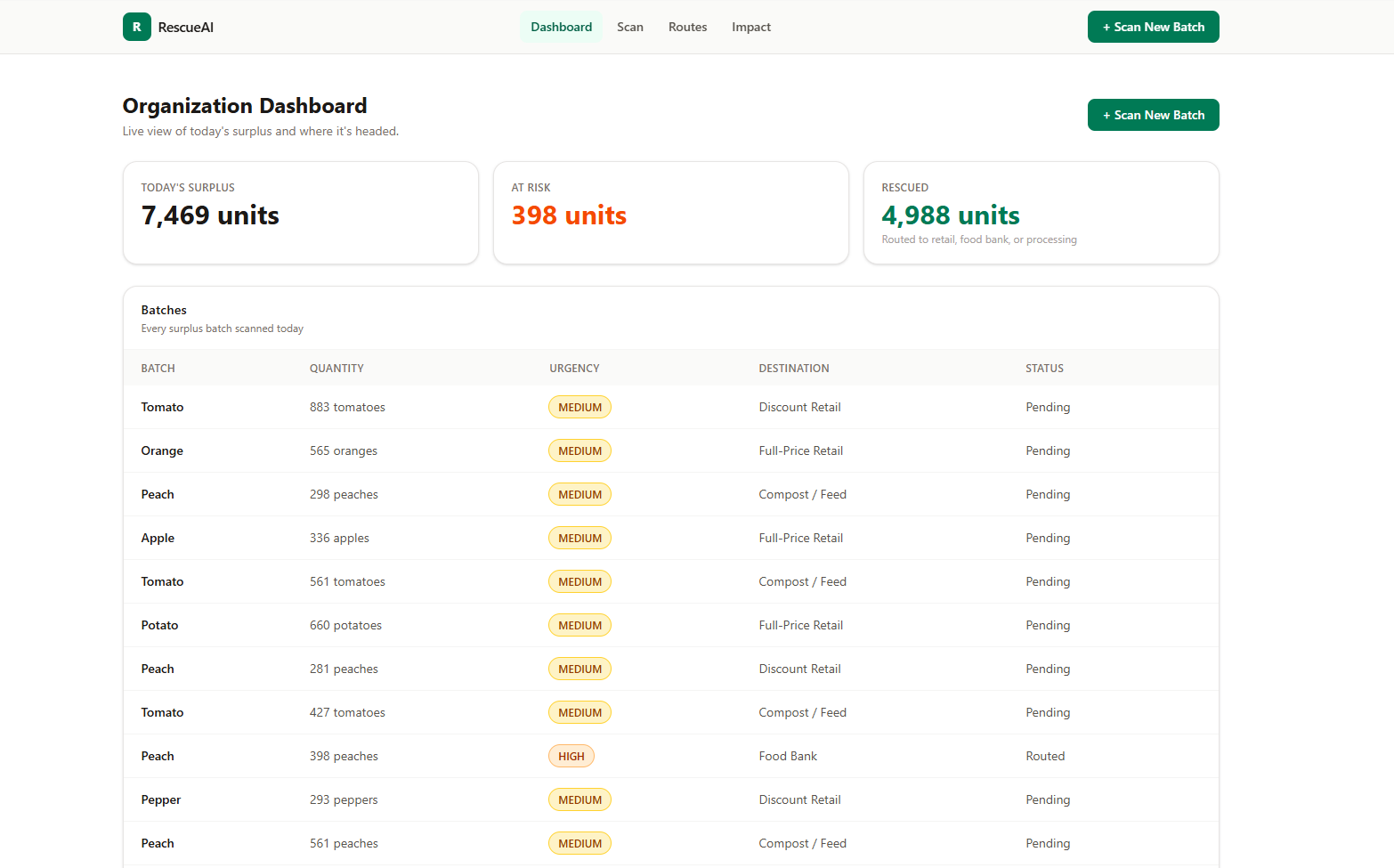
Beyond the single-batch flow, an organization-facing dashboard, routes view, and impact page give a full picture of surplus at scale, not just one batch at a time.
How we built it
Stack at a glance:
| Layer | Technology | Why |
|---|---|---|
| Framework | Next.js 16 (App Router) | Frontend and API routes in one deployable unit, no separate backend |
| Grading | Jimp | Classical CV, no native OpenCV bindings needed in serverless |
| Routing | Custom greedy optimizer | Provably optimal, not a heuristic, see below |
| Geocoding | OpenStreetMap Nominatim | Free, real address autocomplete and distance |
| Charts | Custom SVG and CSS | Worked around a Recharts rendering bug |
| Styling | Tailwind CSS | Utility-first |
Key engineering decisions:
- Grading from scratch. No OpenCV binding exists for serverless JavaScript, so we reimplemented the classical CV pipeline ourselves: Otsu thresholding for background segmentation, contour and convex-hull analysis for shape, local luma/hue deviation for blemish detection.
- Routing as a matroid intersection problem, not a heuristic. We formulated batch-to-destination routing as a transportation problem whose constraints form the intersection of two partition matroids (one per batch's supply, one per destination's capacity). That structure means greedy, sort every feasible pair by value, ship as much as fits, is provably optimal, not an approximation. It solves in single-digit milliseconds even with dozens of batches and destinations.
- Real geocoding, not fake distances. Debounced, cancelable Nominatim lookups, with real haversine distance to a regional hub once an address is picked.
- Hand-rolled charts. Recharts' Pie component had a real rendering bug under React 19 (drawing a truncated arc instead of a full circle), so we built our own radial destination map and CSS conic-gradient donut chart instead of fighting the library.
Challenges we ran into
- No OpenCV in serverless. Reimplementing segmentation, contours, and convex hulls in pure JavaScript, fast enough for a live demo, without any of OpenCV's heavy lifting.
- Exact optimization inside a time-limited function. General MIP solvers don't fit inside a serverless function's time budget once the problem gets big. Realizing the constraint structure was actually a matroid intersection, and that greedy is therefore exact, was the breakthrough that let us skip the heuristic entirely.
- A trust issue we caught ourselves. Early on, the app let users type a piece count and silently converted it to an estimated weight using an average-weight-per-item assumption, then displayed that estimated weight in several places. The problem: that number implied precision the system never actually had, the AI was never measuring weight from the photo. We went back through the entire app, grading, routing economics, every page and component, and rebuilt everything to run natively on units (individual pieces) instead, removing every weight-based figure from the frontend.
- Free-tier geocoding constraints. Making address autocomplete real without a paid API meant carefully debouncing and aborting requests against Nominatim's rate limits.
Accomplishments that we're proud of
- Built a routing engine that is provably optimal, not a heuristic, and still solves in single-digit milliseconds.
- Shipped grading, routing, and UI as one deployable Next.js app, zero external infrastructure, no separate backend or database.
- Every recommendation comes with a genuine, specific explanation, not a black-box score.
- Location data is real and geocoded, not faked for the demo.
- Caught and fixed the weight-precision trust issue before it shipped, not after.
What we learned
- Classical computer vision still has real signal in it, you don't need a trained model to reliably detect shape irregularity or surface blemishes.
- "Greedy" doesn't have to mean "approximate." When a problem's constraints form a matroid, greedy can be the exact optimum, worth checking before reaching for a heavier solver.
- Sometimes writing fifty lines of plain SVG is faster and more trustworthy than fighting a buggy library.
- Being precise about what an AI can and can't actually measure from a photo, visual condition versus physical weight, matters as much for user trust as any feature does.
What's next for RescueAI
- Wire the routing engine to a real buyer and food bank directory instead of synthetic demo data.
- Add the Layer 3 forecasting stretch goal, predicting surplus before it happens.
- Swap Nominatim for a production geocoder once usage moves past demo scale.
- Move state out of
localStorageinto a real database. - If we add automated quantity estimation from the photo, ship it as a clearly labeled, opt-in estimate the user can review and correct, never a silent authoritative number.
Built With
- api
- javascript
- jimp
- next.js
- node.js
- nominatim
- openstreetmap
- react
- svg
- tailwind
- typescript
- vercel

Log in or sign up for Devpost to join the conversation.