-
-
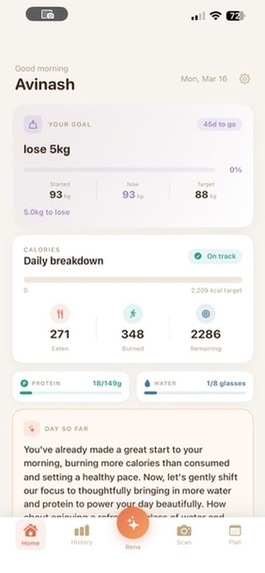
Home Screen
-
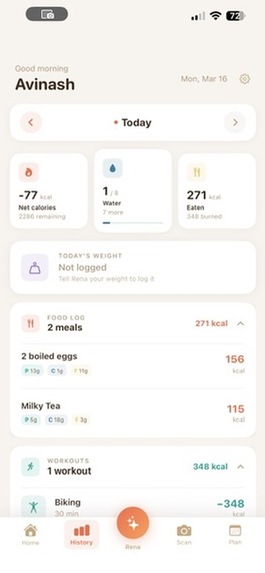
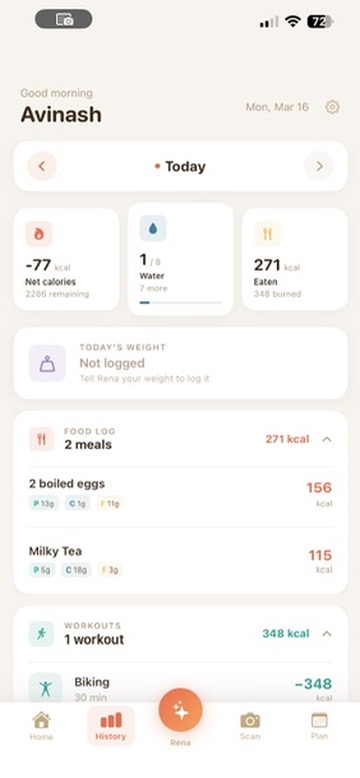
History screen
-
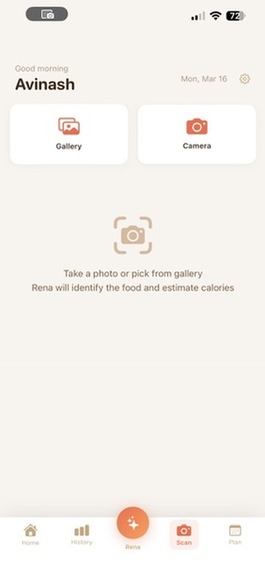
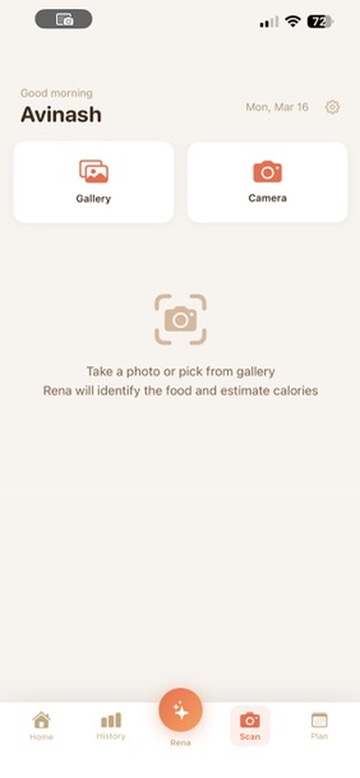
Scan screen
-
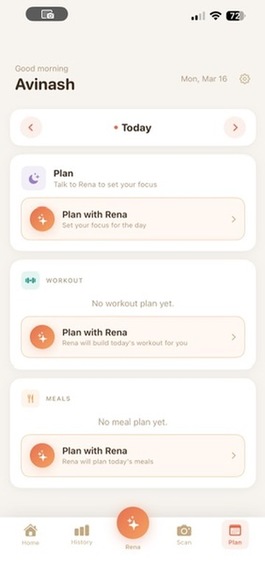
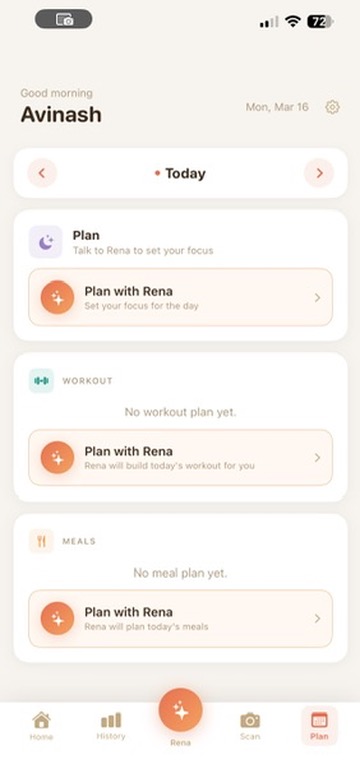
Plan Screen
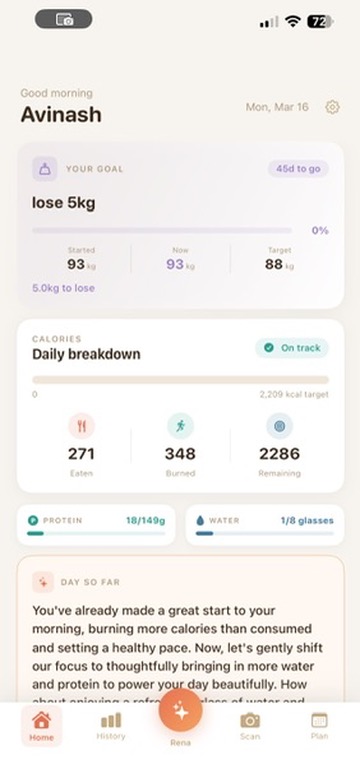
Rena — Personal Health Companion
Your AI health companion — log meals, track workouts, plan your days, and stay on track toward your goals through natural voice conversation.
Inspiration
I've been on a personal weight-loss journey for years. Every tracking app I tried worked fine, but none felt like mine — they all felt like chores. I always imagined something that just listens to you, understands your context, and handles the tracking without friction. This hackathon was the moment I finally had the tools to build it.
What it does
Log anything by voice. Say "I had oats and a coffee" — Rena logs it with calories and macros. Say "I ran for 30 minutes" — she estimates the burn. Snap a photo of your plate and she breaks it down item by item.
Workout planning. Rena checks your last two weeks of activity and builds a personalised plan — not a generic template. Each exercise has an AI coaching video (Veo 2) with Rena's voice explaining the cues. Tap "Update with Rena" to tweak the plan through a quick voice conversation.
Meal planning. Tell Rena what you have at home and any preferences — she builds a full day of meals calibrated to your calorie and protein targets, with cook times, macros, and a YouTube recipe link per meal.
Tomorrow planning. One voice session where Rena plans your workout and meals for the next day together. The next morning she opens with a short nudge based on what you planned the night before.
History corrections. Open the History tab, tap Rena, and she can delete a meal, remove a water entry, fix a calorie, or wipe a workout — all by voice.
Workbook insights. Each day gets a two-sentence AI summary — what went well, one thing to carry forward — generated by Gemini and cached instantly on revisit.
How we built it
| Layer | Technology |
|---|---|
| iOS client | SwiftUI + AVFoundation |
| Voice streaming | WebSocket → Gemini Live API |
| Agent framework | Google ADK |
| Conversational AI | Gemini 2.5 Flash (native audio) |
| Food & image analysis | Gemini Flash Vision |
| Plan generation | Gemini 2.5 Flash |
| Exercise videos | Veo 2 + Cloud TTS + ffmpeg |
| Backend API | FastAPI on Cloud Run |
| Database | Firestore |
| Asset storage | Cloud Storage (rena-assets) |
Raw PCM audio (16 kHz) is streamed from the iPhone over a WebSocket to a FastAPI backend on Cloud Run. The backend feeds it directly into a Gemini Live session via Google ADK, which handles intent detection, tool calling, and streams audio back to the app in real time.
All agent tools are plain Python functions (log_meal, log_workout, generate_meal_plan, generate_workout_plan, save_tomorrow_plan_note, etc). ADK handles the rest. Context prompts are stored in Firestore and injected at session start — every tab (home, history, scan, plan, workout planner, meal planner) gives Rena a specific opening so she knows exactly what to do first. Prompts update without a redeploy.
Exercise video pipeline
Each exercise in a workout plan has a "watch" button that triggers a full AI coaching video — generated once, cached forever.
- Script — Gemini 2.5 Flash writes a real coaching script: setup position, movement feel, breath cue. Safety filters set to
BLOCK_NONEso anatomical terms (glutes, etc.) pass through. - Trainer gender — randomly picked per generation for visual variety.
- Veo 2 job — submitted with the exercise name, target muscles, and script as a movement direction prompt. Returns a job ID immediately.
- iOS polls
/exercise/video/status/{job_id}every 5 seconds while showing a generating spinner. - Voiceover — Veo 2 generates silent video with no built-in audio that matched the trainer on screen, so we went with Cloud TTS (
en-US-Neural2-F) — Rena's own voice — to narrate the coaching cues. It actually worked better: you hear the same voice you've been talking to all along. - Mux — ffmpeg combines the Veo video and TTS audio into a single
.mp4. - Cache — uploaded to
gs://rena-assets/exercise_videos/{slug}.mp4. Same exercise never regenerates. - Playback —
AVQueuePlayer+AVPlayerLooperfor seamless looping. No double-audio edge cases.
Prompt robustness
Getting Rena to behave consistently across different screens and conversation flows required building a layered prompt system:
- Context injection at session start. Every WebSocket session opens with a
[RENA MEMORY]block — today's calories, macros, water, goal, weight trend, recent meals and workouts, and past session notes. Rena always knows who she's talking to before the user says a word. - Tab-specific opening prompts. Every tab has its own prompt stored in Firestore. Home, history, scan, workout planner, meal planner, and tomorrow planner each give Rena a specific opening line and rules for that context. Prompts can be updated in Firestore without a backend redeploy.
SPEAK OUT LOUD NOWdirective. Gemini Live's native audio model has a tendency to process silently before speaking. Adding this directive as the first line of every prompt made responses reliably immediate.thinking_budget=0. The model's extended thinking mode creates dead air in voice. This had to be injected directly intolive_connect_configvia a monkey-patch onGemini.connect()— ADK's standard config path drops it silently.- Strict tool call ordering. Goal-setting and planning prompts spell out exactly when to speak vs. when to call a tool. e.g. for goal setting: ask question → wait for answer → ask next question → wait → then call
set_goal. Without this, the model would sometimes call the tool mid-conversation before collecting all the required values.
Real-time save indicators
When Rena calls a tool (log a meal, build a plan, save a note), the backend emits a tool_status message over the same WebSocket before the tool runs:
{"type": "tool_status", "message": "Logging your meal…"}
The iOS VoiceManager picks this up and sets a toolStatus string. The voice overlay button — which normally shows "Listening…" or "Thinking…" — switches to show the tool status message in real time: "Logging your meal…", "Building your workout plan…", "Saving your plan…". The label resets to empty as soon as the next audio chunk arrives. Users always know something is happening, even during the silent gap between speaking and Rena's response.
Challenges
Gemini Live thinking budget. gemini-2.5-flash-native-audio-latest runs a silent thinking phase before responding, creating dead air in voice. The fix was injecting thinking_budget=0 into the Live config — but ADK's Gemini.connect() silently drops thinking_config when copying it into live_connect_config. Required monkey-patching Gemini.connect() directly to intercept it before the session opens.
Veo 2 API shape. GenerateVideoConfig didn't exist as a type — config had to be a plain dict. The operation returns a GenerateVideosOperation Pydantic object, not a string, and reconstructing it for polling required recreating the full object. Video bytes come back inline, not as a GCS URI. All of this had to be discovered through test-and-observe.
iOS audio ordering. The audio engine's inputNode cannot be accessed before microphone permission is granted — doing so breaks the connection silently with no useful error. The mic tap had to be installed, permission confirmed, and only then the engine started.
Voice scan correction scrapped. We built a full flow to let users correct scan results by voice — Rena re-estimates, updates the card. It never worked reliably: wrong tool calls, inconsistent timing between voice session end and iOS receiving the result. Replaced with a per-item calorie slider. Better UX anyway.
What we're proud of
Getting Rena to actually talk — and keep talking. This was harder than it sounds. The native audio model has a tendency to go silent mid-conversation, stop responding after a tool call, or produce dead air instead of speaking. Getting every context to open immediately, respond naturally after tool calls, and never just hang took significant prompt iteration — SPEAK OUT LOUD NOW, strict tool call ordering rules, thinking_budget=0, and the monkey-patch to make it stick. Every screen has its own carefully tuned prompt and the difference between a version that works and one that silently stalls is often a single line.
The exercise video pipeline end to end. Script generation, Veo 2 async job, TTS voiceover, ffmpeg mux, GCS cache — each piece had its own surprises (see Challenges). Getting the full chain to produce a clean looping video with Rena's voice the first time a user taps play, with no double audio and no regeneration on repeat taps, felt genuinely satisfying to ship.
The onboarding flow. Open the app, Rena introduces herself, you sign in, she walks you through setting your goal — each screen hands off to the next with the right voice context and the right opening line. No generic "how can I help you" moments.
The plan-tonight / nudge-tomorrow loop. "You planned a run and a high-protein breakfast — great way to start the week" when you open the app is the kind of continuity that makes a companion feel like it actually knows you.
What's next
- Auth — stripped during the hackathon to unblock a WebSocket issue. First thing before any real users.
- Apple Health integration — stop asking users to tell Rena they went for a run when their watch already knows.
- Context-aware push notifications — not generic reminders. Haven't logged lunch by 2pm? Haven't hit water today? Rena checks in.
- Deeper personalisation — preferences, cuisine, lifestyle, culture. A plan that's actually built for you.
Built With
- avfoundation
- cloud-build
- cloud-storage
- fastapi
- ffmpeg
- firebase-auth
- firestore
- gemini-2.5-flash
- gemini-flash-vision
- gemini-live-api
- google-adk
- google-cloud-run
- google-cloud-tts
- imagen
- python
- swift
- swiftui
- veo-2
- websocket

Log in or sign up for Devpost to join the conversation.