Inspiration
Campus life is full of small planning decisions. Where should we study? Is there enough time to grab dinner? Will a crowded dining hall make us late for a meeting?
Our simpler project, HokieHub Side Kick, helps students discover campus resources. HokieOS grew from the next question: What if discovering those resources was only the beginning?
We wanted to connect schedules, deadlines, locations, and campus conditions into one useful plan. Instead of making students coordinate everything themselves, HokieOS helps them make the most of the time between commitments.
What it does
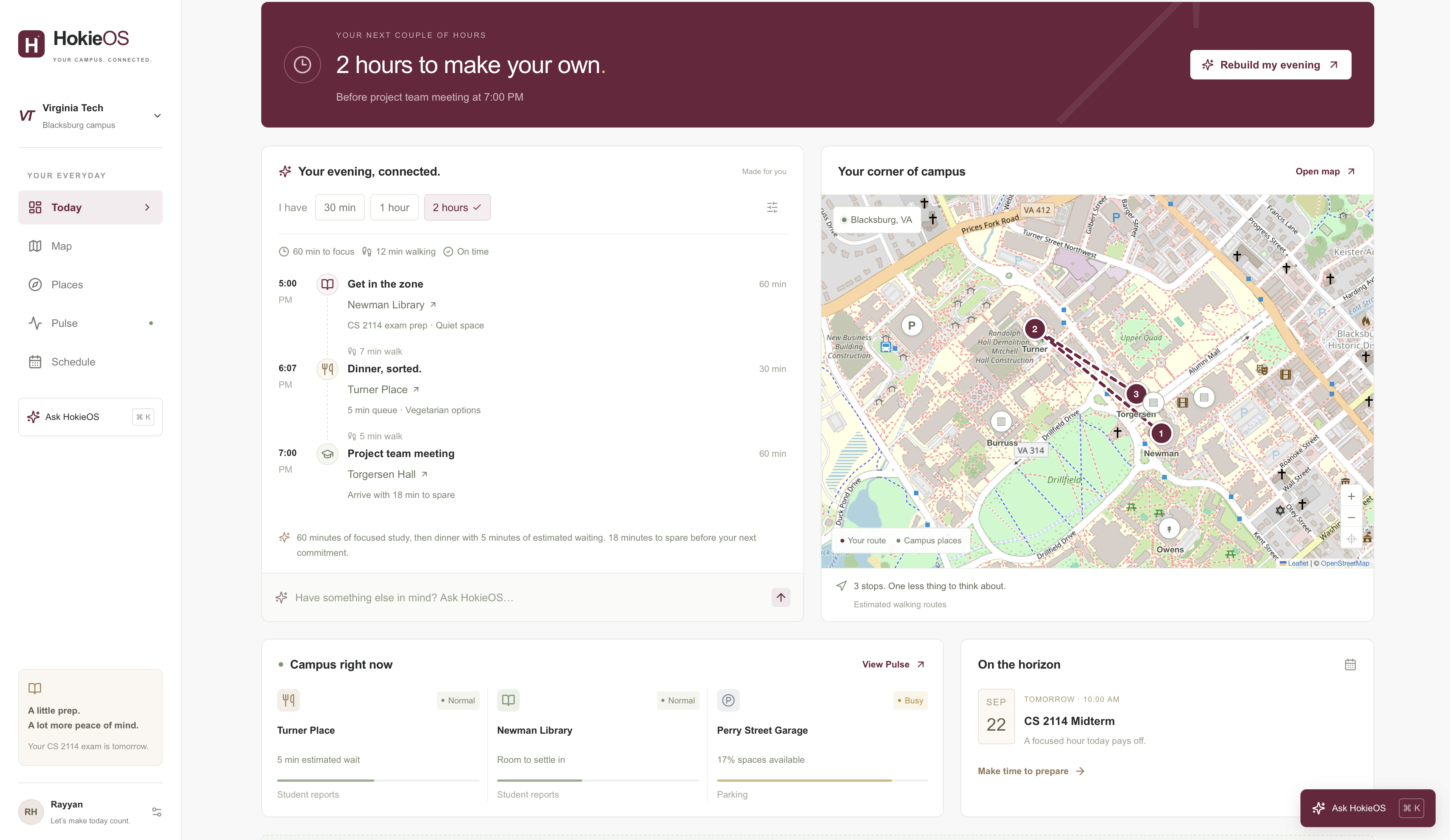
HokieOS is a campus planning application for Virginia Tech students. It shows their available time, creates timed itineraries, and adapts those itineraries when conditions change.
Students can:
- View their day and see how much time remains before their next commitment.
- Create plans for 30 minutes, one hour, or two hours.
- Ask for help combining study time, dinner, or a workout.
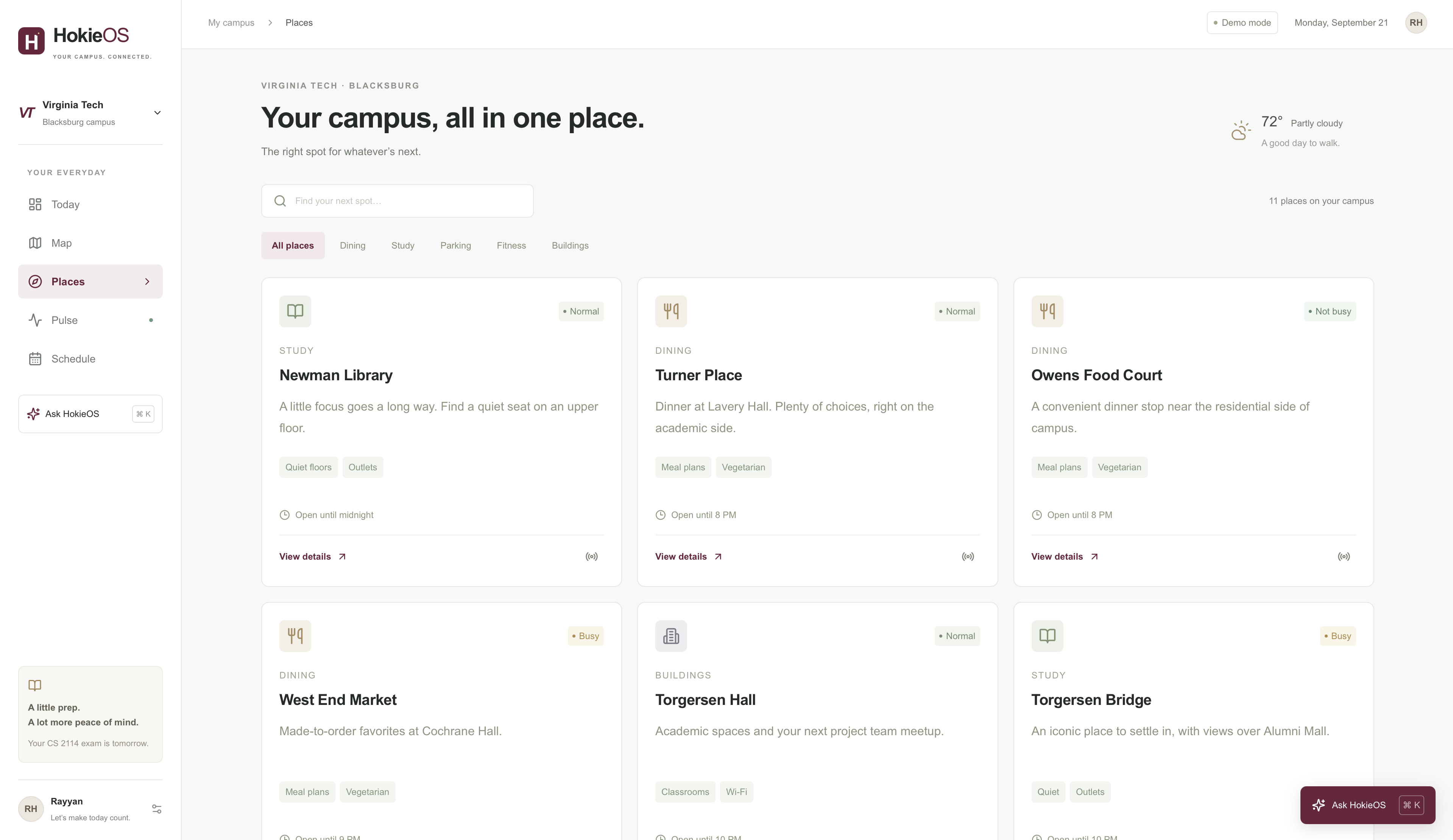
- Explore dining locations, study spaces, parking, fitness facilities, and campus buildings.
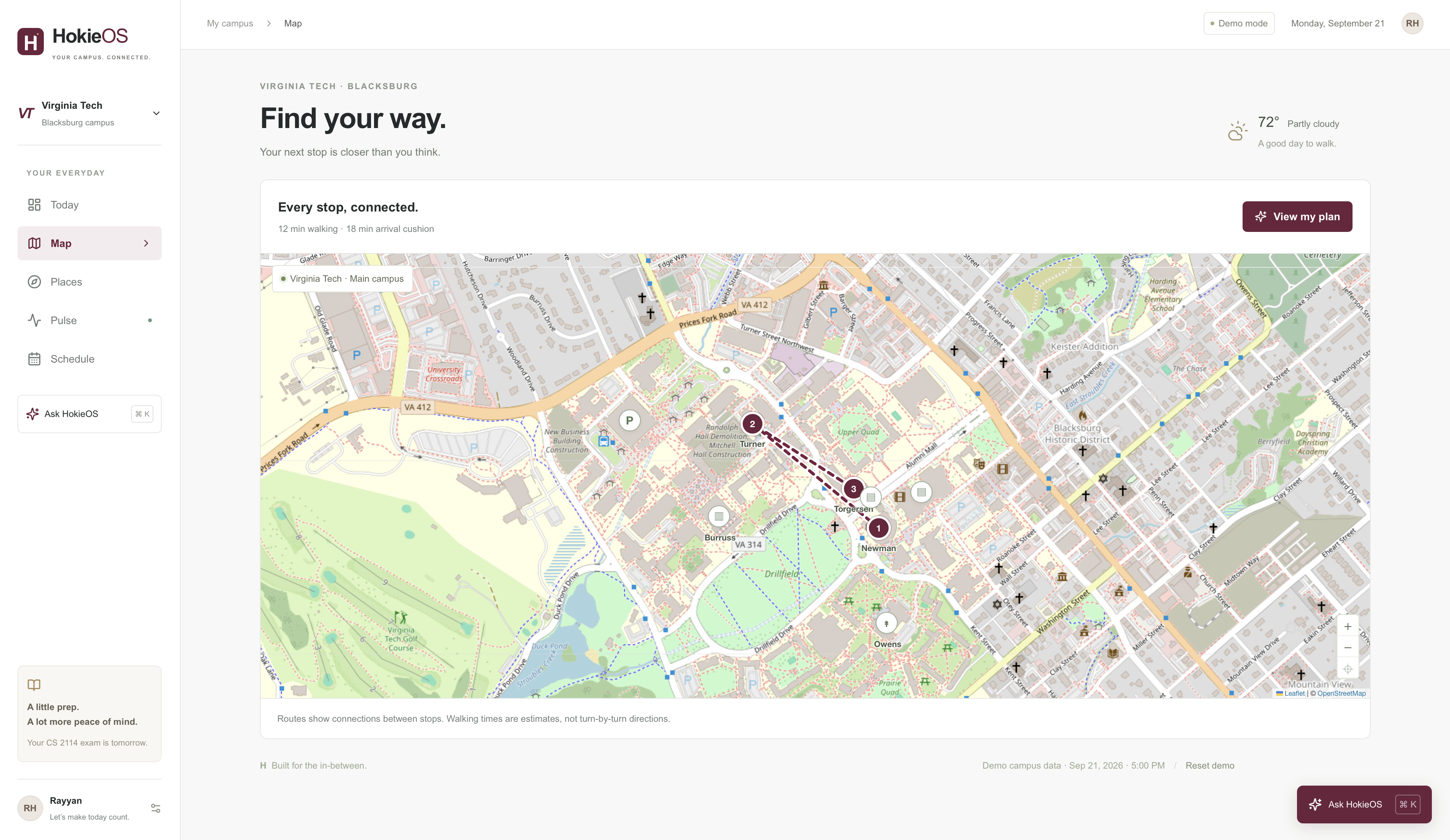
- View their itinerary on an interactive campus map.
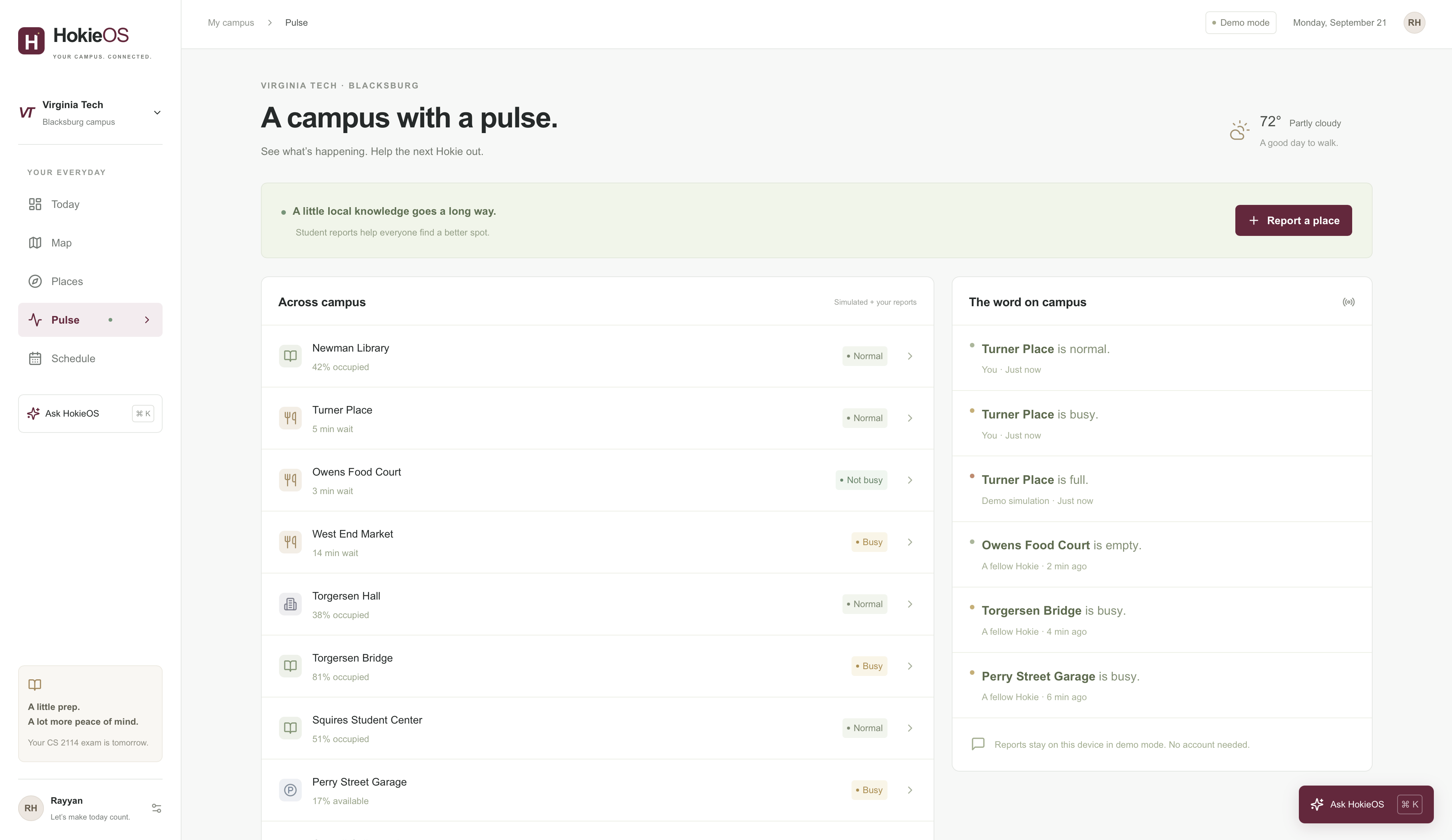
- Report crowd levels through Campus Pulse.
- Add events and use Plan Around This to organize the time before them.
- Set preferences for quiet spaces, vegetarian options, shorter walks, and a favorite dining location.
Our main demo follows a student with an exam tomorrow and a meeting at 7 PM. HokieOS plans an hour of study at Newman Library, dinner at Turner Place, and a walk to Torgersen Hall.
When we simulate Turner becoming packed, HokieOS moves dinner to Owens Food Court. The revised itinerary preserves the study session, arrives 22 minutes before the meeting, and saves 34 minutes compared with continuing to the crowded Turner.
How we built it
We built HokieOS with Next.js, TypeScript, React, and Tailwind CSS. Leaflet and OpenStreetMap power the interactive campus map.
The prototype uses seeded Virginia Tech locations and schedules, with browser local storage for preferences, events, and crowd reports. It works without API keys or a database.
The assistant uses a deterministic planning engine with local request parsing. It identifies supported activities and durations, then evaluates locations using estimated walking time, queue length, opening hours, and student preferences.
The planner works toward a practical time constraint:
$$ T_{\text{activities}} + T_{\text{walking}} + T_{\text{waiting}} + T_{\text{buffer}} \leq T_{\text{available}} $$
Campus reports update the same data used by the planner, allowing the map, itinerary, and explanation to change together.
Challenges we ran into
One challenge was making the itinerary feasible. A recommendation is only useful if it accounts for travel, waiting, and the next commitment.
Another was explaining replanning clearly. The time saved needed a meaningful comparison: taking the alternative route versus staying with the original route under the changed conditions.
Map accuracy also mattered. We checked building coordinates against OpenStreetMap and corrected misplaced markers before recalculating walking estimates.
Finally, we needed a reliable presentation without live university integrations. A fixed demo clock and clearly labeled simulated conditions made the experience reproducible while keeping its limitations transparent.
Accomplishments that we're proud of
We built a connected prototype across five working views, with planning, mapping, reporting, and scheduling sharing the same application state.
The strongest moment is the rerouting demo. A single change in campus conditions produces a visible, understandable improvement while protecting the student's study time and meeting.
We also validated the core planning behavior with seven automated tests covering scenarios such as short time windows, earlier commitments, dining preferences, and crowd-triggered rerouting.
What we learned
We learned that useful assistance depends on context and constraints. Finding a good dining hall is different from finding one that fits into a student's next hour.
We also learned that explanations are part of the product. Students should understand why a recommendation changed and what they gain from following it.
Building HokieOS reinforced the value of separating planning logic from the interface and data sources. That separation makes the prototype testable today and easier to extend later.
What's next for HokieOS
Our next step is connecting the planner to real campus information and student-authorized calendars.
We also want to add:
- A language-model interface for more flexible requests.
- Shared Campus Pulse reports with freshness and confidence indicators.
- Pedestrian routing with accessibility-aware options.
- Live dining hours and campus event information.
- Optional notifications when a plan needs attention.
Our goal is to make HokieOS a dependable campus companion that helps students spend less time coordinating their day and more time living it.
HokieAI Side Kick: Hokie Guide
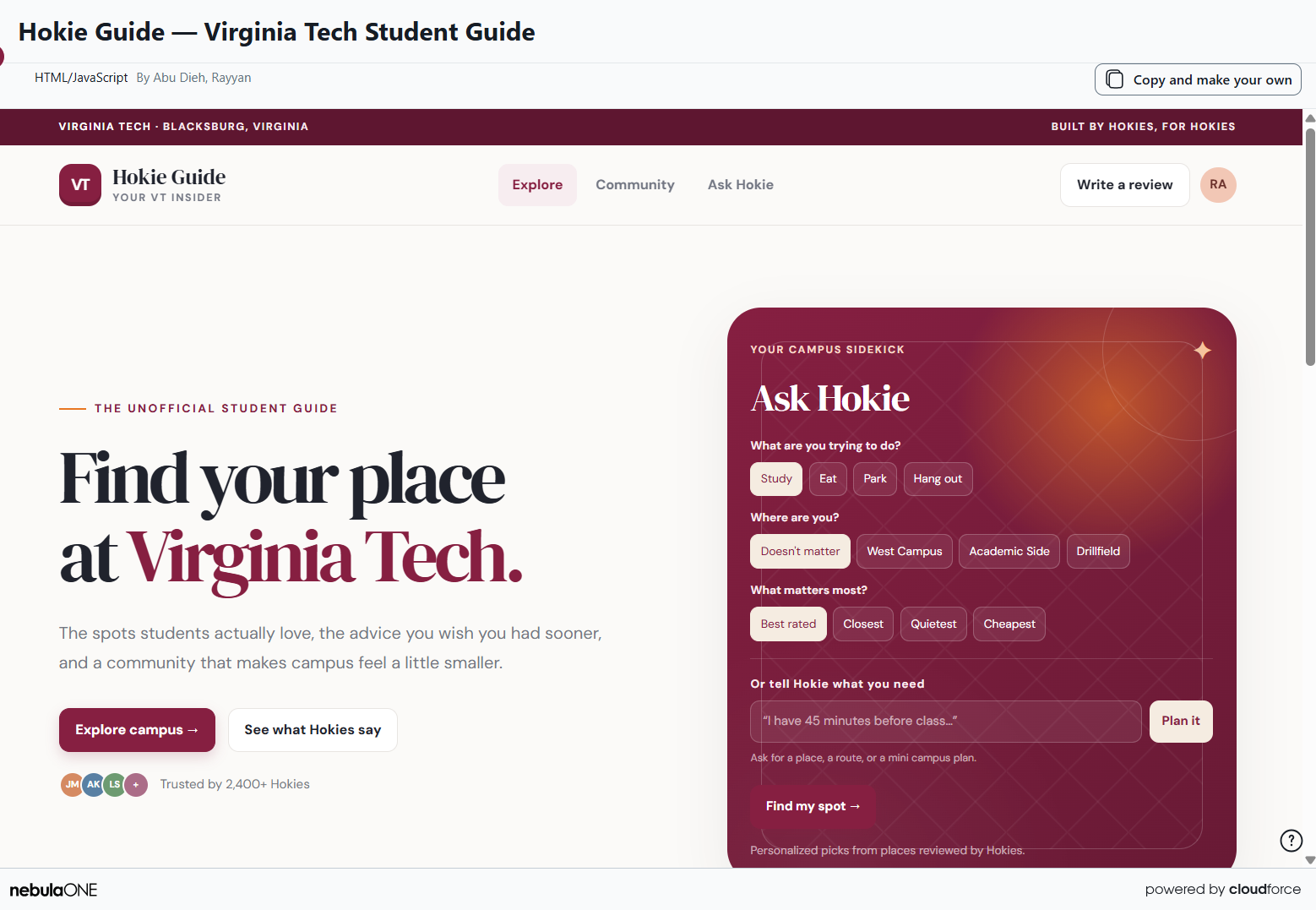
Alongside HokieOS, we built Hokie Guide using Virginia Tech’s HokieAI. Hokie Guide is a lightweight companion that helps VT students find places to eat, study, park, and explore based on their needs. It serves as a standalone Side Kick to the larger HokieOS experience.
Try Hokie Guide: https://hokie.ai.vt.edu/chat/artifacts/ced22d99-da42-456e-8f14-31351210932c
Built With
- css3
- git
- github
- html5
- javascript
- leaflet.js
- localstorage
- lucide-react
- next.js
- node.js
- npm
- openstreetmap
- react
- react-leaflet
- tailwind-css
- typescript

Log in or sign up for Devpost to join the conversation.