-
-

App logo
-
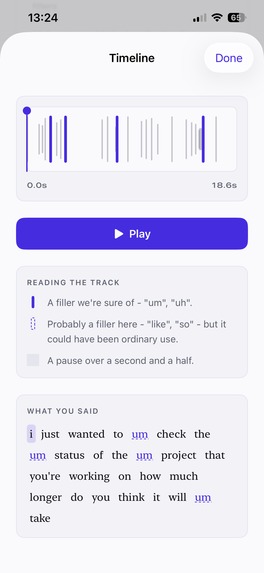
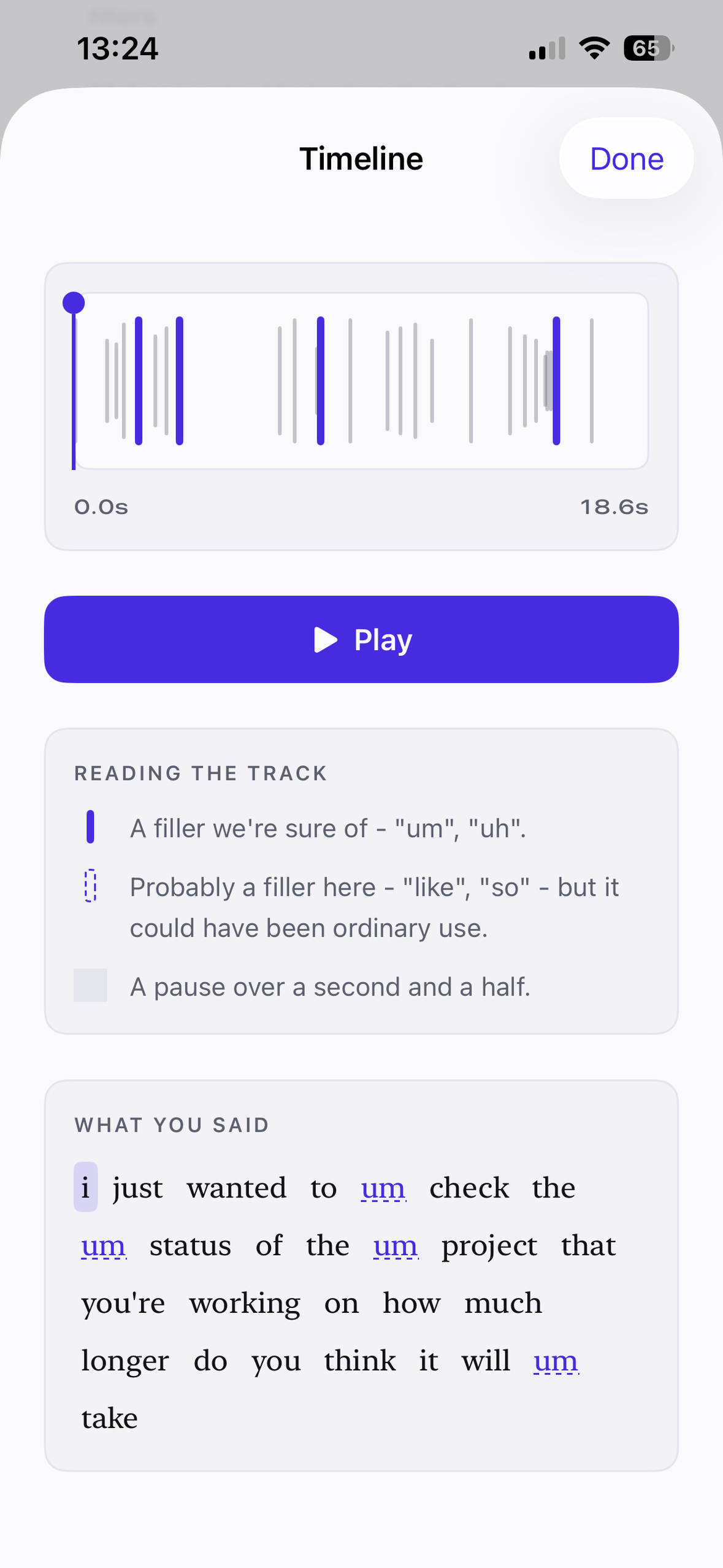
Timeline screen
-
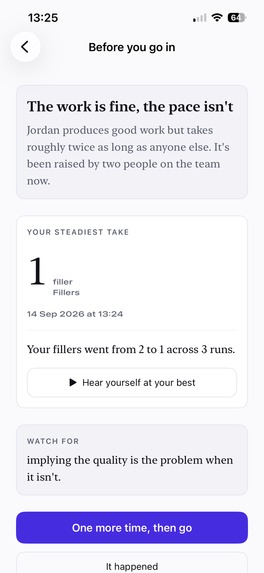
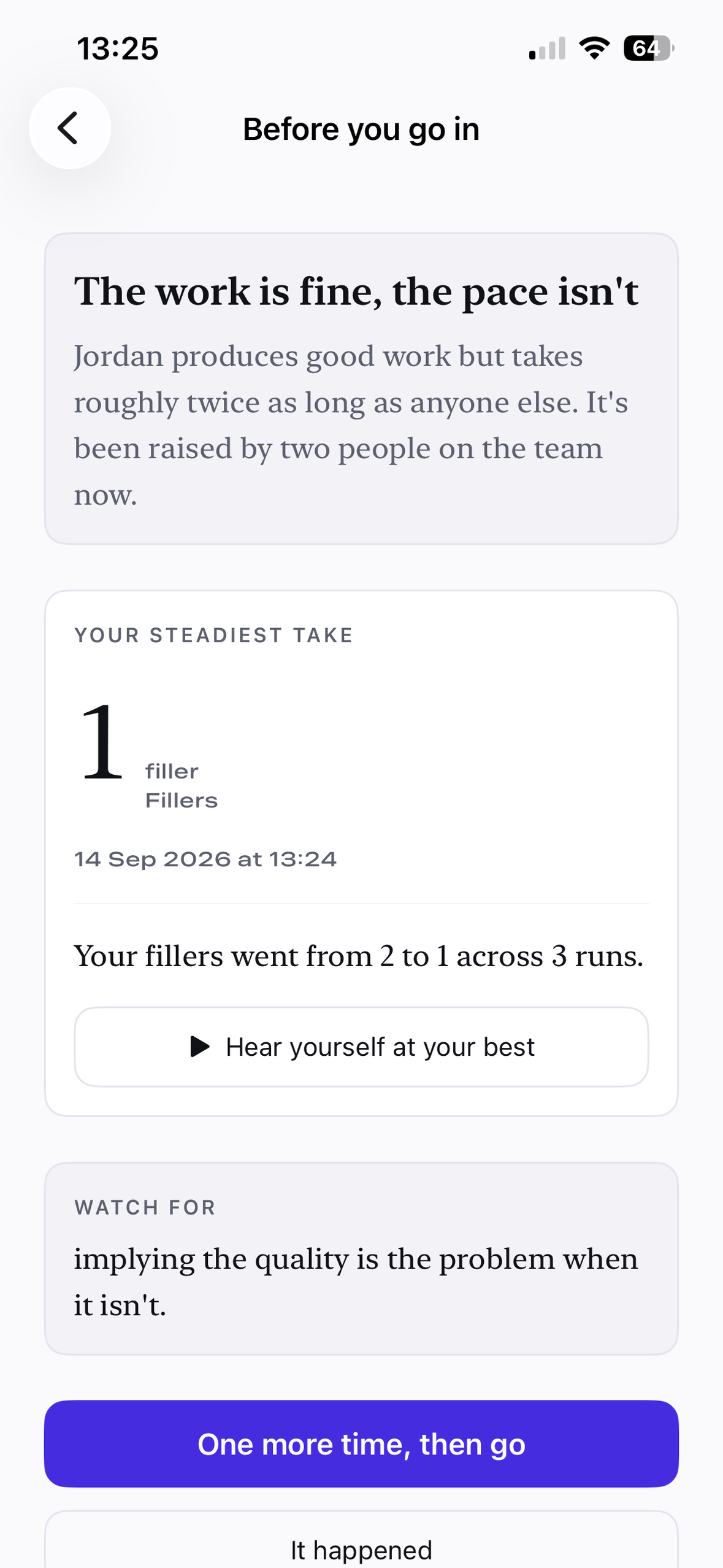
Before you go in screen
-
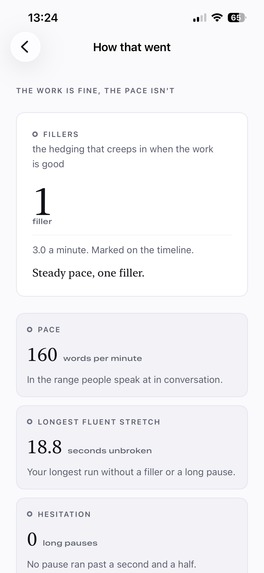
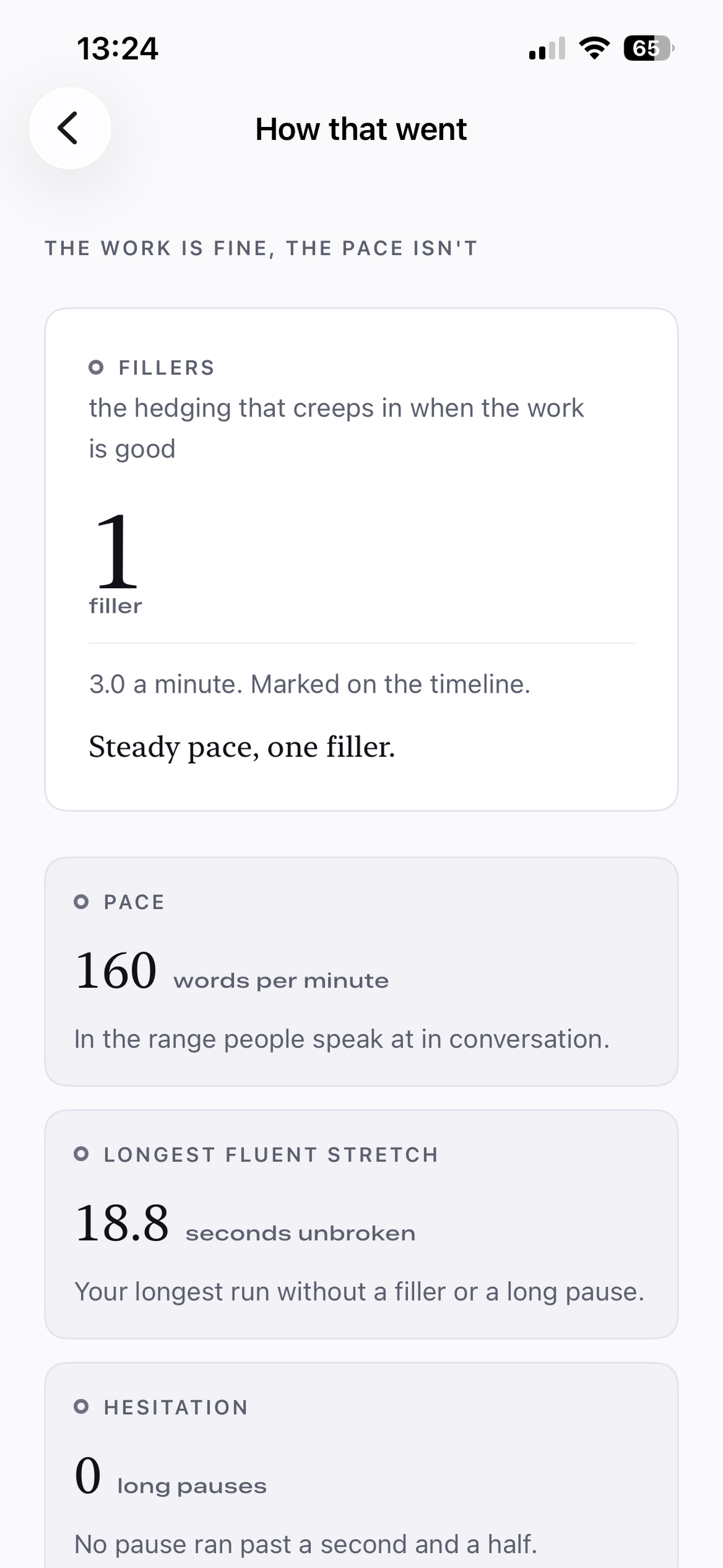
How that went screen
-
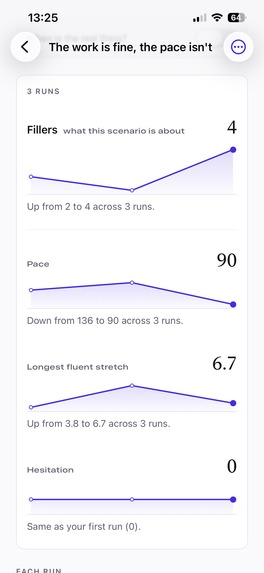
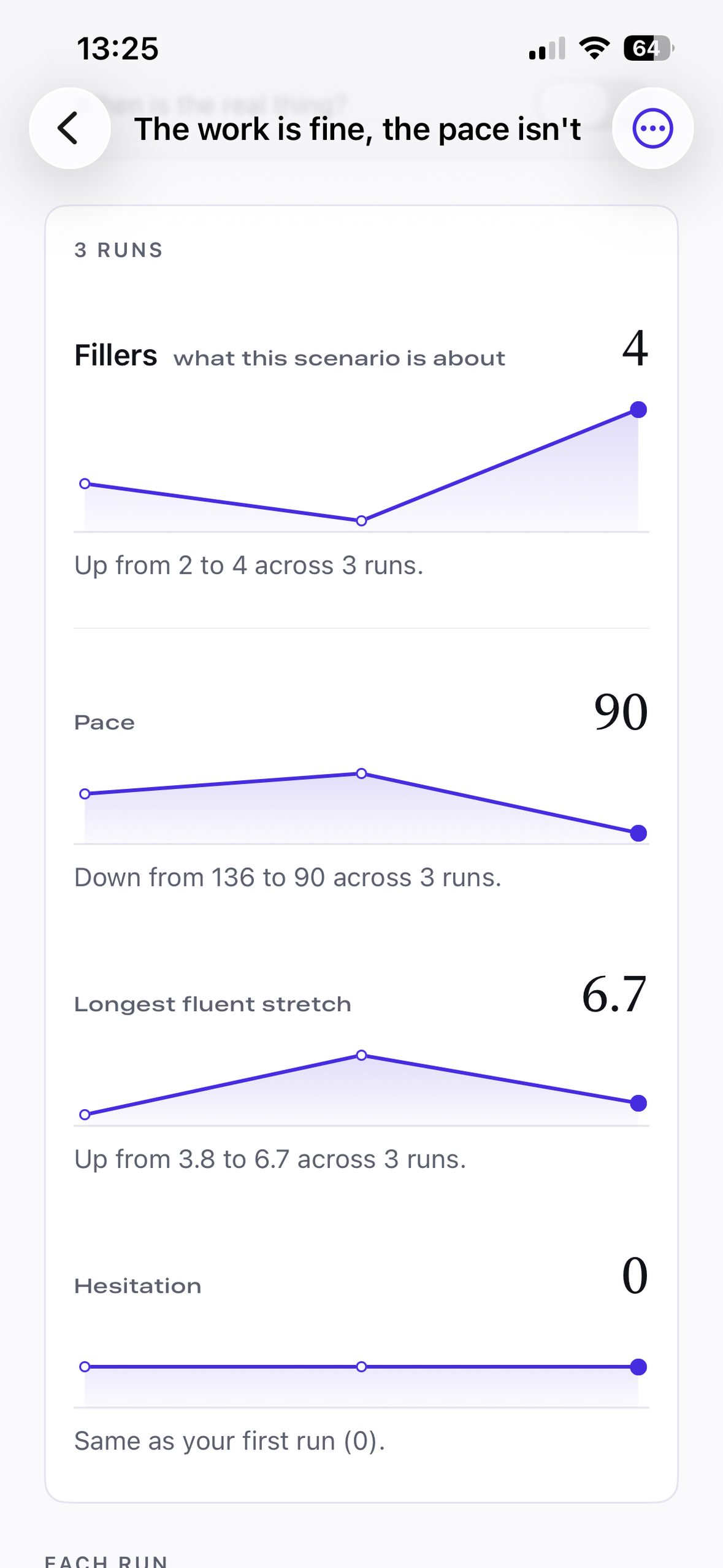
Progress across runs screen
-
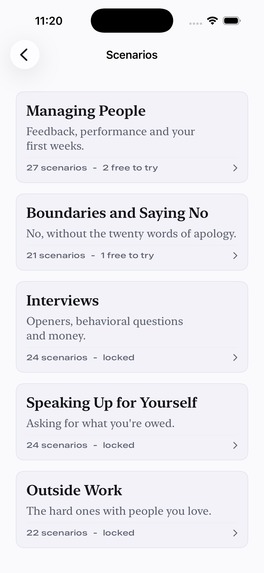
Decks screen
-
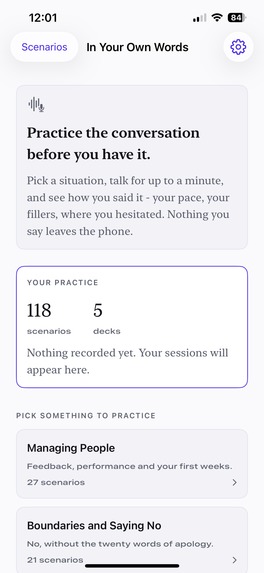
Home screen
-
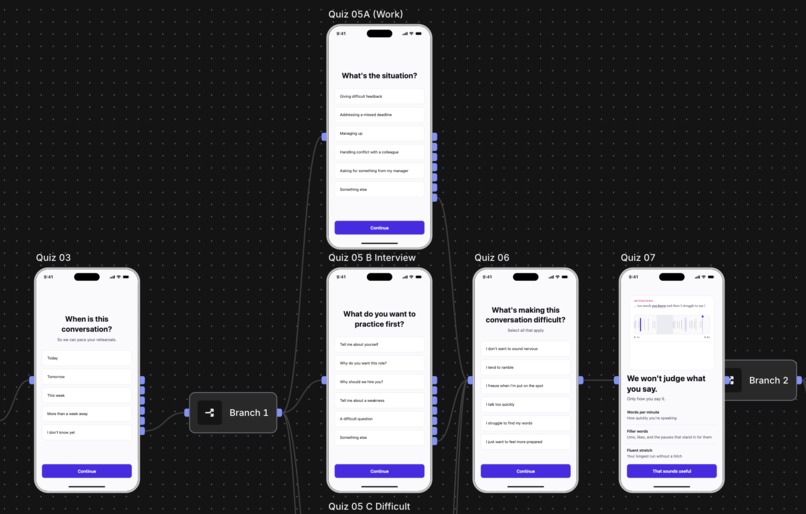
Web-to-App Funnel Close-Up
-
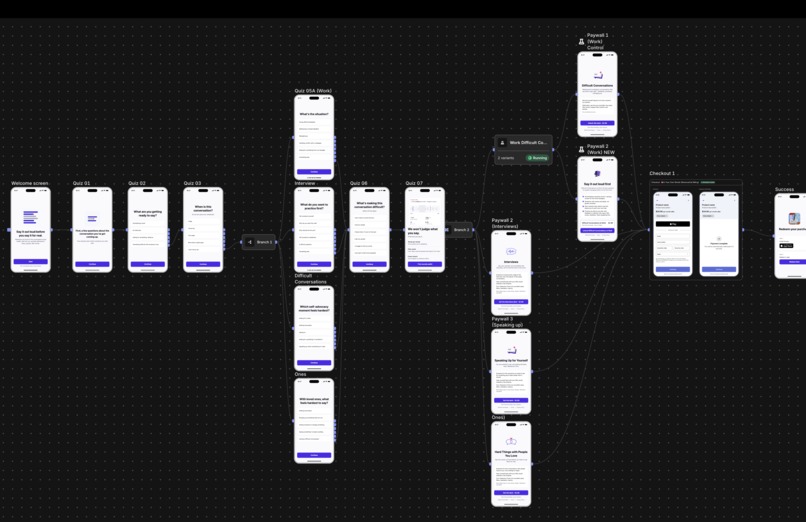
Web-to-App Funnel Full

In Your Own Words
Welcome to In Your Own Words: available now on the App Store.
I built In Your Own Words for the Leadership Heather’s Career Coaching Challenge, which challenges developers to help new managers practise difficult conversations before the stakes are real.
I'm also submitting the app for the Funnel Vision Award (Stripe), using RevenueCat Funnels and Stripe to build a web-to-app purchase experience.
Inspiration
Pretty much all apps that help you prepare for a hard conversation want to tell you what to say. In Your Own Words takes a different approach.
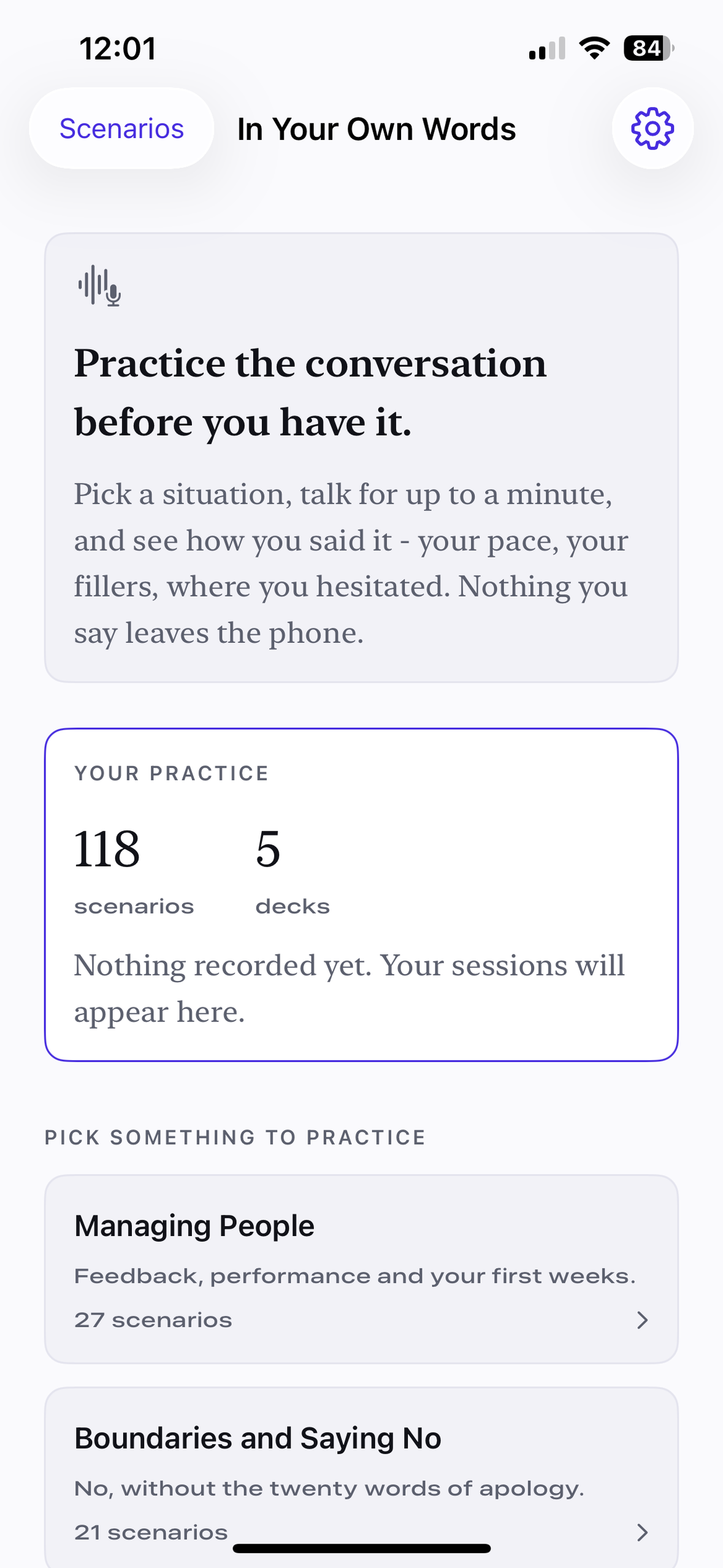
In Your Own Words gives you: a small scenario, 60 seconds, and a microphone... and then it lets you find your own words, get real measurable feedback, and build your confidence.
It uses new iOS 26 technology to give you feedback on quantifiable metrics: your pace, the filler words your used, your longest fluent stretch, where you hesitated.
Whether you were persuasive? Whether you sounded confident? Whether you are ready? Those are yours to judge. The app gives you the recording and gets out of your way, so you can build your own confidence.
Personal background
The idea for how the app should work was inspired by my own firsthand experience of taking on increasing senior responsibilities throughout my software engineering career.
With a difficult conversation coming up at work, I would run it in my head over and over (and over... 😅) and still fumble it.
The times when I did speak clearly were the times when I had actually practiced speaking the tough sections out loud beforehand and recorded myself to see how I sounded.
Speaking out loud before the real thing showed me problem areas which I can't notice just by thinking through the conversation in my head. I can hear where I was stumbling, where I was hesitating, and which parts didn’t sound as clear as I imagined
That's what inspired In Your Own Words. I wanted to make that kind of practice easier, particularly for new managers navigating difficult conversations for the first time.
How it works:
- Pick a scenario close to one you have coming up, or one you'd like to feel more confident with
- You get a card with the situation, what makes it awkward, and what tends to go wrong
- Say your opening out loud - up to 60 seconds - into the microphone
- Get quanitifiable metrics on how you sounded: your pace, every filler word marked on a timeline you can scrub, your longest fluent stretch, and where you hesitated
- Try the scenario again and watch how your metrics change
- Every recording shows under the conversation that you're preparing for, so you can see review and listen back to your best effort
The screen I'm proudest of is "Before you go in". The idea for that screen is that it is designed to be opened just before having a real conversation that is similar to the one you practiced. It plays you your best take, in your own voice, tells you how your metrics have changed, and gives you one last attempt at practicing talking about the situation
How I built it
In Your Own Words is a native iOS app built with SwiftUI and SwiftData. It uses new speech APIs: SpeechAnalyzer & SpeechTranscriber, which were introduced in iOS 26. There is no backend, all the speech analysis happens using these on-device models.
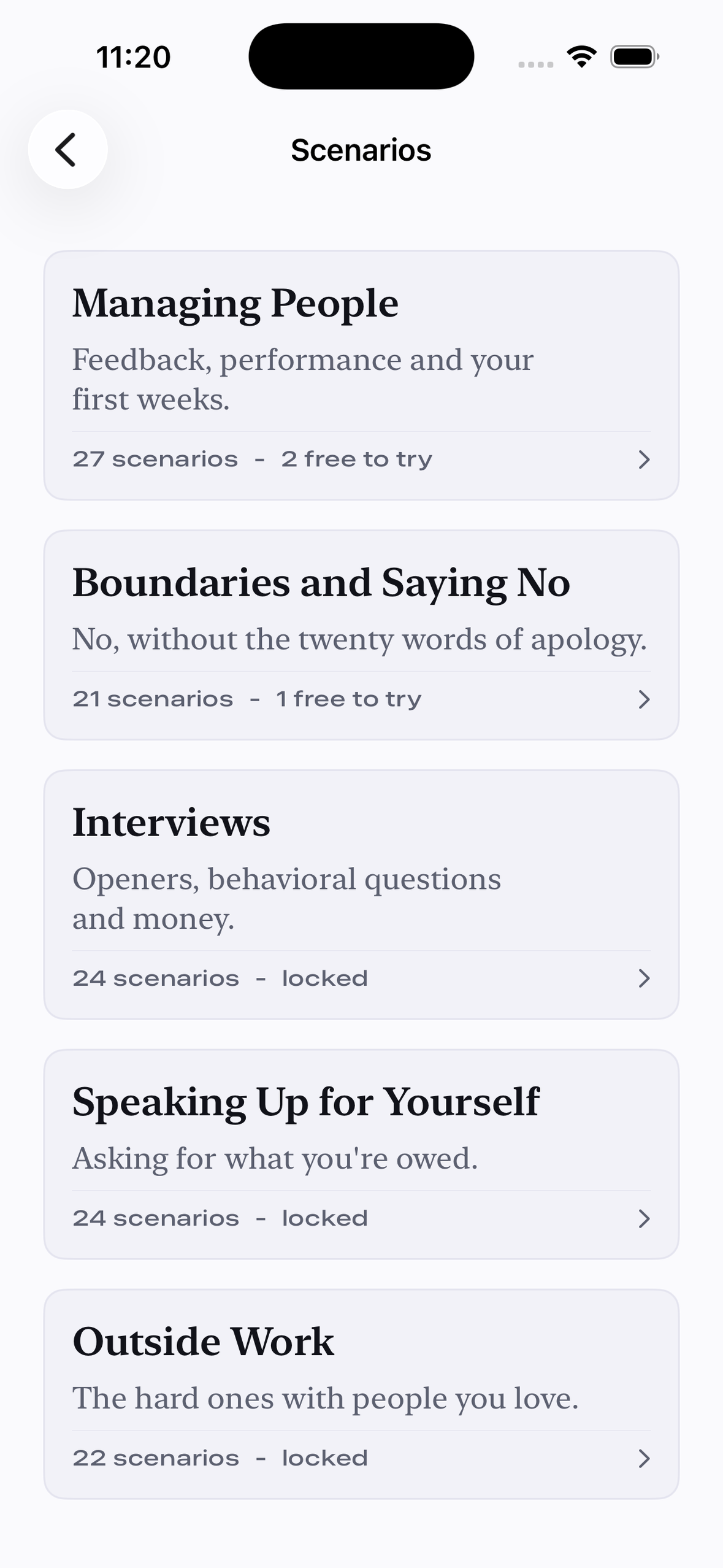
The app has 118 scenarios across 5 decks:
- Managing People - 27 scenarios for your first year managing people
- Boundaries and Saying No - 21 scenarios about setting boundaries and saying no
- Interviews - 24 scenarios, from common introductory questions to negotiating a job offer
- Speaking Up for Yourself - 24 scenarios for when you need something and asking feels hard
- Outside Work - 22 scenarios for the hard conversations that come up outside the office
The web-to-app funnel
I built a web-to-app funnel in RevenueCat Funnels, with Stripe taking the payments.
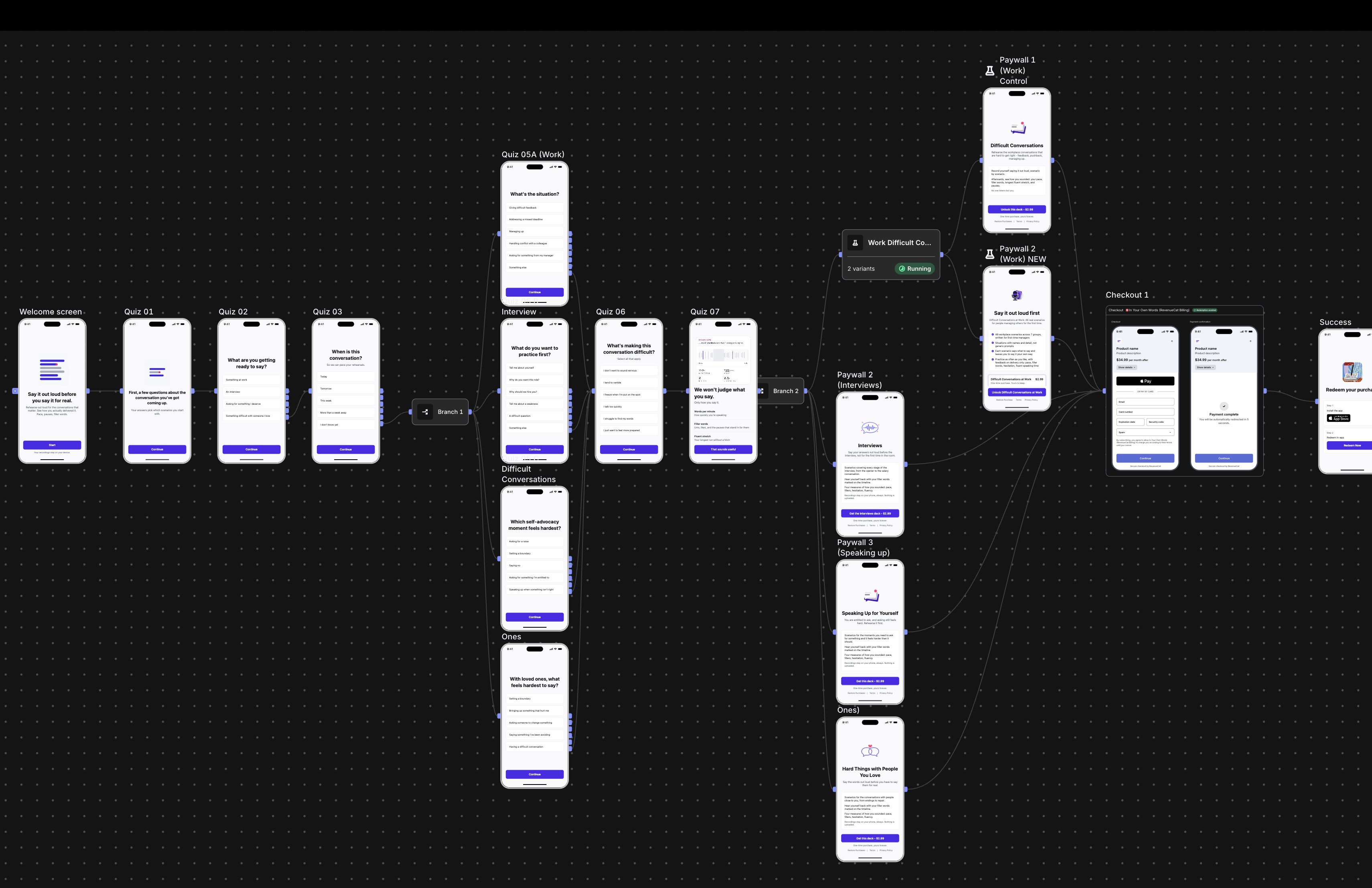
The funnel works like this:
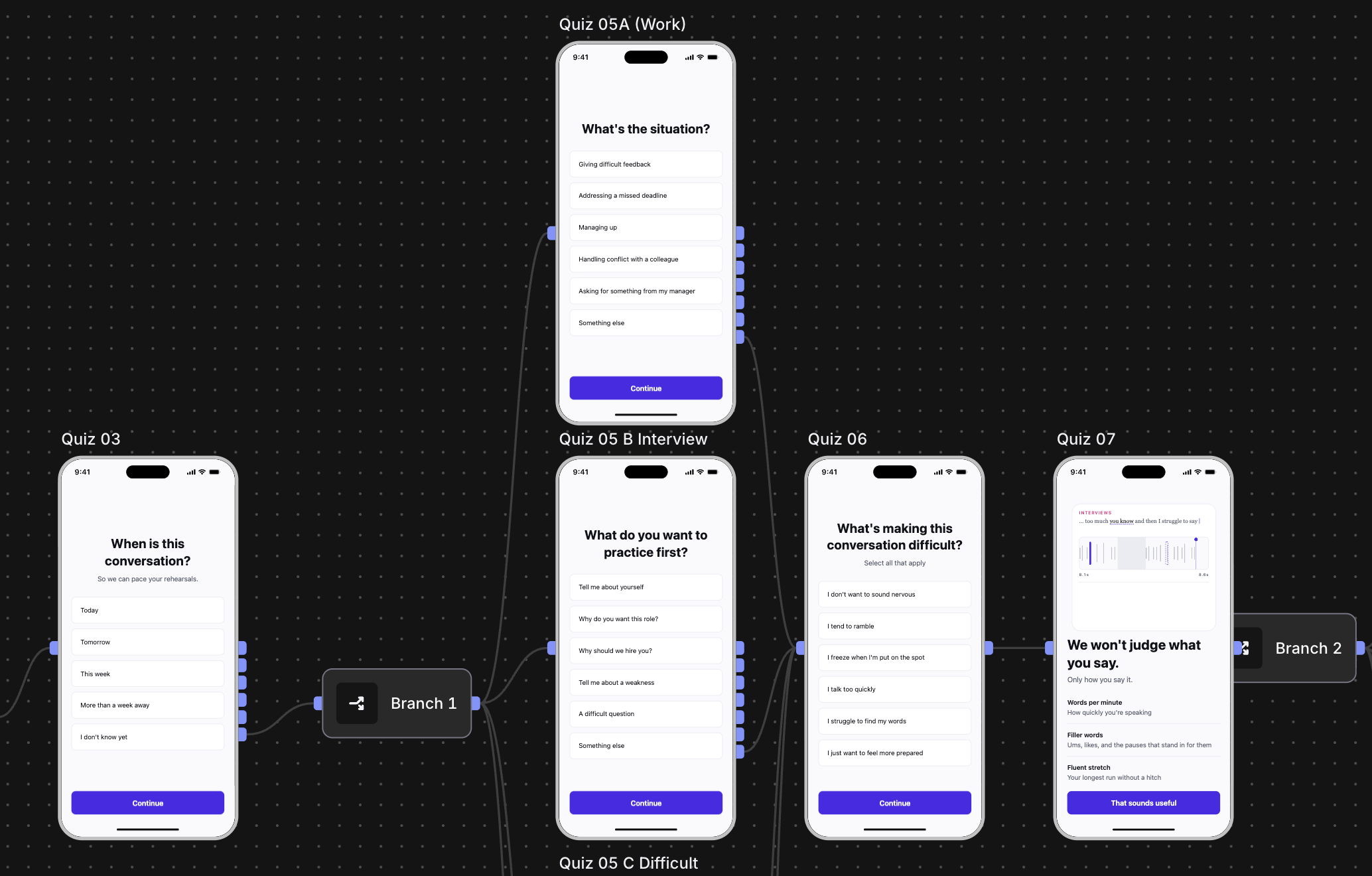
- A short quiz asks what you're getting ready to talk about
- Your answer sends you down one of four routes, with follow-up questions about your situation
- You see a custom animation of the app's recording timeline, so you can see what the app does before you see a price
- You reach a paywall for the deck that matches your answers
- You can purchase the matching deck with Stripe using Apple Pay or a debit/credit card
- After installing the app from the App Store and tapping Redeem Now, RevenueCat Redemption Link unlocks your deck, with no account needed
I'm also running an A/B experiment inside the web funnel between two different paywalls for the "Difficult Conversations at Work" deck 🧪
TRY THE WEB-TO-APP FUNNEL YOURSELF: https://signup.cat/PXKJzvussusOmdyB/
The full web-to-app flow looks like this:
Challenges I ran into
One of the biggest challenges was making the scenarios feel realistic without making the app tell people what to say. I wanted the situations to feel like conversations a new manager could actually have, while still leaving the user to practise in their own words.
I also had to be careful with the feedback. It was tempting to make the app give more opinions about someone's answer, but I decided to keep the feedback focused on things the app can actually measure, such as hesitation, fluency and filler words. This made the feedback more useful and avoided pretending the app could judge whether someone's response was "good".
On the technical side, I found a major speech timing problem quite late in development. I had already built most of the app before properly testing longer recordings, so I had to change my approach later than I would have liked. This taught me to test the most important part of a project earlier before building everything around it.
Accomplishments that I'm proud of
I'm proud of building an app that gives people a way to practise difficult workplace conversations before having them in real life. The combination of realistic scenarios and simple feedback makes the practice feel more useful than just reading advice.
I'm also proud of building the whole web-to-app experience. I created the quiz and animation on the website, connected the checkout using Stripe, and made it possible for the purchase to carry over into the app. This was a completely new type of project for me, so getting the whole journey working was a big accomplishment.
What I learned
I learned that keeping the product focused is important. There are lots of things you could try to measure about someone's speech, but adding more metrics doesn't necessarily make the feedback more useful. I found it was better to focus on a small number of things the app could measure reliably.
I also learned that the experience starts before the user opens the app. The quiz, payment and download are all part of the same journey, so the website needs to make the reason for using the app clear before someone reaches the checkout.
Finally, I learned that some product decisions are harder to make than the technical ones. Deciding what the app should not do - like judging someone's answer or telling them what to say - was just as important as deciding what features to build.
What's next for In Your Own Words
The next step is to get more people through the Stripe funnel and see how they respond to the product.
I'd also like to test the price of the decks. The current $2.99 price was a starting point that felt reasonable, but I haven't tested whether it's actually the right price yet.
After that, I'd like to add more decks covering different types of difficult conversations. If the app gets traction, I'd also look at adding other languages, starting with Spanish and French.
Built With
- accessibility
- avfoundation
- ios
- revenuecat
- revenuecat-funnels
- revenuecat-paywalls
- speechanalyzer
- speechtranscriber
- stripe
- swift
- swift-6
- swift-concurrency
- swiftdata
- swiftui
- voiceover

Log in or sign up for Devpost to join the conversation.