💡 Inspiration
Every team using Splunk eventually runs into the same wall: the data is there, the answers are in there, but getting to them requires writing SPL, a powerful but specialist query language that most engineers, analysts, and developers have never learned.
I've seen this play out firsthand. A developer needs a service health dashboard before a release. An analyst needs an investigation view during an active incident. A stakeholder wants to understand error trends. In every case, they either wait for a Splunk expert to build it for them, or they give up and fly blind.
That gap between "I need to see this" and "the dashboard exists" is what QueryGenie is designed to close.
🧞 What We Built
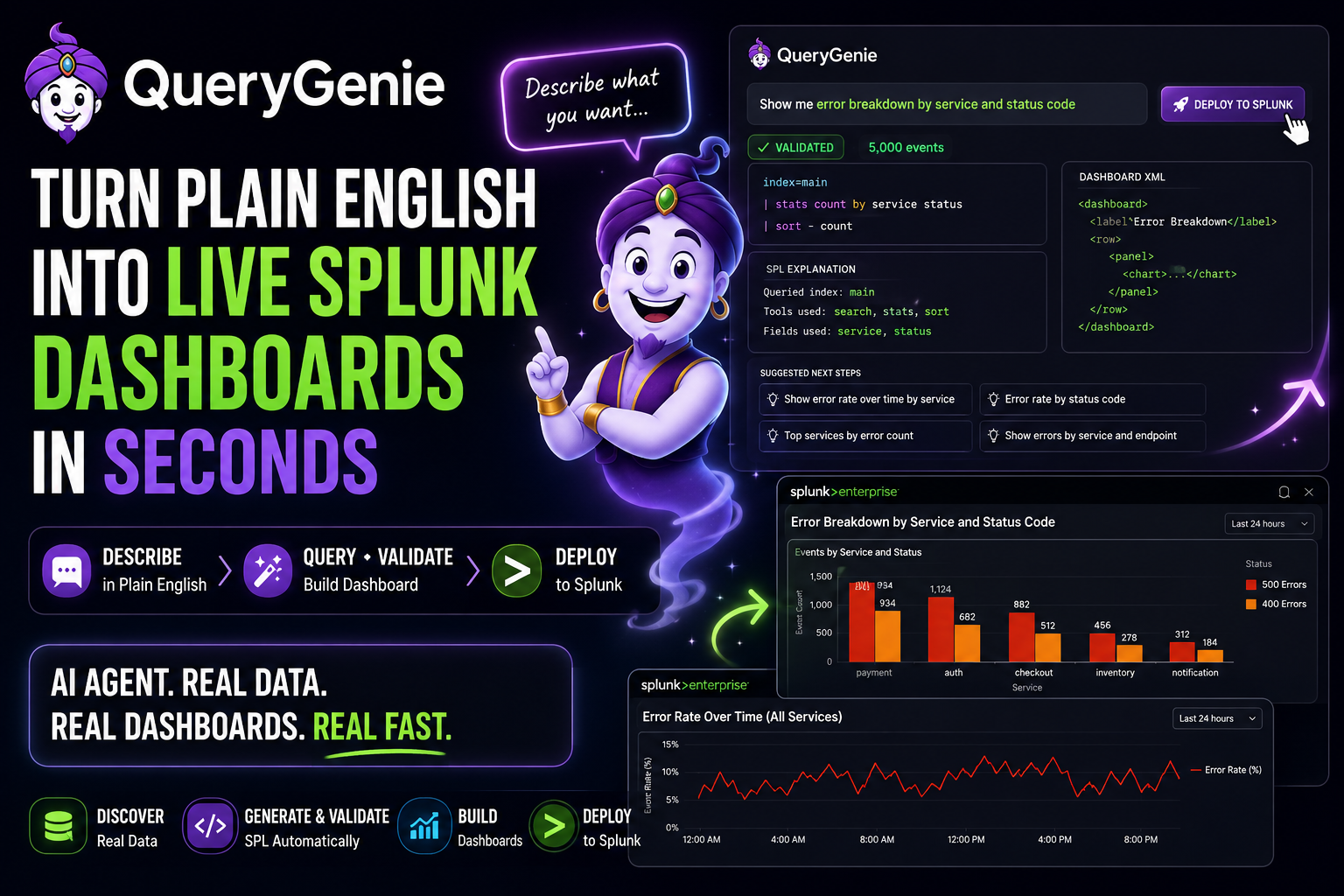
QueryGenie is an AI-powered agentic application that turns plain English into deployed Splunk dashboards in a single conversation.
You describe what you want to monitor. The agent discovers your real Splunk indexes, generates SPL using your actual field names, validates the query against live data, builds a complete Simple XML dashboard, and deploys it to Splunk, all without the user touching a single line of SPL or XML.
The core design decision was that every answer had to be grounded in actual data. The agent never assumes index names or field names. It always queries Splunk first, discovers what exists, and builds from there. This eliminates the most common failure mode of LLM-generated queries, which is hallucinated fields and wrong index names returning empty results.
🔧 How We Built It
QueryGenie runs on a multi-step agentic loop using pydantic-ai, not a single LLM call. The agent has seven live Splunk REST API tools it calls autonomously. It starts with index discovery, then generates SPL using those real names, then validates the query against live Splunk data before building any XML, and finally deploys the finished dashboard via REST API. If validation fails, it adjusts and retries. The user only sees the result once the query is confirmed to work.
The Streamlit UI keeps it simple: chat on the left, generated SPL and deploy controls on the right. A dashboard library tracks every deployment in the session so you can load, refine, or reopen any dashboard directly in Splunk.
🚧 Challenges
Getting the agentic loop right was the hardest part. Early versions let the model guess index names, which produced empty results and confused outputs. The fix was making index discovery the mandatory first step every single time. Once the agent always grounds itself in real data before generating anything, output quality improved dramatically.
Splunk's REST API also had some sharp edges we had to work through. The search export endpoint requires POST, not GET. The dashboard creation endpoint rejects a label field that works fine on a different variant of the same route. Dashboard URLs point to the management port rather than the web UI port. Each of these caused 400 errors that required careful debugging against live Splunk responses, but working through them gave us a much more reliable client in the end.
📚 What We Learned
Building a grounded agentic system is fundamentally different from building a chatbot. The value is not in the model's SPL knowledge. It is in the feedback loop between the model and live Splunk data. Every tool call narrows the search space and eliminates hallucination. An agent that talks to your system in real time is always more accurate than one that guesses about it.


Log in or sign up for Devpost to join the conversation.