-
-

The pinned extension in the task bar.
-
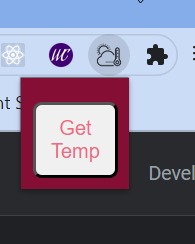
After clicking the icon.
-
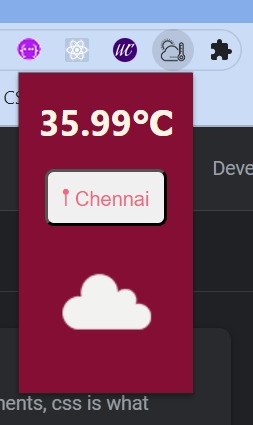
After clicking 'Get Temp'.


Inspiration
It's time-consuming to search in Chrome or any web browser to know the temperature of your locality. So it's easy to have an extension pinned to your browser that exactly does this.
What it does
This chrome extension makes it handy to get to know the temperature and what the weather's like. Also, there's no need to enter your location. It automatically gets it from your browser.
How we built it
The technologies used in building this Chrome extension were HTML, CSS, and javascript. It has a manifest.json file that gives information to the browser about the extension.
Here, I used the GeoLocation API in Javascript which helps retrieve the current location of the device.
navigator.geolocation.getCurrentPosition(success, error); is the line of code which when called requests the browser for the current location of the device.
I used the BigDataCloud API to get the address or the city name from the latitude and longitude retrieved earlier.
Then, I used the OpenWeather API for getting the weather in the current location.
Finally, I used the vanilla javascript to send this data to the respective elements in the HTML file.
Challenges we ran into
Initially, I thought of using google maps for this. But it was a bit difficult to get an API key as I had to set up my billing account. And also it was a bit complicated as I had to get the coordinates and reverse it back to a address.
Accomplishments that we're proud of
This is my first ever Google Chrome Extension using the GeoLocation API.
What we learned
It taught me about the GeoLocation API. Also, in the process of building this project I spent a lot of time reading the Google Maps docs, So now I have some idea about it. I also learned how simple it is to make a google chrome extension.
What's next for ℃
I'm trying to make an interactive background that will change according to the temperature.
Built With
- api
- bigdatacloud
- css
- gps
- html5
- javascript
- openweather


Log in or sign up for Devpost to join the conversation.