-
-
PI
Inspiration
Every developer knows this moment: you open a project you left halfway through last week and spend the first 30 minutes asking "wait, what was I doing?" I lose my place all the time, especially at hackathons, where I jump between files, branches and ideas every few minutes.
I also loved the idea of a desktop pet. Codex's pet showed that an assistant can feel like a companion instead of another chat tab. So I asked: what if a cute little pet sat on my screen, watched my workflow, and remembered where I left off for me? And what if it ran entirely on my own machine, so my code never leaves my laptop?
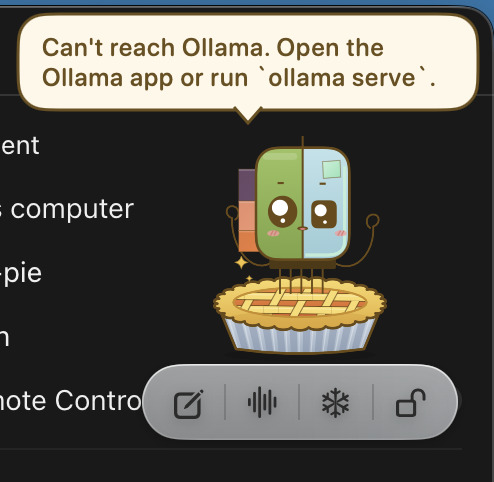
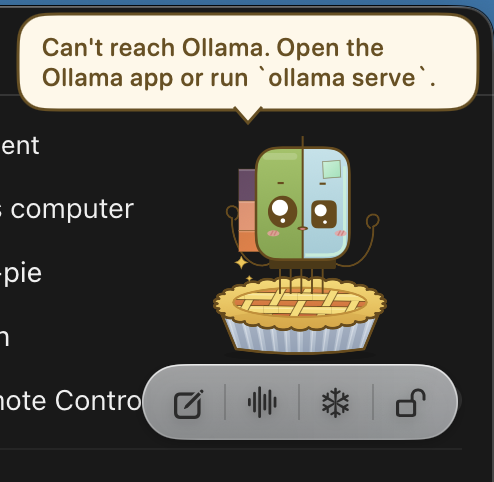
That became Pi: a little Raspberry Pi riding on top of a lattice pie, powered by a local LLM through Ollama.
What it does
- 🧭 Remembers where you left off. When you close a project in Antigravity IDE, Pi reads your current file, cursor position, open tabs and uncommitted git changes, then writes a
CONTEXT.mdhandoff note: what you were building, where you stopped, and the next steps. When you reopen the project, Pi greets you with that summary. - 📝 Keeps notes as Markdown. Notes, daily plans, recaps and project contexts all live in one
PiNotes/folder as plain.mdfiles you own. - ✅ Tasks and reminders in plain English. Say "remind me to stretch in 30 minutes" and Pi does the rest.
- 🎙 Talk to Pi by voice; speech is recognized on your Mac.
- 🔒 Lock in: one tap starts a focus timer and turns on Do Not Disturb.
- 💬 A glossy dashboard keeps your full chat history, in the style of the macOS Siri app.
How we built it
- Native macOS app in Swift and SwiftUI.
- The pet floats in a transparent, borderless, always-on-top
NSPanelthat follows you across Spaces. - I redrew the character art as vector shapes in a SwiftUI
Canvas, so it animates smoothly: blinking, bobbing, waving, thinking, sleeping. The original was a photo of a screen, which I couldn't cut out cleanly.
- The pet floats in a transparent, borderless, always-on-top
- Local AI.
- Everything runs on
gemma4:e4bthrough Ollama's/api/chat, with streaming responses. - Every message first goes through an intent router: one fast call with Ollama structured outputs (a JSON schema) that classifies it as
add_task,save_note,resume,chatand so on.
- Everything runs on
- Editor bridge.
- Pi runs a tiny HTTP server on
127.0.0.1built with Apple's Network framework. - A plain-JavaScript VS Code-style extension inside Antigravity reports the project, file and cursor, and sends a save request when the window closes.
- I packed the
.vsixby hand, without any npm tooling.
- Pi runs a tiny HTTP server on
- Context generation. Pi collects
git status,git diff, recent commits, the README, the file tree and about 120 lines around your cursor, then asks the model for a structured handoff note. - Do Not Disturb. I generated and signed two Shortcuts that Pi runs with the
shortcutscommand-line tool, because macOS has no public API for Focus modes.
Challenges we ran into
1. Fitting a whole project into a small model's context. Ollama's default context window is small, and a raw dump of a repo is huge. I had to give each source of information a budget. Each source (diff, file excerpt, README, file list, previous context) is cut to a character cap $c_i$, and roughly $3.5$ characters make one token. So the prompt has to satisfy
$$ \frac{1}{3.5}\sum_{i} c_i \;+\; T_{\text{instructions}} \;+\; T_{\text{output}} \;\le\; N_{\text{ctx}} = 16{,}384 . $$
With caps of about $7000$ characters for the diff and $6000$ for the cursor window, the total stays near $6000$ tokens. That leaves plenty of room for the answer while keeping the Mac cool.
2. A home folder that was a git repository. My home directory had been accidentally git init-ed, so every project "inherited" a repo that tried to scan my entire home folder. Pi now ignores any repository whose root is the home directory.
3. Saving at exactly the right moment. An extension's deactivate() gets only a moment before the editor shuts down. The extension sends the save request immediately, and Pi keeps writing the note in the background after the editor is gone. Antigravity can also crash without saying goodbye, so a heartbeat check catches editors that disappear: no heartbeat for t > 180 triggers a save.
4. Keeping it safe. A local server could be reached by any website in the browser. The bridge listens only on 127.0.0.1, rejects any request that carries an Origin header, and accepts only JSON.
5. Small-model reliability. Free-form answers from a 4B model were unpredictable. Using JSON schemas for routing made it dependable: it routed every phrase in my test set correctly, in about $1.5\,\text{s}$ per message.
6. Heat. A local LLM that is always loaded warms up a laptop. Pi uses a short keep_alive, so the model unloads a few minutes after each request.
What we learned
- Structured outputs turn a small local model into a dependable tool, without needing a large cloud model.
- Context engineering beats model size: what you feed the model matters more than how big it is.
- macOS details I'd never touched before: non-activating panels, Spaces behavior, on-device speech recognition, the Network framework, and Shortcuts as a workaround for missing APIs.
- Privacy can be a feature: "your code never leaves your Mac" turned out to be one of Pi's best selling points.
What's next
- Support VS Code and other editors.
- Search past project contexts semantically ("when did I last touch the auth code?").
- Let Pi suggest when to take a break, based on how long you've been locked in.
Built With
- antigravity
- appkit
- apple-shortcuts
- avfoundation
- gemma
- git
- javascript
- llm
- local-ai
- macos
- markdown
- network-framework
- ollama
- speech-framework
- swift
- swiftui
- vscode-extension-api
