Inspiration
“Is my shipment still arriving on the eighteenth?”
That question is easy to ask and hard to answer. When cargo misses a connection, the freight operator needs to find its last reported location, compare onward routes, check the freight invoice, and give the customer an update. Each piece of information may sit in a different system, but the customer needs one clear answer.
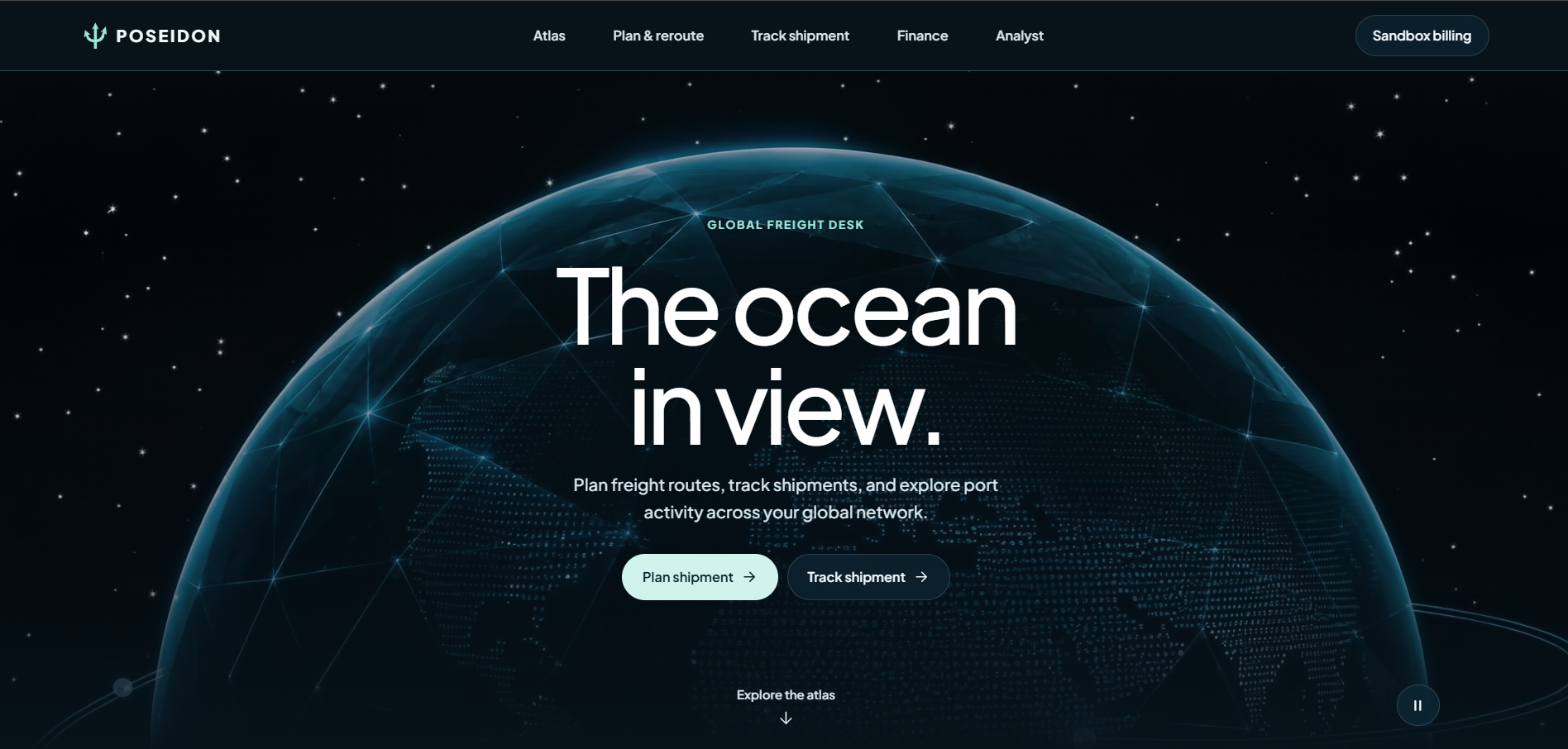
I built Poseidon, an AI-powered freight operations workspace that connects shipment tracking, disruption response, route planning, and PayPal Sandbox invoicing. The idea was to give freight forwarders and logistics teams one place to work through an exception, from the first missed milestone to the next customer update.
What it does
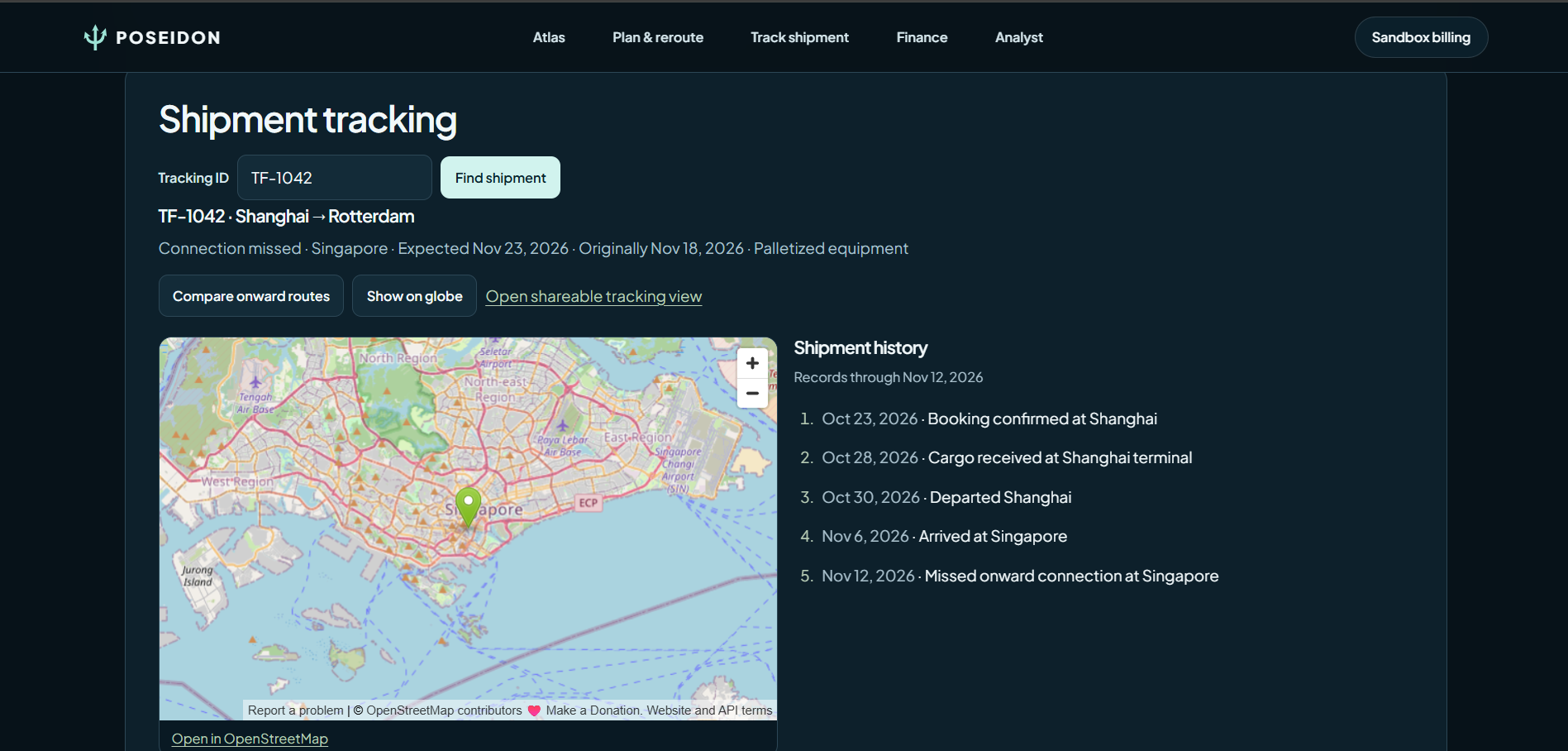
The demo follows TF-1042, a shipment of palletized equipment traveling from Shanghai to Rotterdam. It misses its onward connection in Singapore, and the sample shipment record moves the estimated arrival from November 18 to November 23.
| Step | What the operator can do |
|---|---|
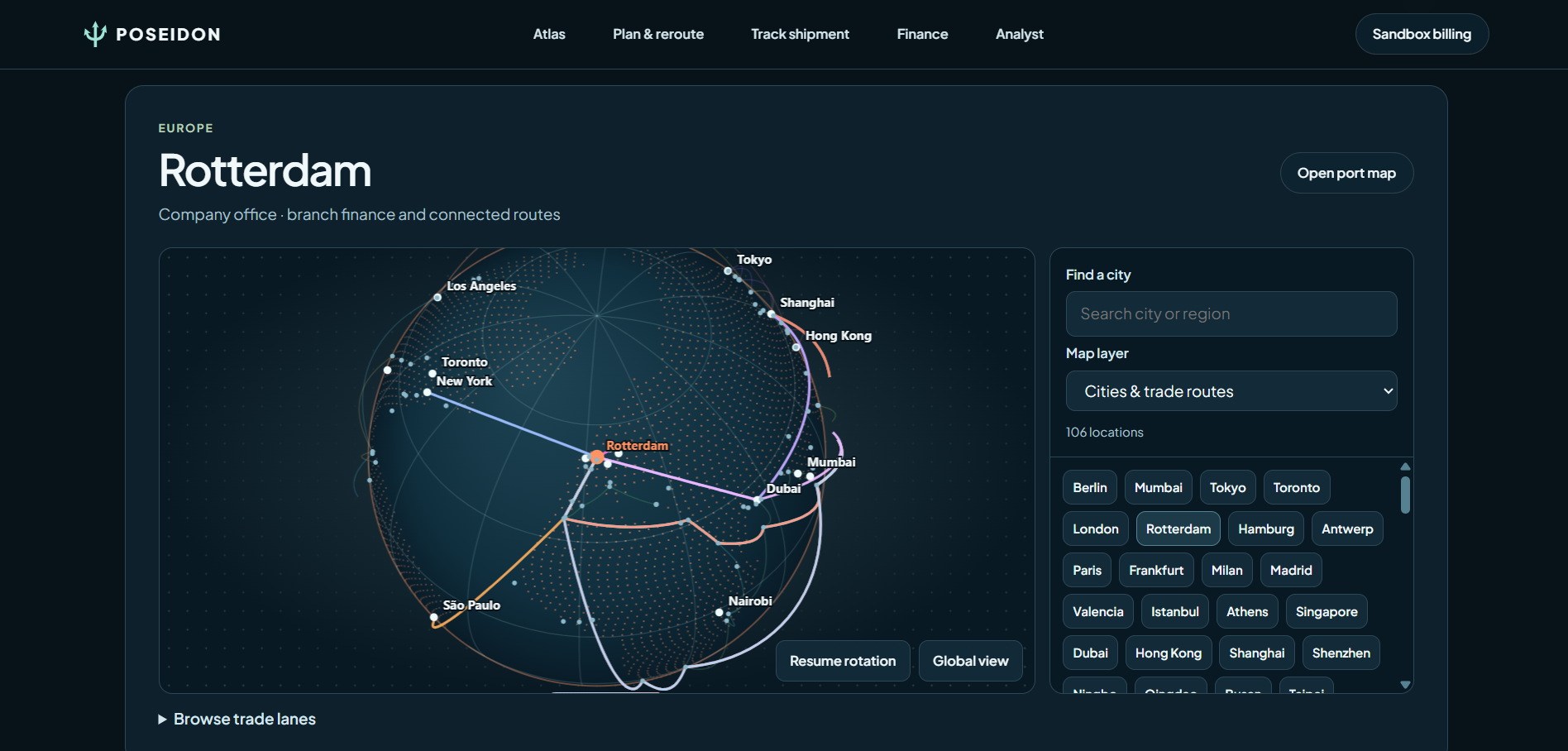
| Locate the shipment | Select Singapore on the interactive freight atlas and open TF-1042. Review the shipment’s milestone history, last reported hub, and revised arrival estimate. |
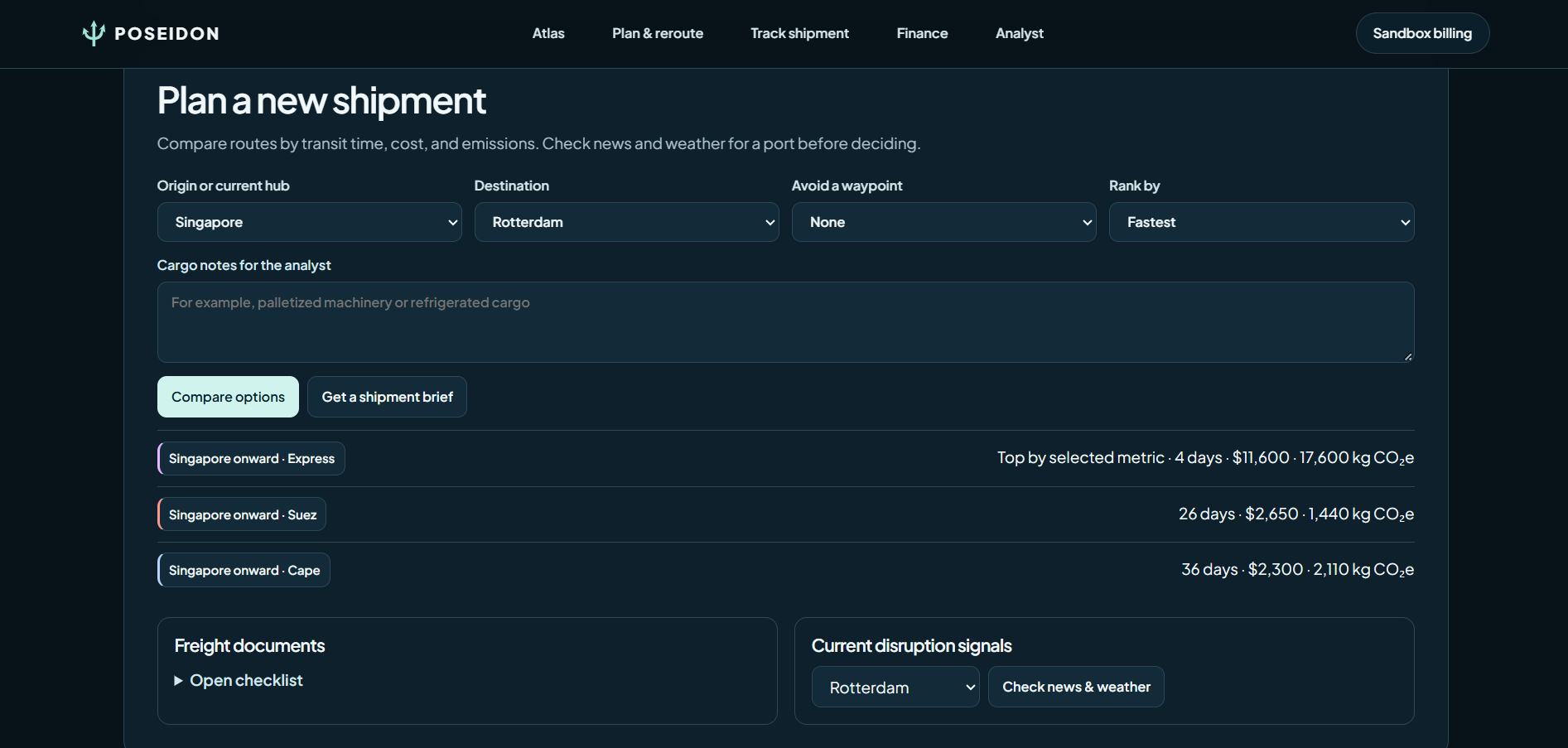
| Compare onward routes | Launch a comparison directly from the shipment. Exclude a waypoint such as Port Said, then rank the remaining options by transit time, estimated cost, or estimated emissions. Select a route to highlight it on the globe. |
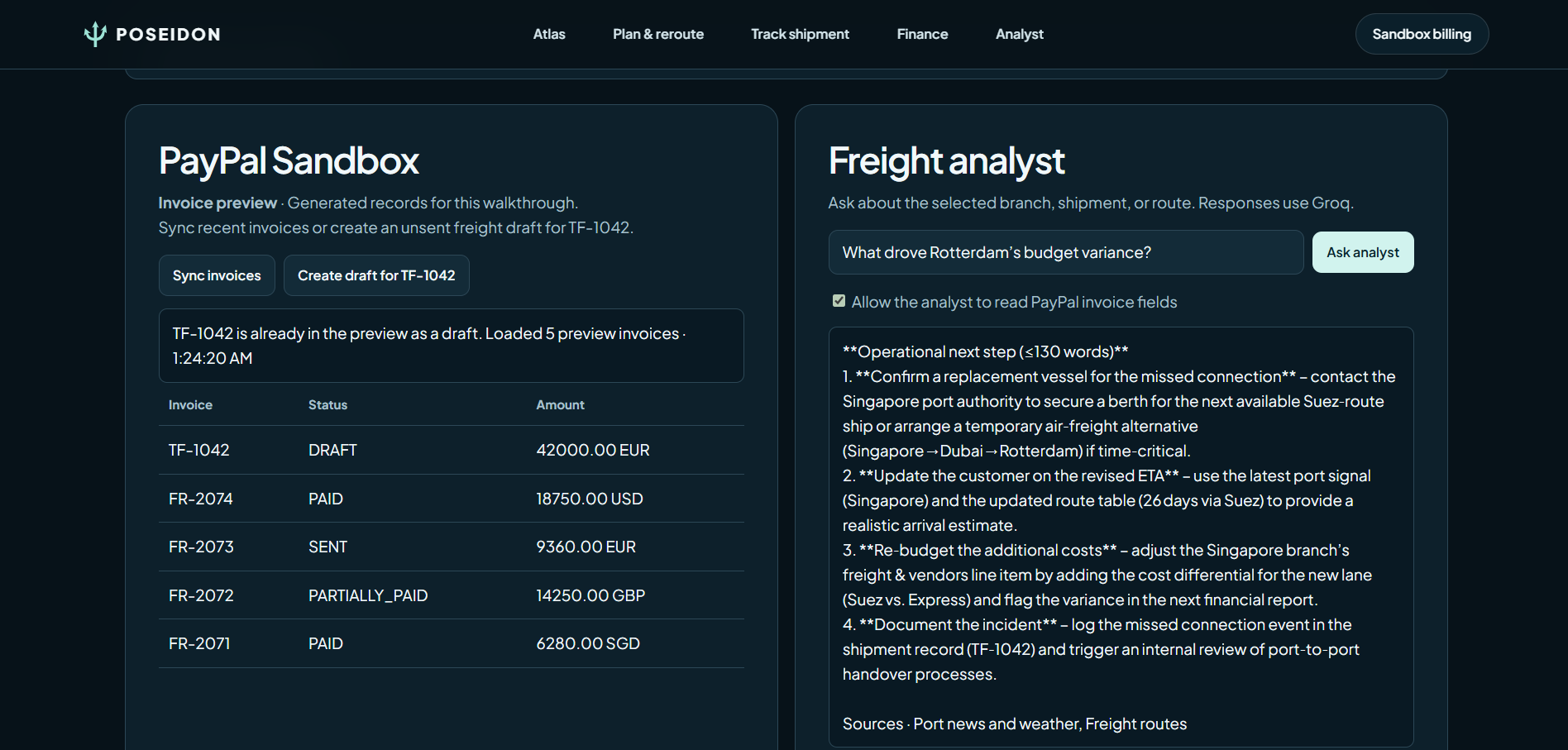
| Check the linked freight invoice | Create an unsent draft through PayPal Invoicing v2 in Sandbox, sync recent invoices, and look up TF-1042’s invoice status, amount, and currency from the tracking view. |
| Investigate with AI | Ask the analyst to compare the Cape and express options, look up the linked invoice with permission, and identify what to verify with the carrier. |
| Update the customer | Open the shareable tracking view with the shipment timeline, hub map, revised arrival estimate, and invoice lookup. |
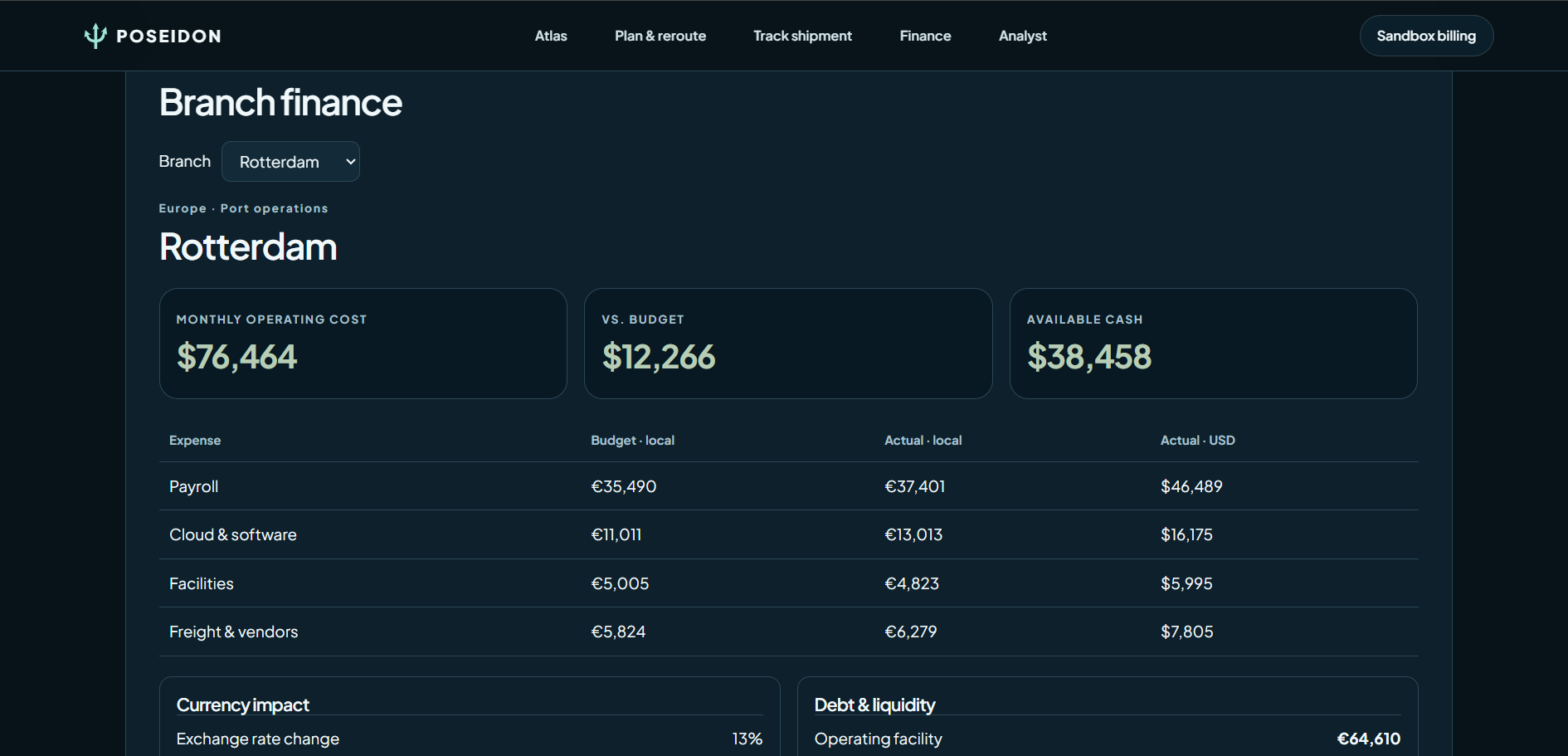
Poseidon also includes a branch finance view for budget variance, currency exposure, debt, and liquidity. A supplier cash forecast lets an operator test how later collection or a change in exchange rates could affect the cash available when a supplier bill comes due.
How we built it
Interactive freight atlas and route planning
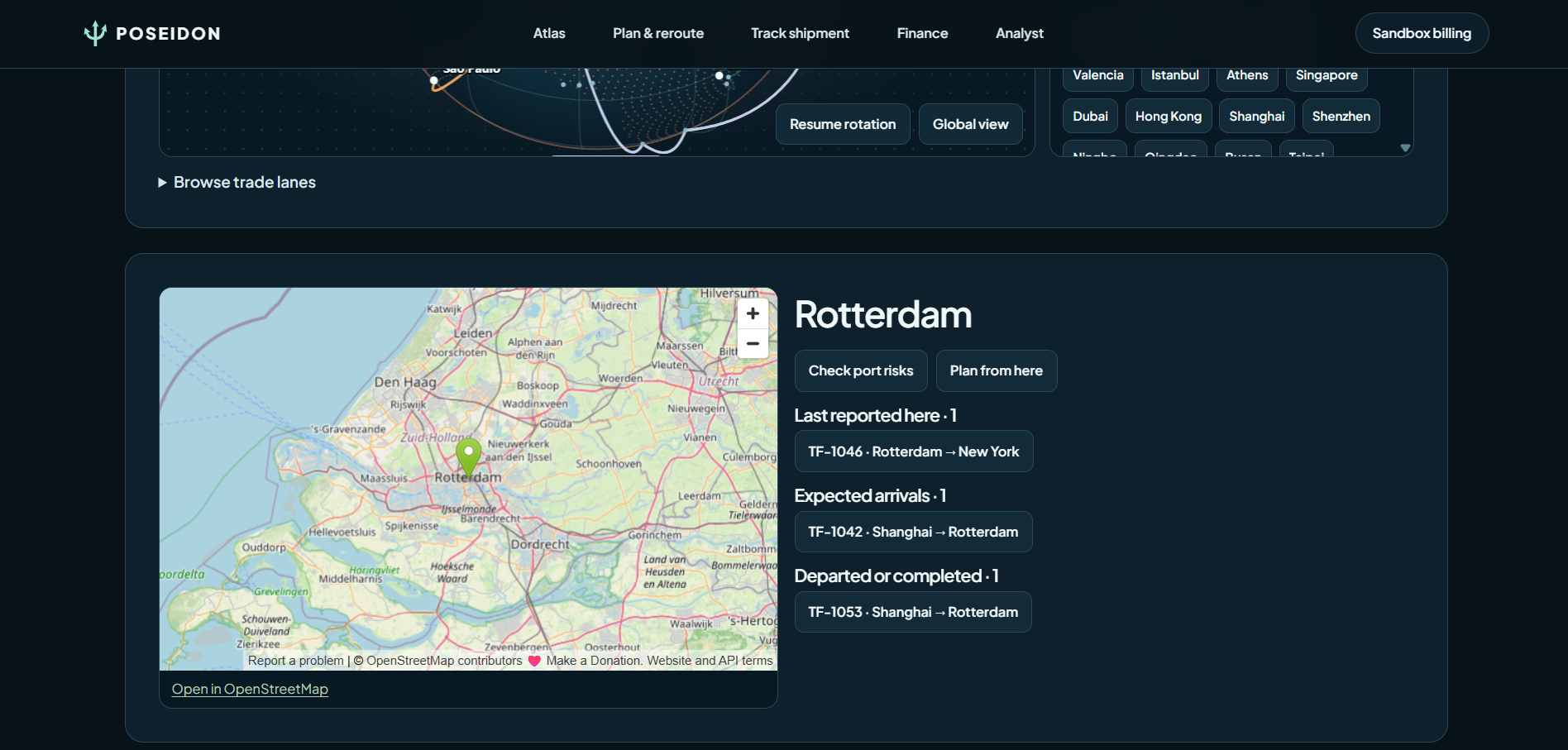
I built the interface with vanilla JavaScript and an interactive Canvas globe. Operators can move from a port to a shipment and from a route comparison back to the map. Embedded OpenStreetMap views give a closer look at the shipment’s last reported hub.
The route planner filters modeled trade lanes by origin, destination, and excluded waypoint, then sorts them by the selected metric. Starting from TF-1042 automatically sets Singapore as the origin and Rotterdam as the destination. When Port Said is excluded, the operator can compare a lower-cost Cape route with a faster express option. The same route data is available to the AI analyst, so its answer can use the figures displayed in the interface.
PayPal Sandbox invoicing
The Node.js backend integrates with PayPal Invoicing v2 using server-side credentials. The integration supports three actions that fit the freight workflow:
- Create a draft freight invoice for TF-1042.
- Sync recent invoices into the operator’s billing view.
- Look up the linked invoice from the shipment record using the matching invoice number.
This matters because a customer asking about delayed cargo may also ask about the freight bill. Poseidon keeps the invoice visible in the same workflow, where the operator can verify its status directly. The connected demo uses PayPal Sandbox and creates an unsent draft. A labeled invoice preview mode uses generated records for a walkthrough without credentials.
Groq analyst and port signals
The Groq-powered analyst receives the selected shipment and route-planning context. It can call read-only tools to compare routes, inspect branch figures, check recent port news and weather, and look up PayPal invoice fields when the operator enables access. The response can display which tools it used.
For example, an operator can ask:
For TF-1042, compare the modeled Singapore-to-Rotterdam options avoiding Port Said. Look up its PayPal Sandbox invoice and tell me what to confirm with the carrier.
Port signals use Google News and Open-Meteo when available. Shipment milestones come from a generated manifest, and route costs, transit times, and emissions are planning estimates. Automated tests exercise shipment histories and the PayPal and Groq request flows using controlled provider responses.
Challenges we ran into
Making rerouting a natural next step. A standalone route planner asks the operator to reconstruct the shipment before comparing options. The challenge was to make the handoff work from the existing record. Once the operator opens TF-1042, one action starts the comparison from its last reported hub and carries through its destination.
Giving each source a clear role. Shipment history explains what was recorded. Route estimates show what could happen next. Port news and weather give the operator leads to investigate. PayPal reports the state of the freight invoice. The interface and analyst need to preserve those meanings so an operator can tell which facts are confirmed in the record and which questions still need carrier confirmation.
Making the demo reproducible. The shipment scenario needed to work for judges without API credentials while still supporting a connected Sandbox walkthrough. The generated manifest and labeled invoice preview make the workflow repeatable. Connected mode lets judges exercise the PayPal API with Sandbox credentials, and automated tests verify the request flows with controlled responses.
Accomplishments that we're proud of
- A complete disruption walkthrough around one shipment. TF-1042 ties together the globe, shipment history, route planner, invoice lookup, analyst, and customer view.
- A PayPal integration tied to a freight decision. Operators can create and sync a Sandbox invoice, check its status from tracking, and optionally let the analyst use the same invoice fields.
- An AI workflow grounded in inspectable data. The operator can see the modeled routes and invoice fields used in the investigation, then ask the analyst to synthesize them into a practical next step.
- A direct handoff from investigation to communication. The operator can compare alternatives and share the shipment timeline with the customer while the carrier confirms the next leg.
What we learned
The most valuable interaction was opening a delayed shipment and comparing routes from its last reported hub. That gave me a way to judge every feature by whether it helped the operator answer the next question. The globe helps locate the shipment, the planner makes the trade-offs visible, PayPal answers the billing question, and the analyst helps prepare the next carrier conversation.
I also learned that tool calling makes AI more useful when the underlying tools already do something concrete. The route planner filters and ranks the options, PayPal provides the invoice fields, and the analyst brings those facts together. That gives the operator an answer they can trace back to the shipment, route comparison, or billing record.
What's next for Poseidon
I’d start by connecting carrier and freight-forwarder milestone feeds so the workflow can respond to actual shipment events. Adding carrier schedules and quotes would then let operators check which onward options are available to book.
On the billing side, PayPal webhooks could surface invoice updates on the linked shipment. Shipment-level access controls would let each customer open only their own tracking record. Together, those additions would extend the same workflow from the first carrier alert through to the customer’s next status check.
Built With
- canvas
- css3
- googlenewsrss
- html5
- javascript
- node.js
- openstreetmap
- react


