-
-
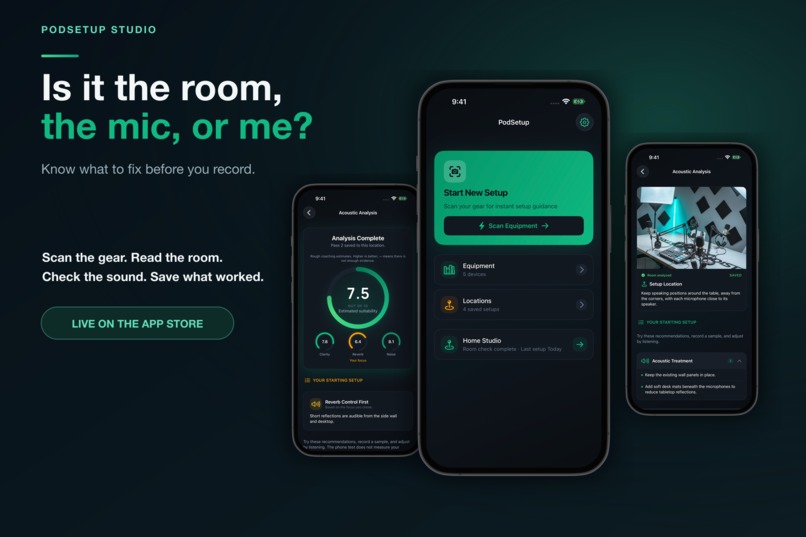
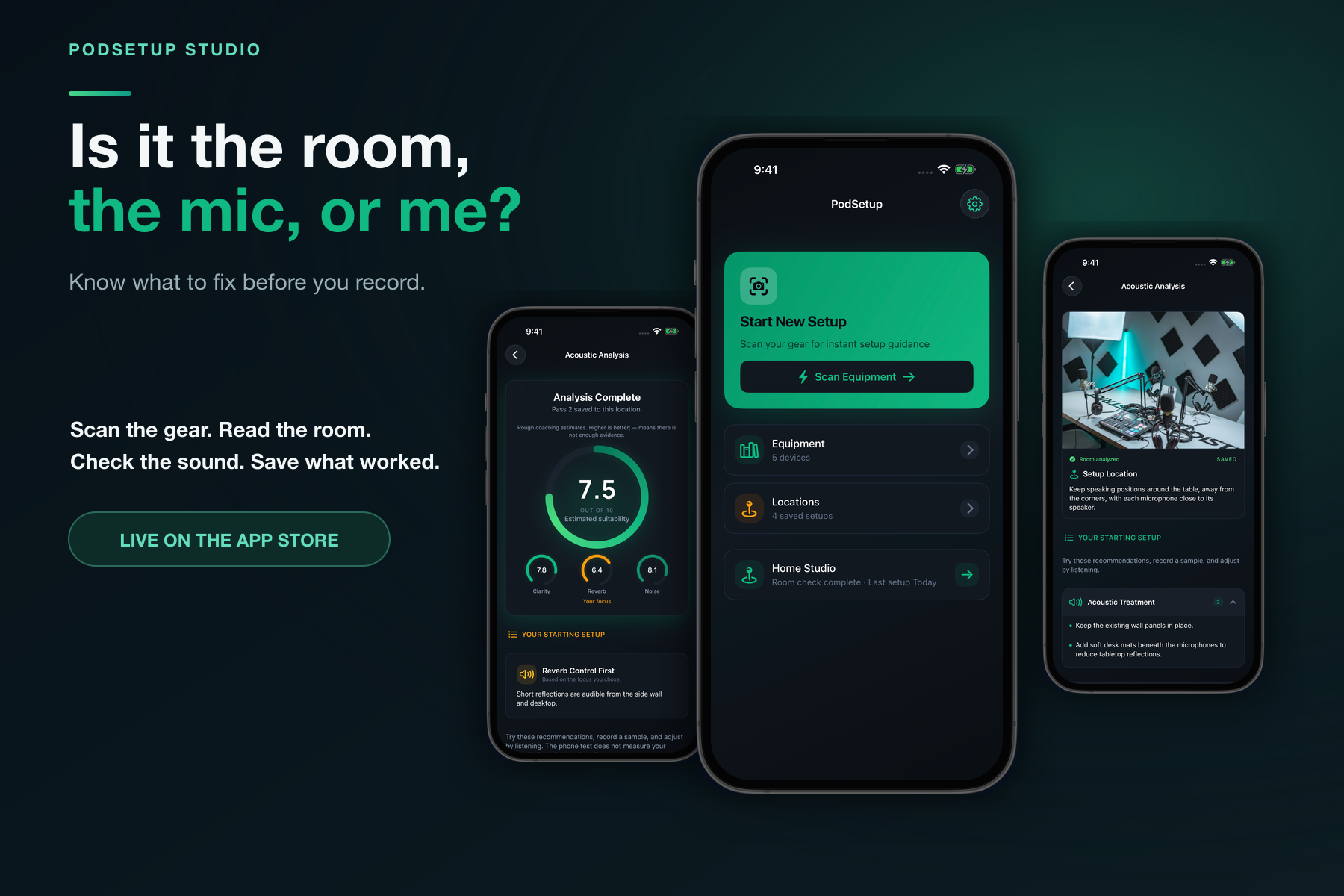
PodSetup helps creators identify what to fix in their gear, room, and sound before they record.
-
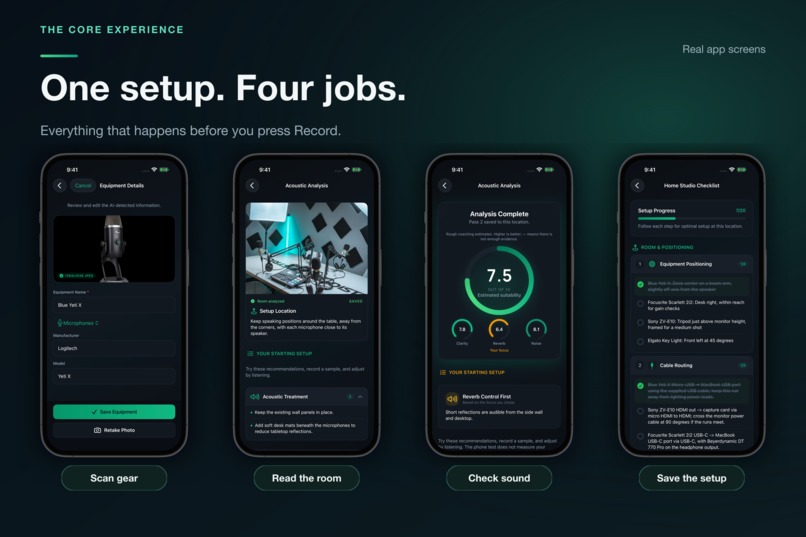
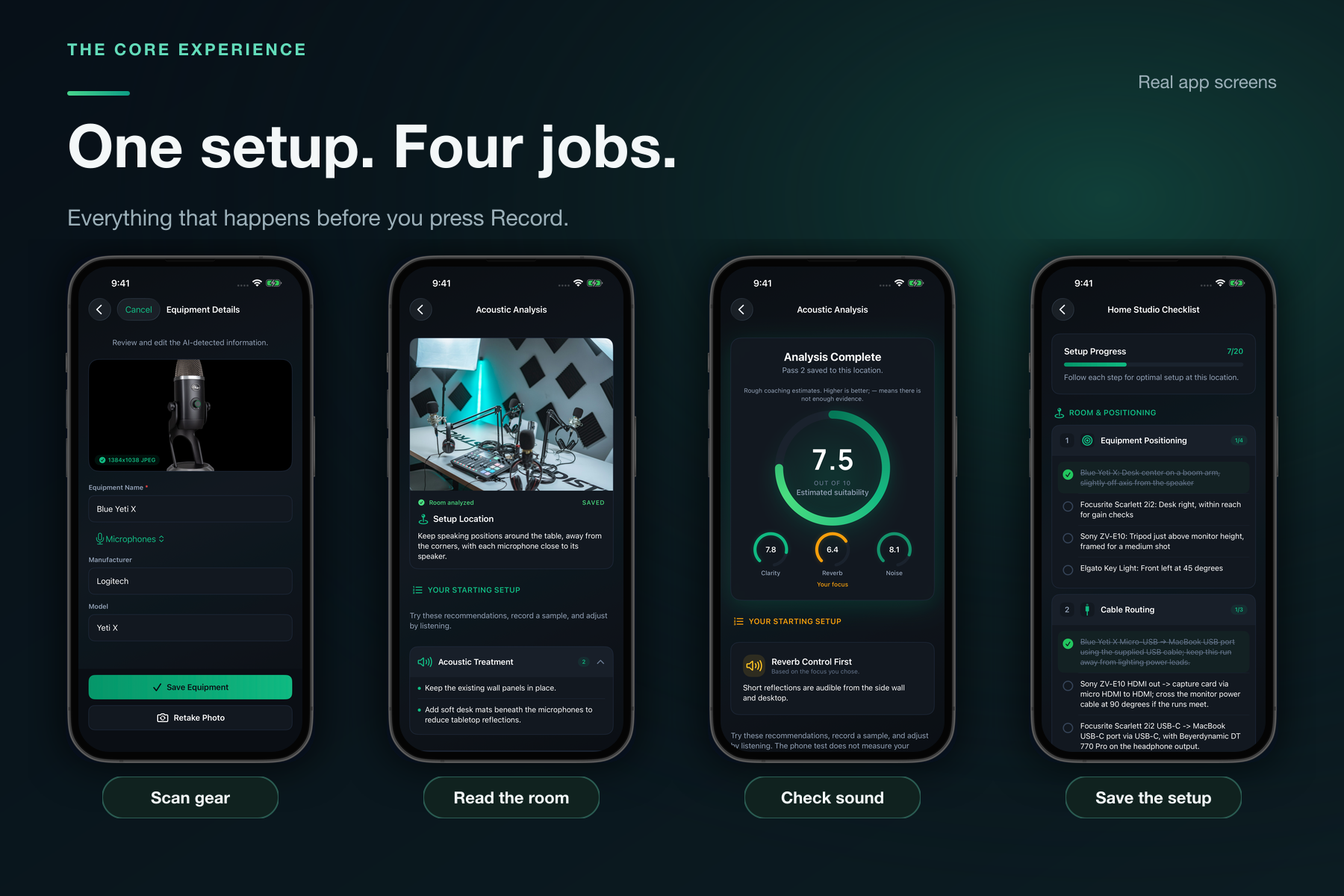
The complete pre-recording workflow: scan gear, read the room, check the sound, and save what worked.
-
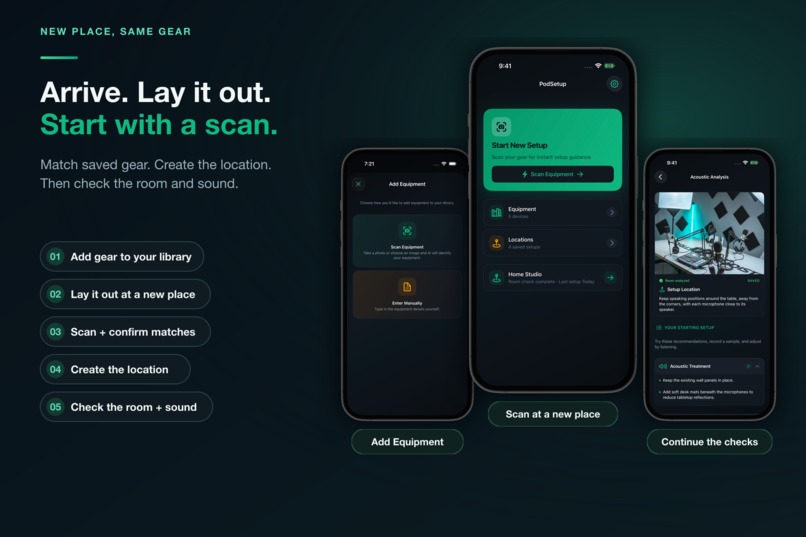
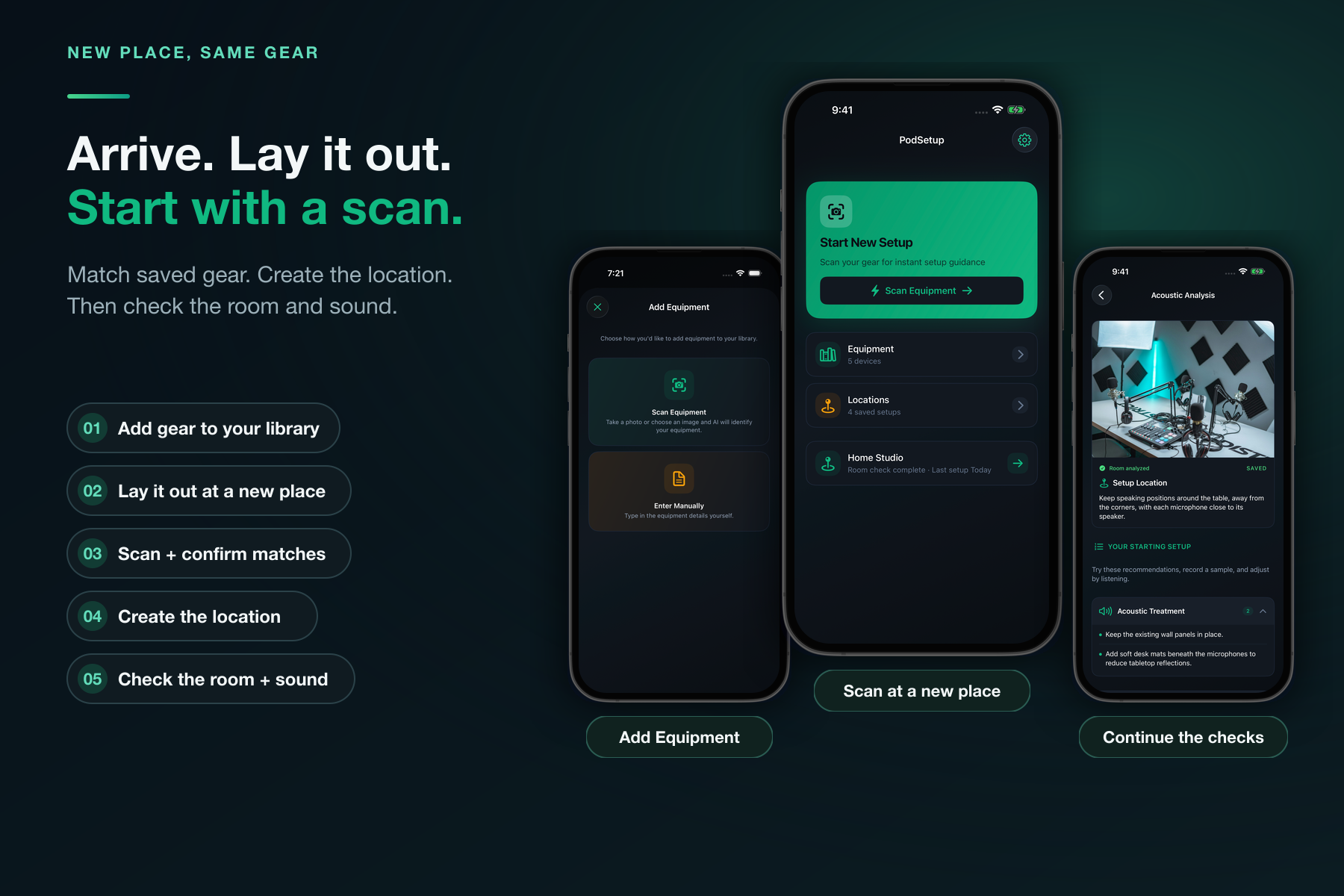
Add gear to your library, then at a new place lay it out, tap Scan Equipment, create the location, and complete room and sound checks.
-
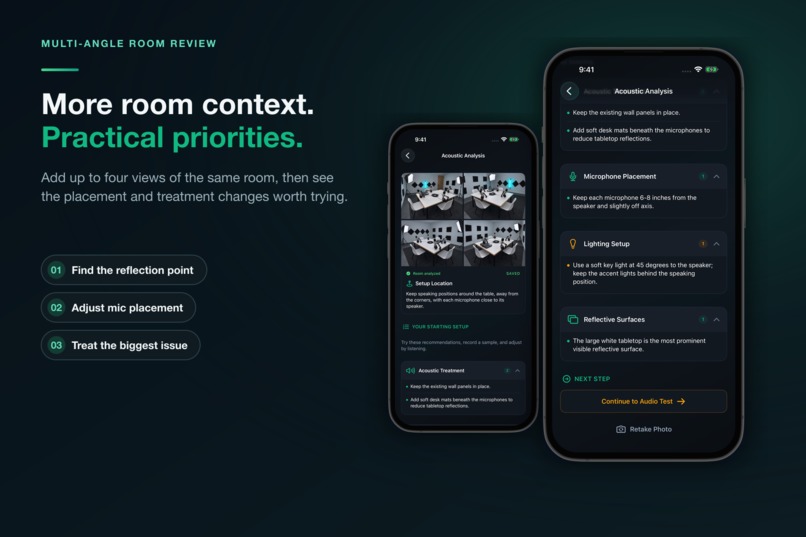
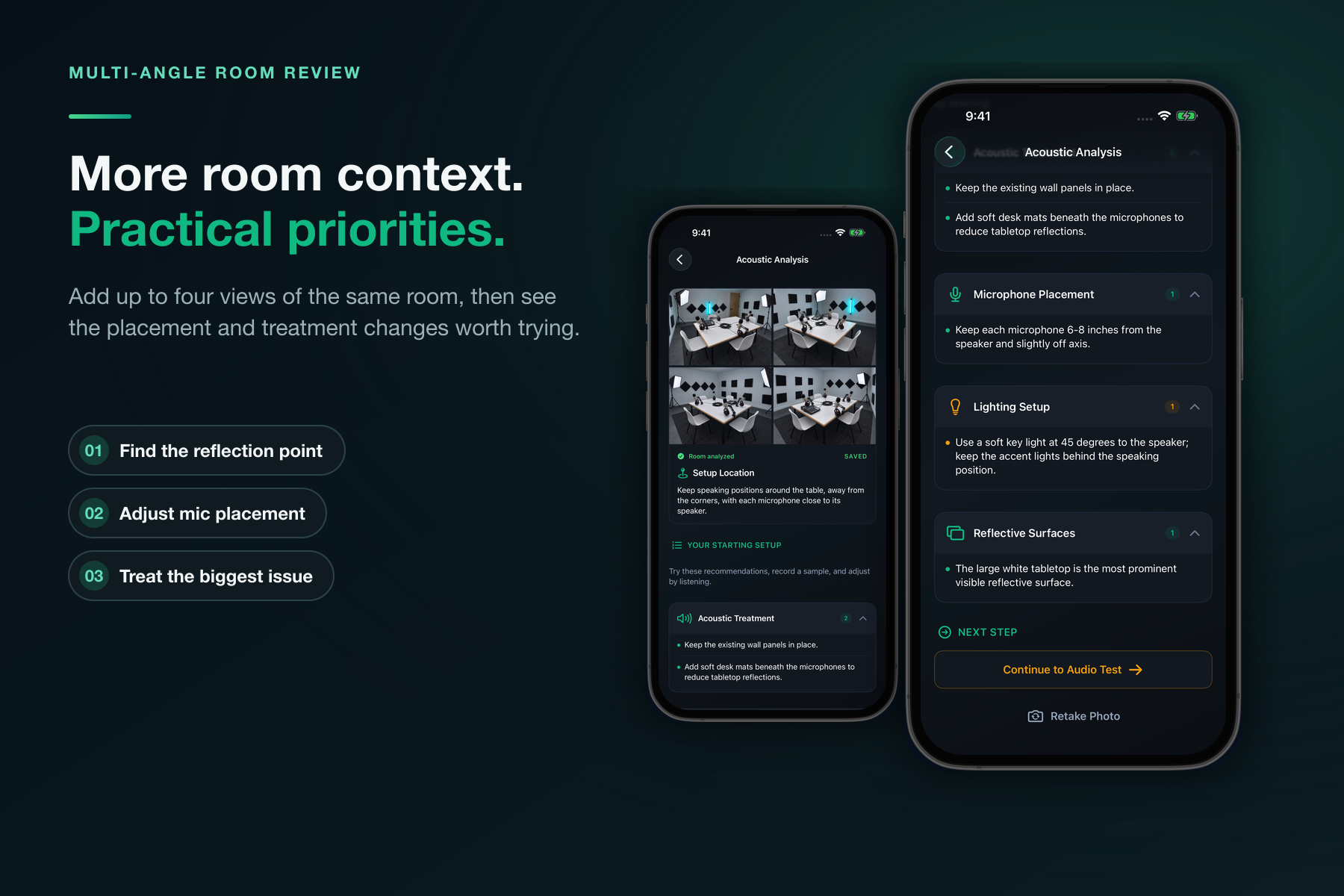
Up to four views of one room provide context for practical placement, reflection, lighting, and treatment priorities.
-
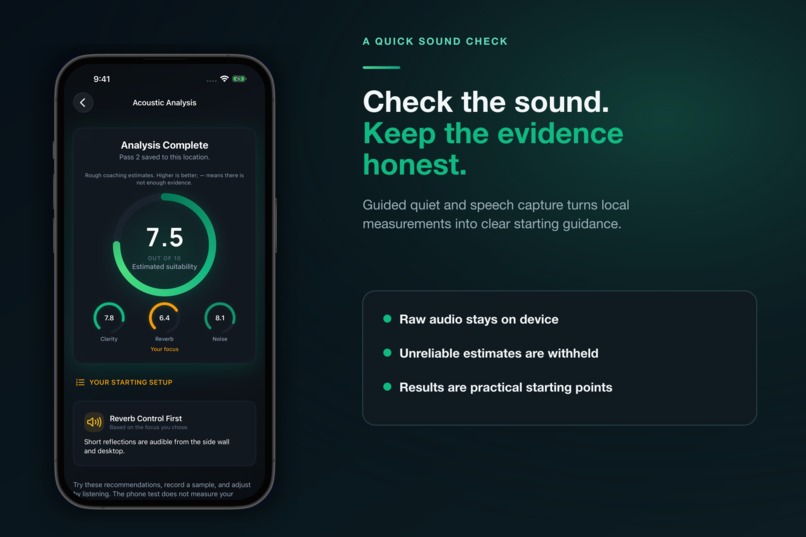
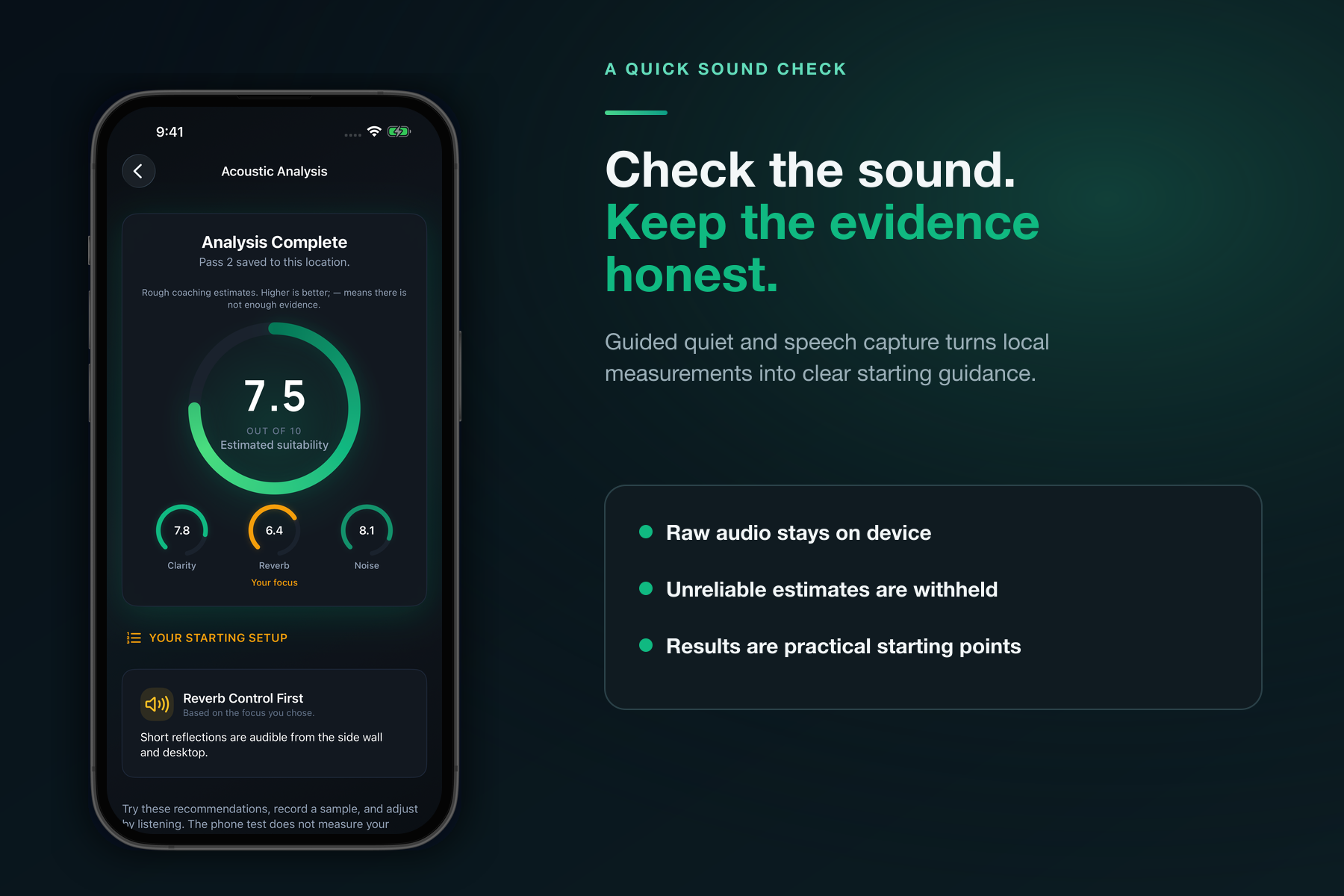
A guided quiet-and-speech check turns local measurements into honest starting guidance.
-
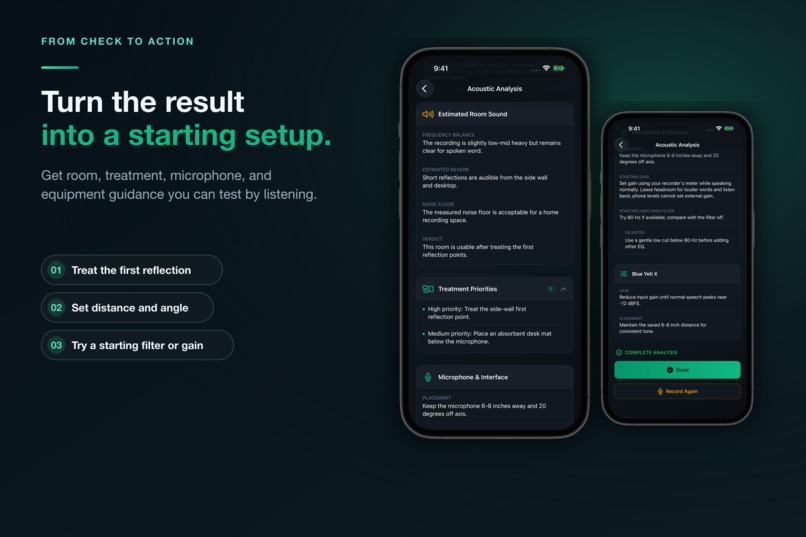
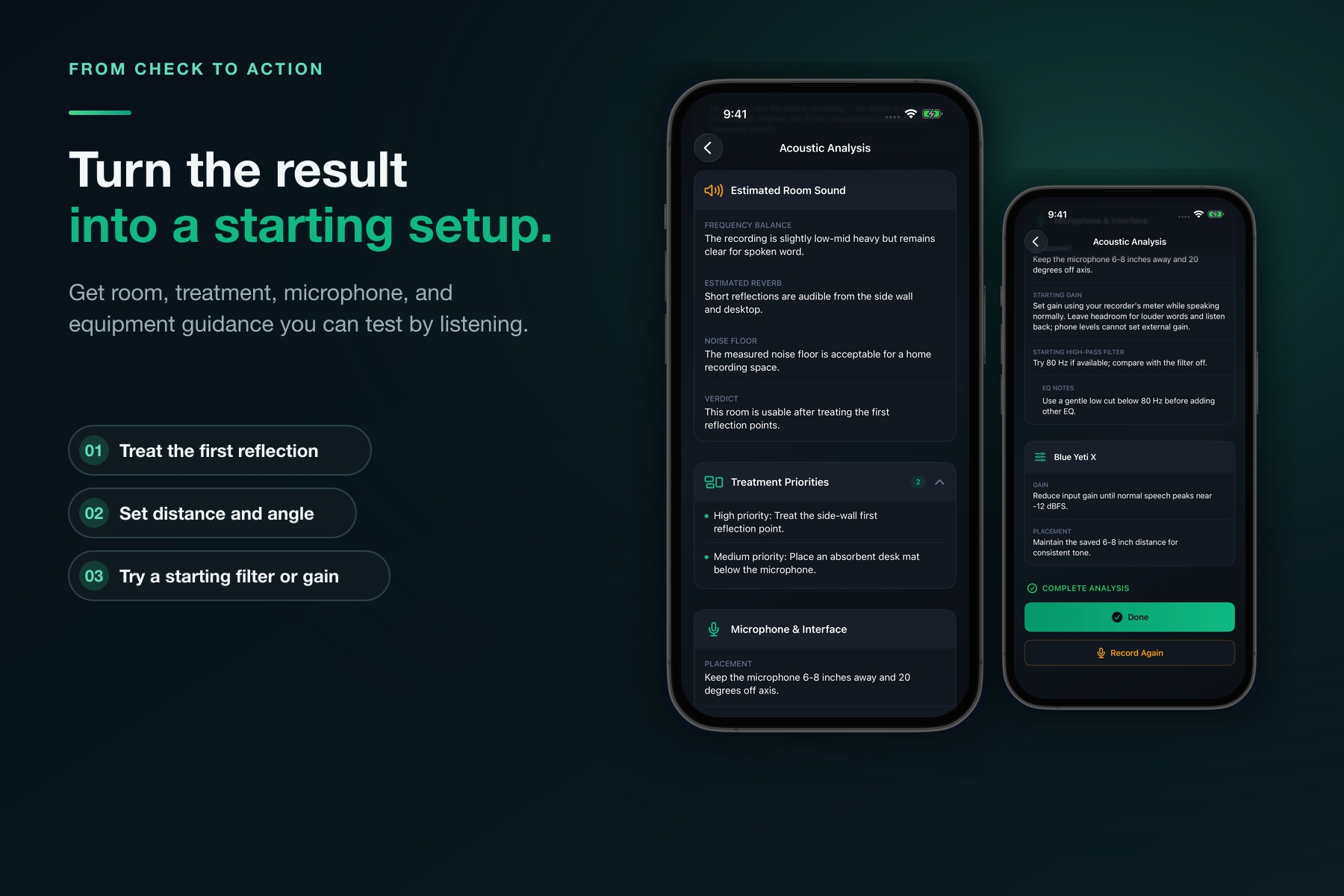
Actionable room, treatment, microphone, and equipment recommendations to test by listening.
-
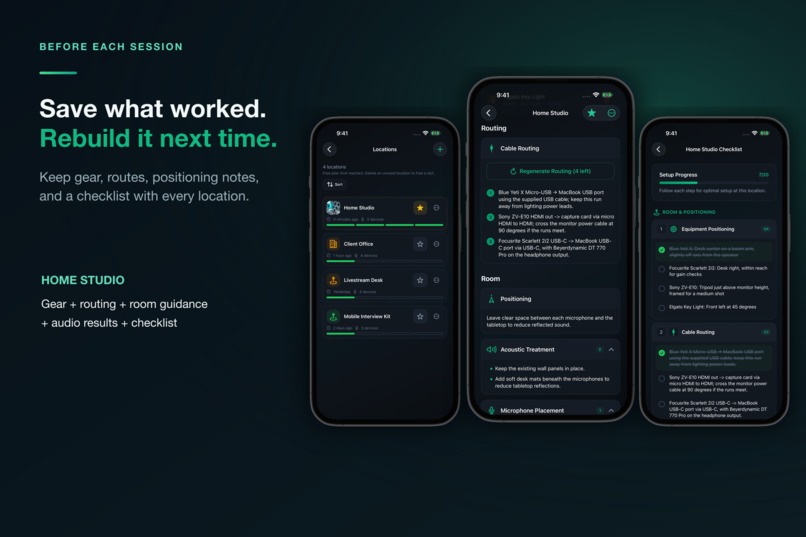
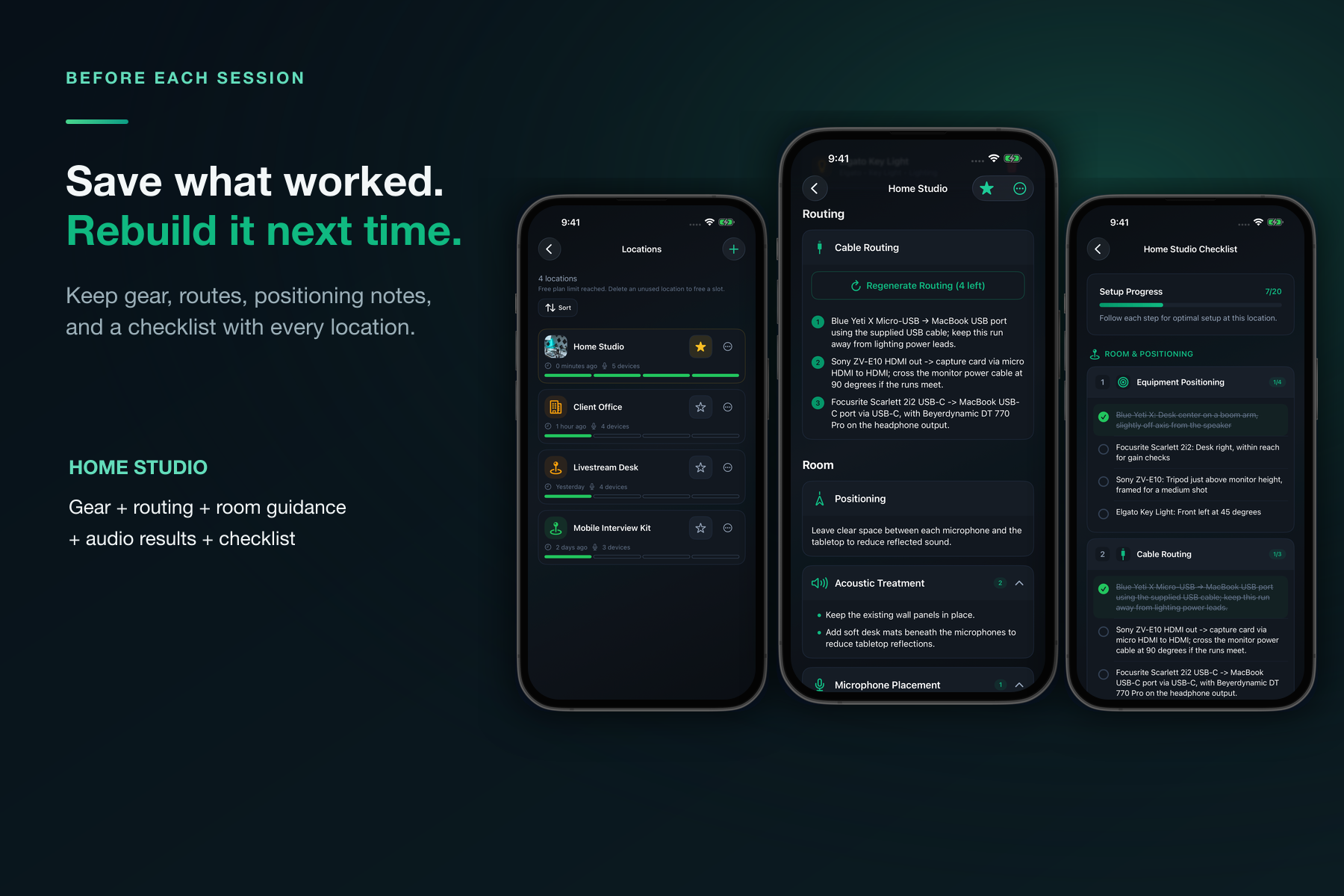
Save gear, cable routes, positioning notes, and a checklist with each location for repeatable setups.
-
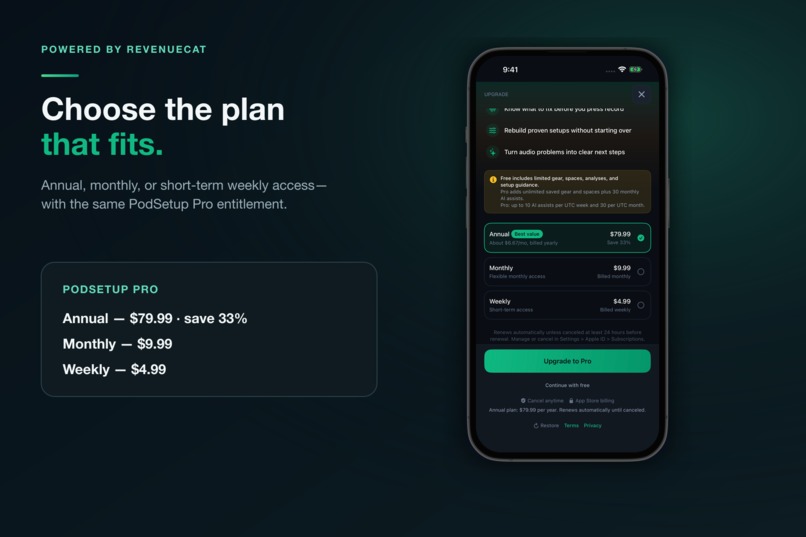
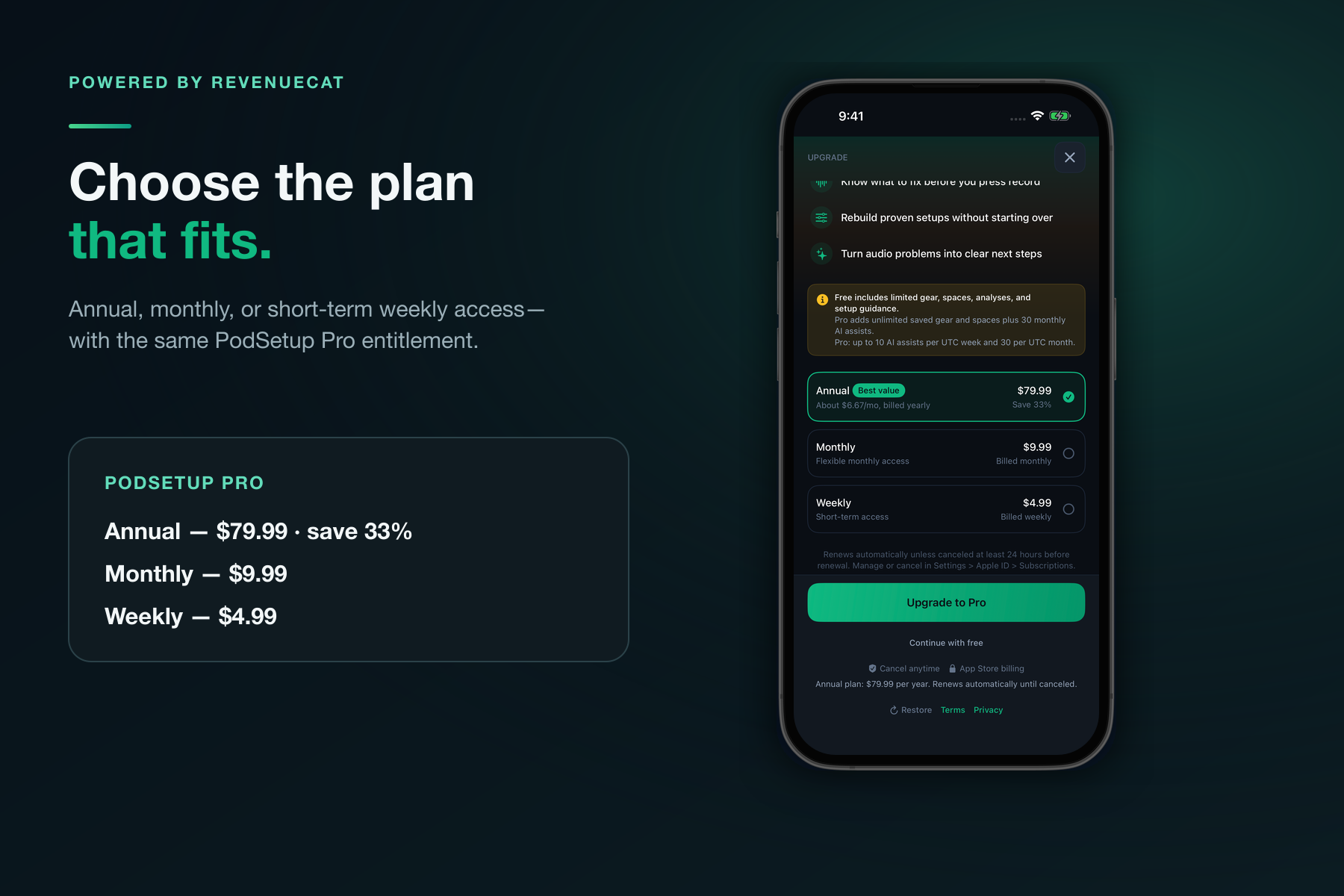
RevenueCat powers Annual, Monthly, and Weekly plans through one PodSetup Pro entitlement.
-
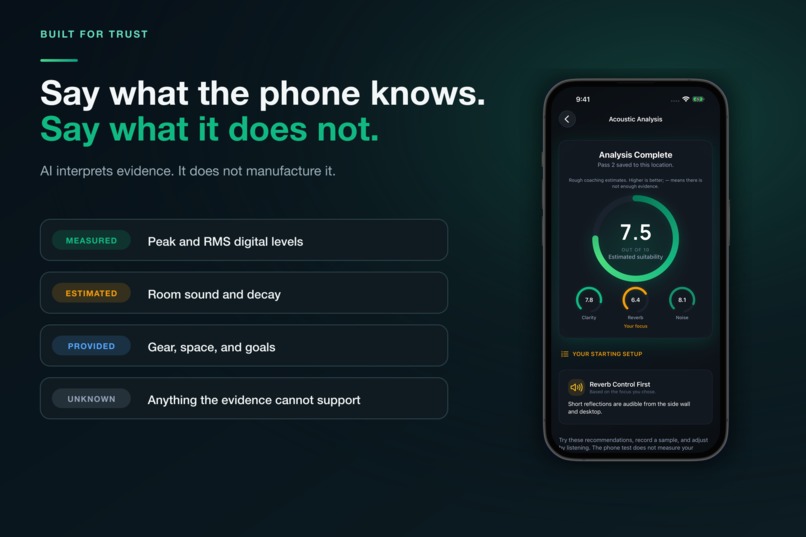
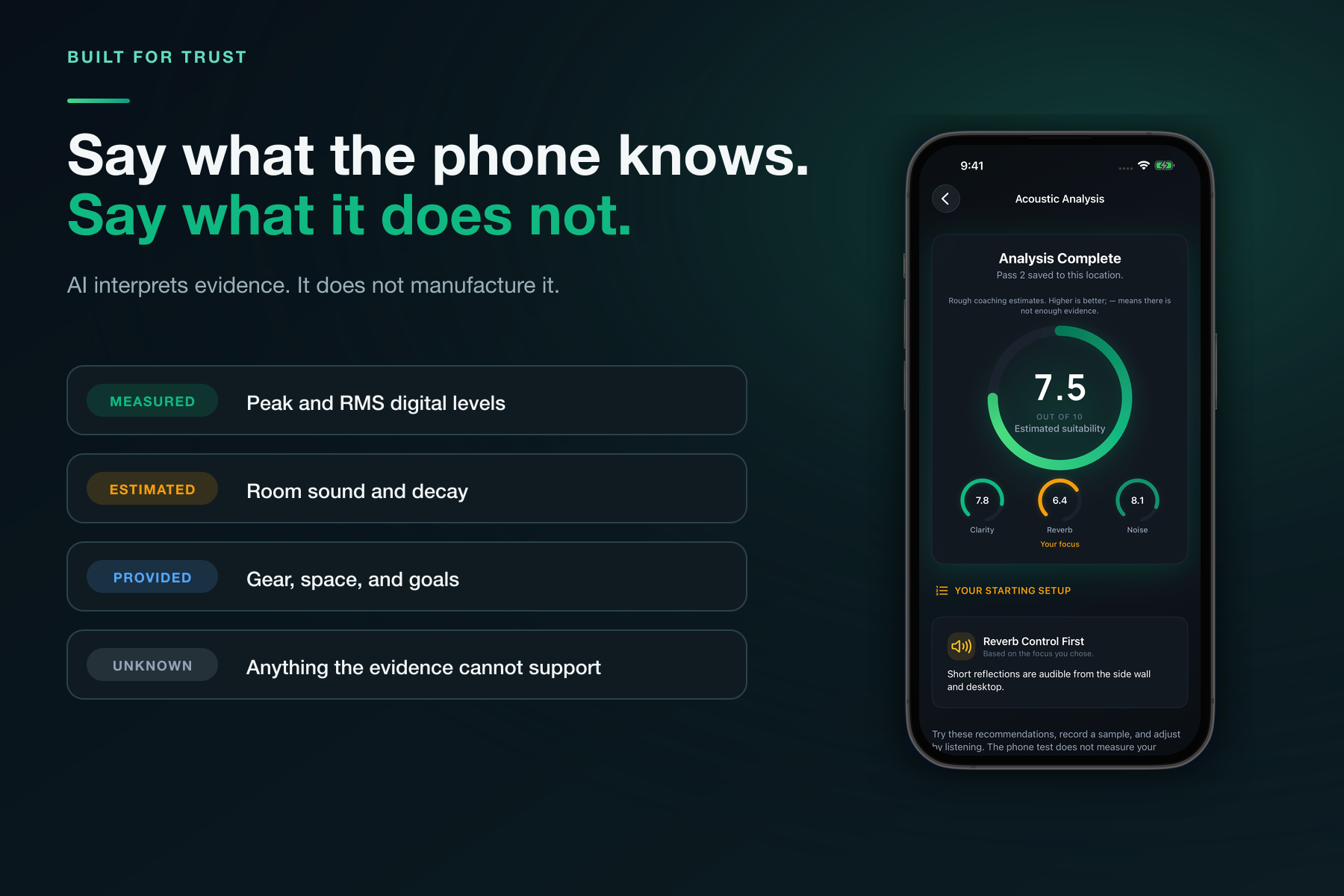
PodSetup separates what the phone measured, what it estimated, what the user provided, and what remains unknown.
-
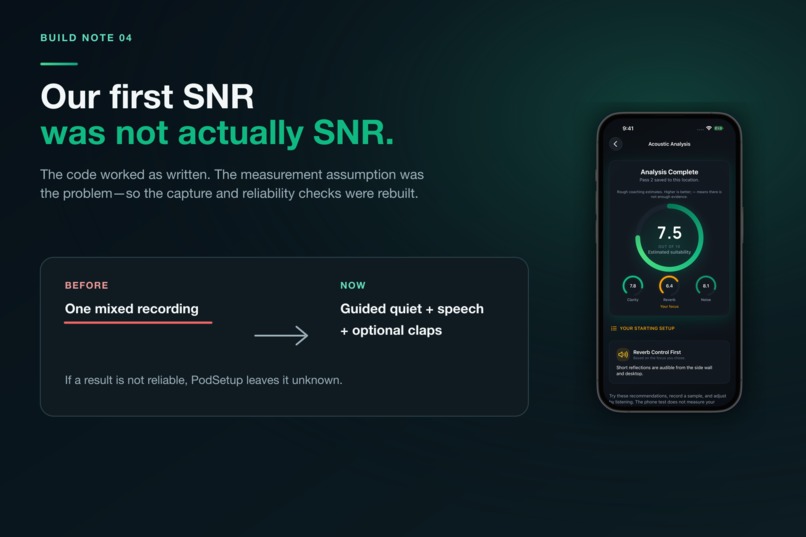
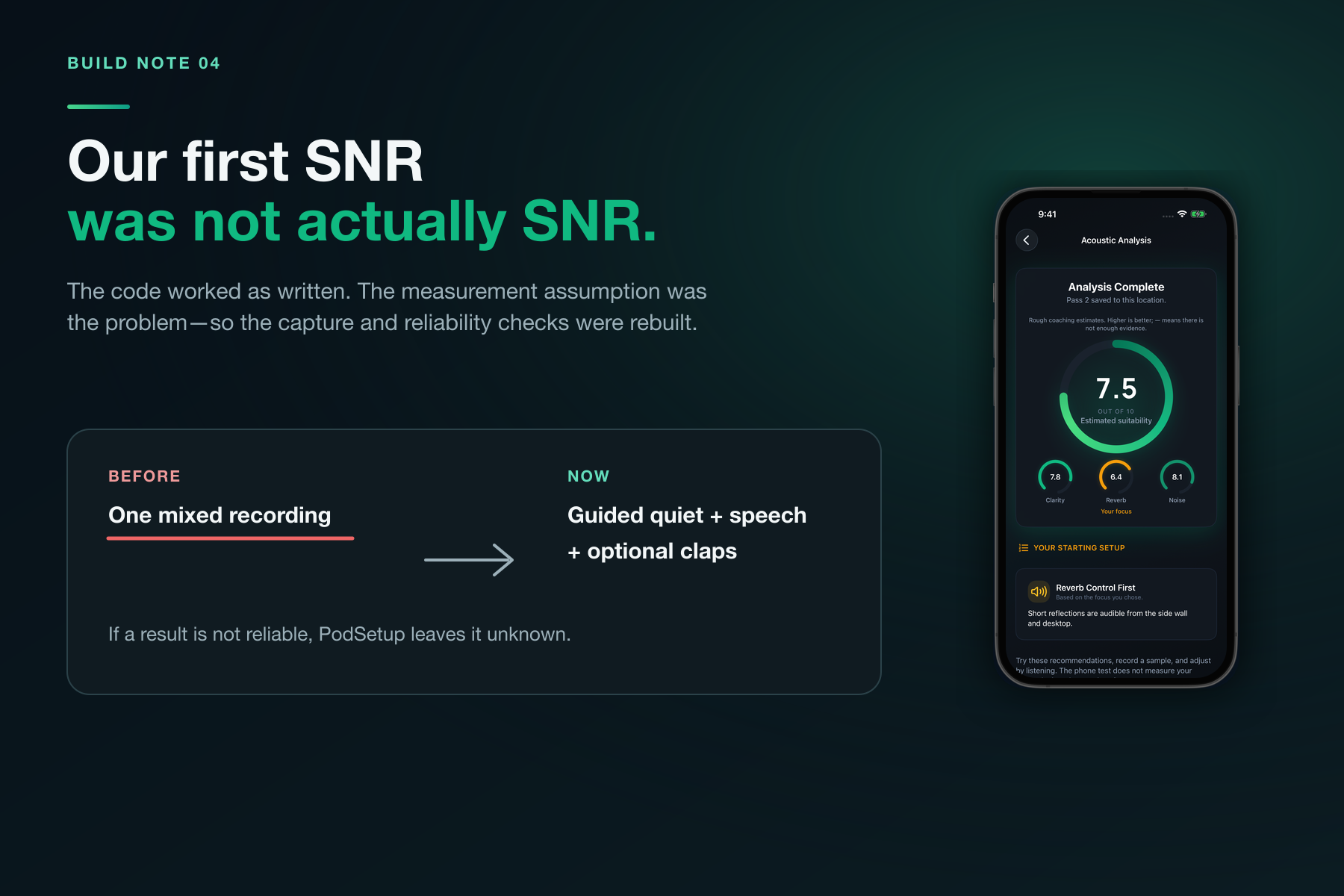
The first SNR looked scientific but was wrong—so the capture flow and reliability checks were rebuilt.
-
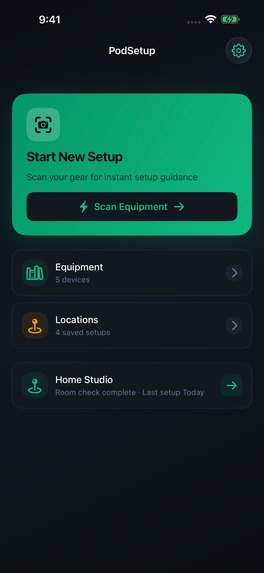
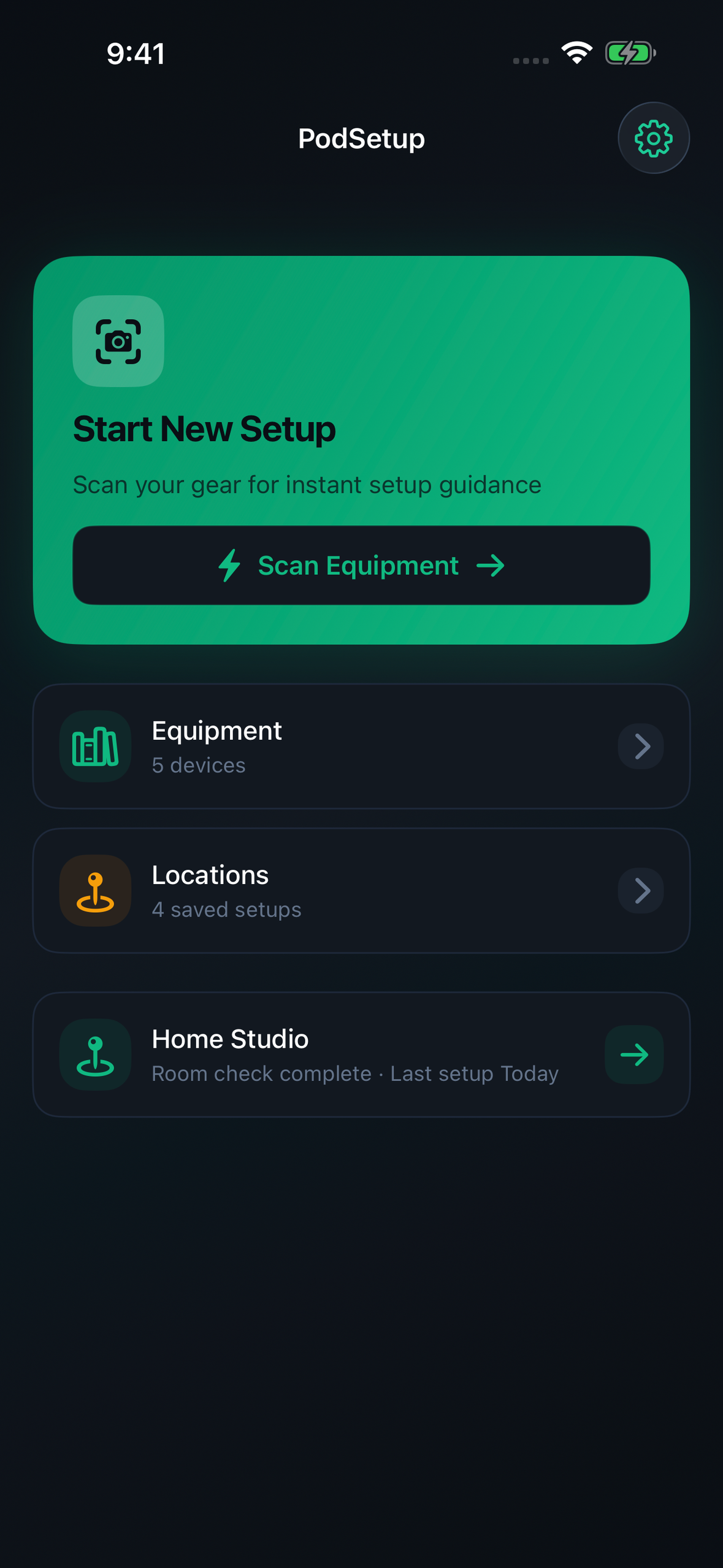
Frame-free Home screen: equipment, locations, and the next setup task in one place.
-
Original uncropped PodSetup Studio app icon (1024 × 1024).
Inspiration
Is it the room, the mic, or me?
The original spark for PodSetup came from one of Greg Isenberg’s “Idea of the Day” posts: use AI to help podcasters make better decisions about their recording setup.
That was the spark, not the finished product.
I started researching what creators could already use. The App Store had recording apps, editors, remote-interview platforms, equipment calculators, and endless microphone recommendations. What I could not find was one place that helped a creator understand the equipment and room they already had, decide what to change before recording, and save the setup so it could be repeated later.
Most podcast software begins after someone presses Record. Many recording problems begin earlier: a microphone facing the wrong direction, a reflective desk, a noisy charger, the wrong cable path, or an input level chosen by guesswork.
That became PodSetup’s boundary. It would not record or edit the show. It would help creators prepare their gear, room, and sound before the first take.
PodSetup Studio launched publicly on the App Store during RevenueCat Shipaton 2026. The version described in this submission is the app’s first public release.
What it does
PodSetup Studio is an iPhone setup assistant for podcasters and mobile creators.
It brings the different parts of a recording setup together:
- Build a personal equipment library manually, from presets, or by scanning gear with the camera
- Save home studios, client offices, desks, and portable recording locations
- Keep equipment, positioning notes, cable routes, and setup checklists with each location
- Generate practical cable-routing and equipment-placement guidance
- Review room photos for layout, reflective surfaces, lighting, and treatment priorities
- Record a short guided sample to check loudness, background noise, room sound, and settings to try
- Save the recommendations so a good setup is easier to rebuild next time
PodSetup is deliberately local-first. Saved equipment, locations, notes, photos, recordings, and setup history remain on the device. The app asks before sending selected content or derived measurements for an AI-assisted result. Raw audio recordings are analyzed locally and are not uploaded.
PodSetup is free to start. PodSetup Pro uses RevenueCat for subscription access and unlocks unlimited saved equipment and locations, plus 30 AI assists per month with a maximum of 10 per week. Equipment scanning, setup guidance, room-photo analysis, and audio guidance each use an assist.
How I built it
The first iteration proved the product flow
PodSetup began as an Expo and React Native prototype. That version helped define the core sequence: add gear, create a location, plan the setup, inspect the room, check the sound, and save what worked.
It also showed that this was not simply a collection of forms. Camera capture, microphone recording, signal processing, persistent setup data, and a calm mobile experience all needed to work together.
I rebuilt it natively
In May, I began rebuilding PodSetup in Swift instead of porting the earlier app screen by screen.
The native app uses:
- SwiftUI for the interface
- SwiftData for equipment, locations, analyses, checklists, and onboarding state
- AVFoundation for camera capture, microphone recording, audio sessions, and live input levels
- Accelerate and vDSP for local signal analysis
- UIKit and native image processing for equipment and room photos
- RevenueCat and StoreKit for subscriptions and entitlements
- A private Railway backend for AI requests, authentication, and server-enforced usage limits
- OpenAI for structured equipment, routing, room, and setup recommendations
- Apple App Attest, short-lived sessions, PostgreSQL, and Redis to protect the service
- TelemetryDeck and Sentry, configured to exclude recording content from analytics and diagnostics
The iPhone handles the observations and signal processing it can perform locally. The backend receives structured evidence for AI-assisted interpretation and returns practical next steps. The model is not asked to invent measurements the phone never captured.
Challenges and iterations
The first acoustic pipeline sounded more certain than it was
This was the most important problem I found.
An early version produced values that looked scientific, but some labels were more confident than the evidence justified. The first “SNR” was not a true comparison between a controlled speech signal and a clean background-noise sample. A reverb estimate could mistake continued speech energy for room decay. The noise floor could be based on the quietest part of a recording even when the user had never recorded intentional room tone.
The code worked as written. The measurement assumptions were the problem.
I rebuilt the capture around separate guided quiet and speech sections, with optional claps for a conservative decay estimate. PodSetup now analyzes the usable recording with overlapping FFT windows and rejects results that do not pass its reliability checks.
When the available evidence is insufficient, the app can say that it could not estimate something reliably. That is more useful than displaying a confident number the phone cannot support.
PodSetup describes its results as practical starting guidance. Recorded peak and RMS values are digital levels, not calibrated sound-pressure measurements. Room-sound and decay results are estimates, not professional RT60 measurements.
AI became the interpretation layer
The product improved when I separated four kinds of information:
- What the phone measured
- What the app estimated
- What the user provided
- What remained unknown
I rewrote the AI contracts and prompts around those boundaries. I stopped forcing a fixed number of recommendations and stopped asking the model to trust every available value equally.
AI now interprets the evidence and suggests practical actions. It does not replace the measurement layer or pretend that an iPhone is a calibrated acoustic laboratory.
The onboarding flow had to survive interruption
The onboarding design uses one main idea per screen. That made a complex setup process feel calmer, but the early implementation still broke important promises.
Closing the app could restart onboarding. Switching from recommended equipment to the scanner and cancelling could lose earlier choices. Some buttons described the screen I intended to open rather than the screen they actually opened. A Home checklist existed but remained collapsed after onboarding promised to reveal it.
I traced each branch, captured and inspected the screens, and tested relaunch, cancellation, no-gear, one-device, multi-device, routing-success, routing-failure, and usage-limit paths.
The resulting flow preserves recoverable work, handles more interruptions, and uses button labels that describe their actual destination.
Removing features improved the experience
Some elements looked polished in isolation but made the complete flow worse.
An animated sound wave pushed the recording task below the fold. Duplicate microphone illustrations made the capture screen busier. Repeated “Starting Guidance” labels made every result sound defensive.
I removed or consolidated those elements. The app became calmer by asking for less attention.
Reliability fixes became product features
Several of the most important iterations do not appear in an App Store headline:
- A failed AI request does not require the user to discard the audio sample they just recorded
- Running a new room analysis marks older audio guidance as outdated
- Room-photo loading and cropping happen away from the main interface path
- The results gallery adapts to the number of photos actually captured
- Camera and scanner lifecycle handling is more resilient
- Usage limits are enforced by the backend instead of relying only on a device counter
- “Unlimited AI” was removed from the subscription language because it did not describe the actual product
These changes made PodSetup more dependable without expanding its scope.
Shipping during Shipaton
PodSetup Studio’s first public version launched on the App Store during the Shipaton 2026 submission period.
The released app includes its RevenueCat-powered subscription experience, native equipment and location library, camera-based equipment scanning, setup and cable-routing guidance, room-photo analysis, guided audio checks, and saved setup checklists.
The public release is the result of several distinct iterations:
- Exploring the original idea and researching the available products
- Building the first Expo and React Native prototype
- Narrowing the product to setup work before recording
- Rebuilding the app natively in Swift
- Auditing and replacing the first acoustic-analysis assumptions
- Separating local measurement from AI interpretation
- Testing onboarding branches, interruptions, recovery, and limits
- Aligning the subscription copy with RevenueCat entitlements and backend-enforced usage
- Preparing and releasing the first public App Store version during Shipaton
The first public version went live on September 25, 2026. After launch, I published the App Store announcement and continued sharing specific product decisions on @PodSetup. Version 1.0.1 then clarified the first setup path: save gear, scan it at a location, and continue through room and sound checks. These are early release and outreach steps; I am still measuring real-user adoption and paid conversion.
Accomplishments I’m proud of
I am proud that PodSetup became a focused product rather than a general podcasting toolbox.
It connects equipment, locations, cable routing, room photos, audio checks, recommendations, and repeatable checklists in one native workflow.
I am also proud that the app became more honest as it became more capable:
- The interface distinguishes measurements from estimates
- The AI layer is constrained by the evidence available
- Raw audio recordings remain on the device
- The subscription limits match the backend behavior
- The privacy language describes what the released app actually processes
- The first public release shipped during the Shipaton window
The project went through native release builds, backend tests, automated app tests, end-to-end onboarding scenarios, visual reviews, localization checks, subscription integration, and App Store review before becoming publicly available.
What I learned
The biggest lessons were not about adding features:
- Design the evidence model before designing confident-looking result cards
- Test interruption and recovery, not only the happy path
- Treat every button label as a promise about what happens next
- Let AI interpret evidence, but never let it manufacture evidence
- A truthful limit builds more trust than an exciting claim the product cannot support
- Reliability work is product work
- Sharing unresolved decisions is more useful than sharing only polished conclusions
Building in public reinforced those lessons. Instead of sharing only final screens, I began publishing the broken metric, the native architecture, the onboarding branches, the removed ideas, the reliability work, and the remaining questions.
You can follow that process at @PodSetup on X.
What’s next
Now that PodSetup is live, the next step is learning from real use.
I want to understand which setup questions creators encounter most often, which recommendations they actually try, and where the app still sounds more confident or more technical than it should.
The immediate post-launch work is to:
- Collect feedback from podcasters and mobile creators using the public app
- Test the guidance across more rooms, microphones, interfaces, and recording formats
- Improve unclear recommendations without overstating the available evidence
- Measure where people complete or abandon the setup flow
- Learn which parts of the free experience lead people to choose Pro
- Continue sharing the decisions and results through the Shipaton build-in-public campaign
PodSetup is not an acoustic engineer in your pocket, and it does not try to replace one.
It is a setup assistant for the creator standing in a real room with the equipment they already own, trying to make a better decision before recording.
Scan the gear. Read the room. Check the sound. Save what worked.
Built With
- accelerate
- app
- apple
- attest
- avfoundation
- bun
- hono
- openai
- postgresql
- railway
- redis
- revenuecat
- sentry
- storekit
- swift
- swiftdata
- swiftui
- telemetrydeck
- typescript
- uikit
- vdsp
- xcode

Log in or sign up for Devpost to join the conversation.